
Editor’s note: This FirstEigen DataBuck review is based on my hands-on test of DataBuck on its 30-day free trial, connected to a Snowflake warehouse, in November 2026. I weighed pricing and the trial, setup and rule review, the Data Trust Score and alerts, reconciliation and remediation, the AI features (BuckGPT and the SDK), connectors, deployment and security, and how DataBuck compares with Monte Carlo, Anomalo, Soda, Great Expectations, Metaplane and Acceldata.
Quick verdict: I recommend DataBuck for enterprise data teams in banking, insurance, healthcare and other regulated industries that must validate and reconcile data across cloud warehouses and legacy sources such as IBM Db2 z/OS, VSAM and COBOL copybooks with one tool, and that want rules recommended rather than hand-written. The trade-offs: no rate card for the full platform (the only public price is the Azure Marketplace Essential plan at $2.21 per core-hour plus Azure VM costs), a 2-4 week anomaly baseline and no published SOC 2 or ISO 27001 attestation.
My DataBuck review verdict is that DataBuck does the rule-writing Soda leaves to your team: it scans data in situ, so no data leaves your platform, auto-profiles every table, recommends observability, essential and anomaly checks, rolls the results into a Data Trust Score per asset, and reconciles source and target row by row and cell by cell. FirstEigen, the Naperville, Illinois company founded in 2015 by Seth Rao (CEO) and Angsuman Dutta (CTO), builds DataBuck to write and run the validation rules themselves, while Monte Carlo includes data, ML and agent observability in every tier.
In this review, I’ll take a closer look at DataBuck’s pricing, features, and Data Trust Score, so you can see exactly whether it belongs in your data quality stack or whether a lighter tool will do.
Key Takeaways:
- Recommended checks span observability (freshness, schema drift, volume), essential (completeness, uniqueness, conformity, consistency, validity) and anomaly (data, distribution and microsegment drift) families, and every rule change waits in staging for approval.
- One tool covers Snowflake, Databricks, BigQuery, Redshift, Oracle, Teradata and mainframe Db2 z/OS, VSAM and COBOL copybooks.
- Row- and cell-level reconciliation and a remediation agent with approval gates and one-click rollback are built into the platform.
- No public price for the full platform: the Azure Marketplace Essential plan runs $2.21 per core-hour before Azure VM charges.
- FirstEigen quotes 2-4 weeks for the anomaly baseline and publishes no SOC 2 or ISO 27001 attestation.
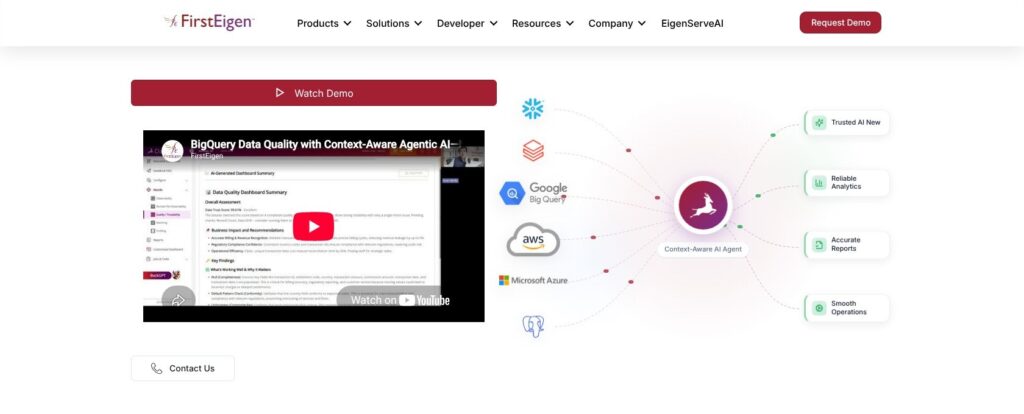
Pros and Cons
Pros
- Recommended observability, essential and anomaly checks alongside custom SQL rules.
- Connectors span Snowflake and Databricks through mainframe Db2 z/OS, VSAM and COBOL copybooks.
- Row- and cell-level reconciliation across cloud and on-prem systems.
- SaaS, customer VPC/VNet and on-prem deployments support the same features.
- 30-day free trial with no credit card required.
Cons
- No public platform rate card; Azure Essential charges $2.21 per core-hour plus infrastructure.
- FirstEigen quotes 2-4 weeks for baselining and 4-6 weeks for enterprise rollout.
- Every rule change requires a human approver in staging.
- No SOC 2 or ISO 27001 attestation published on FirstEigen’s site.
- Data Trust Score weighting is not published.
DataBuck Pricing: How Much Does It Cost?
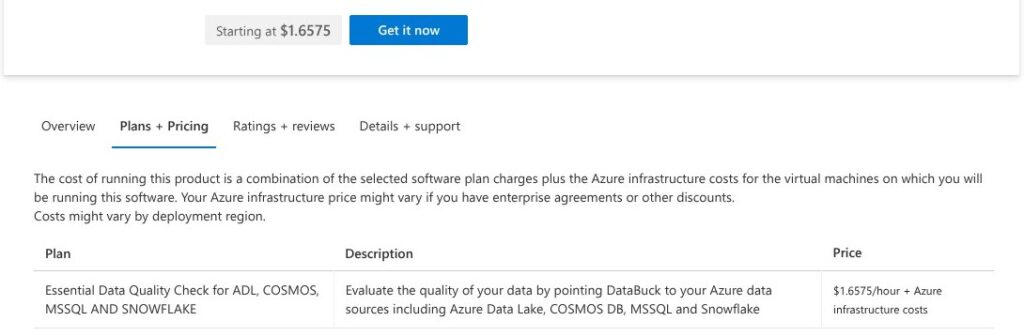
FirstEigen publishes no rate card for the full platform: its sales team quotes DataBuck after a demo, and the only public DataBuck rate belongs to one Azure Marketplace plan.
- Free trial (30 days, $0): for teams that want to test DataBuck on their own data. No credit card is required, but access starts with a request form rather than instant signup.
- Azure Marketplace Essential Data Quality Check ($2.21 per core-hour): for Azure teams checking Azure Data Lake, Cosmos DB, SQL Server and Snowflake. The full plan name is “Essential Data Quality Check for ADL, COSMOS, MSSQL AND SNOWFLAKE.” It runs as a virtual machine in your own Azure subscription through the Azure Marketplace offer, with a 1-month free trial and then pay-as-you-go billing.
- Enterprise platform (quote): for organizations that need observability, quality, reconciliation and remediation together, deployed as SaaS, in a customer VPC/VNet or on-prem.
- DataBuck SDK (free developer SDK): for Python teams validating DataFrames, with enterprise access by request.
| VM size | DataBuck fee per hour | DataBuck fee for a 730-hour month |
|---|---|---|
| Shared core | $1.6575 | $1,209.98 |
| 2 cores | $4.42 | $3,226.60 |
| 4 cores | $8.84 | $6,453.20 |
| 8 cores | $17.68 | $12,906.40 |
| 16 cores | $35.36 | $25,812.80 |
The monthly column assumes a VM running all 730 hours of the month, and Azure VM infrastructure is billed on top.
Is DataBuck Good Value for Money?
- Soda is easier to budget: Free costs $0 a month and Team costs $750 a month. An always-on 4-core DataBuck VM costs about 8.6 times Soda Team in software fees alone ($6,453.20 vs $750), though your team writes Soda’s checks and data contracts, while DataBuck recommends its own.
- Metaplane has a smaller free entry: Free covers 10 monitored tables and 4 users forever, and Pro pays per monitored table. I’d start there for a small cloud-warehouse project with no mainframe sources in scope.
- Quote-only is the category norm: Monte Carlo sells credits whose cost depends on the tier (Start, Scale, Enterprise or Business Critical), and Anomalo and Bigeye publish no price either, so DataBuck’s opacity is not an outlier.
- Your warehouse pays for the scans: DataBuck scans in situ, so checks run on your own warehouse compute, and FirstEigen’s 2-4 week anomaly baseline eats much of a 30-day trial.
Reviewer’s Notes: If you run on Azure only, start on the Marketplace plan’s free month with a shared-core or 4-core VM. Everyone else should run the 30-day trial on one critical pipeline and ask FirstEigen for a written quote covering deployment model, number of data assets, sources and support.
My Experience With DataBuck
DataBuck’s 30-day free trial starts with a request form, not instant signup. FirstEigen’s homepage promised no credit card and sent me to a DataBuck Trial Request page, next to a Book a Demo button. The form asked for my name, email, phone, company and job title, the number of data assets in scope (in bands from under 100 to 5,000+) and my current data trust challenges. Soda and Metaplane both publish $0 plans; DataBuck makes you ask first.
Connecting My Snowflake Warehouse
I connected my Snowflake warehouse through DataBuck’s agentless, least-privilege connector. DataBuck scanned the data in situ, so nothing left Snowflake, then computed a Data Trust Score for each schema, table and column and wrote it to Snowflake object tags. I liked that detail most: the score sits on the Snowflake objects themselves, not only inside a separate DataBuck screen.
I could trigger runs whenever new data landed, put them on a schedule, or start them from an Airflow operator or a dbt hook. FirstEigen puts setup and connector configuration at 1-2 days, so line up your Snowflake access approvals before the trial clock starts.
Reviewing the Recommended Rules
After profiling, DataBuck proposed checks in three families:
- Observability: freshness, schema drift and volume.
- Essential: completeness, uniqueness, conformity, consistency and validity.
- Anomaly: data, distribution and microsegment drift, temporal and spatial value anomalies, and inter-column relationships.
Every proposed change landed in Rule Validation & Staging, color-coded as New, Modified or Missing/Deleted, and nothing reached production until I approved it. That gate suits a regulated team, but it also means someone owns rule review for as long as DataBuck runs.
Next to the recommendations, I could add SQL rules for business logic and reusable referential, orphan and cross-referential checks, or start from FirstEigen’s rule templates for industry patterns and regulations. Existing dbt tests and SQL checks migrate through the API or UI, so a team coming from hand-written tests keeps them.
Reading the Trust Score Dashboard
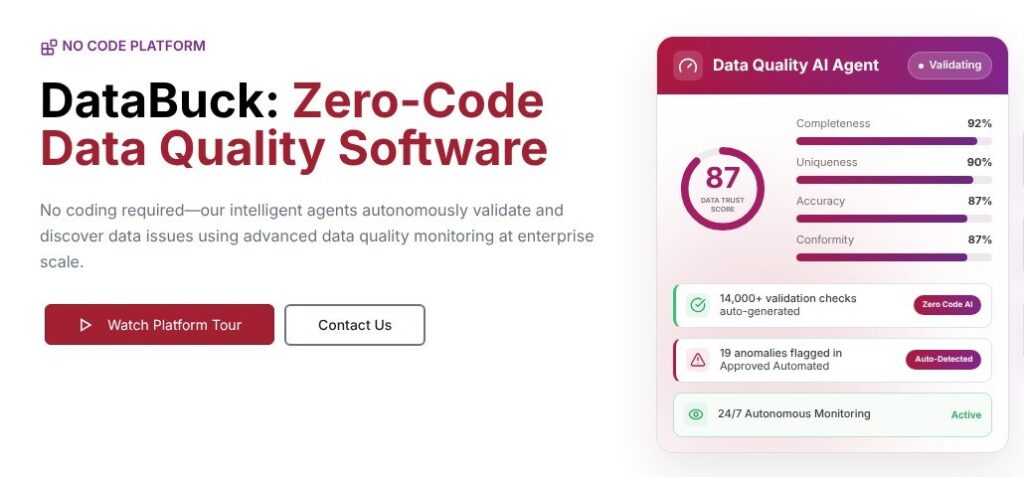
The Trust Score Dashboard opened on project-level trust scores over time, with executive summaries per domain and dataset. The observability view had six tabs: Live Monitoring, Executive Summary, Data Validations, Trust Scores, Smart Alerts and AI Findings. Validation runs were listed by template name, table, record count and trust score.
In the Anomaly Drill-Down view, I went from a quality dimension to the affected columns, then to rows and microsegments, and could mark each violation as ignored or flag it for analysis. Each result showed the score change between the last two runs, which matters more than the absolute number given the unpublished weighting covered below.
Alerts went wherever I routed them: email or SNS, Slack, Microsoft Teams, PagerDuty, Jira, ServiceNow or webhooks, which covers chat-first and ticket-first teams alike.
Reviewer’s Notes: FirstEigen quotes 2-4 weeks for the anomaly baseline, so a 30-day trial leaves little time after it. Connect your most critical source on day one and name the person who approves staged rules before you start.
Data Trust Score, Observability and Alerts
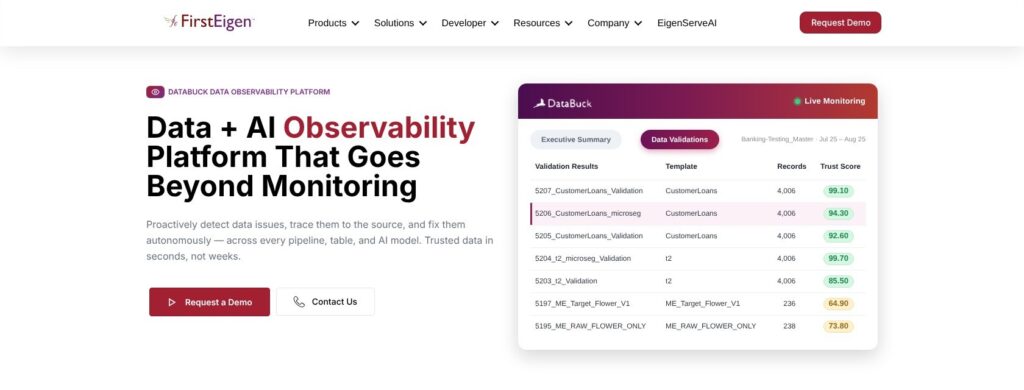
DataBuck computes health metrics for every column from its quality dimensions, rolls them into a Data Trust Score per asset, and alerts when the score drops to an unacceptable level. It sorts errors into six dimensions:
- Completeness: missing data.
- Conformity: pattern, length and format.
- Uniqueness: duplicate records.
- Consistency: inter-column relationships, such as an employment date that must come before a retirement date.
- Drift: key categorical and continuous fields compared with their history.
- Anomaly: data volume, critical-column values, inter-column relationships and data distribution.
DataBuck writes the score to Snowflake object tags and connects it to Alation, Microsoft Purview and Databricks Unity Catalog, so analysts see trust in the catalog they already use. Monte Carlo goes wider instead, with data, ML and agent observability on every tier. I’d pick DataBuck when a catalog trust signal is the goal, and Monte Carlo when models and AI agents need watching too.
FirstEigen does not publish the weighting. The product shows a 0-100 style score, while FirstEigen’s own explainer describes a 0-5 scale built from validity, completeness, popularity, discoverability and usage. Treat the score as a trend line, not a certified number, and judge each drop by the violations underneath it.
Alerts With Context
DataBuck alerts carry severity and business-impact scoring, affected row counts and segment details, and one click teaches DataBuck that a flagged pattern is expected. Alerts sent to Microsoft Teams and PagerDuty also carry lineage and root-cause context. The one-click feedback matters most early on, while the 2-4 week baseline is still learning what normal looks like.
FirstEigen frames monitoring as four steps (Connect, Auto-Profile and Baseline, Monitor and Alert, Remediate and Improve) and covers seven pillars: freshness, volume, schema, distribution and drift, lineage and impact, accuracy and business rules, and AI input/output trust. That last pillar covers the data feeding ML models and AI agents; Monte Carlo’s ML and agent observability reaches the models and agents themselves.
Reconciliation and Remediation
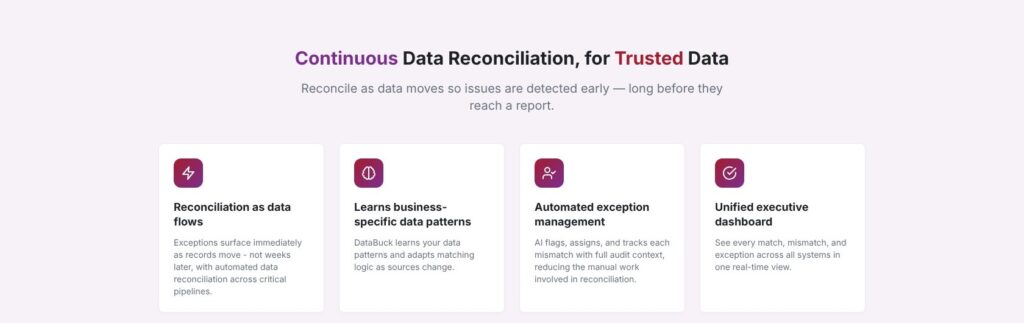
DataBuck compares source and target row by row and cell by cell across Oracle, SQL Server, Snowflake, Databricks and other cloud and on-prem systems, then flags, assigns and tracks each mismatch as an exception on a real-time dashboard. It reconciles in five modes: source-to-target, cross-platform, pipeline, medallion and row- and cell-level matching, and the medallion mode scores quality at Bronze, Silver and Gold with a lineage view between layers.
On June 29, 2026, FirstEigen announced Pushdown Data Matching for Databricks, which runs the matching logic inside Databricks to cut data movement during migration validation. FirstEigen positions DataBuck as a complement to Databricks’ native quality tools rather than a replacement.
Cell-level matching is the evidence a migration sign-off needs, because aggregate row counts can agree while individual values differ. That makes DataBuck a strong pick for Teradata or Oracle migrations to a cloud warehouse, and for BCBS 239, AML, SOX and financial-close reporting.
Remediation With Approval Gates
The remediation agent works through six steps, with ticket IDs such as DQ-1042 on each item:
- Detect the issue.
- Investigate its root cause.
- Propose a fix with an impact preview.
- Approve through role-based review gates.
- Execute in staging or a controlled deployment.
- Track and Revert with version history and one-click rollback.
Approval and rollback together are the point: no fix reaches production without a reviewer in the right role, any fix that does can be reversed in one click, and every change stays in the version history.
Acceldata is the closest rival here, since its platform also includes data reconciliation alongside quality policies and anomaly detection. Shortlist both; DataBuck’s case rests on its mainframe connectors and the recommended rules that sit next to the matching.
BuckGPT, the SDK and Pipeline Integrations
BuckGPT generates column-level compliance rules with descriptions and regulatory citations, ready for one-click submission. I described requirements in plain language, from industry regulations and best practices to company policy, and BuckGPT returned review-ready checks that went into the same staging queue as every other rule. The citations speed up review, but the approver still owns each rule.
The DataBuck SDK
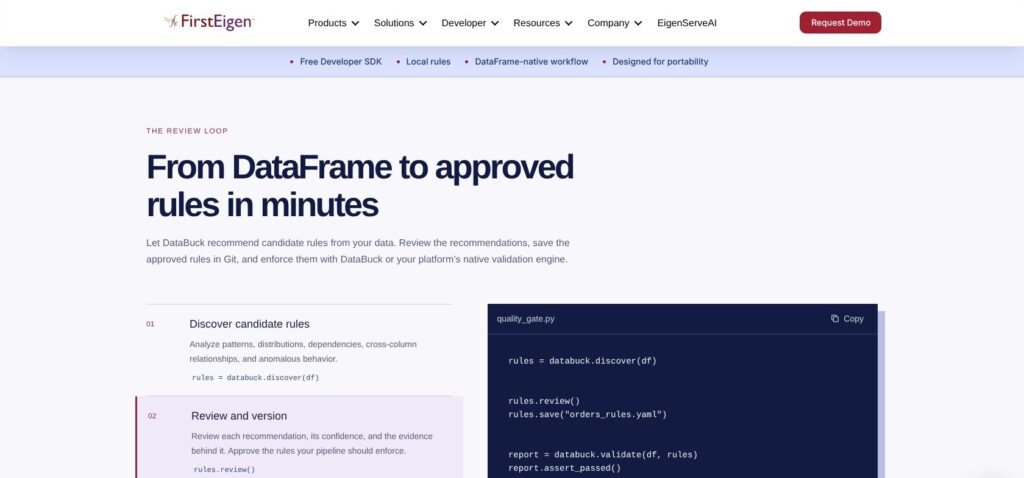
The free developer SDK runs the same loop on Python DataFrames: discover rules with context such as policies and data contracts, review them, save them to YAML for Git, validate, and fail the pipeline on a broken rule. Approved rules also export to Databricks Lakeflow Expectations.
rules = databuck.discover(df, context=[policy, contract])
rules.review()
rules.save("orders_rules.yaml")
report = databuck.validate(df, rules)
report.assert_passed()
I liked that rules.review() sits between discovery and enforcement: no discovered rule gates a pipeline until an engineer approves it, and report.assert_passed() turns a broken rule into a failed run. Unlike Soda’s team-written checks, these rules start as DataBuck’s suggestions and become code only after review.
Pipeline Hooks
DataBuck hooks into dbt (tests as code and pipeline hooks), Apache Airflow (operators for check execution and failure handling), Azure Data Factory and Databricks (Delta table monitoring and workflow triggers), so checks run before data moves downstream. EigenRules is a separate FirstEigen utility that writes data quality rules in plain English.
Elementary is open source and built into dbt projects, with a paid cloud. I’d pick it over DataBuck for a dbt-only stack, and DataBuck once validation has to reach sources outside dbt, such as VSAM files or Db2 z/OS tables.
Connectors, Deployment and Security
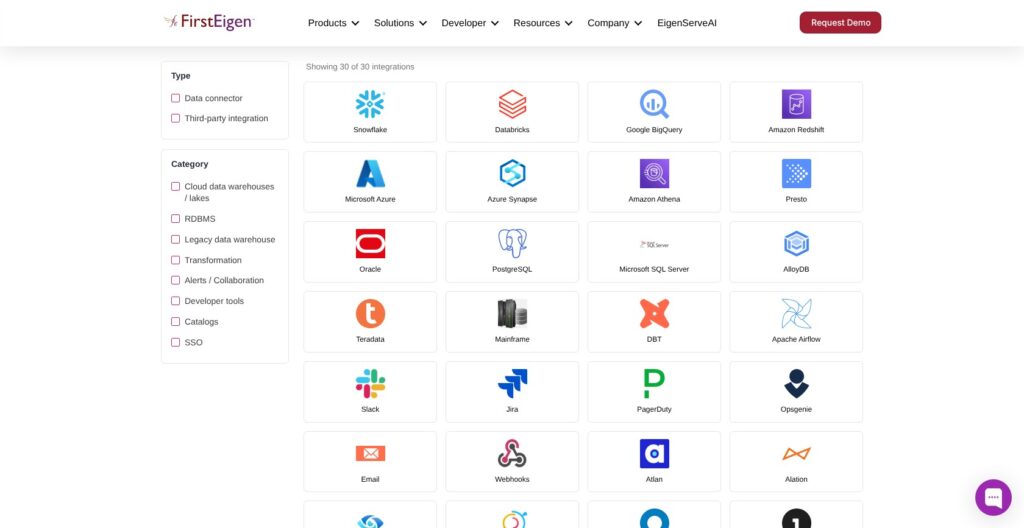
DataBuck covers mainframe and cloud sources in one connector portfolio:
- Cloud platforms: Snowflake, Databricks, BigQuery, Redshift, Amazon S3, Azure and Cloudera.
- Databases: SQL Server, Oracle, Postgres, AlloyDB, Teradata, MongoDB and Hive.
- Mainframe: IBM Db2 z/OS, VSAM and COBOL copybooks.
The integrations list adds Azure Synapse, Amazon Athena and Presto, and other sources connect through the API and webhooks. Monte Carlo puts Oracle, SAP HANA, Teradata and Microsoft Fabric integrations in its Enterprise tier; DataBuck publishes no tiers at all, so ask FirstEigen whether your legacy sources change the quote.
Catalog integrations cover Atlan, Alation, Collibra, Microsoft Purview, DataHub, Databricks Unity Catalog and Dataplex, and SSO runs through Okta, OneLogin, OpenID and SAML. FirstEigen offers fully managed SaaS, a customer VPC/VNet with private connectivity or on-prem deployment, and states that all three support the same features. For a bank that can’t send data to a vendor cloud, the VPC/VNet and on-prem options plus in-situ scanning keep the data inside its own network.
Published security controls include least-privilege connectors, column-level protections, data masking support, SSO/SAML, SCIM, role-based access, customer-managed keys, network isolation and private VPC/VNet. FirstEigen publishes no SOC 2 or ISO 27001 attestation on its site, so regulated buyers in banking, insurance and healthcare should ask for its security report before the trial touches production data.
How Does DataBuck Compare to Competitors?
DataBuck competes with broad observability platforms on one side and team-authored validation frameworks on the other.
- Monte Carlo: Pricing runs on credits whose cost depends on the tier (Start, Scale, Enterprise or Business Critical), with prices on request. Start covers up to 10 users and 1,000 monitors, every tier includes data, ML and agent observability, and Oracle, SAP HANA, Teradata and Microsoft Fabric integrations need Enterprise. Choose it when one platform must watch data, models and AI agents, and budget for Enterprise if Oracle or Teradata is in scope.
- Anomalo: Unsupervised ML detects anomalies across structured, semi-structured and unstructured data, with no public price. It’s the better buy when anomaly detection matters more than source-to-target matching or rule approval.
- Soda: Free costs $0 a month with unlimited users, Team costs $750 a month and Enterprise is custom, with open-source Soda Core underneath. I’d pick Soda over DataBuck if your engineers want to write their own checks and data contracts at a published price.
- Great Expectations: GX Core is free and open source, with Fivetran as its steward; GX Cloud stopped being publicly available on June 1, 2026, after FICO agreed to acquire it. Go with GX Core when an open-source foundation matters more than recommended rules.
- Metaplane: Free is $0 forever for 10 monitored tables and 4 users, Pro pays per monitored table, so cost grows with coverage, and Enterprise is custom. Start there to get monitoring on a small scope before you sign any enterprise contract.
- Acceldata: Its observability platform includes data reconciliation, quality policies and anomaly detection, priced through sales. It belongs on any reconciliation shortlist next to DataBuck, so ask both vendors to quote the same sources.
DataBuck wins when mainframe sources, cell-level reconciliation and recommended rules all matter in the same purchase. If recommended rules and legacy sources don’t matter to you, Soda, Metaplane and GX Core all start at $0.
How I Reviewed DataBuck
I requested DataBuck’s 30-day trial, connected a Snowflake warehouse, let DataBuck profile it and reviewed the recommended rules in staging. I then followed the Trust Score Dashboard and alert routing, worked through the reconciliation, remediation, BuckGPT and SDK flows, and priced the Azure Marketplace plan against Monte Carlo, Anomalo, Soda, Great Expectations, Metaplane and Acceldata.
I weighted the verdict on these areas:
- Pricing and trial terms: quoted platform pricing versus Azure’s public rates.
- Setup and rule review: connectors, recommended checks, custom SQL and staging approval.
- Trust Score and alerts: score interpretation, drill-down and routing.
- Reconciliation and remediation: matching depth, review gates and rollback.
- AI and developer features: BuckGPT, the Python SDK and pipeline hooks.
- Connectors and security: source coverage, deployment options and published controls.
- Rivals: where each alternative beats DataBuck.
The weighting favored cross-estate validation and explicit approval controls over the lowest entry cost.
Prices current as of November 2026.
Should You Use DataBuck for Data Quality?
Among the observability tools in this directory, DataBuck stands out for doing the rule work itself: it recommends checks, runs them where the data sits and matches source to target cell by cell, from Snowflake down to VSAM files. The cost is a sales-led purchase, an unpublished Trust Score weighting and a staging queue that needs a named owner.
Choose DataBuck if you’re a regulated enterprise with a mixed cloud and mainframe estate, a warehouse migration to prove and someone who will own rule approvals. Skip it for a small dbt-only team, which gets a free start from Soda, Metaplane or open-source Elementary, and pick Monte Carlo if one platform must cover data, ML and agent observability. Teams in between, with a cloud-only estate but a migration to prove, should put DataBuck and Acceldata side by side.
If you run on Azure, the Marketplace plan’s free month is the cheapest way to see DataBuck on your own data at a published rate.
Start a DataBuck 30-day trial on one critical pipeline, budget FirstEigen’s 2-4 week baseline into it, and ask for a written quote and the security report before you expand coverage.
FAQ
How much does DataBuck cost?
FirstEigen quotes the full platform through sales and publishes no rate card. The only public rate is the Azure Marketplace Essential plan: $2.21 per core-hour after a 1-month free trial, with Azure VM infrastructure billed separately. A 4-core VM left on for a 730-hour month comes to $6,453.20 in DataBuck fees; see the pricing section above for every VM size.
Does DataBuck have a free trial?
Yes. DataBuck offers a 30-day free trial with no credit card, requested through a form rather than instant signup, and the Azure Marketplace Essential plan has its own 1-month free trial. FirstEigen puts anomaly baseline learning at 2-4 weeks, so connect your source and name a rule approver before the trial starts.
What is the DataBuck Data Trust Score?
The Data Trust Score is a per-asset quality score rolled up from column health metrics across completeness, conformity, uniqueness, consistency, drift and anomaly. DataBuck writes it to Snowflake object tags and connected catalogs such as Alation and Microsoft Purview. FirstEigen does not publish the weighting, so read the score next to its underlying violations, not as a standalone acceptance measure.
Does DataBuck support mainframe data?
Yes. DataBuck connects to IBM Db2 z/OS, VSAM and COBOL copybooks alongside cloud sources such as Snowflake, Databricks and BigQuery. That makes it a fit for mixed-estate validation and migration projects. Put a representative legacy dataset in the trial, not just the cloud destination, so you see the source side working before you buy.
DataBuck vs Monte Carlo: which should I choose?
Choose DataBuck for recommended rules and reconciliation across cloud and legacy sources. Choose Monte Carlo when you want data, ML and agent observability on one platform, which every Monte Carlo tier includes. Both are quote-only: Monte Carlo sells credits priced by tier, and FirstEigen quotes DataBuck’s full platform through sales. See the comparison section above for Monte Carlo’s tier limits.