Editor’s note: This Unravel Data review is based on my hands-on test of Unravel’s Arvix AI platform, from connecting Databricks, Snowflake and BigQuery to working through its approval queue, in November 2026. I weighed pricing, permissions, automation controls, chargeback and security against Databricks system tables, Snowflake Budgets, Datadog, Select.dev, Keebo and Revefi.
Quick verdict: I recommend Unravel for data platform and FinOps teams with large Databricks or Snowflake bills that want fixes applied under approval rules and costs charged back by team. The trade-off is no published rate, and automated fixes need edit rights on production clusters and warehouses.
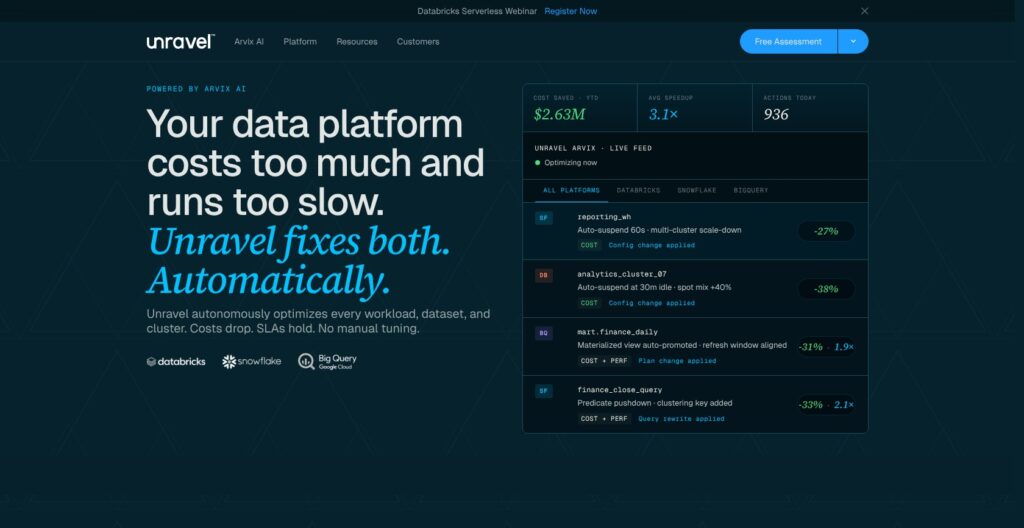
Unravel reads Databricks system tables, Snowflake ACCOUNT_USAGE and the BigQuery billing export. Since the May 29, 2026 Arvix AI release, it also rewrites code, tunes clusters and warehouses and manages storage, after approval or automatically. Its homepage tagline is “Not an advisor. An operator.” Databricks’ free system tables dashboard shows the same usage but fixes nothing.
Unravel Data, led by CEO Kunal Agarwal, last disclosed a USD 50 million Series D in September 2022. Cloudera runs through an on-prem agent, and Amazon EMR is sold by quote.
In this review, I’ll take a closer look at Unravel’s pricing, features, and automation controls, so you can see exactly whether it belongs on your data platform or whether a cheaper native tool covers what you need.
Key Takeaways
- Free starting points: Databricks and Snowflake health checks, plus a free Snowflake Native App with a 30-day look-back.
- No public price: DBU, warehouse or slot consumption, or an annual subscription sized to compute footprint with unlimited users; EMR and Cloudera are quote-only.
- Approval controls: Human-in-Loop or AutoApply per workload class, with read-only enforced by your credentials.
- Write access required: Actions need Databricks Jobs and Clusters edit, Snowflake
MODIFY WAREHOUSE, or BigQuery Resource Editor or Admin. - Narrower platform list: The homepage names three platforms, Cloudera needs an on-prem server, and Amazon EMR has no setup guide.
Pros and Cons
Pros
- Free health check for Databricks and Snowflake; the Snowflake Native App has a 30-day look-back.
- Human-in-Loop or AutoApply per workload class, with read-only enforced by the credentials you grant.
- No agents inside Databricks, Snowflake or BigQuery: a service principal, setup script or service account connects each.
- Chargeback exports by workspace, job, user, team and business unit.
- Annual subscription covers unlimited users, workloads and actions, with a bring-your-own LLM option.
Cons
- No published per-unit rate for DBU, warehouse or slot billing.
- Automated fixes need edit rights on production clusters and warehouses.
- Unravel’s own guidance puts full workload profiling at 24 to 72 hours of production traffic.
- No EMR setup guide; Cloudera needs a 16-core, 64 GB on-prem server and a rolling restart.
- SCIM, customer-managed keys and PrivateLink sit on Enterprise plans.
Unravel Pricing: How Much Does It Cost?
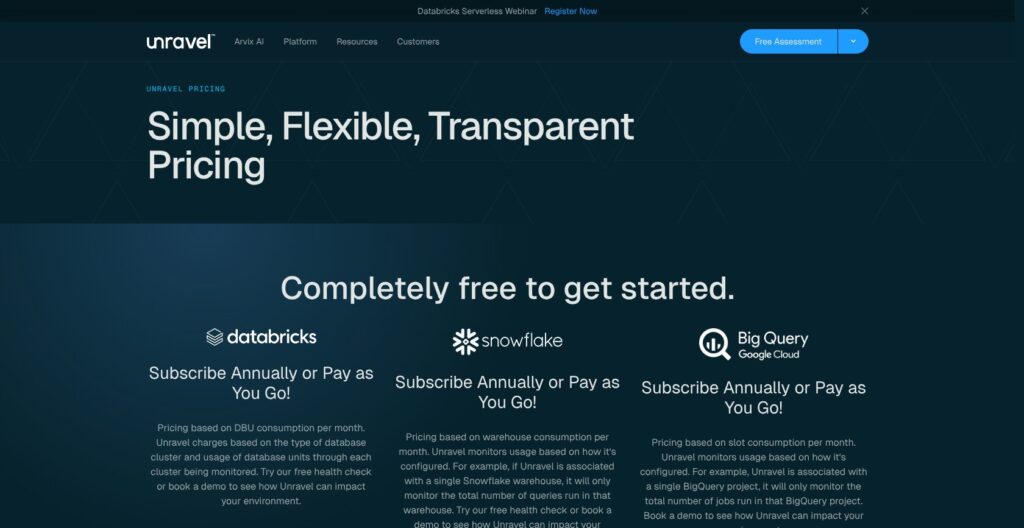
Unravel publishes no dollar rates for any platform. It is free to get started, then bills Databricks on monthly DBU consumption by cluster type, Snowflake on warehouse consumption and BigQuery on slot consumption, scoped to what you connect.
- Free health check ($0): for Databricks and Snowflake teams that want a savings estimate before talking to sales. The Snowflake version is a free Native App, announced June 3, 2025, that runs on Snowpark Container Services inside your account and analyzes up to 30 days of warehouse, SQL and storage usage. BigQuery gets a demo instead.
- Pay as you go (usage-based, no public rate): for teams whose spend swings month to month. Connect a single Snowflake warehouse and Unravel monitors, and bills, only that warehouse’s queries. Databricks on AWS can also be bought through AWS Marketplace on your AWS bill.
- Annual subscription (quote): for platform teams with steady spend, sized to the compute footprint across connected platforms. It includes unlimited users, applications, workloads, API calls, optimization actions and integrations, with no per-seat fees and no action metering.
- Amazon EMR and Cloudera (custom quote): for sales-led deployments, priced by an account executive after a demo.
Enterprise buyers can also run a structured proof of concept of 2 to 4 weeks against one production environment, which ends in a quantified savings estimate.
| Option | Platforms | Billing basis | Published price |
|---|---|---|---|
| Free health check | Databricks, Snowflake | One-off analysis; Snowflake has a 30-day look-back | $0 |
| Pay as you go | Databricks, Snowflake, BigQuery | Monthly DBU, warehouse or slot consumption | Quote only |
| Annual subscription | All connected platforms | Compute footprint; unlimited users and actions | Quote only |
| EMR and Cloudera | Amazon EMR, Cloudera | Custom plan | Quote only |
Is Unravel Good Value for Money?
- Databricks system tables: Free apart from the compute that queries them, and Unravel reads the same tables. The price buys ranked recommendations and applied fixes, not the usage data.
- Keebo: Starts at $0 a month and bills only on savings, where one saved Snowflake credit or DBU equals one Keebo credit. Unravel bills on consumption whether or not it saves anything.
- Published rivals: Select.dev starts at $1,499 a month, and Datadog Data Jobs Monitoring lists $0.05 per host-hour billed annually ($0.072 on demand) for Databricks and Spark clusters. Unravel gives no figure to compare.
- Seat-free scaling: No seat fees and unlimited actions on the annual plan, so finance staff can log in without moving the bill.
Reviewer’s Notes: I would start with the free Databricks health check or the Snowflake Native App, then insist on the 2-4 week proof of concept against one production environment and get the savings estimate in writing before signing an annual contract. On pay as you go, get the unit rate in writing too, since Unravel publishes none.
My Experience With Unravel
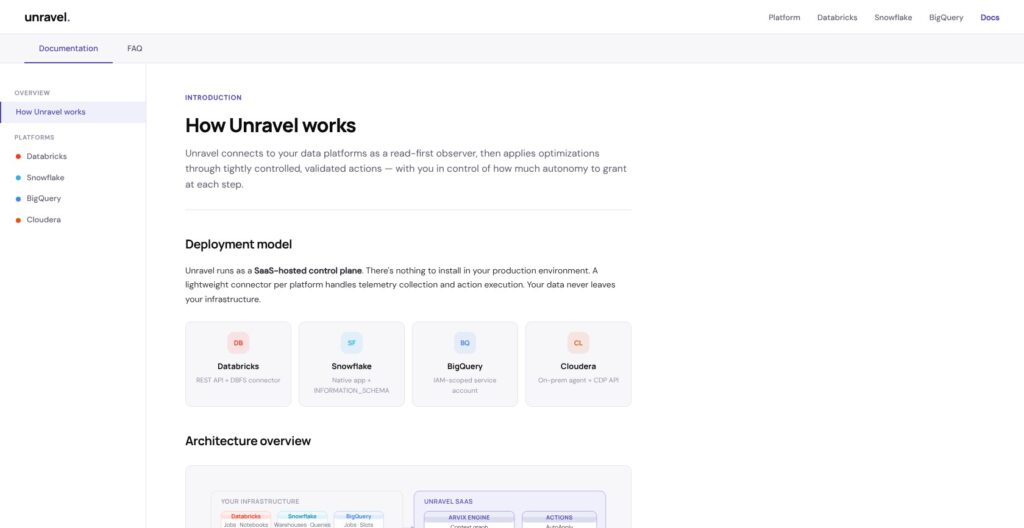
Unravel runs as a SaaS control plane with one lightweight connector per platform, so I deployed no agents in Databricks, Snowflake or BigQuery. Each connection came down to credentials and grants, and those grants decide whether Unravel can only watch or can also act.
Connecting My Databricks Workspace
I created a service principal with OAuth machine-to-machine credentials, the route Unravel recommends for production. A personal access token is the quick-trial option.
For telemetry, I picked Unity Catalog plus a SQL warehouse that queries the system.* tables, which needs Unity Catalog and SELECT on system tables. Delta Sharing and DBFS Direct Share are the other two options.
I then granted the REST permissions, where read covers monitoring and edit lets Unravel act:
- Jobs: Read, with edit needed for actions.
- Clusters: Read, with edit optional and used only for automated actions.
- Pipelines: Read.
- Notebooks: Read, optional, for code analysis.
Finally, I selected the workspaces and clusters and left the automation policy at its default, Human-in-Loop. Unravel promises first insights within about 30 minutes of ingesting job run history and full workload profiling after 24 to 72 hours of production traffic.
Adding Snowflake and BigQuery
For Snowflake, I ran Unravel’s SQL setup script as ACCOUNTADMIN, which created a dedicated role, warehouse and grants. I authenticated with key-pair instead of a password, entered the account identifier, role and warehouse, and Unravel discovered every virtual warehouse in the account. It reads ACCOUNT_USAGE and INFORMATION_SCHEMA, and warehouse resize and auto-suspend actions need an extra MODIFY WAREHOUSE grant behind a separate approval step.
I also tried the alternative route, the Native App. In Snowsight I went to Data Products, then Marketplace, searched for “Unravel Data” and clicked Get, then named the app, picked an installation warehouse and granted metadata access through the in-app prompts. The app runs inside the account on Snowpark Container Services.
For BigQuery, I created a service account in the target project with four roles:
- Read roles: BigQuery Resource Viewer and Metadata Viewer.
- Data Viewer: On the billing export table only.
- BigQuery User: On one project, so Unravel can run its own queries.
I uploaded the JSON key, enabled billing export to a dataset and listed the project ID, dataset ID and billing table to monitor. Resource Editor and Resource Admin are optional and only needed for slot reservation changes. Revefi describes its own setup as about five minutes with metadata access; Unravel’s BigQuery route needs a billing export plus four IAM roles.
Working the Approval Queue
I worked the queue from the Operations Center, Unravel’s cross-platform view, where every workload carries an Efficiency Rating from 0 to 100 that blends cost, performance and reliability.
In Human-in-Loop mode, recommendations queue for approval, with Slack and email notifications. Code rewrites and structural query changes default to Human-in-Loop regardless of policy, while AutoApply suits low-risk actions such as idle-cluster suspension and minor warehouse resizing, set per workload or action category.
Unravel’s own guidance is a 4-6 week ramp from Human-in-Loop to AutoApply on routine infrastructure actions.
Reviewer’s Notes: Start with read-only credentials, not just Human-in-Loop. Read-only is enforced at the credential level, so Unravel cannot apply anything you haven’t granted, whatever the policy says. I would then add edit rights one workload class at a time, beginning with low-risk actions such as idle-cluster suspension.
Databricks and Spark Optimization
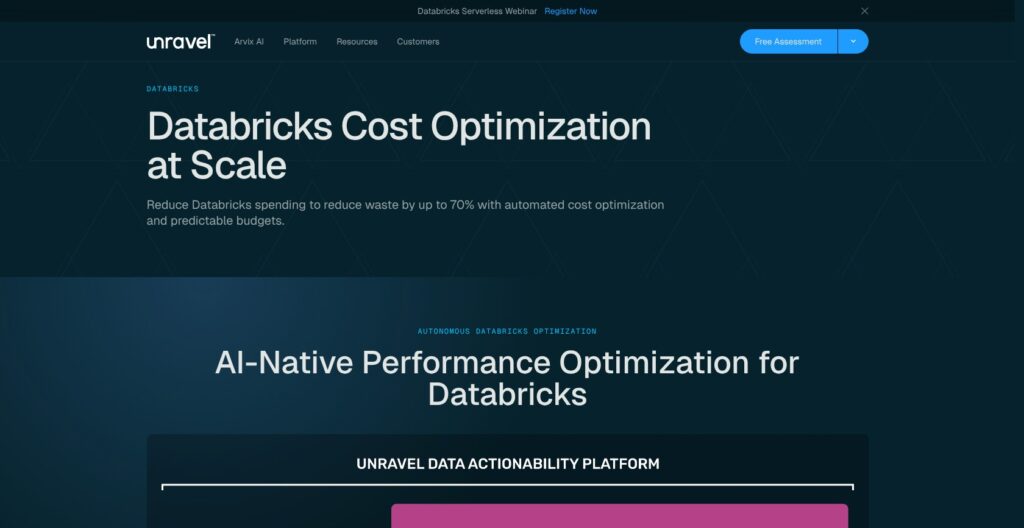
Unravel reads the same Databricks system tables as the free native usage dashboard, then adds ranked, cost-quantified recommendations, forecasting, anomaly detection, automated actions under policy guardrails and a Value Realization tracker for savings. It covers Databricks on AWS, Azure and GCP.
- Workload Studio: Stage-level metrics, shuffle analysis, PySpark diffs and run-to-run comparisons for individual Spark jobs.
- Cluster tuning: Rightsizing and autoscaling corrections.
- Code rewrites: PySpark and SQL changes such as repartitioning, join reordering and hint injection, which default to Human-in-Loop.
- Delta and storage optimization: Data Temperature sorts data into Hot, Warm and Cold.
- Cost attribution: Job- and team-level reports with month-over-month trends, tagged by business unit, project, environment or pipeline and ready for chargeback.
A CI/CD plugin for GitHub Actions and Jenkins comments on pull requests with cost and performance regressions and suggested fixes, and Unravel puts setup at about 10 minutes. GitLab CI and Azure DevOps plugins are roadmap items only.
Unravel’s June 2024 release introduced three agents, with automation adjustable from supervised to fully automated:
- FinOps Agent: Cost governance, chargeback and showback.
- DataOps Agent: Troubleshooting and pipeline anomaly detection.
- Data Engineering Agent: Tuning, code review and debugging.
Unravel’s Databricks lineup also includes a Databricks SQL Tuner, a Cloud FinOps Agent and an Infra Assistant.
Databricks system tables are free apart from query compute and keep billing usage indefinitely, most tables for 395 days and query history for 365 days, but they leave the joins, dashboards and fixes to you. Datadog Data Jobs Monitoring charges $0.05 per host-hour (annual) for Databricks and Spark clusters and $0.025 per DBU for serverless, and stops at monitoring and root cause; Unravel applies the change.
Best for: Teams running many scheduled Spark jobs. Skip if: Your Databricks bill is small enough that system tables plus a dashboard cover it.
Snowflake, BigQuery and Cloudera Coverage
On Snowflake, Unravel validates SQL rewrites against a 30-day workload before they go to AutoApply or review, and it covers Snowpark, Snowpipe Streaming, Dynamic Tables and Cortex AI functions alongside warehouses.
Snowflake
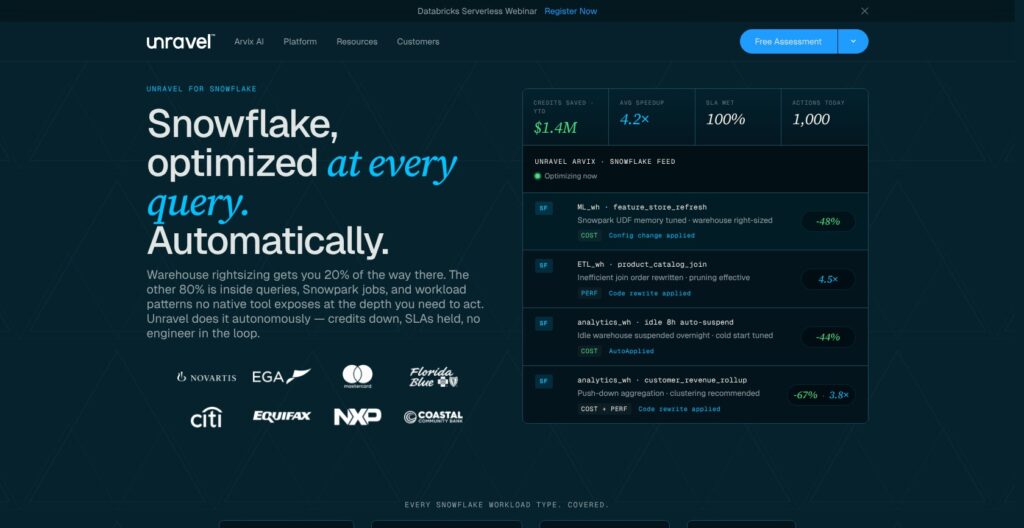
- Warehouse tuning: Rightsizing and auto-suspend adjustments.
- Query optimization: Rewritten SQL.
- Storage cleanup: Cold tables, plus time travel and fail-safe retention.
- Chargeback: Credits attributed to queries, users and business units, with chargeback exports.
- Reliability: SLA tracking alongside cost.
Snowflake Budgets are native and alert-only: monthly credit limits per account or custom group, up to 100 custom budgets per account, email or webhook notifications (Slack, Teams, PagerDuty), and a stored procedure that can suspend a warehouse. Budget refreshes consume credits themselves. Select.dev starts at $1,499 a month and accepts pre-purchased Snowflake credits as payment.
BigQuery
- Slot optimization: On-demand versus committed capacity, reservation adjustments and on-demand to flat-rate migration.
- Query and storage optimization: Query tuning, unused partitions and Hot, Warm and Cold classification.
- Chargeback: Attribution at project, dataset, user and label level.
- Anomaly detection: Flags unusual workload behavior.
BigQuery gets a demo, not a free health check. Billing counts slot consumption only in the projects you connect, so a single-project connection monitors and bills only that project’s jobs.
Cloudera and Amazon EMR
Cloudera uses the older on-prem agent model: an Unravel server on a dedicated host with at least 16 CPU cores, 64 GB RAM and 500 GB SSD, a read-only Cloudera Manager API account, and a Spark listener JAR that needs a rolling restart of affected services. Unravel’s own guidance is to plan 1-2 days with a solutions engineer.
On Cloudera, Unravel adds Spark DAG and skew analysis, YARN queue tuning, Hive and Impala query tuning and a migration-readiness inventory for moves to Databricks, Snowflake or BigQuery. Amazon EMR is still sold by custom quote and listed among integrations, but Unravel publishes no EMR setup guide.
I prefer Acceldata for hybrid and Hadoop estates that also need data quality checks: it deploys on-prem or on Kubernetes and offers a 30-day free trial.
Automation Controls, Chargeback and Security
Arvix, the engine behind the May 2026 release, tests a change before deployment and reverts it automatically if performance degrades. AutoApply also pauses when the connection drops.
Automation and AI
- Policy scope: Human-in-Loop or AutoApply per workload or action category, with read-only enforced by the credentials you grant.
- LLM choice: Arvix pairs purpose-built ML models with Azure OpenAI, AWS Bedrock, Anthropic, Google Gemini or a self-hosted model through a compatible API.
- LLM off switch: LLM features can be disabled while core optimization keeps running.
- Context Graph: A map that links code, compute, data and users.
Unravel documents no MCP server. Monte Carlo ships an MCP and agent toolkit, but for data quality rather than compute cost.
Chargeback and Integrations
- CSV exports: Cost by platform, workspace, job or query, user, team and business unit.
- REST API: Cost data, efficiency scores, the optimization queue and action history. The API reference sits in the customer portal and opens after onboarding.
- Approvals: Slack and email notifications.
- CI/CD and events: GitHub Actions and Jenkins plugins, plus a generic webhook.
Security
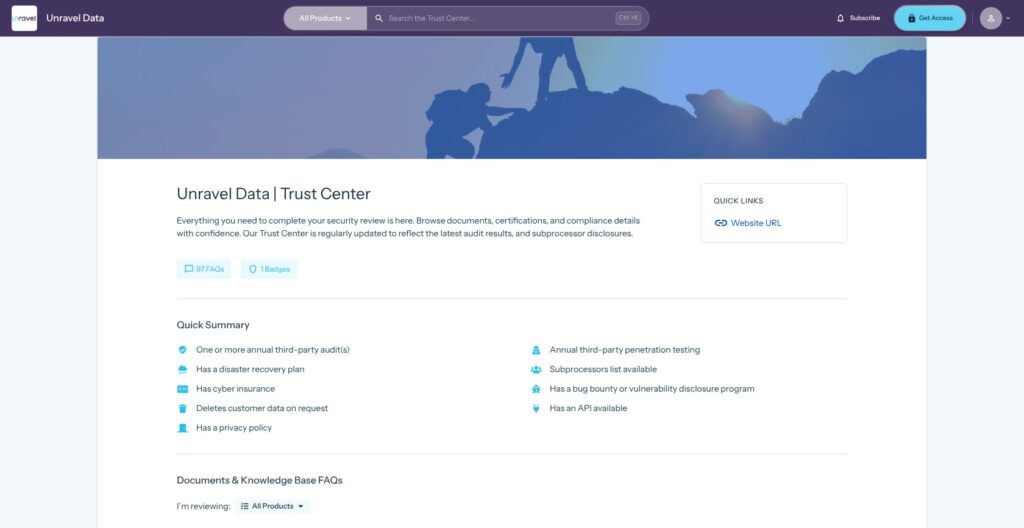
Unravel collects operational metadata only: cluster configuration, job and query metrics, account activity, compute usage, billing details and storage metadata, not table contents or query results. It keeps usernames for attribution and analyzes query text, with optional masking that keeps the structure but drops the literal text.
- Certification: SOC 2 Type II, with the report under NDA, plus annual penetration testing and HIPAA-eligible deployments.
- Encryption: TLS 1.3 in transit and AES-256 at rest.
- Regions: Control plane in AWS us-east-1 by default, with an EU deployment available.
- Access: RBAC with logs exportable to a SIEM, and SAML 2.0 single sign-on through Okta, Azure AD or Ping.
- Enterprise plans: SCIM, customer-managed keys and PrivateLink or VPC peering.
- Trust Center: A subprocessor list, a disaster recovery plan and deletion of customer data on request.
If your security team will not grant edit rights on production, Unravel still works in read-only mode, but you lose the operator half of what you pay for.
How Does Unravel Compare to Competitors?
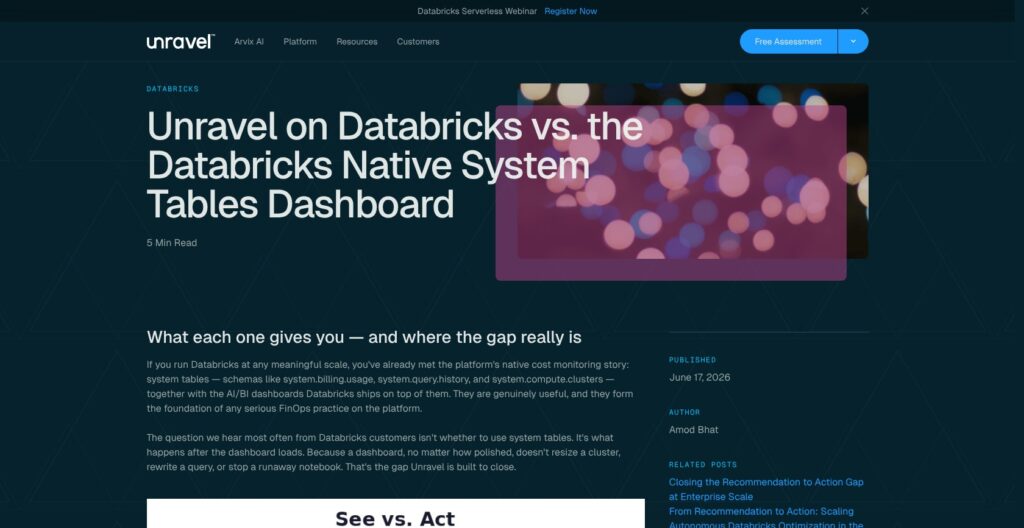
The cheapest alternatives are already in your account: Databricks system tables and Snowflake Budgets carry no license fee, only the compute their queries and refreshes use. Keebo and Espresso AI bill on savings instead, with Espresso AI taking 40% of monthly Snowflake savings.
- Databricks system tables: My pick for small Databricks bills and teams happy to build their own dashboards. They need Unity Catalog and
SELECTgrants and apply no fixes. - Snowflake Budgets: My pick for simple credit guardrails without a new vendor, with email, webhook (Slack, Teams, PagerDuty) or stored-procedure actions.
- Datadog Data Jobs Monitoring: Best for teams already on Datadog that want jobs next to infrastructure monitoring. Annual rates are $0.05 per host-hour for clusters ($0.072 on demand), $0.025 per DBU for serverless Databricks and $0.10 per job-hour for Airflow, dbt and custom jobs.
- Select.dev: Best for Snowflake-centric teams that want a published entry price: from $1,499 a month, with Databricks and BigQuery added, payable with pre-purchased Snowflake credits, and a free trial.
- Keebo: My pick for pay-for-results buyers, with $0 a month entry, one saved Snowflake credit or DBU billed as one Keebo credit, and a 14-day free trial. The Enterprise subscription price is unpublished.
- Revefi: The best free entry, with a Starter plan for combined annual platform spend under $50,000 across Snowflake, Databricks and BigQuery. Paid plans take a percentage of platform spend, and Revefi holds SOC 2 Type II.
- Capital One Slingshot: Snowflake rightsizing, attribution, guardrails and warehouse templates from Capital One Software, which the Sync Computing team joined to accelerate Databricks job optimization. There is no public pricing, and Slingshot itself lists Snowflake features only.
- Monte Carlo: My pick when broken data, not the bill, is the problem. It is data quality-first observability with Start, Scale, Enterprise and Business Critical tiers and no published prices.
Unravel earns its place when you want approval-gated fixes across several platforms. For monitoring alone, Datadog and the native tools publish their prices, and Unravel does not.
| Tool | Platforms | Pricing basis | Best for |
|---|---|---|---|
| Unravel | Databricks, Snowflake, BigQuery, Cloudera; EMR by quote | Consumption or annual footprint; quote only | Applying fixes across platforms |
| Databricks system tables | Databricks | Free; pay for query compute | DIY reporting |
| Snowflake Budgets | Snowflake | Free; budget refreshes consume credits | Spend alerts |
| Datadog Data Jobs Monitoring | Databricks, Spark, EMR, Dataproc, Airflow, dbt | $0.05 per host-hour annual for clusters | Datadog shops |
| Select.dev | Snowflake, Databricks, BigQuery | From $1,499 per month | Snowflake cost teams |
| Keebo | Snowflake, Databricks | Share of savings; $0 entry | Pay-for-results buyers |
| Revefi | Snowflake, Databricks, BigQuery | Free under $50,000 annual spend, then % of spend | Smaller teams |
How I Reviewed Unravel
I set up Unravel’s Databricks, Snowflake and BigQuery connections and judged this Unravel Data review on two questions: what each permission lets Unravel change in production, and what that is worth against free native tools and savings-priced rivals.
- Onboarding and permissions: The Databricks service principal and system tables, the Snowflake setup script, key-pair authentication and Native App, and the BigQuery service account and billing export.
- Automation controls: Human-in-Loop versus AutoApply, and which grant each action needs.
- Feature depth: The Databricks, Snowflake, BigQuery and Cloudera feature sets.
- Finance and integrations: Chargeback exports, the REST API, Slack and email approvals and the CI/CD plugins.
- Security and price: SOC 2 Type II, metadata-only collection and regions, plus consumption or footprint billing against Databricks system tables, Snowflake Budgets, Datadog, Select.dev, Keebo and Revefi.
Prices current as of November 2026.
Should You Buy Unravel to Cut Data Platform Costs?
I recommend Unravel for platform and FinOps teams with large Databricks or Snowflake bills, especially with BigQuery or Cloudera alongside, who want one control plane that ranks fixes, applies them under approval rules and produces chargeback reports. Among data observability tools, it sits at the operator end: it changes clusters, warehouses and code instead of only reporting on them.
I wouldn’t sign an annual contract on the Arvix positioning alone. With no published rate and production edit rights at stake, agree the connected compute footprint and the permitted actions in a proof of concept first.
- Recommended if: You run many scheduled Spark jobs or warehouses across more than one platform, can grant edit rights per workload class, and need chargeback by team or business unit.
- Choose a rival if: Your Databricks bill is small (system tables are free), you only need Snowflake spend alerts (Budgets), you want a published entry price (Select.dev from $1,499 a month), you only want to pay for realized savings (Keebo), your annual platform spend is under $50,000 (Revefi’s free Starter plan), or your estate is EMR-heavy (Datadog Data Jobs Monitoring covers EMR).
Start with the free Databricks health check or the free Snowflake Native App from Unravel, then ask for the 2-4 week proof of concept before signing.
FAQ
Is Unravel Data free?
Unravel is free to get started: Databricks and Snowflake teams get a free health check, and the free Snowflake Native App analyzes up to 30 days of usage inside your account. BigQuery gets a demo instead. Ongoing use is paid, either pay as you go on consumption or through an annual subscription.
How much does Unravel cost?
Unravel publishes no dollar rates. It bills on monthly Databricks DBU, Snowflake warehouse or BigQuery slot consumption, or through an annual subscription sized to your compute footprint with unlimited users and actions. Amazon EMR and Cloudera are custom quotes, and enterprise buyers can run a 2-4 week proof of concept first.
Does Unravel access my data?
Unravel collects operational metadata only: cluster configuration, job and query metrics, compute usage, and billing and storage metadata, not table contents or query results. It keeps usernames for attribution and analyzes query text, which you can mask. Unravel is SOC 2 Type II certified, with the report available under NDA.
What is Arvix AI?
Arvix AI is Unravel’s optimization engine, released May 29, 2026. It rewrites code, tunes infrastructure and manages storage, tests each change before deployment and reverts it if performance degrades. Changes run under Human-in-Loop or AutoApply policies, and you choose the LLM behind it or switch LLM features off.
Does Unravel support Amazon EMR?
Only by custom quote. Amazon EMR is still sold through an account executive after a demo and listed among Unravel’s integrations, but Unravel publishes no EMR setup guide: its setup guides cover Databricks, Snowflake, BigQuery and Cloudera, and its homepage names three platforms. Datadog Data Jobs Monitoring covers EMR if you need monitoring.