
Editor’s note: This review weighs pricing, setup, monitoring, AI features, and operational trade-offs through independent analysis.
Quick verdict: I recommend Elementary for analytics teams that already use dbt and want their tests to become easier to investigate and act on. Its free, open-source edition is an attractive starting point, while Cloud adds broader monitoring and collaboration. My main reservation is the jump to paid Cloud: you need a quote, and AI usage adds another cost to budget for.
Key Takeaways
- Elementary gives existing dbt tests a useful home alongside model results and data-quality signals.
- The free OSS edition suits a single dbt project; Cloud can also connect directly to a warehouse without dbt.
- Cloud’s column-level lineage helps connect a broken field to the reports that depend on it.
- Cloud subscriptions require a sales conversation, with additional credit-based pricing for the AI layer.
- Self-hosting leaves your team responsible for the CLI, reports, upgrades, and alert delivery.
In this Elementary review, I’ll look at the differences between OSS and Cloud, the setup work involved, and which features would justify paying. Among observability and quality tools, Elementary earns a place on my shortlist because it builds on work a dbt team has already done.
Pros and Cons
Pros
- Free OSS edition for a single dbt project.
- Existing dbt tests feed into the monitoring workflow.
- Cloud supports column-level lineage through to connected BI tools.
- Cloud can monitor a warehouse without requiring dbt.
- AI test recommendations can become reviewable code changes.
Cons
- Cloud has no published subscription prices.
- The AI layer uses additional credits.
- OSS lacks Cloud’s AI and managed incident workflow.
- Self-hosting requires ongoing engineering ownership.
How Much Does Elementary Cost?
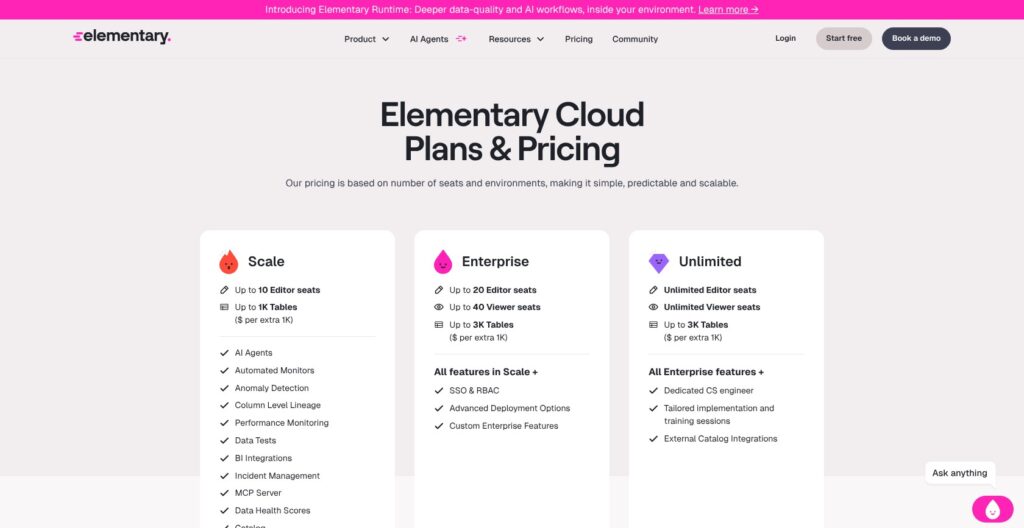
I would shortlist the editions this way:
- OSS ($0 license): for engineers who can own the setup.
- Scale (custom quote): my starting point for a managed deployment.
- Enterprise (custom quote): worth evaluating for a wider team.
- Unlimited (custom quote): worth considering for broad participation.
| Edition | Published price | Included capacity |
|---|---|---|
| OSS | Free software | Single dbt project |
| Scale | Custom quote | Up to 10 editor seats and 1,000 tables |
| Enterprise | Custom quote | Up to 20 editors, 40 viewers, and 3,000 tables |
| Unlimited | Custom quote | Unlimited editors and viewers; up to 3,000 tables |
Additional table capacity costs extra, and AI has separate credit-based pricing. Unlimited refers to seats, not tables.
Some plan summaries disagree with the detailed feature comparison. Get incident management, catalog access, and deployment requirements written into your quote. I would also ask how AI credits are consumed before deciding what the subscription will actually cost.
Is Elementary Good Value for Money?
OSS is appealing when the alternative is maintaining custom scripts that collect test results and send notifications. You still pay for warehouse work and the person maintaining the setup, but you can evaluate that trade-off without a software subscription.
For Cloud, I would base the decision on the workflow it replaces:
- Several disconnected projects: a shared view can make ownership and investigation less fragmented.
- Business users chasing engineers for answers: lineage and health views can provide useful context.
- Occasional failures in one small project: OSS may already be enough.
My recommendation is OSS for a small, technically capable dbt team. Consider Cloud when shared operations become the problem. I wouldn’t upgrade simply to get an AI assistant.
Getting Started With Elementary
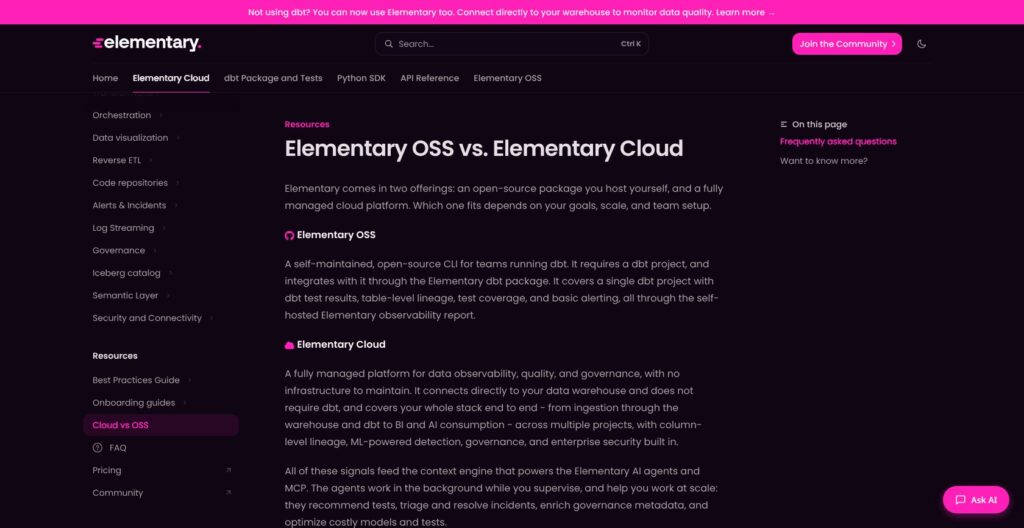
The OSS setup belongs to an engineer. You install the Elementary dbt package, run its models in your warehouse, and configure the separate Python CLI to read the resulting Elementary schema.
The sequence is straightforward for a dbt user:
- Add the dbt package to the project you want to monitor and run its models.
- Generate a CLI connection profile and supply the missing connection details in your local dbt profile.
- Install the CLI with the appropriate warehouse adapter for your environment.
- Generate the report with
edr report, then arrange recurring reporting and alerts around your jobs.
I like that this starts with your existing project. You aren’t being asked to rebuild every check in a new interface before getting useful visibility. However, a generated report only stays useful if someone makes sure it keeps updating.
There is also an operating cost beyond installation. Elementary’s end-of-run hooks collect results and project metadata, and large projects can see extra run time. You can schedule metadata uploads separately to reduce that overhead. I would check this against an ordinary production job before rolling the package out everywhere.
Cloud offers a different entry point. You can connect a supported warehouse and select the databases and schemas to monitor. Connecting dbt adds its model, test, and run context, but it isn’t compulsory.
That distinction matters if you are still adopting dbt. I wouldn’t introduce dbt purely to qualify for the free Elementary edition. Compare Cloud with other warehouse monitoring products instead.
Reviewer’s Notes: Start with a business-critical reporting path, such as the models behind revenue reporting. Check whether the resulting alerts tell the responsible person what failed and what it affects. A long list of passing tests is less useful than one failure your team can confidently investigate.
Monitoring Data Quality Without Rewriting Your Tests
Elementary’s strongest selling point for me is its treatment of existing tests. A dbt team can bring its validation work into the monitoring view, keeping the connection between the model and the checks that protect it.
I would use different checks for different questions:
- Explicit tests: should an order ID ever be missing or duplicated?
- Freshness monitoring: did the latest expected data arrive?
- Volume monitoring: has the table’s total row count changed unusually?
- Column-level anomaly tests: has a field’s pattern changed unexpectedly?
These questions complement each other. A pipeline can run successfully while producing an empty table, and a table can have its usual row count while containing invalid values. Monitoring only job success leaves both problems poorly covered.
The free and paid editions don’t offer identical detection. OSS anomaly tests run through dbt. Cloud adds managed monitors, including monitoring based on warehouse metadata, plus UI-based tests.
Cloud’s tuning controls are useful here. You can adjust sensitivity, preview how a configuration would have affected recent results, and mark an alert as an expected business change. Freshness monitoring also supports a fixed SLA when a deadline matters more than a learned pattern.
That matters because a promotion, market launch, or planned backfill can produce a legitimate change. Seasonal detection helps, but someone still needs to explain the exceptions. I would keep alert feedback and tuning in the team’s regular workflow.
My advice is to retain clear business rules alongside anomaly monitoring. An unusual value isn’t necessarily wrong, and a consistently wrong value may not look unusual at all.
For rules that need custom SQL, Cloud can run queries independently of dbt, although this feature requires enablement by Elementary. Those queries need read access to the referenced tables and consume warehouse compute. That is worth budgeting for when you move from checking metadata to checking the records themselves.
Tracing Failures and Managing Incidents
Cloud’s column-level lineage is a stronger reason to upgrade than a prettier report. When a field changes, you want to know which models and connected BI assets depend on it before deciding how urgently to respond.
For example, a failure in a staging field used by a financial dashboard deserves a different response from one affecting an unused development model. That is the kind of prioritization I want an observability tool to support.
There is an important limit: the default column lineage follows columns that directly contribute values. A column used only to filter rows may be missing from that path. If a dashboard total changes because of a filter, I would inspect the SQL as well as the graph.
The incident workspace adds the operational detail I want around that graph: an assignee, severity, status, and timeline. Related failures can be grouped, and linked tickets keep an investigation connected to the team’s existing work. That is more useful than treating every failed check as a separate notification.
The limitation is organizational as much as technical. A tool can route an alert, but your team still needs an owner who knows whether to pause a downstream job, correct the data, or accept the change. I would establish that responsibility before enabling broad notifications.
Monte Carlo belongs on the same shortlist for a mixed data estate. I would compare both products against a real ingestion-to-dashboard path, checking connector support and lineage coverage at each step. Elementary’s Cloud coverage extends beyond dbt, so dismissing it as dbt-only would miss the point of this comparison.
Are Elementary’s AI Features Useful?
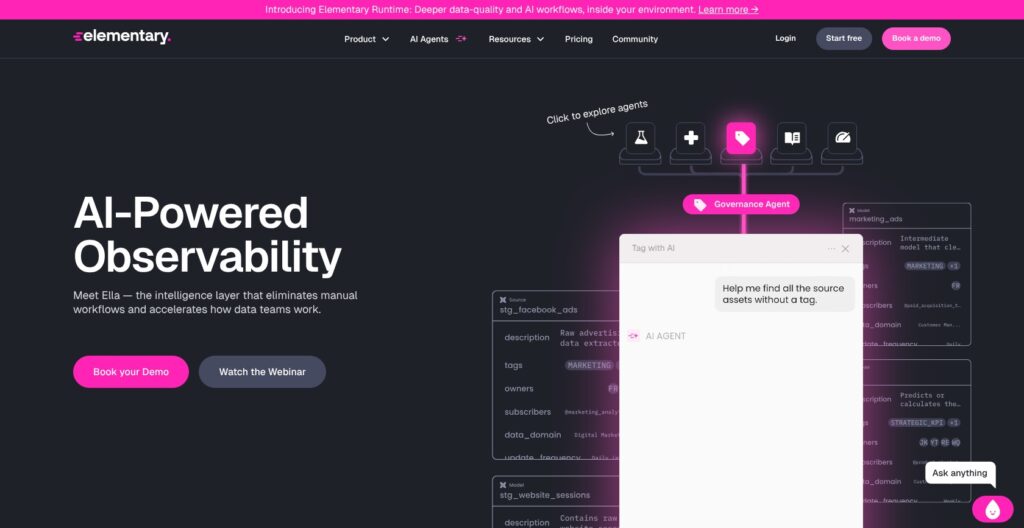
The most appealing AI feature is help turning gaps in test coverage into proposed checks. Elementary’s test recommendation workflow can create code changes for review, which fits the way an engineering team should maintain validation logic.
I prefer that to treating a generated test as correct because an assistant wrote it. A check can be valid SQL and still encode the wrong business assumption. If refunds are legitimate negative transactions, an overly broad positive-value rule would create work instead of preventing errors.
Incident investigation is another sensible use. From an incident, you can ask the agent to examine recent code changes, execution history, and upstream dependencies, then question its explanation before allowing a proposed fix. I like this as a starting point for investigation; the team still needs to decide whether the explanation fits what happened.
The governance agent addresses a less dramatic but familiar problem: missing owners, descriptions, and tags. It can propose metadata changes through a pull request. For a growing team, keeping that context current may be more valuable than another dashboard.
My reservation is oversight. A recommendation depends on the context behind it. I would evaluate the agent against a few incidents the team understands well before relying on it for unfamiliar failures.
AI features are opt-in, and the AI privacy policy describes processing through Amazon Bedrock. Review what metadata and optional data context your configuration shares. Keeping the warehouse under your control does not mean every AI operation runs inside it.
Security and the Open-Source Trade-Off
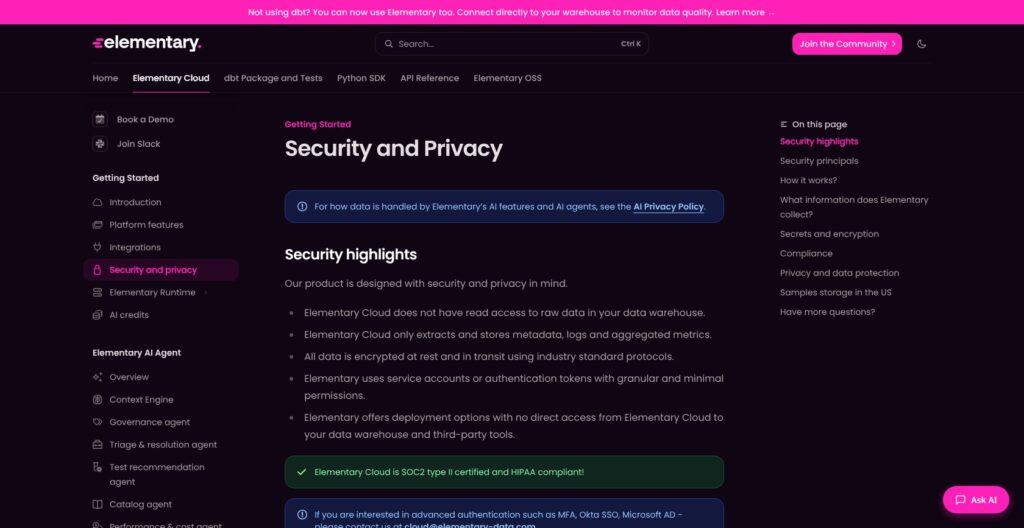
Elementary’s metadata-focused architecture is attractive, but I wouldn’t reduce the privacy decision to “it never touches raw data.” Failed-test samples are an important exception: the test-results workflow can collect sample rows, with a default sample count of five. Set test_sample_row_count: 0 when those samples should not be collected.
I also think the April 2026 supply-chain incident belongs in the buying decision. The compromised release was version 0.23.3 of the OSS Python CLI. Elementary removed it and released a clean replacement, 0.23.4. Its incident report states that Cloud, the dbt package, and other CLI versions were unaffected; subsequent CLI releases are available.
That is a bounded incident, rather than evidence that every Elementary deployment was compromised. For self-hosting, it reinforces my preference for controlled upgrades and an accountable package owner. Open source gives you more control over the software, alongside more responsibility for operating it.
How Does Elementary Compare to Competitors?
- Monte Carlo: I would shortlist it alongside Elementary Cloud for monitoring a varied data stack. Compare the actual connectors and incident investigation paths your team needs.
- Soda: I would look at Soda when data contracts are central to how producers and consumers agree on quality requirements. Elementary has Cloud contract tests too, so evaluate the surrounding workflow rather than a feature checkbox.
- Great Expectations Core: I would favor it for Python validation that developers want to embed in their pipelines. It can also complement Elementary: the Python SDK sends Great Expectations and custom test results into Cloud, alongside dbt results. You may need shared monitoring without replacing your test framework.
How I Reviewed Elementary
I assessed Elementary’s setup, edition boundaries, monitoring workflows, AI controls, and security information. My recommendations weigh the work each edition asks your team to take on against the problems its features address. Pricing and plan information checked in October 2026.
Should You Choose Elementary?
I recommend starting with Elementary OSS if you already use dbt, want better visibility into test failures, and have someone to maintain it. The fit is especially good when your checks exist but investigating their results still involves too much manual work.
Choose Cloud when the harder problem is coordinating monitoring and response across teams and systems. I would make the final decision after tracing one important reporting path, routing a meaningful failure to its owner, and reviewing the complete quote.
If you only need a few validations inside a Python pipeline, I would start with Great Expectations Core instead. Buy the workflow your team needs, not the longest feature list.
Frequently Asked Questions
Is Elementary free?
Yes, the OSS edition is free to use. Your team supplies the infrastructure and maintains reporting and alerts.
Does Elementary require dbt?
OSS requires a dbt project. Cloud can connect directly to a supported warehouse, with dbt available as an additional integration.
Can Elementary replace dbt tests?
I would use it to make tests more useful, rather than discard them. Existing dbt checks supply explicit rules, while monitoring adds visibility into failures and unexpected changes.
Is Elementary Cloud just a hosted version of OSS?
No. Cloud adds capabilities including managed monitoring, column-level lineage, incident workflows, and AI. Moving back to OSS means giving up those Cloud capabilities, even if you retain your dbt tests and configuration.