
Editor’s note: This Soda review weighs pricing, deployment choices, data quality workflows, and AI capabilities through independent analysis.
Quick verdict: I recommend Soda for data teams that want to turn business expectations into checks they can run and maintain. Its combination of contracts and monitoring is appealing, but the collaborative features that make it useful beyond engineering sit behind Enterprise pricing.
Key Takeaways
- Soda combines explicit data quality rules with monitoring for unexpected changes.
- Engineers can bring contract verification into their pipelines instead of relying only on dashboard alerts.
- The Free plan offers an entry point, while Team starts at $750 per month with additional processing usage to consider.
- Collaborative contracts, the no-code interface, and advanced AI features are listed under Enterprise.
- Contract Autopilot is still a preview feature, so I wouldn’t make it the sole reason to buy.
In this review, I’ll look at what you get for your money, how it fits into a pipeline, and where I’d choose an alternative.
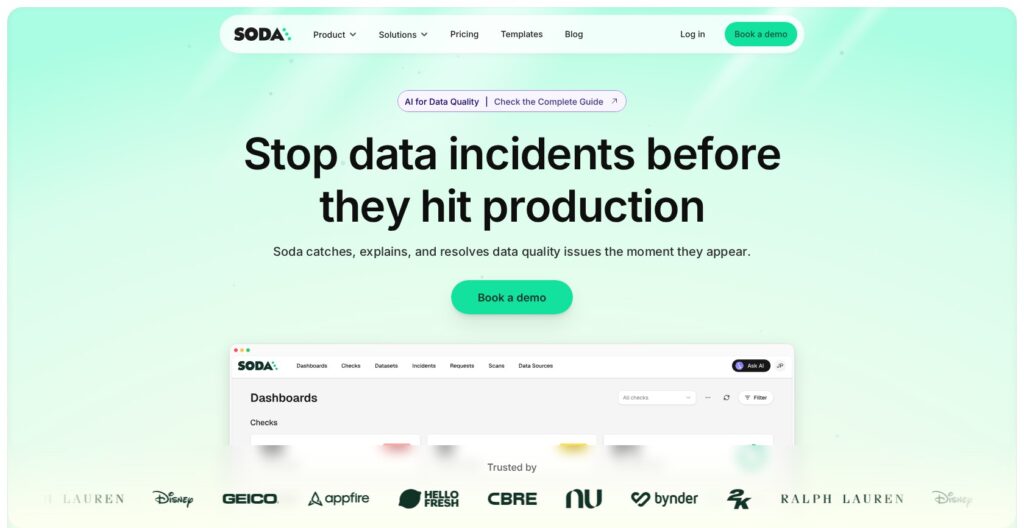
Soda Pros and Cons
Pros
- Data contracts make quality requirements explicit and reusable.
- Pipeline verification catches broken expectations before downstream processing.
- Metric monitoring complements checks with anomaly detection.
- Hosted and self-hosted runners support different infrastructure needs.
- Contract Copilot proposes changes you can review before applying.
Cons
- Enterprise gates the collaborative no-code workflow.
- Team’s $750 monthly price excludes additional processing usage.
- Self-hosting a runner requires Kubernetes expertise.
- Contract Autopilot remains in preview.
How Much Does Soda Cost?
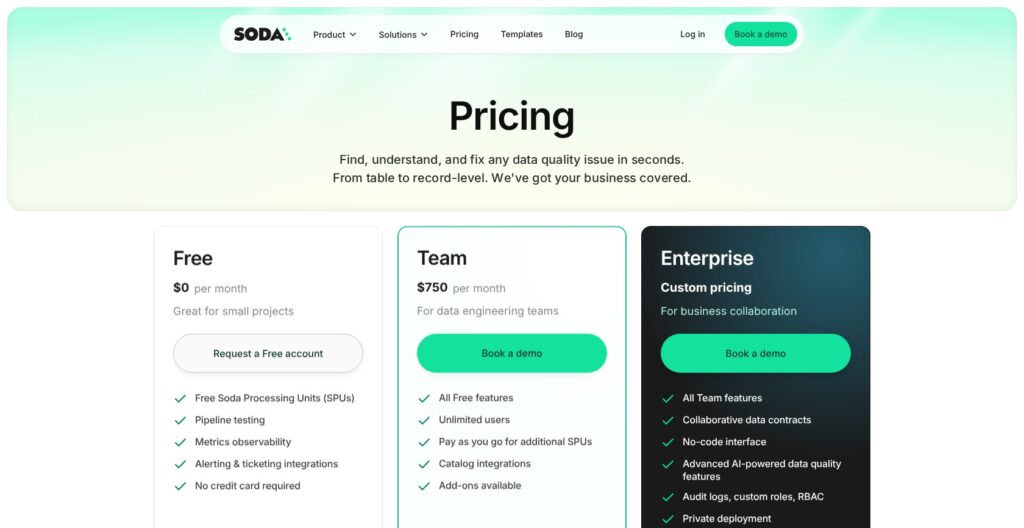
Soda’s paid subscription starts at $750 per month. My reservation is the jump from a small evaluation to an organization-wide commitment.
- Free ($0): For small projects, with free Soda Processing Units, pipeline testing, monitoring, and alerting integrations. No credit card is required.
- Team ($750 per month): For data engineering teams, adding unlimited users and catalog integrations, with pay-as-you-go additional SPUs.
- Enterprise (custom pricing): For business collaboration, adding collaborative contracts, a no-code interface, advanced AI, SSO, and private deployment.
| Plan | Listed subscription | My recommendation |
|---|---|---|
| Free | $0 | Start with a small, important dataset and establish whether the checks are useful |
| Team | $750/month, plus additional SPUs | Consider when engineers need a shared service and can estimate usage |
| Enterprise | Custom quote | Shortlist when business participation or private deployment is essential |
SPUs are Soda Processing Units. The pricing page doesn’t specify the free quantity or additional unit rate. Ask for a quote covering your datasets and scan frequency, with any included usage spelled out. I wouldn’t approve a rollout budget from the subscription alone.
Is Soda Good Value for Money?
I like the free starting point because it gives you a smaller commitment than buying an organization-wide rollout immediately. However, the value of Team depends on whether it removes enough ongoing work to justify both the subscription and processing bill.
- Choose Free for an initial evaluation. Give one person ownership of the checks and the resulting alerts.
- Consider Team for an engineering-led rollout. Assign someone to manage both the rules and the usage bill.
- Price Enterprise early for business participation. Involve the people who will actually define reporting requirements in the evaluation.
Reviewer’s Notes: I’d ask an engineer and an analyst to agree on one disputed data requirement during the evaluation. If the workflow doesn’t help them resolve that disagreement, broader deployment won’t fix it.
Getting Started With Soda
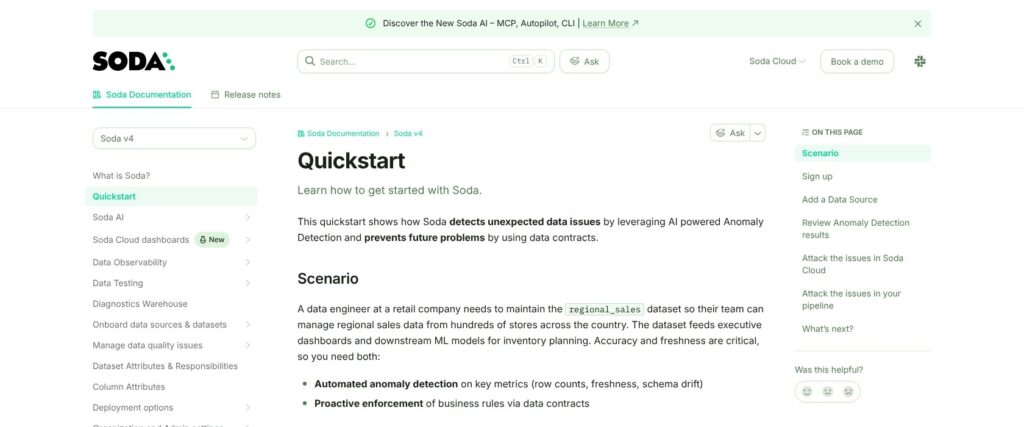
I would begin with one dataset that supports a recurring business decision. An orders table feeding a daily sales report is a better first project than attempting to monitor every table in the warehouse.
For a cloud workflow, you connect a data source, onboard the relevant datasets, and enable metric monitoring. You can then define a contract, test its checks, and publish it for verification. The Metric Monitors tab highlights unusual behavior; contract checks verify the requirements you define.
My suggested first set of requirements would be deliberately small:
- Freshness: Establish when the dataset must be ready for its consumers.
- Completeness: Identify fields that cannot be missing for the report to work.
- Uniqueness: Decide which identifiers must not appear more than once.
- Ownership: Assign someone who can investigate a failure and decide what happens next.
These are starting recommendations, not universal thresholds. An order stream and a monthly finance extract should not share the same freshness rule.
Choose Your Deployment Before Expanding
A Soda-hosted Runner is the straightforward option when you want Soda to manage execution infrastructure. A self-hosted Runner runs in your Kubernetes environment and belongs to the Enterprise offering. I would only take that route with a team prepared to operate it.
The Python libraries serve a different purpose: embedding contract verification in your own code. They also support in-memory sources that runners cannot scan, such as Spark DataFrames. They do not independently provide the platform’s observability features.
For a team already running checks in Spark notebooks, I’d start with the libraries. For centrally scheduled warehouse monitoring, I’d evaluate the hosted Runner first.
Data Contracts: Soda’s Strongest Reason to Buy
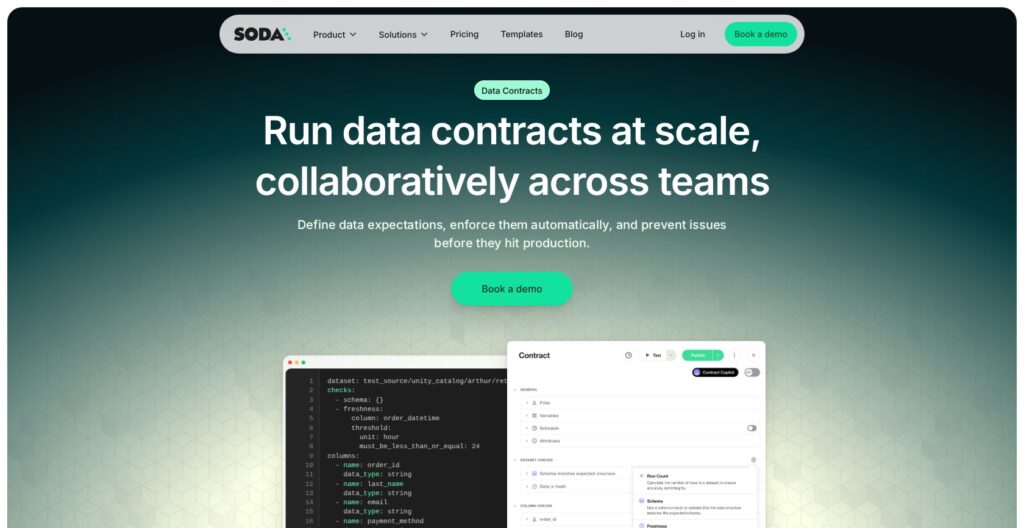
Soda’s biggest attraction for me is making data requirements something a team can maintain together. A contract defines expectations about a dataset, giving producers and consumers a concrete agreement to work from.
Consider an illustrative order pipeline where the finance team requires an order identifier and a valid currency. A general anomaly monitor might notice unusual behavior, but a contract can express those specific requirements directly. I prefer that clarity for rules where a statistically normal result could still be wrong for the business.
Contracts can be edited in code or through the UI, and their code format can be synced with Git. I like that bridge between an engineer maintaining a repository and an analyst who understands the reporting requirement but doesn’t want to edit configuration.
I particularly like the opportunity to discuss a proposed change before it becomes the accepted rule. If missing values suddenly become common, relaxing the check may hide the problem. A reviewable contract gives the team somewhere to make that decision explicitly.
Put Checks Where They Can Change the Outcome
Verification can run inside a pipeline, including through Soda’s CLI or Python API. My recommendation is to place critical checks before downstream tasks consume the output, then configure the pipeline to act on the result.
A check that reports failure but lets the next step proceed offers a different level of protection from one that stops the job. Decide which rules should block processing and which should prompt investigation.
For a team comfortable owning all of this in Python, Great Expectations Core deserves consideration. Soda becomes more compelling when the requirement extends to a shared commercial workspace. That is where I would focus the buying decision.
How Useful Are Soda’s AI Features?
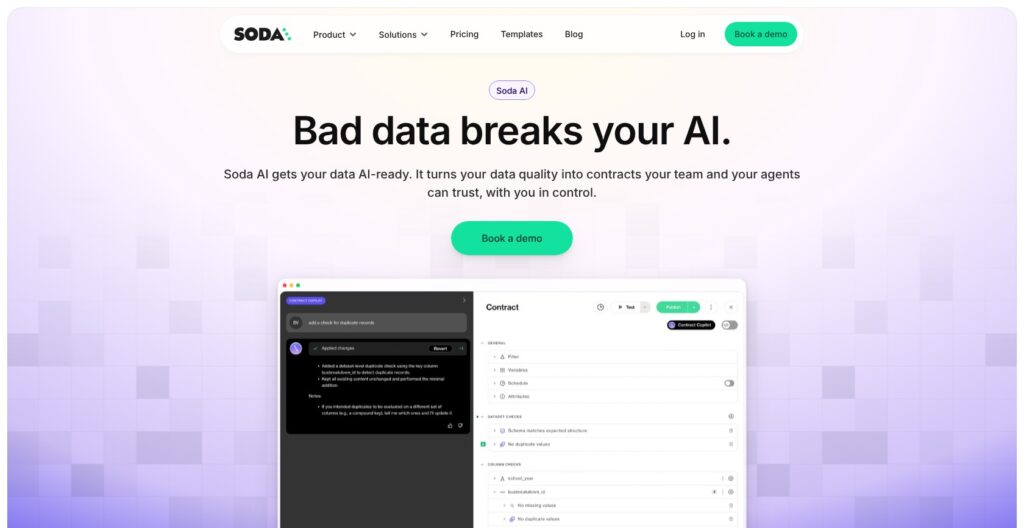
I like AI assistance most when it reduces the work of writing a rule without obscuring what the rule does. Soda’s Contract Copilot fits that use case: you describe a change, it proposes updates to an existing contract, and you review them.
For example, asking for a freshness check is convenient. Deciding whether the dataset must arrive before a morning report or within minutes of an event still requires business context. I would treat the generated check as a draft that needs an accountable owner.
Copilot uses schema and metadata rather than inspecting raw table records. It also has a clear limitation: it does not guarantee that the checks are correct. That makes the review step essential, especially when a rule can stop a production pipeline.
Autopilot Needs a More Cautious Buying Decision
Contract Autopilot generates an initial contract with recommended checks from sampled data and profiling information. It remains available as a preview with early access, so confirm availability for your account before including it in a rollout plan.
There are meaningful limits: Autopilot requires a Runner, only generates contracts for datasets without one, and doesn’t support JSON or structured-array columns. I’d check those conditions against your tables before expecting broad coverage.
Autopilot sends profiling metrics and schema to an external model, with sample rows included only if you enable that setting. My practical concern is that existing data can contain long-standing mistakes. The dataset owner should challenge suggested rules, not simply accept what looks normal.
I would buy Soda for checks and monitoring that solve a present problem, then evaluate the AI features as assistance. I would not base the business case on a promise that data quality will become fully autonomous.
Monitoring and Investigating Bad Data
Explicit checks work best when you already know what to require. Soda’s metric monitoring adds another layer by looking for changes in behavior, including volume and freshness, that deserve attention.
I like using the two together. A table can meet its basic schema requirements yet arrive much later than usual, while a perfectly punctual dataset can still contain values that violate a business rule. Neither approach replaces the other.
Soda lets you review a metric’s measured value against its expected range and mark an anomaly as expected. That feedback is useful when business behavior changes, but someone still needs enough context to distinguish a legitimate event from a broken pipeline.
Partition monitors have a specific blind spot: they examine the configured recent partition, so a correction to older records can escape that check. If backfills are routine, I would add explicit checks for them rather than assuming a healthy freshness monitor covers the whole table.
Make Failure Investigation Part of the Evaluation
Diagnostics Warehouse, a Team and Enterprise extension, stores enabled failed-row captures and check history in your own warehouse, where you can query them with SQL or connect BI tools. I value that more than an impressive-looking alert count: the person fixing the issue can inspect the records behind it.
You need to grant access to a schema Soda can write to. I would limit failed-row access separately from alert recipients, then use Notification Rules to route failures to the responsible team through Slack, Teams, or webhooks.
If automated discovery of unusual values across complex tables is your main concern, I would also evaluate Anomalo. For a broader observability purchase centered on lineage and downstream impact, Monte Carlo belongs on the shortlist. Soda’s strongest case is the combination of monitoring with explicit, maintained quality requirements.
How Does Soda Compare With Alternatives?
Great Expectations Core is my first comparison for Python validation; Monte Carlo and Anomalo are more relevant for a broader monitoring purchase.
- Great Expectations Core: My alternative for a Python-oriented engineering team that wants an open-source validation framework and can own its surrounding workflow. GX Cloud stopped being publicly available on June 1, 2026, so compare the Core project directly.
- Monte Carlo: Worth evaluating when understanding dependencies and the downstream impact of an incident is central to the purchase. I would ask both vendors to demonstrate the same failure through the team’s actual data stack.
- Anomalo: A strong comparison when finding unexpected problems in table contents is the priority. I would weigh its automated detection against Soda’s explicit contract workflow using representative datasets.
I would give each shortlisted tool the same late-arriving table and malformed records, then compare the explanation and response workflow. Detection alone doesn’t tell you how much work remains.
How I Reviewed Soda
I evaluated Soda’s plan boundaries, deployment architecture, contract workflow, AI capabilities, and alternatives. The recommendations weigh those capabilities and trade-offs, without a scored performance benchmark. Prices current as of October 2026.
Should You Choose Soda?
I would shortlist Soda if your team needs to agree on data requirements and enforce them consistently. The combination of contracts, pipeline verification, and monitoring gives it a clearer purpose than simply adding another alert dashboard.
My main hesitation is commercial: the collaborative workflow may put you into Enterprise even when your first use case feels modest. Start with a narrow Free evaluation, then price the features your intended users need.
Choose Soda because it helps your team own its data quality rules. If your primary requirement is a Python validation library or broad incident-impact analysis, compare the relevant alternatives before committing.
Soda FAQ
Is Soda Free?
Soda offers a $0 plan with an allocation of processing units. An open-source core also exists, but that does not make every commercial extension or cloud feature free.
Is Soda Suitable for Nontechnical Users?
Business users can help define requirements through the collaborative interface. I would still assign a technical owner to connections, deployment, and the response when a check fails.
Does Soda Automatically Fix Bad Data?
I would not assume every detected issue is repaired automatically. Evaluate the specific remediation capability available to your account, including its approval steps, rather than treating detection as a guarantee of correction.
Can Soda Replace Pipeline Tests?
Soda can supply checks that run within a pipeline. You still need to connect their outcomes to the pipeline’s behavior and maintain the requirements as your data changes.