Editor’s note: This Kyvos review is based on my evaluation of Kyvos 2026.6 as it is sold in October 2026, not on a hands-on performance test. I weigh six areas: pricing and value, setup effort, modeling depth, BI and AI connectivity, security, and how Kyvos stacks up against rival semantic layers.
Quick verdict: I recommend Kyvos for enterprises whose Excel, Power BI or Tableau users query billions of rows on Snowflake, Databricks, BigQuery or Redshift, and for teams moving off SSAS who want pre-aggregated cubes answering in place of the warehouse. Go in knowing that on the marketplace tiers you run a VM cluster metered at $0.41 per core hour on top of the cloud VM bill, and that your dashboards are only as fresh as the last processing run.
Kyvos sits in the semantic layers category, but it behaves more like SSAS rebuilt for lakehouse-scale data: it pre-calculates aggregates in its own engine and serves them to BI tools over DAX, MDX and SQL.
In this review, I’ll take a closer look at Kyvos’s pricing, setup, modeling and connectivity, and how it compares with AtScale, Cube and the dbt Semantic Layer, so you can see exactly whether it belongs between your lakehouse and your dashboards.
Key Takeaways
- Kyvos builds pre-aggregated multidimensional models in its own engine and serves them over DAX, MDX and SQL, so Power BI, Excel, Tableau and Looker connect natively
- Kyvos pricing is public: $0.41 per core hour on AWS, Azure and Google Cloud marketplaces, $0.61 managed, on-premises from $48K a year, plus a free single-node edition
- The AI layer covers the Dialogs conversational agent, AI Space, an MCP server and a LangChain integration
- It is a VM cluster you size and schedule, not a serverless service, and a 112-core cluster meters about $46 an hour at full load before VM costs
- Freshness depends on processing runs (full or incremental), and Kyvos does not document support for Microsoft Fabric or Synapse
Kyvos Pros and Cons
Pros
- Public per-core price: $0.41 per core hour on marketplaces, no minimum
- Native DAX, MDX and SQL endpoints for Power BI, Excel, Tableau and Looker
- Pre-built aggregates take BI query load off Snowflake, BigQuery or Databricks
- Kyvos Free single node on AWS and Google Cloud marketplaces
- Row- and column-level security on every paid tier, plus masking and SSO
- MCP server and Dialogs agent let AI tools query governed measures
Cons
- AWS meters Query Engine and BI Server cores separately, VM bill on top
- Data is only as fresh as the last full or incremental process
- A VM cluster to size, patch and scale, not serverless
- No documented Microsoft Fabric or Synapse support
- Each semantic model draws from a single data connection
How Much Does Kyvos Cost?
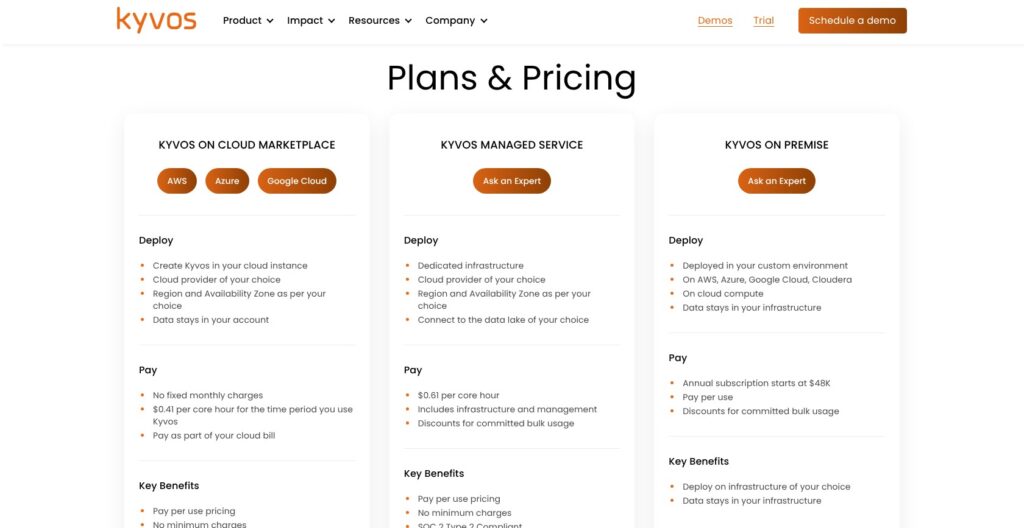
Kyvos charges by the core hour and publishes the rate, while AtScale publishes no dollar figures at all. You can pay four ways:
- Kyvos Free ($0 license): for testing on small data, a single node on AWS or Google Cloud Marketplace where you pay only for the VM
- Cloud Marketplace ($0.41 per core hour): for pay-as-you-go teams on AWS, Azure or Google Cloud, with no minimum and spend that counts toward your cloud commit
- Managed Service ($0.61 per core hour): for teams that want Kyvos to run the infrastructure, which the rate includes, SOC 2 Type 2 compliant, with discounts for committed usage
- On Premise (from $48K a year): for annual-contract buyers deploying on AWS, Azure, Google Cloud or Cloudera
| Plan | Price | Where it runs | Who manages infrastructure | Best for |
|---|---|---|---|---|
| Kyvos Free | $0 license, VM cost only | Single node, AWS or Google Cloud | You | Proof of concept on small data |
| Cloud Marketplace | $0.41 per core hour | Cluster in your AWS, Azure or Google Cloud account | You | Teams with a cloud commit to burn down |
| Managed Service | $0.61 per core hour, infrastructure included | Kyvos-run SaaS on AWS, Azure or Google Cloud | Kyvos | Teams with no one to own the VMs |
| On Premise | From $48K a year | AWS, Azure, Google Cloud or Cloudera | You | Steady, always-on workloads |
Every paid tier carries the same feature set: no limits on data size or user count, row- and column-level security, high availability and disaster recovery. On AWS, Query Engine cores and BI Server cores are metered as two separate pools at $0.41 each, and the EC2 bill arrives on top.
Is Kyvos Good Value for Money?
Take a 112-core Azure cluster with one Analytical Server and five Query Engines. At $0.41 per core hour, it meters:
- Full capacity: about $46 an hour
- Moderate capacity (Query Engines at 8 cores each): about $29.5 an hour
- Analytical Server only: about $6.5 an hour
Query Engines drop to moderate capacity after 30 idle minutes and shut down after another 30, so the meter falls when nobody is querying. By my arithmetic at 730 hours a month, 112 cores left on around the clock comes to roughly $33.5K in Kyvos metering alone, and the idle floor with only the Analytical Server up is about $4.8K, both before Azure VM charges. The $48K-a-year on-premises subscription works out to about $4K a month.
Cube’s Starter plan is $40 per developer per month, and the dbt Semantic Layer needs at least dbt’s Starter plan at $100 per user per month.
In my view, Kyvos is good value when warehouse query spend is the bigger bill, because pre-built aggregates move dashboard load off Snowflake or BigQuery compute. For a team with 10 people modeling metrics, it is poor value: the $4.8K idle floor alone exceeds 10 dbt Starter seats ($1,000 a month) or 10 Cube Premium developers ($800 a month, before compute add-ons).
Reviewer’s Notes: I recommend starting on Kyvos Free, then moving to Cloud Marketplace pay-as-you-go so the spend counts against your existing AWS, Azure or Google Cloud commit. Set cluster scaling rules on day one, because the gap between $46 and $6.5 an hour comes down to how fast idle Query Engines scale down. The Managed Service’s $0.61 includes the infrastructure, so weigh it against $0.41 plus your VM bill, and pick it if nobody on your team will own the VMs.
Getting Started With Kyvos
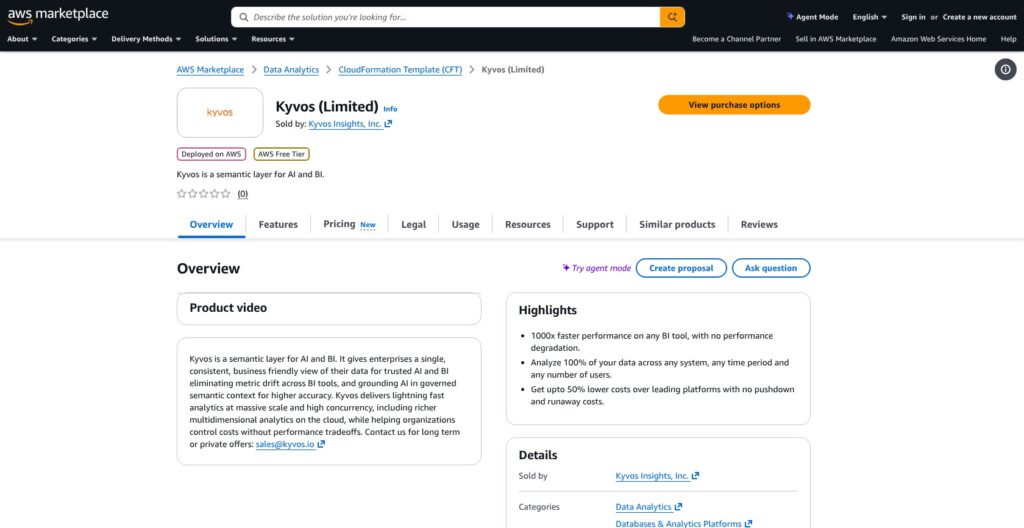
Kyvos deploys as a cluster of VMs inside your own cloud account, or as managed SaaS on AWS, Azure or Google Cloud, so the first decision is who runs the servers.
Deploying From a Marketplace
On AWS, the marketplace path runs in four steps:
- Search for Kyvos in AWS Marketplace and pick a delivery option, Shared Query Engine or Dedicated Compute, both deployed into an existing VPC.
- Run the CloudFormation template, which installs on Amazon Linux 2023 (Azure and Google Cloud deployments run on RHEL 8).
- Open the email that arrives with your Kyvos Manager and Kyvos URLs.
- Set scaling rules on the Cluster Scaling page before you load any data.
On Azure Marketplace, billing runs only while the cluster is up, so stopping it outside business hours takes the Kyvos meter to zero.
Kyvos Free runs everything on one node and processes models locally. It connects to BigQuery, Snowflake, Databricks SQL Warehouse, Teradata, Azure SQL Database, Oracle RDS or any JDBC source, but not Redshift, so Redshift shops need a full marketplace cluster even for a pilot. On premises, Kyvos runs on CentOS 7, and you size the hardware yourself.
Connecting Data and Building a Dataset
Create a connection to your warehouse, then build a dataset that defines the relationships between your tables. Kyvos supports star, snowflake, multi-fact and single-file schemas.
All sources that feed one semantic model must come from a single connection. If your facts live in Snowflake and a key dimension sits in BigQuery, land them on one platform before you model.
In my view, this is more infrastructure work than the code-first route: Cube Cloud is hosted, so you write models as code with no VMs to manage. AtScale, like Kyvos, runs in your environment, so the operations burden is closer between those two.
Reviewer’s Notes: Run Kyvos Free against one real fact table before you talk to sales, since the license costs nothing and you pay only for the VM. Decide who owns the cluster (VM sizing, OS patching, scaling rules) before you sign, because that work never goes away on the marketplace tiers.
Semantic Modeling and OLAP Aggregates
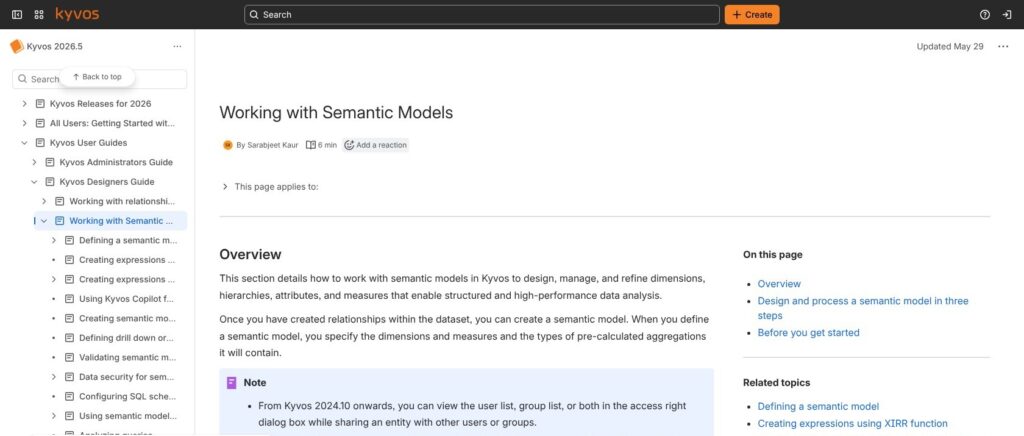
A Kyvos semantic model takes three steps: define, refine and process. The process step, where Kyvos pre-builds aggregates in its own engine, is what separates it from a metrics layer like the dbt Semantic Layer.
Define and Refine
In the define step, you set:
- Dimensions and hierarchies, such as date, region and product
- Measures, including calculated members and MDX expressions
- Aggregations to pre-calculate, the choice that drives both query speed and build cost
The refine step tunes the partitioning strategy, the aggregate and auto-cache strategies, and advanced properties. Kyvos supports ROLAP, MOLAP and HOLAP models, and it handles slowly changing dimensions, XIRR calculations and GIS map models, the kind of cube features SSAS teams expect and most metrics layers skip.
Processing and Freshness
Kyvos processes a model with a full, incremental or test data run, on a schedule you set. An aggregates-only update rebuilds aggregates without a full reload, and a sliding window drops old data during processing.
The trade-off is that your dashboards show data as of the last process, and every build consumes compute and storage. AtScale takes the opposite route and virtualizes queries live against the warehouse, so it is fresher but leans on the warehouse for speed. Cube sits in between, caching pre-aggregations you define in code inside Cube Store.
If your business needs minute-level freshness, test incremental process times on your real data before you commit. Schedule incremental processes for daily loads and save full processes for schema changes, because a full rebuild of a large model is where build time and compute pile up.
Recommendations and Query Analyzer
Kyvos profiles your data and recommends aggregates based on historical query patterns. The Query Analyzer dashboard shows query performance plus the most-used dimensions and measures, which tells you which aggregates earn their storage and which ones to drop. You can also export data lineage for your governance tooling.
In my view, this is the closest thing to SSAS multidimensional on cloud data. That is the reason to buy Kyvos, and it is also why Kyvos is heavier to run than the dbt Semantic Layer or Snowflake semantic views.
BI Connectivity: DAX, MDX and SQL Endpoints
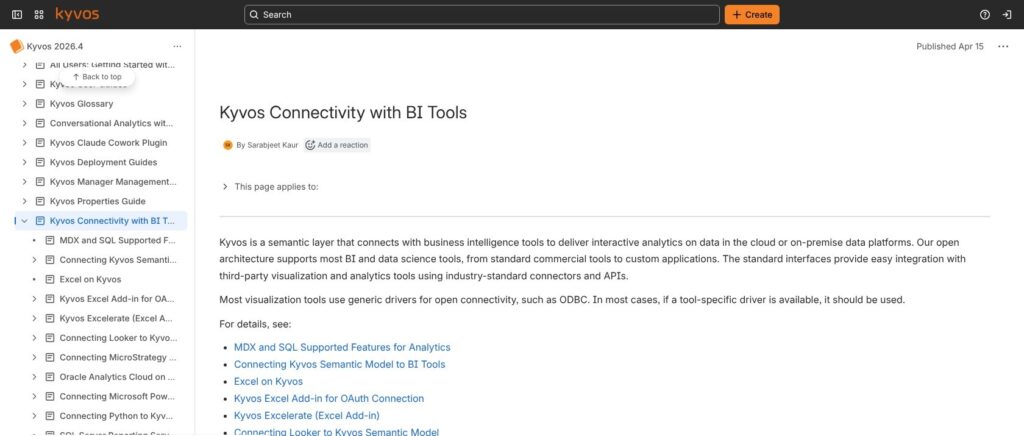
Kyvos exposes three query languages, DAX, MDX and SQL, plus REST and Java APIs, so most BI tools connect without a translation layer in between:
- Power BI: a DAX connector for Power BI Desktop and the Power BI Service
- Excel: MDX, with the Excelerate add-in and an OAuth add-in, so PivotTables run straight against the model
- Tableau: MDX through the Microsoft Analysis Services driver or a dedicated connector
- Looker: SQL
- Strategy (formerly MicroStrategy), Oracle Analytics Cloud and SSRS: supported as BI clients
- Python, R and SQL clients: ODBC or JDBC
Use the tool-specific driver wherever one exists rather than generic ODBC or JDBC. For custom applications, the REST and Java APIs query the same semantic model your dashboards use.
For SSAS migrations, MDX plus calculated members means existing Excel workbooks and reports can keep pointing at a cube-shaped model. The dbt Semantic Layer has no MDX endpoint, and Snowflake semantic views stay inside Snowflake.
Security and Governance
Kyvos handles access and governance through its AuthK component:
- SSO and role assignment for users and groups
- Row- and column-level security
- Data masking
- Encryption at rest and in transit
- Activity logging
- HIPAA and PCI compliance support
Kyvos sells one feature set across its paid tiers, so row- and column-level security is never an upsell, whereas Cube reserves SAML SSO for its custom-priced Enterprise plan.
Reviewer’s Notes: If your BI estate is Excel-heavy, MDX support is the deciding feature in this category. Cube’s interfaces stop at DAX, SQL, REST and GraphQL, the dbt Semantic Layer has no MDX, and Snowflake semantic views never leave Snowflake, so Kyvos and AtScale are the two realistic options for PivotTables on lakehouse-scale data.
AI Features: Dialogs, AI Space and the MCP Server
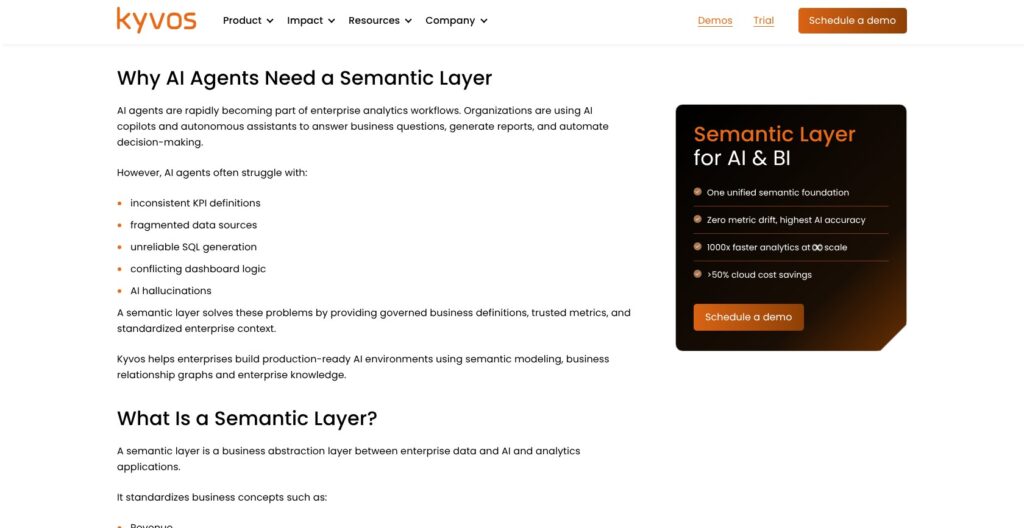
Kyvos sells five AI components that sit on the same semantic model as your BI tools:
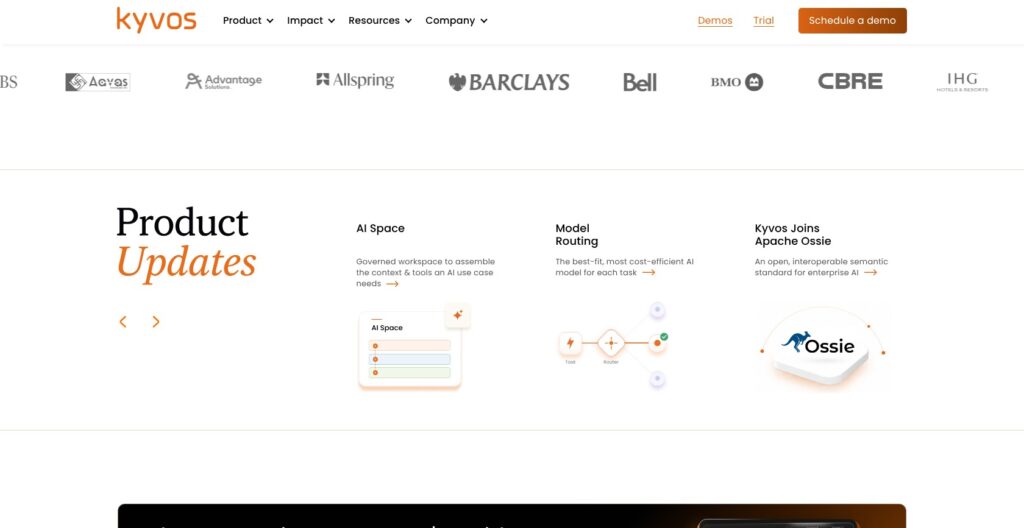
- Kyvos Dialogs: a conversational analytics agent launched in mid-2025, usable in Microsoft Teams and Slack and callable by other agents through MCP
- AI Space: a workspace for assembling and governing the context and tools an AI use case needs
- MCP server and LangChain integration: a Python sample client for the MCP server is on PyPI
- Kyvos Copilot: the older generative AI assistant for writing MDX calculations and queries
- Claude Cowork integration: announced in February 2026
In August 2026, Kyvos also joined Apache Ossie, an open effort for exchanging semantic models between tools. Business Knowledge Graphs is still labeled coming soon, so I would not buy Kyvos for it.
The real value for AI is that an agent asks Kyvos for a governed measure like net revenue instead of guessing joins across raw tables. Cube and AtScale both ship MCP servers too (Cube’s lists 30 tools), so in my view this is parity, not a moat.
Because Dialogs and Power BI read the same semantic model, a revenue figure in a Teams chat should match the dashboard, and that consistency is the selling point rather than the chat window. Test Dialogs on your own business questions before you trust its answers, and choose Kyvos for AI only if you are already buying it for BI. Databricks metric views already feed Genie, Databricks’s own conversational agent, so a Databricks-only shop gets chat over governed metrics without adding Kyvos.
How Does Kyvos Compare to Competitors?
| Tool | Approach | Pricing model | Free option | Best for |
|---|---|---|---|---|
| Kyvos | Pre-aggregated OLAP in its own engine | $0.41 per core hour (marketplace) | Kyvos Free single node | SSAS-style cubes on huge data |
| AtScale | Live virtualized OLAP over the warehouse | Per deployed semantic object, no public dollar figures | None listed | Excel and Power BI on one warehouse without moving data |
| Cube | Code-first semantic layer with caching | Free, $40 and $80 per developer per month | Yes, 5 workbooks and 1,000 requests a day | Developer teams building embedded and API analytics |
| dbt Semantic Layer | Metrics defined next to dbt models | Paid plan required, Starter $100 per user per month | No (free Developer plan excludes it) | dbt shops |
| Snowflake semantic views / Databricks metric views | Warehouse-native semantic objects | No separate license, runs on platform compute | Included with the platform | Single-platform teams |
- AtScale wins if you want Excel and Power BI on one warehouse without moving data or running cube builds. Its live virtualized model is fresher than a Kyvos cube, but query speed depends on the warehouse. AtScale charges by deployed semantic object with no per-user, per-query or data-volume fees, so the two meters are hard to compare without a quote. Kyvos wins when the warehouse itself is the bottleneck or the biggest line on the bill.
- Cube wins for developer teams building embedded and API-driven analytics, with REST, GraphQL, SQL and DAX interfaces, an open-source core and a free tier, though its dedicated deployment adds $0.60 an hour on Starter and Cube Store caching workers start at $0.15 an hour. Its modeling is code-first, so engineers maintain the Cubes and Views. Kyvos wins for Excel and Tableau users who need MDX, which is not among Cube’s interfaces.
- dbt Semantic Layer wins for teams whose metrics already live next to their dbt models, with 5,000 queried metrics a month on the $100-per-user Starter plan. The free Developer plan excludes the Semantic Layer entirely, and Enterprise plans raise the cap to 20,000 queried metrics with caching. Kyvos wins when you need OLAP acceleration rather than a metrics definition layer.
- Snowflake semantic views and Databricks metric views win for single-platform teams, since they ship with the warehouse and use its permission model. Databricks metric views keep measures separate from dimensions, so users pick the grouping at query time. Both only see their own platform’s data, so Kyvos wins when BI users need one semantic layer across Snowflake, Databricks and BigQuery.
How I Reviewed Kyvos
I evaluated Kyvos on six areas: pricing and real cost at different cluster sizes, the deployment and setup path, the modeling workflow and processing options, BI and AI connectivity, security, and how it holds up against rivals. I weighed it against AtScale, Cube, the dbt Semantic Layer, Snowflake semantic views and Databricks metric views, and I mapped what each Kyvos tier (single node, marketplace cluster, managed SaaS, on premises) leaves you to operate.
I modeled three cost scenarios (full capacity, moderate capacity and the idle floor) at the $0.41 core-hour rate and set them against the on-premises subscription and seat-priced rivals. I judged Kyvos on that cost math rather than on headline performance claims, and I did not run a hands-on benchmark.
Prices current as of October 2026.
Should You Put Kyvos Between Your Data Platform and Your BI Tools?
Kyvos gives you SSAS-style cubes on lakehouse-scale data with MDX and DAX intact, at a published $0.41 per core hour plus your VM bill. I recommend it for one buyer profile and would steer everyone else elsewhere.
Recommended if:
- Your Excel, Power BI or Tableau users pivot over billions of rows
- You are migrating SSAS cubes and want existing workbooks to keep working
- Dashboard traffic is driving your Snowflake, BigQuery or Databricks bill up
- You have someone who can own a VM cluster and its scaling rules
Not recommended if:
- You are a small team, where the roughly $4.8K-a-month idle floor outweighs the problem
- Your metrics already live in dbt, where the dbt Semantic Layer is the cheaper fit
- You run on one platform and Snowflake semantic views or Databricks metric views already cover you
- You need real-time freshness, where AtScale’s live queries suit you better
Deploy Kyvos Free from AWS or Google Cloud Marketplace against one fact table, then compare query times and the cost meter against your current setup before you ask Kyvos for a private offer.
FAQ
How much does Kyvos cost?
Kyvos costs $0.41 per core hour on the AWS, Azure and Google Cloud marketplaces, $0.61 per core hour as a managed service, and from $48K a year on premises. Cloud VM charges come on top of the marketplace rate, while the managed rate includes infrastructure. A 112-core cluster meters about $46 an hour at full capacity and about $6.5 an hour with only the Analytical Server running.
Is there a free version of Kyvos?
Yes. Kyvos Free is a single-node edition on AWS Marketplace and Google Cloud Marketplace with no license cost and no contract, built for small data and pilots. You still pay for the VM it runs on. It connects to Snowflake, BigQuery, Databricks SQL Warehouse and JDBC sources, but not to Redshift.
Does Kyvos work with Power BI and Excel?
Yes. Power BI connects through a DAX connector for both Power BI Desktop and the Power BI Service. Excel connects over MDX, with the Excelerate add-in and an OAuth add-in, so PivotTables query the Kyvos model directly. That combination is why Kyvos suits teams replacing SSAS cubes.
What is the difference between Kyvos and AtScale?
Kyvos pre-builds aggregates in its own engine and serves them from there, so queries skip the warehouse but data is as fresh as the last processing run. AtScale virtualizes OLAP models live over the warehouse with no data movement, so it is fresher but depends on warehouse speed. Kyvos publishes a per-core price; AtScale prices per deployed semantic object without public dollar figures.
Is Kyvos part of Impetus?
No. Kyvos Insights is a separate, privately held company founded in 2015 by Praveen Kankariya, its Chairman and CEO. Kankariya also co-founded Impetus Technologies and serves as its Executive Chairman, so the two companies share a founder but not an owner.