Editor’s note: This Euno review weighs its pricing transparency, setup requirements, governance controls, and fit for analytics and AI teams. Recommendations reflect independent product analysis.
Quick verdict: I recommend shortlisting Euno if your data team spends too much time untangling definitions and dependencies across dbt, your warehouse, and BI tools. Its strongest appeal is connecting that context to everyday governance and AI workflows, but custom pricing and ongoing configuration make it a harder sell for a small, straightforward stack.
Key Takeaways
- Euno connects metadata across your stack, helping you trace dependencies and give AI assistants useful business context.
- Column-level lineage, usage information, and downstream owners make change assessments more useful.
- All three published plans include unlimited users, but you need a quote to establish your actual cost.
- Sources sync daily by default, with configurable settings. Don’t assume every change appears immediately.
- Euno still needs your team’s business definitions and governance decisions. It cannot infer every unwritten rule for you.
In this review, I’ll look at what you get, where the limits matter, and when a dedicated semantic layer makes more sense.
Euno Pros and Cons
Pros
- Column-level lineage connects technical changes to downstream BI dependencies.
- Usage and owner information help prioritize affected resources.
- MCP brings metadata and lineage into compatible AI assistants.
- Rule-based tags and scheduled workflows support ongoing governance.
- Unlimited users across all three published plans.
Cons
- No public dollar prices for comparing subscription costs.
- Default daily syncing can leave a gap between source changes and indexed context.
- Business definitions still require input and maintenance from your team.
- dbt-to-Looker sync excludes cross-model and several advanced metric types.
How Much Does Euno Cost?
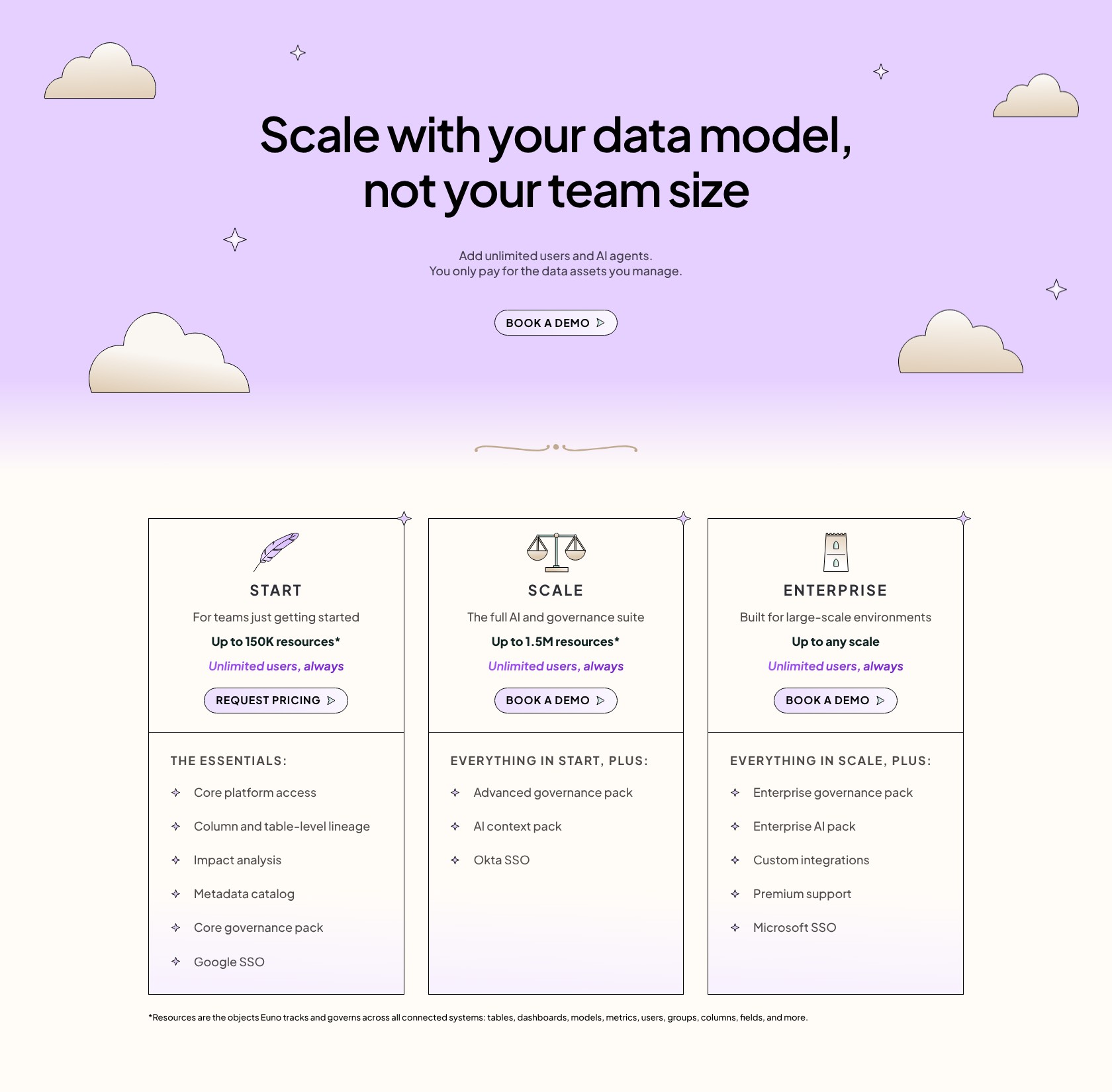
Euno requires a sales conversation before you can establish a budget. I like its unlimited-user approach: you can involve the people who own your data without making seat allocation another governance problem.
- Start (custom pricing): For lineage, cataloging, and core governance.
- Scale (custom pricing): Adds the AI context pack and advanced governance.
- Enterprise (custom pricing): Adds custom integrations, enterprise packs, and premium support.
| Plan | Price | Published resource capacity | My recommendation |
|---|---|---|---|
| Start | Custom quote | Up to 150,000 | Discuss for discovery and governance needs |
| Scale | Custom quote | Up to 1.5 million | First tier to assess for AI context |
| Enterprise | Custom quote | Any scale | Discuss for complex enterprise requirements |
Resource counts include columns, fields, dashboards, metrics, users, and groups. Ask for an inventory estimate from your actual stack; counting tables alone could give you a misleading picture of the capacity you need.
Confirm the metering before signing. The resource-based pricing page and the homepage’s agent-consumption wording leave room for confusion. Your quote should settle what counts, which allowances apply, and how overages work.
Is Euno Good Value for Money?
The value depends on how much coordination your stack creates:
- A small stack with clear ownership: I’d prioritize maintaining the existing models and definitions before adding another platform.
- Several teams sharing warehouse and BI assets: Euno becomes more appealing when checking dependencies and finding owners is recurring work.
- AI assistants using company metadata: Get a proposal that covers your expected context usage and the systems those assistants need.
My recommendation: Start with a narrowly scoped proposal covering one important workflow. For an AI deployment, ask for a Scale quote and agreed success criteria. For lineage and cataloging alone, establish whether Start covers your connectors and governance needs before paying for more.
Getting Started With Euno
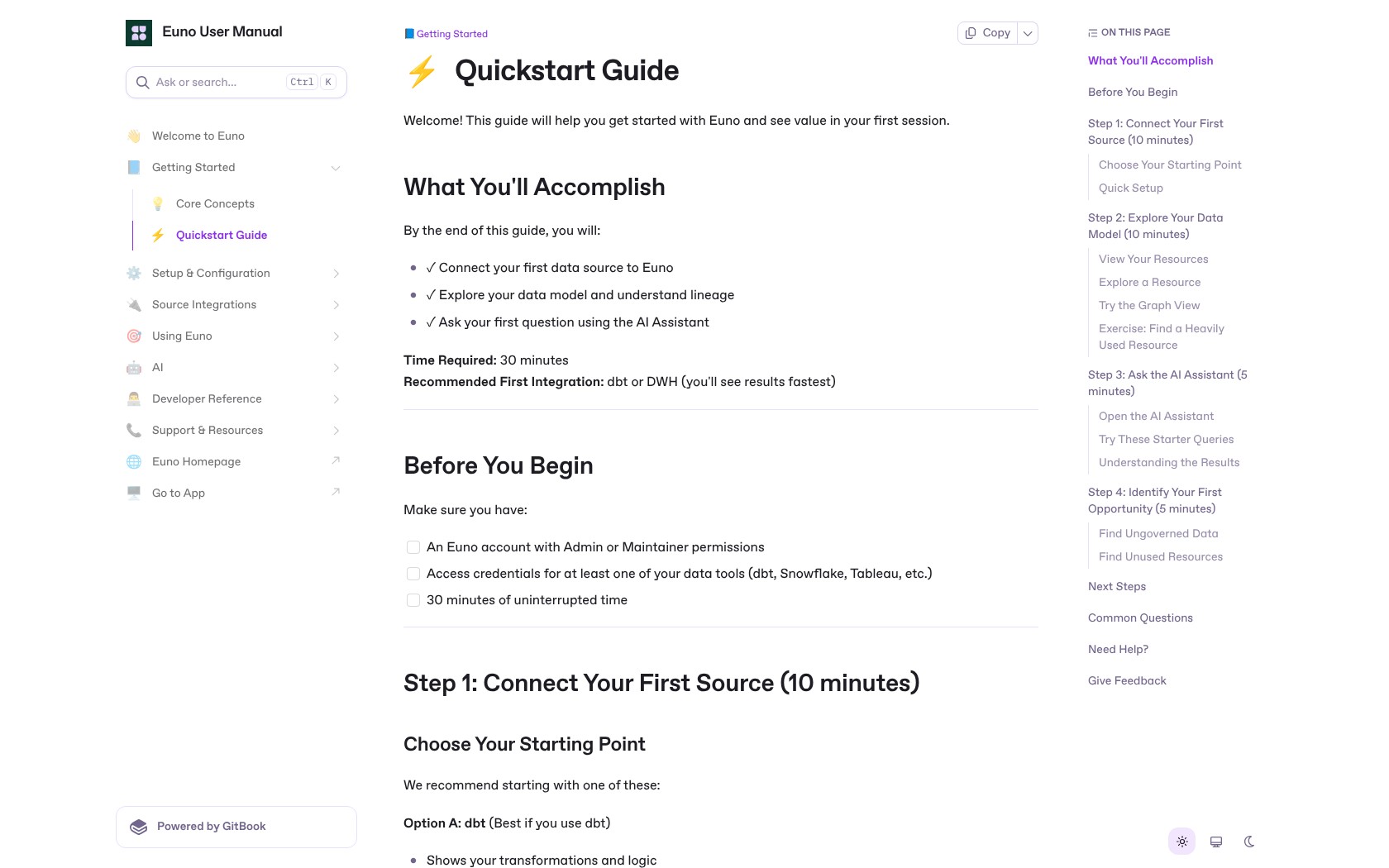
You’ll need an Euno account with suitable administrative permissions and credentials for the systems you want to connect. This is a job for someone who understands your data stack, even if analysts will use the results later.
- Connect a source. Start with dbt or your warehouse to establish models and dependencies, then add the relevant BI system.
- Sync the metadata. Review discovered resources, descriptions, usage, and relationships.
- Inspect an important dependency. Choose a familiar business report and follow its upstream assets.
- Add business context. Establish which definitions and resources your team trusts, then encode those decisions in tags or AI instructions.
- Set access and repeatable checks. Configure personas and the governance workflows your team will actually maintain.
I’d begin with a report whose logic your team already understands. That gives you a useful reference for judging whether Euno has connected the right dependencies. Connecting everything at once makes it harder to spot missing relationships or ambiguous definitions.
The default daily source sync is a practical limitation for fast-changing environments. Refresh settings should match the decisions you expect people or agents to make with the metadata. Yesterday’s picture of a stable reporting model may be useful; yesterday’s picture of a schema being actively rebuilt needs more care.
Tracing Changes Across Your Warehouse and BI Tools
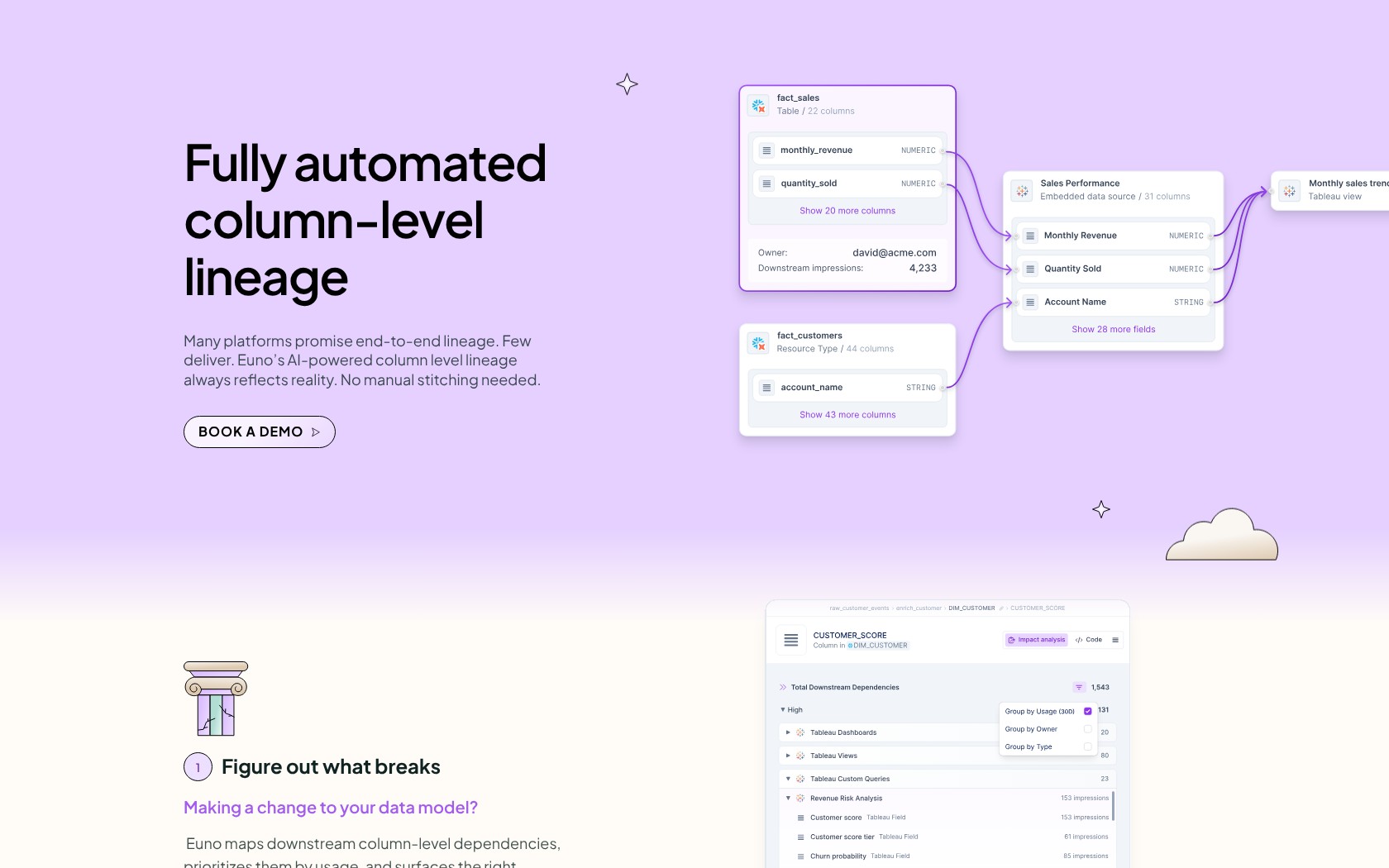
Lineage is the feature I’d examine first. Before changing a field, you need to know which reports and people depend on it. A searchable inventory alone won’t answer that question.
Its impact analysis follows downstream relationships and brings usage and owner information into the assessment. That gives an analytics engineer a more useful starting point than a dependency graph alone: which affected dashboards matter, and who should be involved?
For example, before changing a revenue field, I’d want to identify the dependent reporting assets and the teams using them. That is the kind of cross-tool decision where Euno’s approach makes sense.
There are limits. Impact analysis identifies potential effects; it doesn’t prove that every downstream calculation will fail or continue working. Coverage also depends on the lineage available through your connected systems. Keep normal code review and testing in place.
Compared with dbt Semantic Layer, the emphasis is different. dbt focuses on defining and querying consistent metrics. Euno is attractive when you need to understand relationships extending into other parts of the stack. Those needs can coexist.
Giving AI Assistants Useful Business Context
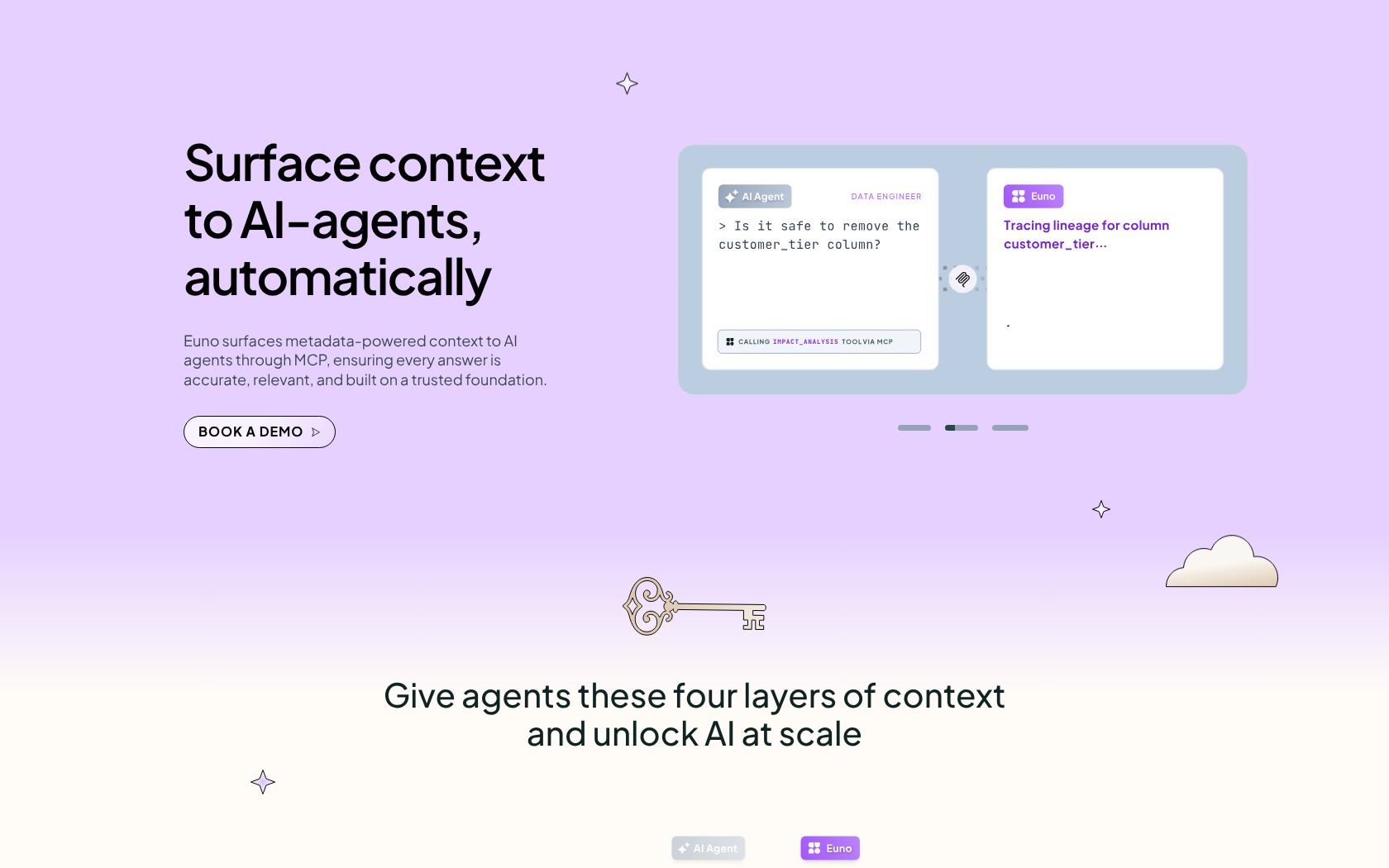
Euno’s MCP connection makes its metadata and lineage available to compatible assistants. I like that you can bring this context into an existing AI workflow instead of expecting everyone to work exclusively inside another catalog.
The important capability isn’t simply asking questions in chat. It’s connecting an assistant to information about resources, upstream dependencies, ownership, and the conventions your organization uses.
Personas control permissions and domain scope, and can tailor AI instructions. Configure those before giving an agent broad access. The MCP interface includes write capabilities as well as reads, so it shouldn’t be treated as an inherently read-only connection.
My biggest reservation is the work behind the answers. Euno’s indexed metadata cannot automatically supply your team’s precise meaning of a business term. If two departments define an active customer differently, someone still has to decide which definition applies.
Context Issues provide a way to record those gaps and resolve them through metadata tags or AI instructions. That gives the team a place to fix an issue once, instead of correcting the same misunderstanding in every conversation. Someone still needs to own the resolution.
Two newer capabilities need a closer availability check. Context Calibration is marked early access, and the Data Glossary is in private preview. I like the direction: evaluate context against real questions and give business terminology a defined home. But I wouldn’t make either the reason to buy until Euno confirms access and demonstrates the workflow for your account.
Don’t buy Euno solely because you want an MCP connection. dbt and Atlan also offer ways to connect agents to governed data context. I’d choose based on where your definitions live, which systems need connecting, and how well the access model fits your team.
Automating Governance and dbt-to-Looker Updates
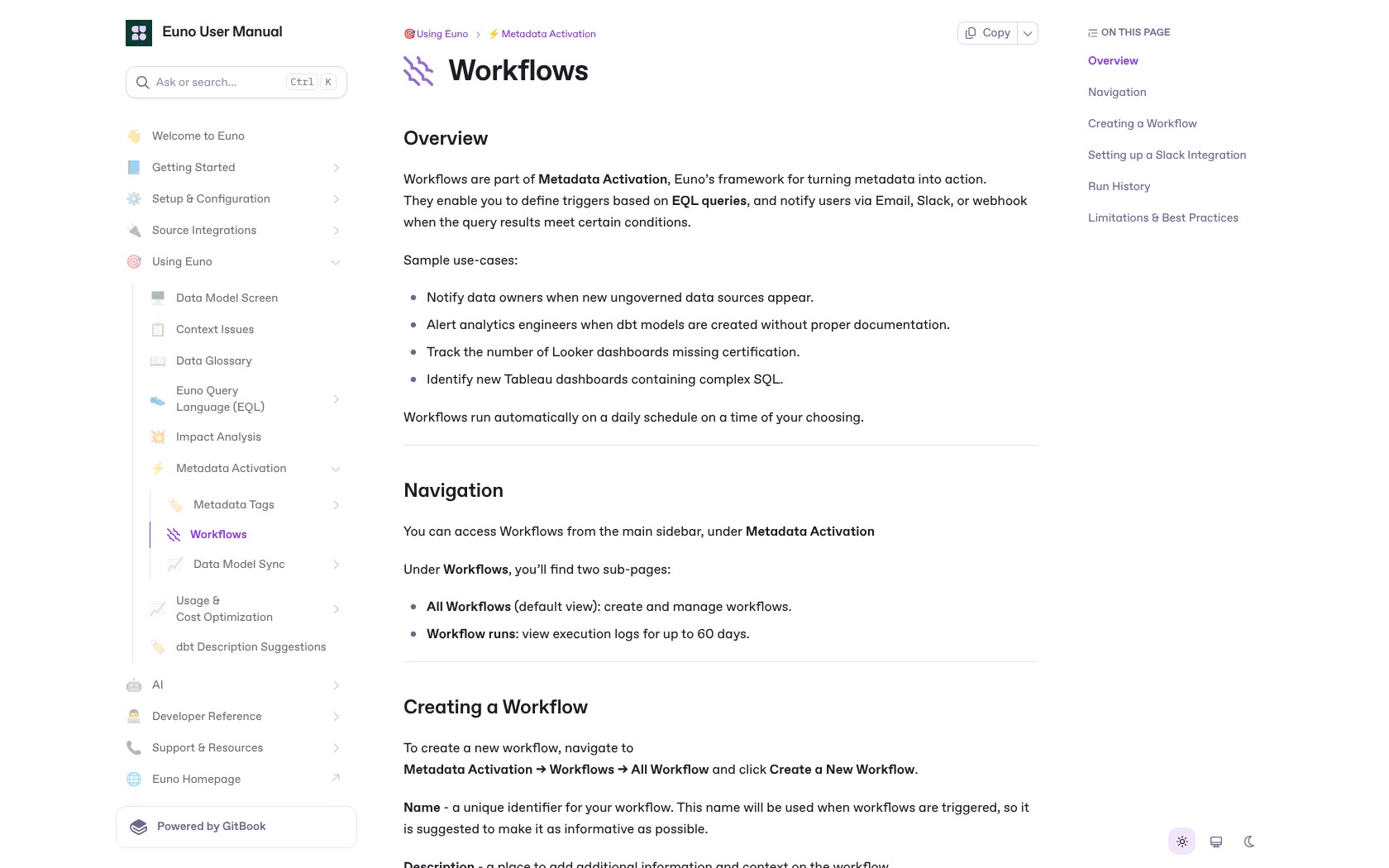
Euno’s rule-based tags and workflows are useful if governance currently depends on someone remembering to check a spreadsheet. You can identify resources that match an EQL metadata query and notify the right people when results change or cross a threshold.
Practical uses include:
- Flagging new models without documentation.
- Finding dashboards that lack certification.
- Notifying owners about newly discovered ungoverned resources.
The scheduled workflows run daily, so I’d use them for recurring governance checks rather than urgent incident detection. Workflow queries also have a 60-second execution limit and a 100,000-result ceiling. Broad rules need enough focus to stay manageable.
The dbt-to-Looker sync is another appealing feature for teams maintaining the same model information twice. It generates LookML from dbt artifacts and can produce a pull request or commit. I prefer the pull-request route when people need to review generated changes.
However, this isn’t complete parity between dbt metrics and Looker. Supported metric syncing includes simple, ratio, and derived metrics within one semantic model. Cross-model, cumulative, conversion, and offset-window metrics are excluded.
That limitation could outweigh the convenience if your reporting relies heavily on those calculations. Check a representative set of metrics before making the sync central to your workflow. Otherwise, you may still maintain your most complicated calculations separately.
How Does Euno Compare to Alternatives?
- dbt Semantic Layer: My first comparison if your main requirement is consistent metric definitions and SQL generation from those models. Euno is more interesting when your problem extends to context and dependencies across multiple tools.
- Atlan: Worth comparing if you’re choosing an organization-wide catalog and governance platform with AI-agent access. Both products address context for agents, so ask each to demonstrate the same connector, access, and ownership scenarios.
- Your existing stack: A reasonable choice if your models are well documented, dependencies are easy to follow, and governance checks rarely consume engineering time. I wouldn’t add Euno merely to have another AI interface.
For a comparison demo, I’d use the same three tasks: trace a changed field into BI, distinguish competing business definitions, and show what a restricted user can access. Those tasks reveal more about fit than a tour of feature menus.
How I Reviewed Euno
I assessed Euno’s setup requirements, pricing structure, lineage behavior, governance workflows, and AI access controls. I also compared its role with dedicated metric modeling and broader catalog platforms, focusing on the work each would remove from a data team’s day.
This is an analytical review, not a benchmark of AI answer accuracy or performance in a connected customer environment. Pricing structure checked in October 2026; subscription amounts require a quote.
Should You Add Euno to Your Data Stack?
I’d shortlist Euno for a data team whose definitions and dependencies are spread across several systems. Its combination of lineage, governance automation, and agent context gives it a clear purpose beyond storing descriptions of tables.
I’d be more cautious if you primarily need to define metrics in one place, have a small stack, or expect AI to settle business disagreements automatically. A dedicated semantic layer or better maintenance of your existing models may address the problem more directly.
Ask for a proposal built around your connectors, your resource inventory, and a workflow that currently costs your team time. If Euno can resolve that problem within an acceptable operating budget, the case for buying becomes much stronger.
FAQ
Is Euno a semantic layer?
Euno is relevant to semantic-layer management, but its current focus is metadata, governance, and context for AI across tools. I’d distinguish that from a dedicated layer for defining and computing metrics. Its dbt-to-Looker sync helps connect modeling workflows, within specific metric limitations.
Is Euno free?
No free plan is listed. Ask what evaluation access and charges apply to your proposal before committing to a pilot.
Does Euno read the contents of my tables?
Euno’s core integration model reads metadata and query logs rather than business-table contents. That still calls for an access review: metadata and logs can contain sensitive context, and connector setup may involve warehouse resources.
Can Euno replace dbt?
I wouldn’t use it for that purpose. Euno can use dbt artifacts, trace relationships, and synchronize supported definitions into Looker. Those capabilities complement the transformation and modeling work that dbt performs.
Will Euno automatically fix inconsistent business definitions?
No. It can help expose and record missing context, but your team still needs to resolve the meaning and encode it through appropriate tags or instructions. The benefit is making those decisions reusable.