
Editor’s note: This Lightdash review is based on my hands-on test of the Lightdash CLI 2.565.0 against a dbt 1.10 project on DuckDB with 2,000 customers and 50,000 orders, in October 2026: writing metrics, compiling, breaking the project on purpose and generating YAML. I weigh pricing, the semantic-layer workflow, BI features, AI and self-hosting.
Quick verdict: I recommend Lightdash for dbt teams who want metrics defined once in Git and every employee in BI without per-seat math. The trade-off: there is no middle plan between free self-hosting and $3,000 a month.
Lightdash turns the metrics you already write in dbt YAML into a BI layer, and Cloud Pro charges the same $3,000 a month whether 10 people or 500 log in. Looker keeps its semantic model in LookML; Lightdash reuses the schema files your dbt models already carry.
In this review, I’ll take a closer look at Lightdash’s pricing, its dbt workflow, features and self-hosting, so you can see exactly whether it fits your team.
Key Takeaways
- Cloud Pro is a flat $3,000 a month with unlimited users, which undercuts Holistics past about 130 users, Preset past 150 and Metabase Pro past about 210
- Metrics live in dbt YAML, and
lightdash compilenames the exact broken metric or join - The core is free under the MIT license, but SSO, custom roles and self-hosted MCP need a paid license
- There is no mid tier, so a 15-person team pays the same $3,000 as a 500-person company
- A broken metric still exits 0 on compile unless you add
--no-partial-compilation
Lightdash Pros and Cons
Pros
- Metrics, joins and time grains live in dbt YAML, so one definition feeds every chart
- Cloud Pro is a flat $3,000 a month with unlimited users and viewers
- The self-hosted core is free under the MIT license
- lightdash compile named the exact broken metric or join in about 12 seconds in my test
- lightdash generate typed all 5 columns of a new model from the warehouse in about 7 seconds
- Scheduled delivery to Slack and email, plus an MCP server for Claude, Cursor and ChatGPT
Cons
- No plan between free self-hosting and $3,000 a month
- A broken metric still prints Successfully compiled and exits 0 unless you add –no-partial-compilation
- generate writes dimensions only, so every metric is hand-written YAML
- SSO, SAML, SCIM and custom roles are Enterprise-only
- Self-hosting needs Postgres, S3-compatible storage and a separate headless browser
How Much Does Lightdash Cost?
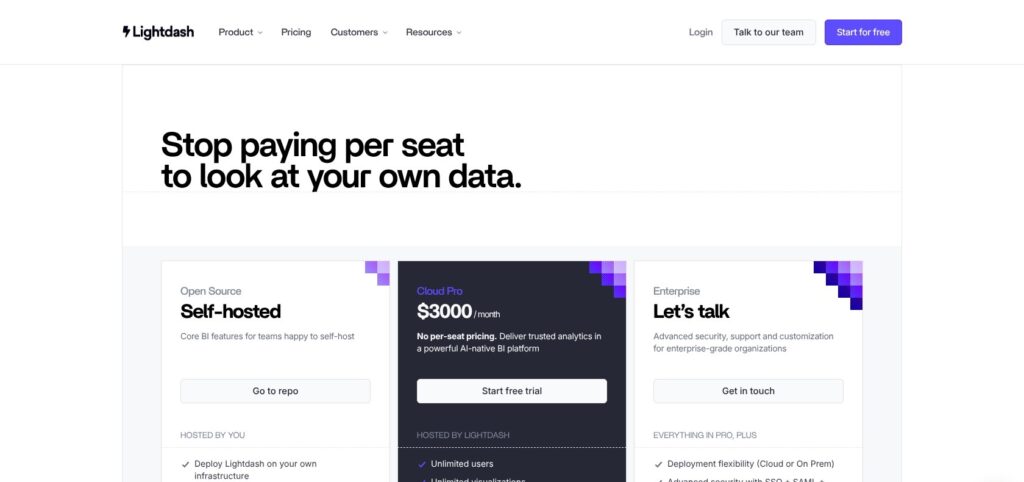
Lightdash has three plans, and Cloud Pro is the only one with a published price:
- Open Source (free): for teams with a platform engineer, self-hosted on your own infrastructure, with community Slack support only.
- Cloud Pro ($3,000/month): for dbt teams that want every employee in BI, with unlimited users, hosting in the EU or North America, MCP access, scheduled reports and alerts, charts and dashboards as code, and iframe embedding. The 21-day trial starts when you first connect and compile your dbt project, and it needs no card.
- Enterprise (custom): for regulated or larger companies, adding SSO with SAML and SCIM 2.0, custom roles, SOC 2 with HIPAA BAA support, SLAs, and a choice of Cloud or on-prem deployment.
Embedding is billed on top: the first 1,000 embed loads are free, then $0.05 per load, or $790 a month for 100,000 loads per Embed Worker. Metabase, by contrast, counts every signed-in embed user as a seat.
| Plan | Price | Users | Best for |
|---|---|---|---|
| Open Source | Free (self-hosted) | No seat pricing | Teams with a platform engineer and no SSO requirement |
| Cloud Pro | $3,000/month | Unlimited users and viewers | dbt teams with 150+ BI users |
| Enterprise | Custom | Custom | SSO, custom roles, HIPAA, on-prem |
| Embedding add-on | $0.05 per load after 1,000, or $790/month per 100,000 loads | Embed viewers | Customer-facing analytics |
Is Lightdash Good Value for Money?
By my math on list prices, Cloud Pro’s flat $3,000 a month matches each per-seat rival at these headcounts:
- Metabase Pro ($575 a month including 10 users, then $12 per user) reaches $3,000 at about 210 users
- Preset Professional ($20 per user, billed annually) reaches $3,000 at 150 users
- Hex Team ($75 per editor) reaches $3,000 at 40 editors, and Hex does not publish its Explorer seat price
- Holistics Standard ($1,200 a month including 10 users, then $15 per user) reaches $3,000 at 130 users
Below 130 BI users, Metabase, Preset and Holistics all cost less than Cloud Pro, and only Hex flips once you pass 40 editors. Past about 210 users, Lightdash is the cheapest commercial option on this list, and its per-head cost keeps falling with every hire.
Reviewer’s Notes: Run the 21-day trial on your real dbt project, not a sample, because the clock only starts at your first compile. I would buy Cloud Pro once BI users pass 150 to 210, or earlier if the alternative is paying an engineer to run Postgres, object storage and a headless browser for a self-hosted instance. Self-host only if you already have a platform team.
My Experience With Lightdash
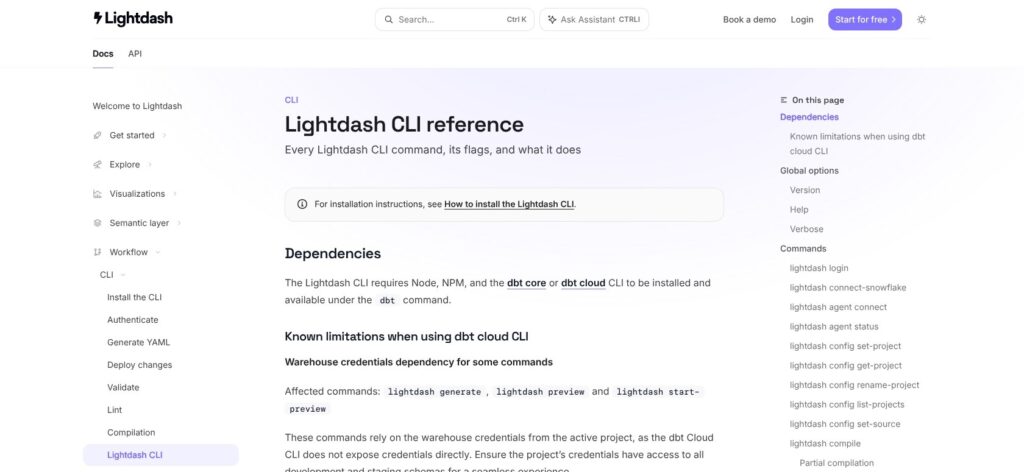
I tested the analytics-engineer side of Lightdash: the CLI, dbt YAML and compile. preview, deploy and sql need a login to a Cloud or self-hosted instance, so I describe the browser UI as product behavior.
Installing the CLI and Pointing It at dbt
npm install @lightdash/cli took about a minute and gave me version 2.565.0. The help screen lists around 30 commands, including upload and download for charts as code and install-skills, which sets up Lightdash skills for Claude, Cursor and Codex.
My test project had two seeds (2,000 customers and 50,000 orders across 4 regions) on dbt-core 1.10 with dbt-duckdb. dbt ran fine, but Lightdash rejected my profile twice:
- Missing schema:
lightdash compilestopped with “Target is missing aschema“, even though dbt never asked for one. Addingschema: mainfixed it. - Local DuckDB files: the next error said Lightdash supports MotherDuck targets, DuckLake targets, “and a local .duckdb file inside PLAYGROUND_DATA_DIR.” Pointing that variable at my project folder got me through, which makes local DuckDB a playground, not production.
Defining Metrics and a Join
I wrote five metrics and one join into schema.yml: two count_distinct metrics (orders and unique buyers), revenue as a sum filtered to completed orders, average order value rounded to 2 decimals, and a derived revenue-per-buyer metric. Here is the trimmed orders block:
  - name: orders
    meta:
      joins:
        - join: customers
          sql_on: ${orders.customer_id} = ${customers.customer_id}
          relationship: many-to-one
    columns:
      - name: amount
        meta:
          metrics:
            revenue:
              type: sum
              format: usd
              filters:
                - status: completed
            revenue_per_buyer:
              type: number
              sql: ${revenue} / NULLIF(${unique_buyers}, 0)
Date columns got time_intervals from DAY to YEAR, which lets a business user switch a chart from weekly to quarterly without a new model.
Compiling and Breaking It on Purpose
The clean run reported “Compiled 2 explores, SUCCESS=2 ERRORS=0” in 12 to 15 seconds. Then I broke it twice:
- A typo in a metric reference (
${unique_buyerz}): Lightdash said “revenue_per_buyer” had a reference “which matches no metric”, naming the model, metric and typo. - A join to a missing column (
${customers.cust_id}): the message named the customers join and the bad dimension.
Both messages named the exact fix, but both times the CLI still printed “Successfully compiled project” and exited with code 0. Only --no-partial-compilation turned the same typo into “Failed to compile project. Found 1 error” with exit code 1.
Reviewer’s Notes: If you gate pull requests on
lightdash compile, add--no-partial-compilationon day one, or a broken metric passes CI and the explore ships without it.
Generating YAML for a New Model
For a third model, customer_ltv, I ran dbt run and then lightdash generate -s customer_ltv -y. About 7 seconds later customer_ltv.yml held all 5 columns typed from the warehouse, under config: meta: as dbt 1.10 expects.
It held dimensions only, with empty descriptions and no metrics, so revenue and its filters stay hand-written. lightdash lint returned “No Lightdash Code files found”: it checks Lightdash’s own chart and dashboard files, while compile checks dbt meta blocks.
The Semantic Layer: Metrics as Code in dbt
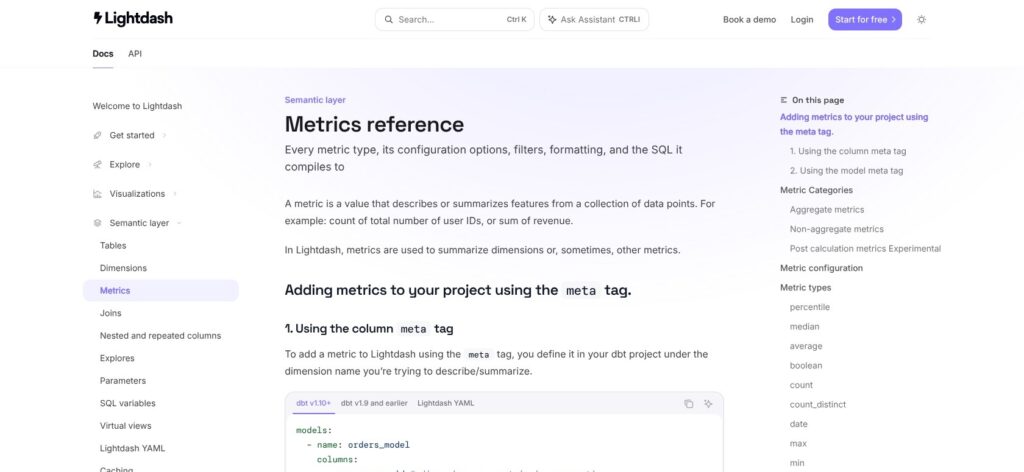
Every metric I wrote above is a few lines of YAML that sits next to its dbt model, gets reviewed in the same pull request and feeds every chart that uses it. Beyond the sum, count_distinct, average and derived number types I used, the layer handles filters on metrics, additional dimensions, time intervals and joins with a declared relationship.
Charts and dashboards follow the same pattern: lightdash download and upload move them in and out as YAML, so a dashboard can live in Git with the model it depends on. Preview projects spin up a temporary Lightdash project per branch, so a teammate can check a metric change in the UI before it merges.
Your dbt connection decides which of those you get:
- Git connection (GitHub, GitLab, Azure DevOps or Bitbucket): full feature set, including AI writeback pull requests through GitHub
- dbt Cloud connection: no writeback, no preview projects and no auto-refresh
- No dbt at all: native Lightdash YAML projects on GitHub or Bitbucket, so dbt is the main path but not a hard requirement
Cube solves the same single-definition problem as a standalone layer, billed at $40 to $80 per developer a month plus compute, and it feeds many BI tools rather than one. LookML gives you the same discipline but only inside Looker.
Metrics as code costs speed: a business question that needs a metric nobody defined means a YAML change and a pull request, not a drag-and-drop field.
- Best for: teams whose dbt project is already the source of truth and who review metric changes like code
- Skip if: business users expect to define their own calculations without an analytics engineer
Explore, Dashboards and Scheduled Delivery
Lightdash builds an Explore view from each compiled explore, so the 2 explores in my test project would become two tables of dimensions and metrics to pick from, with the orders-to-customers join applied automatically and no YAML in sight.
Around Explore, the product adds:
- A SQL runner for analysts who want to query the warehouse directly
- Custom dimensions for one-off groupings without a dbt change
- Dashboards built from saved charts
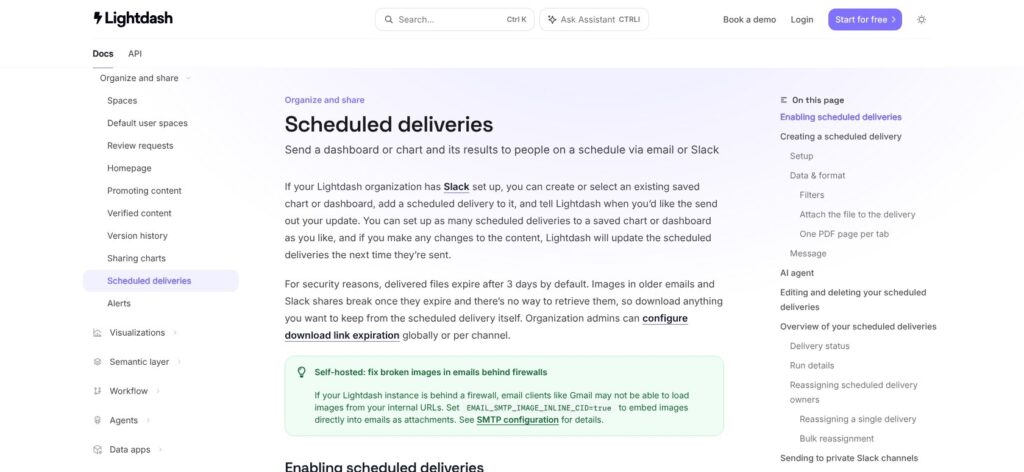
- Scheduled deliveries to Slack, Microsoft Teams, email and Google Sheets, plus alerts, on Cloud Pro
On a self-hosted instance, scheduled image deliveries also need the separate headless browser covered in the self-hosting section below.
Lightdash connects to BigQuery, Snowflake, Redshift, Databricks, Postgres (including Supabase), Trino, ClickHouse, Athena and DuckDB through MotherDuck or DuckLake.
Users report a narrower chart library and less pixel-perfect formatting than Tableau or Power BI, and pivot-table row grouping with subtotals has been a standing user request. Lightdash is built for consistent metrics, not for board-deck layouts.
Explore only shows what you modeled, while Metabase lets a business user query any raw table with its visual query builder. That is a feature if you want governed numbers and a limit if your users ask questions your dbt project has not anticipated.
AI Agents, MCP and Writeback
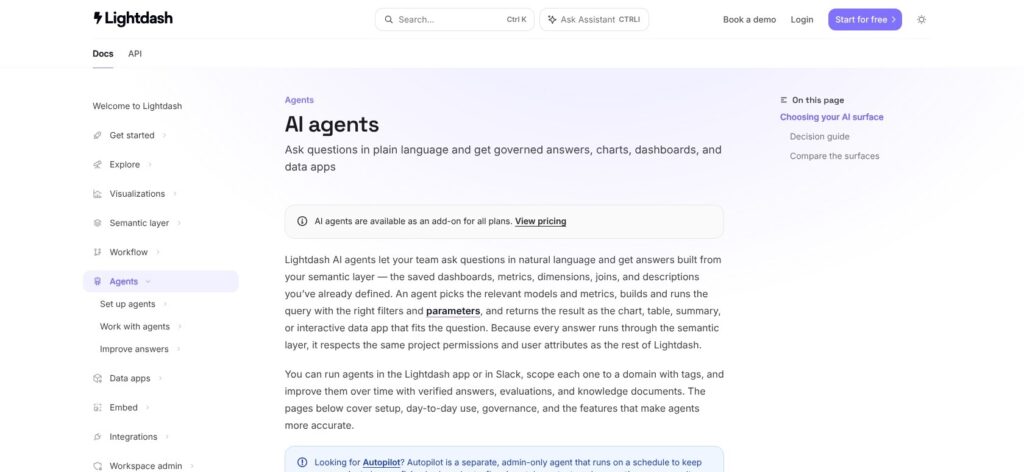
Lightdash’s AI agents answer questions from the metrics you defined in dbt, not from raw tables, so “revenue” means the filtered sum in your YAML rather than whatever the model guesses. Agents run in the Lightdash app and in Slack, and you scope each one with tags, so a finance agent can be limited to finance models. Answers can also be marked as verified.
AI agents are an add-on on every plan, Cloud Pro included, even though the $3,000 plan lists AI agents and MCP among its features, so get the agent price in writing before you sign. The AI side covers three surfaces:
- AI agents in the app and in Slack, grounded in the semantic layer
- An MCP server that connects Claude, Cursor, Codex and ChatGPT to your Lightdash metrics, which Lightdash positions as a power-user tool
- AI writeback, which proposes dbt and YAML changes as Git pull requests through a GitHub connection instead of editing production
Self-hosting changes the bill: the MCP server only registers with a LIGHTDASH_LICENSE_KEY, and self-hosted writeback means paying E2B and Anthropic directly for the sandbox and the model.
Writeback as a pull request keeps a human approval step between the AI and your dbt project, which is the right default for governed metrics.
Self-Hosting Lightdash: What Free Actually Costs
The Lightdash repository is MIT-licensed except for packages/backend/src/ee, which is source-available and needs an Enterprise subscription in production. That makes Lightdash open core: the BI layer is free, while SSO, custom roles and the MCP server are not.
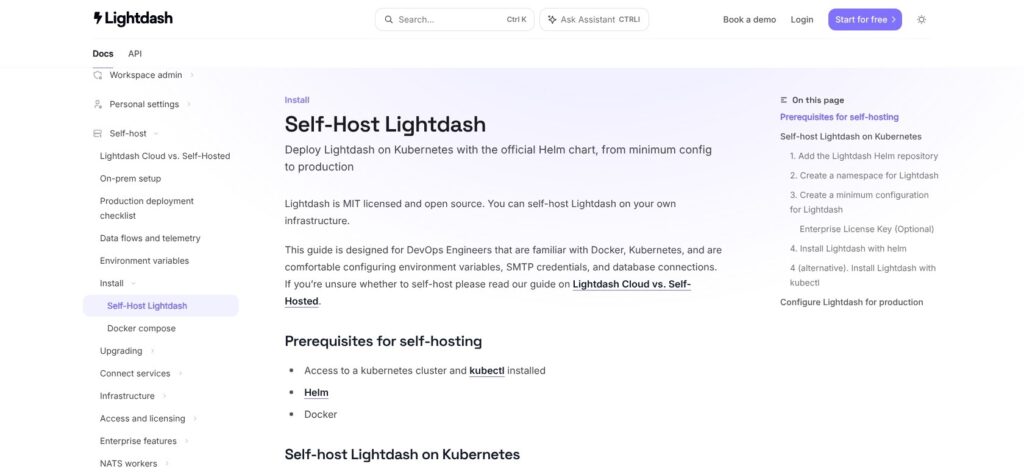
A production self-host needs five pieces around the Lightdash container:
- Kubernetes with the Helm chart, the recommended path; the Docker Compose guide is for a local proof of concept
- A separate Postgres database for Lightdash’s own metadata, apart from your warehouse
- S3-compatible object storage
- A
LIGHTDASH_SECRETthat encrypts stored warehouse credentials; lose it and those credentials become unreadable - A browserless/chromium container for scheduled image exports, plus SMTP and HTTPS
The project has about 6,200 GitHub stars and ships several releases a day, which makes upgrades the hidden line item: versions 2.560.0 to 2.565.0 came out within about two hours on October 11, 2026. Someone on your team has to decide when to roll the server forward, and large dashboard exports need the headless browser’s timeout raised to about 120,000 ms.
Apache Superset and Metabase’s open-source edition also self-host for free, and neither asks you to run dbt first. If you have a platform team that already runs Kubernetes and Postgres, self-hosted Lightdash is a strong free BI layer for a dbt shop. If you don’t, pay for Cloud Pro rather than staffing that stack.
How Does Lightdash Compare to Competitors?
Lightdash wins when dbt is already your semantic layer and BI headcount passes the 150 to 210 user break-even points above; seven rivals win elsewhere.
| Tool | Pricing model | Semantic layer | Best for |
|---|---|---|---|
| Lightdash | Free self-host or $3,000/month flat | dbt YAML | dbt teams with many BI users |
| Looker | Quote-based | LookML | Google Cloud shops, mature embedding |
| Metabase | Free OSS, Starter $100/month, Pro $575/month | Light models | Business-user self-serve |
| Cube | $40 to $80 per developer plus compute | Standalone, headless | One metric layer for many BI tools |
| Preset / Superset | Free to 5 users, then $20/user | Light datasets | Broad chart library, per-seat budgets |
| Hex | $36 to $75 per editor | Notebook-level | SQL and Python analysis |
| Omni | No public pricing | Built-in | Semantic-first commercial BI |
- Looker wins for Google Cloud shops that want the most mature embedding and are fine with quote-based pricing and a LookML model maintained separately from dbt.
- Metabase wins for teams without dbt: the free open-source edition, Starter at $100 a month for the first 5 users and Pro at $575 a month for the first 10 give business users a visual query builder over raw tables. Enterprise starts at $20,000 a year.
- Cube wins when you need one semantic layer feeding Tableau, Power BI and custom apps at once, rather than a BI tool with its own front end. Premium adds Explorer seats at $40 and Viewer seats at $20 on top of the developer price.
- Preset and Apache Superset win on chart variety and on cost for small teams, free up to 5 users and $20 per user after that ($25 billed monthly). Embedded viewers cost $500 a month per 50.
- Holistics wins for teams of 10 to 130 BI users that want a flat entry price well under Cloud Pro: Standard is $1,200 a month with 10 users included and $15 per extra user.
- Hex wins for analysts who think in SQL and Python notebooks, at $36 to $75 per editor, with a free Community plan; it is notebook-first rather than dashboard-first.
- Omni wins for buyers who want a polished commercial semantic-first BI tool and don’t need open source, though you will need a sales call for a price.
How I Reviewed Lightdash
I installed the Lightdash CLI 2.565.0 and built a dbt-core 1.10 project on DuckDB with 2,000 customers and 50,000 orders. I wrote five metrics, a many-to-one join and time intervals in YAML, compiled the project, broke it twice on purpose to test the error messages and exit codes, and generated YAML for a new model from the warehouse.
I then worked out where Cloud Pro’s flat price breaks even against four per-seat rivals, checked what a production self-host needs, and mapped which features sit behind the Enterprise license. I did not use the Cloud UI, dashboards, scheduler or AI agents, so I describe those as product behavior. I weighed sustained user feedback on charting and pivot tables against the metric governance Lightdash is built for.
Prices current as of October 2026.
Should You Use Lightdash for BI?
Lightdash is the best fit I know for a dbt-centered team that wants metrics defined once in Git and every employee in BI at one price.
- Buy Cloud Pro if your dbt project is the source of truth, you have 150+ BI users or want unlimited viewers, and your team already reviews metric changes as pull requests
- Self-host if you have a platform team, fewer than about 40 BI users and no SSO requirement
- Skip it if you have no dbt and no appetite for modeling (pick Metabase), need pixel-perfect reports (pick Tableau), or do most analysis in notebooks (pick Hex)
Teams between 40 and 150 BI users sit in the gap: Metabase Pro, Preset and Holistics all cost less than Cloud Pro there, so self-host if you have the engineers or stay per-seat until headcount crosses the break-even.
Start the 21-day trial on your real dbt project, and run lightdash compile --no-partial-compilation before anything else: one command shows whether your existing YAML is ready for Lightdash.
FAQ
Is Lightdash free?
Yes, the core is free to self-host under the MIT license, with community Slack support. The packages/backend/src/ee code needs an Enterprise subscription in production, so SSO, custom roles and the MCP server are not free. You also pay for the Postgres, object storage and Kubernetes it runs on.
How much does Lightdash Cloud cost?
Lightdash Cloud Pro costs $3,000 a month, flat, with unlimited users and viewers. A 21-day trial starts when you first connect and compile your dbt project, and it needs no card. Enterprise, which adds SSO, SCIM, custom roles and HIPAA support, is custom-priced. Embedding is extra at $0.05 per load after the first 1,000.
Does Lightdash require dbt?
Lightdash is built for dbt Core, dbt Cloud and dbt Enterprise, and dbt is the main path. It also supports native Lightdash YAML projects connected through GitHub or Bitbucket, so a team without dbt can still define metrics as code. Without either, Lightdash has no models to explore, so plan the modeling work first.
Is Lightdash a good Looker alternative?
Yes, for teams already on dbt. Lightdash reads metrics from your dbt YAML instead of a separate LookML model, publishes a flat $3,000 a month price where Looker is quote-based, and Cloud Pro includes automated migration from your current BI tool. Looker still leads on mature embedding and Google Cloud integration.
Does Lightdash support DuckDB?
Yes, through MotherDuck or DuckLake, with dbt 1.8 or later. In my test, a local .duckdb file only worked inside PLAYGROUND_DATA_DIR, which is fine for trying Lightdash on a laptop but not for production.