
Editor’s note: This review evaluates Honeydew’s pricing, modeling approach, integrations, and governance for teams choosing a semantic layer.
Quick verdict: I recommend Honeydew for data teams that need their dashboards and AI analysts to work from the same business definitions. Its appeal is strongest when maintaining those definitions across different tools has become a recurring job. The trade-off is that you still need someone to own the model, and the subscription is a meaningful addition to your data budget.
Key Takeaways
- Shared metrics can serve BI tools and AI agents without rebuilding the business logic for each interface.
- SQL-based modeling gives data teams control over calculations and relationships.
- Business context can guide AI investigations, including which metrics and analytical methods to use.
- Budget for a platform fee as well as user charges.
- Databricks and BigQuery integrations are labeled beta, which makes Snowflake the more straightforward starting point.
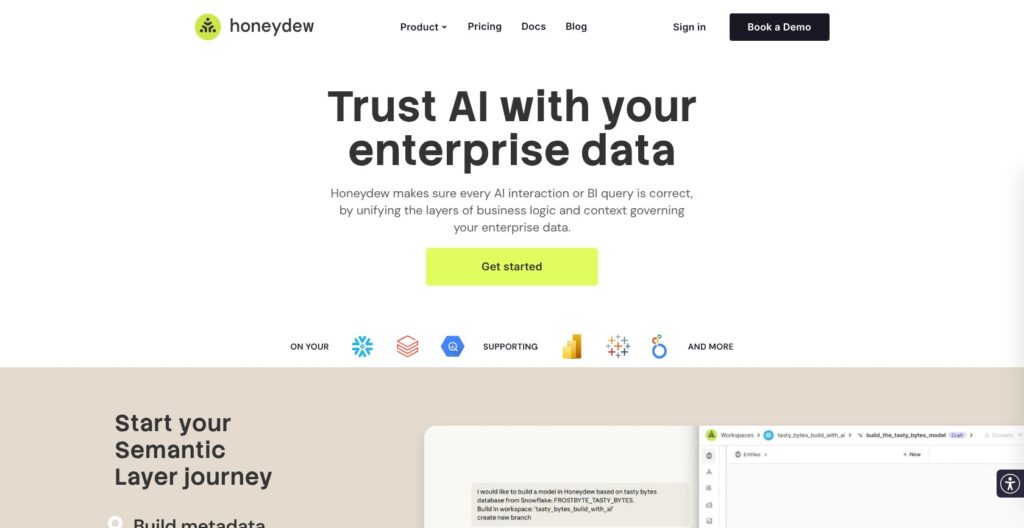
In this Honeydew review, I’ll look at the costs, setup, and features that would influence my decision to choose it over another semantic layer.
Pros and Cons
Pros
- Reusable metrics across BI tools and AI interfaces
- SQL expressions for business calculations
- Domains let teams expose different parts of a shared model
- Git workflows support reviewable model changes
- MCP access for external AI agents
Cons
- Platform and seat charges make small deployments relatively expensive
- Lite limits you to one BI integration
- Databricks and BigQuery connections remain beta
- Reliable results still depend on correctly modeled business logic
How Much Does Honeydew Cost?
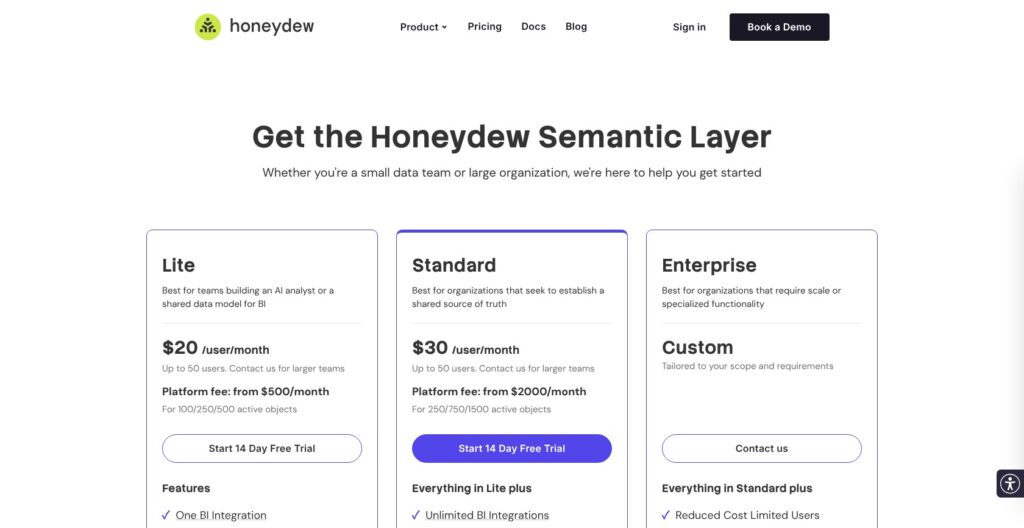
- Lite: for a focused rollout with one BI integration.
- Standard: for multiple BI tools, Power BI Service, and aggregate-aware caching.
- Enterprise: for private deployment, user identity propagation, or a custom SLA.
| Plan | Monthly platform fee | Monthly user charge |
|---|---|---|
| Lite | From $500 | $20 per user |
| Standard | From $2,000 | $30 per user |
| Enterprise | Custom | Custom |
Lite and Standard list up to 50 users; larger teams need a quote. Platform pricing depends on active objects: fields in domains queried externally or used for dataset deployments. Confirm the object allowance in your quote. A 14-day trial is available.
Is Honeydew Good Value for Money?
At the advertised starting fees, ten users work out to at least $700/month on Lite or $2,300/month on Standard, before warehouse and AI-provider costs. Those are illustrative calculations, not fixed quotes.
I would pay for Honeydew when the alternative is repeatedly reconciling contradictory reports. For a small team with one well-maintained dashboard, that is a harder argument to make.
My recommendation is Lite for a contained pilot. Choose Standard when your actual integration requirements demand it, rather than upgrading simply because the plan sounds more complete.
Getting Started With Honeydew
Honeydew needs a connected warehouse and a business model. Opening an account is only the beginning: organization provisioning, data permissions, and BI access can involve different administrators. I would bring the warehouse owner into the evaluation early, especially if security approval tends to take longer than software setup.
- Provision your organization and connect the warehouse. Establish the access Honeydew needs for the data you intend to expose.
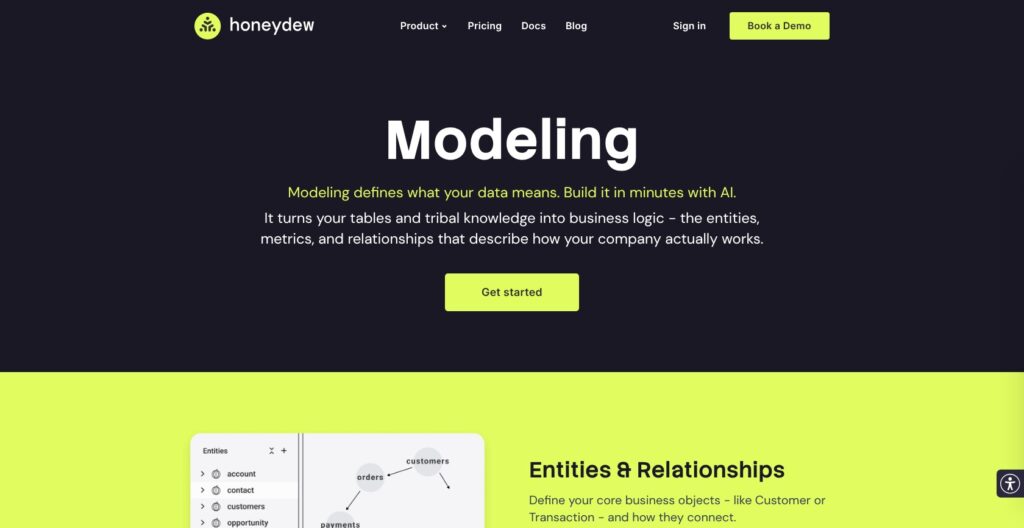
- Model entities and relationships. Identify what each table represents, what makes a row unique, and how the tables join.
- Define metrics and a domain. A domain is the selected part of the model that a team or tool can query.
- Connect a consumer. Start with a BI tool or an AI agent using that domain.
You can build the model in Honeydew Studio, write YAML, or use a coding agent through MCP. I like having these options because the person maintaining the model might prefer code even if colleagues prefer a visual interface.
The TPC-H walkthrough provides an order-management example with customers, orders, and line items. It is a sensible learning path because it makes the difference between an order and an individual order item explicit. That distinction matters when a join would otherwise multiply your totals.
For your own pilot, I would choose one disputed metric and one existing report. Agree on the expected result before expanding the model. Connecting everything first would leave you with a larger system to debug and no clear measure of success.
Shared Metrics Are the Main Reason to Choose Honeydew
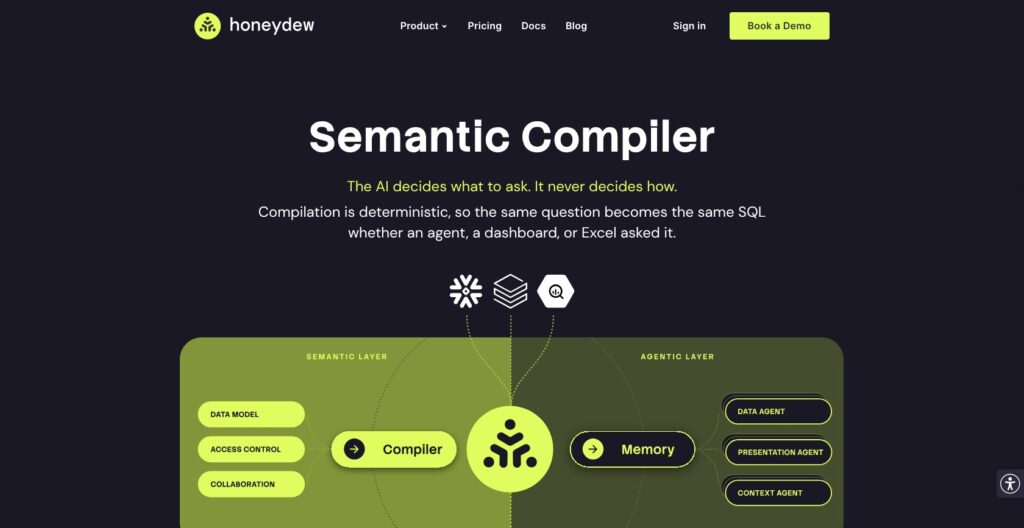
I like Honeydew most as a way to stop business logic drifting between tools. If finance changes the definition of revenue, you want that change to reach every report that uses it, without asking each dashboard owner to rewrite a formula.
Honeydew’s compiler resolves metrics, joins, and filters from the semantic model to generate SQL. The useful distinction is that an AI agent can ask for a calculation without independently inventing the SQL that implements your business definition.
I like that separation, but a consistently applied definition can still be wrong for your business. Your team remains responsible for deciding whether revenue includes refunds, when an account counts as active, and which date controls a reporting period.
Domains Keep Team-Specific Views Manageable
Domains let different teams work with selected entities and fields from the same underlying model. They can inherit shared definitions while adding restrictions or changes for a particular audience.
For example, a regional team might need a filtered view of sales, while finance needs the broader picture. I prefer this approach to making unrelated copies of the model, because shared changes have a defined place to live. It does require discipline: every team-specific exception should have a clear owner.
If your definitions already live in dbt, I would compare the maintenance burden with dbt Semantic Layer before adding another modeling system. Honeydew needs to earn its place through the way your teams consume and govern metrics.
AI Analysis Still Needs a Well-Defined Model
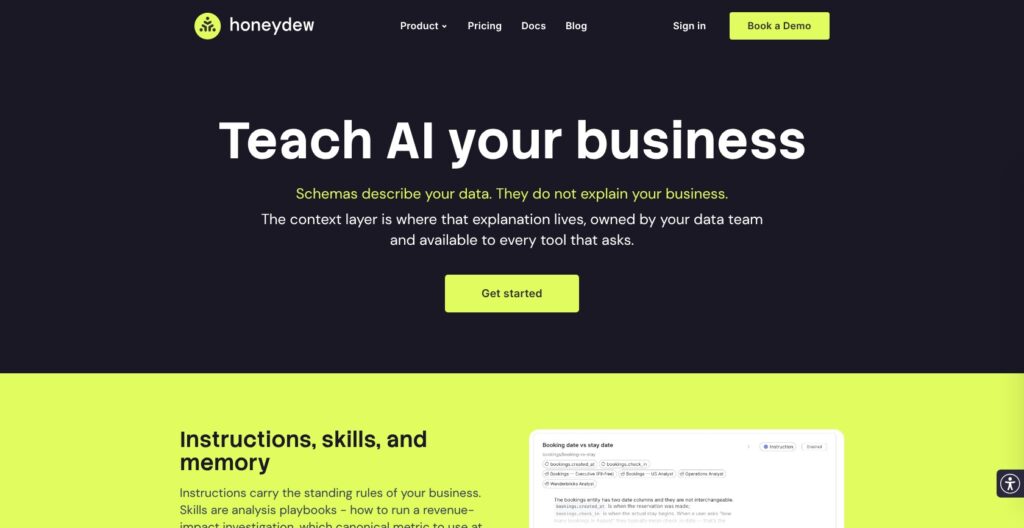
Honeydew’s context layer is more interesting to me than a chat box on top of a database. It gives the data team a place to record instructions, analysis playbooks, and historical events alongside the semantic model.
A useful application would be teaching an analyst to separate a drop in order volume from a change in average order value. That is the kind of business reasoning a table schema alone cannot explain. The value depends on someone writing and maintaining those instructions.
Honeydew makes the analyst available through Studio, Slack, Microsoft Teams, and external systems using MCP. That gives business users a route to ask follow-up questions where they already work. I would still keep recurring management reports in the BI interface people rely on, then use conversational analysis for investigation.
Deep Analysis can plan an investigation, run multiple queries, and carry results between steps. You can inspect intermediate results and continue with follow-up questions. I would check those steps before accepting a conclusion: a well-formed query does not prove the AI has identified why something changed.
Reviewer’s Notes: I would judge the AI on whether a colleague can understand and challenge its reasoning. A polished answer is less useful if nobody can trace the metric, filters, and business assumptions behind it.
Adding context creates another maintained asset. If nobody is responsible for retiring outdated instructions after a product or pricing change, the analyst can be working from an explanation your business has outgrown.
Governance and Deployment: Check the Details
Snowflake is the clearest fit for Honeydew today. Databricks and BigQuery have dedicated integrations, but both are marked beta with support involvement. I would make warehouse compatibility a pilot requirement before committing to a wider rollout.
Access control also deserves more attention than a general promise of governed data. Honeydew distinguishes access to its own models and domains from permissions in the underlying warehouse. Your configuration needs to match who should see each dataset and how their identity reaches the data source.
I would ask for a demonstration using two real user roles: one with broad access and one restricted to a region or department. An administrator seeing the right result does not establish that the restricted user sees only what they should.
Git-based collaboration is a practical strength. Reviewing model changes before they reach production is especially valuable when one calculation feeds several tools. I would use that review to check meaning as well as syntax: a valid change can still break the assumptions behind a report.
How Does Honeydew Compare to Competitors?
- Cube: My first alternative for developers who want to explore a semantic layer on a free plan or build embedded analytics. Its paid plans can add compute and caching charges, so compare the complete deployment cost. Both tools support AI and BI; that capability alone does not decide the winner.
- dbt Semantic Layer: My starting point for teams already maintaining their data transformation and metric definitions in dbt. Compare the integrations you need before taking on a separate modeling workflow.
- Looker: A better starting point if you want an integrated BI platform with a governed modeling layer. I would favor Honeydew when retaining several existing BI tools is part of the requirement.
I would decide where the team should maintain business definitions before choosing a product. Moving that responsibility has a cost, even when the new tool is good.
How I Reviewed Honeydew
I evaluated the pricing structure, setup requirements, semantic modeling, AI controls, and integration limitations, then compared their practical implications with Cube, dbt Semantic Layer, and Looker. This is an editorial assessment, not a production performance benchmark.
Prices and integration status checked in October 2026.
Should You Choose Honeydew?
I would shortlist Honeydew if conflicting definitions are already slowing your team down, especially when AI analysis and multiple BI tools need to use the same calculations. Its combination of a shared model and managed business context addresses a real coordination problem.
I would hold off if your main need is simply to build dashboards, or if nobody has time to maintain the semantic model. Honeydew gives that work a central home; it does not remove the responsibility.
Start with a narrow pilot and judge it against a report your team already understands. Consistent, explainable answers across the interfaces you actually use would be a much stronger reason to buy than an impressive standalone demo.
FAQ
Is Honeydew a replacement for a data warehouse?
No. It adds business definitions and governed query access over warehouse data. You still need the underlying data platform.
Can Honeydew replace Power BI or Tableau?
I would view it as a shared modeling layer for those tools. Its AI interface can answer questions, but that is a different buying decision from replacing your existing dashboard platform.
Does Honeydew guarantee correct AI answers?
A compiler can apply the model consistently. It cannot establish that your business definitions, input data, or an AI’s interpretation are correct. Check the underlying assumptions before relying on an explanation.