
Editor’s note: This dbt Semantic Layer review evaluates pricing, documented workflows, integrations, and deployment limits. It does not include a hands-on benchmark.
Quick verdict: I recommend dbt Semantic Layer for teams already building data models in dbt that need consistent metrics across several reporting tools. MetricFlow keeps the calculation logic close to those models, but technical setup, metered usage, and uneven connector capabilities make it a poor shortcut for teams seeking an easy dashboard builder.
Key Takeaways
- MetricFlow generates SQL from centrally defined metrics, so supported consumers can reuse the same business logic.
- The MetricFlow engine is open source under Apache 2.0; dbt’s hosted serving layer and APIs are commercial products.
- Starter includes a monthly queried-metric allowance, but repeated requests consume it even when the metric definitions stay unchanged.
- Power BI support exists, but its preview connector has meaningful modeling and deployment restrictions.
- Caching and more flexible service-token credentials require Enterprise tiers, which makes governance requirements part of the purchasing decision.
In this review, I’ll take a closer look at the costs, modeling workflow, and integration trade-offs that determine whether dbt belongs on your semantic-layer shortlist.
dbt Semantic Layer Pros and Cons
Pros
- Metric definitions can live alongside dbt models in version control.
- Five metric types cover aggregations, ratios, derived calculations, cumulative values, and conversions.
- MetricFlow generates SQL and rejects unsupported join patterns that could inflate results.
- Open-source MetricFlow supports local development without buying hosted serving.
- Excel, Google Sheets, and other integrations share centrally managed calculations.
Cons
- Hosted APIs require a paid dbt plan, with usage-based consumption.
- Metric modeling and maintenance need technical ownership.
- Power BI integration remains in preview and requires extra deployment components.
- Enterprise caching needs explicit review of cached-table permissions.
- The latest YAML specification does not yet support cross-project model references.
How Much Does dbt Semantic Layer Cost?
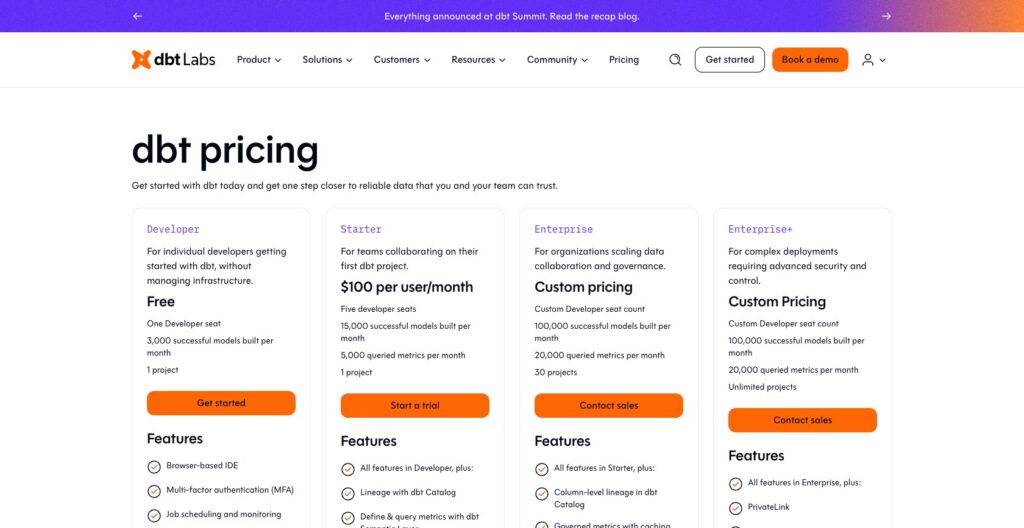
dbt sells hosted Semantic Layer access through its platform plans. These prices are not quotes for a separate MetricFlow subscription:
- Developer ($0): For individual dbt development; it does not include the paid hosted Semantic Layer APIs.
- Starter ($100 per user/month): For smaller teams, with 5,000 queried metrics per month.
- Enterprise (custom pricing): For larger deployments, with 20,000 queried metrics per month and caching.
- Enterprise+ (custom pricing): For additional enterprise requirements, with the same published 20,000 queried-metric allowance.
| Plan | Published platform price | Monthly queried metrics | Buying consideration |
|---|---|---|---|
| Developer | Free | No paid hosted API entitlement | Local MetricFlow is a separate open-source route |
| Starter | $100/user/month | 5,000 | Start here for a small hosted rollout |
| Enterprise | Custom | 20,000 | Consider for caching and credential flexibility |
| Enterprise+ | Custom | 20,000 | Evaluate the wider enterprise contract |
Budget for warehouse compute as well as dbt consumption. For example, Snowflake warehouses consume credits while running queries. Confirm dbt overage rates and your account’s entitlements before committing.
What Counts as a Queried Metric?
A queried metric is a billing unit, not a unique definition in your project. Each successful API request to render or run SQL counts, and a request containing several metrics counts each metric calculated. SQL compilation also consumes usage; failed requests and metadata requests do not.
For illustration, requesting three metrics 100 times would consume 300 queried metrics. A small metric catalog can still generate substantial consumption through frequent dashboard refreshes or repeated AI requests.
I would estimate request frequency before counting definitions. Ten carefully managed metrics can generate more traffic than a much larger catalog that people query occasionally.
Is dbt Semantic Layer Good Value for Money?
The strongest case is an existing dbt team repeatedly fixing conflicting calculations in downstream tools. Centralizing that logic gives those engineers one place to maintain it.
- Good fit: You already use dbt and can move important reporting workloads onto supported integrations.
- Weaker fit: One BI platform already handles your metrics consistently, with little duplicated logic to remove.
- Potential upgrade trigger: Your access-control design or latency requirements depend on Enterprise features.
My recommendation is to evaluate a narrow Starter rollout if its credential model suits your team. Request an Enterprise quote early if caching or multiple service-token warehouse credentials are requirements, because those needs can determine the plan before usage does.
Getting Started With dbt Semantic Layer
Start with a metric people already disagree about. Revenue is a useful example: decide how refunds, canceled orders, dates, and currency should affect the result before translating that agreement into code.
Check your warehouse first. The hosted Semantic Layer lists Snowflake, BigQuery, Databricks, Redshift, Postgres, and Trino; Microsoft Fabric is not supported. A dbt adapter for a platform does not automatically mean the Semantic Layer supports it.
The setup follows this sequence:
- Prepare the underlying dbt models. Confirm their grain and the warehouse tables or views they produce.
- Describe the semantic model. Define entities, dimensions, and metrics using the syntax appropriate to your dbt version.
- Parse and validate the project. Check the definitions, then compare sample metric results with approved calculations.
- Deploy the changes. A successful deployment run makes the relevant project artifacts available for hosted use.
- Configure credentials and connect a consumer. Check totals, filters, and access with the reporting tool people will actually use.
I like that this work can follow the team’s normal code-review process. Someone still needs to own the business definition as well as the YAML.
The latest specification places semantic annotations alongside dbt models and replaces the earlier measures structure with simple metrics. It supports dbt v1.12, dbt v2, and the platform’s v1 Latest track. Older tutorials can therefore show a different structure without being valid instructions for your current project.
Version choice has a practical limit: the latest YAML specification does not yet support cross-project model references, while the legacy specification does. Teams designing shared metrics across dbt projects should resolve that compatibility question before migrating their definitions.
I would begin with one business area and two consuming tools. That makes it easier to establish whether shared definitions actually remove duplicated work before expanding the catalog.
MetricFlow: Useful Metric Logic With Modeling Limits
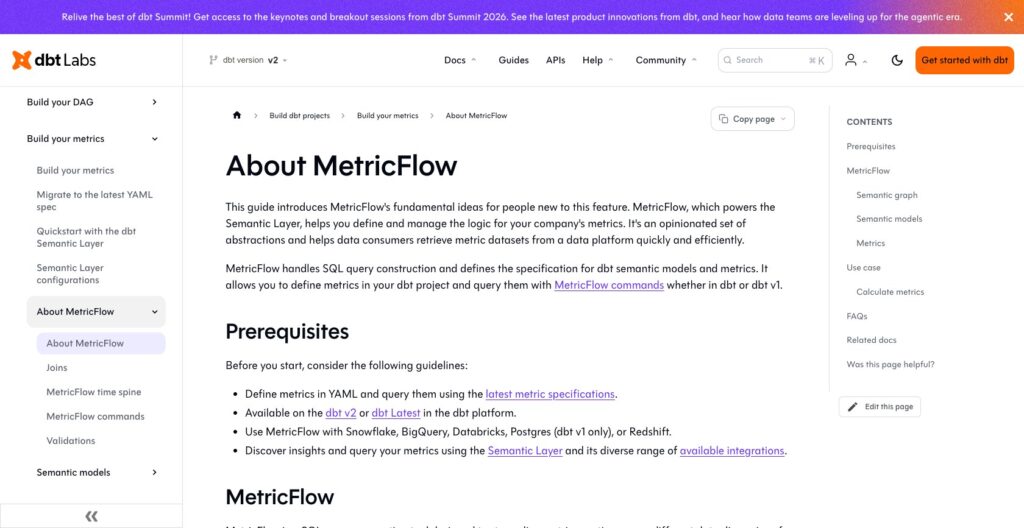
MetricFlow turns metric requests into SQL against your warehouse. You define the business logic and relationships; the engine works out the query needed for the requested dimensions and time range.
Its five metric types cover common analytical needs:
- Simple: An aggregate such as total order revenue.
- Ratio: One metric divided by another, such as revenue per order.
- Derived: A calculation combining metrics, such as revenue minus costs.
- Cumulative: A running or rolling calculation over time.
- Conversion: A base event followed by a conversion event within a defined window.
Cumulative metrics require a time spine. That calendar structure helps express periods consistently, but it is another modeling dependency your team must maintain.
Entities provide the keys for joining semantic models. MetricFlow restricts join patterns to help prevent fan-out, where joining tables multiplies rows and inflates aggregates. I consider that more valuable than simply putting a friendly name on a SQL expression.
There is still a boundary: a dimension must be reachable within two join hops. This does not impose a universal three-table limit, since separate paths can involve more tables overall. It does mean a deeply normalized schema may need reshaping before it fits the query graph.
My preference for dbt over a separate layer such as Cube increases when the analytics engineers already maintain these relationships in the dbt project. It decreases when supporting the metric graph would require a substantial redesign of otherwise useful models.
BI Integrations and AI Access
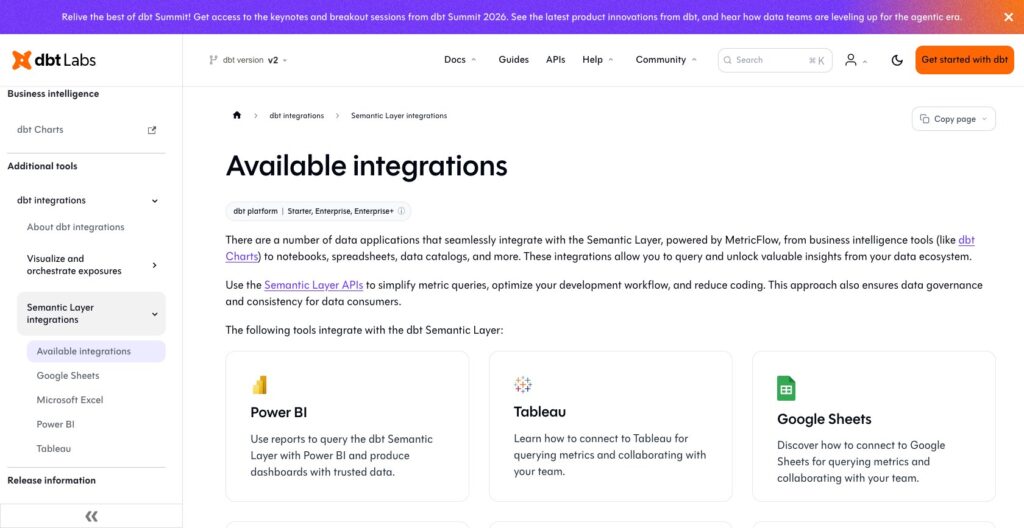
Check what your connector supports before committing. Tableau, Power BI, Excel, and Google Sheets can consume dbt metrics, but their capabilities differ.
| Consumer | Useful capability | Limit to evaluate |
|---|---|---|
| Power BI | DirectQuery access to governed metrics | Preview connector; custom connector and ODBC driver required |
| Excel | Add-on for selecting metrics, dimensions, and filters | Standard time grains only; result loading has a one-minute limit |
| AI assistants using dbt MCP | Access to modeled metrics and dbt context | Underlying API access remains subject to plan entitlements |
| Tools without a dynamic integration | Saved queries exported as tables or views | Consumers lose dynamic semantic querying |
Power BI deserves particular care. Publishing through Power BI Service requires an on-premises data gateway, and the connector does not offer the normal freedom to add custom DAX or Power Query calculations, joins, or custom columns. I would not recommend adopting it on the assumption that an existing Power BI model can move across unchanged.
I like Excel’s add-on for finance users who need a controlled selection of metrics. Its one-minute limit covers result loading, not warehouse query execution. Custom fiscal time grains require another route, such as the API.
An AI assistant can request a defined metric instead of inventing its calculation. I see that as a useful guardrail, but your team must still model the relevant questions and the assistant must interpret them correctly.
For a complete dashboard and exploration environment, Looker is the more relevant comparison. dbt Semantic Layer supplies shared metric logic to consumers; the quality of the final analyst experience still depends on those consumers.
Caching and Access Control Need Careful Planning
Caching is an Enterprise feature, and it changes the permission review. dbt supports result caching and declarative caching, with the latter using saved queries and exports to prepare cache tables in the warehouse.
That can avoid repeatedly calculating the same results, but refresh behavior matters. I would evaluate freshness alongside speed, especially for operational dashboards whose users assume each refresh reflects the latest data.
The more consequential warning concerns security: dbt says the underlying models’ security context is not applied when serving metrics from cached tables. Do not assume a row-level policy on a source model automatically protects an exported cache table in the same way. Review the cached data and its permissions explicitly.
Credentials also affect plan selection. Starter supports multiple service tokens mapped to one warehouse credential per project. Enterprise tiers support multiple credentials, while personal access tokens offer a separate user-level authentication route.
My concern is less about the number of tokens than which data each consumer can reach. Map that requirement before choosing a plan or enabling caching.
AtScale is worth evaluating alongside dbt when enterprise BI access patterns dominate the decision. Neither a semantic definition nor a cache removes the need to design permissions around the actual consuming users.
How Does dbt Semantic Layer Compare With Alternatives?
I would shortlist alternatives by who owns the metrics and where they are consumed. Compare deployment costs alongside seat prices.
| Product | Best fit | Modeling approach | Main trade-off |
|---|---|---|---|
| dbt Semantic Layer | Teams already building models in dbt | Metrics and semantic definitions in the dbt workflow | Hosted usage charges and connector-specific limits |
| Cube | Application teams serving analytics through APIs | A separate semantic layer and runtime | Another modeling and operating layer to maintain |
| Looker | Teams wanting governed BI and dashboards together | LookML within the Looker platform | Platform and user licensing, plus LookML ownership |
| AtScale | Enterprise BI environments with varied clients | Shared semantic models with multiple query interfaces | Enterprise evaluation and quote-based pricing |
- Cube: I would favor it for application-facing analytics where APIs and a separate semantic runtime are central requirements. Its deployment and caching compute costs also belong in the comparison, alongside developer charges.
- Looker: I would favor it when the purchase needs to include exploration, visualizations, and dashboards. An established LookML team should have a clear reason before introducing a second place to manage metric definitions.
- AtScale: I would evaluate it for Excel- and Power BI-heavy organizations needing interfaces such as MDX and DAX. Its pricing is based on deployed semantic objects rather than users or queries, so request a quote using your planned model inventory.
dbt remains my first candidate when the organization already treats its dbt project as the home of analytical business logic. The alternatives become more compelling when that assumption does not hold.
How I Reviewed dbt Semantic Layer
This evaluation covers dbt’s published pricing, MetricFlow architecture, setup workflow, metric types, integration requirements, and access-control limits. I compared the buying implications with Cube, Looker, and AtScale. The judgments concern product fit and documented behavior, rather than measured performance or a production deployment.
Prices current as of October 2026. Existing contracts and additional usage can change what an individual account pays.
Should You Choose dbt Semantic Layer?
Choose dbt Semantic Layer if inconsistent metrics are creating repeated work for an established dbt team. Keeping definitions near the models gives engineers a practical place to review and maintain them, while supported consumers can reuse the calculations.
I would pass if the immediate need is an easy dashboard builder or if the main reporting workflow depends on connector features dbt does not support. I would also resolve cross-project compatibility and cached-data permissions before making a broad commitment.
Start with an important metric, a clear owner, and the actual downstream tools. Expand once the shared definition, consumption pattern, and access controls work for that business area.
FAQ
Is dbt Semantic Layer Free?
The MetricFlow engine is open source under Apache 2.0 and can be used locally. dbt’s managed service layer and hosted Semantic Layer APIs require a paid platform plan.
Is MetricFlow the Same as dbt Semantic Layer?
MetricFlow compiles metric requests into SQL. dbt Semantic Layer adds managed services, authentication, and integrations around that engine.
Does dbt Semantic Layer Replace a Data Warehouse?
No. It generates queries against the underlying warehouse models. It does not create a full second copy of warehouse data by default, although optional caching creates warehouse tables and query results pass through the service.
Can I Use dbt Semantic Layer With Power BI?
Yes, through a preview integration using DirectQuery. It requires a custom connector and ODBC driver, plus an on-premises gateway for Power BI Service. Check the limitations on custom calculations and modeling against your reports before adopting it.
Do I Need to Know SQL to Use It?
The team implementing it needs technical modeling skills and an understanding of the underlying SQL data models. Downstream users can consume prepared metrics through supported tools, but someone must maintain the definitions, relationships, and permissions.