
Editor’s note: This review combines a small local Malloy and DuckDB test with an assessment of its modeling, deployment, and integration options.
Quick verdict: I recommend Malloy for analysts and data engineers who want reusable business definitions without giving up the freedom to explore their data. Its handling of joined data impressed me in a small local test. The catch is that you need someone willing to learn the language and maintain the setup.
In this Malloy review, I’ll take a closer look at its costs, the queries I ran, and where I would choose it over a more complete analytics platform.
Key Takeaways
- Malloy is a semantic layer and query language, so you can reuse business definitions as you explore your data.
- In my small test, Malloy kept an order revenue total at 230 where a naive SQL join inflated it to 490.
- The open-source software has no license charge, making a local evaluation inexpensive.
- You still need to learn Malloy syntax and budget for database usage, maintenance, and deployment.
- Publisher does not include built-in authentication, which adds work if you want to share sensitive data beyond your machine.
Malloy Pros and Cons
Pros
- Reusable measures and named views keep analytical definitions together.
- Correctly preserved parent totals across a one-to-many join in my test.
- Nested queries returned regional totals and product breakdowns together.
- Free open-source software under the MIT license.
- Compiled SQL is available for inspection.
Cons
- Another language for a SQL team to learn and maintain.
- Database support does not guarantee identical features across engines.
- Publisher needs an external authentication layer for protected sharing.
- Free licensing does not cover infrastructure or engineering time.
Malloy Pricing: Free Software, Real Setup Costs
Malloy’s open-source software is free. I like that you can evaluate the language without committing to a subscription, but I would not equate that with a free company-wide analytics service.
These are cost components, not separate Malloy subscription plans:
- Malloy software ($0 license fee): for analysts and developers running the open-source project.
- Database and compute (variable): for running queries locally or against your chosen database service.
- Shared deployment (variable): for hosting, access controls, maintenance, and the people responsible for them.
| Cost component | Price basis | What I would budget for |
|---|---|---|
| Open-source Malloy | $0 software license | Learning the language and maintaining models |
| Local evaluation | Your existing computing resources | Setup time and suitable sample data |
| Cloud database | Your database provider’s charges | Query execution, storage, and capacity |
| Team deployment | Your infrastructure and staffing costs | Hosting, authentication, updates, and support |
Is Malloy Good Value for Money?
Malloy is good value when your team wants to own the analytical logic and has the technical skills to maintain it. The entry cost is low, and you can start with a narrow use case rather than a wholesale platform migration.
- An individual analyst: start locally with DuckDB and one recurring analysis.
- An engineering-led team: evaluate the model alongside your existing database and review process.
- A business team needing ready-to-use dashboards: compare the full cost with a managed platform such as Looker.
I would start with the free software and one dataset. Paying for additional infrastructure makes more sense after you know the language solves a problem your current SQL workflow handles poorly.
My Experience With Malloy
I ran Malloy locally through its Node library with DuckDB, using three synthetic orders and six order items. I wanted to see whether I could reuse an analysis and add detail without breaking its totals.
My workflow had four parts:
- Load the two CSV datasets into a local DuckDB connection.
- Define reusable order revenue and order count measures.
- Create a named regional view, then extend it with product details.
- Join orders to their items and compare the totals with a deliberately naive SQL query.
The reusable regional view returned 150 in revenue from two northern orders and 80 from one southern order. I then extended that same view with a nested product breakdown while keeping those top-level totals intact.
Reusing that view was my favorite part of the test. I could add a product breakdown to an existing analysis without rewriting its regional summary. That is a useful step up from keeping several slightly different copies of the same query.
What Required Extra Work?
Embedding the results in a JavaScript script needed a little care. Some returned values were BigInts, which ordinary JSON serialization cannot handle directly. I added a conversion for the small integers in this test before saving the results.
The fix was small, but the library route clearly expects developer skills. If you want to open a dataset and click through it, I would start elsewhere in Malloy’s tools.
For a more guided start, Malloy offers a browser example and a VS Code extension. The extension is my suggested starting point for learning the language; my hands-on findings here come from the local library test.
Reusable Models and Safer Joins
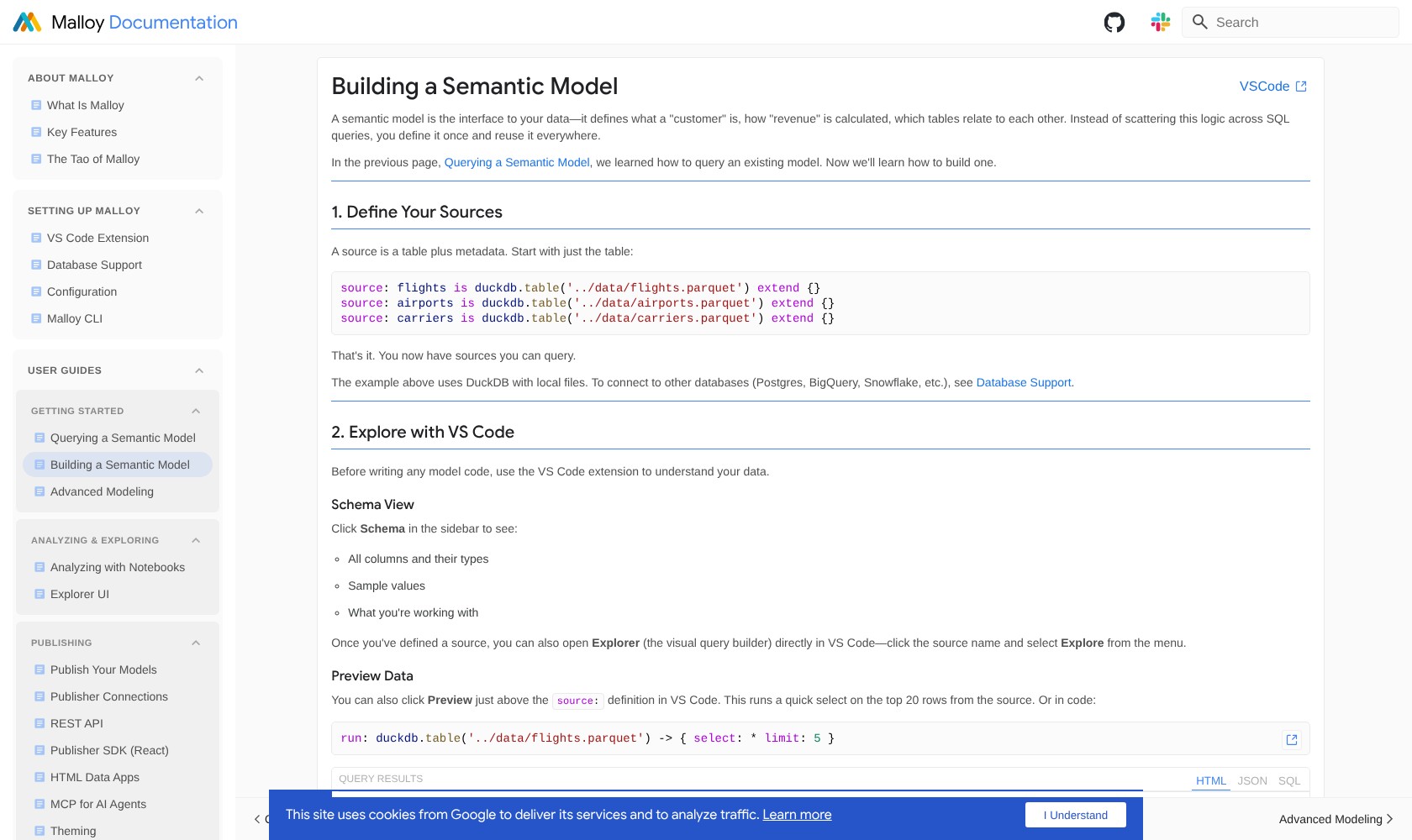
Malloy’s strongest selling point is the connection between the model and the query. You define reusable measures and relationships, then query them without restating all that logic each time.
I find that more useful than simply making a query shorter. If several analyses rely on the same definition of revenue, having an explicit place for that definition makes it easier to review changes and understand what the results mean.
How Malloy Handled a One-to-Many Join
Joining orders to line items creates a familiar trap: an order’s value can appear once for every matching item. Sum that repeated value and your revenue looks larger than it is.
In my test, I declared primary keys and a one-to-many relationship. Malloy returned the correct parent and child aggregates together:
| Query approach | Order revenue | Order count | Item revenue |
|---|---|---|---|
| Malloy with the modeled relationship | 230 | 3 | 230 |
| Naive SQL join and aggregation | 490 | 6 | 230 |
I deliberately used an unsafe SQL query to expose the problem. Correctly written SQL can also produce the right answer; Malloy’s appeal is that the modeled relationship helps handle this recurring source of mistakes.
Malloy still depends on an accurate model. Declaring a one-to-one relationship where multiple rows actually match can undermine the result. And a revenue measure that excludes the wrong transactions remains wrong even when the join arithmetic is sound.
Compared with dbt Semantic Layer, I would consider Malloy when the priority is exploratory analysis within the same language used to describe the data. I would lean toward dbt’s approach when the team already manages its models there and wants to serve centrally defined metrics through that environment.
Nested Results and Visual Exploration
Malloy’s nested output is useful when a summary and its detail belong together. In my test, each region contained its product breakdown as well as the regional revenue total.
For the northern region, that meant 150 at the top level and product revenue of 110 for books and 40 for pens underneath. I did not have to flatten the result into repeated regional totals to preserve both views.
I would use this for analysis where you repeatedly move between an overview and a breakdown. It keeps related results together and gives a consuming application a useful hierarchy.
The trade-off is downstream compatibility. If your next step requires a flat table, a nested result may need reshaping. I would check the expected output format before making nested queries central to a reporting workflow.
Do You Have to Write Every Query?
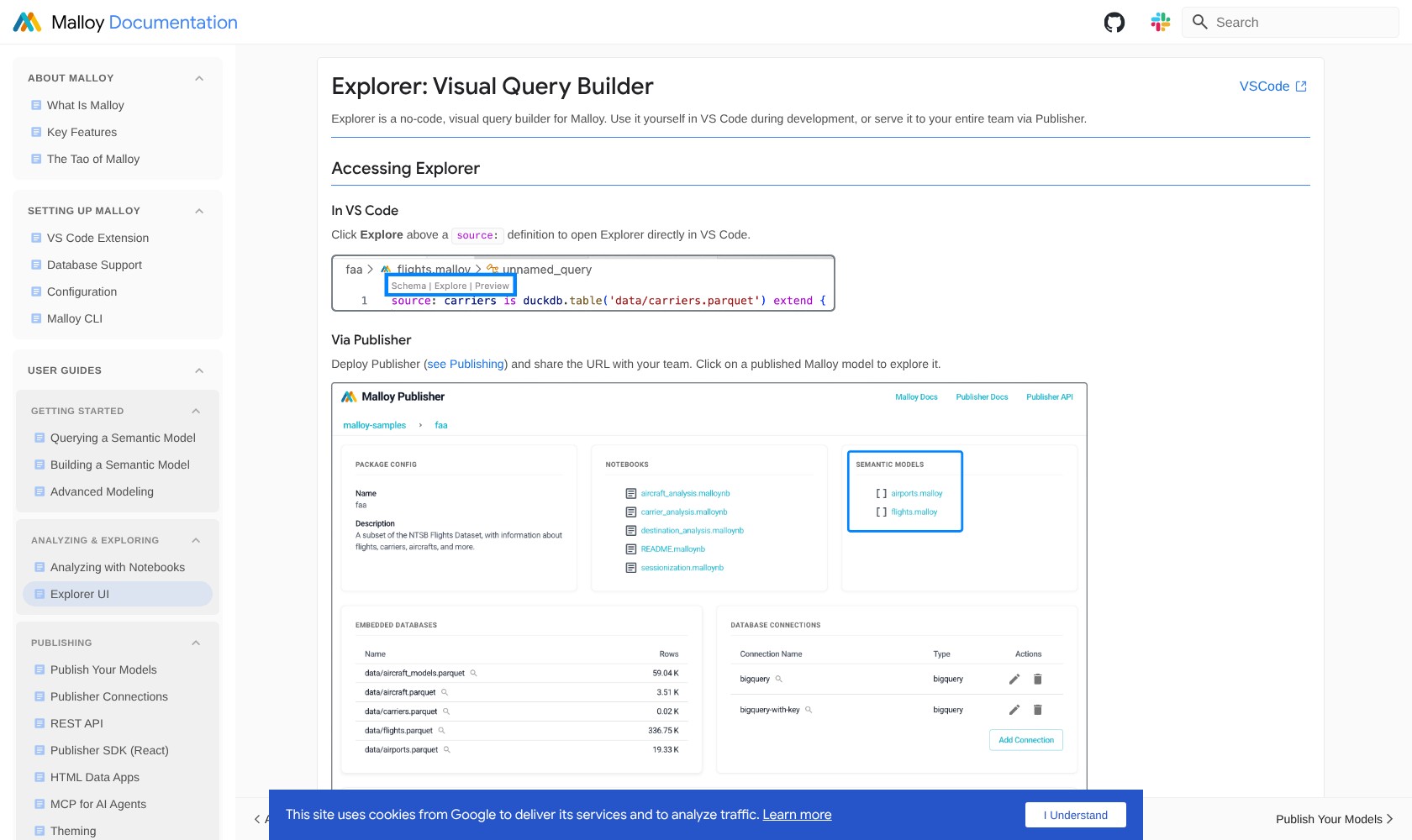
Explorer provides a visual query builder in VS Code and Publisher. You can choose model fields, add filters, and explore nested results and charts. It also exposes the generated Malloy and SQL.
I like having that option for colleagues who need to ask questions without authoring the model themselves. It makes the distinction between maintaining a model and using one much clearer: your analysts can own the definitions while other people explore them.
That is a useful fit for a mixed team, but I would still favor Looker when managed dashboard sharing and access administration are the main requirements. Malloy’s visual tools do not remove the deployment work.
Sharing Malloy With Your Team and AI Tools
Team deployment is where I would scrutinize Malloy most carefully. Writing a useful model locally and operating a shared analytics service involve different responsibilities.
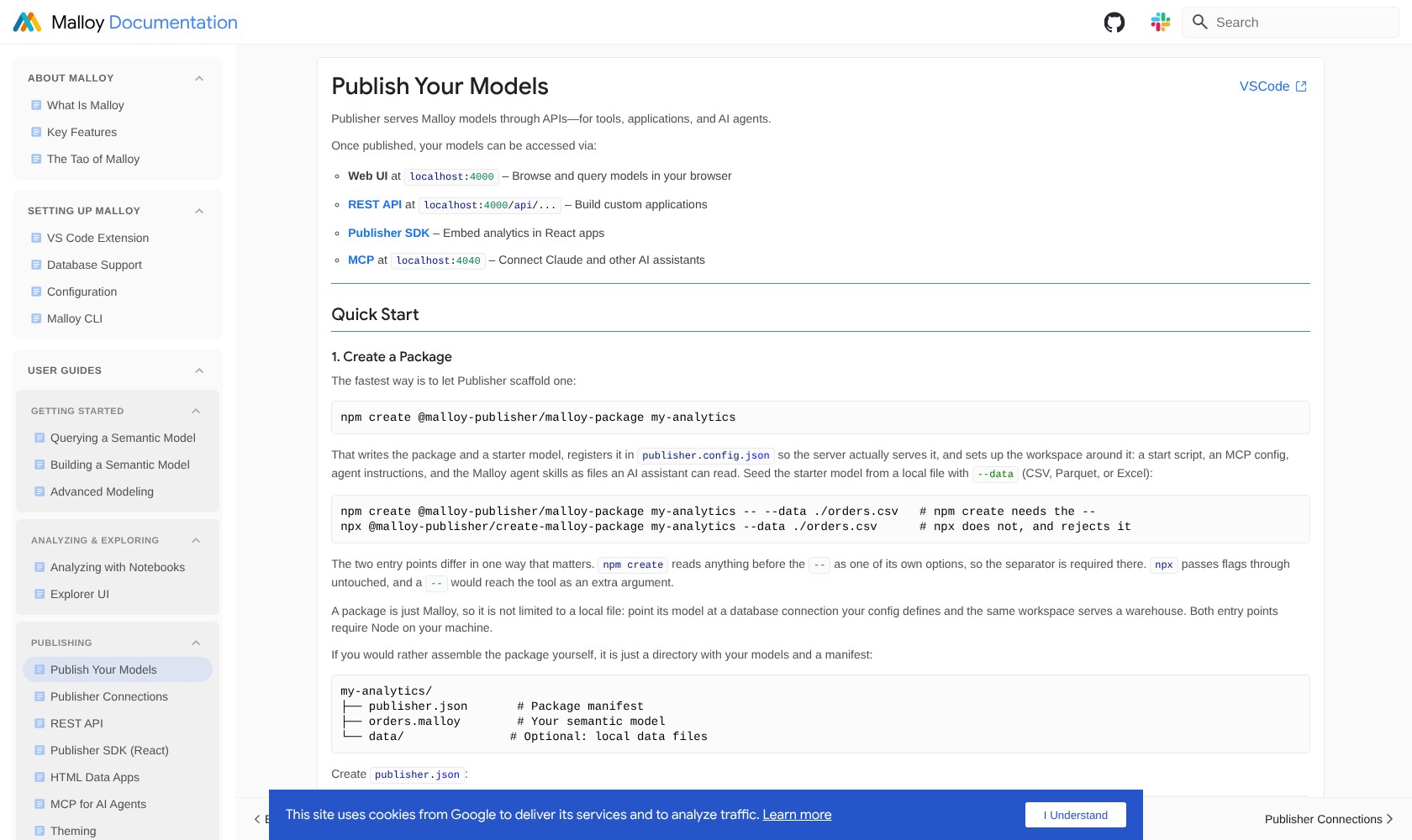
Publisher serves your Malloy models to other tools and applications. It has no built-in authentication, including on its MCP endpoint, so a team deployment needs a trusted network or your own authentication in front of it.
I would want an engineering owner for that setup and its ongoing maintenance. If your team needs a service it can administer through built-in roles and permissions, Looker is the stronger candidate.
Malloy points users to Slack for community help and GitHub Issues for bugs and feature requests. Those are useful routes for technical teams, but I would assign internal responsibility for troubleshooting. If your reports require guaranteed response times, establish a support arrangement before making them dependent on this setup.
Can You Use Malloy With AI?
Publisher includes MCP tools for discovering model context, executing queries, and compiling Malloy to SQL. This gives an AI client a route into a defined analytical model.
My view is that this is a sensible use of a semantic layer: an assistant can work with explicit measures and relationships instead of starting with unexplained tables. But those definitions still need to be correct, and the surrounding application still needs appropriate access controls. An MCP connection alone does not establish reliable answers.
I would evaluate the AI workflow separately from the language. The aggregation test in this review demonstrates a narrow query behavior, not the accuracy of an AI assistant.
Will It Work With Your Database?
Malloy’s database options extend beyond DuckDB. Its current support documentation also lists connections including BigQuery, Snowflake, and PostgreSQL.
I would test your actual queries on the intended database before committing. Support for an engine is not a promise of identical behavior across every feature, and a successful local DuckDB test does not establish cloud warehouse performance.
How Does Malloy Compare to Competitors?
Your existing stack matters more than a long feature checklist here:
- Looker (LookML): my stronger choice when the requirement includes governed exploration and dashboards within a complete BI platform. Malloy is more appealing when you want a standalone language and control over the surrounding application.
- Cube: worth prioritizing when your main requirement is a shared semantic service consumed through APIs and existing tools. I would choose Malloy’s approach when reusable analysis and query composition are the immediate problem.
- dbt Semantic Layer: a natural candidate for a team already invested in dbt models and centrally managed metrics. Malloy deserves a look when you want modeling and exploratory querying together.
I would not introduce a new language just because it is free. The deciding question is whether its analytical workflow improves on the system your team already knows.
How I Reviewed Malloy
I tested Malloy 0.0.435 with DuckDB 1.5.5 using two small synthetic CSV files. I checked reusable measures, a named view, nested results, and aggregation across a one-to-many join, then retained the inputs, generated SQL, and results.
I also assessed its licensing, database options, Publisher deployment requirements, and MCP capabilities. The test did not measure production performance or evaluate the graphical interfaces, hosted deployment, or AI answer quality.
Pricing and availability checked October 2026.
Should You Use Malloy?
I would use Malloy for an engineering-led analytics workflow where reusable definitions and flexible exploration matter more than having a fully managed interface. The small join test made its value clear: a properly modeled relationship preserved the totals while I combined parent and child measures.
My reservation is the work around the language. Learning, maintaining models, and setting up protected sharing can outweigh the license savings if your team mainly needs a finished BI service.
Start with one analysis that currently involves duplicated SQL or awkward joins. Rebuild it in Malloy, check the answers against known results, and assess whether the next person on your team can understand and extend it. If it makes the next analysis easier to build and review, you have a good reason to keep going.
Frequently Asked Questions
Is Malloy free?
Yes. Malloy is open-source software under the MIT license, with no software license charge. Database services, hosting, and the time needed to maintain your setup are separate costs.
Does Malloy replace SQL?
Malloy compiles queries into SQL for execution by a supported database. It can replace some handwritten analytical queries, but SQL knowledge remains useful for understanding data and inspecting the generated output.
Is Malloy an AI chatbot?
Malloy is a modeling and analytical query language. Publisher’s MCP support can connect it to AI clients, but Malloy itself is not a ready-made conversational analyst.
Does Malloy prevent incorrect totals?
It can protect aggregates from join fanout when relationships are modeled correctly, as it did in my small test. It cannot make an incorrect business definition or relationship declaration accurate.