Editor’s note: Our AtScale review evaluates pricing, semantic modeling, BI compatibility, and AI query capabilities through a documentation-based assessment.
Quick verdict: I recommend AtScale for data teams that need the same business metrics to work across several BI tools. Its appeal is strongest when inconsistent definitions and repeated warehouse queries have become expensive problems, but you need someone to own the models and their ongoing maintenance.
AtScale lets Excel and Power BI users keep their familiar interfaces while sharing the business logic underneath them.
For a small business that needs its first dashboard, I would start with a BI tool. AtScale earns its place when you already have reporting tools and need to coordinate their models.
Key Takeaways
- Best for teams using several BI tools: shared models can keep business definitions consistent across applications.
- Visual and code-based modeling: Design Center and YAML-based SML support different ways of maintaining models.
- Automatic aggregates can reduce repeated query work, with maintenance still required.
- Pricing needs a quote: Standard and Enterprise use deployed semantic objects rather than user seats.
- AI access has boundaries: the documented MCP SQL interface queries one semantic model at a time.
In this review, I’ll explain the costs, setup work, and limitations that would influence my buying decision.
AtScale Pros and Cons
Pros
- Shared models serve established BI tools, including Excel and Power BI.
- Visual modeling and YAML definitions work with Git-backed version control.
- Adaptive aggregates can reduce repeated scans of detailed data.
- AtScale licensing does not charge per user or query.
- MCP gives AI clients access to governed semantic models.
Cons
- No public dollar prices for Standard or Enterprise.
- Warehouse setup and semantic modeling need technical ownership.
- Integration support differs between Premium, Compatible, and Community tiers.
- Aggregate refreshes add work, and some acceleration cases need manual configuration.
How Much Does AtScale Cost?
AtScale offers two quoted editions:
- Standard (custom quote): the foundation for semantic models and BI connectivity.
- Enterprise (custom quote): broader integrations and governance for more complex analytics and AI deployments.
| Edition | Published dollar price | My starting recommendation |
|---|---|---|
| Standard | Request a quote | A defined BI use case with clear requirements |
| Enterprise | Request a quote | Teams needing the additional enterprise capabilities |
The billing unit is a deployed semantic object, or DSO. Think of a metric or dimension made available for production use. Exposed attributes and hierarchy levels can also count, so a model’s headline metric count is not a reliable estimate of its billable size.
DSOs are measured monthly. Development-only objects are excluded, and AtScale does not charge by user or query volume.
Is AtScale Good Value for Money?
I like the incentive here: you can encourage people to reuse approved metrics without adding another AtScale seat charge. The harder part is budgeting before you have agreed what your production models will expose.
My recommendation is to ask for a quote against a specific model inventory, with these questions answered:
- What will count? Ask for an object-by-object example using your proposed models.
- What happens as you expand? Get the commercial treatment of additional deployments in writing.
- What is outside the license? Include your warehouse bill and the staff time needed to maintain the setup.
I would start the discussion with Standard for a focused BI project. Move to Enterprise when a required capability justifies it, rather than assuming every enterprise-sized business needs the higher edition.
Getting Started With AtScale
AtScale’s setup combines warehouse access, a Git repository, and semantic modeling. The main steps are:
- Prepare the warehouse connection. Set up the service account, source-data access, and a schema for aggregate tables.
- Connect your model repository. AtScale uses Git to store model definitions and related objects.
- Define the business logic. Build the datasets, dimensions, relationships, and metrics that your users need.
- Deploy and connect a BI client. Make the model available, then check the results against an agreed reference report.
The warehouse permissions deserve attention. AtScale needs to read source data and write aggregate tables in its designated schema. I would involve the warehouse administrator early, rather than leaving access configuration until the model is ready.
Visual Modeling Still Needs a Modeler
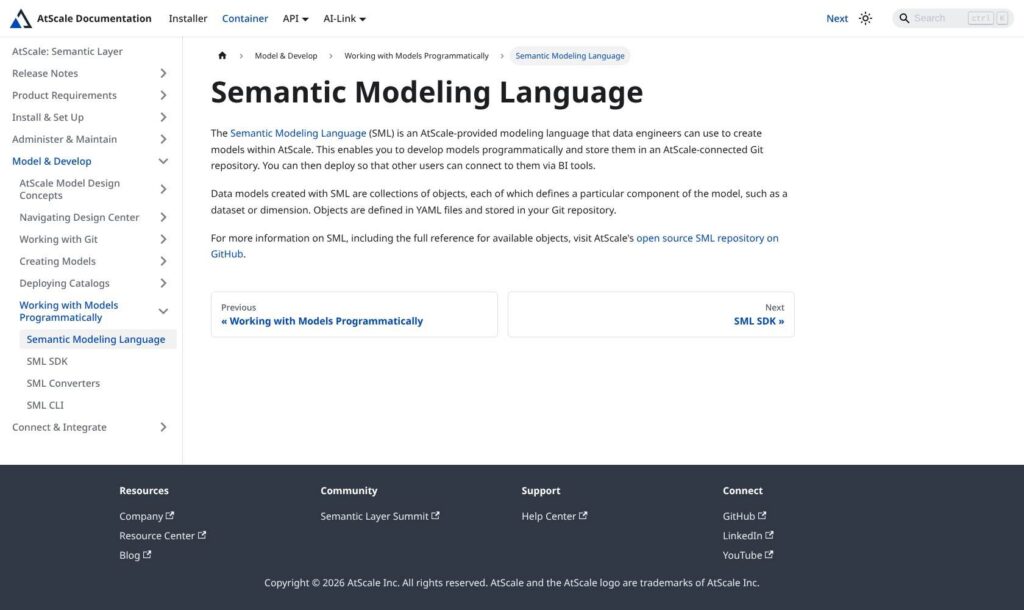
Design Center gives you a visual route, while Semantic Modeling Language, or SML, stores objects in YAML files. Changes can be committed from Design Center, which is useful if analysts and engineers contribute in different ways.
Deployment also needs care: publishing a catalog deploys every model in that repository, and users have access by default. Set model permissions deliberately before rolling it out.
I like being able to review a business definition before other people depend on it. Your modeler still has to settle what that definition should mean.
For example, your team still has to decide whether revenue includes refunds. A consistent calculation is only useful if it is the calculation you intended.
Reviewer’s Notes: I would begin with one disputed metric and two reporting tools. Getting both tools to return the agreed answer is a more useful first milestone than importing every model your company has.
Keeping Metrics Consistent Across BI Tools
AtScale makes the most sense when changing your reporting tools would be harder than fixing the definitions underneath them.
Imagine finance working in Excel while another department uses Tableau. A shared revenue definition gives both teams a common starting point. They can still choose different visualizations, but the calculation does not need to be recreated independently in each tool.
I would favor this setup when cross-tool consistency is the actual problem. If everyone already works happily in Microsoft Power BI, first consider whether a well-managed shared model there is sufficient.
Check the Support Tier for Your Tools
An integration listing does not mean identical support everywhere. AtScale distinguishes three levels:
- Premium: integrations treated as part of the core platform, with engineering and support coverage. Examples include Power BI, Tableau, Excel, Looker, and Jupyter.
- Compatible: validated integrations with best-effort support, where the third-party vendor may need to help.
- Community: integrations outside AtScale’s engineering and support coverage.
That makes me more comfortable recommending AtScale to a team centered on the Premium tools. For another client, I would ask who owns a connector problem before making it central to the rollout.
Can AtScale Make Your Dashboards Faster?
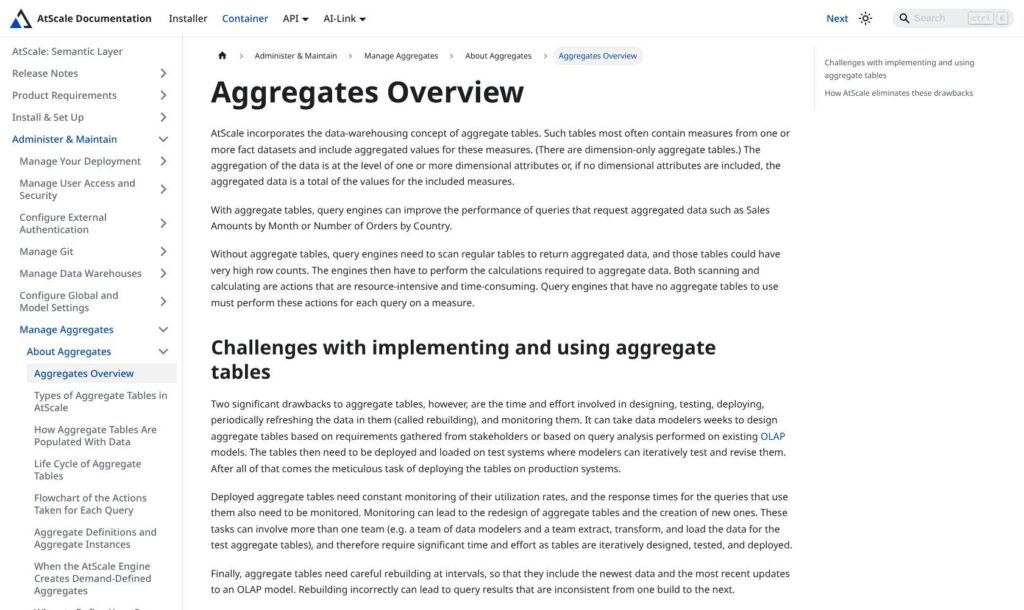
AtScale can create aggregate tables based on model information and query workloads. These hold summarized data, allowing suitable queries to avoid repeatedly scanning and calculating over detailed records.
For a dashboard that repeatedly asks for sales by month, that is an appealing approach. I like that the system can adapt its aggregates as usage changes, rather than requiring you to predict every useful summary table up front.
However, the tables live in your warehouse, and they need rebuilding as the underlying data changes. Faster reads still have a maintenance cost.
During a full rebuild, queries can continue using the previous aggregate instance until the replacement is ready. I would therefore evaluate response speed and data freshness together. A dashboard can feel quick while displaying an older snapshot than its users expect.
Exact distinct counts need particular attention. Their system-generated aggregates are disabled by default, but can be enabled through configuration; user-defined aggregates are another option. I would check calculations such as unique customers separately instead of assuming they accelerate like a sales total.
My buying advice is to use your own recurring queries in the evaluation. Compare their results, response times, and total warehouse consumption, including aggregate builds. I would not base a purchase on a speedup measured against someone else’s workload.
Is AtScale Useful for AI Analytics?
AtScale gives AI applications a way to query defined business metrics. I find that more persuasive than asking a language model to infer what every database column means.
For example, an assistant asked for quarterly revenue should use your approved revenue calculation. It should not improvise a new one because a table happens to contain an amount column.
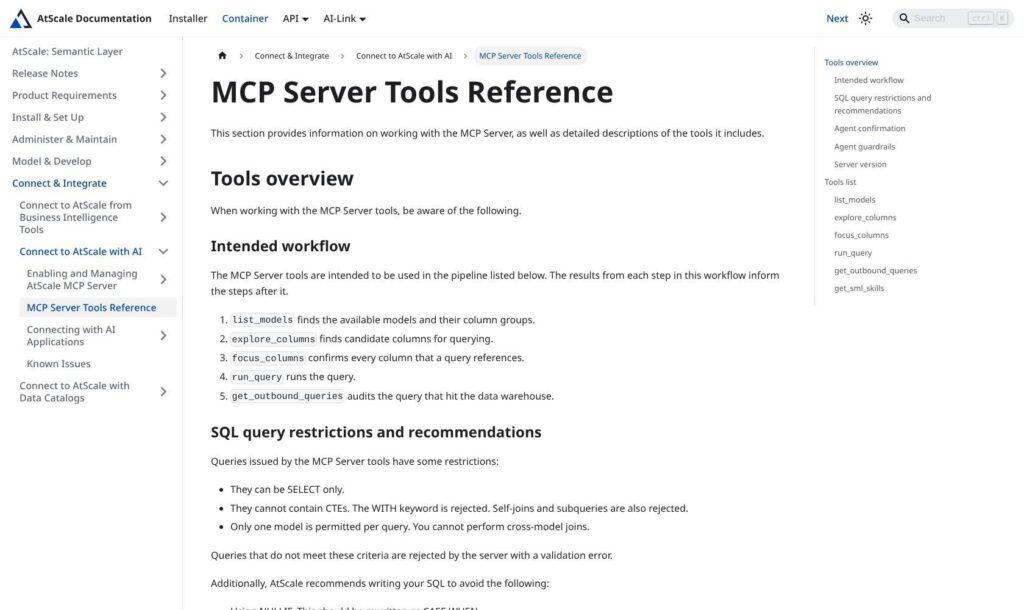
The documented MCP interface lets a connected AI client discover semantic models, inspect their structure, and submit analytical queries. MCP is the connection mechanism; the useful part for the buyer is that the assistant can work with modeled business concepts.
The Query Interface Has Real Limits
The documented MCP SQL interface is read-only and works with one semantic model per query. It excludes cross-model joins, self-joins, subqueries, and common table expressions. These are restrictions on the MCP interface, not a blanket description of AtScale’s BI modeling capabilities.
Those restrictions make AtScale a more focused proposition than a general-purpose AI database assistant. I would consider it for questions already covered by a well-designed model. I would be more cautious if users expect to combine unrelated business areas in whatever way they choose.
There is also a difference between executing an approved calculation and understanding an ambiguous question. If a user asks for “our best customers,” someone still needs to define whether “best” means revenue, profit, retention, or something else.
I would buy AtScale for the governed data access and evaluate the AI connection against actual business questions. Approved calculations do not guarantee that an assistant interprets every question correctly.
How Does AtScale Compare to Alternatives?
- Cube: worth considering if developers are building analytics into an application. Its API-oriented approach and semantic modeling capabilities make it a relevant comparison for teams that want more control over the consuming experience.
- dbt Semantic Layer: a natural starting point if your team already maintains its data logic in dbt. I would assess that fit before adding another modeling system.
- Microsoft Power BI: my first option to assess when the priority is building and sharing reports within a Microsoft-focused team. AtScale becomes more interesting when those definitions also need to serve other tools.
AtScale is strongest when business logic needs to outlive individual BI tools. If shared models in your existing platform already solve the problem, another semantic-layer purchase is hard to justify.
How I Reviewed AtScale
I assessed the documented setup, modeling workflow, integration support, aggregate behavior, and MCP query limits, alongside the commercial pricing structure. This is a documentation-based evaluation, not a hands-on performance benchmark. My recommendations focus on buyer fit and operational trade-offs.
Pricing basis checked October 2026.
Should You Choose AtScale?
Choose AtScale if you need shared metrics across several established BI tools and have a team ready to maintain them. I particularly like its combination of familiar BI clients, Git-backed modeling, and query acceleration for that situation.
I would skip it for a first reporting project where one BI tool can meet the need. Adding a semantic layer brings another system to configure and another set of models to own.
For a serious evaluation, bring an agreed metric definition, representative dashboards, and a list of required integrations. Ask for a quote against the models you intend to deploy. AtScale earns its place when those concrete needs justify the extra layer.
FAQ
What does AtScale do?
AtScale is a semantic layer between your data and its consumers. It defines business concepts once so connected BI tools and AI applications can query them consistently. It also offers aggregate-based query acceleration.
Does AtScale replace Power BI or Tableau?
It can work underneath those tools, supplying shared models while they remain the reporting interface. I would evaluate it as an additional part of that setup rather than assume it removes your BI software costs.
Is AtScale free?
Standard and Enterprise require a commercial quote. Do not confuse the open-source SML specification with a free production license for the AtScale platform. Confirm any evaluation offer and its conditions before planning a trial.
Can AtScale query live warehouse data without copies?
AtScale queries connected warehouse data, but its acceleration features can create aggregate tables there. I would avoid describing that as a setup with no additional stored data. Include those tables in your cost and freshness planning.
Is AtScale a good choice for AI agents?
It is worth considering when an agent should use approved business definitions. The documented MCP interface has query restrictions, so check whether your intended questions fit the available models before committing.