
Steep, founded in Stockholm in 2021, is a metrics-first BI app with its own semantic layer: you define metrics, dimensions, modules and entities once, and everyone explores, reports and asks Steep AI on those definitions. At $15 a seat per month, free for 3 seats, it is the cheapest way I know to put a governed metrics catalog in front of a whole company.
In this Steep review, I’ll take a closer look at Steep’s pricing, semantic layer, AI features, and how it stacks up against Lightdash, Holistics, Metabase and Cube, so you can see exactly whether it belongs in your stack.
Editor’s note: This review evaluates Steep’s pricing, setup path and feature set as sold in October 2026, including the July 2026 code-first semantic model, Steep AI and the hosted MCP server. It is not a hands-on performance test. I weigh price, semantic-layer depth, self-serve reporting, AI and API access, and governance and vendor risk.
Quick verdict: I recommend Steep for startups and mid-size companies on Snowflake, BigQuery, Databricks or Redshift that want everyone on the same metric definitions without a platform fee. The trade-off: row-level security, SCIM and multiple data sources sit in custom-priced Enterprise.
Key Takeaways:
- $15 or $25 per seat per month billed yearly, with no cheaper viewer licenses
- The semantic model lives in the app or as YAML in GitHub, fully code-first since July 2026
- Steep AI runs on Anthropic models in a US or EU region, and a hosted MCP server serves Claude and ChatGPT
- Pro caps you at 80 metrics, and row-level security and SCIM are Enterprise-only
- Nine databases only, no embedding or public links, and no SOC 2 certification claimed
Pros and Cons
Pros
- $15 per seat per month billed yearly, free for up to 3 seats
- Metrics editable in the app or as YAML in GitHub, fully code-first since July 2026
- Hosted MCP server works with Claude, ChatGPT, Cursor and Codex
- dbt Semantic Layer and Cube metrics run beside native ones
- Web, Mac, iOS and Android apps on one license
Cons
- Pro stops at 80 metrics; unlimited needs the $25 Business seat
- Row-level security, SCIM and multiple data sources are Enterprise-only
- Nine databases, no ClickHouse, DuckDB or Trino
- Slack report subscriptions post to public channels only
How Much Does Steep Cost?
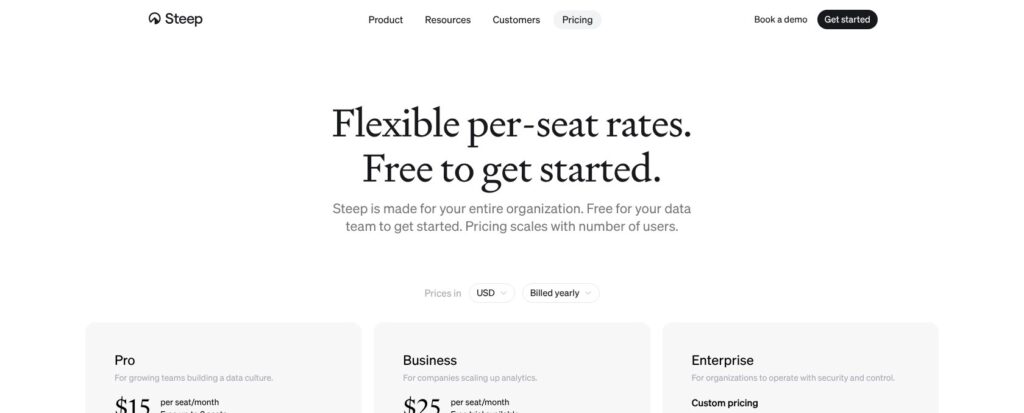
Steep charges per seat with a single license type: Pro is $15 per seat per month billed yearly ($18 billed monthly), Business is $25 ($30 monthly), and Enterprise is custom. EUR prices use the same numbers, so a European team pays EUR 15 or EUR 25 a seat.
- Free (up to 3 seats): for a small data team trying Pro features, with 1,000 AI credits included
- Pro ($15/seat/month): for growing teams that need up to 80 metrics, unlimited reports, the native semantic layer, entities, caching, dbt Cloud and Cube integrations, and Slack
- Business ($25/seat/month): for companies that need unlimited metrics, private metrics and teams, advanced cache controls, usage analytics, SAML SSO through Okta or Azure AD, and a 99.5% SLA, with a free trial
- Enterprise (custom): for regulated or multi-warehouse setups that need row-level security, SCIM, multiple data sources, custom database connectors, multi-workspace setups and premium support
| Plan | Yearly price | Monthly price | Metric limit | Key additions | Best for |
|---|---|---|---|---|---|
| Free | $0 (up to 3 seats) | $0 | 80 | Pro features, 1,000 AI credits | Data teams testing the model |
| Pro | $15/seat/month | $18/seat/month | 80 | Native semantic layer, entities, caching, dbt Cloud and Cube, Slack | Startups on one warehouse |
| Business | $25/seat/month | $30/seat/month | Unlimited | Private metrics and teams, cache controls, usage analytics, SAML SSO, 99.5% SLA | Mid-size companies |
| Enterprise | Custom | Custom | Unlimited | Row-level security, SCIM, multiple data sources, custom connectors, multi-workspace | Regulated or multi-warehouse teams |
Every seat is the same license, so a sales rep who only reads reports costs as much as the analyst who builds them; Steep offers volume discounts on request instead. Steep AI is free on paying workspaces “within reasonable usage” for now, and later in 2026 it moves to a seat-based credit allowance plus usage pricing, with notice promised before the change. Upgrades are charged immediately and restart the billing cycle, while downgrades take effect at the end of the cycle.
Is Steep Good Value for Money?
- Good fit: a 50-person company on Business pays $15,000 a year (50 seats at $25 for 12 months), against $36,000 a year for Lightdash Cloud Pro’s flat $3,000 a month
- Less convincing fit: large read-only audiences, since Steep only passes Lightdash’s flat fee at 120 Business seats (200 on Pro) and has no viewer discount to slow the climb
- Budget priority: 50 seats on Steep Pro cost $9,000 a year, close to Power BI Pro at $14 per user per month ($8,400) and below Metabase Pro at $575 a month for 10 users plus $12 per extra user (about $12,660)
- Hidden cost: Holistics starts at $800 a month billed yearly with 10 users included but charges $2,000 a month for SAML, while Steep puts SAML SSO on the $25 Business seat
Reviewer’s Notes: I’d start on the free 3-seat workspace, connect one warehouse and model the metrics people argue about most. I’d move to Business once the catalog approaches 80 metrics or IT asks for SSO, since Business removes the cap and adds SAML. I’d only open an Enterprise conversation for row-level security or a second warehouse, and I’d ask for the volume discount and the coming AI credit terms in writing at the same time.
Getting Started With Steep
Steep’s sign-up needs no credit card and no password: you sign in with a Google, Apple or Microsoft account, and Steep puts the setup at about 10 minutes. That figure excludes the warehouse side: non-public databases need an IP allowlist, and Snowflake needs a role, a service user, a network policy and a token first.
Creating a Workspace
I’d start in web.steep.app, though the Mac, iOS and Android apps open the same workspace. A new workspace takes a name and an optional logo. I’d pick “Try Steep with demo content” first: it loads editable dummy data, so the team can click through metrics and reports before anyone touches the warehouse. Steep removes that data when a real source is connected but keeps invited members and teams.
Connecting a Warehouse
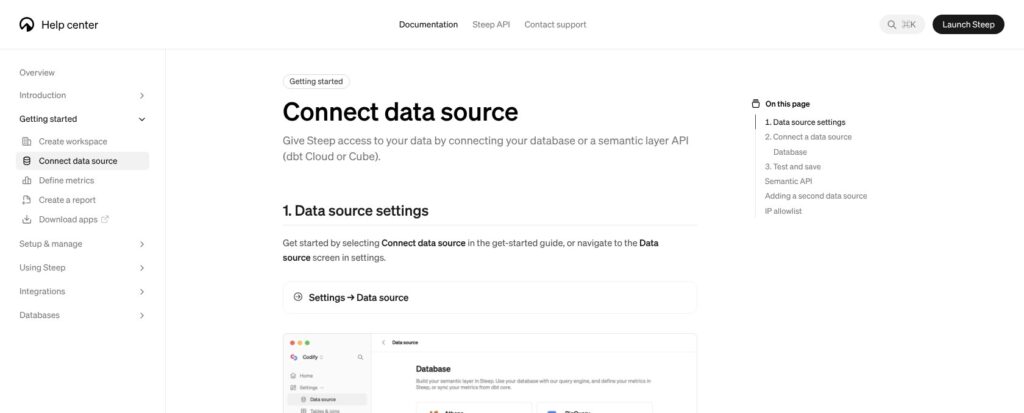
Settings > Data source takes a database, a semantic-layer API or both:
- Databases: Athena, BigQuery, Databricks, MySQL, PostgreSQL, Redshift, Snowflake, SQL Server and Synapse SQL
- Semantic-layer APIs: dbt Cloud (v1.6 or later, on a Team or Enterprise plan) and Cube Cloud
- Network: allowlist Steep’s outgoing IP, 34.78.69.173, for any database that isn’t public, which usually means MySQL, PostgreSQL, Redshift, SQL Server and Synapse SQL
Snowflake takes the most prep: Steep’s setup script creates a STEEP role, a service user, a network policy for 34.78.69.173/32 and a programmatic access token, and the form then asks for the account identifier, database, user and token. A database and a semantic-layer API can be connected at the same time, so a dbt Cloud shop can keep its MetricFlow metrics while adding native ones. Clicking Continue tests and saves the connection and shows any error in the form.
Defining the First Metric
New Metric opens a template picker with seven options: Sum, Count, Ratio, Derived Ratio, Unique count, Custom value and Custom ratio. Each metric needs five fields: an identifier that stays stable if the name changes, a table, a value column, a time column and a name. A metric gets exactly one time dimension and any number of categorical ones, and reports group it daily, weekly or monthly. I’d check the preview and the generated SQL, refresh after each change, then save so the metric is available workspace-wide.
Reviewer’s Notes: The Snowflake access token is valid for 365 days and shown only once. I’d store it in a password manager the moment it appears and put the rotation date in the team calendar, because Steep’s Snowflake connection runs on that token.
Steep’s Semantic Layer: Metrics, Modules and Entities
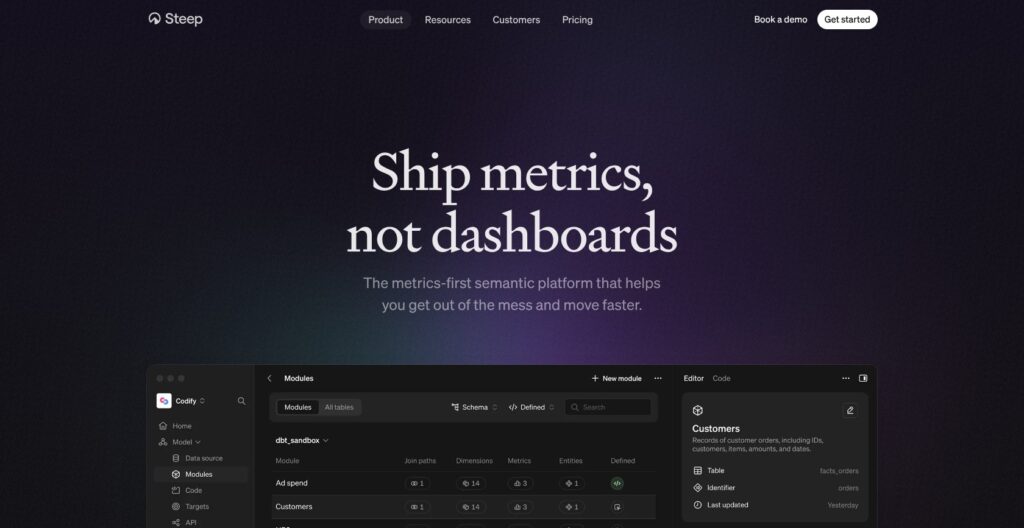
Steep generates SQL from its semantic model, runs it in your warehouse, and caches only the aggregated results, in its backend and in each client app. Every workspace defaults to a 4-hour cache. On Business and Enterprise, admins can set cache times per metric or entity, and Steep suggests 8 hours for daily-loaded data and 15 minutes for data that changes often.
Modules, Joins and Entities
Modules hold tables and the join paths between them; Steep renamed the feature from Semantic graph in November 2025. Entities, added in December 2024, give row-level drill-down from a metric to the records behind it, and since October 2026 they can show images. Targets attach directly to metrics, and since August 2026 they also show in big-number blocks.
Defining Metrics in Code
Since November 2025, modules, metrics, dimensions and join paths can live as YAML in a GitHub repository connected under Model > Code. A push to main makes Steep validate the files, update the model and refresh the metric cache. The July 9, 2026 release extended code to entities, derived metrics, slices, cohorts, targets and access policies, so the whole model can be code-first with Git as the source of truth.
Syncs are transactional: a failed sync rolls back, malformed YAML errors out, and duplicate module identifiers are rejected. UI and code definitions can be mixed, which lets analysts keep the editor while engineers review pull requests. GitHub is the only Git provider named, where Lightdash syncs with GitHub, GitLab, Azure DevOps and Bitbucket.
Bringing dbt or Cube Metrics
Metrics from the dbt Semantic Layer execute in dbt Cloud and Cube metrics execute in Cube, not in Steep’s engine, and both can sit next to native Steep metrics. Neither auto-syncs, so definition changes need a manual sync in Settings or a call to Steep’s semantic-layer-syncs API endpoint. Cube views become metrics only when they have exactly one time dimension. That makes Steep a credible front end for a team already invested in the dbt Semantic Layer or Cube, not only a replacement for them.
Exploring Metrics, Reports and Slack Subscriptions
Every Steep metric lives in a catalog with named owners, and users explore by picking a metric, a time grain and a breakdown instead of writing SQL. Reports are built from chart and text blocks, and dropping one block beside another makes two columns. Releases since June 2025 added:
- Tables (September 2026): multiple metrics, breakdowns, comparisons, targets and totals in one table
- Pivot and cohort drill-downs (August 2026): click from a table cell through to the rows behind the number
- Images and files (August 2026): images and files placed inside the report
- Maps and color themes: maps since June 2025, themes since September 2026
Slack subscriptions post a PDF and a live link daily, weekly or monthly, but only to public channels, and I found no email delivery option. An admin connects Slack once under Settings > Integrations, and anyone with access to a report can subscribe a channel to it, though reports with private metrics require access to every metric first. Reports can be shared with individuals, teams or the whole workspace, yet external viewers must be workspace members, with no embedding option and public links only on Steep’s roadmap. Metabase Pro includes embedding and Cube Premium ships embedded dashboards, so client-facing analytics belong with them.
Juni says its data requests fell 70% after it replaced Metabase with Steep, and CDON says company-wide adoption took two weeks after leaving Tableau. Both are the customers’ own figures, so I’d treat them as best cases.
Steep AI, the API and the MCP Server
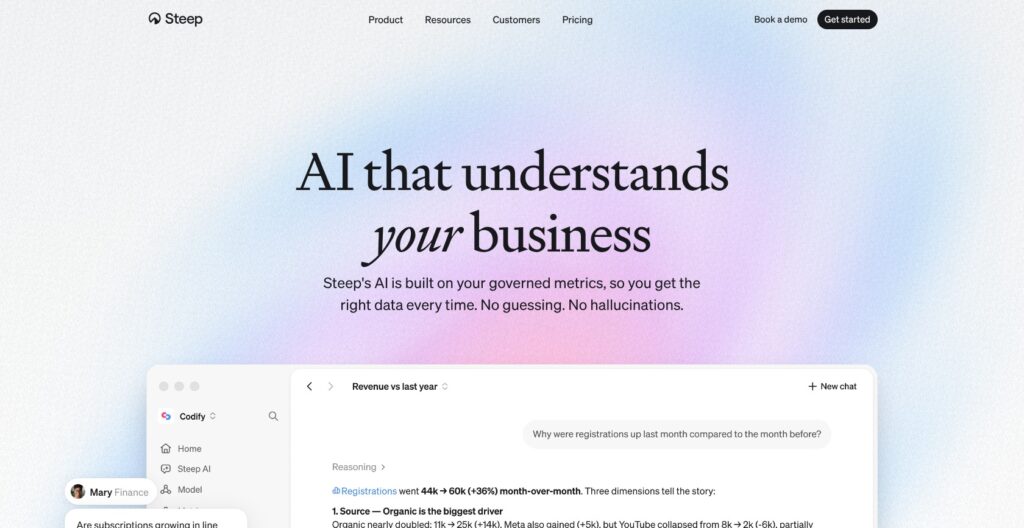
Steep AI, launched on March 31, 2026, answers questions with charts, tables or text grounded in the semantic model rather than raw tables. It runs on Anthropic models, admins pick a US or EU processing region in Settings > Steep AI, and customer data is not used for training. Since July 2026 it builds reports, and since August it accepts image, PDF and text uploads, in the US region only. It can’t answer questions about entities or about the help center, and its answers are only as good as the metric definitions behind them.
The Steep API arrived in January 2026 with ApiKey authentication and covers:
- Metrics: list, search, get and query, with the generated SQL returned
- Entities, modules, targets, members and teams: read access to the rest of the model
- Semantic-layer syncs: trigger dbt or Cube refreshes from a pipeline
- Reports (July 2026): added alongside Bearer auth, multiple keys with their own permissions, confidential OAuth clients and rate limits tiered by plan
The hosted MCP server at https://mcp.steep.app/mcp launched in May 2026 and signs each member in through OAuth, so an agent sees only what that member can see. It browses the metric catalog and queries metric and target data from Claude, Claude Code, ChatGPT (through its app store), Cursor, Codex, Gemini Enterprise and VS Code. In Claude Code, setup is one line: claude mcp add --transport http steep https://mcp.steep.app/mcp.
Instabee Group says it feeds the API into an internal AI assistant across 300+ metrics and 400K+ monthly queries. Cube’s free tier also ships an MCP server, and Lightdash has its own MCP and AI agents, so Steep’s edge is the business-friendly metric catalog behind the protocol, not the protocol itself.
Governance, Security and Vendor Risk
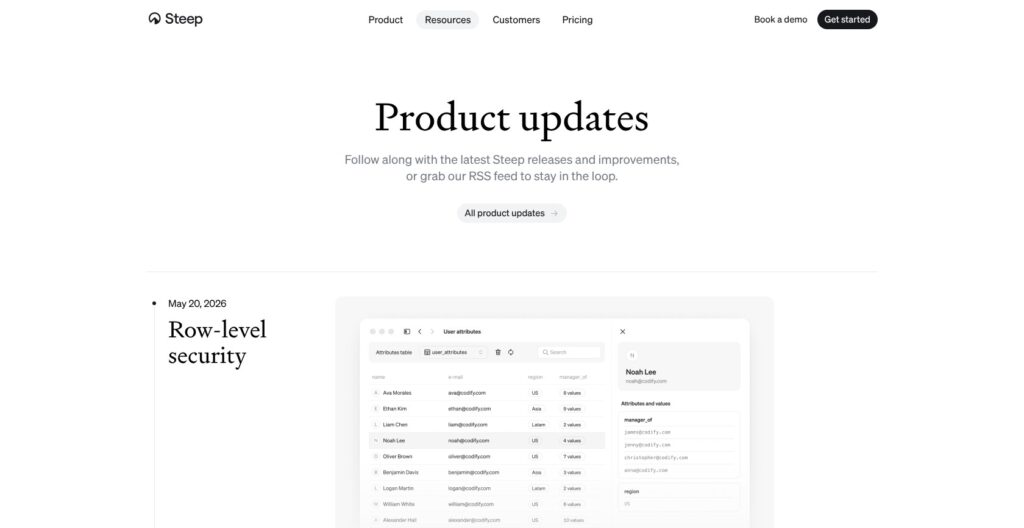
Row-level security arrived on May 20, 2026 and is Enterprise-only. Admins point Steep at a user-attribute table, then attach access policies to modules that filter by member email or custom attributes; multiple policies combine with AND, admins still see all data, and the rules apply in Explore, reports and Steep AI. API-key requests are not filtered (OAuth and Bearer requests are), and restricted charts show “Could not load data” in Slack PDFs.
Below Enterprise, control rests on admin rights, plus private metrics and private teams on Business. Business also adds SAML SSO through Okta or Azure AD, and Enterprise adds SCIM directory sync and advanced permission controls. Steep runs on Google Cloud in European data centers with AES-256 at rest, TLS 1.2 or later in transit, SSO-only login, daily encrypted backups and Anthropic as its LLM subprocessor. It acts as a GDPR data processor with a DPA, but it claims no SOC 2 or ISO certification.
Steep Analytics raised a EUR 1M pre-seed in October 2022 and a EUR 4M seed led by Connect Ventures in July 2024, and it doesn’t publish headcount. My exit plan would rest on the YAML model in Git and Steep’s claim to be OSI ready.
How Does Steep Compare to Competitors?
Steep charges $15 a seat with no platform fee, a rate only Power BI Pro undercuts at $14 per user; its rivals win on openness, warehouse breadth, embedding or headless reach.
- Lightdash: best for dbt-native teams that want open source. It has an open-source self-hosted edition, Cloud Pro costs $3,000 a month with unlimited users, it supports ClickHouse, DuckDB and Trino, and it syncs with four Git providers. Embedding is a paid add-on.
- Holistics: best for analyst teams that want code-modeled BI with Git version control. It starts at $800 a month billed yearly with 10 users included, and SAML and SCIM need the $2,000 tier.
- Metabase: best for general-purpose BI with embedding. The open-source edition is free, and Pro at $575 a month for 10 users adds embedding, SSO and row and column permissions, though it isn’t built around a governed semantic layer.
- Cube: best as a headless layer feeding many apps. The free tier includes an MCP server, Starter costs $40 and Premium $80 per developer per month, and Steep plugs into it as a front end.
- dbt Semantic Layer: best for teams standardizing on MetricFlow. Starter costs $100 per user per month with 5 developer seats, and it has no front end of its own.
- Power BI Pro: best for Microsoft estates at $14 per user per month, though modeling happens in DAX datasets rather than a metrics catalog.
- Looker: best for enterprises committed to LookML on Google Cloud, with quote-only pricing and an annual commitment.
Hex acquired Hashboard on April 30, 2025, keeps it live for existing customers and steers new ones to Hex, so I wouldn’t shortlist it for a fresh evaluation.
| Tool | Starting price | Pricing model | Open source | Best for |
|---|---|---|---|---|
| Steep | $15/seat/month, free up to 3 seats | Per seat | No | Company-wide metrics catalog |
| Lightdash | $3,000/month Cloud Pro, open-source self-host | Flat fee, unlimited users | Yes | dbt-native teams |
| Holistics | $800/month billed yearly | Platform fee plus users after 10 | No | Code-modeled analyst BI |
| Metabase | Free open source, Pro $575/month for 10 users | Platform fee plus users | Yes | General BI with embedding |
| Cube Cloud | Free tier, $40/developer/month | Per developer | Core is open source | Headless semantic layer |
| dbt Semantic Layer | $100/user/month Starter | Per developer seat | MetricFlow | Code-first metrics in dbt |
Pick Steep if business users need one metrics catalog at a per-seat price on a supported warehouse; pick Lightdash if you need open source, ClickHouse or DuckDB, or hundreds of viewers on one flat fee.
How I Reviewed Steep
I judged Steep on five areas: pricing and plan gating, semantic-layer depth, self-serve exploration and reporting, AI and API access, and governance and vendor risk.
For pricing, I worked out the cost at different seat counts on every plan and set it against Lightdash, Holistics, Metabase, Cube, dbt Cloud and Power BI. For the semantic layer, I traced the setup path and warehouse requirements, metric definitions in the app and in YAML, and how dbt and Cube metrics run inside Steep. I also weighed exploration and reporting, Steep AI, the API and MCP scope, row-level security behavior, the security posture and Steep’s funding history.
This is not a hands-on performance test, so I make no claims about query speed or AI answer quality on my own data.
Prices current as of October 2026.
Should You Choose Steep?
Yes, if you run a company of roughly 10 to 120 people on one of Steep’s nine supported databases and want a governed metrics catalog for everyone at $15 to $25 a seat, which stays below Lightdash Cloud Pro’s flat $3,000 a month up to 120 Business seats. It also fits teams already on dbt Cloud or Cube that need a business-friendly front end and an MCP endpoint for AI agents, since Steep runs those metrics in place and lets Claude or ChatGPT query them under each member’s permissions.
Skip it if you need embedded or public dashboards (Metabase), open-source self-hosting or ClickHouse and DuckDB (Lightdash), row-level security without an Enterprise contract, or SOC 2 paperwork for procurement. Pro also stops at 80 metrics, so a busy catalog pushes you to the $25 Business seat sooner than the entry price suggests.
My next step would be the free 3-seat workspace with demo content, then one warehouse connection and a first batch of contested metrics before inviting anyone else.
FAQs
Is Steep free?
Yes, for up to 3 seats. The free plan gives a small data team Pro features, including unlimited reports, the native semantic layer and up to 80 metrics, plus 1,000 AI credits, and sign-up needs no credit card. More seats move you to Pro at $15 per seat.
How much does Steep cost?
Steep Pro costs $15 per seat per month billed yearly or $18 billed monthly, Business costs $25 or $30, and Enterprise is custom. There are no cheaper viewer licenses, so every seat costs the same, and volume discounts are available on request. See How Much Does Steep Cost? above for the full table.
Which databases does Steep support?
Steep supports nine databases: Athena, BigQuery, Databricks, MySQL, PostgreSQL, Redshift, Snowflake, SQL Server and Synapse SQL. It also connects to the dbt Cloud Semantic Layer API (v1.6 or later) and Cube Cloud, and a database and a semantic-layer API can be connected at the same time. ClickHouse, DuckDB, MotherDuck and Trino are not on the list.
Does Steep work with dbt?
Yes. Steep connects to the dbt Semantic Layer on a dbt Cloud Team or Enterprise plan, using an environment ID, host and service account token. Those metrics run in dbt Cloud, sync on first connection, then sync manually or through Steep’s API, and they can sit beside native metrics. Teams without dbt Cloud can keep native metrics as YAML in GitHub instead.
Is Steep AI safe for company data?
Steep AI runs on Anthropic models, admins choose a US or EU processing region, and customer data is not used for training. It answers from the semantic model rather than raw tables, and through the MCP server an agent sees only what the signed-in member can see. Row-level security, which also filters AI answers, is Enterprise-only, and file uploads are processed in the US region only.