
Editor’s note: This Firebolt review covers the pricing model, documented product behavior, the path from the $200 trial credit to a running engine and the free self-hosted Firebolt Core, as sold in October 2026; it is not a hands-on performance test. I weigh pricing transparency, setup effort, openness and exit costs, governance and development momentum.
Quick verdict: I recommend Firebolt for engineering teams on AWS that serve dashboards or APIs to customers and need predictable sub-second SQL at high concurrency. The speed depends on per-table index design, and concurrency auto-scaling, PrivateLink and HIPAA support need Enterprise at $0.35 per FBU-hour, not Standard’s $0.23.
Key Takeaways
- Engines bill per second from $0.92 an hour (one S compute-optimized node, Standard, US), and storage costs about $27 per TiB-month.
- New accounts get a $200, 30-day credit with no card, and self-hosted Firebolt Core is free under the Elastic License 2.0.
- A bare CREATE ENGINE starts two M storage-optimized nodes at $7.36 an hour, burning the $200 credit in about 27 hours.
- The managed service is AWS only (six regions), with no native cross-region disaster recovery and no PCI-DSS or FedRAMP compliance.
- Six index types drive the speed; Iceberg reads, COPY TO S3 and a Postgres-compatible dialect keep exit costs low.
In the Panoply directory, Firebolt sits under Cloud warehouse next to Snowflake and BigQuery, but competes as often with ClickHouse on low-latency serving.
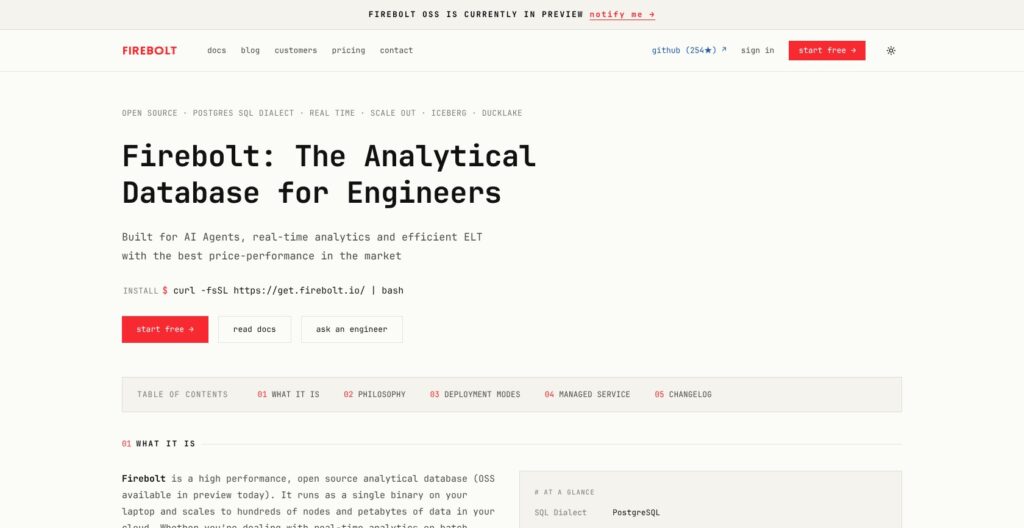
In this review, I’ll take a closer look at Firebolt’s pricing, engines, indexes, lakehouse and AI features and the free Core edition.
Firebolt Pros and Cons
Pros
- Per-second engine billing with no stated minimum, and engines auto-stop after 20 idle minutes by default.
- Public node prices from $0.92 an hour, with storage passed through at about $27 per TiB-month and no markup.
- $200 trial credit with no card, plus Firebolt Core free to self-host with no usage limits.
- Six index types and transactionally consistent result caching aimed at repeated dashboard queries.
- Iceberg catalog reads, COPY TO S3 in Parquet and a Postgres-compatible dialect keep exit costs low.
Cons
- Speed depends on choosing primary and aggregating indexes per table, so ad hoc BI gains less.
- Concurrency auto-scaling, PrivateLink and HIPAA support need Enterprise, which costs 52 percent more per FBU.
- Managed service is AWS only, six regions, no native cross-region disaster recovery.
- Smaller ecosystem: no Fivetran destination, dbt Cloud only through the Postgres adapter, Airflow 2.x only.
How Much Does Firebolt Cost?
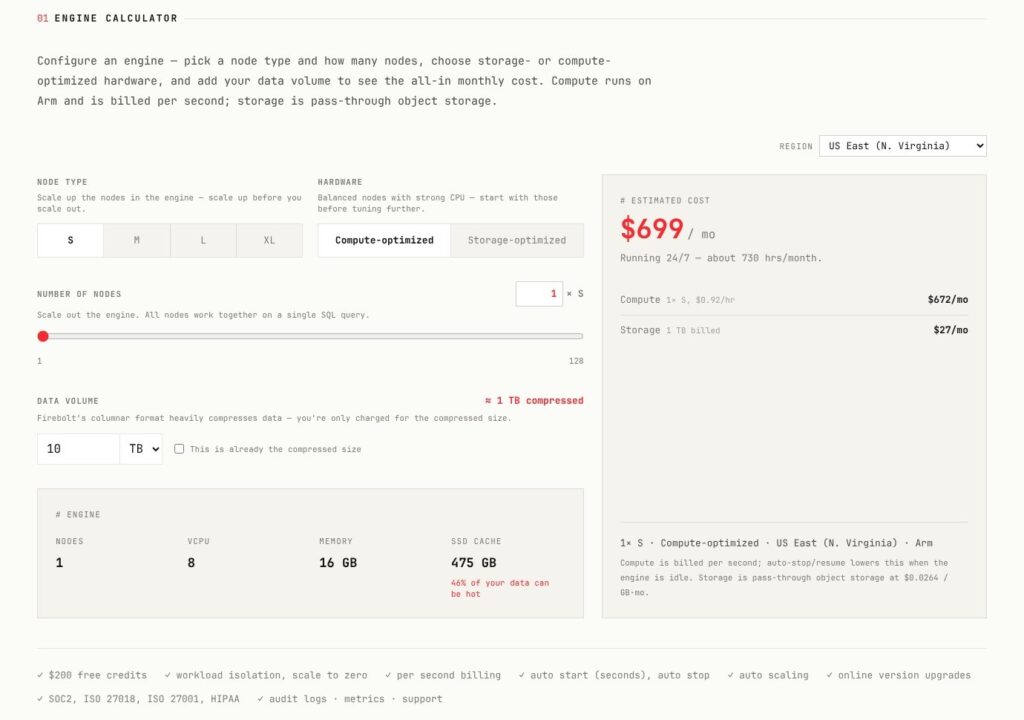
Firebolt pricing meters compute in Firebolt Units (FBUs) per node-hour, at a rate set by edition and region, and bills it per second; storage is billed separately at pass-through S3 cost. An S node burns 4 FBUs an hour on the compute-optimized family and 8 on storage-optimized, and each size up doubles that.
- Standard ($0.23 per FBU-hour in US regions): for teams that need one engine cluster per workload, with SSO, MFA, RBAC and audit logs, plus business-hours support with a 4-hour Sev1 first response.
- Enterprise ($0.35 per FBU-hour in US regions): adds multi-cluster engines with concurrency auto-scaling, warmpools for S and M storage-optimized engines, AWS PrivateLink (public preview), HIPAA compliance support and 24×7 premium support with a 30-minute Sev1 first response.
- Dedicated (quote only): single-tenant infrastructure with no resource sharing.
- Firebolt Core (free): the self-hosted engine; you pay for your own infrastructure and get community support.
Non-US regions (Frankfurt, Ireland, Singapore and Mumbai) cost $0.28 per FBU-hour on Standard and $0.42 on Enterprise, 22 and 20 percent above the US rates. Committed-use discounts are prepaid FBU credits negotiated with sales, with no public percentage, and invoices run monthly through AWS Marketplace.
| Node (per node-hour, US) | Specs (compute-optimized) | Standard, compute-optimized | Standard, storage-optimized | Enterprise, compute-optimized | Enterprise, storage-optimized |
|---|---|---|---|---|---|
| S | 8 vCPU, 16 GB RAM, 475 GB SSD | $0.92 | $1.84 | $1.40 | $2.80 |
| M | 16 vCPU, 32 GB RAM, 950 GB SSD | $1.84 | $3.68 | $2.80 | $5.60 |
| L | 32 vCPU, 64 GB RAM, 1,900 GB SSD | $3.68 | $7.36 | $5.60 | $11.20 |
| XL | 64 vCPU, 128 GB RAM, 3,800 GB SSD | $7.36 | $14.72 | $11.20 | $22.40 |
Storage-optimized is the default family and gives an S node 64 GB of RAM and a 1,875 GB SSD. Compute-optimized costs half and carries the smaller cache, so it suits dashboards whose hot data fits in 475 GB per S node.
Storage costs $27.07 per TiB-month in us-east-1, us-west-2 and eu-west-1, rising to $29.43 in Singapore and Mumbai. It is billed on compressed data including indexes, and deleted data stays billable for a fixed 7 days.
What an Engine Costs in a Month
| Setup (US regions) | Hours | Compute cost |
|---|---|---|
| 1x S compute-optimized, Standard, always on | 730 | $672, plus $27 for 1 TB of storage: the $699 a month Firebolt’s calculator shows by default |
| 1x S compute-optimized, Standard, 8 hours on 22 weekdays | 176 | $161.92 |
| 1x S compute-optimized, Enterprise, always on | 730 | $1,022 |
| Default CREATE ENGINE (2x M storage-optimized), Standard, always on | 730 | $5,372.80 |
The $200 credit buys about 217 hours on the cheapest S node but only about 27 hours on the default engine. Snowflake’s X-Small warehouse costs $2.00 an hour on Standard (1 credit) and bills a 60-second minimum every time it resumes, where Firebolt states no minimum. ClickHouse Cloud starts new accounts on $300 of credit against Firebolt’s $200.
Is Firebolt Good Value for Money?
- Good fit: a dashboard or API engine that fits on 1x S compute-optimized at $0.92 an hour, billed only while it runs.
- Less convincing fit: sporadic ad hoc analysis by many analysts, where BigQuery’s $6.25 per TiB with the first TiB free each month needs no engine sizing.
- Budget priority: concurrency auto-scaling and HIPAA push you to Enterprise at $0.35 per FBU-hour, 52 percent above Standard, so price the Enterprise column before you design around clusters.
Reviewer’s Notes: Start on Standard in a US region with a 1x S compute-optimized engine and AUTO_STOP left at 20 minutes or shorter, then spend the $200 credit loading your real tables and indexes. Move to Enterprise only when you need more than one cluster per engine, PrivateLink or a BAA. A 20-minute idle tail on that node costs about $0.31, so auto-stop is cheap insurance while you test.
Getting Started With Firebolt on the $200 Credit
Signing Up
You register at go.firebolt.io/signup with a business email (no Gmail or Outlook), since the organization name comes from your email domain. You pick the first account’s region, activate from the email, wait for approval (Firebolt says a couple of minutes) and set a password.
The $200 credit is valid for 30 days and needs no card; after that, engines need an AWS Marketplace billing account under Configure > Billing > Connect to AWS Marketplace. An organization holds accounts (one region each) that hold databases and engines, while billing and SSO sit at organization level.
Creating a Database and an Engine
The Develop Space (the </> icon) holds the SQL editor and engine list. CREATE DATABASE and CREATE ENGINE run on the always-available system engine, while index builds and loads need an engine of your own. In the UI dialog or in SQL, I’d spell out every setting:
CREATE ENGINE dashboards WITH TYPE="S" FAMILY="COMPUTE_OPTIMIZED" NODES=1 AUTO_STOP=20;A bare CREATE ENGINE defaults to TYPE M, storage-optimized, two nodes, AUTO_START true, AUTO_STOP 20 minutes and START_IMMEDIATELY true, so it bills $7.36 an hour on Standard US from the moment its endpoint accepts queries until it stops. Snowflake offers T-shirt warehouse sizes from an X-Small at 1 credit an hour; Firebolt makes you pick node type, family and count: more work, more control.
Loading Data
- Load data wizard: the (+) next to Databases opens it: pick or create an engine, connect AWS (public bucket URL, static keys or IAM role ARN) or toggle the Firebolt Playground bucket for the Ultra Fast Gaming sample, then review the inferred schema and generated SQL before it runs.
- SQL:
COPY INTO tutorial FROM 's3://...' WITH HEADER = TRUE;creates the table and infers the schema. COPY FROM takes CSV, TSV and Parquet, and READ_PARQUET, READ_JSON, READ_AVRO and READ_ICEBERG query files in place.
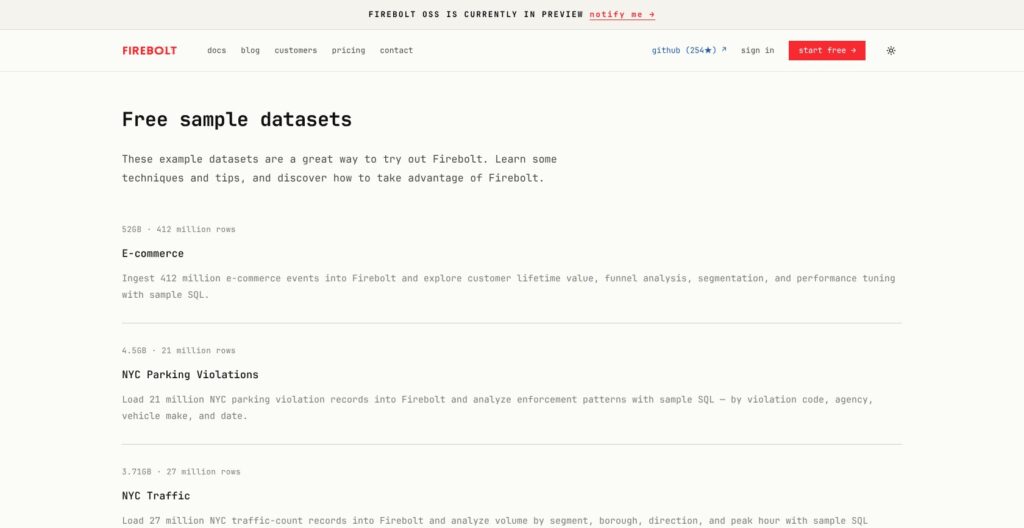
Firebolt warns that querying external tables directly is significantly slower, so load hot data into managed tables. The 52 GB, 412-million-row E-commerce sample, largest of six free datasets, suits index tests.
Running Queries and Watching the Meter
The first query wakes a stopped engine through AUTO_START, and information_schema.engine_metering_history shows hourly FBU use per engine for about 30 days. The engine_query_history view keeps only the latest 10,000 queries, so export both.
The Firebolt Agent (SQL generation and Fix with AI) is in preview and off until an org admin enables it, and unsaved scripts live in about 5 MB of browser storage.
Reviewer’s Notes: The Load data wizard’s help text quotes $0.35 per FBU, the Enterprise rate; Standard accounts pay $0.23. Set FAMILY and NODES on day one, because the default engine would spend the credit in about 27 hours.
Engines and Concurrency: How Firebolt Scales
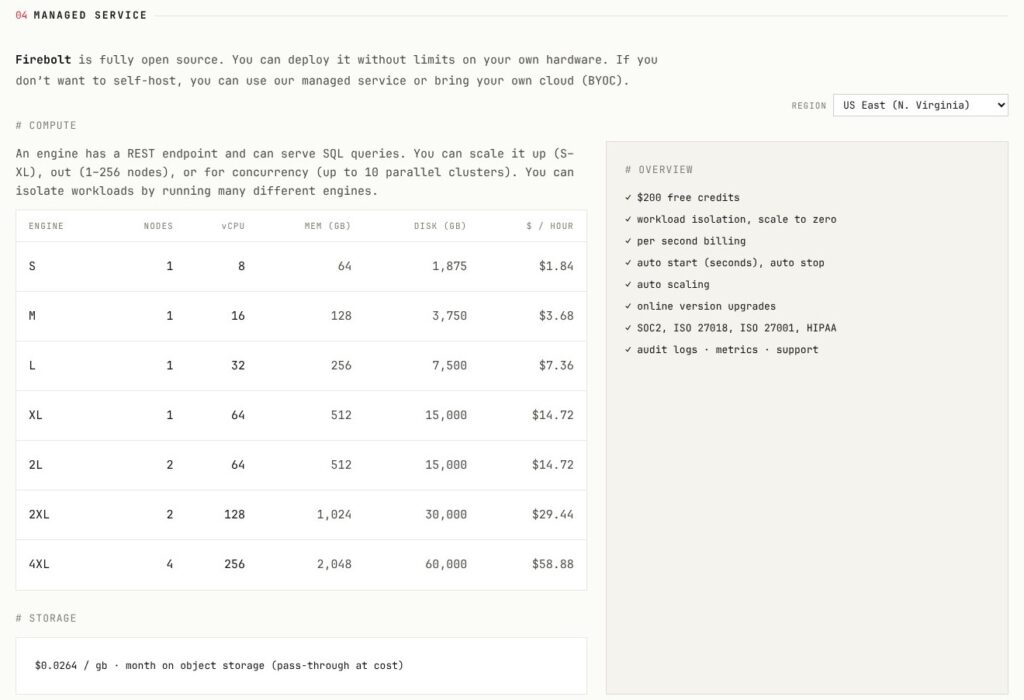
An engine is one or more identical clusters, defined by node TYPE (S, M, L or XL), FAMILY, NODES per cluster and cluster count. Engines are decoupled from databases and every engine can write, so ingest, ELT and dashboard serving can run on separate engines over the same tables, the best idea in Firebolt’s design.
ALTER ENGINE scales an engine online:
- Vertical: change TYPE or FAMILY.
- Horizontal: change NODES per cluster.
- Concurrency: add clusters through MIN_CLUSTERS and MAX_CLUSTERS.
During a resize, new clusters come up while old ones finish their queries, and both bill during the overlap.
- Auto-scaling: Enterprise only; clusters change one at a time, with one added when CPU passes 90 percent, RAM 70 percent or queue time 3 seconds, and a 1-minute stabilization window.
- Size caps: NODES accepts 1 to 128, but S and M engines are limited to two clusters, ten nodes per cluster and 15 nodes in total, and L and XL engines to one node and one cluster, until Firebolt support lifts the limits.
- Cold starts: warmpools of pre-provisioned machines exist only for S and M storage-optimized nodes on Enterprise. Standard accounts and all compute-optimized engines provision fresh machines from AWS, so starts take longer; Firebolt guarantees no start time, and a start can fail if AWS lacks capacity. New clusters start with cold caches until automatic cache warmup fills them.
The 1x S compute-optimized engine I recommend therefore starts cold after every auto-stop on Standard. For customer-facing dashboards where the first query after idle matters, keep it running through business hours (8 hours on 22 weekdays, $161.92 a month) or accept a slower first query.
ClickHouse Cloud separates workload compute only from its Scale tier ($0.2985 per unit-hour) up; every Firebolt edition isolates engines.
Best for teams that can give each workload its own engine; skip Standard if you need clusters added automatically under load.
Indexes and Caching: Where Firebolt’s Speed Comes From
Every Firebolt table has a primary index: the table’s sort order plus a sparse index with one key sample per granule (8,192 rows by default), not a uniqueness constraint. Order its columns from most to least frequently filtered, low-cardinality first, and filter on the column directly, because WHERE k = 5 prunes granules and WHERE k + 1 = 6 does not.
An aggregating index stores partial aggregate state for a GROUP BY, so one index can serve several query shapes:
CREATE AGGREGATING INDEX sales_agg ON sales (product_id, region, SUM(amount), COUNT(DISTINCT order_id));Queries stay written against the base table, and the optimizer rewrites them to the index when the grouping keys and aggregates can be derived from it, including coarser groupings. The index updates in the same transaction as the table, so it is never stale, and EXPLAIN shows the match. You pay with slower INSERT, UPDATE and DELETE, and the index does nothing for GROUP BY shapes that keep changing.
Firebolt maintains six index types automatically as data changes:
- Primary: sort order plus a sparse index.
- Aggregating: precomputed partial aggregates.
- Data skipping: min and max values per granule.
- Inverted: Roaring-bitmap posting lists.
- Full text: n-gram substring search.
- Vector: HNSW approximate nearest neighbor.
FireCache uses up to 20 percent of engine RAM for full results, join hash tables and subresults that a different query can reuse, and it invalidates entries when base tables change. DELETE and UPDATE are merge-on-read with deletion masks, transactions are ACID with snapshot isolation, and MERGE plus BEGIN and COMMIT exist. The dialect is a Postgres-compatible subset (no LEFT() or RIGHT(), use SUBSTR) with extensions such as pipe syntax and native JSON.
Firebolt itself calls the product a weaker fit for ad hoc analytics because indexing is predefined per table, and I agree. BigQuery has no indexes to design and charges $6.25 per TiB scanned, while Snowflake manages micro-partitions automatically and makes clustering keys optional. Firebolt’s own FireScale benchmark (March 2025) claims 8x better price-performance than Snowflake.
Iceberg, Streaming, AI and Integrations
Data Lake and Export
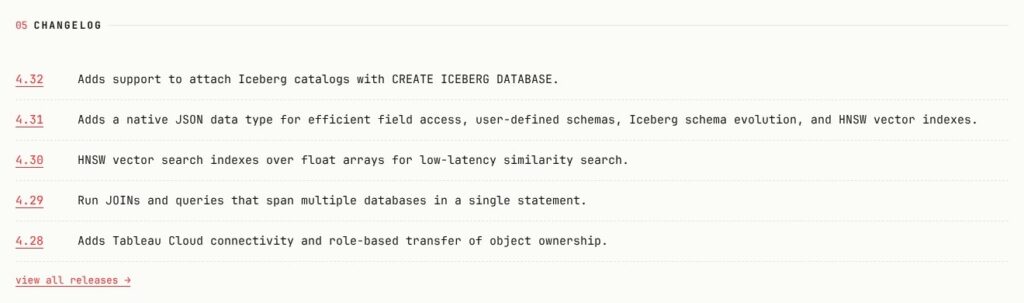
READ_ICEBERG queries Iceberg tables in place, and CREATE ICEBERG DATABASE (release 4.32) mounts a whole catalog: file-based, REST, Snowflake Open Catalog, Databricks Unity or AWS Glue. Writes are CREATE ICEBERG TABLE AS SELECT only, with no DML on Iceberg tables, and Delta Lake has no native support.
COPY (SELECT ...) TO 's3://...' unloads results as CSV, TSV, JSON or Parquet, to S3 only. Firebolt’s own advice is that managed tables beat Iceberg tables on price-performance, because they get more index types and compaction.
Streaming and AI
Kafka ingest with CREATE STREAM and READ_STREAM commits offsets inside the load transaction for exactly-once delivery, while CDC from Postgres and MongoDB is in private preview.
HNSW vector indexes (release 4.30) are queried with vector_search() and stay ACID-consistent with the table. AI_QUERY and AI_EMBED_TEXT call Amazon Bedrock from SQL against an account token budget that is zero until an admin sets it. An Apache-2.0 MCP server lets Claude, Cursor or GitHub Copilot run SQL against Firebolt.
Integrations
- dbt: the dbt-firebolt adapter, maintained by Firebolt, covers dbt Core only; dbt Cloud connects through the Postgres adapter and a service account.
- Ingestion: an Airbyte destination, Estuary, a Kafka sink connector, an Apache Airflow provider for Airflow 2.x (3.x not yet) and AWS Glue via JDBC, but no Fivetran destination.
- BI: Tableau (including Tableau Cloud), Looker, Power BI via ODBC, Superset, Preset, Metabase, QuickSight, Hex, Omni, Lightdash and ThoughtSpot.
- Drivers and SDKs: Python, Node.js, Go, JDBC, .NET, Rust, SQLAlchemy, ADBC and a REST API; the Postgres wire-protocol endpoint on the managed service is in preview.
Snowflake and BigQuery have native Fivetran destinations and first-party dbt Cloud adapters, while a Fivetran and dbt Cloud team needs Airbyte or Estuary for loading and the Postgres adapter for dbt to run on Firebolt. A dbt Core, Airbyte and Tableau stack fits Firebolt as is.
Firebolt Core and Where Firebolt Runs
Firebolt Core
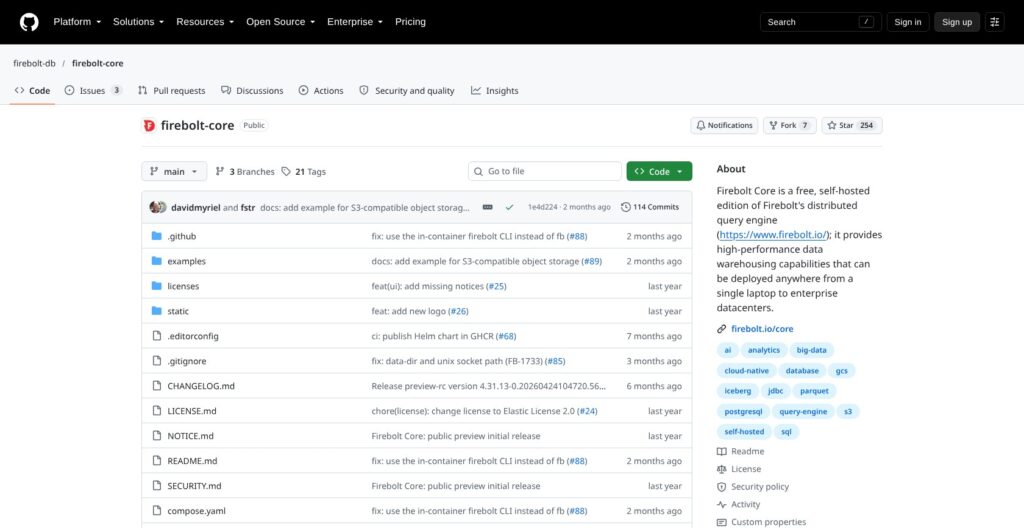
Firebolt Core, launched June 23, 2025, is a forever-free, self-hosted edition of the same engine with no usage limits. Its Elastic License 2.0 permits use, modification and redistribution but not a hosted service: source-available, not OSI open source.
Firebolt called Core closed-source at launch, yet its 2026 site calls Firebolt open source (OSS in preview, code access on request), so read the LICENSE before you build a product on it.
One line, curl -fsSL https://get.firebolt.io/ | bash, runs the engine in Docker on port 3473; multi-node runs on Docker Compose or on Kubernetes (Apache-2.0 Helm chart and operator, June 2026). Each node needs Linux kernel 6.1 or newer, with 16 GB RAM and 25 GB SSD recommended.
Weekly 5.0.0 pre-release builds have shipped since September 2026. Core’s READ_ICEBERG and READ_PARQUET accept only s3://, gs:// and file:// paths, so Azure Data Lake files (abfss://) are out of reach. A GitHub Action runs Core in CI to test SQL before it reaches managed engines.
Regions, Security and Compliance
The managed service runs on AWS only, in six regions (us-east-1, us-west-2, eu-central-1, eu-west-1, ap-southeast-1 and ap-south-1), with no native cross-region replication or disaster recovery. Self-managed deployments are GA on AWS and GCP and in preview on Azure.
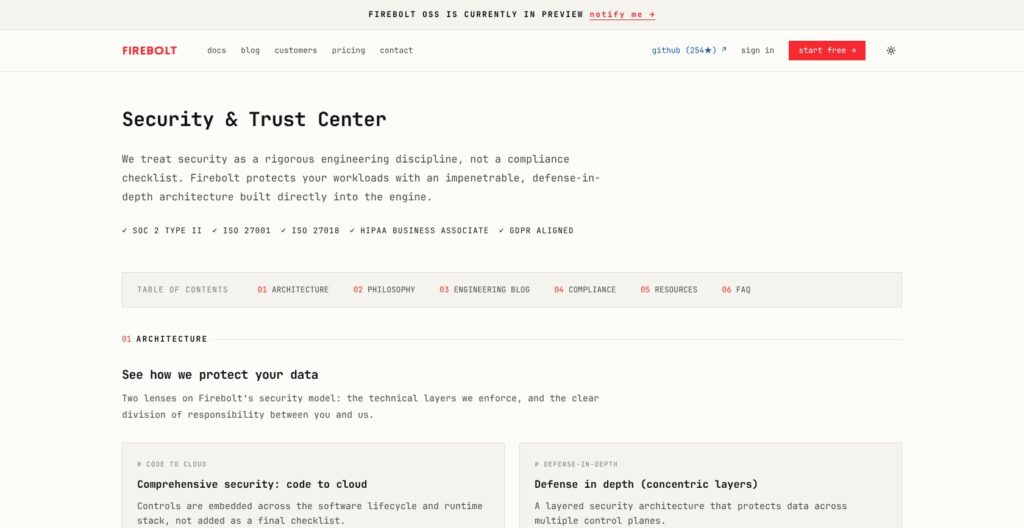
Firebolt holds SOC 2 Type II, ISO 27001 and ISO 27018, signs a HIPAA BAA on Enterprise and a GDPR DPA, but is neither PCI-DSS compliant (no card data) nor FedRAMP compliant. Controls include SAML SSO, MFA, RBAC down to column-level security, network policies and audit logs exportable to S3. Firebolt publishes support response-time commitments, and no uptime percentage is publicly documented.
Healthcare teams fit Firebolt Enterprise with its BAA, while card-data workloads belong on ClickHouse Cloud, which lists PCI on its Enterprise tier ($0.3903 per unit-hour), or on Snowflake.
How Does Firebolt Compare to Competitors?
Firebolt’s niche is customer-facing and high-concurrency SQL on AWS, served from isolated engines and billed per second.
- Snowflake: $2.00 per credit on Standard, $3.00 on Enterprise and $4.00 on Business Critical, where an X-Small burns 1 credit an hour, with a 60-second minimum per resume. It wins on ecosystem breadth, multi-cloud (AWS, Azure and GCP) and governed enterprise BI.
- BigQuery: $6.25 per TiB scanned, with the first TiB free each month and no engines to size. It wins for sporadic ad hoc analysis on Google Cloud.
- Amazon Redshift: Serverless costs $0.375 per RPU-hour from a 4-RPU base ($1.50 an hour), with managed storage at $0.024 per GB-month, and it pauses when idle. It wins for AWS shops that want IAM, S3 and Glue integration without a new vendor.
- ClickHouse: ClickHouse Cloud starts at $0.2181 per unit-hour on Basic, with storage at $25.30 per TB-month, $300 of credit and PCI on Enterprise at $0.3903. It wins for event and log analytics at raw scan speed, with an open-source server to self-host.
- Databricks: SQL Serverless costs $0.70 per DBU on AWS, cloud instances included, against $0.22 for SQL Classic on your own compute. It wins when BI shares a lakehouse with Spark and ML work.
- Apache Druid and Apache Pinot: open-source real-time OLAP engines with native Kafka ingestion, sold managed as Imply and StarTree. They win when events must be queryable the moment they arrive.
| Tool | Pricing unit | Entry list rate | Billing floor or free start | Self-hosted option | Wins for |
|---|---|---|---|---|---|
| Firebolt | FBU per node-hour | $0.92 per hour (1x S compute-optimized, Standard, US) | Per second, no stated minimum; $200 credit | Core (ELv2) | Per-second, isolated serving engines on AWS |
| Snowflake | Credit | $2.00 per credit (Standard) | 60-second minimum per resume | None | Ecosystem and multi-cloud |
| BigQuery | TiB scanned | $6.25 per TiB | First 1 TiB free monthly | None | Ad hoc analysis on Google Cloud |
| Redshift Serverless | RPU-hour | $0.375 per RPU-hour | 4-RPU base, $1.50 an hour | None | AWS-native BI |
| ClickHouse Cloud | Compute unit-hour | $0.2181 per unit-hour | $300 credit | Open-source ClickHouse | Log and event analytics |
| Databricks SQL Serverless | DBU | $0.70 per DBU | n/a | None | Lakehouse plus ML |
| Druid / Pinot | Your infrastructure | Open source | n/a | Yes | Streaming-first real-time OLAP |
Choose Firebolt over Snowflake for isolated AWS serving engines at $0.92 an hour billed per second, against a $2.00 X-Small hour with a 60-second floor, and Snowflake when you need Azure, GCP or PCI. Choose Firebolt over ClickHouse Cloud when you want a Postgres-compatible dialect and in-transaction aggregating indexes on AWS, and ClickHouse Cloud when you need an open-source server, PCI or the larger $300 credit.
How I Reviewed Firebolt
For this Firebolt review, I weighed the areas Panoply scores for every data tool: pricing transparency, openness and exit costs, setup effort, governance and development momentum.
I worked through the three managed editions and the per-node rate tables for both families and both region groups, priced four engine setups, and followed the documented path from signup and the $200 credit to a first engine, load and query. I mapped the engine, index and Iceberg behavior, checked Firebolt Core’s license and install requirements, and traced releases 4.28 to 4.32 plus Core’s 2026 pre-release cadence, comparing rivals at current list rates.
This is not a hands-on performance test, and speed figures in this review are Firebolt’s own claims, so weight the documented limits over any benchmark. Prices current as of October 2026.
Should You Run Your Customer-Facing Analytics on Firebolt?
Yes, if you are on AWS, serve dashboards or APIs to customers or hundreds of concurrent BI users, and can model primary and aggregating indexes for a known set of queries. You get per-second billing, isolated engines and a published price list, from $0.92 an hour for the smallest dashboard engine.
Skip it if your analysts write unpredictable ad hoc SQL, where BigQuery’s per-TiB model needs no tuning. Skip it too if you need Azure or GCP as a managed service, PCI (ClickHouse Cloud Enterprise or Snowflake) or FedRAMP, or Fivetran-loaded pipelines without adding Airbyte or Estuary.
Next action: open a trial at firebolt.io, create a 1x S compute-optimized engine instead of the default, load your largest real table or the 52 GB E-commerce sample, add the primary and aggregating indexes your top three dashboard queries need, and read engine_metering_history before the 30-day credit window closes. If you need multi-cluster scaling, ask sales for Enterprise and committed-use pricing in writing first.
FAQ
How much does Firebolt cost?
Firebolt Standard costs $0.23 per FBU-hour in US regions, so the smallest engine, one S compute-optimized node, runs $0.92 an hour, billed per second. Enterprise costs $0.35 per FBU-hour. Storage is about $27 per TiB-month, and the $699 a month on Firebolt’s calculator is its default of one always-on S compute-optimized node plus 1 TB.
Does Firebolt have a free tier?
There is no permanently free managed tier, but new accounts get $200 of credit, valid for 30 days with no card, after which engines need an AWS Marketplace billing account. Firebolt Core, the self-hosted edition, is free to run with no usage limits under the Elastic License 2.0, and you pay only for your own infrastructure.
Is Firebolt open source?
Not in the OSI sense: Firebolt Core is free under the Elastic License 2.0, which is source-available and bars offering it as a hosted service. Firebolt’s 2026 site calls the engine open source with the OSS release in preview, while the Helm chart, Kubernetes operator, SDKs and MCP server are Apache-2.0.
Is Firebolt faster than Snowflake?
Only on Firebolt’s own numbers: its FireScale benchmark claims 8x better price-performance than Snowflake on 1 TB of simulated web-traffic data. The gains depend on primary and aggregating indexes that match your queries, and Snowflake remains the broader platform. Run a pilot on your own queries before you trust the multiplier.
Does Firebolt run on Azure or Google Cloud?
Not as a managed service: managed Firebolt runs on AWS only, in six regions. Self-managed deployments are generally available on AWS and GCP and in preview on Azure. Firebolt Core’s file readers accept only s3://, gs:// and file:// paths, so it cannot read Azure Data Lake files at abfss:// addresses.