Editor’s note: This review assesses Redshift’s pricing, documented workflows, and practical trade-offs for teams choosing a cloud data warehouse.
Quick verdict: I recommend Amazon Redshift for SQL-capable teams whose data already lives in AWS. Its integration with the wider AWS stack is the strongest reason to choose it, but you still need someone who can manage permissions, data models, and spending.
My Amazon Redshift review weighs how much work staying within AWS actually saves your team. Serverless simplifies infrastructure management, but permissions, data modeling, and cost control still need an owner.
Key Takeaways
- Redshift is most appealing when your existing AWS setup gives you a head start with data access and administration.
- Serverless suits an initial evaluation; provisioned capacity deserves a closer look once your workload becomes predictable.
- RG clusters include a lake-query engine, changing the cost calculation for teams querying data in S3.
- Usage-based pricing needs active oversight. The lowest advertised capacity isn’t a reliable forecast of your bill.
- Zero-ETL integrations and AI-generated SQL reduce parts of the workload, but neither replaces sound data modeling.
In this review, I’ll take a closer look at costs, getting started, integrations, AI features, and the alternatives I’d consider before committing.
Amazon Redshift Pros and Cons
Pros
- Serverless removes cluster provisioning and adjusts compute capacity
- RG clusters query lake data without a separate Spectrum scan fee
- Supported zero-ETL integrations reduce replication pipeline work
- Data sharing gives teams access through separate warehouse compute
- Row-level permissions and dynamic masking support controlled access
Cons
- Storage and related services add to the compute bill
- Setup still involves AWS networking, permissions, and SQL
- Zero-ETL source restrictions and delays limit its usefulness
- AI-generated queries need someone who can check the results
How Much Does Amazon Redshift Cost?
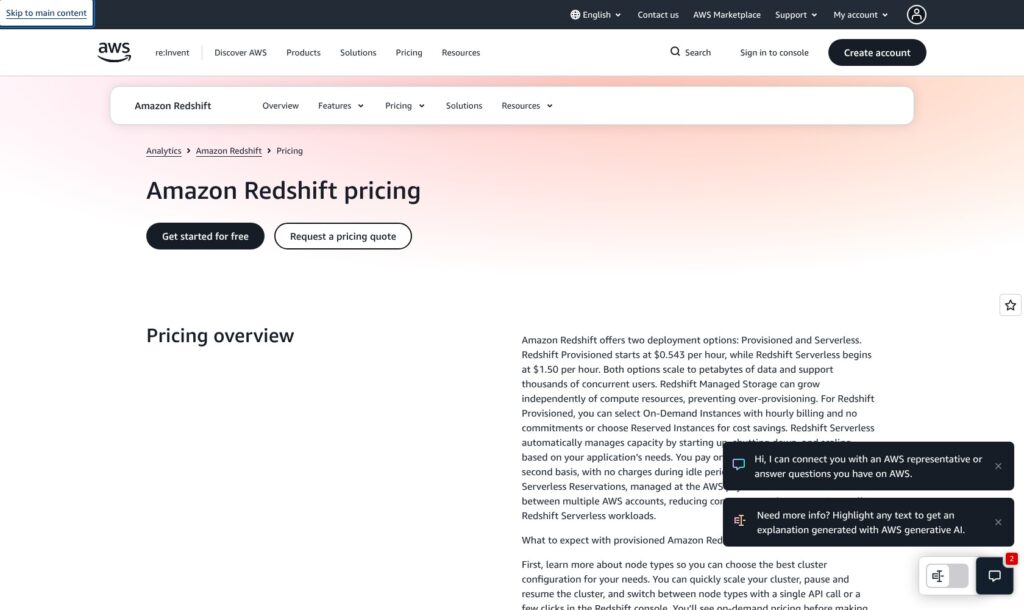
Redshift charges for capacity and usage rather than a simple monthly subscription. I like that flexibility for an uncertain workload, but it makes budgeting less comfortable than choosing a fixed plan.
- Serverless (from $1.50 per active hour): For evaluations or intermittent demand. That means 4 Redshift Processing Units (RPUs) at $0.375 per RPU-hour in N. Virginia.
- Provisioned (from $0.543 per hour): For sustained workloads; configuration determines your compute bill.
- Reserved capacity (commitment-based pricing): Consider it once you can forecast demand; committing too early can turn unused capacity into a recurring expense.
| Option | How compute is billed | Main budgeting concern | Who I’d recommend it to |
|---|---|---|---|
| Serverless on-demand | RPU usage, metered per second with a 60-second minimum | Scaling and activity can exceed your initial estimate | Teams establishing their usage pattern |
| Provisioned on-demand | Node-hours for the selected configuration | Capacity continues costing money while the cluster runs | Teams with sustained, measurable demand |
| Reserved capacity | Committed capacity, with excess Serverless usage charged on-demand | Commitments are payable even when underused | Teams with a dependable baseline |
Managed storage costs $0.024 per GB-month in N. Virginia: $2.40 for 100 GB. Backups, transfers, and connected services can add charges.
For illustration, exactly 4 RPUs running two hours on each of 22 days costs $66 in compute. With that storage, the total is $68.40 before other charges, assuming no scale-up. This is an example, not a monthly plan.
Is Amazon Redshift Good Value for Money?
I would judge value by the cost of getting dependable reports into people’s hands, including engineering time. A cheaper compute bill loses some appeal if moving away from your existing AWS setup creates more integration work.
- Good fit for variable demand: Serverless on-demand avoids compute charges when queries aren’t running, although stored data still costs money.
- Worth comparing for steady demand: Provisioned RG may suit a stable workload, but you need representative queries to size it sensibly.
- Easy to underestimate: Background activity and repeated queries consume capacity too. An apparently quiet dashboard doesn’t tell you everything about warehouse usage.
Serverless has separate controls for maximum capacity and maximum RPU-hour usage over a period. I would configure both before loading a serious workload, and decide what should happen when the usage limit is reached.
Reviewer’s Notes: Start with on-demand Serverless and explicit usage controls. I wouldn’t buy a long-term commitment until the bill reflects your real reporting schedule, including busy periods and data-loading activity.
Getting Started With Amazon Redshift
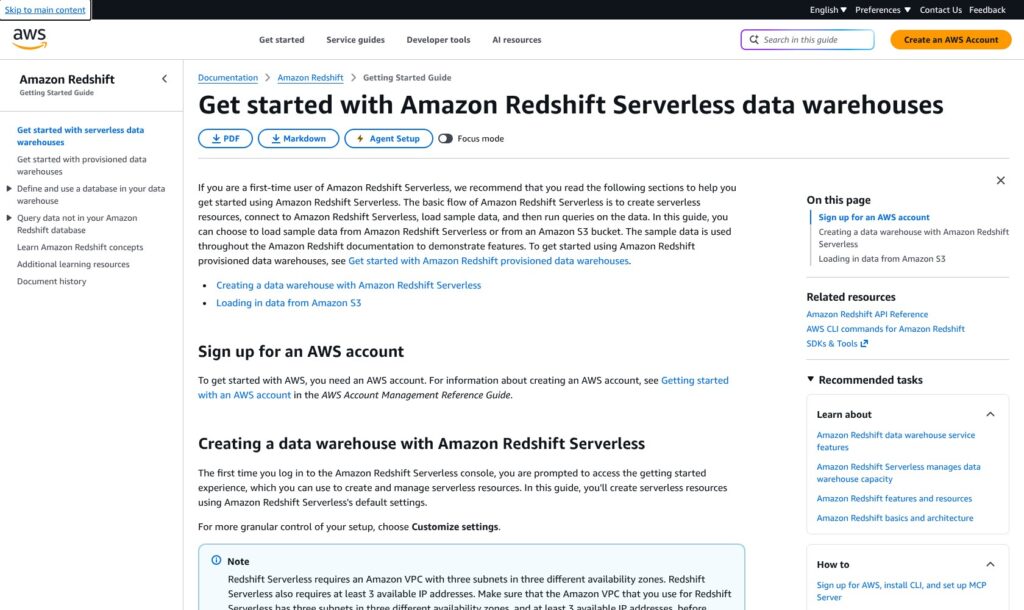
Serverless is my preferred entry point, but this is still an AWS administration task. If you’re expecting to upload a spreadsheet and immediately share polished dashboards, Redshift is a bigger project than you need.
The first concepts to understand are the namespace and workgroup. The namespace groups your database and storage resources; the workgroup handles compute and network settings. That separation is useful, although it gives a newcomer more to think about than a single “create database” button.
A sensible starting workflow is:
- Create a Serverless namespace and workgroup, choosing the appropriate network and access settings.
- Assign the IAM permissions needed to reach your data and decide who can use the warehouse.
- Review base capacity, maximum capacity, and usage limits.
- Connect through Query Editor v2 and begin with sample data or a small import from S3.
- Run representative SQL queries before connecting your reporting tools and expanding access.
I would keep the first project deliberately narrow. One useful report, with data you already understand, gives you a better basis for judging the warehouse than importing every available table at once.
What Serverless Doesn’t Handle for You
The lowest 4-RPU setting targets smaller workloads; it isn’t the default configuration to assume when estimating costs. Wide tables and memory-hungry queries can also make that setting a poor fit.
Query design still matters. Redshift automates parts of optimization and maintenance, but your joins, table layout, and workload choices continue to affect performance.
My biggest reservation for smaller teams is ownership. Someone still needs to understand why a report is slow, why access failed, or why consumption increased. If that person doesn’t exist, I would solve the staffing question before choosing the warehouse.
BigQuery deserves a look if your data and team already sit in Google Cloud. Moving clouds purely to gain a managed warehouse would need a much stronger justification for me.
Where Redshift Makes AWS Analytics Easier
Redshift’s best argument is the amount of useful work you can keep close to existing AWS data. I find that more persuasive than a headline speed comparison, because integration effort affects the whole project.
Zero-ETL Saves Pipeline Work, With Conditions
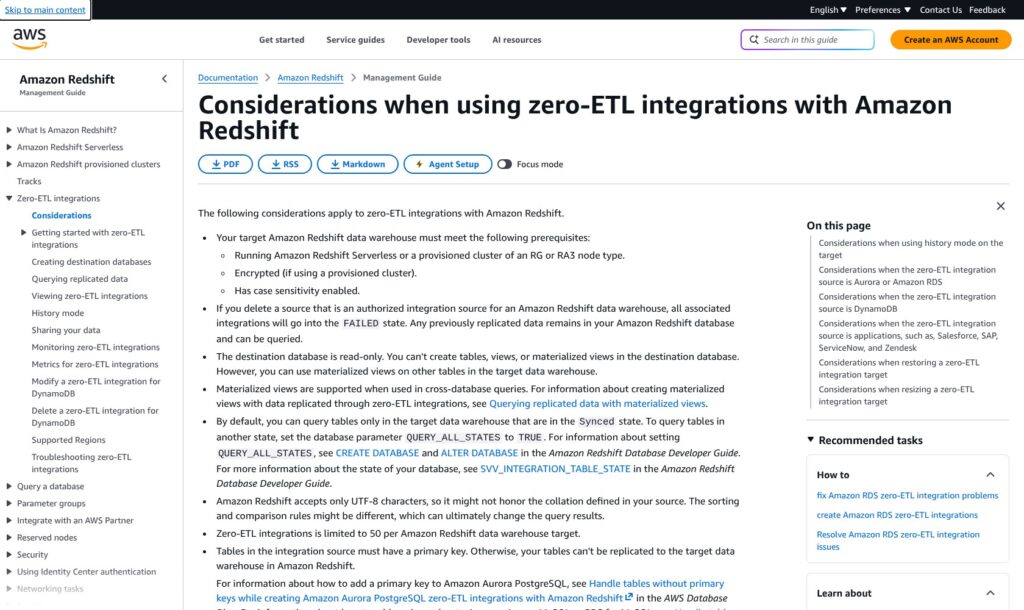
Supported zero-ETL integrations replicate operational data into Redshift without you building the entire replication pipeline yourself. For a team maintaining that plumbing today, this is a meaningful attraction.
The name needs some unpacking, though. Data isn’t transformed during replication, and the integration database is read-only. You still need to turn operational tables into something analysts can use.
Source requirements matter too. Tables need primary keys, and freshness varies: DynamoDB integrations have a minimum latency of 15 minutes, while application integrations have a minimum of one hour.
I would check the actual source against your reporting deadline before treating this as a reason to buy. An hourly refresh may be fine for a management report and unsuitable for an operational alert.
My recommendation is to put one representative source through a pilot. Include the tables and update patterns your business relies on, then assess whether the resulting data is ready soon enough and how much modeling remains.
RG Changes the S3 Cost Comparison
RG provisioned clusters have an integrated lake-query engine, removing the separate Spectrum per-terabyte scan fee. That makes RG particularly interesting if querying S3 is a regular part of your workload.
There is a trade-off I wouldn’t overlook: those lake queries use the cluster’s compute. Workloads that previously relied heavily on the separate Spectrum fleet can need more capacity after a move to RG.
I like the simpler charging model, but “no separate scan fee” doesn’t mean the processing costs nothing. Compare the total bill and the effect on your other queries before moving a production workload.
For occasional SQL questions against S3, I would also consider Amazon Athena. A dedicated warehouse project is harder to justify when the real requirement is simply exploring files a few times a month.
Reviewer’s Notes: Put your busiest dashboard queries and largest lake scans in the same evaluation. A configuration that handles either one comfortably in isolation may be less convincing when they overlap.
Are Redshift’s AI Features Worth Using?
I see Redshift’s AI features as useful assistance for a capable data team. They wouldn’t persuade me to recommend the warehouse to someone who doesn’t understand their own data.
The main capabilities serve different jobs:
- Amazon Q generative SQL: Turns natural-language requests into SQL inside Query Editor v2 notebooks.
- Redshift ML: Lets SQL users create predictive models through an integration with SageMaker AI.
- Amazon Bedrock integration: Provides a SQL route to language-model tasks such as summarization and sentiment analysis.
Q is the most immediately appealing for everyday analysis. An administrator can provide business context and example queries, giving the assistant more guidance than table names alone.
Its limits matter. Prompts must be in English and relate to the connected database, and generated SQL still needs review. A query can run successfully while answering the wrong business question.
I would use Q to help draft a query, then check its joins, filters, and definition of the metric. For revenue reporting, for example, someone still needs to decide how refunds and canceled orders count. An assistant doesn’t get to make that decision for you.
Redshift ML is more specialized. I like the idea of letting a SQL-focused analyst build a predictive workflow without moving every step into a separate environment, but training can add SageMaker costs.
Bedrock integration also needs permissions and model configuration. I’d shortlist it for a defined task, such as classifying customer feedback already stored in the warehouse, rather than treating it as a reason to move all your analytics.
Keeping Teams and Sensitive Data Separate
Redshift gives administrators useful controls when different teams need different views of the same data. Row-level security can restrict which records someone accesses, while dynamic masking changes the sensitive values they see without changing the stored data.
I like that combination for a shared analytics environment. A marketing analyst and a finance analyst don’t necessarily need identical access, even when their reports start from the same tables.
Encryption at rest is enabled by default. That is a useful baseline, but your team still has to design roles and access policies that match its responsibilities.
Data sharing is another strength. Teams can use separate warehouse compute against shared live data, reducing the need to maintain manual copies just to separate workloads.
That could make a central loading warehouse and a dedicated BI warehouse easier to manage. It also means paying for the consumer’s compute, with transfer charges for cross-Region sharing. I would use the separation where it solves a real contention or ownership problem, rather than giving every team its own warehouse automatically.
How Does Redshift Compare With Other Warehouses?
I would put your existing cloud and working practices ahead of a generic feature ranking. Redshift is a strong candidate for an AWS team, but a less obvious choice if adopting it creates a new environment to administer.
| Platform | Why I’d shortlist it | Best-fit starting point | Main buying question |
|---|---|---|---|
| Amazon Redshift | AWS integrations and deployment choices | Existing AWS data and SQL expertise | Does the integration benefit outweigh administration and cost oversight? |
| Snowflake | Availability across AWS, Azure, and Google Cloud | Organizations evaluating a common warehouse platform across clouds | Which accounts and regions will you actually operate? |
| BigQuery | Managed analytics within Google Cloud | Teams already using Google’s data services | Would moving elsewhere create unnecessary integration work? |
| Databricks | SQL warehousing within a broader lakehouse platform | Teams combining analytics with wider data engineering work | Do you need the wider platform alongside SQL reporting? |
- Snowflake: My first comparison when cloud-platform choice is an important requirement. Its availability across three major clouds is useful, though each account still lives in a particular region; it isn’t one warehouse that automatically spans every cloud.
- BigQuery: My natural alternative for a Google Cloud team. I would need a clear Redshift-specific benefit before accepting the extra work of moving or connecting data across environments.
- Databricks: Worth considering when SQL reporting is part of a larger lakehouse strategy. I’d compare the platform as a whole, including the people who will operate it, rather than isolating one warehouse feature.
If AWS already provides your data sources, access controls, and operational expertise, I would keep Redshift near the top of your shortlist.
How I Reviewed Amazon Redshift
I evaluated Redshift’s pricing structure, setup requirements, integration restrictions, AI capabilities, and access controls, then compared the buying decision with Snowflake, BigQuery, and Databricks. My recommendations prioritize operational fit and cost visibility; this assessment doesn’t include a hands-on performance benchmark.
Prices checked October 2026. Regional rates and workload configuration affect your bill.
Should You Choose Amazon Redshift?
Choose Redshift if you’re building a serious SQL analytics environment around data already in AWS. I particularly like its combination of deployment choices, supported replication integrations, and controls for sharing data across teams.
I would be more cautious if nobody can own the AWS administration or if your reporting needs are modest. Serverless reduces infrastructure work, but it doesn’t remove the need to understand your queries, permissions, and spending.
My recommendation is to start with a bounded Serverless evaluation using the reports that actually matter to your business. Check data freshness, query behavior, and the resulting cost before comparing a provisioned configuration or reserving capacity.
For an AWS team with SQL expertise and someone to own the bill, Redshift deserves that evaluation.
FAQ
Is Amazon Redshift free?
No. Eligible first-time Serverless users can receive $300 in credits lasting 90 days. Ongoing usage is paid.
Should I choose Serverless or provisioned Redshift?
I’d start with Serverless when usage is uncertain. Compare provisioned capacity once you have a steady workload and enough information to judge its cost and performance against Serverless.
Does Redshift zero-ETL remove all data preparation?
No. It handles replication for supported integrations, but you still need downstream transformations and business definitions. Check the source’s requirements and freshness before relying on it.
Can I use Redshift without knowing SQL?
Amazon Q can help generate SQL, but someone needs to validate what it produces. I wouldn’t recommend running important reporting without access to SQL and data-modeling expertise.
Is Redshift better than Snowflake?
I’d favor Redshift when AWS integration is the deciding factor and Snowflake when broader cloud-platform choice matters more. Your workload and operating model should decide the comparison, not an assumed universal winner.