Editor’s note: This CelerData review covers PhoenixAI Cloud, CelerData’s managed product renamed on May 20, 2026: pricing, documented behavior and the path from trial to first query, as sold in October 2026. It is not a hands-on performance test. I weigh pricing transparency, setup effort, openness and exit costs, governance and development momentum.
Quick verdict: I recommend CelerData, now PhoenixAI Cloud, for teams that join many tables on fresh, mutable data (Kafka or CDC upserts) and want managed StarRocks inside their own AWS, Azure or Google Cloud account. The trade-off: two bills (CCUs at $0.65, plus instances from your cloud provider) and no public per-node CCU rates, so the monthly cost shows only after you deploy or get a quote.
Key Takeaways
- CelerData became PhoenixAI on May 20, 2026; its managed StarRocks now sells as PhoenixAI Cloud (BYOC) and self-managed PhoenixAI Anywhere.
- CCUs cost $0.65 and accrue only while clusters run; the Free Developer Tier burns none.
- Per-node CCU rates are not public, so you cannot price a production cluster in advance.
- Your cloud provider bills instances, storage and networking, even during the trial.
- Apache 2.0 StarRocks underneath keeps your SQL portable, and separate warehouses isolate ETL, BI and agent queries.
In the Panoply directory, CelerData sits under Real-time analytics databases next to ClickHouse, Apache Druid and Apache Pinot.
In this review, I’ll take a closer look at CelerData’s pricing, setup, engine, AI features and rivals, so you can see whether it fits your stack.
CelerData Pros and Cons
Pros
- Published unit rate of $0.65 per CCU, metered only while clusters run.
- Free Developer Tier (1 coordinator, 1 compute node, up to 4 cores each) costs zero CCUs.
- Data and compute stay in your own AWS, Azure or Google Cloud account, across 26 regions.
- Separate warehouses isolate ETL, BI and agent queries over the same shared storage.
- Apache 2.0 StarRocks engine underneath, with primary-key upserts and Iceberg, Delta and Hudi catalogs.
Cons
- Per-node CCU rates are not published, so you cannot price a cluster before signing up.
- Two bills: CCUs to PhoenixAI plus instances, storage and networking to your cloud provider.
- No uptime percentage published, and Single-AZ clusters carry no availability SLA.
- Azure gets manual deployment only, and Multi-AZ runs only on AWS and Google Cloud.
- The 26.2 kernel and PhoenixAI Anywhere are Public Preview; the Agent Fawkes assistant is beta.
How Much Does CelerData Cost?
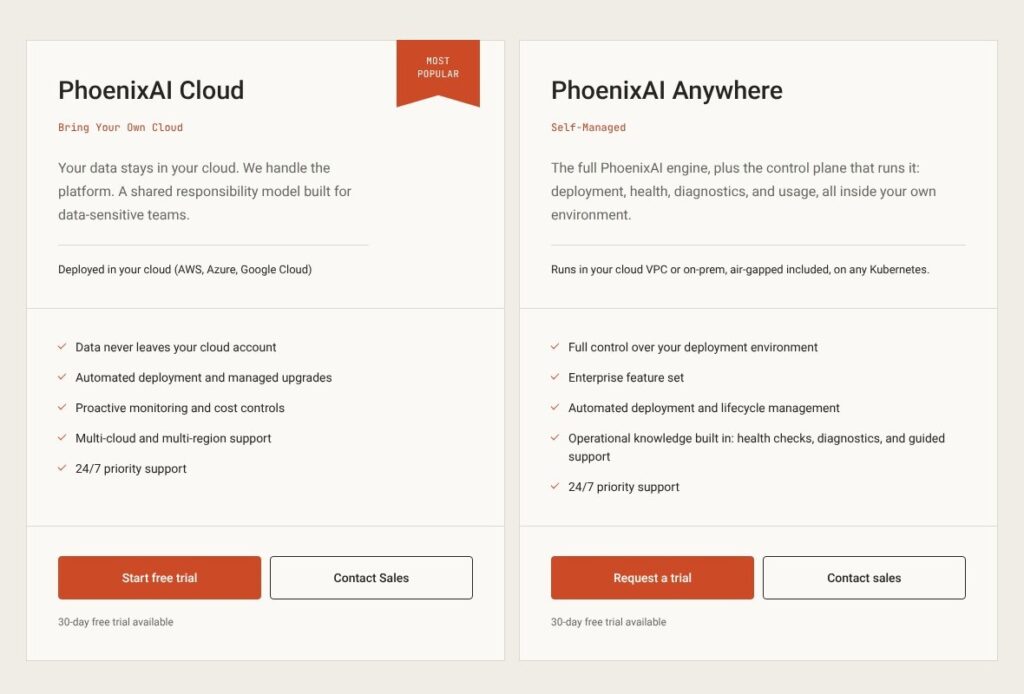
CelerData pricing now runs on CCUs (PhoenixAI Cloud Units) at $0.65 each, billed monthly; a cluster burns (coordinators x their hourly CCU rate + compute nodes x their hourly CCU rate) x hours running. The pricing page itself shows no prices and quotes after an evaluation on your data.
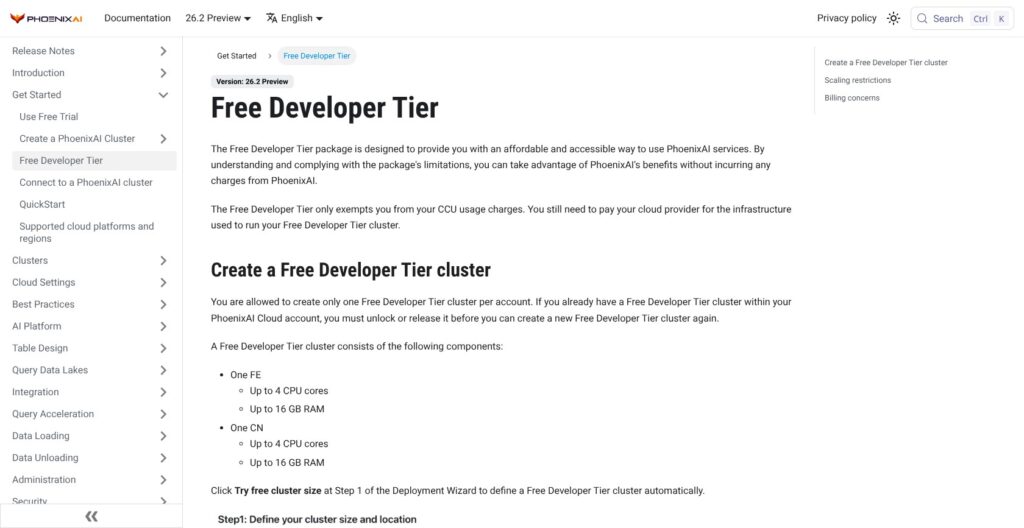
- Free Developer Tier ($0 in CCUs): for building and testing on one coordinator and one compute node (up to 4 cores and 16 GB each), one per account, no scaling; your cloud provider still bills both instances, and PhoenixAI keeps the cluster after the trial instead of releasing it.
- 30-day free trial ($0, no credit card): for a proof of concept; CCUs are metered but billed at $0, and every cluster is suspended at the end of day 30 unless you add a card or sales extends the trial.
- Pay as you go ($0.65 per CCU): for teams wanting no commitment, charged monthly to a card or through AWS Marketplace at $0.0065 per unit (1 percent of a CCU), cancel any time, no refunds.
- Contract (quote only): for steady workloads; prepaid CCU balances carry unpublished discounts, and postpaid contracts bill in arrears.
- PhoenixAI Enterprise on AWS Marketplace ($175 per CPU core per month): for the self-managed edition, with advertised savings of up to 40 percent on 12 months, 52 percent on 24 and 64 percent on 36; infrastructure extra.
The CCU price rose from $0.50 to $0.65 on July 1, 2025, a 30 percent increase by my math.
| Option | What you pay PhoenixAI | What you pay your cloud provider | Commitment |
|---|---|---|---|
| Free Developer Tier | $0 in CCUs | 2 instances (4 cores, 16 GB each), storage, networking | None; 1 cluster per account |
| 30-day trial | $0 (CCUs still metered) | All instances, storage, networking | None; no card |
| Pay as you go (card or AWS Marketplace) | $0.65 per CCU | All infrastructure | None; monthly |
| Contract | Discounted CCUs, rate by quote | All infrastructure | Prepaid or postpaid |
| Enterprise (AWS Marketplace) | $175 per CPU core per month, list | Your own infrastructure | 1, 12, 24 or 36 months |
Is CelerData Good Value for Money?
- Good fit: teams already paying AWS, Azure or Google Cloud that want managed StarRocks without handing data to a SaaS tenant.
- Less convincing fit: teams that must price the platform fee before signing. StarTree charges $0.11 per vCPU-hour for BYOC Pinot and VeloDB $0.11 for BYOC Doris, while PhoenixAI’s per-node CCU rates appear only in the console or from sales.
- Budget priority: by my math, 24 deployed cores cost $4,200 a month on the Enterprise listing’s 1-month contract, and the maximum 64 percent discount on 36 months cuts that to $1,512. The list rate is about $0.24 per core-hour before infrastructure; ClickHouse Cloud Basic’s $0.2181 per compute unit-hour covers 2 vCPU and 8 GiB, roughly $0.11 per vCPU-hour, infrastructure included.
Reviewer’s Notes: I’d deploy the Free Developer Tier first (“Try free cluster size”), then the smallest production-shaped cluster you would run, while CCUs still bill at $0. After a week of real workload, read the console’s “Warehouse price” (the hourly CCU rate) and your CCU usage, multiply the CCUs by $0.65 and add the EC2, EBS and S3 lines from your cloud bill. Before you sign, get the per-node CCU table, the contract discount and the support tier behind the pricing page’s “24/7 priority support” in writing; PhoenixAI’s support policy runs only its Premium tier 24×7.
Getting Started With CelerData’s 30-Day Trial
The trial needs a business email and no card, but PhoenixAI Cloud deploys into your own cloud account, so most of the setup is IAM, S3 and VPC work.
Signing Up
Sign up with your name, business email, company and country. The confirmation email carries an Account ID that every later login asks for, so keep it. You then name the account, set a password and get a pop-up marking the trial’s start; the console still lives at cloud.celerdata.com (cloud.phoenixdata.ai forwards there).
Deploying a Cluster Into Your AWS Account
- Quick deployment: a CloudFormation stack creates the resources, but PhoenixAI labels it non-production only, and it cannot deploy Multi-AZ.
- Manual deployment: you create a data credential (an S3 bucket plus an instance profile), a deployment credential (a cross-account IAM role scoped by an external ID) and a network configuration (subnets, a security group, an optional VPC endpoint), click Test connect, then deploy, which PhoenixAI says takes a few minutes.
In the wizard’s Step 1, “Try free cluster size” creates the Free Developer Tier cluster; I’d pick the Latest Stable kernel over Latest Preview. Coordinator HA off gives one coordinator, fine for a proof of concept but outside the availability SLA. Nodes start at 4 cores and 16 GB, on families including general-purpose m5, m6i, m6g and m7g and memory-optimized r6i, r7g and r8g. Azure is manual-only and needs a Shared Key or SAS token for the storage volume; Google Cloud also has a quick path.
Connecting and Running a First Query
“Help me connect” on the cluster page copies a MySQL client command (MySQL 5.5 or newer) or a JDBC URL, and you log in as admin with the password set at creation. Every table needs a distribution clause and defaults to 10 tablets and the Duplicate Key type:
CREATE DATABASE IF NOT EXISTS phoenixai;
USE phoenixai;
CREATE TABLE IF NOT EXISTS example (
  phoenixai_id INT, name STRING, city_code INT, reg_date DATE, verified BOOLEAN
) DISTRIBUTED BY HASH(city_code);
Loading Real Data
- Files in S3:
INSERT INTO ... SELECT FROM FILES()loads Parquet or ORC, and CSV goes through Broker Load; select a running warehouse first. - Streams: Routine Load reads Apache Kafka topics, including Confluent Cloud and Amazon MSK, and Kinesis is supported too.
- Change data: Apache Flink CDC streams MySQL and PostgreSQL changes into primary-key tables, and Stream Load also takes updates and deletes.
PhoenixAI Studio holds the in-browser SQL editor and Query insights.
Reviewer’s Notes: If production is the goal, I’d take the manual AWS path even for the trial, since Quick deployment is non-production only. Budget an engineer who can create IAM roles and VPC endpoints, and set a cloud budget alert first: EC2 instances bill from launch while PhoenixAI’s bill sits at $0.
Warehouses, Scaling and Day-Two Operations
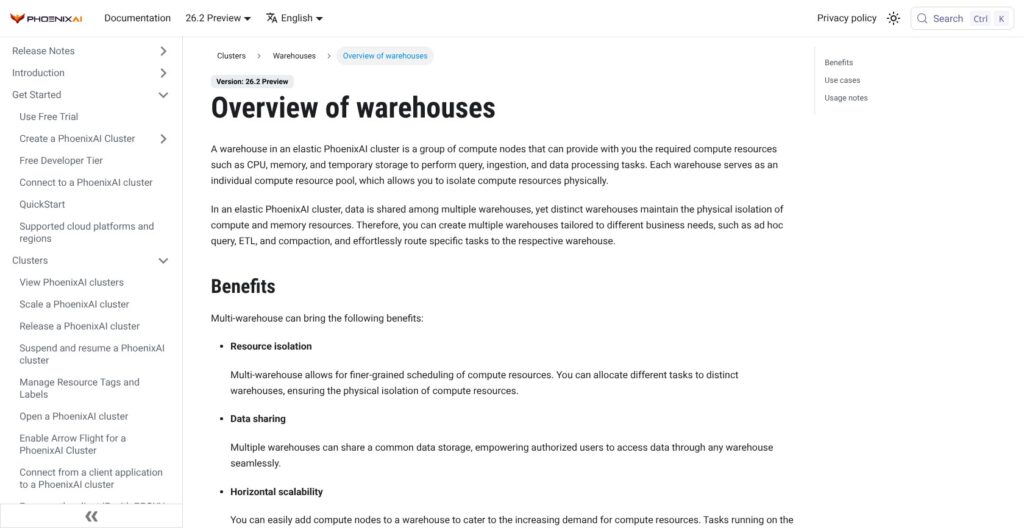
A warehouse is a separate pool of compute nodes over the cluster’s shared storage, so an ETL warehouse, a BI warehouse and an agent warehouse read the same tables without competing for CPU or memory. Every elastic cluster has a built-in default_warehouse that cannot be suspended on its own. Extra warehouses take about 2 minutes to create and bill until suspended, and when a cluster resumes, only the default warehouse comes back unless you tick a warehouse’s option to resume with the cluster.
- Suspend and resume: manual, scheduled or idle auto-suspend per warehouse and per cluster; a suspended cluster stops accruing CCUs and VM charges.
- Autoscaling: manual, scheduled or policy-based on CPU or query queue length, with group-aware scaling, cooldown windows and min/max node counts.
- Storage: EBS volumes autoscale by default once usage stays above an 80-90 percent threshold for 5 minutes, at most once every 6 hours, up to 16 TB per volume.
Rolling upgrades give compute nodes a 20-second and coordinators a 60-second graceful shutdown, and a small cluster (3 coordinators, 3 compute nodes) takes 5-10 minutes for a version upgrade and 15-20 minutes for an AMI upgrade. Queries on a restarting node fail and need a client retry, and queries longer than about 15 seconds are more likely to be cut off. Some users running StarRocks themselves report that its separate coordinator and backend clusters are harder to deploy on Kubernetes than ClickHouse, and that deployment work is what this managed layer takes over.
Single-AZ clusters, clusters with Coordinator HA off and Public Preview kernels carry no availability SLA. Multi-AZ (3 or 5 coordinators across three zones) exists on AWS and Google Cloud only, and no uptime percentage is published, while Imply Polaris Standard publishes 99.9 percent from $600 a month and SingleStore Helios 99.99 percent across two zones.
Best for teams that would otherwise run StarRocks upgrades, patching and backups themselves; skip it if procurement needs a written uptime number.
The StarRocks Engine: Joins, Upserts and Lakehouse Queries
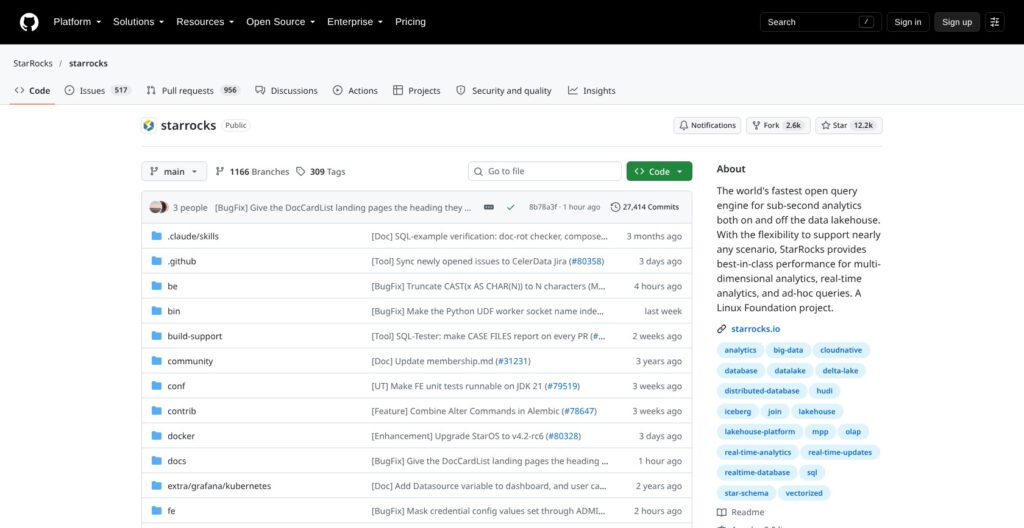
PhoenixAI Cloud runs StarRocks, an Apache 2.0 Linux Foundation project with about 12,200 GitHub stars and roughly 700 contributors, which PhoenixAI says it created and still leads. Its SQL, schemas and connectors stay compatible with open-source StarRocks, which keeps exit costs low.
- Joins: a vectorized engine and cost-based optimizer built for joins across normalized star or snowflake schemas, not one flat denormalized table.
- Upserts: primary-key tables apply updates and deletes at write time, the basis of PhoenixAI’s claim of under 5 seconds from ingest to query on mutable streams.
- Lakehouse: external catalogs query Iceberg, Delta Lake, Hudi, Hive, Paimon and Databricks Unity Catalog in place, and 26.2 adds Iceberg UPDATE and MERGE INTO.
PhoenixAI also claims sub-second p95 at 1,000+ queries per second and 10K+ QPS sustained, with no cluster size or data volume stated for either figure.
What PhoenixAI Cloud Adds Over Free StarRocks
PhoenixAI lists these as Cloud-only:
- Managed deployment, rolling upgrades and automated patching.
- Monitoring, alerting and Query insights.
- Automatic materialized view recommendation.
- Console SSO, row access and column masking policies.
- Multi-warehouse management.
- SOC 2 Type II, GDPR and 24/7 support.
Open-source StarRocks 4.x already has warehouse commands, incremental materialized views and OAuth 2.0, JWT and LDAP login, so a few “open source: no” cells in that list overstate the gap; the durable difference is who operates the engine.
Version Lines
PhoenixAI marks 4.0 Stable, 4.1 and 26.2 (released September 21, 2026) Public Preview, and lists no GA version. Open-source StarRocks shipped 4.1.6 and 4.0.16 on September 30, 2026; 26.x is a PhoenixAI-only number. The 4.1 line had a 4.1.0 container image that could fail to start and a shared-data primary-key bug fixed only in 4.1.6, so I’d run production on Stable and treat 26.2 as a preview.
ClickHouse is the simpler fit for append-only wide event tables; StarRocks wins when queries join many tables or rows change. Dremio queries Iceberg in place as a lakehouse engine, while PhoenixAI can also keep a primary-key serving copy that takes upserts.
AI Agent Features After the PhoenixAI Rename
PhoenixAI’s homepage now calls the product “the real-time analytical database for AI agents”; what has shipped behind that line is an MCP server, the Agent Fawkes assistant and 26.2 preview vector search.
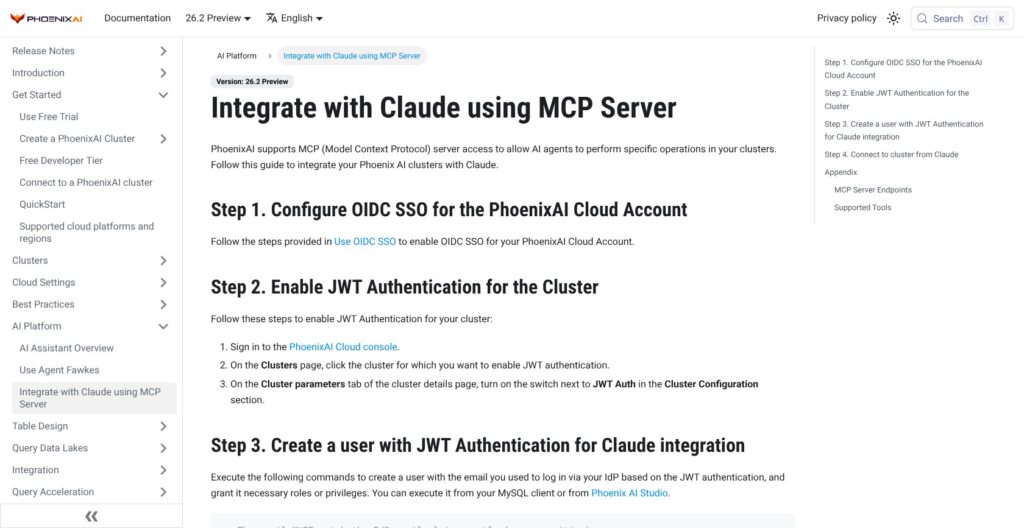
- MCP server (May 2026): an account-level switch lets Claude or any MCP client list clusters and run read-only or read-write SQL under the user’s own database privileges, through three tools:
list_clusters,execute_sql_read_onlyandexecute_sql. It needs OIDC SSO on the account, JWT authentication on the cluster and kernel 4.0.10, 4.1.1 or later, and signs in through a browser OAuth flow, so unattended agents and machine-to-machine access are not supported yet. - Agent Fawkes (beta, May 2026): an in-console assistant that writes, fixes, explains and optimizes SQL and suggests charts. It reads cluster metadata only after an Allow prompt and, PhoenixAI says, no row-level data, but its LLM calls run through a central PhoenixAI cluster rather than your region.
- Vector and hybrid search (26.2, Public Preview): HNSW and IVFPQ vector indexes on shared-data tables, filtered vector search, BM25 scoring and an
embedding()function, so retrieval can join live rows in one SQL query.
The homepage’s “agent warehouse” is a named warehouse from the multi-warehouse feature. “Intelligent materialized views” and a “new compute tier” appear only in a one-line 2026 timeline on the About page, with no documentation, so I’d ask sales what they are before counting on either. Firebolt and ClickHouse also ship MCP servers; PhoenixAI’s needs OIDC SSO, so an account on SAML SSO has to switch first.
If agents are the reason you are shopping, give them their own warehouse and a read-only database user before you switch on read-write SQL.
Integrations, Security and Where CelerData Runs
Integrations
- SQL access: MySQL protocol and JDBC on port 9030, plus Arrow Flight, supported since March 2026.
- BI and IDEs: Tableau, Apache Superset, Power BI Desktop, Metabase, Hex, Querybook, DataGrip and DBeaver.
- Pipelines: Kafka Routine Load (Confluent Cloud, Amazon MSK), Kinesis, Flink CDC, Spark and Stream Load, plus dbt through the dbt-starrocks adapter, still marked Experimental.
- Lake catalogs: Iceberg, Hive, Hudi, Delta Lake, Paimon and Unity Catalog.
Snowflake and Databricks have first-class Fivetran and dbt support, so either fits pipelines already built on those tools.
Clouds and Regions
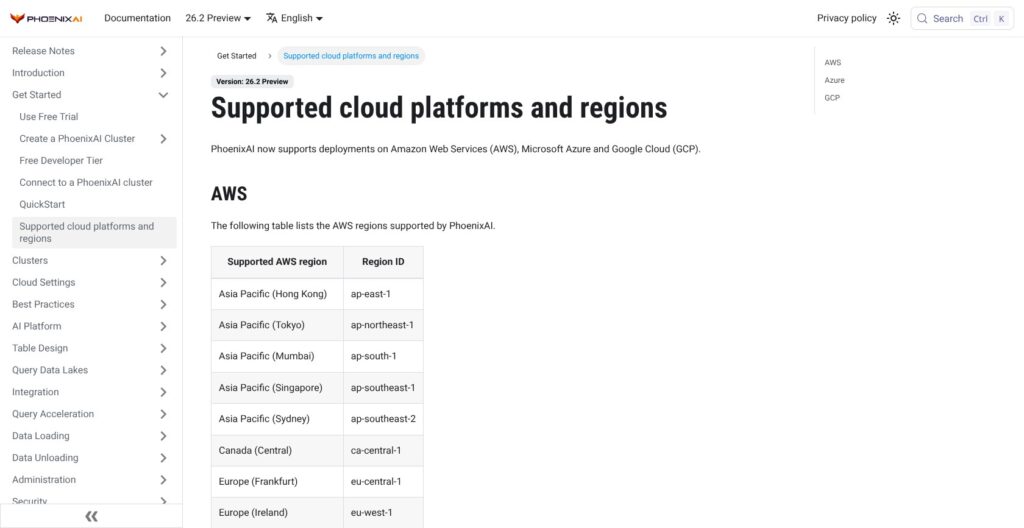
PhoenixAI Cloud deploys to 26 regions: 14 on AWS (including Frankfurt, Ireland, Tokyo, Sydney and Sao Paulo, but not London, Paris or Stockholm), 5 on Azure and 7 on Google Cloud. Neither Azure nor Google Cloud has a supported region in Asia-Pacific, and Azure has none in the UK.
Security and Compliance
PhoenixAI states SOC 2 Type II and GDPR compliance and makes no ISO 27001, HIPAA or PCI claim, while ClickHouse Cloud’s Enterprise tier lists HIPAA and PCI. Console SSO uses SAML 2.0 (Okta, Google, Azure) or OIDC (Okta, AWS, Google), never both at once, and since July 2026 admins can enforce MFA and export account activity logs to S3, alongside IP access lists. End-to-End Private Link (AWS, Google Cloud, Azure) can only be enabled at cluster deployment, TDE uses AWS KMS, and a Cluster Access switch decides whether PhoenixAI support can reach the cluster. Database logins do not use SAML SSO; JWT cluster authentication arrived in May 2026.
PhoenixAI Anywhere
PhoenixAI Anywhere runs the same engine self-managed on Kubernetes in your VPC, on-prem or air-gapped, through an operator and console, with a license validated offline and tied to core count. It has been in Public Preview since August 2026, and its SOC 2 covers vendor operations only. An August 20, 2026 Cloudera partnership lists the engine in Cloudera Anywhere Marketplace for private clouds.
How Does CelerData Compare to Competitors?
CelerData’s niche is managed StarRocks inside your own cloud account for join-heavy, frequently updated analytics, and it trails every rival below on price transparency, since each one publishes an entry rate.
- ClickHouse: ClickHouse Cloud starts at $0.2181 per compute unit-hour (2 vCPU, 8 GiB) on Basic, with storage at $25.30 per TB-month and $300 of trial credit, though Basic stops at 1 TB of storage in one zone. It wins for append-only event and log tables, and the open-source ClickHouse server is free to self-host.
- Apache Pinot via StarTree: StarTree charges $0.21 per vCPU-hour as SaaS and $0.11 for BYOC, and its trial is by request. It wins for user-facing analytics at very high query rates when the BYOC fee must be priced up front.
- Apache Druid via Imply: Imply Polaris starts at $100 a month on Starter and $600 on Standard, which carries a 99.9 percent SLA. It wins for streaming event analytics with rollup at ingest.
- VeloDB (managed Apache Doris): $0.134 per vCPU-hour as SaaS and $0.11 for BYOC, with $300 of trial credit. Doris is StarRocks’ closest relative, so VeloDB wins when you want the same architecture with a public per-core rate.
- SingleStore Helios: a free shared workspace, then Standard from $0.99 an hour with $500 of credit, and SLAs of 99.9 percent in one zone or 99.99 percent across two. It wins when one database must serve transactions and analytics.
- Tinybird: a free plan, then Developer from $25 a month. It wins when you need HTTP APIs over ClickHouse rather than a SQL endpoint.
| Tool | Engine | Pricing unit and entry rate | Free start | BYOC or self-hosted | Wins for |
|---|---|---|---|---|---|
| CelerData (PhoenixAI Cloud) | StarRocks | $0.65 per CCU plus your cloud bill; per-node CCUs not public | Free Developer Tier, 30-day trial | BYOC on AWS, Azure, Google Cloud; Anywhere in preview; free StarRocks | Joins on mutable data in your own cloud |
| ClickHouse Cloud | ClickHouse | $0.2181 per compute unit-hour (Basic) | $300 credit, 30 days | Open-source ClickHouse | Append-only event and log tables |
| StarTree Cloud | Apache Pinot | $0.21 per vCPU-hour SaaS, $0.11 BYOC | Trial on request | BYOC; BYOK on your Kubernetes | High-QPS user-facing analytics |
| Imply Polaris | Apache Druid | From $100 a month (Starter) | Free trial | Open-source Druid | Streaming events with rollup |
| VeloDB Cloud | Apache Doris | $0.134 per vCPU-hour SaaS, $0.11 BYOC | $300 credit | BYOC; open-source Doris | Same architecture, public per-core rate |
| SingleStore Helios | SingleStore | From $0.99 an hour (Standard) | Free shared workspace, $500 credit | BYOC by quote | Transactions plus analytics |
Among these CelerData alternatives, pick PhoenixAI over ClickHouse Cloud when dashboards join many tables or rows change by the second, and over VeloDB when you already run open-source StarRocks and want the company that leads it to operate it in your account. Snowflake, BigQuery and Amazon Redshift remain the better pick for batch BI where seconds of latency are acceptable.
How I Reviewed CelerData
For this CelerData review, I weighed the areas Panoply scores for every data tool: pricing transparency, openness and exit costs, setup effort, governance and development momentum.
I worked through the CCU billing model, the Free Developer Tier and trial terms and both AWS Marketplace listings, and followed the documented path from signup through an AWS deployment to a first query and load. I mapped the warehouse, upgrade, SLA and security behavior, checked what changed with the May 2026 rename, traced the StarRocks 4.0 and 4.1 lines against PhoenixAI’s 26.2 preview and compared rivals at current list rates.
This is not a hands-on performance test, and the speed figures here are PhoenixAI’s own claims, so weight the documented limits over any benchmark. Prices current as of October 2026.
Should You Run Real-Time Analytics on CelerData (PhoenixAI)?
Yes, if your dashboards, product analytics or agents join many tables on data that changes by the second (Kafka or CDC upserts) and your security team wants the data inside your own AWS, Azure or Google Cloud account. You get StarRocks run for you, separate warehouses per workload and a free Developer Tier to build on, at $0.65 per CCU plus your own infrastructure.
Skip it if you need a price before you sign (StarTree, VeloDB and ClickHouse Cloud publish per-core or per-unit rates), a written uptime percentage, Azure Multi-AZ, or append-only event analytics, where ClickHouse is the simpler fit. Either way, keep production off the 26.2 preview kernel, and if you need on-prem or air-gapped, treat PhoenixAI Anywhere as a preview until it reaches GA.
Next action: start the 30-day trial at celerdata.com, which now redirects to phoenixdata.ai, deploy the Free Developer Tier through the manual AWS path and load one real Kafka topic or Parquet set. Then run a production-shaped cluster for a week and read its CCU usage before you ask for a contract quote.
FAQ
Is CelerData the same as PhoenixAI?
Yes. CelerData relaunched as PhoenixAI (PhoenixData AI, Inc.) on May 20, 2026, and celerdata.com and the old docs now redirect to phoenixdata.ai, while the console still runs at cloud.celerdata.com. CelerData Cloud BYOC is now PhoenixAI Cloud. It is unrelated to Arize Phoenix, an open-source LLM observability tool.
How much does CelerData cost?
PhoenixAI Cloud costs $0.65 per CCU, billed monthly and only while clusters run, plus your own cloud bill for instances, storage and networking. Per-node CCU rates appear in the console, not in public pricing. The Enterprise listing on AWS Marketplace costs $175 per CPU core per month, with up to 64 percent off on a 36-month contract.
Does CelerData have a free tier?
Yes. The Free Developer Tier gives you one coordinator and one compute node of up to 4 cores and 16 GB each, at zero CCUs and with no scaling, though your cloud provider still bills the two instances. The 30-day trial needs no credit card and bills CCUs at $0, and PhoenixAI keeps the Developer Tier cluster when the trial ends.
Is CelerData open source?
The engine is: StarRocks is Apache 2.0 licensed, a Linux Foundation project and free to self-host. PhoenixAI Cloud and PhoenixAI Anywhere are commercial products that add managed operations, console SSO, row access and column masking policies and support on top of that engine, with SQL that stays compatible with open-source StarRocks.
Is CelerData better than ClickHouse?
For joins across many tables and frequently updated rows, StarRocks is the stronger design. For append-only wide event tables, ClickHouse is simpler, and ClickHouse Cloud publishes rates from $0.2181 per compute unit-hour. I’d run a proof of concept on your own queries in both trials before committing to either.