Quick verdict: I recommend CloudQuery for platform and security teams that want infrastructure data in their own database and have the SQL skills to make it useful. Its self-hosted CLI fits neatly into an engineering-led workflow, but you’re choosing a pipeline to maintain, not a finished inventory dashboard.
Key Takeaways
- Your database, your reporting: Collect infrastructure metadata in supported databases, warehouses, and storage destinations.
- Free includes 1 million rows monthly: Select tables and a sync frequency that fit your allowance.
- MCP works without Platform: Agents can query synced PostgreSQL or Snowflake data through the local MCP server.
- Repeat syncs count again: Unchanged records still contribute to usage when they’re synced.
- Connector capabilities vary: Check licensing and incremental support for the specific integrations and tables you need.
CloudQuery’s appeal is straightforward: stop maintaining a separate exporter for every cloud provider and collect the data somewhere you can query it together. For an engineering team already using SQL, that’s a sensible foundation for cloud inventory and AI-assisted analysis.
I especially like its fit for questions that cross account boundaries, such as which resources lack an owner. If you mainly need business application data, Airbyte deserves an earlier place on your shortlist.
I’ll explain the pricing and setup, then look at reporting, history, and MCP access. I’ll also separate the CLI from CloudQuery Platform, because they offer quite different experiences.
Pros and Cons
Control over the destination is CloudQuery’s strongest selling point. You can build around a database your team already understands instead of moving reporting into another vendor’s interface.
Pros
- Self-hosted CLI writes inventory to your chosen destination.
- YAML configuration supports version control and review.
- Free includes 1 million synced rows per month.
- SDKs support integrations for internal systems.
- Database-backed MCP access doesn’t require Platform.
Cons
- Repeated records count toward sync usage.
- Some integrations aren’t open source.
- Incremental extraction depends on the selected table.
- CLI users own scheduling, failures, and upgrades.
My main concern isn’t the command line. It’s the work between collecting tables and delivering reports people trust. CloudQuery makes sense when someone owns both the pipeline and its reporting logic; without that ownership, a successful sync can still leave you with an unused database.
CloudQuery Pricing
Refresh frequency can matter more than inventory size. CloudQuery bases usage on rows synced, so repeatedly collecting the same resources increases usage even when nothing changes.
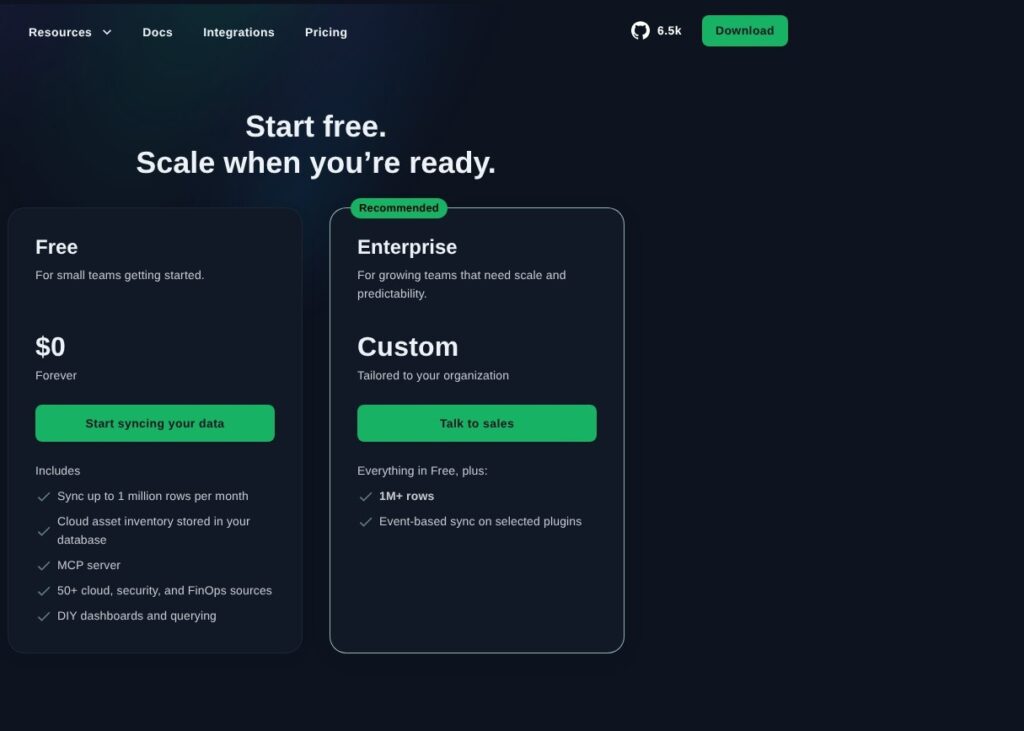
- Free ($0): For small teams or focused inventories, with up to 1 million synced rows per month.
- Enterprise (custom pricing): For larger workloads, with a contracted annual row allowance and annual billing.
| Plan | Published price | Row allowance | Included capabilities |
|---|---|---|---|
| Free | $0 | Up to 1 million synced rows per month | Inventory in your database, MCP server, 50+ cloud, security, and FinOps sources, DIY dashboards and querying |
| Enterprise | Custom, billed annually | Agreed annual row commitment | Free features, higher usage, event-based sync on selected plugins |
The wider catalog advertises 80+ sources, while Free lists 50+ sources. Don’t treat those figures as interchangeable: check that your required integrations fall within the plan you’re considering.
A row counts each time a record is extracted and loaded, whether it’s new, updated, or unchanged. Enterprise usage above the annual commitment can be handled through an add-on during the year or a true-up at renewal. There isn’t a published flat subscription price to use for a paid-cost comparison.
Support Costs Need a Separate Conversation
Free provides community support. Paid support tiers offer different initial response targets, which matter if your inventory feeds time-sensitive security work.
| Support tier | Published initial response target |
|---|---|
| Free | Community support |
| Silver | Under 48 business hours |
| Gold | Four hours for business-critical issues during business hours |
| Platinum | One hour for business-critical issues, with 24/7 coverage |
Business hours are 9 AM to 5 PM Pacific Time. These are first-response targets, not promises that an issue will be fixed within that window.
Ask for support pricing and Platform access terms alongside the row quote. An Enterprise usage commitment doesn’t, by itself, tell you which Platform features or support package you’re buying.
Is CloudQuery Good Value for Money?
I like the value when CloudQuery replaces several exporters and feeds a database you already operate. The calculation is less attractive when you need to build the entire reporting setup around it.
Consider a hypothetical 10,000-row full sync, with a constant row count over a 30-day month:
- Daily: 10,000 x 30 = 300,000 synced rows.
- Hourly: 10,000 x 24 x 30 = 7,200,000 synced rows.
Daily collection fits inside Free; hourly collection exceeds it substantially. This example isn’t a measured workload, but it captures the pricing decision better than an asset count alone.
Budget for the surrounding work, too:
- Compute: Running the CLI and scheduled jobs.
- Storage and queries: Keeping and analyzing the destination data.
- Engineering time: Maintaining credentials, upgrades, and reports.
Start with Free if you’re a platform team answering a focused inventory question with daily updates. For hourly reporting across many accounts, estimate the rows first and request an Enterprise quote before committing to that schedule.
Getting Started With CloudQuery
Start with one source, one destination, and one useful question. I prefer that approach to collecting everything immediately: it’s easier to check permissions and understand whether the output answers your question.
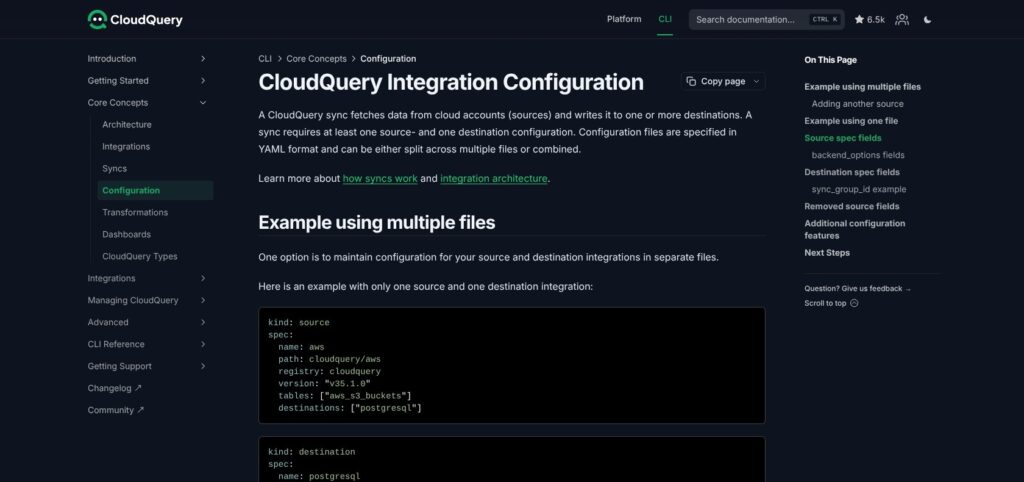
A source is where CloudQuery reads data, such as AWS. A destination is where it writes that data, such as PostgreSQL. A sync is one run that moves records between them.
The CLI setup follows these steps:
- Install the CLI. Use a Linux, macOS, or Windows binary, Homebrew on macOS, or Docker. Choose an installation method that also suits your eventual scheduled environment.
- Prepare source credentials. Grant the permissions required by your chosen tables. Limit the first run’s account scope so permission problems are easier to isolate.
- Connect the destination. PostgreSQL needs a reachable database and connection string. Check this connection independently of your cloud credentials.
- Define the YAML. Include source and destination definitions, plugin versions, and selected tables. The definitions can share a file or live separately.
- Run a narrow sync. The documented AWS example uses
aws_s3_buckets, a manageable starting point if you know which buckets to expect.
For Homebrew installation:
brew install cloudquery/tap/cloudquery
With source and destination definitions saved separately:
cloudquery sync aws.yml postgresql.yml
Environment-variable substitution supports references such as ${PG_CONNECTION_STRING}. I like this separation: teammates can review the collection settings in version control without putting the connection string directly in committed YAML.
Once data arrives, inspect the destination:
SELECT COUNT(*) FROM aws_s3_buckets;
Don’t stop at the count. Compare the records with your expected bucket inventory and inspect sync errors before treating the table as a reporting source.
Recurring runs belong in your scheduler or deployment pipeline. Assign responsibility for failed jobs at the same time, rather than waiting until somebody notices an outdated dashboard.
When CloudQuery Platform Is the Better Starting Point
Platform offers a web-based route with an included default ClickHouse destination. You connect an integration, set a schedule, and monitor progress through Sync Runs.
Completed data is available through Asset Inventory and the SQL Console. That’s a closer match if you want colleagues to browse resources inside CloudQuery rather than rely entirely on your own reporting tools.
Installing the CLI doesn’t install that web application. Confirm Platform pricing and access separately from the Free sync allowance.
Reviewer’s Notes: Choose the CLI because you want control over the pipeline, not simply because it’s free to start. If a built-in inventory interface is essential, evaluate Platform before building your own equivalent.
Cloud Inventory and SQL: CloudQuery’s Best Use Case
Reusable infrastructure data is the reason I’d shortlist CloudQuery. Once the data reaches your destination, several reports can use it without each report needing its own cloud API integration.
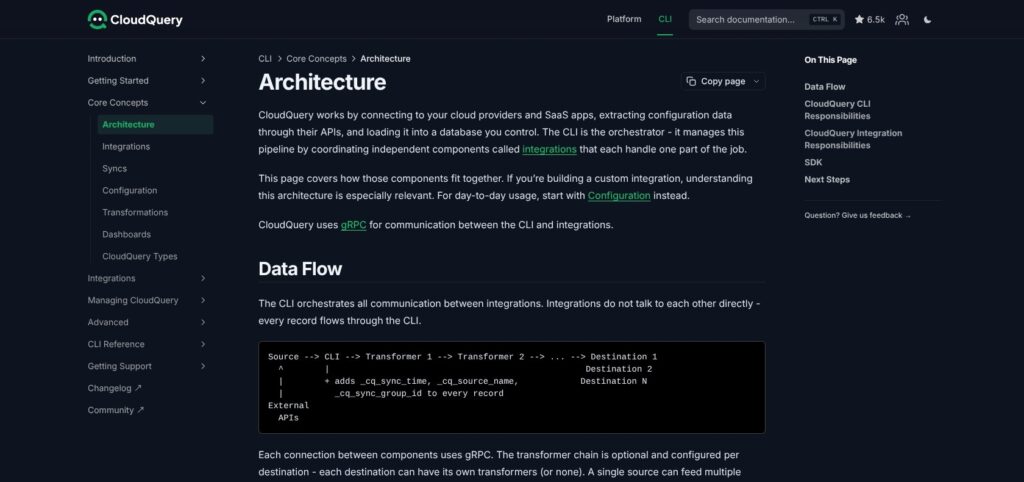
Its main building blocks are:
- Source integrations: Read configuration data through provider and application APIs.
- Destination integrations: Write records into supported databases, warehouses, or storage.
- Optional transformers: Process records before they’re written.
- SDKs: Let developers add integrations for systems outside the catalog.
For example, you could join infrastructure tables to an internal service catalog to identify resource owners. A shared SQL view could then expose that ownership information to colleagues without giving everyone direct cloud API credentials.
That’s where I favor CloudQuery over Steampipe for recurring reporting. Steampipe is appealing for SQL-based investigation; CloudQuery is built around collecting a dataset you can keep and reuse.
SQL Access Doesn’t Finish the Report
CloudQuery puts API data into relational tables, but provider-specific meanings still matter. A useful cross-cloud report may need SQL models or views that reconcile those differences.
An “unowned resource” also needs a definition. Is ownership determined by a tag, an account mapping, or a service-catalog entry? CloudQuery supplies the data; your reporting logic decides what qualifies.
I see that flexibility as a strength for engineering teams with established rules. It’s a poor substitute for a finished application if nobody wants to write those rules.
Custom Integrations and Licensing
SDKs are available for Go, Python, JavaScript, and Java. They’re useful when your inventory needs context from an internal system that a standard connector can’t reach.
For a project dominated by custom Python extraction, though, I’d put dlt alongside CloudQuery before choosing. Extending an existing inventory pipeline and building a mostly custom data pipeline are different jobs.
The framework, SDK, CLI, and some integrations are open source. Not every connector is open source, so check individual licenses if modification rights or source access are buying requirements.
Sync Modes, History, and Maintenance
Collecting changes and keeping history are separate choices. Understanding that distinction prevents both inflated usage estimates and misleading inventory reports.
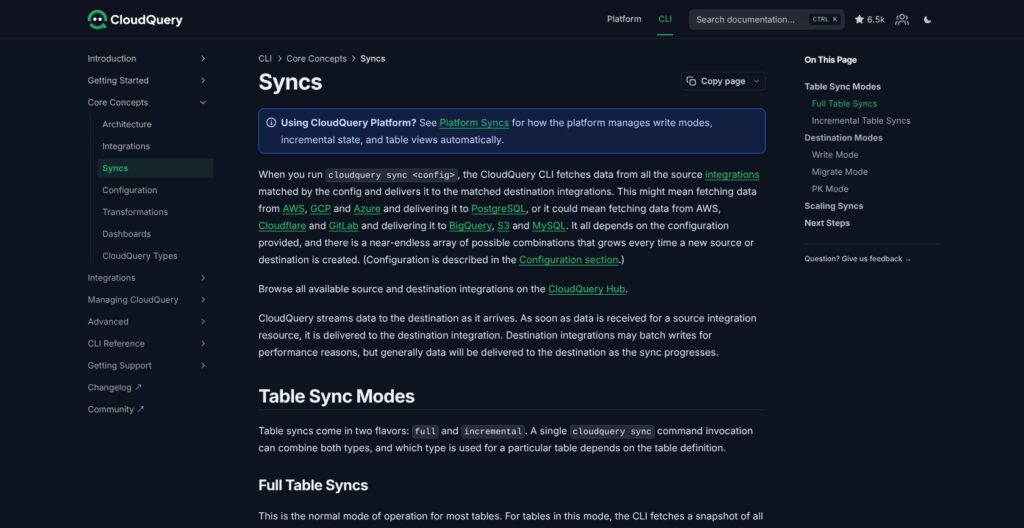
Full Versus Incremental: What Gets Collected?
A full sync retrieves a fresh snapshot from the relevant APIs. Most tables work this way, so collecting the same inventory tomorrow can mean collecting those records again.
An incremental sync remembers where the last run stopped and continues from that point. Its saved marker is called a cursor, and the place holding that marker is the state backend.
Incremental tables are identified in the integration documentation and require backend_options. Adding a backend doesn’t turn an unsupported table into an incremental one.
This is why I recommend checking table-level behavior before planning frequent refreshes. A connector’s presence in the catalog says little about how much data your particular schedule will collect.
Write Modes: What Stays in Your Database?
The destination’s write mode determines what happens to stored records when another sync arrives.
| Write mode | What it does | Best interpretation |
|---|---|---|
overwrite-delete-stale | Updates records and removes stale rows after completion | Current inventory; the default |
overwrite | Updates records but retains stale rows | Older resources may remain |
append | Adds records without replacing or deleting earlier ones | Repeated observations for historical analysis |
Think of append as keeping successive snapshots, not automatically receiving a change report. To answer “What changed?”, your SQL still needs to compare observations and separate unchanged records from meaningful differences.
CloudQuery adds fields including _cq_sync_time and _cq_sync_group_id to help organize those observations. Plan retention alongside history, since storing every snapshot increases storage requirements.
I favor the default for current inventory. Choose append deliberately when historical questions justify the extra storage and query work.
What Your Team Needs to Maintain
Schema migration defaults to safe, which applies backward-compatible changes and avoids changes requiring tables to be dropped and recreated. The forced mode allows destructive migrations.
I like the conservative default, particularly for historical datasets. Plugin upgrades still deserve review because downstream SQL depends on table structure.
Keep these checks in your maintenance routine:
- Freshness: Track the latest successful completion, not just the scheduler’s start time.
- Coverage: Check account scope and table errors before interpreting a missing resource as deleted.
- Slow tables: Use table metrics to identify bottlenecks and adjust plugin-specific concurrency where supported.
- Dependent tables: Select needed dependencies explicitly rather than collecting every descendant.
The default skip_dependent_tables: true helps avoid unexpectedly expanding collection. Pulling in dependent tables can add substantial API work.
An hourly schedule isn’t a guarantee of hour-old-or-newer data. Run duration, provider limits, and failures all affect freshness.
AI Agents and MCP Access
MCP gives the inventory another useful interface, rather than requiring you to build a separate agent integration. Compatible AI clients can discover tables and query the data CloudQuery has already collected.
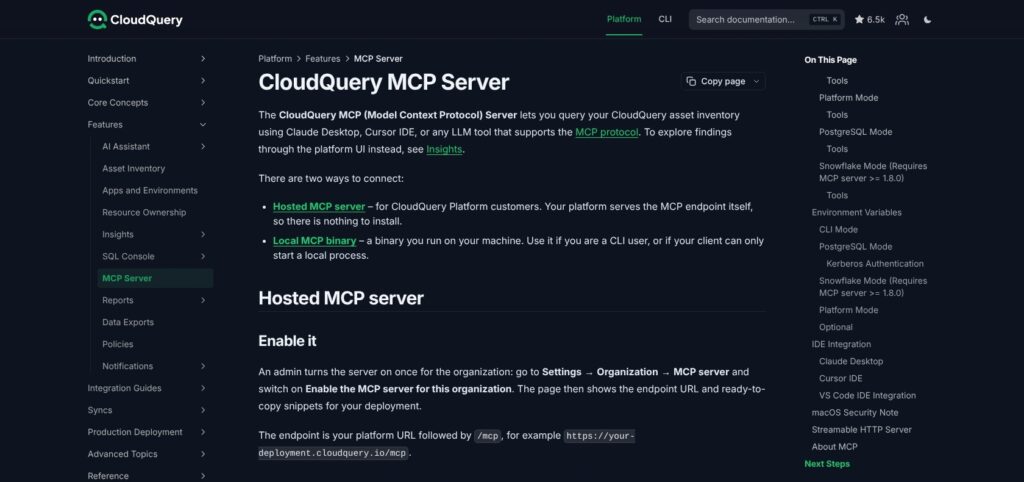
The database-backed server can:
- Discover tables: Find relevant parts of the inventory.
- Inspect schemas: Read column definitions and types.
- Search columns: Locate fields across tables.
- Execute SQL: Query the connected destination.
I like that the agent can inspect the database structure before composing SQL. You don’t have to supply every table name just to ask an inventory question.
CLI users can run the local MCP binary against PostgreSQL or Snowflake without Platform. Snowflake mode requires MCP server version 1.8.0 or later; both modes need database credentials and network access.
Separate CLI mode provides documentation and configuration discovery. Platform customers also have hosted MCP access using Platform authentication and roles.
Keep Agent Access Narrow
The agent sees synced data, not a fresh scan of every cloud API. Its answer is only as current and complete as the underlying inventory.
Use a read-only database role for inventory questions. An agent doesn’t need the ingestion job’s broader permissions just to investigate resources.
Also review how your chosen model client handles returned data. A self-hosted database doesn’t determine what happens after query results reach that client.
MCP is useful for exploration, but I don’t consider it autonomous remediation. Check generated SQL and supporting records before acting on a consequential security conclusion.
How Does CloudQuery Compare to Alternatives?
Choose around the work you need to finish, not the largest connector catalog. These tools overlap, but their natural starting points differ.
| Tool | Main approach | Strongest fit | Main work for your team |
|---|---|---|---|
| CloudQuery | Sync infrastructure metadata to chosen destinations | Reusable cloud inventory | Pipeline ownership and SQL reporting |
| Steampipe | Explore APIs through SQL-backed tables | Cloud investigation | Queries and provider access |
| Airbyte | Connector-based replication | Application and database data movement | Connector selection and pipeline configuration |
| dlt | Python ingestion library | Custom extraction | Python pipeline development |
- Steampipe: For SQL-led investigation. I prefer it when you want to explore cloud resources without first designing scheduled warehouse ingestion. Its CLI includes PostgreSQL; other distributions provide API-backed tables or standalone exports. CloudQuery is the more natural choice when regularly refreshed, stored inventory is the goal.
- Airbyte: For broader business-data replication. Put it first when application and database sources dominate the project. CloudQuery’s infrastructure focus is more relevant to platform and security reporting. Airbyte connector support levels vary, so assess the connectors you need rather than catalog size alone.
- dlt: For Python-first custom pipelines. Its schema inference and incremental loading capabilities suit engineers who want extraction inside a Python codebase. Compare a dlt pipeline with a CloudQuery SDK integration when internal APIs make up most of your project.
My dividing line is simple: choose CloudQuery when its existing infrastructure integrations remove meaningful extraction work. Choose a more general tool when cloud inventory is only a small part of the job.
How I Reviewed CloudQuery
I evaluated CloudQuery’s product documentation, published pricing, and documented workflow, covering CLI setup, sync behavior, licensing, and the separate Platform and MCP capabilities. My recommendations weigh buyer fit, usage costs, and the maintenance required to turn collected data into useful reporting.
Prices current as of October 2026.
Should You Use CloudQuery?
Choose CloudQuery if your team wants to build on infrastructure data, not just browse it. Its combination of self-hosting, SQL-friendly destinations, and configurable collection makes particular sense for platform and security engineers with an existing database workflow.
Skip the CLI if nobody can own scheduled jobs and reporting logic. Evaluate Platform for a built-in interface, Airbyte for broader application replication, or dlt for Python-first extraction.
My recommendation is to begin with Free and one question worth answering. Expand coverage only when you understand the row usage and can show how the extra data improves the report.
CloudQuery FAQ
Is CloudQuery free?
The Free plan costs $0 and includes up to 1 million synced rows per month. Compute, destination storage, and other infrastructure costs remain separate.
Is every CloudQuery connector open source?
No. The framework, SDK, CLI, and some integrations are open source. Review each required connector’s license if you need source access or modification rights.
Does CloudQuery provide real-time inventory?
Standard scheduled syncs provide snapshots whose freshness depends on successful runs. Enterprise offers event-based sync on selected plugins, not universal real-time coverage.
Can I use CloudQuery data in BI tools?
Yes, when your BI tool supports the destination you’ve chosen. Expect to create SQL models or views that turn inventory tables into understandable dashboard data.
Does MCP require CloudQuery Platform?
No. CLI users can query synced PostgreSQL or Snowflake data through the local MCP server without a Platform subscription. Hosted Platform MCP is a separate option.