
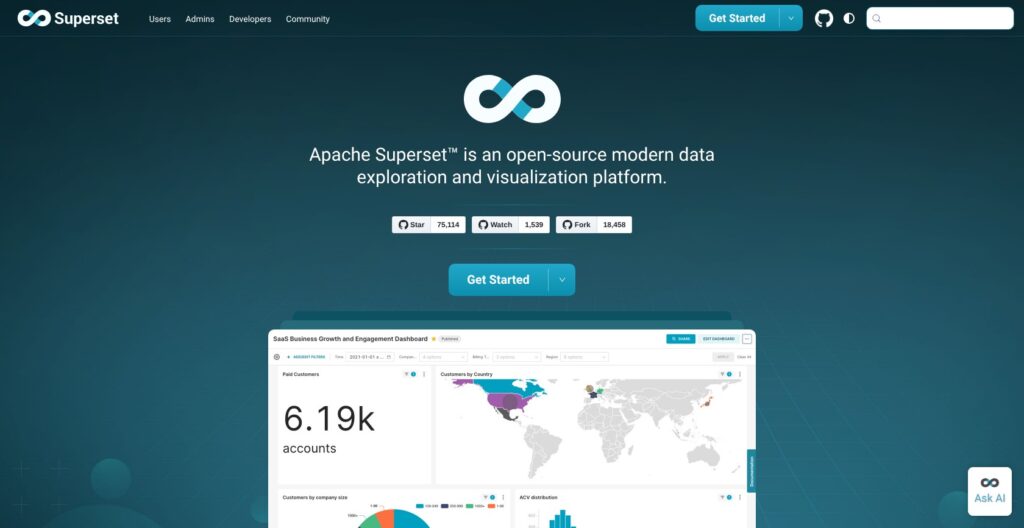
Editor’s note: This Apache Superset review is based on my hands-on test of Superset 6.1.0 on macOS in October 2026: a PyPI install, the example dashboards, a 200,000-row DuckDB table, SQL Lab, embedding with guest tokens and the built-in MCP server. I weigh pricing, setup, charting, AI access, embedding and self-hosting.
Quick verdict: I recommend Apache Superset for SQL-literate data teams that have someone to run Python services and want broad charting and embedding without per-seat fees. The trade-off: the license is free but production is not, and my bare pip install broke until I pinned dependencies.
Among open-source BI platforms, Apache Superset assumes whoever builds datasets writes SQL, while Metabase gives business users a point-and-click query builder.
In this review, I’ll take a closer look at Superset’s pricing, setup, features and self-hosting, so you can see whether free beats Preset or Metabase for you.
Key Takeaways
- Apache 2.0 with no seats or paid tiers; version 6.1.0 shipped in May 2026
- 81 listed databases through SQLAlchemy, but no drivers ship in the package
- A built-in MCP server lets Claude or another AI client run SQL and save charts
- Alerts, embedding, Jinja and dashboard RBAC are off by default
- Production needs Postgres, Redis, Celery and a headless browser; Preset hosts it free for up to 5 users
Apache Superset Pros and Cons
Pros
- Apache 2.0 license with no seat fees or paid feature tiers
- Connects to 81 listed databases through SQLAlchemy; DuckDB worked without a restart
- 34 chart types in the bundled examples alone, from Sankey to deck.gl maps
- Built-in MCP server created a saved chart for me in about a second
- Embedded dashboards use guest tokens that carry row-level security rules
Cons
- A bare pip install of 6.1.0 broke until I pinned the release’s 156 dependency versions
- No joins in the chart builder: one table or view per dataset
- Alerts, embedding, Jinja and dashboard RBAC are off until you edit config
- Production needs Postgres, Redis, a Celery worker and beat, and a headless browser
- Major upgrades break config: 6.0 removed AUTH_OID and THEME_OVERRIDES
How Much Does Apache Superset Cost?
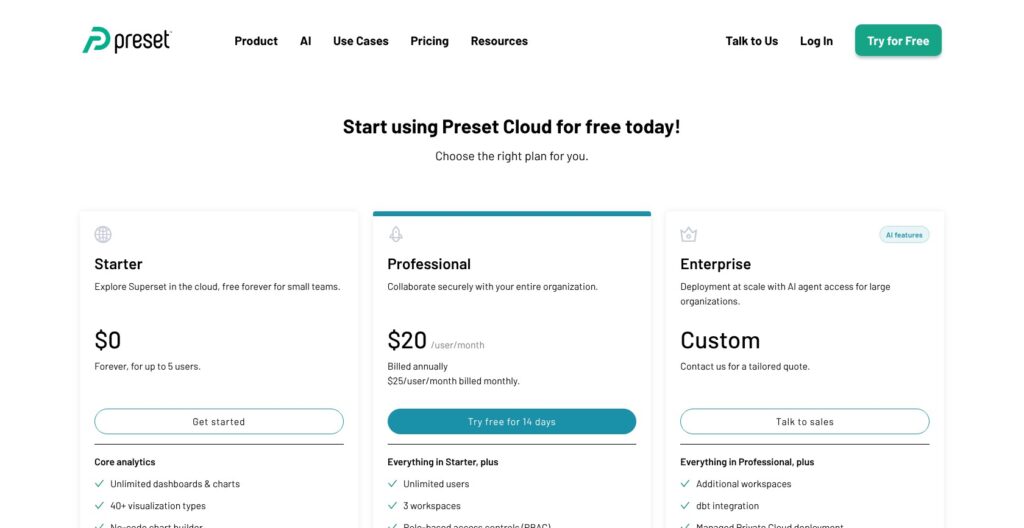
Apache Superset costs $0 to license under Apache 2.0, with every feature in the open-source build, so the real bill is infrastructure plus admin time. Preset, the managed Superset service from the company of Superset’s creator, is the price benchmark if you would rather pay than operate it:
- Apache Superset (free): for teams that self-host, with all features and community support on Slack and GitHub.
- Preset Starter ($0): for evaluation and small teams, with managed Superset for up to 5 users, 1 workspace and unlimited dashboards and charts.
- Preset Professional ($20/user/month): for growing teams, billed annually or $25 month to month, with unlimited users, 3 workspaces, RBAC, scheduled reports, Slack alerts and a 14-day trial.
- Preset Enterprise (custom): for larger companies that need SSO with SCIM, activity logging, a managed private cloud, an SLA and the MCP server.
Embedding on Preset is an add-on that starts at $500 a month for 50 viewer licenses. Self-hosted Superset has no viewer licenses at all.
| Option | Price | Users | Best for |
|---|---|---|---|
| Apache Superset (self-hosted) | Free license, you pay for infrastructure | Unlimited | Teams that already run Postgres, Redis and Kubernetes |
| Preset Starter | $0 | Up to 5 | Evaluation on a real warehouse |
| Preset Professional | $20/user/month annual, $25 monthly | Unlimited | Teams that want Superset without ops work |
| Preset Enterprise | Custom | Custom | SSO, SCIM, private cloud, SLA |
Is Apache Superset Good Value for Money?
By my math on list prices for a 25-person BI team:
- Preset Professional costs $500 a month (25 users at $20, billed annually)
- Metabase Pro costs $755 a month ($575 including 10 users, plus 15 extra users at $12)
- Tableau costs $675 a month for 5 Creators at $75 and 20 Viewers at $15 on annual Standard pricing
- Self-hosted Superset costs $0 in licenses, but community members cited in Superset’s FAQ size a moderate instance at 8 GB of RAM and 2 vCPUs, and you add a managed Postgres, Redis and staff time for upgrades
- Customer-facing embedding is where self-hosting pays off: no viewer licenses, against Preset’s $500 a month per 50 viewers
Reviewer’s Notes: Under 5 users, or while you are still evaluating, start on Preset Starter and connect your real warehouse. Self-host when you already run Postgres, Redis and Kubernetes and want embedding at scale without viewer fees. Pick Preset Professional if nobody on your team wants to own Celery workers and major-version upgrades; at 25 users it still costs $255 a month less than Metabase Pro.
My Experience With Apache Superset
I installed Superset 6.1.0 from PyPI into a Python 3.11 virtual environment on an Apple silicon Mac, with SQLite as the metadata database. I built my charts through the REST API and the MCP server, so I describe the Explore chart builder and the dashboard editor as documented product behavior.
Installing Superset 6.1.0 From PyPI
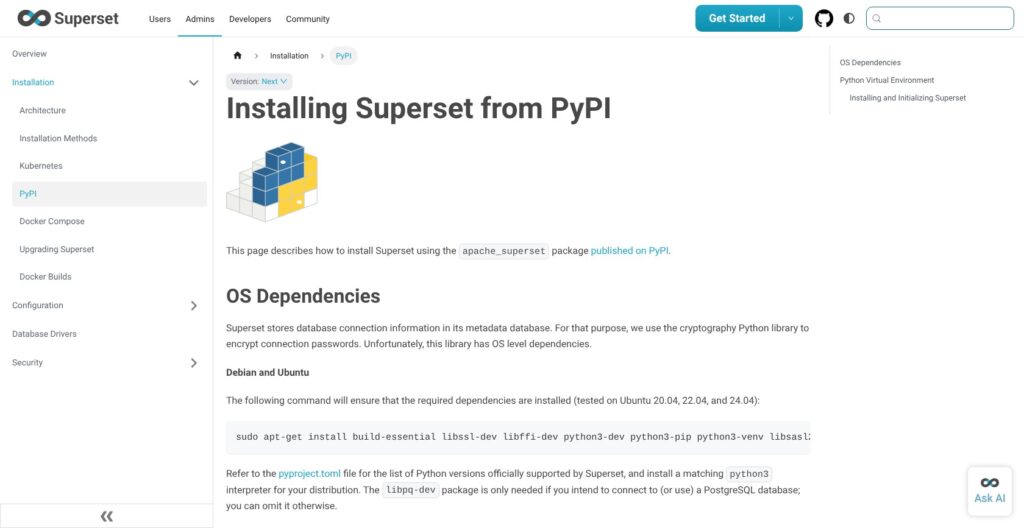
Superset 6.1.0 requires Python 3.10 or later, and the PyPI docs also list OS build packages such as libssl-dev, libpq-dev and libldap2-dev for Debian or Ubuntu. pip install apache-superset==6.1.0 pulled about 200 packages into an 800 MB virtual environment. The bare install then failed three times:
superset versioncrashed withNo module named 'rich', a library the CLI imports but the package does not declare.superset db upgradecrashed with aTypeErroraboutignore_delete_many_errors, because pip resolved Flask-Caching 2.5.1 while the release itself pins 2.3.1.superset load-examplesstopped withNo module named 'cachetools'.
Installing the 156 pinned versions from the 6.1.0 tag’s requirements/base.txt fixed all three. Superset then printed “Refusing to start due to insecure SECRET_KEY” until I added a superset_config.py with a key from openssl rand -base64 42. After that, the documented sequence ran clean: superset db upgrade in 8 seconds, superset fab create-admin, superset init in 5 seconds, then superset run -p 8088.
Loading the Example Dashboards
superset load-examples ran for 70 seconds and loaded 9 dashboards, 103 charts and 21 datasets. Three example datasets failed on SQLite with “too many SQL variables”, a reminder that SQLite is for evaluation only. The dev server then idled at about 165 MB of RAM.
Connecting a Database
No warehouse drivers ship with the PyPI package. A Postgres URI returned HTTP 500 with No module named 'psycopg2' in the server log, and a Snowflake URI returned HTTP 500 with “Could not load database driver”. Every source needs its SQLAlchemy driver pip-installed into Superset’s own environment, and the HTTP 500 alone does not say which one is missing. After pip install duckdb-engine, my DuckDB URI tested OK without a restart, and I registered a 200,000-row orders table (region, order date, amount) as a database and then as a dataset.
Querying in SQL Lab
- A
GROUP BY genderover the birth_names example table came back instantly, and SQL Lab appendedLIMIT 100001on its own. - A month-by-region aggregation over the 200,000 DuckDB rows returned 36 rows in under a second, on a re-run too.
DELETE FROM birth_nameswas blocked withDML_NOT_ALLOWED_ERROR, since DML is off per database by default.- A Jinja test using
{{ "girl" }}ran unrendered, returned zero rows and showed no warning, becauseENABLE_TEMPLATE_PROCESSINGis off. - Async execution, which lets SQL Lab queries run for up to 6 hours by default, needs the Celery worker I did not run.
The silent Jinja result is the trap to watch for: a templated query looks valid, runs, and returns nothing until an admin turns the flag on.
Reviewer’s Notes: Install from the release’s pinned requirements file, or use Docker, and set SECRET_KEY before your first command. A bare
pip install apache-supersetgave me three crashes before a single chart existed.
Charts and Dashboards: 34 Chart Types, No Joins
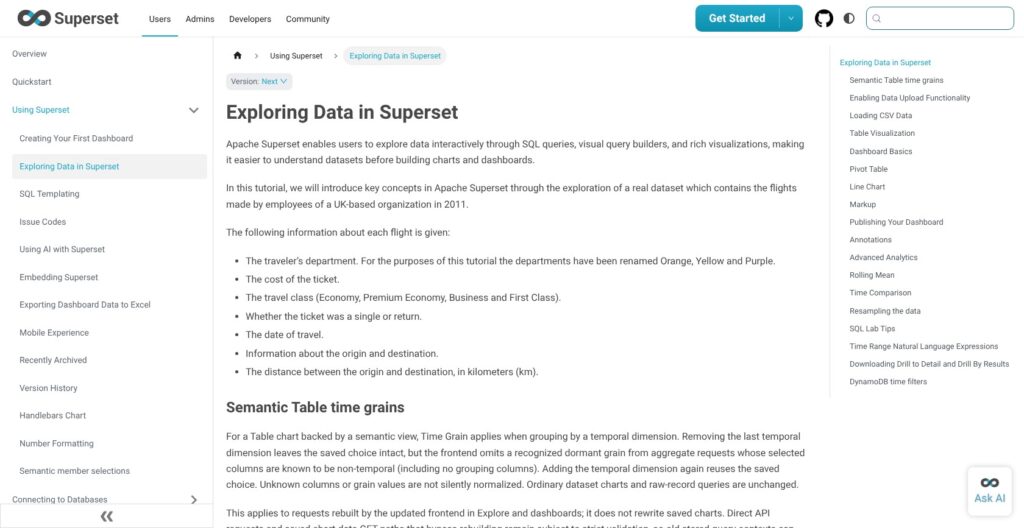
The 103 example charts use 34 distinct visualization types, including tables, pivot tables, ECharts bar, area, line and scatter charts, heatmaps, Sankey, treemap, sunburst, gauge, waterfall, funnel, Gantt and four deck.gl geospatial layers. Handlebars templates and custom frontend plugins cover anything else.
Explore, the no-code chart builder, works on a dataset, and a dataset is one table or one view. Superset’s FAQ states that you cannot join tables in Explore, so joins go into a database view or a virtual dataset written in SQL Lab. Metabase’s query builder lets a business user add a join without writing SQL. Virtual datasets also hand the SQL to your engine as written: one user reported on GitHub that charts on virtual datasets threw a GROUP BY error on 6.1.0 with ClickHouse 25.3.
Each dataset carries its own metrics and calculated columns. SIP-182, a proposal under development, would add a semantic layer with automatic joins; until it ships, governed metrics in the style of Looker or Lightdash are not part of Superset.
Dashboards add:
- Native filters and cross-filtering between charts
- Drill to detail and drill by, both on by default in 6.1
- Themes managed in the UI on Ant Design v5, added in 6.0
The chart data API returned my DuckDB results uncached on both runs, because no cache is configured out of the box, so Redis is a setup task rather than a default. Superset passes every query to the connected database, so chart speed depends on your warehouse.
- Best for: SQL-literate teams who want broad chart coverage, geospatial included, without paying per seat
- Skip if: business users need to join tables themselves without an analyst
The Built-In MCP Server: AI Through Your Own Client
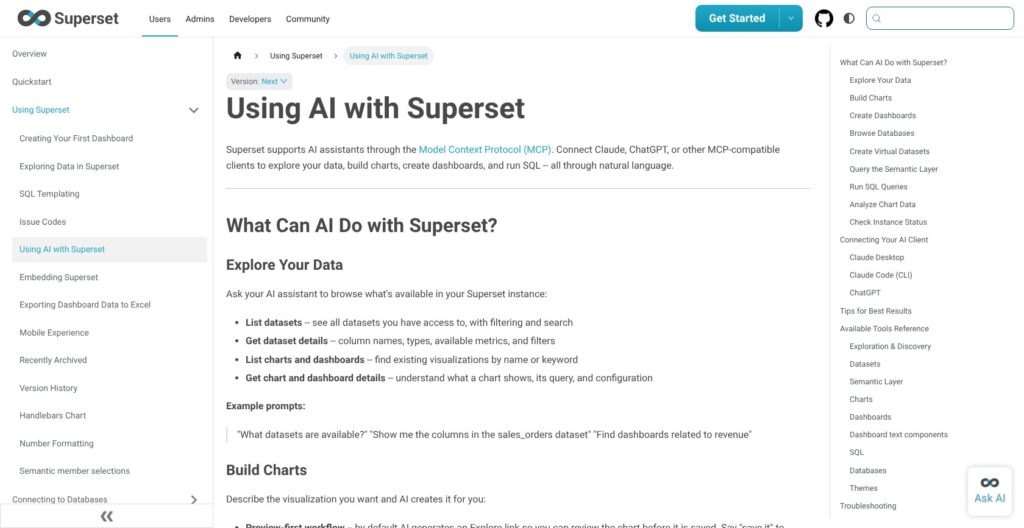
Superset 6.1 ships an MCP server instead of a chat assistant: superset mcp run starts it as a separate process, and Claude, Cursor or another MCP client does the asking. To run it, I installed the fastmcp extra (version 3.4.8) and set MCP_DEV_USERNAME because auth was off, and it served streamable HTTP on port 5008.
My client saw 4 top-level tools (search_tools, call_tool, get_instance_info and health_check) that front 24 actual tools for charts, dashboards, virtual datasets and SQL, of which the 6.1.0 upgrade notes list 19 as new:
list_dashboardsreturned the example dashboardsexecute_sqlreturned a state aggregation in about 0.08 secondsgenerate_chartsaved a pie chart of births by gender in about a second, with an ASCII preview that showed the dimension but not the metricget_chart_type_schemafailed with an internal error- Returned links pointed at
0.0.0.0:8080instead of my server on 8088, even after I setSUPERSET_WEBSERVER_ADDRESS
In production, the server needs JWT auth, and RBAC applies to the calling user, so the AI client sees only what that user can see. Open-source Superset has no bundled chat UI, and Preset sells an AI chatbot on its paid tiers. Lightdash lists AI agents and MCP among its $3,000-a-month Cloud Pro features; Superset’s version costs nothing but assumes your team already works in an MCP client.
Embedding and Permissions
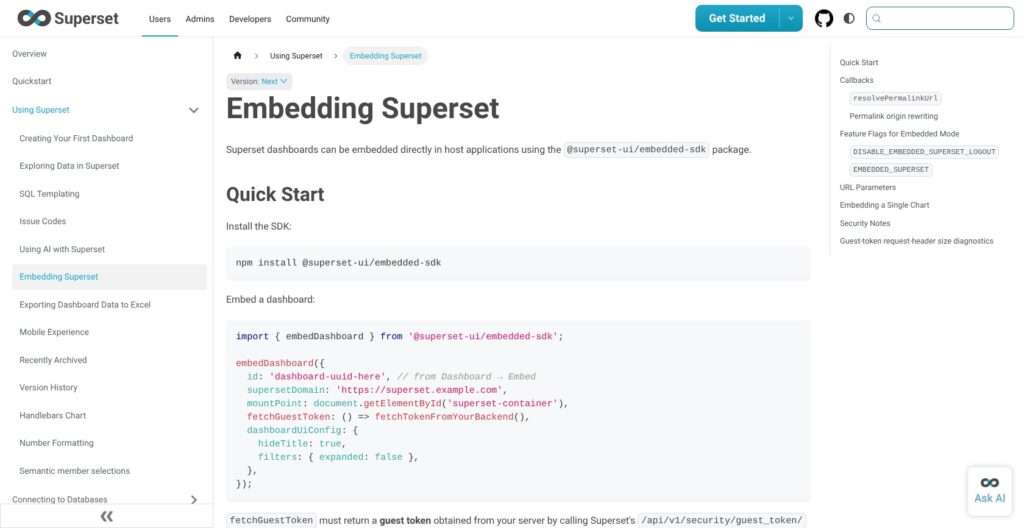
Embedding sits behind the EMBEDDED_SUPERSET flag, which is off by default. With it on, I enabled embedding on the example Sales Dashboard with localhost:3000 as the allowed domain and minted a guest token carrying the row-level security clause deal_size = 'Small'. The decoded token held the dashboard, the rule and a 300-second lifetime.
Your host app mints these tokens server-side with a service account, and the front end renders the dashboard through the @superset-ui/embedded-sdk npm package, which I did not test. Drill by and drill to detail work in embedded dashboards since 6.0.
Permissions run on five built-in roles:
- Admin: full control of the instance
- Alpha: access to all data sources
- Gamma: only the data sources it is granted
- sql_lab: SQL Lab access
- Public: anonymous viewers
Row-level security rules attach per role, and DASHBOARD_RBAC, off by default, adds dashboard-level access. superset init overwrites the built-in roles, so copy them before you customize anything.
One user reported on GitHub that guest-token embedding that worked on 4.1.4 started failing with a Forbidden error after upgrading to 6.0.0, and the issue is still open, so test embedding on a staging copy before every major upgrade. Preset charges $500 a month per 50 embedded viewers and Metabase puts embedding in its $575-a-month Pro plan, while self-hosted Superset charges nothing per viewer.
Self-Hosting in Production: What Free Actually Costs
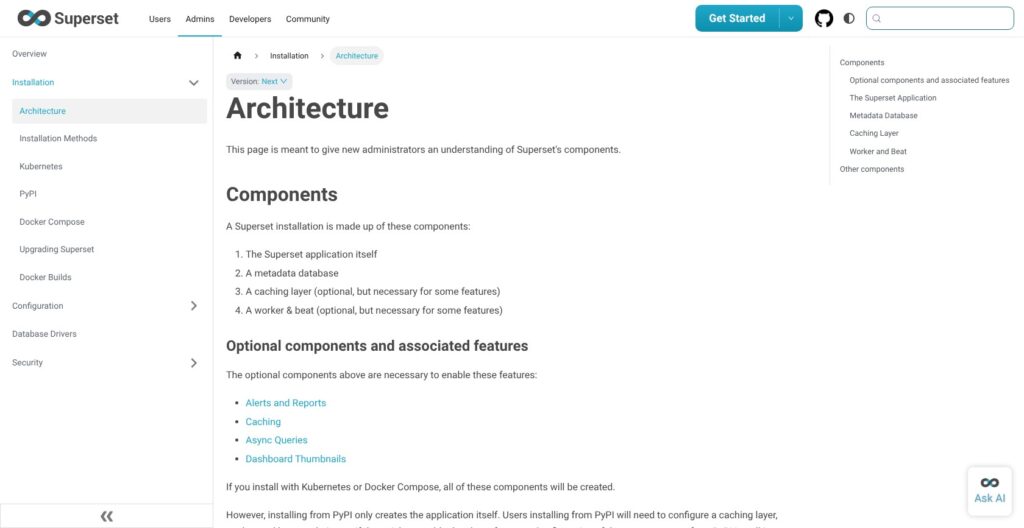
A production Superset has four components: the web app, a metadata database (Postgres or MySQL, never SQLite), a cache, usually Redis, which doubles as the Celery broker, and a Celery worker plus beat. Alerts and reports also need:
- The
ALERT_REPORTSflag, off by default - A Celery worker and one beat process running the reports scheduler
- SMTP settings or a Slack token for delivery
- A headless browser on the worker for PNG and PDF screenshots
Async SQL Lab queries and dashboard thumbnails also depend on the worker and cache. My dev server idled at about 165 MB and the MCP service at about 53 MB, but that was one user on SQLite with no worker running.
The docs call Docker Compose “not production-ready out of the box”, and the current Kubernetes docs point new deployments at the Superset Kubernetes Operator and mark the Helm chart deprecated. The PyPI docs do not cover cache, worker or beat setup at all.
Each major upgrade costs admin time: version 6.0 removed AUTH_OID and THEME_OVERRIDES and ran a chart migration, and 6.1 switched cache hashing from MD5 to SHA-256, which invalidates cached thumbnails and digests on upgrade. On GitHub, users have reported reports stuck in “sending” on 5.x and Celery beat permission errors when adding a beat container under Docker on 6.0.0.
Deleted dashboards, charts and datasets have no trash or restore, so back up the metadata database. Scarf telemetry stays on until you set SCARF_ANALYTICS=false.
How Does Apache Superset Compare to Competitors?
Superset wins for SQL teams that want 81 listed databases and customer-facing embedding with no viewer fees; seven rivals win elsewhere, and one of them, Preset, is Superset itself with the ops work removed.
| Tool | Pricing | Joins in the UI / modeling | Best for |
|---|---|---|---|
| Apache Superset | Free (Apache 2.0) | No: one table or view per dataset | SQL teams, free embedding |
| Preset | $0 up to 5 users, then $20/user/month annual | Same as Superset | Superset without ops work |
| Metabase | Free OSS, Starter $100/month, Pro $575/month | Visual query builder with joins | Business-user self-serve |
| Lightdash | Free self-host or $3,000/month flat | Metrics and joins in dbt YAML | dbt teams |
| Tableau | Creator $75, Viewer $15 per user/month | Joins and relationships in the data source | Polished visual analysis |
| Power BI | Pro $14/user/month | Power Query and a data model | Microsoft shops |
- Metabase wins for business users who want to build their own questions: the open-source edition is free, Starter is $100 a month including 5 users, and Pro is $575 a month including 10. Its visual query builder handles joins that Superset pushes into SQL, and Enterprise starts at $20,000 a year.
- Preset wins for teams that want Superset itself without running Celery and upgrades, free up to 5 users and $20 per user after that on annual billing. Embedded viewers cost extra, from $500 a month per 50.
- Lightdash wins for dbt teams that want metrics defined once in YAML, at a flat $3,000 a month with unlimited users. There is no plan between free self-hosting and that price, and it assumes your models already live in dbt.
- Looker wins for companies that want a governed LookML semantic layer and are fine with quote-only pricing. LookML keeps every metric in one modeled layer, which Superset’s per-dataset metrics do not.
- Tableau wins for polished drag-and-drop analysis, at $75 per Creator and $15 per Viewer a month on annual Standard pricing. Every deployment needs at least one Creator seat, and Enterprise Creator seats cost $115.
- Power BI wins for Microsoft shops, at $14 per user a month for Pro or $24 for Premium Per User.
- Redash wins for teams that only need lightweight SQL dashboards: it is BSD-licensed and shipped v26.9.0 in September 2026, but its hosted service closed in 2021 and the project is community-maintained.
How I Reviewed Apache Superset
I installed Apache Superset 6.1.0 from PyPI in a Python 3.11 virtual environment, fixed the dependency breakage with the release’s pinned requirements, and loaded the example dashboards. I connected DuckDB with a 200,000-row table, ran SQL Lab queries including a blocked DELETE and a Jinja test, minted an embedding guest token with a row-level security rule, and ran the MCP server to create a chart through it. I also checked the defaults of the roughly 62 boolean feature flags in the installed package.
I did not test Docker, Kubernetes, Celery alerts, Preset or the Explore and dashboard UI, so I describe those as documented product behavior. I weighed the cost of a 25-user team on Preset, Metabase and Tableau against self-hosting.
Prices current as of October 2026.
Should You Use Apache Superset for BI?
Yes, if your team writes SQL and someone can run Python services. Superset gave me 34 chart types, 81 listed databases and an MCP server for $0 in licenses, but it also gave me three crashes on a bare install and a stack of off-by-default flags.
- Self-host Superset if your team is SQL-literate, you already run Postgres and Redis, you need broad database coverage, or you want to embed dashboards for customers without per-viewer fees
- Use Preset if you want Superset without the ops work: free up to 5 users, then $20 per user a month
- Skip it if business users need to build joins themselves (pick Metabase), your metrics live in dbt (pick Lightdash) or LookML (pick Looker), or you want polished drag-and-drop analysis (pick Tableau)
Before you commit, install Superset with the release’s pinned requirements or open a Preset Starter workspace, and point it at your real warehouse, not the examples, with the alerts, embedding and Jinja flags switched on before you judge it.
FAQ
Is Apache Superset really free?
Yes. Apache Superset is licensed under Apache 2.0, with no seat fees and no paid feature tiers in the open-source project. You pay for servers, the metadata database, Redis and upgrade time. Preset offers managed Superset free for up to 5 users.
Is Superset better than Metabase?
Superset is better for SQL teams: it offers 34 chart types in its examples alone, 81 listed databases, SQL Lab and embedding with no viewer fees. Metabase is better for business users, because its visual query builder handles joins without SQL and its setup is lighter. Metabase Pro costs $575 a month including 10 users.
Does Apache Superset need SQL?
Not for charting. Explore is a no-code chart builder, so a business user can build charts on a dataset someone has already defined. Creating datasets is different: each one is a single table or view, so joins need a database view or a virtual dataset written in SQL Lab.
What is the difference between Superset and Preset?
Apache Superset is the free, self-hosted open-source project. Preset is a managed service built on Superset by the company of Superset’s creator. Starter is free for up to 5 users, Professional is $20 per user a month billed annually, and Enterprise is custom. Embedded viewers cost from $500 a month per 50.
Does Apache Superset have AI features?
Yes, through the built-in MCP server that ships with 6.1, not a chat box. Claude, Cursor or another MCP client can list dashboards, run SQL and save charts under the calling user’s permissions. Open-source Superset ships no chat UI, while Preset sells an AI chatbot on paid tiers.