
Editor’s note: This Preset review is based on my hands-on test of Preset Cloud in October 2026, from signup and the 14-day Professional trial to a shared dashboard. I weigh pricing and plan gating, the core workflow, SQL Lab and charting, embedding cost, AI features, security and deployment.
Quick verdict: I recommend Preset for data teams that want Apache Superset’s SQL Lab and 40+ chart types without running Celery, Redis and upgrades themselves, at $20 per user a month on Professional. Go in knowing that embedding costs extra and that SSO, dbt sync and API access sit behind custom-priced Enterprise.
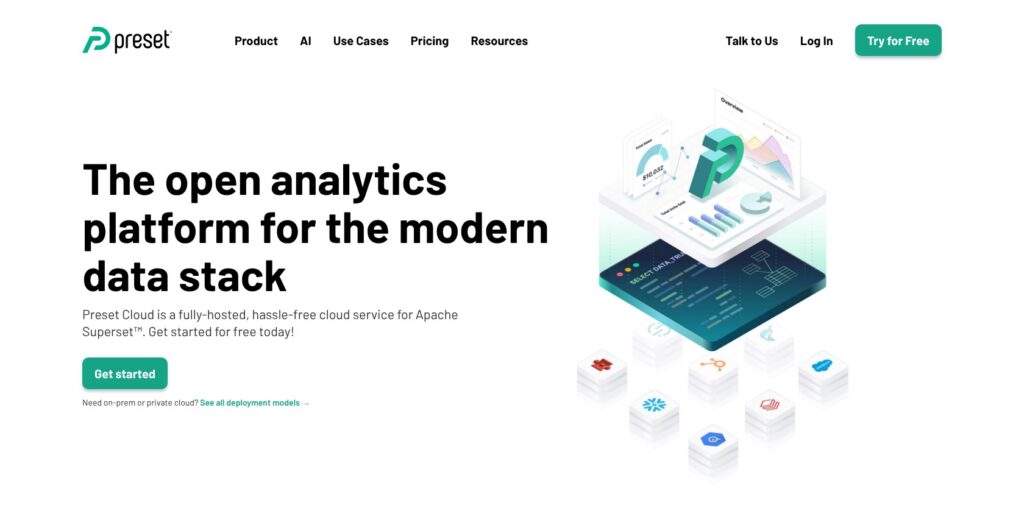
Preset is the commercial cloud for Apache Superset, founded by Superset creator Maxime Beauchemin. It raised a $7.27M Series C led by Andreessen Horowitz in March 2026 and cherry-picks fixes into its workspaces ahead of upstream Superset 6.1.
In this review, I’ll take a closer look at Preset’s pricing, features, and how it compares to self-hosted Superset and Metabase, so you can see exactly whether the per-seat bill beats running Superset yourself.
Key Takeaways
- Starter is free for up to 5 users, but a workspace nobody opens for 30 days hibernates
- Professional costs $20 per user a month billed annually ($25 monthly), with unlimited users and 3 workspaces
- Embedding is a paid add-on, with viewer licenses starting at $500 a month for 50 viewers, or $10 per viewer
- SSO, SCIM, dbt sync, SSH tunnels and activity logs are Enterprise-only, and Enterprise pricing is custom
- Row-level security does not apply in SQL Lab, so Limited Creators and above can query protected rows
Pros and Cons
Pros
- Starter is free for up to 5 users, with unlimited dashboards and charts
- Professional is $20 per user a month billed annually, with unlimited users and 3 workspaces
- SQL Lab, a no-code chart builder and 40+ visualization types on every plan
- SOC 2 Type 2, HIPAA and PCI-DSS Level 2, across 4 AWS regions
- Managed Private Cloud runs Preset inside your own AWS, GCP or Azure account
- Queries run in your database; Preset keeps only a result cache with a 24-hour default
Cons
- Embedded viewer licenses start at $500 a month for 50 viewers
- SSO, SCIM, dbt sync and activity logs are Enterprise-only
- Starter workspaces hibernate after 30 days without access
- Row-level security is not applied inside SQL Lab
- No numeric uptime SLA percentage is published
Preset Pricing: How Much Does It Cost?
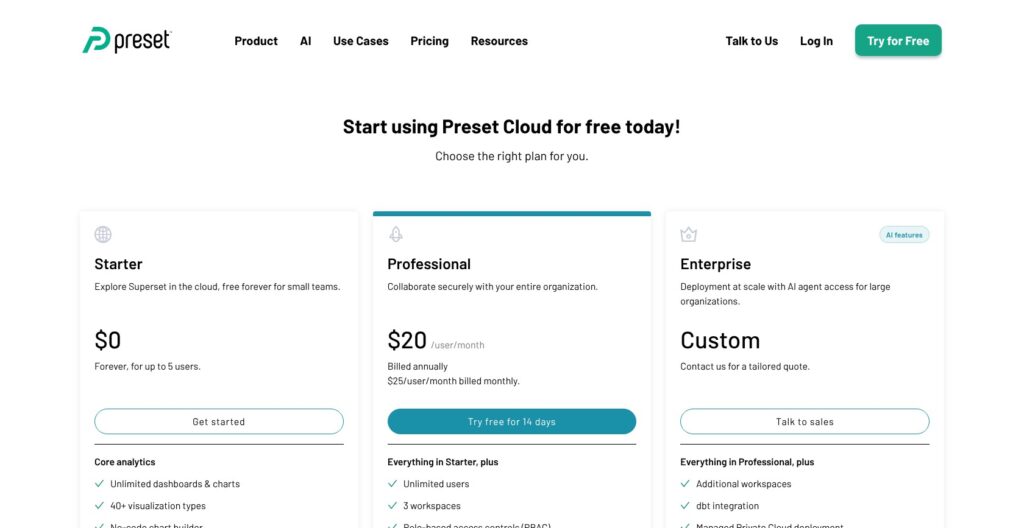
Preset has three plans, and only Professional carries a published per-seat price:
- Starter ($0): for teams of up to 5 users, with 1 workspace, unlimited dashboards and charts, 40+ visualization types, the no-code chart builder, SQL Lab and the semantic layer. Every user is a Team Admin, with no alerts, reports, embedding or API.
- Professional ($20/user/month billed annually, $25 monthly): for growing data teams, with unlimited users, 3 workspaces, role-based access control, email and Slack reports and alerts, a choice of region, standard support and a 14-day AI Chatbot trial.
- Enterprise (custom): for regulated or larger companies, with more workspaces, dbt integration, Managed Private Cloud, SSH-tunnel connections, SSO with SCIM, activity logs and usage metrics, an Enterprise SLA, the AI Chatbot on your own OpenRouter key, and the MCP server.
API access, dedicated Slack support and viewer-license volume discounts of up to 90% are Enterprise add-ons, billed on top. Signup starts the Professional trial with no billing details, you can drop to Starter only when it ends, and SSO stays off until billing begins.
| Plan | Price | Users | Workspaces | Key gated features |
|---|---|---|---|---|
| Starter | $0 | Up to 5, all admins | 1 | No RBAC, alerts, reports, embedding or API |
| Professional | $20/user/month annual, $25 monthly | Unlimited | 3 | RBAC, email and Slack reports and alerts, region choice, embedding as add-on |
| Enterprise | Custom | Unlimited | Additional | SSO and SCIM, dbt, SSH tunnels, activity logs, Managed Private Cloud, MCP, API as add-on |
| Embedded viewer licenses | From $500/month for 50 viewers | Viewers without Preset accounts | n/a | Professional and Enterprise only |
[Screenshot needed: Preset pricing page showing the Starter, Professional and Enterprise plan cards and the add-ons row] I read the add-ons row before the plan cards, since embedding and API access are billed outside the plans. Source: Preset.
Is Preset Good Value for Money?
- Small teams pay more than on Metabase: 10 Preset users cost $200 a month, against $130 on Metabase Starter ($100 including 5 users, plus $6 each)
- Mid-size teams land close to Metabase Pro: 50 Preset users cost $1,000 a month and Metabase Pro ($575 including 10 users, then $12 each) costs $1,055, but Metabase’s bill includes SSO
- Lightdash’s flat $3,000 Cloud Pro matches Preset Professional at 150 users and gets cheaper with every user after that
- Role-tiered rivals split both ways: Tableau Cloud Creator ($75) and Hex Professional ($36 per editor) cost more per author, while Power BI Pro undercuts Preset at $14 per user
- Embedding works out to $10 per viewer a month at list price, on top of internal seats
Reviewer’s Notes: I would use the card-free 14-day trial to build the dashboards your team actually needs. For 6 to roughly 50 internal users who do not need SSO, Professional at $20 per user billed annually is the plan I’d buy. If your security team requires SAML SSO or you need dbt sync, ask for an Enterprise quote on day one, because Professional cannot add either. Starter fits only 5 or fewer users who log in at least once every 30 days.
My Experience With Preset
Of the four stages from signup to a shared dashboard, only the database connection depends on your network rather than on Preset.
Signing Up and Creating a Workspace
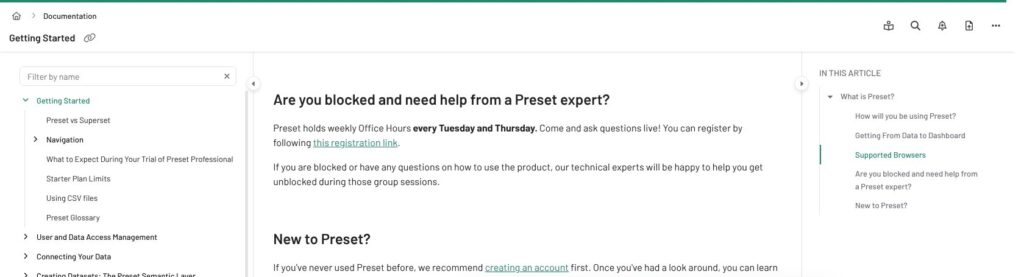
I registered at manage.app.preset.io with no billing details, and the account started on the 14-day Professional trial straight away. The Preset Manager home lists workspaces as cards, and each workspace is an isolated Superset instance with its own databases, users and content.
The region is fixed at workspace creation. Preset Cloud offers four, US East 1 (Virginia), US West 2 (Oregon), Asia Pacific 1 (Tokyo) and EU North 1 (Stockholm), and you pick one only on Professional and Enterprise. Google Chrome is the only officially supported browser; Preset does not comprehensively test Safari or Firefox.
[Screenshot needed: Preset documentation Getting Started page with the signup and workspace steps] I followed the Getting Started guide from registration to the first workspace card. Source: Preset.
Connecting a Database
Only Workspace Admins can add a database, under Settings > Database Connections > + Database. BigQuery, PostgreSQL, Snowflake, MySQL, Redshift and Google Sheets get credential-based connection cards; everything else connects through a SQLAlchemy URI. The docs name about 46 supported databases, including Databricks, ClickHouse, Trino, Dremio, MotherDuck, SQL Server, Oracle and Teradata.
Preset Cloud only reaches publicly addressable databases, so before Test Connection I had to allowlist Preset’s three IP addresses for the workspace region. Private networks need Enterprise SSH tunneling or AWS PrivateLink.
Building a Dataset and Chart
Every chart in Preset is built on a dataset, either a physical table or a virtual dataset defined by a SQL query, and metrics and calculated columns live on that dataset.
From + > Chart, I picked a dataset and a chart type, then dragged columns and metrics into the Chart Builder. Limited Creators and above can start a chart from a dataset, while starting one from a SQL Lab query requires the Primary Creator role or higher. Preset never extracts your data, so every chart query runs in your own warehouse.
Assembling a Dashboard and Sharing
A chart can go onto a dashboard at save time, from the dashboard editor, or into an empty dashboard. Sharing works by link, through Slack, or as a scheduled report on Professional and above. Professional’s 3 workspaces map onto dev, staging and prod, with content exported from one workspace and imported into the next.
[Screenshot needed: Preset homepage hero with the Preset Cloud product overview] I started from the Preset Cloud overview before opening the workspace. Source: Preset.
Reviewer’s Notes: Networking, not charting, is the step most likely to stall a rollout, because a private warehouse needs Enterprise SSH tunneling or PrivateLink. Hacker News users call Superset less user friendly than Metabase, so I would give business users curated datasets and Viewer roles, and keep SQL Lab for analysts.
SQL Lab, Charts and the Semantic Layer
Row-level security in Preset does not apply inside SQL Lab, so the collaborative SQL editor is the one place where a Limited Creator or above can read rows that dashboards hide.
SQL Lab
SQL Lab ships on every plan, Starter included. On Professional and Enterprise, AI Assist adds text-to-SQL through OpenAI for BigQuery, PostgreSQL and Snowflake, once a Team Admin enables it per workspace. It sends schema, table and column names and comments to OpenAI, plus up to 100 sample rows per table if you allow that.
Row-level security works through Data Access Roles with regular and base filters, each adding a WHERE clause to chart queries. Because SQL Lab skips those filters, I would give Limited Creator and higher roles only to people cleared to see every row, and put everyone else on the Viewer, Dashboard Interactor or Dashboard Viewer roles.
Charts
Preset offers 40+ visualization types through a no-code chart builder, on every plan. One Hacker News user who ran a Superset, Metabase and Lightdash shootout rated Superset best on visualization but “almost useless for self-serve BI by business users” over an existing star schema, and picked Lightdash.
Semantic Layer and Caching
Those datasets form a thin semantic layer. Looker models joins and business logic centrally in LookML; with Preset, the common pattern is to model in dbt or Cube and point datasets at the results, and dbt sync is Enterprise-only.
Query results are cached in AWS ElastiCache for Redis, keyed per workspace and encrypted with a workspace-specific AES-128 key, with a 24-hour default retention and configurable timeouts. Dashboard speed therefore comes down to your warehouse plus that cache.
[Screenshot needed: Preset Cloud page showing SQL Lab and the chart builder] I compared the SQL Lab and chart builder views on the Preset Cloud page against the docs. Source: Preset.
Dashboards, Alerts and Embedded Analytics
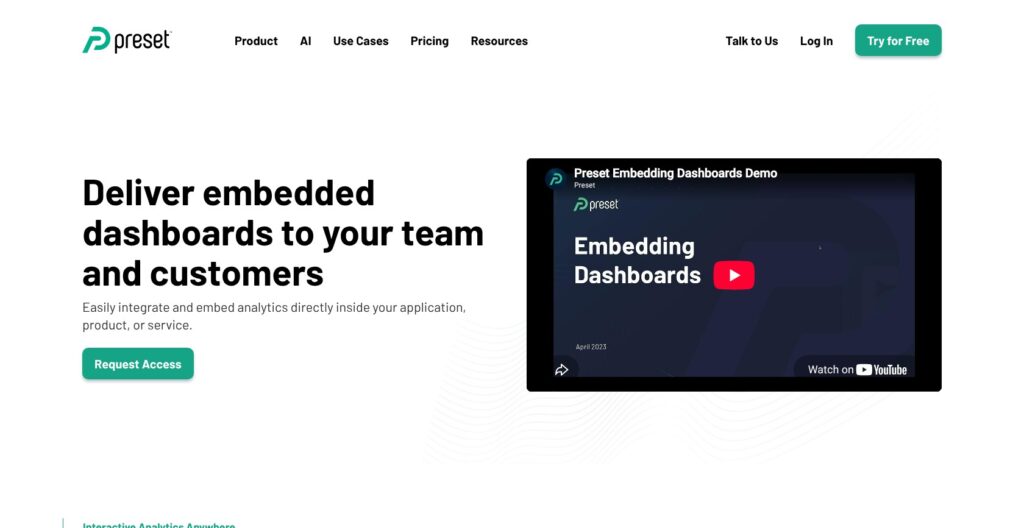
Putting a Preset dashboard in front of customers costs at least $500 a month in viewer licenses on top of your seats, and that buys 50 viewers.
Alerts and Scheduled Reports
Professional and Enterprise include event-triggered alerts and scheduled reports by email or Slack, with Preset running the SMTP and Celery workers that self-hosted Superset teams operate themselves. Scheduled reports can deliver filtered, tabbed dashboards, and only Workspace Admins, Primary Creators and Secondary Creators can create or edit them.
Embedding
Preset embeds dashboards by iframe or through the Embedded SDK for React, Vue, Angular or plain JavaScript, in four documented steps:
- Create a guest token from your backend, listing the allowed dashboards and the row-level security rules for that viewer
- Pass the token to your frontend
- Install the Superset Embedded SDK in your app
- Embed the dashboard, which renders in an iframe
Allowed-domain restrictions limit where the dashboard renders, and the guest token is the iframe’s only authorization, so tenant isolation depends on the RLS rules your backend writes into it. White-labeling is Enterprise-only, and Preset recommends a separate workspace for embedded content.
What Embedding Costs
Viewer licenses cover people without a Preset account, with limited interactivity, and Enterprise buyers can negotiate up to 90% off. During the 14-day trial, admin-role users can embed without buying licenses, which is enough to prove the guest-token flow before you pay.
Metabase counts embed viewers as users, so 50 external viewers on Metabase Pro add $600 a month at $12 each. The Preset Manager API and CLI, which manage workspaces, users and assets as YAML or JSON, are an Enterprise add-on, so automated tenant provisioning is not available on Professional.
[Screenshot needed: Preset embedded dashboards page showing the SDK and guest token overview] I mapped the guest-token flow on this page to the four deployment steps in the docs. Source: Preset.
AI, Security and Deployment
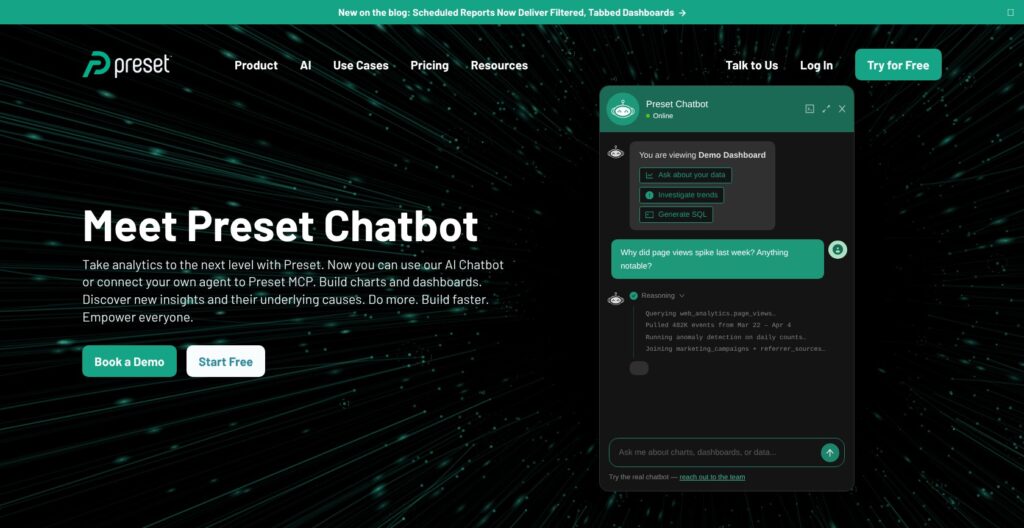
Preset’s MCP server and AI Chatbot both sit on Enterprise, and Professional gets only a 14-day Chatbot trial with limited tokens.
AI Chatbot and MCP Server
The Chatbot answers plain-language questions grounded in your datasets and metrics, and inherits row-level security, column masking and workspace roles. It is enabled per workspace, switches off when a trial ends, and on paid Enterprise runs on your own OpenRouter key.
The MCP server exposes 25 tools (as of May 2026) for querying, charting, building dashboards and creating virtual datasets to Claude, Cursor, Gemini CLI and other MCP clients, with OAuth 2.0 and per-workspace isolation. Preset’s engineers contributed the 20 upstream tools in Apache Superset’s MCP service, so self-hosters get the base version free.
Security and Compliance
- Certifications: SOC 2 Type 2, PCI-DSS Level 2 and HIPAA
- Encryption: TLS 1.2 or higher in transit and AES-256 at rest
- Identity: SAML SSO with Azure, Google and Okta, plus SCIM, on Enterprise only
- Testing: penetration tests every 3 months and continuous compliance monitoring through Vanta
- Uptime: 100% on the status page for every region from July to October 2026, but no contractual uptime percentage is published
Deployment Options
Preset Cloud is multi-tenant SaaS on AWS in the four regions above. Managed Private Cloud runs the full platform inside your own AWS, GCP or Azure account (Azure since June 29, 2026), in any region outside Mainland China, with infrastructure billed by your cloud provider and VPC peering or PrivateLink for connectivity.
A customer-operated on-prem option and Preset Certified Superset, a QA-approved Superset build for your own infrastructure, cover teams that will not use a managed service. Looker ties you to Google Cloud, while Preset calls itself the only independent BI platform with managed private cloud on AWS, GCP and Azure.
[Screenshot needed: Preset trust and security page listing SOC 2 Type 2, HIPAA and PCI-DSS badges] I checked the certification list and region details on the trust page. Source: Preset.
How Does Preset Compare to Competitors?
Self-hosted Apache Superset runs the same engine as Preset for $0 in license fees, so the buying question is whether Preset’s operations, plan features and support are worth $20 per user to you.
- Apache Superset (self-hosted) wins on license cost and control: the software is free, with 70k+ GitHub stars and 1,400+ contributors, but you run Celery, Redis, report workers, upgrades and security yourself. One Hacker News user called it complicated to install and lost all dashboards after an update. Because the engine is the same, Preset content exports to self-hosted Superset without a proprietary format in between
- Metabase wins for small teams and non-technical business users: Starter costs $100 a month including 5 users, then $6 per user, and its query builder suits people who do not write SQL. Metabase Pro ($575 including 10 users, then $12 each) includes SSO and row and column permissions, which Preset keeps on Enterprise, though Metabase counts embed viewers as users
- Looker wins on governed semantic modeling: LookML defines joins and metrics centrally, and each platform edition (Standard, Enterprise, Embed) includes 10 standard and 2 developer users. Pricing is sales-only and the platform is tied to Google Cloud
- Lightdash wins for dbt-centric teams with large audiences: Cloud Pro is a flat $3,000 a month with unlimited users, cheaper than Preset Professional past 150 users, and metrics come straight from dbt. Its warehouse list (BigQuery, Snowflake, Redshift, Databricks, Postgres, Trino, ClickHouse, Athena and DuckDB) is shorter than Preset’s roughly 46 named databases, and Preset only syncs dbt on Enterprise
- Tableau wins for viewer-heavy organizations: Tableau Cloud Standard costs $75 per Creator, $42 per Explorer and $15 per Viewer a month on annual contracts only, so only its Viewer seat costs less than a Preset Professional seat
- Power BI wins on per-seat price in Microsoft shops: Pro is $14 per user a month and Premium Per User $24, with Power BI Desktop free for authoring, though everyone you share with needs a Pro or Premium license
- Hex wins for notebook-style analysis mixing SQL and Python: Professional is $36 per editor a month and Team $75, with compute billed per minute, so it complements a dashboard tool like Preset rather than replacing it
How I Reviewed Preset
I signed up for Preset Cloud and followed the documented path from a new workspace to a shared dashboard: connecting a database, building a dataset with metrics, creating a chart and assembling a dashboard. I mapped each step against plan gating, from role-based access to scheduled reports, SSO and dbt sync.
For embedding, I traced the guest-token flow and priced viewer licenses against Metabase’s per-user embedding. I also weighed the AI Chatbot, the MCP server, the security certifications and the five deployment options, then compared Preset with self-hosted Superset, Metabase, Looker, Lightdash, Tableau, Power BI and Hex at list prices.
Pricing model and product details checked in October 2026.
Should You Choose Preset for Your BI Stack?
Preset gives you Apache Superset’s SQL Lab, 40+ chart types and dataset semantic layer without running the servers, at $20 per user on Professional. Its weak spots are the Enterprise wall around SSO, dbt sync and API access, and embedding that starts at $500 a month for 50 viewers.
Choose Preset if:
- You want Superset without operating Celery, Redis, upgrades and security patches
- Your team has 6 to about 150 users, where Professional’s $20 seat beats Lightdash’s $3,000 flat fee
- You need dev, staging and prod workspaces, or a private deployment on AWS, GCP or Azure
Skip Preset if:
- You plan to embed dashboards for hundreds of customers on a tight budget
- You need SAML SSO without an Enterprise contract, since Metabase Pro includes SSO at a published price
- Your business users need a point-and-click query builder more than a SQL editor
My next step for any team on the fence: run the 14-day Professional trial against your real warehouse, then settle on Starter or Professional before you ask for an Enterprise quote.
FAQ
Is Preset free?
Yes. Preset’s Starter plan is free forever for up to 5 users and 1 workspace, with unlimited dashboards and charts, SQL Lab and 40+ chart types. A Starter workspace nobody opens for 30 days hibernates, though Preset keeps the data.
Is Preset the same as Apache Superset?
Preset runs Apache Superset as a managed cloud service, founded by Superset’s creator, Maxime Beauchemin. The engine is the same open-source project, but Preset Cloud is a commercial hosted product that adds managed operations, role-based access, alerts, embedding licenses, the AI Chatbot and the MCP server.
How much does Preset cost per user?
Preset Professional costs $20 per user a month billed annually, or $25 billed monthly, with unlimited users and 3 workspaces. Enterprise pricing is custom. Embedding starts at $500 a month for 50 viewers. See the pricing section above for the full breakdown.
Does Preset support SSO?
Yes, but only on Enterprise. Preset supports SAML SSO with Azure, Google and Okta, plus SCIM provisioning. SSO stays off during the 14-day trial and activates only once an Enterprise subscription is billing.
Preset vs Metabase: which is better?
Preset suits SQL-fluent data teams that want Superset’s 40+ chart types, private cloud options and 3 workspaces on Professional. Metabase suits small teams and non-technical users, and its Pro plan includes SSO that Preset reserves for Enterprise. At 5 users or fewer, Preset Starter is free; past that, Metabase Starter ($100 a month including 5 users) is the cheaper bill at list prices.