Sigma is cloud BI with a spreadsheet interface: 200+ functions compile to SQL and run live on Snowflake, Databricks, BigQuery or Redshift, with no extracts, and input tables write edits back to the warehouse. It hit $200M in ARR in April 2026 and raised an $80M Series E at a $3B valuation in May.
In this Sigma review, I’ll take a closer look at Sigma’s pricing, features, and how it compares to Looker, Tableau, Power BI and Omni, so you can see exactly whether it justifies an enterprise contract.
Editor’s note: This Sigma review evaluates Sigma’s licensing model, setup requirements and documented capabilities as of October 2026. It is not a hands-on performance test. I weigh pricing, ease of use for spreadsheet users, write-back and apps, AI, governance and embedding.
Quick verdict: I recommend Sigma for finance and ops teams on a cloud warehouse who live in Excel and need governed write-back. The trade-off: no published prices, a $150,000-a-year platform fee on its AWS Marketplace listing before seats, and warehouse compute on every uncached query.
Key Takeaways:
- Viewer seats cost $0 on the AWS contract
- Input tables write back to the warehouse, with edit history
- Sigma Agents are free until November 1, 2026, then messages consume credits
- No public price list: the AWS listing shows a $150,000 platform fee plus $2,000 per Creator seat
- Warehouse compute and credits come on top of the contract
Pros and Cons
Pros
- 200+ spreadsheet functions compiled to SQL, live on the warehouse
- Input tables write back to Snowflake, Databricks, BigQuery, Redshift and Postgres
- Viewer seats cost $0 on the AWS Marketplace contract
- Agents scoped to workbook data and permissions, free until Nov 1, 2026
- Python cells on Snowflake and Databricks connections
- SOC 1/2/3, ISO 27001 and HIPAA listed in the Trust Center
Cons
- No public prices; the AWS listing starts at $150,000 a year
- Uncached queries run on your warehouse bill
- Input tables unsupported on MySQL, AlloyDB, Azure SQL DB and Starburst
- SaaS only, and the cloud provider is fixed at signup
- Report exports, and agent messages from Nov 1, 2026, burn credits
How Much Does Sigma Cost?
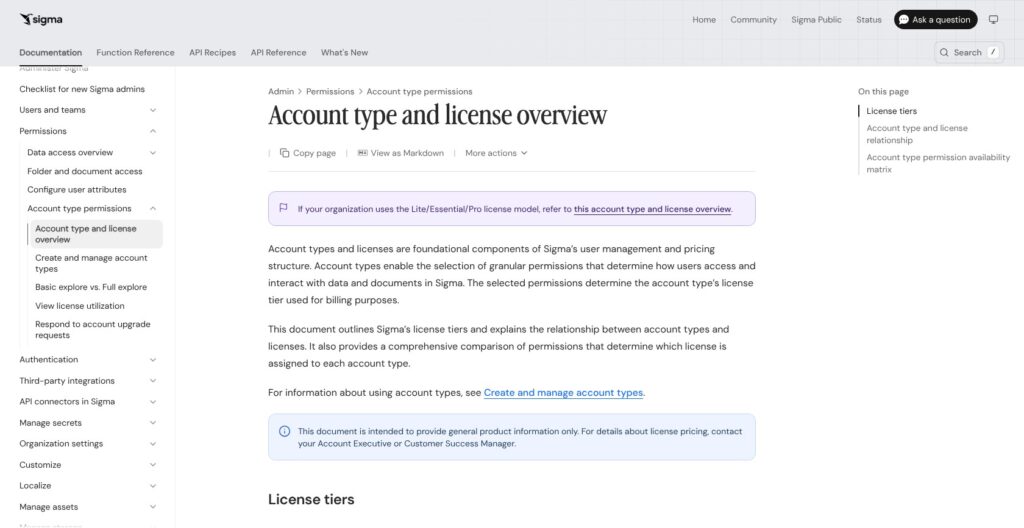
Sigma publishes no list prices: sigmacomputing.com/pricing redirects to a contact page, and an Account Executive quotes the license. Licensing runs on four tiers, View, Act, Analyze and Build, with Admin as an account type on the Build license. Older orgs may still be on Lite, Essential and Pro.
- View (no list price; $0 Viewer seats on AWS): for people who consume dashboards, with drill paths, PDF downloads, comments and Assistant questions
- Act (no list price): for operators who edit input tables, submit forms, trigger actions, schedule exports and set alerts
- Analyze (no list price): for analysts doing ad hoc deep dives with the AI formula assistant, without building workbooks
- Build (no list price): for builders and admins who create workbooks, reports and apps, model and materialize data, write SQL and Python, and manage connections and users
The only public price anchor is Sigma’s AWS Marketplace listing, a 12-month contract with a $150,000 Enterprise Platform fee that includes 24/7 Enterprise Support, $2,000 per Creator or Explorer seat, and $0 Viewer seats. The listing still uses the older Creator, Explorer and Viewer names, so it may lag the four-tier model, and it offers a 14-day trial for up to 5 users versus 7 days on Sigma’s site.
| Tier or line item | What it adds | Published price |
|---|---|---|
| View | Dashboards, controls, drill paths, PDF/PNG downloads, comments, Assistant questions | Not published ($0 Viewer seat on AWS) |
| Act | Input table edits, forms, actions, Excel/CSV/JSON downloads, scheduled exports, alerts | Not published |
| Analyze | Ad hoc analysis, AI formula assistant | Not published |
| Build | Workbooks, reports, apps, data models, materialization, SQL, Python, connections, users | Not published |
| AWS Enterprise Platform | Platform access plus 24/7 Enterprise Support | $150,000 per 12 months |
| AWS Creator or Explorer add-on | One named seat (legacy names) | $2,000 per user per 12 months |
| Usage credits | Input, Integration action, Report export, Agent message | Not published |
Usage credits sit on top of seats, consumed by published input-table updates, API and stored-procedure actions, report exports and agent messages. Admins track credit burn in a Consumption usage dashboard. Warehouse compute is a third bill: any pivot, filter or chart that misses Sigma’s caches runs as a query Snowflake, Databricks or your other platform invoices.
Is Sigma Good Value for Money?
- Wide audiences are cheap: $0 Viewer seats mean a large read-only audience adds no seat cost, while Power BI Pro charges $14 per user/month to share and a Tableau Viewer costs $15
- The floor is steep: $150,000 a year buys the platform before a single Creator seat, the same money as 166 Tableau Creator seats at $75 per user/month for a year
- Compute is a second invoice: heavy dashboard use lands on the warehouse bill, and materialization is Sigma’s documented lever for cutting it
- Credits are hard to forecast: no rate is published, and agent messages join the meter on November 1, 2026
Reviewer’s Notes: I’d buy Build seats only for the people who model data and build workbooks, Act seats for the finance and ops staff who edit input tables, and View for everyone else. Before November 1, 2026, I’d get the credit rates for agent messages, input edits and report exports in writing, since none is published. If my company has committed AWS spend, I’d buy through AWS Marketplace: Sigma’s August 6, 2026 collaboration agreement with AWS lets customers draw that spend down with consolidated billing.
Getting Started With Sigma
Sigma’s own trial lasts 7 days, so here is the path I’d follow to fit a real evaluation into that window.
Starting a Trial
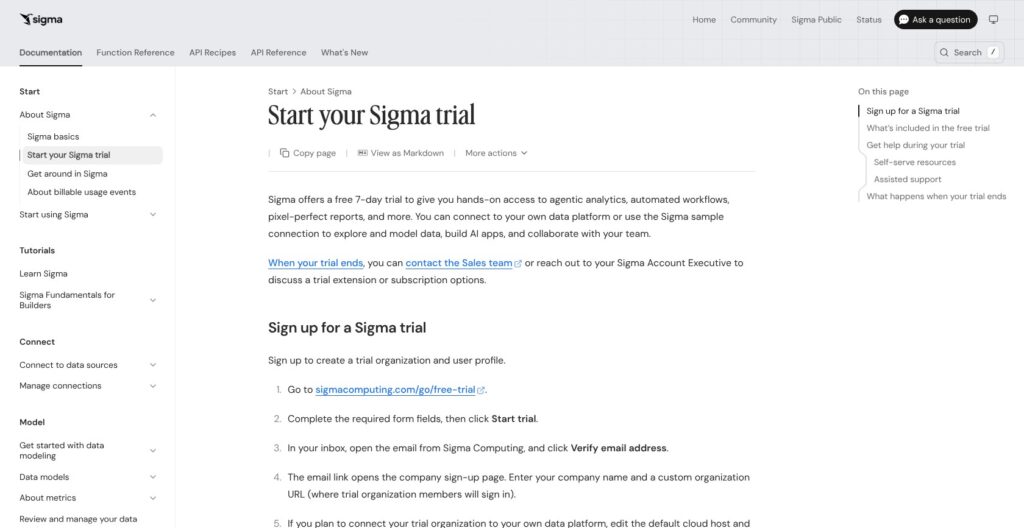
Sign-up runs at sigmacomputing.com/go/free-trial and needs a company email, a point Sigma community members raised when they asked for a free personal tier like Tableau Public. After verifying my email, I’d enter a company name and a custom org URL, then choose the cloud host and region. I’d match that choice to my warehouse before clicking Create, because Sigma runs on AWS, Azure or GCP and the cloud can’t be migrated after the org exists.
The trial org allows 10 pending and 20 total invitations, 50 exports sent only to trial users, no email burst, and no API keys, API actions or SCIM. When the trial ends, Sales handles extensions and subscriptions.
Working With the Sample Data First
Every new org gets the Sigma Sample Database on Snowflake and the Sigma Sample Catalog on Databricks, plus example workbook templates built on them. I’d start there, since none of it needs warehouse credentials, and ask the Account Executive if the Databricks catalog doesn’t appear.
Connecting My Own Warehouse
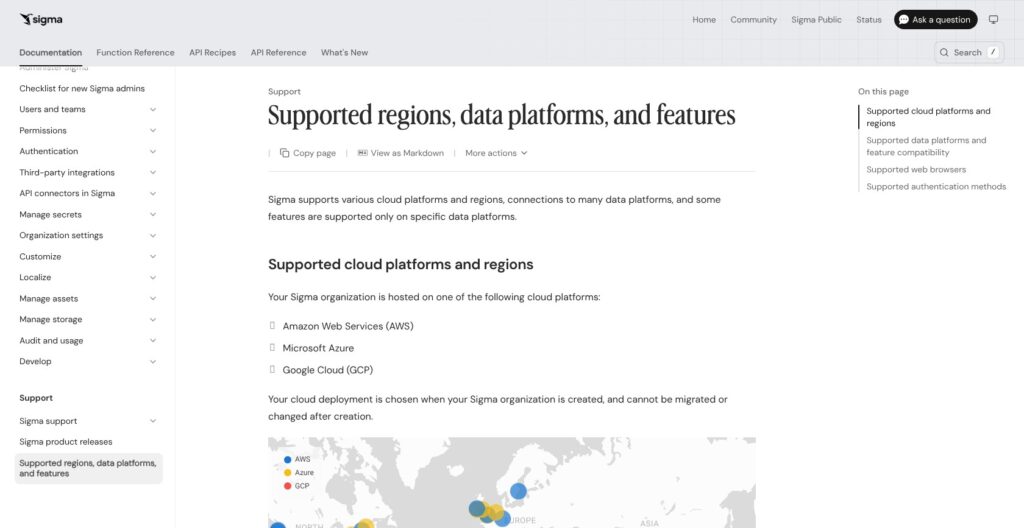
Sigma connects to Snowflake, Databricks, BigQuery, Redshift, PostgreSQL, AlloyDB, MySQL, Azure SQL Database, SQL Server 2022, Azure SQL Managed Instance and Starburst Galaxy, with ClickHouse in beta. An admin creates the connection under Administration > Connections and allowlists Sigma’s egress IPs if the warehouse sits behind a firewall.
Anything that writes (input tables, materialization, CSV upload, Python) needs write access on the connection and a dedicated write-back schema that Sigma reserves for its own objects. I’d settle the identity question early: a service account writes as one shared role, while OAuth writes as each user, so edits fail wherever a user’s role lacks privileges on that schema. Sigma’s October 5, 2026 postmortem records input-table edits and materializations failing on Snowflake connections moved to OAuth between July 27 and a September 10, 2026 fix.
Building a First Workbook
From the home page, Create New > Workbook opens an exploration that stays under Recent for 30 days. I’d add a table from a source, build a few columns with spreadsheet formulas, then add a pivot table, a chart and a control or two, and click Publish to save it as a workbook. Sharing and the Send or schedule export menu then cover email, Slack and Google Sheets delivery.
Workbooks, Formulas and Live Queries
Sigma’s grid looks like Excel, but every one of its 200+ functions, pivots and filters becomes SQL that runs on the warehouse, and Sigma keeps no copy of the data.
📊 A Spreadsheet That Writes SQL
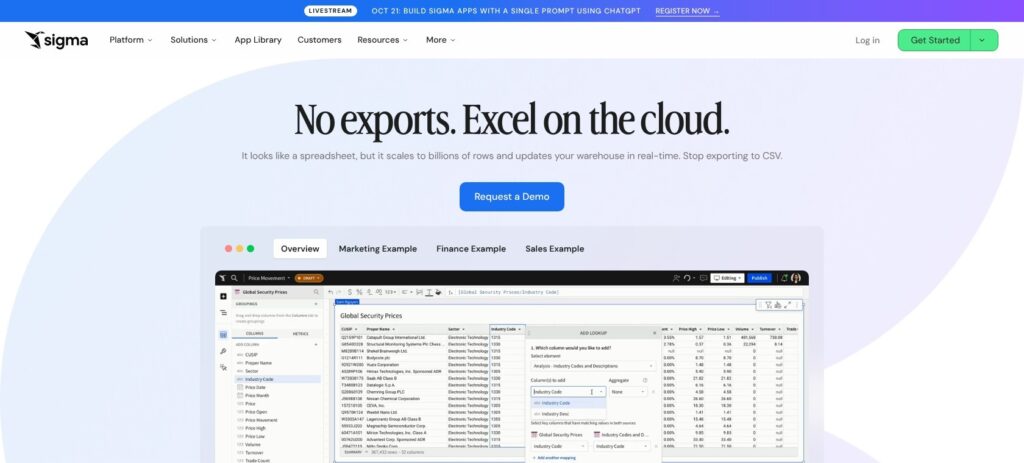
Tableau runs on either extracts or live connections; Sigma always queries the live tables. Warehouse row-level security and masking therefore still apply, and nobody reconciles a stale extract against the source. The trade-off is that every uncached interaction costs warehouse compute.
⚡ Caching and Performance
Before it re-queries the warehouse, Sigma checks four layers: the browser cache, Alpha Query (recomputing from data already in the browser), the warehouse’s query-ID cache, and a universal result cache in beta. Manual and scheduled refreshes skip all four.
For expensive logic, materialization writes a copy to a warehouse table or a Snowflake dynamic table. It is GA for data models and datasets and in public beta for workbook elements. Sigma users on the community forum report slow workbooks when datasets are stacked on other datasets, and Sigma staff’s triage guide says the right fix depends on the bottleneck. List controls sourced from very large tables show a loading spinner, and Sigma’s advice is to enter static values instead.
🐍 SQL and Python
Build users can write SQL directly next to the spreadsheet layer. Python cells run only on Snowflake and Databricks connections, import libraries from the Databricks instance or Snowflake’s conda channel, and can reference tables, pivots, input tables and controls.
Export limits I’d check before promising anyone a file:
- 1 million rows for CSV, Excel and JSON exports, with cloud-storage exports exempt
- 1,000 rows per table or pivot in PDF exports
- 30 MB combined for email attachments
- 5 million cells per table in Google Sheets exports
Input Tables, Actions and Data Apps
Input tables let a finance team type budgets, targets and scenarios next to live actuals, and every edit lands in a table in your own warehouse.
✍️ Input Tables
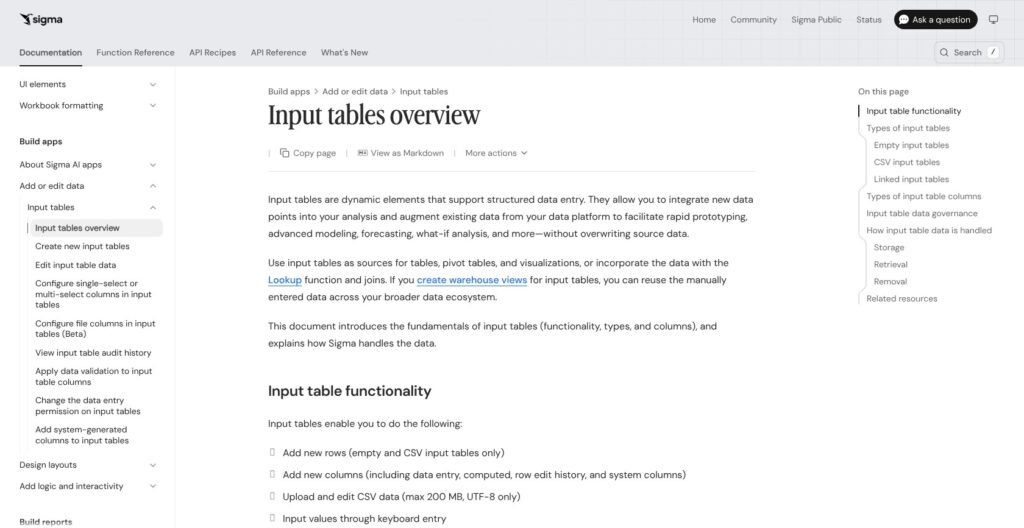
Sigma offers three types:
- Empty: a blank grid that accepts up to 2,000 rows and 25 columns pasted from the clipboard
- CSV: an upload of up to 200 MB, UTF-8 only
- Linked: editable columns beside an existing table, keyed on a primary key column of static values
Entry columns cover text, number, date, checkbox and multi-select, alongside computed columns, row edit history and system columns. Data validation and entry permissions control who types what, and the edit history records who changed which value and when.
Input tables work on Snowflake, Databricks, BigQuery, Redshift, PostgreSQL, SQL Server 2022, Azure SQL Managed Instance and ClickHouse. They are not supported on AlloyDB, Azure SQL Database, MySQL or Starburst Galaxy, so I’d check the connection type before designing a budgeting app around it.
🔘 Actions and Apps
Actions turn a workbook into an app: buttons and forms that trigger stored procedures and API calls. Users need an Act license to submit forms, edit input tables and fire those actions, and each integration action and published input edit consumes credits. Sigma’s own app examples include an expense management app and a commodity trading desk that captures intel and writes it back, and July 2026 added App Templates as starting points. Omni is the closest rival here, with its own data input and apps.
📤 Reports, Exports and Alerts
Reports are pixel-perfect paginated PDFs: tables paginate up to 10,000 rows, and one report runs to 1,000 pages. Schedules deliver to email, Slack, Teams, Google Sheets, Google Drive, SharePoint, cloud storage and webhooks, with conditional exports and alerts, while email burst needs Build. A Sigma community user noted that Slack delivery reaches public channels only, which rules it out for restricted dashboards.
Sigma AI: Assistant, Agents and AI Columns
Sigma Agents went GA on April 8, 2026, and they are free to run until November 1, 2026, when every agent message starts consuming credits.
🤖 Sigma Assistant
Assistant answers natural-language questions with multi-step reasoning, and View users can ask it too. An admin has to configure an AI provider and grant the Use Assistant permission first, and Assistant can’t point at a tagged data model version. It can also call Snowflake Cortex Agents or Databricks Genie, though Genie can’t build charts or answer questions about data modeled only in Sigma.
🧠 Sigma Agents
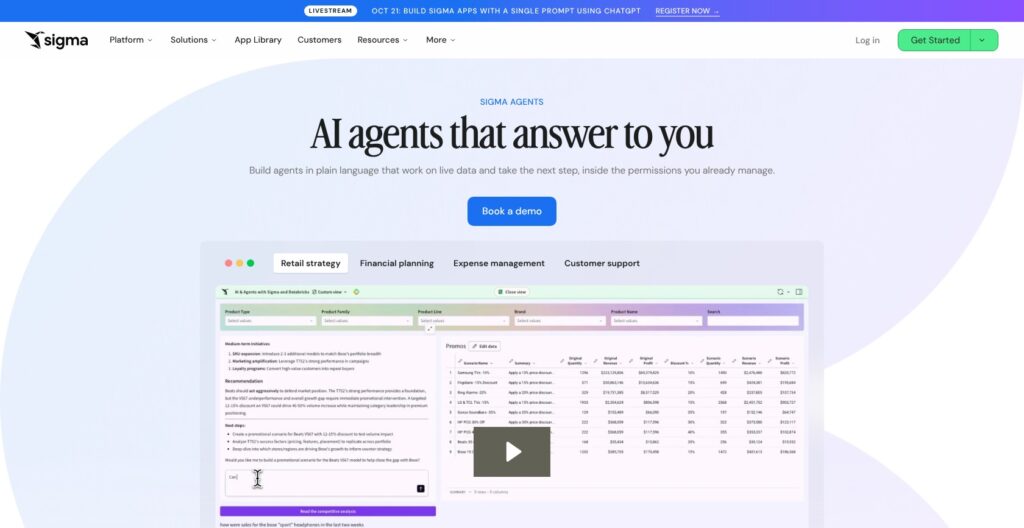
Agents come in three modes: conversational, scheduled or triggered, and human-in-the-loop. Each one is scoped to a workbook’s data elements and to the user’s permissions, and it can only use actions and MCP connectors that user can reach. Governance stacks five layers: warehouse permissions, data model column security, account type, workbook access and agent data-source scoping.
July 2026 added an Agent Builder Assistant, dev-to-prod promotion with Swap Sources, orchestration of Snowflake Cortex agents and Databricks Genie spaces, and data models as agent sources. Sigma says Abnormal AI cut its CRO’s Monday forecast prep from two hours to five minutes with agents.
Agents outside the workbook, an API and MCP server for invoking agents from tools like Claude, and agent evals were targeted for the end of Q3 2026; all three are announced, not yet available in the docs.
🧩 AI Column (beta)
AI Column runs a natural-language prompt on every row, previews the first 100 rows, and caches results. It runs through the data platform’s own AI function, and admins can set token limits per connection.
Data Models, Governance and Embedding
Sigma inherits the warehouse’s row-level security and masking because queries run as the connection’s identity, then adds its own layer on top.
🗂️ Data Models and Metrics
Data models are Sigma’s semantic layer: reusable data source elements, defined relationships and metrics, where a metric is a reusable aggregate calculation tied to one data source. Data models can be managed as code through the API, and Workbooks as Code arrived in preview in July 2026. Version tags create read-only versions of workbooks, data models and reports for dev and prod, and admins can protect a tag so changes need approval. Looker’s LookML is the deeper modeling language, but Sigma’s layer is enough for metric reuse across workbooks.
🔒 Security and Hosting
Row-level and column-level security live in Sigma, and SCIM provisioning exists but is switched off in trial orgs. Hosting is SaaS only on AWS, Azure or GCP, with AWS regions in Oregon, N. Virginia, Canada Central, Frankfurt, Sydney and London, and the cloud is fixed at org creation. The Trust Center lists:
- SOC: SOC 1, SOC 2 and SOC 3
- ISO: ISO/IEC 27001, 27017, 27018 and 27701
- Privacy and health: HIPAA, GDPR, CCPA and the EU-US Data Privacy Framework
PCI DSS and FedRAMP are not on that list, so public-sector and card-data teams should ask before signing.
🧱 Embedding
Public embeds cover workbooks, pages and elements; secure embeds use JWT-signed one-time URLs for workbooks, data models and reports. A React Embed SDK, iframe events and embedded agents scoped by row-level security round it out. Sigma does not publish embedding prices.
How Does Sigma Compare to Competitors?
Sigma wins on spreadsheet-native analysis and write-back on a live warehouse; it loses on price transparency to six of the eight rivals below.
- Looker: best for teams that want a governed semantic layer defined in LookML, especially on Google Cloud. Like Sigma, Looker sells through sales, with no published platform or user prices.
- Tableau: best for visual depth and dashboard design. The Standard edition lists Creator at $75, Explorer at $42 and Viewer at $15 per user/month, billed annually, and every site needs at least one Creator.
- Power BI: best for Microsoft 365 shops on a budget. Pro is $14 per user/month billed yearly and Premium Per User is $24, and on Fabric F64 or larger capacity, viewers need no paid license.
- Omni: best for modeling-first teams that still want spreadsheets. It combines a semantic layer with spreadsheets, apps, data input, embedding and AI, and like Sigma it sells through sales.
- Hex: best for data teams that work in notebooks. Community is free, Professional is $36 and Team is $75 per editor/month, with a 14-day Team trial.
- ThoughtSpot: best for search-driven AI analytics, and the owner of Mode. Essentials starts at $25 per user/month billed annually for 5 to 50 users and up to 25 million rows, and Pro is usage-based from $0.10 per credit.
- Metabase: best for open-source, self-hostable BI. Open Source is free, Starter is $100/month plus $6 per user beyond 5, Pro is $575/month, and Enterprise starts at $20,000/year, though it has less spreadsheet and write-back depth.
- Lightdash: best for dbt-native teams, with Cloud Pro at a flat $3,000/month.
| Tool | Best for | Published starting price | Pricing model |
|---|---|---|---|
| Sigma | Spreadsheet BI with write-back | None (AWS listing: $150,000/year platform) | Sales-led, seats plus credits |
| Looker | LookML semantic modeling | None | Sales-led |
| Tableau | Visual dashboards | Viewer $15, Creator $75 per user/month | Per user, by role |
| Power BI | Microsoft shops | Pro $14 per user/month | Per user or capacity |
| Omni | Modeling-first BI with spreadsheets | None | Sales-led |
| Hex | Notebook analytics | Community free; Professional $36 per editor/month | Per editor |
| ThoughtSpot | Search and AI analytics | Essentials $25 per user/month | Per user or credits |
| Metabase | Open-source BI | Free; Starter $100/month | Flat plus per user |
| Lightdash | dbt-native BI | Cloud Pro $3,000/month | Flat |
Pick Sigma if your analysts think in spreadsheets and your finance team needs to write numbers back to the warehouse; pick Tableau for visual polish, Power BI for price, and Looker or Omni if the semantic model comes first.
How I Reviewed Sigma
I judged Sigma on six areas: pricing and licensing, ease of use for spreadsheet users, write-back and apps, AI features, governance and security, and embedding. I weighted write-back and pricing most, since those decide whether a finance or ops team on Snowflake or Databricks should pick Sigma over Tableau or Power BI.
For pricing, I mapped the View, Act, Analyze and Build tiers, the four credit-billed event types and the AWS Marketplace contract, then set them against the published rates of Tableau, Power BI, Hex, ThoughtSpot, Metabase and Lightdash. For the product, I traced the trial and warehouse setup path, the live-query and caching model, input tables, actions, reports, Assistant, Agents, AI Column, data models, hosting and embedding. This is not a hands-on performance test, so I make no claims about query speed on my own data.
Prices current as of October 2026.
Should You Choose Sigma for BI?
Yes, if you run Snowflake or Databricks and your finance and ops teams live in spreadsheets. Input tables with edit history, actions and data apps give them governed write-back inside the same spreadsheet grid they analyze in, and Viewer seats cost $0 on the AWS contract.
Skip it if you’re a small team that wants transparent self-serve pricing: Metabase starts free and Power BI Pro costs $14 per user/month. Pick Tableau if visual dashboards matter most, and Looker or Omni if you want modeling to lead.
Budget for three bills: Sigma’s AWS Marketplace listing starts at $150,000 a year before seats, your warehouse charges for every uncached query, and credits meter input edits, actions, report exports and, from November 1, 2026, agent messages.
My next step would be the 7-day trial on the sample database, then one warehouse schema with write access and one input-table workflow built end to end before I talked to sales.
FAQs
How much does Sigma Computing cost?
Sigma does not publish list prices; you get a quote from sales. Sigma’s AWS Marketplace listing shows a 12-month contract at $150,000 for the Enterprise Platform with 24/7 support, $2,000 per Creator or Explorer seat, and $0 Viewer seats. Usage credits and warehouse compute come on top. See How Much Does Sigma Cost? above for the full table.
Does Sigma have a free trial?
Yes. Sigma’s free trial lasts 7 days, requires a company email, and comes with sample data on Snowflake and Databricks. Trial orgs are capped at 20 invitations and 50 exports, with no API keys or SCIM. The AWS Marketplace listing offers a 14-day trial for up to 5 users instead. There is no permanently free plan.
What databases does Sigma connect to?
Sigma connects to Snowflake, Databricks, Google BigQuery, Amazon Redshift, PostgreSQL, AlloyDB, MySQL, Azure SQL Database, SQL Server 2022, Azure SQL Managed Instance and Starburst Galaxy, with ClickHouse in beta. Input tables don’t work on AlloyDB, Azure SQL Database, MySQL or Starburst Galaxy, and Python runs only on Snowflake and Databricks.
Is Sigma better than Tableau?
Sigma is better for spreadsheet-style analysis and write-back on a live cloud warehouse; Tableau is better for visual dashboard depth and transparent pricing. Tableau’s Standard edition lists Creator at $75 and Viewer at $15 per user/month, while Sigma sells through sales, with a $150,000-a-year platform fee on its AWS Marketplace listing.
Does Sigma store my data?
No. Sigma runs live SQL against your warehouse and does not store customer data. Results can sit in browser and result caches, and materializations are written back as tables in your own warehouse, inside the write-back schema you grant Sigma.