
Best Overall

Amazon Redshift
See pricing Visit Amazon Redshift →Serverless: $0.375 per RPU-hour, from $1.50/hr
RG nodes: from $0.3801/hr
RA3 nodes: from $0.543/hr
Managed storage: $0.024 per GB-month
- Built for joins and BI dashboards
- Zero-ETL and streaming ingestion
- Serverless with no idle compute
Best for Ad Hoc Queries

Amazon Athena
See pricing Visit Amazon Athena →SQL queries: $5.00 per TB scanned
Capacity Reservations: $0.30 per DPU-hour (min 4 DPUs)
Apache Spark: $0.35 per DPU-hour
No charge while idle
- No servers or clusters to manage
- Queries S3 data where it lives
- Iceberg reads, writes and MERGE
Athena vs Redshift comes down to how often you query the same data. Redshift is the better pick for most analytics teams running recurring BI dashboards and heavy joins on a central warehouse, and Redshift Serverless has removed most of the setup work.
But don’t write off Athena. Amazon Athena has an edge in terms of portability and cost, whereas Redshift stands tall in terms of performance and scale. For ad hoc, spiky, lake-first querying of S3, Athena is cheaper to start, with no infrastructure or idle on-demand compute bill.
Comparing Athena to Redshift is not simple. This Amazon Athena vs Redshift comparison covers pricing and performance first, then the setup, freshness and lakehouse differences that determine which service fits your workload.
Key Takeaways 🔍
- Pricing depends on query volume: Athena charges $5 per TB scanned, while Redshift Serverless bills $0.375 per RPU-hour of activity.
- Redshift wins on performance and concurrency, with result caching, automated materialized views and concurrency scaling for dashboards that run all day.
- Athena is easier to start: point a table at your S3 files and query, with no cluster, capacity setting or load step.
- Redshift wins on fresh data, with zero-ETL replication from operational databases and SaaS apps, plus streaming ingestion from Kinesis and MSK.
- Athena wins for Iceberg lakehouses, with MERGE, UPDATE, DELETE, time travel and table maintenance through OPTIMIZE and VACUUM.
- Redshift is the better hub for running both: it reads shared Glue and Iceberg tables, letting recurring workloads move without moving data.
A Quick Comparison of Athena vs Redshift
Athena favors queries over existing files; Redshift favors a warehouse serving repeat workloads. For a closer look at the warehouse alone, see our Amazon Redshift review.
| Amazon Athena | Amazon Redshift | |
|---|---|---|
| Our pick | Best for Ad Hoc Queries | Best Overall |
| Our rating | 4.3/5 | 4.5/5 |
| Pricing | $5 per TB scanned; Capacity Reservations $0.30 per DPU-hour | Serverless $0.375 per RPU-hour; RG from $0.3801/hr; RA3 from $0.543/hr; storage $0.024 per GB-month |
| Free option | No Athena-specific free tier; no idle on-demand compute charges | $300 Serverless credit for first-time users, valid 90 days; no idle Serverless compute charges |
| Engine | Serverless distributed SQL; engine version 3 built on Trino and Presto; Apache Spark option | Columnar warehouse; Serverless or provisioned RG and RA3 clusters |
| Storage | Your files in Amazon S3 | Redshift managed storage, plus queries on S3 |
| Data loading | None needed; read-only federated queries across external sources | COPY; auto-copy; Kinesis and MSK streaming; zero-ETL from databases and SaaS apps |
| Open table formats | Iceberg reads and writes, including MERGE, OPTIMIZE and VACUUM; reads Hudi and Delta Lake | Iceberg v1 to v3 reads; Iceberg writes, time travel and transactions |
| Security and governance | IAM; Glue permissions; workgroups; Lake Formation on supported tables | Row-level security; dynamic data masking; Lake Formation; Multi-AZ with a 99.99% SLA |
| Pros | No infrastructure; pay per query; Iceberg DML; Lambda UDFs; Spark notebooks | Built for joins and dashboards; zero-ETL; streaming; ML; generative SQL; RG lake queries on cluster compute |
| Cons | Scan costs grow; shared query quotas; 30-minute default DML timeout; no sort or distribution keys | Capacity sizing; 128-RPU Serverless default; Python UDF support ended; RA3 lake scans billed separately |
What Kinds of Workloads Is Athena or Redshift Best For?
Deciding when to use Athena vs Redshift depends more on query patterns than data size. Occasional questions against files favor Athena; repeated dashboard queries favor Redshift.
If you’re choosing a storage approach, data warehouse vs data lake covers the trade-offs.
Athena Is Best for…
- Amazon Athena should be used to run ad-hoc queries on Amazon S3 data sets using ANSI SQL. That includes troubleshooting web logs without loading them first.
- Spiky on-demand workloads where paying nothing between queries matters, and teams maintaining an Iceberg lakehouse on S3.
Redshift Is Best for…
- It is recommended to use Amazon Redshift on large sets of structured data. Choose it for recurring BI dashboards joining large tables consolidated from multiple sources.
- It can be used for log analysis, clickstream events, and real-time data sets. Zero-ETL and streaming keep those data sets current.
1. Best for Pricing: It Depends on Your Query Volume
It Depends: Athena for occasional scans, Redshift for steady query volume
Athena on demand bills by data scanned, while Redshift bills for compute plus managed storage. Repeated scans can favor the warehouse.
Athena vs Redshift pricing favors Athena for occasional queries, whereas Redshift is more cost-effective for recurring queries over the same data, provided you size compute appropriately.
How Much Does Athena Cost?
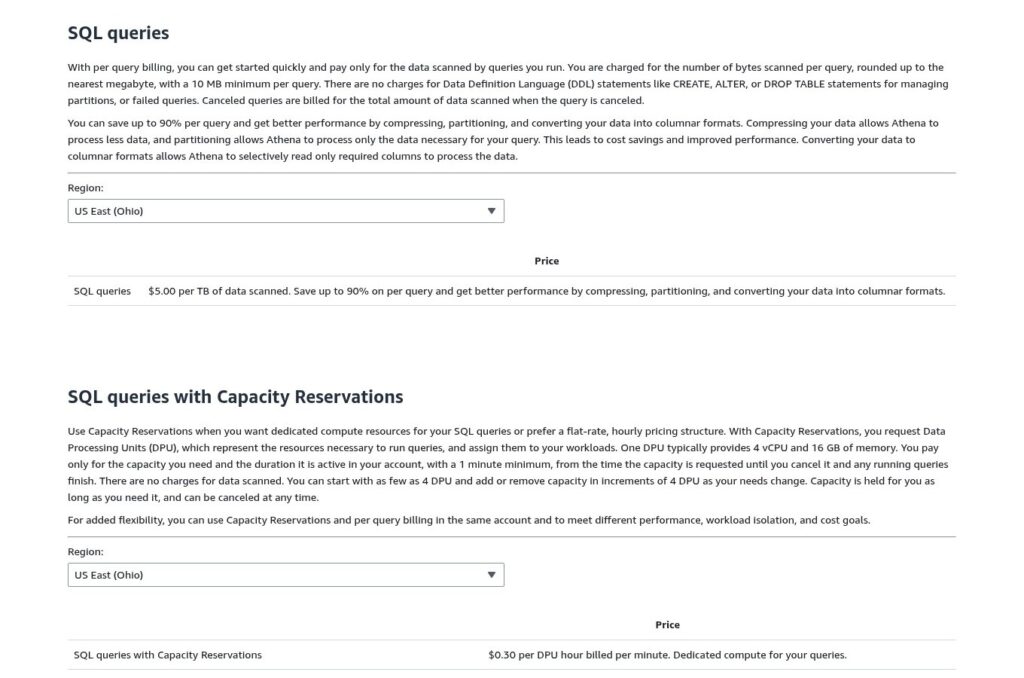
Athena pricing separates on-demand SQL scans from dedicated Capacity Reservations and serverless Apache Spark sessions.
| Athena option | Price | How it bills |
|---|---|---|
| SQL queries, on demand | $5.00 per TB scanned | Rounded up to nearest MB; 10 MB minimum per query; no idle compute charges |
| SQL queries with Capacity Reservations | $0.30 per DPU-hour | Minimum 4 DPUs; 4-DPU increments; 1-minute minimum; no scan charges; each DPU approximately 4 vCPUs and 16 GB memory |
| Athena for Apache Spark | $0.35 per DPU-hour | Serverless Spark notebooks and sessions |
DDL statements and failed queries incur no query charge. Canceled queries bill for data scanned before cancellation.
Because Athena’s charges are based on the amount of data scanned in each query, it would be considerably cheaper if the data sets are compressed. Partitioning and Parquet also shrink scans, making file layout your main cost lever.
Athena works hand in hand with S3, therefore adding up the charges for both of them will give the complete charges incurred. S3 storage, requests and transfer bill separately.
How Much Does Redshift Cost?
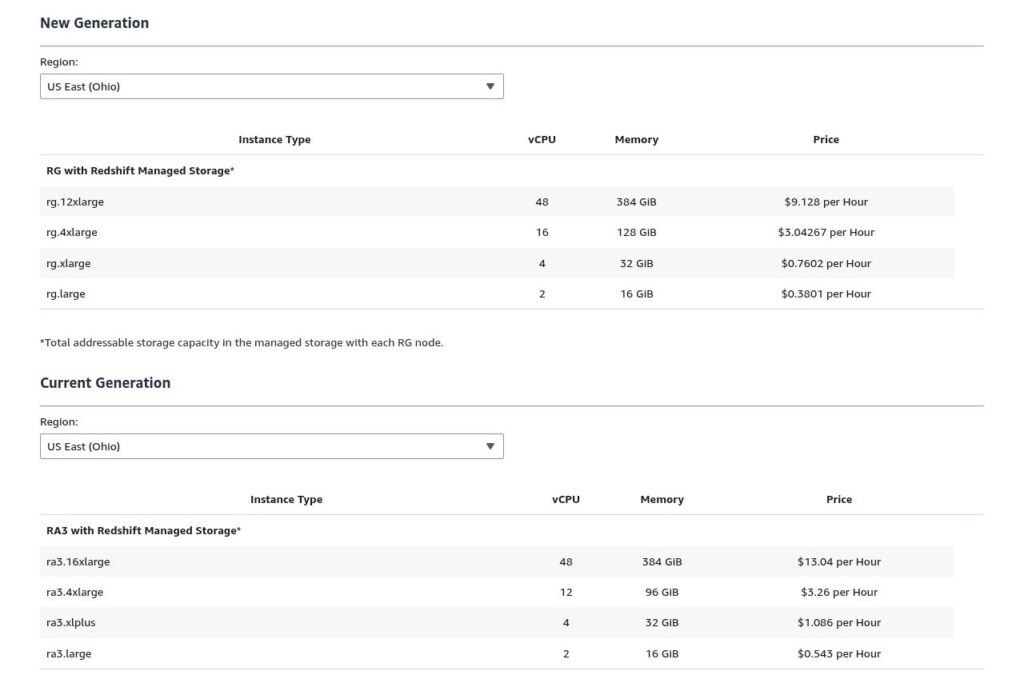
Serverless bills per second with a 60-second minimum and no idle compute charges; provisioned clusters bill node-hours while running. Managed storage is separate; Redshift pricing and our Redshift pricing guide cover the options.
| Redshift option | Price | Notes |
|---|---|---|
| Serverless compute | $0.375 per RPU-hour | Minimum base 4 RPUs, or $1.50/hour; default 128 RPUs |
| RG nodes, Graviton | rg.large $0.3801; rg.xlarge $0.7602; rg.4xlarge $3.04267; rg.12xlarge $9.128 per hour | Family generally available May 12, 2026; lake queries on cluster compute |
| RA3 nodes | ra3.large $0.543; ra3.xlplus $1.086; ra3.4xlarge $3.26; ra3.16xlarge $13.04 per hour | Lake queries billed through Spectrum |
| Managed storage | $0.024 per GB-month | RG, RA3 and Serverless |
| Redshift Spectrum | $5.00 per TB scanned | RA3; no separate charge on RG or Serverless |
| Serverless Reservations | Up to 24% off for 1 year; up to 45% for 3 years | Managed at payer-account level |
| Free trial | $300 credit | First-time Serverless users; expires after 90 days |
Prices current as of November 2026, US East (N. Virginia).
RG costs about 30% less per vCPU than RA3. Choose RG or RA3 for new provisioned clusters; DC2 is legacy and being retired.
Redshift Serverless vs Athena: Which Is Cheaper?
Assume dashboards scan 2 TB daily, or 60 TB monthly. An 8-RPU workgroup runs 4 hours daily. It holds 1 TB in managed storage; exclude S3 storage from both.
- Athena on demand: 60 TB x $5 = $300 a month
- Redshift Serverless at 8 RPUs: 8 x $0.375 x 4 hours x 30 days = $360, plus 1,000 GB x $0.024 = $24 for storage, so $384 a month
- Break-even: $384 divided by $5 = about 77 TB scanned a month (about 2.6 TB a day). Scan more and Serverless is cheaper; scan less and Athena is
- Same hours at the 128-RPU default: 128 x $0.375 x 4 x 30 = $5,760 a month, about 19 times the Athena bill
The default-capacity figure excludes storage. The break-even also assumes capacity and active hours stay put, so extra queries only ride free if they fit inside those 4 hours. Watch for open transactions and connection-pool health checks, which can keep Serverless compute active.
💡 Top Tip! On Serverless, set an RPU-hours usage limit with a breach action and a MaxRPU cap on day one. On Athena, give each workgroup a per-query data-scanned limit so a query without a partition filter can’t scan the whole lake.
- Athena has no service-specific free tier, but a month with no on-demand queries costs nothing beyond your S3 storage.
- Redshift’s trial credit covers roughly 100 active compute hours at 8 RPUs, before storage.
If neither model fits, compare Redshift alternatives before committing.
2. Best for Performance and Concurrency: Redshift
The Winner: Redshift, for heavy joins and dashboards that run all day
Redshift keeps warehouse data in columnar managed storage for repeat queries. Athena scans your S3 files unless eligible stored results can be reused, so file layout matters more.
Redshift beats Athena for recurring dashboards because caching and automated materialized views reduce repeated work, while concurrency scaling adds capacity. Complex Joins or Inner Queries are better supported by Redshift due to its computational capacity.
How Redshift Handles Heavy Queries
Redshift distributes queries across a massively parallel warehouse; how Redshift’s architecture works explains that design. Its automated materialized views refresh incrementally and let the optimizer rewrite eligible queries to use precomputed results.
Result caching also serves repeat dashboard queries without recomputing them. These features make Redshift the stronger architectural fit for regular aggregations, not a guarantee that every SQL statement finishes faster.
Serverless adds AI-driven scaling toward a price-performance target, with Balanced as the default. It learns from workload history over a few days, but favoring performance can increase compute spending.
How Athena Runs Queries on S3
Athena engine version 3 draws on Trino and Presto code, incorporating community improvements continuously. Partitioned Parquet or ORC lets it read only the relevant partitions and columns.
Athena has no sort or distribution keys to tune. That simplifies administration, but an Athena vs Redshift performance decision still depends on how well your files match your queries.
Plus, query result reuse returns stored results for repeated SELECT queries within the same workgroup. Its default maximum result age is 60 minutes, adjustable up to 7 days, provided returning older results suits your freshness needs.
Concurrency, Queues and Timeouts
Athena’s active-query quotas count queued requests, whereas provisioned Redshift uses automatic workload management, or WLM, and concurrency scaling to handle competing queries.
| Athena | Redshift | |
|---|---|---|
| Concurrency limit | Default 200 active DML queries in US East, N. Virginia; lower elsewhere, down to 20; queued queries count | Automatic WLM; up to 10 concurrency scaling clusters by default |
| When you hit it | TooManyRequestsException; raising quotas adds no compute | WLM queues; concurrency scaling adds clusters |
| Paying for more | Capacity Reservations from 4 DPUs, outside account query quotas | Up to 1 free concurrency scaling hour per active cluster daily; up to 30 hours banked |
| Query timeout | DML: 30 minutes by default; adjustable to 240 | 24 hours on Serverless |
Athena Capacity Reservations bypass account query quotas and let queries queue for up to 10 hours when dedicated capacity is busy. That improves isolation, but introduces compute spending independent of bytes scanned.
Choose Redshift for BI tools hitting the same tables throughout the day. Skip the warehouse when queries are occasional and tightly filtered by partition.
3. Easiest to Get Started: Athena
The Winner: Athena, with nothing to provision before your first query
Athena needs a table definition and an S3 path. Redshift Serverless adds a workgroup and capacity choice, usually followed by a data load.
Athena is portable; its users need only to log in to the console, create a table, and start querying. Serverless closes much of that gap, but Redshift still needs compute sizing and usually loaded tables to deliver its warehouse advantages.
Getting Started With Athena
Athena is a serverless service and does not need any infrastructure to create, manage, or scale data sets.
- Create a database in the Athena query editor. Its metadata lives in the AWS Glue Data Catalog.
- Create a table pointing at the S3 location of your files, specifying their format, such as CSV or Parquet.
- Add partitions, or configure partition projection so Athena calculates partition values instead of looking them up.
- Run SQL. Results show directly in the console, so you don’t need a separate SQL client.
You still need permissions to access the catalog and S3 data. A table definition doesn’t fix inefficient files: unfiltered queries scan data you pay to read.
Getting Started With Redshift Serverless
Unlike Athena, Redshift needs a Serverless workgroup or a provisioned cluster, and you typically load data and build tables before you query.
- Create a namespace for databases and users, then a workgroup for compute.
- Choose base capacity: the default is 128 RPUs, but you can start at 4.
- Optionally enable AI-driven scaling with a price-performance target, which defaults to Balanced.
- Load data through COPY or zero-ETL, or query S3 external tables, then work in query editor v2.
Provisioned clusters still ask you to choose an RG or RA3 node type and a node count up front, and our guide explains how to create and manage a Redshift cluster.
💡 Top Tip! Lower the base capacity before your first query if your workload doesn’t need the default. The entry-level configuration supports up to 32 TB of managed storage, and you can raise capacity as demand grows.
What’s the Next Step After Setup?
- Athena: lay out your files. Partitioning is important for reducing cost and improving performance. With Amazon Athena, partitioning limits the scope of data to be scanned. You can partition by any key, and a multi-level scheme such as year, month and day is common. Convert files to Parquet or ORC and compact small files.
- Redshift: design tables and loads. Amazon Redshift tables have distribution keys, defined when you create the table. Choose them with care, because they affect query performance. Then configure ongoing loading through zero-ETL, streaming or auto-copy rather than leaving dashboards dependent on occasional manual loads.
For an answer from existing S3 data, start with Athena. For known recurring dashboards, choose a small Serverless workgroup.
4. Best for Data Loading and Freshness: Redshift
The Winner: Redshift, with zero-ETL and streaming that keep data current without pipelines
Redshift continuously replicates supported operational sources and ingests streams with SQL. Athena skips loading and reads data wherever its connectors can reach it.
Redshift beats Athena for fresh operational analytics because zero-ETL maintains a warehouse copy, whereas Athena reads external databases query by query.
With classic batch loads, you copy data into tables, and that comes with a lag that depends on how much data you load. Compare four ways to load data into Redshift before choosing that route.
Zero-ETL Integrations
Redshift’s zero-ETL integrations cover operational databases and business applications:
- AWS databases: Aurora MySQL and PostgreSQL; RDS for MySQL, PostgreSQL and Oracle; DynamoDB.
- Other databases: Oracle Database@AWS, plus self-managed MySQL, PostgreSQL, SQL Server and Oracle.
- Applications: Salesforce, SAP, ServiceNow, Zendesk, Meta ads and Instagram ads.
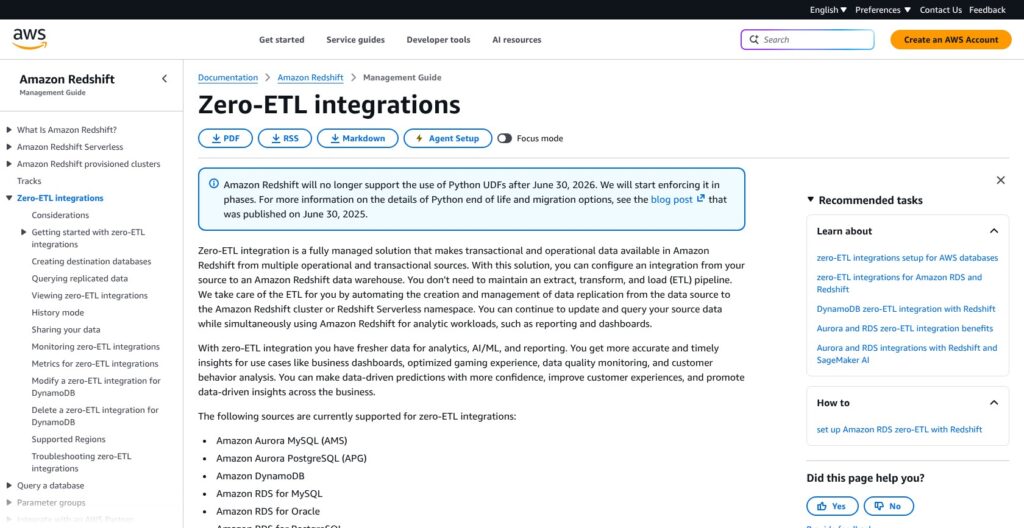
After the initial load, replication continues without a custom pipeline to maintain. Added columns sync automatically, and replicated tables can feed materialized views, ML and data sharing.
Streaming Ingestion and Auto-Copy
Redshift ingests Kinesis Data Streams and Amazon MSK directly through SQL materialized views. For files landing in S3, auto-copy loads new arrivals without repeated COPY commands.
Amazon Redshift does not enforce any Primary Key constraint. You can load the same data more than once, which multiplies rows and gives inaccurate results.
While loading, you might also hit data type errors in Redshift, since the maximum size of a column might not be known when you define the table.
How Athena Handles New Data
Athena queries new S3 files without a load step. Files beneath an existing table become queryable once Athena knows their partition, while partition projection removes that registration step.
Athena Federated Query also reads external sources in place:
- Operational databases, including DynamoDB, MySQL and PostgreSQL.
- Analytics platforms, including Snowflake and BigQuery.
- Other sources, including DocumentDB, OpenSearch and Kafka.
These connections are read-only: federated INSERT INTO isn’t supported. Some newer Glue Data Catalog connectors no longer require a Lambda function in your account.
Choose Redshift zero-ETL when fresh data lives in Aurora or Salesforce. If it already lands in S3, Athena can query it without maintaining another copy.
5. Best for Querying S3 Data in Place: Athena
The Winner: Athena, the purpose-built engine for S3 with no warehouse attached
Athena and Redshift Spectrum both query S3 through Glue and list the same per-scan rate. But they are different engines, and Spectrum needs a Redshift cluster.
For Redshift Spectrum vs Athena, Athena wins standalone S3 querying because it requires no warehouse and supports partition projection. Spectrum makes more sense when you already run Redshift and need warehouse-to-lake joins.
How Athena Queries S3
Athena needs no warehouse. It works directly on top of Amazon S3 data sets. Amazon Athena reads CSV, JSON (both simple and nested), ORC and Parquet files.
Amazon Athena supports complex data types like arrays, maps, and structs.
Athena can query Glue tables with up to 10 million partitions, although a single scan cannot read more than 1 million. Partition projection calculates partition values from table properties, avoiding catalog lookups for predictable layouts.
Keep partition filters in your queries: projection simplifies metadata management, but doesn’t prevent unnecessary scans.
How Redshift Spectrum Queries S3
Spectrum runs from a Redshift cluster. RA3 lake queries cost $5 per TB scanned on top of cluster compute, while RG and Serverless run lake queries on their own compute without a separate scan charge.
S3 data must be in the cluster’s Region, and queries should filter partition columns. Spectrum uses registered partitions rather than Athena’s projection settings; how Spectrum, Athena and S3 fit together explains the distinction.
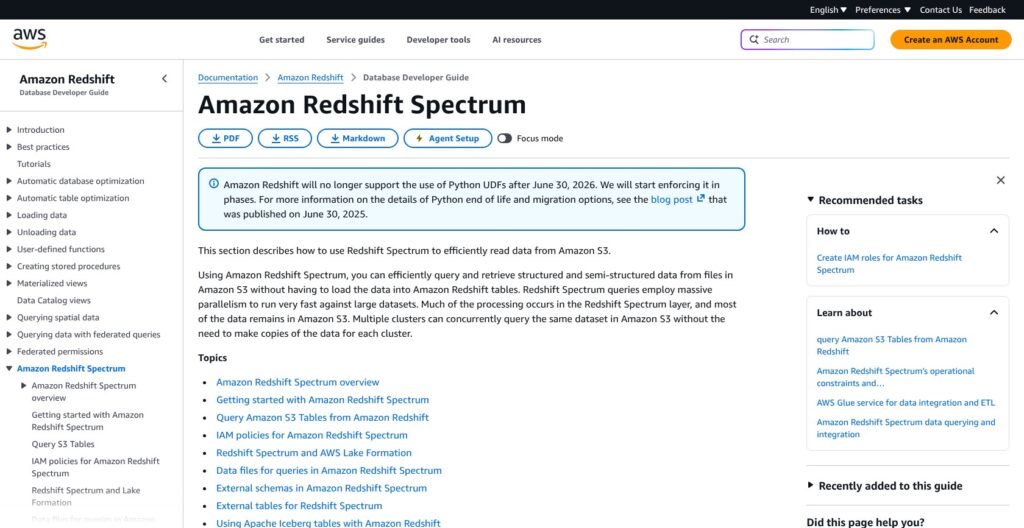
Spectrum’s advantage is joining S3 data to warehouse tables in one SQL statement. Multiple clusters can also query the same S3 files without creating copies for each cluster.
Redshift Spectrum vs Athena at a Glance
| Athena | Redshift Spectrum | |
|---|---|---|
| Needs a warehouse | No | Yes, a Redshift cluster |
| Price | $5.00 per TB scanned | $5.00 per TB on RA3, plus cluster compute; RG and Serverless lake queries have no separate scan charge |
| Partition projection | Yes | No; uses registered partitions |
| Joins with warehouse tables | Read-only through a Redshift federated connector | Yes, within one SQL statement |
If Redshift isn’t already running, Athena is the S3 engine I’d choose.
6. Best for BI, ML and AI Features: Redshift
The Winner: Redshift, with ML and generative SQL inside the warehouse
Both services connect to BI tools and SageMaker Unified Studio. Redshift goes further by putting model creation and natural-language SQL alongside warehouse queries.
Redshift outdoes Athena for SQL-centered BI and ML because Redshift ML trains and deploys SageMaker models through SQL. Athena’s serverless Spark notebooks are a better fit for Python-first work, but they’re a separate workflow.
BI Dashboards and SQL Clients
Redshift can be integrated with Tableau and other BI tools, and our guide shows how to visualize Redshift data in Tableau. Its caching and materialized views suit recurring dashboards.
Athena also connects to BI tools or SQL clients using JDBC. Since both plug into the usual BI tools, choose based on query frequency and freshness needs rather than connector availability alone.
For an occasional report over partitioned S3 data, Athena remains a reasonable choice. For analysts repeatedly querying curated tables, Redshift’s warehouse features justify its extra setup.
Machine Learning and Generative SQL
Redshift keeps model development and query generation in SQL workflows:
- Redshift ML creates, trains and deploys SageMaker models through SQL.
- Query editor v2 generates SQL from plain-English questions.
- SageMaker Unified Studio supports SQL through Redshift with Amazon Q generative SQL.
Athena for Apache Spark gives Python-first teams serverless notebooks in the Athena console, with additional access through SageMaker Unified Studio and Spark Connect clients.
Plus, Unified Studio offers Amazon Q generative SQL through Athena too. Natural-language query generation isn’t a Redshift-only reason to switch; review generated SQL before using it for reporting.
User-Defined Functions
Athena supports UDFs running in AWS Lambda using Java, referenced through a USING EXTERNAL FUNCTION clause before SELECT.
Redshift reached the end of Python UDF support after June 30, 2026; creation of new Python UDFs had already stopped. Lambda UDFs are the replacement, supporting newer Python runtimes and calls to external services.
Choose Redshift for analysts who live in SQL and dashboards. Skip a warehouse migration solely for ML if your data scientists already work comfortably in Spark notebooks.
7. Best for Lakehouse and Apache Iceberg Tables: Athena
The Winner: Athena, with full Iceberg writes and table maintenance at no idle cost
Both engines read and write Apache Iceberg through Glue and support S3 Tables, making a shared data lakehouse practical.
Athena edges Redshift for lakehouse maintenance because it covers the SQL table lifecycle, from MERGE to compaction. Athena still creates external tables over your files, but it’s no longer a read-only service from an S3 perspective: on Iceberg tables it inserts, updates, deletes and merges rows.
Iceberg in Athena
- Time travel: FOR TIMESTAMP AS OF and FOR VERSION AS OF query earlier table states.
- Row-level changes: INSERT, UPDATE, DELETE and MERGE INTO support mutations, using merge-on-read with positional deletes.
- Maintenance: OPTIMIZE compacts files; VACUUM expires snapshots and removes orphan files.
- Other formats: Athena reads Hudi and Delta Lake tables, and uses Iceberg statistics by default when querying S3 Tables.
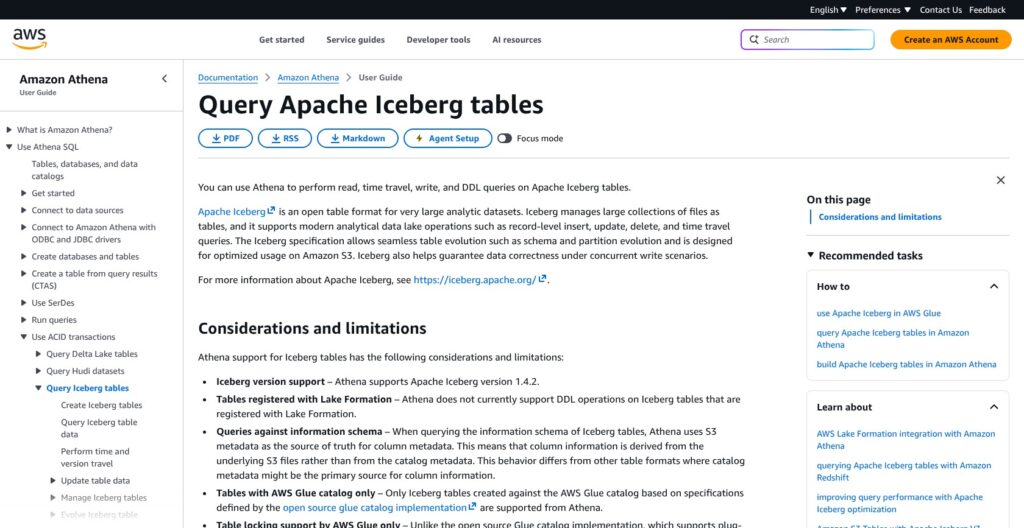
Iceberg tables in Athena must use AWS Glue. Athena’s maintenance flexibility doesn’t extend to every external catalog.
💡 Top Tip! Schedule OPTIMIZE and VACUUM for Iceberg tables you update frequently. Compaction addresses small files, while snapshot expiration and orphan-file removal prevent old table artifacts from accumulating; treat both as ongoing maintenance rather than one-time setup.
Iceberg in Redshift
Redshift reads Iceberg versions 1 to 3 with ACID consistency and writes tables to S3 and S3 table buckets on provisioned clusters or Serverless.
Its Iceberg support also includes:
- AS OF TIMESTAMP time travel.
- Multi-statement transactions on Iceberg tables.
- Materialized views built over Iceberg data.
However, lake tables don’t support automatic materialized views or automatic query rewrite. COPY cannot ingest an Iceberg table; use INSERT INTO or CTAS instead.
RG runs these lake queries on cluster compute without a separate per-scan fee, giving existing warehouse users an alternative to adding another query engine.
Governance on Shared Tables
- Redshift adds row-level security and dynamic data masking, alongside Lake Formation fine-grained controls on Iceberg tables.
- Athena uses IAM, Glue permissions and workgroups, including IAM Identity Center enabled workgroups, plus Lake Formation on supported tables.
Athena cannot run DDL on Iceberg tables registered with Lake Formation. Lake Formation also cannot govern VACUUM, MERGE, UPDATE or OPTIMIZE, and query result reuse is unavailable on fine-grained tables.
Choose Redshift for governed analyst access; choose Athena for frequent Iceberg upserts and compaction, with permissions designed around those limitations.
8. Best for Hybrid Stacks and Migration: Redshift
The Winner: Redshift, because it reads everything Athena builds
Many teams end up running both. You can keep Athena for raw-lake exploration and use Redshift for curated marts without duplicating every data set, as long as the shared tables live in Glue and Iceberg.
Redshift is the better hub because external schemas point at the Glue databases and Iceberg tables Athena writes, letting recurring workloads move without moving data. Athena can query Redshift too, but through a read-only federated connector.
How Athena and Redshift Work Together
Both engines use the same AWS Glue Data Catalog. An Iceberg table written by one can be queried by the other with transactional consistency.
- Athena handles raw-lake investigations, Iceberg upserts and table maintenance.
- Redshift handles curated marts, recurring BI, zero-ETL operational copies and governed analyst access.
As the Spectrum round explains, Athena partition projection doesn’t carry over to Redshift. Check registered partition metadata when sharing ordinary external tables.
Moving a Workload From Athena to Redshift
Move when dashboards repeat hourly, users encounter queueing errors, or scan spending passes your workload’s break-even point from the pricing round.
- Keep the shared table in Iceberg format in the Glue Data Catalog.
- Generate Glue column statistics so Redshift can plan queries effectively.
- Create a Redshift external schema pointing at the Glue database.
- Query in place, or populate local Redshift tables through INSERT INTO or CTAS. COPY can’t read Iceberg tables.
Start with the recurring workload rather than moving the entire lake. Athena can keep serving occasional investigations while Redshift serves the dashboards that justify warehouse features.
Migrating Older Redshift Clusters
DC2 nodes are legacy and being retired, so move those clusters to RG, RA3 or Serverless through a snapshot restore. RA3 can move to RG through elastic resize, typically involving about 10 to 15 minutes of downtime.
Snapshot restore and classic resize are alternatives. Rewrite remaining Python UDFs as Lambda UDFs as part of the migration rather than carrying unsupported dependencies forward.
Athena has no nodes to migrate; engine version 3 continuously incorporates Trino and Presto improvements.
If you’re considering warehouses outside AWS, Redshift vs Snowflake and Redshift vs BigQuery compare those alternatives.
How We Compare AWS Analytics Services
We compare AWS analytics services on the decisions that determine workload fit: scan-based versus compute-based costs, concurrent-query handling, and the loading and governance work each service requires.
- Pricing: US East, N. Virginia list prices and a worked cost example.
- Performance and concurrency: engines, caching, quotas, scaling and timeouts.
- Setup: what you configure before the first query.
- Data loading: batch, streaming, zero-ETL and querying in place.
- Lake access and open table formats: S3 queries, Spectrum and Apache Iceberg.
- BI, ML and AI: integrations, warehouse ML, generative SQL and UDFs.
- Fit and migration: shared catalogs, governance and upgrade paths.
Prices and limits reflect November 2026 service specifications. We didn’t benchmark either service for this comparison, so performance verdicts reflect how each service is built, not measured timings. The ratings are editorial assessments of workload fit, not benchmark scores or guarantees about your queries.
Athena vs Redshift: Our Winner
Redshift is the better choice for most analytics teams: zero-ETL and streaming keep warehouse data fresh, Serverless reduces setup, and RG queries the lake on cluster compute. For day-to-day queries, complex joins, and bigger aggregations, Redshift is the preferred choice.
That said, Athena is cheaper to start for spiky, lake-first workloads and stronger for Iceberg maintenance. Choose it for ad hoc S3 queries when you don’t need a central warehouse. You still need table definitions and permissions, but not warehouse infrastructure.
I’d start with Athena on the data you already have in S3, then move recurring dashboards to a small Redshift Serverless workgroup once your monthly scan bill passes the break-even point. Recalculate that threshold using your actual capacity and active hours before moving, and keep occasional lake investigations in Athena rather than migrating every workload.
Comments 0 Responses