
Editor’s note: This SingleStore review evaluates the pricing model, the documented product behavior and the path from the free Shared cluster to a production Standard cluster, plus the free self-managed Dev Image, as SingleStore sells them in October 2026. It is not a hands-on performance test. I weigh pricing transparency, setup effort, openness and exit costs, governance and development momentum.
Quick verdict: I recommend SingleStore for product teams that need analytics on live operational data, such as customer-facing dashboards, multi-tenant SaaS reporting or RAG over fresh rows, in one MySQL-compatible database. The smallest production cluster (S-00, 2 vCPU, 16 GB) costs $0.99 an hour, about $723 a month always on, and the recovery, DR and key-management features compliance teams ask for sit in Enterprise at 1.5x credits.
Key Takeaways
- The free Shared cluster holds 1 GB, 10 tables and one database in AWS us-east-1.
- Standard starts at $0.99 an hour on S-00, billed per second at $3.96 per credit.
- Second-level PITR, Smart DR, CMEK and audit logs are Enterprise only, at 1.5x credits.
- Rowstore tables must fit in paid cluster RAM.
- There are no foreign keys, and the Kai MongoDB API is in maintenance mode.
SingleStore serves transactions, real-time analytics, vector and full-text search from one MySQL-wire engine, priced by cluster memory.
In this review, I’ll take a closer look at SingleStore’s pricing, its storage engine, ingestion, vector search and self-managed options, so you can see exactly whether it beats ClickHouse or TiDB for your workload.
SingleStore Pros and Cons
Pros
- Free Shared cluster with no stated time limit, plus a free Dev Image up to 8 vCPU / 64 GB.
- Per-second compute billing with auto-suspend, from $0.99 an hour on S-00.
- SQL, JSON, VECTOR with HNSW and IVF indexes, and BM25 full-text in one MySQL-wire engine.
- Pipelines load Kafka, S3, GCS, Azure Blob and Iceberg with one CREATE PIPELINE statement.
- 99.99% SLA on Standard with two availability zones.
Cons
- An always-on S-00 runs about $723 a month before storage.
- Second-level PITR, Smart DR, CMEK and audit logs need Enterprise at 1.5x credits.
- Rowstore tables live in RAM, and memory use can run far above data size.
- No foreign keys, most triggers or full prepared statements; MySQL apps need changes.
- Proprietary license, and the Kai MongoDB API is in maintenance mode.
How Much Does SingleStore Cost?
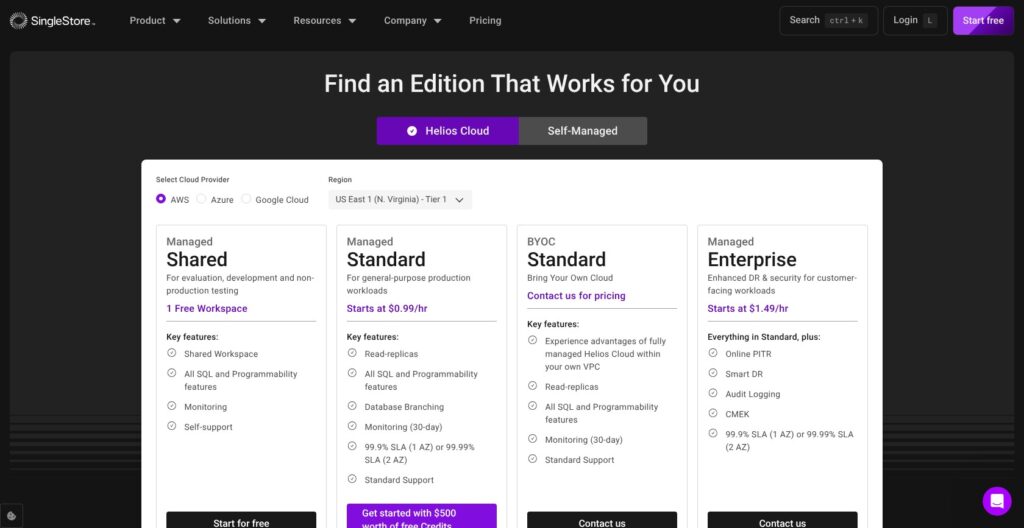
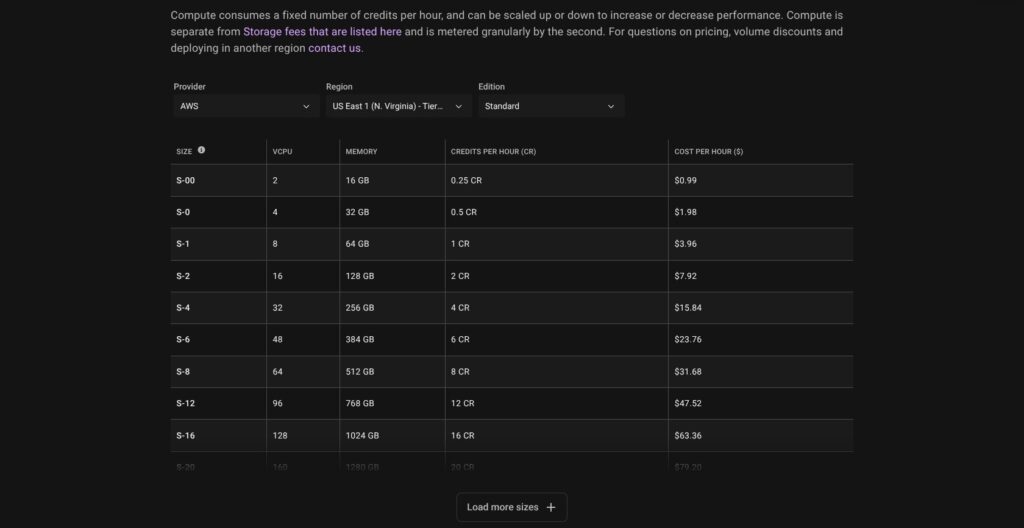
SingleStore Helios bills compute in credits at $3.96 each, metered per second and invoiced at month end, and bills storage separately per compressed GB-month. Cluster size sets the credit burn, from 0.25 credits an hour on S-00 to 20 on S-20.
- Shared (free): for prototypes: one cluster with one database, 1 GB of compressed data, 10 tables, 10 pipelines and 3 users, in AWS us-east-1 only, with self-support, no backups and no production use.
- Standard (from $0.99 an hour): for production apps: high availability with multi-AZ failover, continuous backups restorable to 00:00 UTC within a 7-day window, read replicas, database branching, a 99.9% SLA (99.99% with two AZs) and Standard support. Standard comes with $500 of free credits to start.
- Enterprise (from $1.49 an hour): for regulated workloads: everything in Standard at 1.5x credits, plus second-level point-in-time recovery with retention up to 90 days or longer, Smart DR, customer-managed encryption keys (CMEK) and audit logging.
- BYOC and Self-Managed (quote only): for teams that must run in their own cloud account or on their own hardware; BYOC storage is billed at $0.040 per GB-month.
| Size | vCPU / RAM | Credits per hour | Standard $/hr | Enterprise $/hr | Always-on month (730 h, Standard) |
|---|---|---|---|---|---|
| S-00 | 2 / 16 GB | 0.25 | $0.99 | $1.49 | about $723 |
| S-0 | 4 / 32 GB | 0.5 | $1.98 | $2.97 | about $1,445 |
| S-1 | 8 / 64 GB | 1 | $3.96 | $5.94 | about $2,891 |
| S-2 | 16 / 128 GB | 2 | $7.92 | $11.88 | about $5,782 |
| S-4 | 32 / 256 GB | 4 | $15.84 | $23.76 | about $11,563 |
These rates are for AWS us-east-1, a Tier 1 region. Enterprise rates apply the 1.5x multiplier to Standard, and the always-on column is the hourly rate times 730 hours. Tier 2 to Tier 4 regions multiply credits by 1.125x to 1.375x, and a multi-AZ cluster burns 1.3x the credits of a single-AZ one.
Storage costs $0.023 per GB-month in Tier 1, charged on compressed size, so 1 TB adds about $23 a month; backup and PITR storage bill at the same rate, and data ingress is free. ClickHouse Cloud lists about $0.39 per compute unit-hour in us-east-1 on its Enterprise rate card, with no monthly minimum and a $300 trial, against the $500 in credits SingleStore gives Standard accounts.
Is SingleStore Good Value for Money?
- Good fit: part-time dev and test. SingleStore’s own example runs an S-00 for 8 hours on 20 days, 40 credits or $158.40, plus 300 GB of storage at $6.90, about $165 a month.
- Less convincing fit: a small always-on production cluster at about $723 a month, against Tiger Data from $30 a month or MotherDuck’s free Lite plan. Multi-AZ lifts that S-00 to about $940.
- Budget priority: suspend idle clusters. Compute billing stops at once and storage keeps billing, but the local cache is lost, so the first queries after a resume run cold.
Reviewer’s Notes: Start on Shared to test SQL compatibility and one pipeline load, then move staging to a Standard S-00 with auto-suspend, where an 8-hour working day costs $7.92. Pay for Enterprise only when an auditor needs second-level PITR, CMEK or cross-region DR, because the 1.5x multiplier turns a $723 always-on S-00 into about $1,084 a month.
Getting Started With SingleStore
Creating a Free Shared Cluster
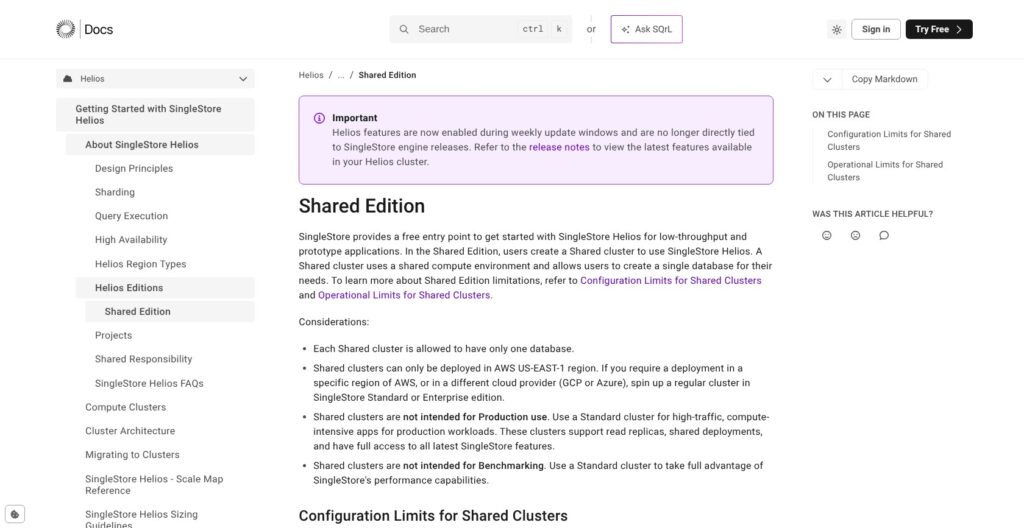
You register at the Cloud Portal (portal.singlestore.com) and choose the Free Shared edition. The Shared cluster has no size choice, comes with one attached database, lives in AWS us-east-1 and is auto-upgraded to the latest engine version. An organization can hold unlimited Shared clusters, each with one database.
SingleStore now calls workspaces “clusters” and workspace groups “projects”, while the pricing page and the Management API still say workspace, so expect both words. A Shared cluster allows 3 database users, 100 concurrent connections and 10 stored procedures or UDFs, and CREATE DATABASE and DROP DATABASE are disabled, so you work inside the one database you are given.
Connecting and Loading Data
You connect through the built-in SQL Editor in the portal, any MySQL CLI or IDE over the MySQL wire protocol, drivers for Python, Node.js and Java (JDBC), the HTTP Data API, or any BI tool that speaks MySQL.
For first loads, SingleStore steers you to object storage and Pipelines, and an S3 load is two statements:
CREATE PIPELINE library AS LOAD DATA S3 'my-bucket-name'
CONFIG '{"region":"us-west-1"}'
CREDENTIALS '{"aws_access_key_id":"...","aws_secret_access_key":"..."}'
INTO TABLE classic_books FIELDS TERMINATED BY ',';
START PIPELINE library FOREGROUND;
The IAM policy behind those credentials needs only s3:GetObject and s3:ListBucket. Each file moves from Unloaded to Loaded in information_schema.PIPELINES_FILES, so I’d check that view before querying the table. The same CREATE PIPELINE pattern later covers Kafka, GCS and Azure Blob, which makes this first load a rehearsal for production ingestion rather than a throwaway import.
Moving Up to Standard
Shared has no rowstore or reference tables, no CDC pipelines, no backups and a 1 GB cap on compressed data. There is no in-place upgrade: you back up the database and restore it into a Standard or Enterprise project.
On a paid cluster you pick a size, then choose between a resize, which changes the base configuration, and a scale factor, which adds temporary 2x or 4x compute without moving data. Auto-suspend after a set time or after inactivity keeps a staging cluster off the meter, and its databases survive the suspend, though the local cache does not.
The free tier is fine for testing SQL compatibility and pipelines, but too small to judge rowstore performance or CDC, and the Shared terms forbid benchmarking. I’d run any speed test on a Standard cluster paid from the $500 credit.
Rowstore, Columnstore and the RAM Bill
Columnstore has been the default table type since version 7.3 and lives in object storage with a local cache, while rowstore tables live entirely in RAM, capped by leaf memory with about 20% held back for query execution.
- Universal Storage: hash indexes with uniqueness, row-level locking and upserts on columnstore, so most transactional tables no longer need RAM.
- Unlimited storage: on AWS, Azure and GCP every database uses bottomless object storage, which typically trails the cluster by no more than a minute.
- Rowstore overhead: each secondary index costs 40 bytes per row and a nullable integer column 4 extra bytes, while sparse compression can cut a wide, NULL-heavy rowstore to half the RAM. Random deletes fragment memory, and the fix, OPTIMIZE TABLE, is resource intensive and rebuilds query plans.
On SingleStore’s forum, a user on version 7.6.5 with two 32 GB leaves and a roughly 17 GB rowstore found 41.5 GB of memory in use, to the point where queries stopped running. The reply was that allocators hold memory for later rows and that light OLTP needs little headroom while large joins, group-bys and sorts need more, with no sizing formula offered. Another user, on self-managed 8.9 with two 64 GB leaves, reported queries queuing at about 11% CPU and 20% memory use.
ClickHouse is columnar only, so it never asks you to budget RAM per table; SingleStore’s rowstore is what buys fast point lookups and in-place updates. Cluster RAM is fixed by size, 16 GB on S-00 and 64 GB on S-1 (see the pricing table above), and only part of it can hold rowstore data.
I’d default to columnstore with Universal Storage and reserve rowstore for hot lookup tables you have sized against leaf memory, with headroom left for joins and sorts.
Pipelines, Flow CDC and Iceberg
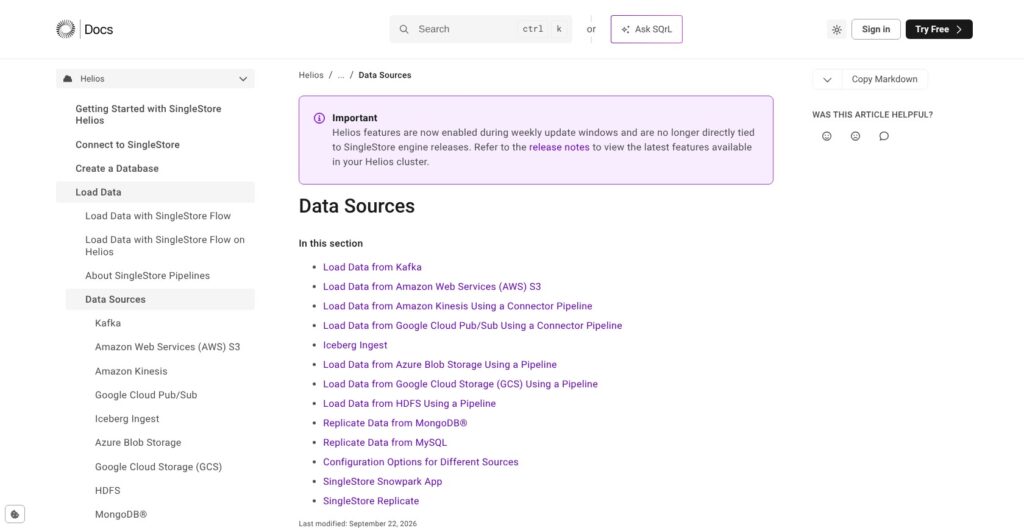
A pipeline is a SQL object: CREATE PIPELINE pulls continuously from Kafka, S3, GCS, Azure Blob, HDFS and Iceberg, and connector pipelines add Amazon Kinesis and Google Pub/Sub, with no separate ingestion service between the source and the table.
- Kafka: SASL authentication covers GSSAPI, PLAIN, SCRAM-SHA-256, SCRAM-SHA-512 and OAUTHBEARER.
- Iceberg: ingest is still in Preview and off by default (
SET GLOBAL enable_iceberg_ingest = ON). It reads v1 and v2 tables with Parquet files on S3 through Glue, Snowflake, REST, JDBC, Hive, Polaris or Unity catalogs, in append, upsert or one-time mode. - SingleStore Flow: CDC and migration from Oracle (including RAC), SQL Server, MySQL, PostgreSQL and Snowflake, with MongoDB, Salesforce and JDBC in preview and XL Ingest for big initial loads. On Helios it bills from 0.123 credits an hour on the f-1 size (about $0.49 an hour) plus $0.02 per GB processed, at preview pricing.
- Replication pipelines: MySQL and MongoDB replication also run as pipelines, but the Shared tier allows no CDC-in pipelines, so plan on a paid cluster for replication.
Iceberg ingest makes SingleStore a candidate speed layer over a lakehouse, with upserts landing in tables you can query at low latency; while it stays in Preview, keep it out of production paths. A pipeline runs in the background by default or in the foreground for a one-off load. Flow covers the Oracle and SQL Server replication that teams otherwise buy from a separate CDC vendor.
SingleStore fits best when your sources are Kafka topics, object storage or the relational databases Flow supports. Apart from Salesforce in Flow’s preview, SaaS sources such as ad platforms, billing and support tools have no native connector, so you still pair SingleStore with an ELT tool such as Fivetran or Airbyte.
Vector Search, Full-Text and AI Features
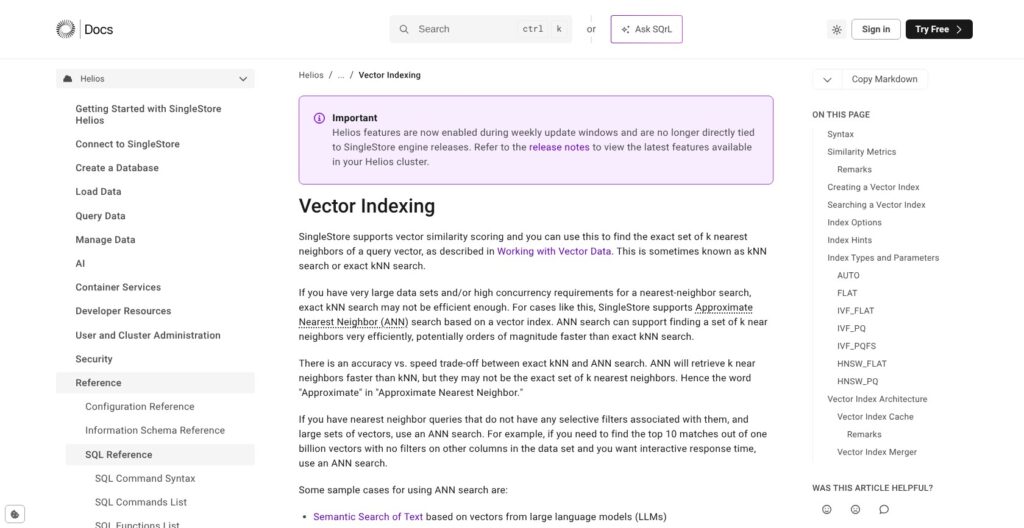
VECTOR(N) is a native column type with elements from I8 to F64, but ANN indexes accept only F32 vectors, sit on columnstore tables only and cover one column each. Index types are FLAT, IVF_FLAT, IVF_PQ, IVF_PQFS, HNSW_FLAT and HNSW_PQ, and AUTO currently means IVF_PQFS. Store embeddings as F32 if you plan to index them.
CREATE TABLE comments(id INT, comment TEXT, comment_embedding VECTOR(4), category VARCHAR(256),
VECTOR INDEX ivf (comment_embedding) INDEX_OPTIONS '{"index_type":"IVF_PQFS"}');- Metrics: DOT_PRODUCT and EUCLIDEAN_DISTANCE, and a query must use the same metric as its index; normalize embeddings to length 1 to get cosine similarity from DOT_PRODUCT.
- Full-text VERSION 2: Lucene-compatible with BM25 scoring, plus fuzzy, proximity and regex queries over JSON and text columns, queried with
MATCH (TABLE t) AGAINST. - JSON: version 9.0 adds a multi-value hash index for JSON arrays.
- AI and ML Functions: call models from SQL, while notebooks, scheduled jobs and Python UDFs run in container services from 0.084 credits an hour (about $0.33); AI Functions and the Aura features are still in preview.
- Kai (MongoDB API): in maintenance mode and closed to new workloads, with SingleStore pointing MongoDB users to CDC pipelines into SQL tables instead.
SingleStore recommends IVF_PQFS for smaller indexes and faster builds, and HNSW_FLAT for faster, more accurate search. If you bought SingleStore partly as a MongoDB replacement, that route now means replicating collections into tables, not pointing Mongo drivers at port 27017.
If your RAG retrieval needs SQL filters, joins and keyword plus vector hybrid ranking in one query, this is a strong reason to pick SingleStore over a standalone vector store, because the embeddings sit next to the rows they describe.
Self-Managed, Recovery and Security
Self-Managed and the Dev Image
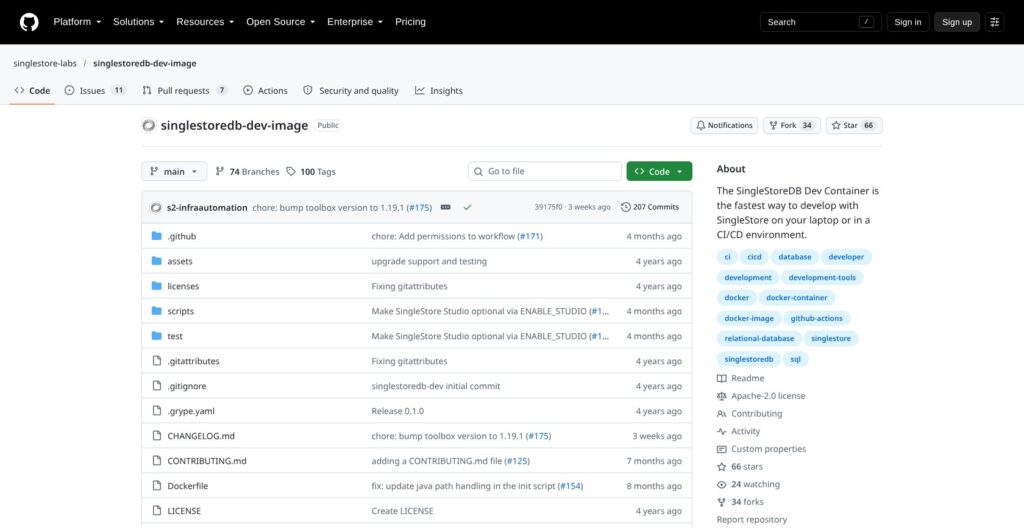
The Dev Image is free with no time limit, runs one aggregator and one leaf in Docker on up to 8 vCPU and 64 GB of RAM, and exposes Studio on port 8080 and MySQL on 3306; it is not supported for production or benchmarks. On hosts larger than 64 GB you cap the container with --memory=64g, and a SINGLESTORE_LICENSE variable applies a paid license to the same image. Self-managed Standard and Enterprise are quote-only licenses with a 30-day Enterprise trial, and Kubernetes deployments run through the Operator (4.252.0, released October 2, 2026).
The engine is proprietary, not open source. Self-managed 9.0.44 shipped on September 24, 2026, while Helios takes new features through weekly update windows. Versions 9.0.22 to 9.0.24 are deprecated over a JSON_EXTRACT_BIGINT bug that could return wrong results or crash the system, so run 9.0.27 or later.
Backups, DR and Compliance
- Backups: continuous, with 7-day default retention. Standard restores only to 00:00 UTC and cannot extend the window, while Enterprise restores to the second with retention up to 90 days or longer.
- Smart DR (Enterprise, still in preview): asynchronous replication to a second region with an RPO of up to 10 minutes; cross-region egress costs $20 per TB on Tier 1.
- Compliance: ISO 27001 and SOC 2 Type 2, with stated HIPAA, GDPR and CCPA compliance; PCI DSS is not on the list.
- Access and encryption: SAML and OAuth SSO, SCIM, RBAC, AES-256 encryption at rest and TLS in transit.
Vector Capital took majority ownership in a growth buyout announced September 10, 2025, and Raj Verma stayed on as CEO.
How Does SingleStore Compare to Competitors?
SingleStore’s niche is analytics on live transactional data, heavy multi-table joins, and vector plus SQL in one MySQL-compatible engine.
- ClickHouse: usage-based Cloud at about $0.39 per compute unit-hour in us-east-1, with a $300 trial. It wins on append-heavy event analytics and an Apache-2.0 core you can self-host freely.
- TiDB Cloud: MySQL-compatible HTAP with a free Starter tier (25 GiB row plus 25 GiB column storage) that scales to zero, and Dedicated from $0.22 an hour. It wins for MySQL apps that want an Apache-2.0 open-source core and scale-to-zero pricing.
- Apache Druid and Imply: Imply starts at $100 a month on Starter and $600 on Standard. They win on streaming time-series rollups at high concurrency.
- Apache Pinot: wins on user-facing analytics at very high query rates on append-only events, with StarTree selling the managed version.
- MotherDuck: Lite is free with 10 GB, and Business costs $250 a month plus usage. It wins for small analyst teams with no streaming or transactional load.
- Snowflake: wins for governed batch BI and ecosystem breadth, not for millisecond app queries.
TiDB is the closest like-for-like rival: both speak MySQL and run row and column storage side by side, but TiDB’s Starter tier scales to zero, while SingleStore’s cheapest paid cluster bills $0.99 an hour whenever it runs. ClickHouse asks for no RAM budgeting per table, so SingleStore’s case against it rests on row-level updates, upserts and joins across normalized tables. Snowflake and MotherDuck suit teams whose dashboards read data loaded hours ago, not seconds ago.
| Tool | Best for | Free option | Entry price | Open source core |
|---|---|---|---|---|
| SingleStore | Analytics and AI on live operational data | Shared cluster (1 GB) and Dev Image | $0.99/hr (S-00 Standard) | No |
| ClickHouse Cloud | Append-heavy event analytics | $300 trial | About $0.39 per compute unit-hour | Yes (Apache 2.0) |
| TiDB Cloud | MySQL apps that need scale-to-zero HTAP | Starter (25 GiB row + 25 GiB column) | Dedicated from $0.22/hr | Yes (Apache 2.0) |
| Imply | Streaming time-series rollups | $500 trial credits | $100/month (Starter) | No; built on Apache Druid (Apache 2.0) |
| MotherDuck | Small analyst teams | Lite (10 GB) | $250/month (Business) | No; built on open-source DuckDB (MIT) |
SingleStore and ClickHouse both publish vendor-run benchmarks that favor themselves: SingleStore’s own TPC-DS test, run against ClickHouse 24.12, puts SingleStore ahead, while ClickHouse says automatic global join reordering arrived in its 25.9 release. Run your own heaviest queries on both before trusting either chart.
How I Reviewed SingleStore
For this SingleStore review, I weighed the areas Panoply scores for every data tool: pricing transparency, setup effort, openness and exit costs, governance and development momentum.
I worked through the four editions, the per-size credit table and the region multipliers, priced an always-on cluster against SingleStore’s part-time example, and followed the documented path from the free Shared cluster to a pipeline load and a Standard cluster. I mapped the storage engine, vector, Pipelines and recovery behavior, checked the Dev Image license and limits, traced the 9.0 releases and weekly Helios updates, and compared rivals at current list prices.
This is not a hands-on performance test, and speed claims in this review are SingleStore’s own, so weight the documented limits over any benchmark. Prices current as of October 2026.
Should You Choose SingleStore?
Yes, if you build a product that queries fresh operational data, such as multi-tenant SaaS dashboards, personalization or RAG with SQL filters, and want one MySQL-wire engine instead of an OLTP database, a warehouse and a vector store. Budget from about $723 a month for an always-on S-00, or about $940 with multi-AZ.
Skip it if your workload is scheduled BI on warehouse data, where Snowflake or MotherDuck cost less, or append-only events at huge scale, where ClickHouse or Pinot fit better. Skip it too if you need an open-source MySQL-compatible core (TiDB), or if compliance requires second-level PITR and CMEK but the budget will not stretch to Enterprise’s 1.5x.
Next action: create a free Shared cluster at singlestore.com, load one real table through an S3 pipeline and check that your three heaviest queries run unchanged, then price the Standard size whose RAM fits your rowstore tables. Time those queries on Standard, since the Shared terms forbid benchmarking.
FAQs
How much does SingleStore cost?
SingleStore Helios Standard starts at $0.99 an hour for the smallest S-00 cluster (2 vCPU, 16 GB), billed per second at $3.96 per credit, or about $723 a month always on. Enterprise starts at $1.49 an hour. Storage adds $0.023 per compressed GB-month in Tier 1 regions, and the Shared tier is free.
Is SingleStore free?
Yes, in two ways. The Free Shared cloud cluster holds 1 GB of compressed data, 10 tables and one database in AWS us-east-1, and the self-managed Dev Image runs locally with no time limit on up to 8 vCPU and 64 GB of RAM. Neither is meant for production or benchmarking.
Is SingleStore open source?
No. The engine is proprietary: the free Dev Image runs under SingleStore’s Free Tier License Agreement, and self-managed production needs a paid Standard or Enterprise license. Client libraries and tools in the singlestore-labs GitHub organization are published separately. If an open-source MySQL-compatible core matters, TiDB is Apache 2.0.
Is SingleStore an in-memory database?
Only partly. Rowstore tables live entirely in RAM, limited by leaf memory with about 20% reserved for query execution. Columnstore, the default table type since version 7.3, lives in object storage with a local cache, and Universal Storage lets it handle most transactional work, so only hot lookup tables need to fit in memory.
Is SingleStore compatible with MySQL?
It speaks the MySQL wire protocol and similar SQL, so MySQL clients, drivers and BI tools connect, but it shares no code with MySQL. Foreign keys, most triggers, full server-side prepared statements and get_lock() are unsupported, and SELECT without ORDER BY returns rows in arbitrary order, so plan code changes before migrating.