Editor’s note: This Prophecy review evaluates the pricing model, the documented product behavior and the plan ladder as Prophecy sells it in October 2026, including the free Starter tier. It is not a hands-on performance test.
Quick verdict: I recommend Prophecy for analytics teams on Databricks, Snowflake or BigQuery that want agents to draft visual pipelines they can inspect, and for Alteryx shops that need a governed path onto a warehouse. Go in knowing that the self-serve tiers meter credits whose allowances were re-cut in August and September 2026, that SSO, SCIM, organizational Git and private LLM endpoints start at $4,000 a month billed annually, and that the Spark track is Enterprise only.
Key Takeaways
- Starter is free: 20 credits a month, an embedded DuckDB warehouse and the Transform and Documentation agents, no card required.
- Professional costs $150 per user per month with 50 credits each and lists warehouse processing; an AI request costs 0.04 credit, a CPU hour 3.
- Prophecy equates 50 credits with about 125 prompts, ten times the 0.04 rate, so size the bill from a month on Starter.
- When credits run out, the agent, scheduled runs and publishing stop; SSO, SCIM and dedicated SaaS start at $4,000 a month for up to 20 users.
- Agents run on Anthropic Opus 4.5 only, code lands in Git as dbt-backed SQL or PySpark, and the Alteryx importer’s own sample shows 14 percent tool coverage.
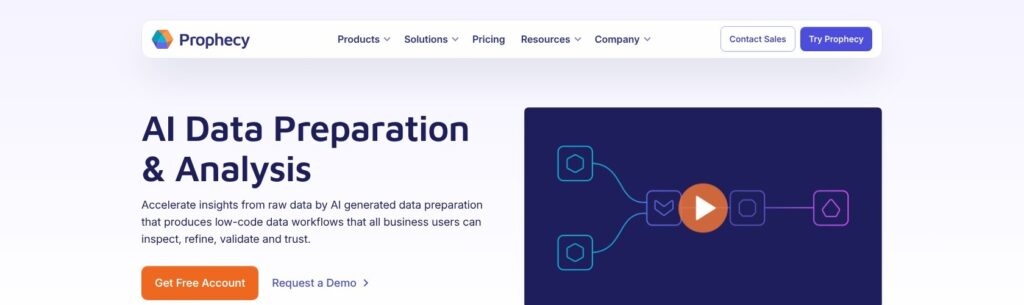
Prophecy sits in the Panoply directory under Transformation as a visual, managed platform, next to Matillion and Coalesce rather than the code-first dbt.
In this review, I’ll take a closer look at Prophecy’s credits, free tier, agents, engines, Git workflow, Alteryx importer and five rivals.
Prophecy Pros and Cons
Pros
- Free Starter tier with 20 credits a month, the agents and an embedded DuckDB warehouse, no card required.
- Agent output compiles before it applies, asks before any write to the warehouse, and lands in Git as dbt-backed SQL or PySpark.
- Identity passthrough to Unity Catalog and Snowflake, so users and agents see only what they already may.
- Deterministic Alteryx, Informatica, DataStage and Ab Initio import with a coverage report before you transpile.
- Nine point releases between January and October 2026, with Snowflake fabrics added in March.
Cons
- Credit allowances were re-cut in August and September 2026, and Prophecy’s own credit tables still disagree with each other.
- SSO, SCIM, organizational Git, private LLM endpoints and dedicated SaaS start at $4,000 a month billed annually.
- Agents run on Anthropic Opus 4.5 only, with one agent session per project.
- Spark pipelines, dbt-style models and Airflow or Databricks Jobs orchestration are Enterprise only.
How Much Does Prophecy Cost?
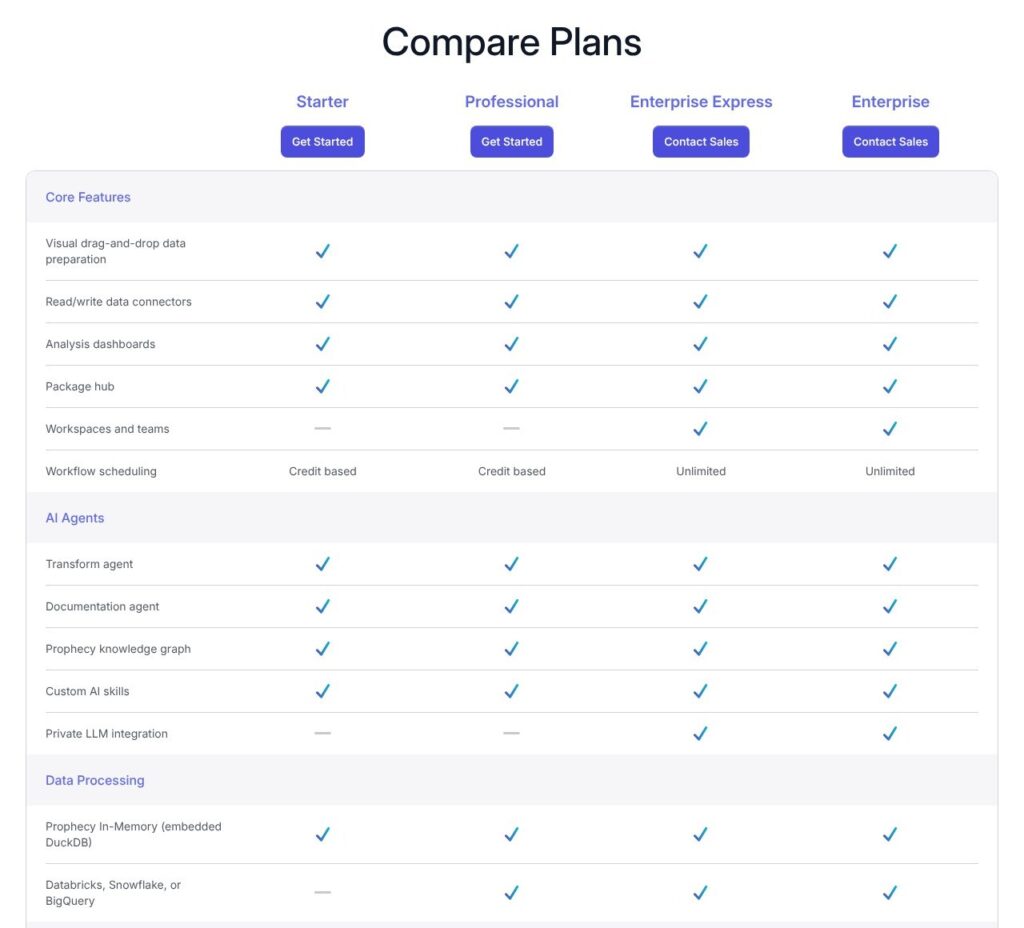
Prophecy sells four plans: two self-serve tiers on a credit meter and two annual enterprise contracts on dedicated SaaS.
- Starter (free): for one user, with 20 credits a month, embedded DuckDB processing, SaaS, database and file connectors, Prophecy-managed Git and the Transform and Documentation agents.
- Professional ($150 per user per month, billed monthly): for data teams, with 50 credits per user per month, Databricks, Snowflake or BigQuery processing, credit-based scheduling, project sharing across workspaces, API access, 5 Alteryx imports a month, pay-as-you-go overage and an onboarding call.
- Enterprise Express ($4,000 per month, billed annually, up to 20 users): for enterprise teams, the plan lists dedicated SaaS, SSO, SCIM with audit logs, Databricks, Snowflake or BigQuery processing, 100 Alteryx and Informatica imports, an organizational Git connection, private LLM integration and a Prophecy engineer on your first project.
- Enterprise (custom): for 20+ users, with everything in Express plus Spark pipelines and models, external orchestration and a bring-your-own Anthropic endpoint.
| Plan | Price | Users | Credits | Processing | Standout gate |
|---|---|---|---|---|---|
| Starter | Free | 1 | 20 a month | Embedded DuckDB | No warehouse pushdown |
| Professional | $150 per user per month, monthly | Per seat | 50 per user per month | Databricks, Snowflake, BigQuery | API, 5 Alteryx imports a month |
| Enterprise Express | $4,000 a month, billed annually | Up to 20 | Not listed | Dedicated SaaS on your warehouse | SSO, SCIM, org Git, private LLM |
| Enterprise | Custom | 20+ | Custom | Dedicated or multi-tenant SaaS | Spark, external orchestration |
Professional gained warehouse connections through DataBox only on October 7, 2026, so confirm pushdown and scheduling in your first paid month. For Express, get the supported warehouses and SCIM scope into the order form.
What a Credit Buys
| Usage | Credits |
|---|---|
| Team member | 20 per member |
| AI request (each Copilot click or agent interaction) | 0.04 per request |
| Compute | 3 per CPU hour |
| Data egressed from the Prophecy warehouse | 0.045 per GB |
| Data stored in the Prophecy warehouse | 0.02 per GB |
Because the Prophecy warehouse is DuckDB, free-tier processing burns credits too; editing its SQL in Code view cuts consumption.
By my estimate, 20 Starter credits buy about 6.7 CPU hours and 50 Professional credits about 16.7 per user, if nothing else is metered.
Prophecy also equates 50 credits with roughly 125 meaningful AI prompts, about 0.4 credit each, ten times the rate card. The rate card still describes a 5-credit free tier, so trust the breakdown under Settings in a Starter account.
When credits run out, the agent, interactive and scheduled runs, and publishing are disabled. Team admins can set a seat limit, a dollar usage alert and a dollar budget that suspends services.
Starter and Professional bill through Stripe, Express through the AWS, Google Cloud or Azure marketplace, and Enterprise by purchase order. There are no refunds: cancel and you keep paid features to period end, then lose their data.
Is Prophecy Good Value for Money?
- Good fit: a 3 to 10 person analytics team on Databricks or Snowflake that accepts monthly billing. $150 a seat sits between dbt Starter at $100 and Alteryx One Starter at $250; Coalesce Starter also costs $150 but caps at 4 Transform users.
- Less convincing fit: a team that needs SSO or org Git at 5 seats pays $48,000 a year for Express, $800 per seat per month against $200 at a full 20.
- Watch-out: scheduled pipelines stop at the credit cap, so set the dollar budget above real usage before Professional runs production.
- Contract terms: Enterprise Express launched on December 4, 2025 at $40,000 for 20 seats and now lists at $48,000 a year with no annual credit allowance, so get one in writing.
Reviewer’s Notes: Start on Starter with a real file, read the credit breakdown under Settings after two weeks, and multiply by your seat count. Then pick Professional with a budget cap, or an Express quote if you need SSO on day one.
Getting Started With Prophecy on the Free Tier
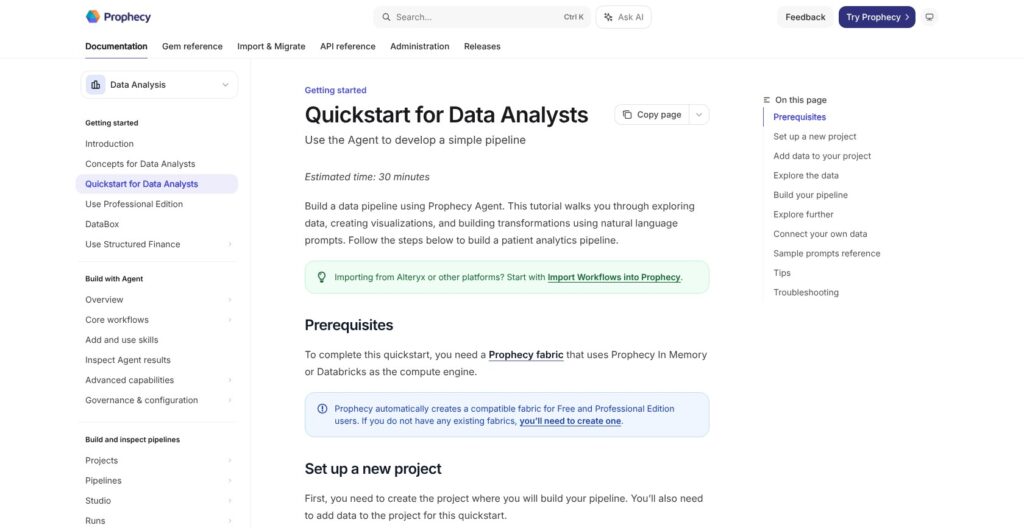
Signup takes a Google account or an email address at app.prophecy.ai/professional, with no card. The catch is that Starter is a sealed DuckDB sandbox.
Signing Up and What You Get
Prophecy creates a personal team and a ProphecyManaged fabric on DuckDB automatically, and your outputs land in a schema named default. Starter and Professional cannot create new fabrics, and data cannot move between ProphecyManaged connections.
Use Chrome, the browser Prophecy is built for.
Attaching Data and Letting the Agent Draft
From the home screen, choose Attach Data, upload a file and pick a prompt such as Summarize my dataset, Find patterns or trends, or Clean up my data. Then choose Process as Table to transform it or Attach as Reference to give the agent context.
The agent returns suggested questions on the left and the generated pipeline on the right. Since the October 7, 2026 release, DataBox stores files up to 2 GB each, with 30-day trash restore and search across files, tables and schemas, and it lets Professional add Databricks, Snowflake or BigQuery connections.
Building a Pipeline on the Canvas
For a hand-built pipeline, open Create Entity, then Project, pick the Prophecy for Analysts template and the default fabric, and click Create Pipeline. A Table gem with a Seed takes pasted CSV, which Prophecy stores as a dbt seed.
Gems are the building blocks, 50+ by Prophecy’s count. Data Explorer profiles the first 10,000 rows with null and blank percentages and the top four values, and Load Full Profile covers the whole dataset.
Code view shows the DuckDB SQL behind every gem, and it is where you trim credit burn.
Saving, Publishing and Scheduling
In the default Simple Git model, Save to draft commits and pushes to a shared dev branch, and Publish merges to main and tags a version. Branch-per-user and fork-per-user models are Express and Enterprise only.
Schedules run from every minute to yearly, or on S3 and SFTP file arrival, with email alerts on each outcome. A schedule does nothing until the project is published to a fabric, and disabling one also needs a republish, which is easy to miss.
Observability lists deployments, schedules and run history, with historical logs for each run.
For context, dbt Cloud Developer gives you one seat and 3,000 successful models a month with no canvas, and Coalesce Developer gives one user 2,000 actions on a Snowflake-centric platform.
Reviewer’s Notes: Treat Starter as a sandbox for judging agent quality, not as a production trial, because the warehouse is sealed and a credit cap halts scheduled runs. The real evaluation is Professional pointed at your own Databricks or Snowflake account, with the dollar budget set before the first schedule goes live.
The AI Agents: Transform, Harmonization and Documentation
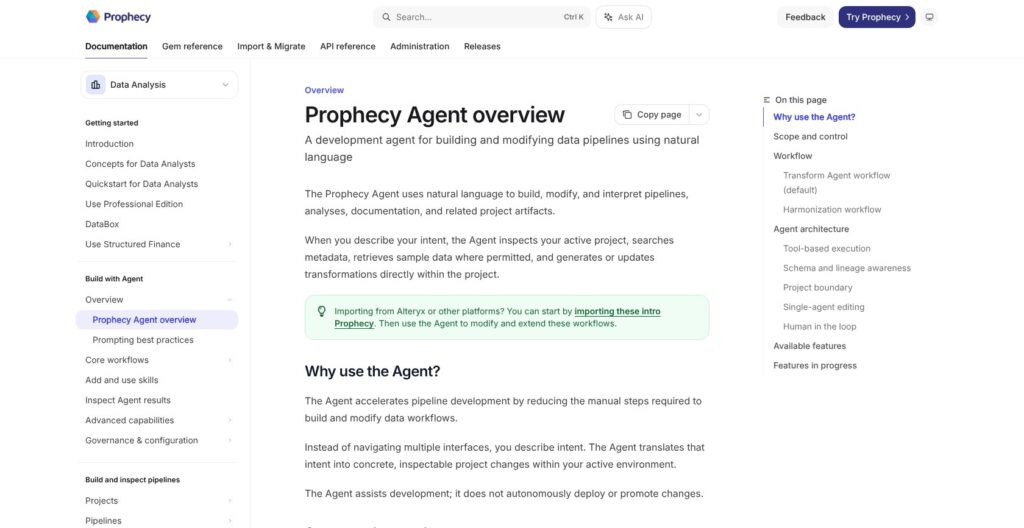
Prophecy runs three agents. The Transform Agent is the default and explores metadata, builds or modifies pipelines, and writes analyses and documentation; the Harmonization Agent maps source data to a Common Data Model; the Documentation Agent writes templated project and pipeline documentation.
The December 2025 launch also named Discover and Requirements agents; discovery now lives inside Transform, which you must switch off to run Harmonization or Documentation.
What the Agent Is Allowed to Do
The agent runs under the invoking user’s warehouse permissions and compiles and validates generated logic before applying it. Since the June 17, 2026 release it asks for confirmation before any pipeline that writes to the warehouse, with approve once, always allow or deny.
It asks clarifying questions, offers Undo and never deploys or promotes on its own. Only one agent session can edit a project at a time, so two people cannot co-pilot one project, and Prophecy’s own rule is that the Agent does not replace review.
The Knowledge Graph and Skills
The knowledge graph is a per-fabric index of schemas, tables, columns, types and relationships, not rows, built from structured search plus embeddings. It sees only what the warehouse identity can see and refreshes on a schedule or manually.
With data access disabled, the agent works from metadata alone and cannot run SQL. Custom skills teach it repeatable team tasks, and the Structured Finance edition ships skills for stratification, cross-deal comparison and CDM authoring.
One Model, Your Endpoint or Theirs
The agents support Anthropic Opus 4.5 only, and Haiku or Sonnet are strongly discouraged for accuracy. Enterprise can bring its own pay-as-you-go endpoint through Anthropic Console, Amazon Bedrock, Google Vertex AI or Microsoft Foundry, while Databricks model endpoints and flat-rate Claude plans cannot be connected.
Prophecy describes the agents as a specialized version of Claude Code for data work. Prompts can carry table and column names, schemas, types and the project’s transformation code, with sample data only if an admin enables it, and Prophecy does not train on customer data.
If your security review needs the model name, the endpoint provider and the write gate on paper, Prophecy has them. If you want to pick your own LLM, it does not.
Execution Engines, Git and Deployment: What an Engineer Gets
A fabric is one SQL warehouse connection plus ingress and egress connections and secrets. The warehouse sets the SQL dialect for every pipeline in it, so Snowflake fabrics do not support partitioned table operations or case-sensitive identifiers.
DuckDB, Warehouse Pushdown and the Spark Track
Starter runs on Prophecy In Memory, a managed DuckDB warehouse. The paid plans list pushdown to Databricks SQL, Snowflake or BigQuery, with Prophecy Automate handling ingestion, egress and schedules.
The Data Engineering track still covers Spark and PySpark pipelines, Scala JARs on Spark 3.x and 4.x, structured streaming, and Spark fabrics on Databricks, EMR, Dataproc, Synapse and Livy. Spark pipelines, dbt-style models and Databricks Jobs or Airflow orchestration are Enterprise only.
Release 4.2.11 moved dbt-backed projects to the faster dbt Fusion engine, and its caching work cut a 13,000-node project load from 46 to 25 seconds.
Git, API and Scheduling
Every project is a Git repo: Prophecy-managed on self-serve, GitHub, GitLab or Bitbucket on Express and Enterprise. Generated code is dbt-backed SQL or PySpark you can edit and export, though the canvas graph format itself is Prophecy’s.
A REST API with personal access tokens covers fabrics, connections, secrets, project deploys, run triggers, run status and data tests. Since September 2026, schedules can be pinned to a published version. Expired user tokens fail scheduled runs, so use Databricks service principals.
Deployment and Security
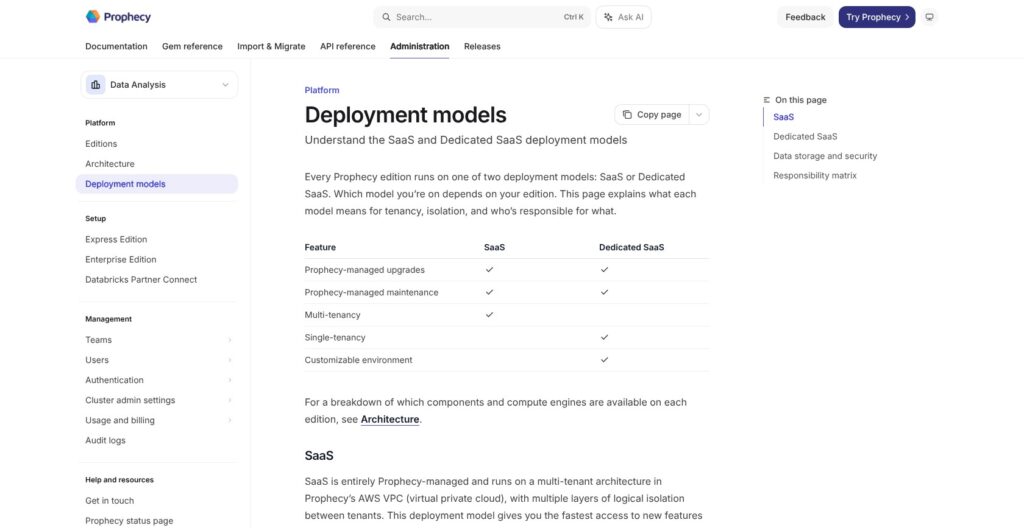
Prophecy runs as multi-tenant SaaS in its own AWS VPC, or as Dedicated SaaS in a Prophecy-managed VPC on AWS, Azure or Google Cloud in your region. Express is dedicated only. There is no customer-hosted install; Matillion offers hybrid deployment on its Scale edition.
Dedicated adds BYOK, PrivateLink and up to 300 allow-listed IPs. Prophecy holds SOC 2 Type 2, SOC 1 Type 2, ISO 27001 and ISO 9001, Google SSO is on every edition, and since September 2026 audit logs capture fabric, connection, secret, deployment, run and schedule events.
Snowflake ends password auth for service users in October 2026, so new Snowflake fabrics take key-pair or OAuth only.
It suits warehouse-native SQL teams that want Git and an API without running infrastructure. Skip it if you need self-hosting or Spark below the Enterprise tier.
Migrating From Alteryx and Informatica
Professional includes 5 Alteryx imports a month (added September 14, 2026), and Express and Enterprise include 100 Alteryx and Informatica imports, cut from unlimited on September 21, 2026. Supported sources are Alteryx, Informatica including ICS, IBM DataStage and Ab Initio.
How the Import Works
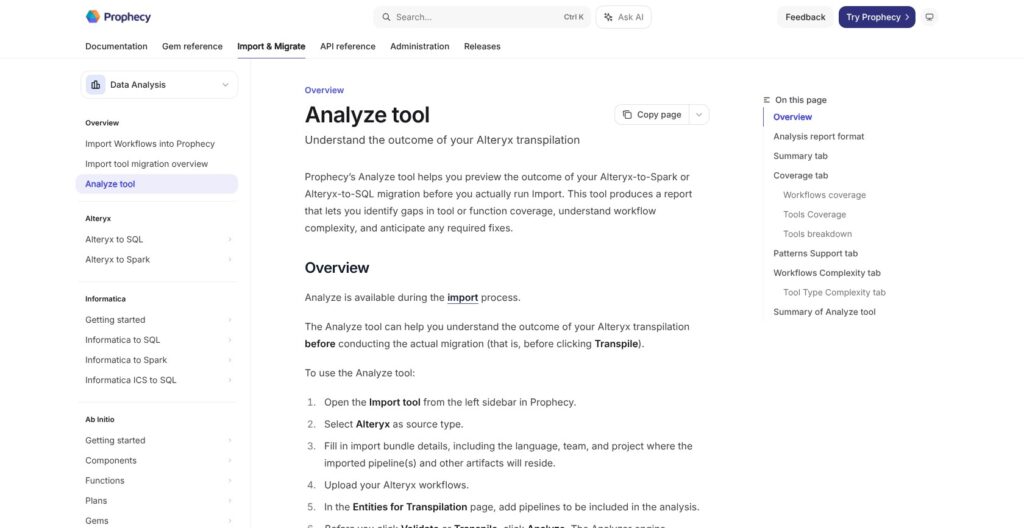
An Import Bundle, opened from Import in the left nav, names the source, the language (SQL or Spark), the team, project and Git branch, and a Databricks, BigQuery or Snowflake fabric.
Alteryx accepts .xml, .yxmd, .yxwz, .yxmc and .yxzp files from Designer 2023.2 and later. Analyze runs first and produces an Excel report with Summary, Coverage, Patterns Support, Workflow Complexity and Tool Type Complexity tabs; then you Validate or Transpile.
Output goes to a Git branch, never straight to main. Unsupported tools become placeholder gems flagged for review, and the same input always produces the same output, with no AI guessing.
What It Does Not Do
Prophecy’s own sample report shows 100 percent workflow coverage but 14 percent tool coverage, 47 of 330 tool occurrences. Coverage means a mapping exists, not that the tool converted.
Alteryx schedules are not migrated and must be rebuilt. The SQL dialect is locked per bundle, so moving from Databricks to Snowflake means a new bundle.
Informatica maps to Spark or BigQuery SQL only, and its September 2026 NULL, date and sequence fixes come with advice to re-import. Prophecy pitches automation at low to medium complexity and says some manual review is always necessary; its example engagement lists about 17 roles, including 5 ETL developers and 4 testers.
Matillion’s Migration Agent converts 14 legacy platforms, Alteryx and Informatica among them, while Prophecy scores coverage before you transpile.
Run Analyze on your 20 ugliest workflows before you price the project, and budget the Express engineer’s time against the tool coverage number, not the workflow coverage number.
How Does Prophecy Compare to Competitors?
Each rival wins a niche; Prophecy wins when you want agents plus a canvas on a warehouse you already own, with an Alteryx exit path.
- dbt Cloud: Developer is free with 3,000 successful models a month, Starter costs $100 per user per month with 5 seats and 15,000 models, and Enterprise is custom. It wins for code-first teams with a testing culture and the largest community, but it has no canvas and no Alteryx import, and Prophecy’s SQL projects are dbt-backed anyway.
- Coalesce: Developer is free, and Starter costs $150 per user per month billed annually for up to 4 Transform users and 15,000 production actions. It wins for column-aware Snowflake transformation where development runs are unmetered, and it forces Enterprise at the fifth user.
- Matillion (Maia Foundation): Developer, Teams and Scale bill credits per task hour, 1 for orchestration and 3 for transformation, with no dollar price published and about 150 connectors. It wins for ingestion plus transformation in one canvas and for hybrid deployment on Scale, and its Migration Agent converts 14 legacy platforms.
- Alteryx One: Starter costs $250 per user per month billed annually and is cloud only, while Professional adds desktop and 50 automation runs. It wins for the analyst installed base, and its proprietary workflow format is what Prophecy’s importer exists to leave.
- Databricks Lakeflow Designer: billed per second of compute with no per-user fee, it wins if you are all-in on Databricks and want zero extra vendors. It runs only inside Databricks, Prophecy counts 50+ operators against Designer’s 15 (a vendor figure), and its general availability is something to confirm with Databricks.
| Tool | Pricing model | Starting paid price | Engines | Agents or canvas | Legacy import |
|---|---|---|---|---|---|
| Prophecy | Seats plus credits | $150 per user per month | DuckDB, Databricks, Snowflake, BigQuery; Spark on Enterprise | Both | Alteryx, Informatica, DataStage, Ab Initio |
| dbt Cloud | Seats plus successful models | $100 per user per month | Your warehouse | Neither (code-first) | None |
| Coalesce | Seats plus production actions | $150 per user per month, annual | Snowflake-centric | Canvas | None comparable |
| Matillion | Credits per task hour | Quote only | Your warehouse | Both (Maia) | Migration Agent, 14 platforms |
| Alteryx One | Seats plus automation runs | $250 per user per month, annual | Alteryx cloud and desktop | Canvas | Not applicable |
| Lakeflow Designer | Per-second compute | No per-user fee | Databricks only | Both | None |
Choose Prophecy over dbt Cloud when analysts outnumber engineers and you want agents to draft inspectable pipelines, and dbt Cloud when every author writes SQL. Choose Lakeflow Designer when Databricks is the only warehouse you will ever run, and Alteryx when desktop workflows are not going anywhere.
How I Reviewed Prophecy
For this Prophecy review, I weighed the areas Panoply scores for every data tool: pricing transparency, openness and exit costs, setup effort, governance and development momentum.
That meant working through the four plans and the credit rate card line by line, reconciling the December 2025 Enterprise Express launch price with the October 2026 list, and mapping the path from a free Starter signup to a published, scheduled project.
I weighed the agent governance, model and knowledge graph rules, traced the Enterprise-only features, worked through the Alteryx import flow and its sample coverage report, and followed the nine 2026 point releases. Rivals are compared at current list rates.
This is not a hands-on performance test, and independent user evidence is thin, so weight the documented limits over any speed claim. Prices current as of October 2026.
Should You Build Your Data Prep on Prophecy?
Yes, if your analysts work on Databricks, Snowflake or BigQuery and you want agent-drafted pipelines you can inspect gem by gem, with SQL in Git and permissions inherited from the warehouse. It is also the strongest exit I know of for an Alteryx or Informatica estate, because you get a coverage score before you commit, and the budget is $150 a seat monthly or $48,000 a year for Express.
Skip it if you need self-hosting (Matillion’s hybrid deployment), Spark or Airflow orchestration below Enterprise, a model other than Opus 4.5, or a flat bill, where dbt Cloud Starter at $100 a seat with a fixed model allowance is easier to forecast.
Next action: open a Starter account with a real file, run the agent on it for two weeks and read the credit breakdown under Settings. Then put Professional against your own warehouse with the dollar budget set, and ask sales for the Express credit allowance in writing before you sign the annual contract.
FAQ
How much does Prophecy cost?
Starter is free with 20 credits a month on an embedded DuckDB warehouse. Professional costs $150 per user per month with 50 credits per user, billed monthly. Enterprise Express costs $4,000 a month billed annually for up to 20 users, which is $48,000 a year, and Enterprise is custom-priced for 20+ users.
What is a Prophecy credit?
A credit is Prophecy’s unit for usage on Starter and Professional. The rate card charges 20 per team member, 0.04 per AI request, 3 per CPU hour, 0.045 per GB egressed and 0.02 per GB stored in the DuckDB warehouse. Prophecy also equates 50 credits with about 125 prompts, so read the breakdown under Settings.
Does Prophecy still support Spark?
Yes, on the Data Engineering track for Enterprise: PySpark and Scala pipelines, structured streaming, and Spark fabrics on Databricks, EMR, Dataproc, Synapse and Livy. Spark pipelines, dbt-style models and Airflow or Databricks Jobs orchestration sit on Enterprise only, while the self-serve tiers run SQL on DuckDB or push down to your warehouse.
Which AI model do Prophecy’s agents use?
Anthropic Opus 4.5 only; Haiku and Sonnet are strongly discouraged. Enterprise customers can bring their own pay-as-you-go endpoint through Anthropic Console, Amazon Bedrock, Google Vertex AI or Microsoft Foundry. Flat-rate Claude plans and Databricks model endpoints cannot be connected, and Prophecy does not train on customer data.
Can Prophecy import Alteryx workflows?
Yes. It takes .yxmd and related files from Alteryx Designer 2023.2 and later and converts them to Databricks, BigQuery or Snowflake SQL, or to Spark. Professional gets 5 imports a month and Express 100. Schedules are not migrated, and some manual review is always needed after transpiling.
Can I self-host Prophecy?
No. Prophecy runs as multi-tenant SaaS in its own AWS VPC or as Dedicated SaaS in a Prophecy-managed VPC on AWS, Azure or Google Cloud in your chosen region. Dedicated adds PrivateLink, BYOK encryption and up to 300 allow-listed IPs, but Prophecy still manages upgrades and infrastructure.