Editor’s note: This Synq review is based on my hands-on test of Synq, now sold as Coalesce Quality, connected to a dbt Core project on Snowflake in November 2026. I weighed post-acquisition pricing, dbt Core, dbt Cloud and SQLMesh setup, monitors, incidents, Scout and MCP, security, and rivals Elementary, Monte Carlo and Metaplane.
Quick verdict: I recommend Synq for analytics engineering teams that want monitors, owners and incidents attached to dbt or SQLMesh models, not raw tables. The trade-off: Coalesce, a dbt rival, bought Synq on March 10, 2026, sells it inside bundled plans and publishes no dbt roadmap.
Synq’s synq-dbt wrapper plus its dbt Cloud and SQLMesh integrations put dbt tests and anomaly monitors in one view, with column-level lineage through to Looker and Tableau. That unified coverage earns my recommendation in this Synq review.
In this review, I’ll take a closer look at Synq’s pricing, features, and future under Coalesce, so you can see exactly whether it belongs on top of your dbt project or whether a rival is the safer buy.
Key Takeaways
- dbt tests and SQLMesh data checks do not count toward monitor limits; one table-stats monitor covers row count, freshness and delay.
- Deployment rules cover new matching assets automatically, and YAML monitors deploy from CI with
synqcli. - Metadata-first access: five data-access toggles start off, with EU, US or AU hosting.
- Now sold as Coalesce Quality, Synq sits in bundled plans with no Quality-only price.
- The retired February 2026 list priced Launch at $1,250 a month ($1,000 billed annually) for 3 users and 75 monitors; BI lineage covers only Looker, Tableau and Omni.
Pros and Cons
Pros
- synq-dbt wraps any dbt Core version and uploads manifest, run results, catalog and source freshness.
- dbt tests and SQLMesh data checks do not count toward monitor limits.
- Column-level lineage runs from the warehouse through dbt to Looker, Tableau and Omni.
- Deployment rules add monitors to every new matching asset automatically.
- Five warehouse data-access toggles start off, with EU, US or AU hosting.
Cons
- No published Quality-only price; Coalesce sells per-user and per-action plans.
- Owned since March 10, 2026 by Coalesce, a dbt rival, with no dbt roadmap published.
- No Power BI, Metabase or Sigma lineage integration.
- SSO only on Coalesce Enterprise contracts for 5+ users.
- Custom monitors and SQL tests scan table data and bill warehouse credits.
Synq Pricing: How Much Does It Cost?
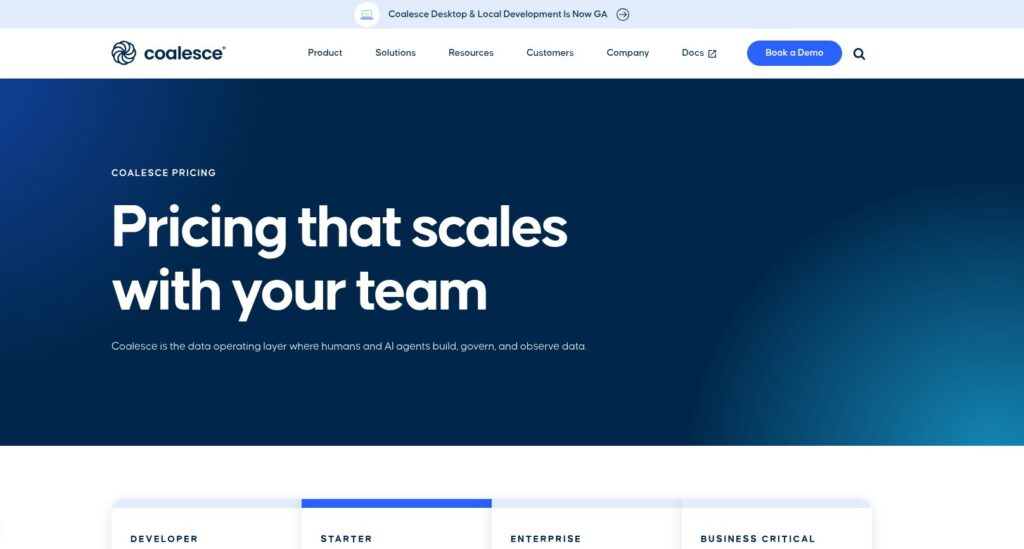
Synq’s pricing URL now redirects to Coalesce, which sells Synq as Coalesce Quality inside plans that bundle it with Transform and Catalog. There is no published Quality-only price for a dbt or SQLMesh team.
- Developer (free): for one user, with Transform and Quality, 2,000 capped actions a month, 1 project and 1 environment.
- Starter ($150 per user per month, billed annually): for a first data team of up to 4 Transform users, with 15,000 actions a month (180,000 a year), 3 Catalog integrations, full Transform, Catalog and Quality, onboarding workshops and 24×5 support, on 1 project and 1 environment.
- Enterprise (custom): for 5+ Transform users, with 100,000 actions a month, 5 Catalog integrations, unlimited projects and environments, SSO, priority support, enhanced SLAs and volume discounts.
- Business Critical (custom): for regulated teams, adding private networking, a BAA for HIPAA, advanced security and compliance, and custom deployment.
An action is a successful node execution, Catalog asset refresh or monitor refresh in production. Development runs are free, and going over the allowance keeps pipelines running at a per-action rate Coalesce does not publish.
Synq’s last standalone list, from February 2026 and now retired, priced users and monitors instead. Freshness, row count and change frequency on one table counted as one monitor, dbt tests never counted, and Scout AI was a paid add-on. synq.io still offers a free, no-credit-card signup, but its current free-tier limits are unpublished; the 1 user, 10 monitors and 5 viewers below are from the February 2026 list.
| Plan | Price | Users | Usage allowance | Status |
|---|---|---|---|---|
| Coalesce Developer | Free | 1 | 2,000 actions/month, capped | Current |
| Coalesce Starter | $150/user/month, billed annually | Up to 4 Transform users | 15,000 actions/month | Current |
| Coalesce Enterprise | Custom | 5+ Transform users | 100,000 actions/month | Current |
| Coalesce Business Critical | Custom | Custom | 100,000+ actions/month | Current |
| Synq Free | $0 | 1; 5 viewers | 10 monitors; unlimited tables | Free signup still offered; limits from February 2026 list, current limits unpublished |
| Synq Launch | $1,250/month; $1,000/month billed annually | 3; unlimited viewers | 75 monitors | Retired, February 2026 list |
| Synq Grow | $2,500/month | 6 | 300 monitors | Retired, February 2026 list |
| Synq Scale | Custom | Custom | Custom | Retired, February 2026 list |
Is Synq Good Value for Money?
- Retired Launch came to $12,000 a year billed annually for 3 users and 75 monitors, while Metaplane starts free with 10 monitored tables and 4 users and Elementary’s open-source dbt package costs nothing.
- Coalesce Starter costs $7,200 a year at 4 users, but it buys Transform seats a dbt shop may never use.
- Warehouse cost sits on top: metadata collection every 30 minutes runs about 1 Snowflake credit a day on the dedicated XSMALL warehouse, and custom monitors and SQL tests cost more because they scan data.
- Monte Carlo and Elementary Cloud are quote-only too: Monte Carlo sells credits and Elementary Cloud prices seats and environments, so compare usage units, not annual totals.
Reviewer’s Notes: Get a written Quality-only quote that names users, monitor coverage, refresh frequency and the overage rate, priced against the retired Launch tier of 3 users and 75 monitors. If Coalesce will only sell a Transform bundle, I recommend Elementary or Metaplane for a dbt-only team over paying for transformation seats it will not use.
My Experience With Synq
I created my workspace through the free, no-credit-card signup on synq.io, kept the default EU region (US and AU are the alternatives), and followed Synq’s setup order: integrations, first data product, monitors, team invites, then owners and alerts. Synq’s own setup estimate is under 30 minutes.
Connecting Snowflake
I ran the Snowflake setup script as account admin. It created a dedicated role, user and XSMALL warehouse with AUTO_SUSPEND=60, so Synq’s queries bill to their own warehouse, apart from production workloads.
Synq reads metadata through SHOW commands, GET_DDL, INFORMATION_SCHEMA and ACCOUNT_USAGE. Table metrics are on by default because automatic monitors depend on them; query logs and tasks are opt-in. Collection runs every 30 minutes per warehouse integration, and each of the 48 daily cycles bills about 60 to 90 seconds of XSMALL time.
All five warehouse data-access toggles start off by default:
- Data preview
- Ad-hoc reconciliation
- Scheduled reconciliation suites
- Scout AI
- Failed-row queries for SQL tests
Beyond Snowflake, Synq connects to:
- Warehouses: BigQuery, Databricks, Redshift, ClickHouse, Microsoft Fabric, Trino/Starburst and MotherDuck.
- Databases: Postgres, MySQL/MariaDB, SQL Server, Oracle and IBM Db2.
- On-premise sources: the DWH Agent, for databases behind a firewall.
Hooking Up dbt Core
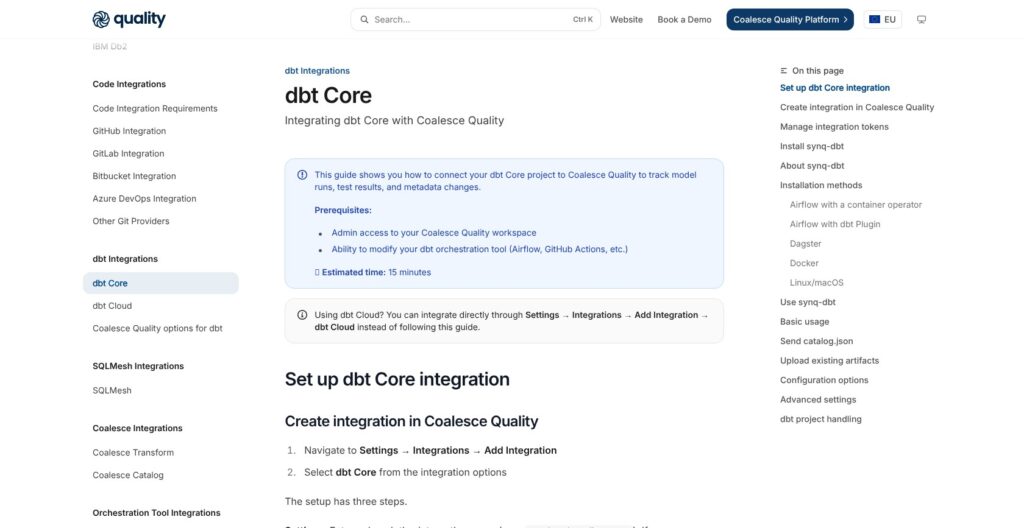
I connected a dbt Core project in four steps:
- In Settings > Integrations > Add Integration, I chose dbt Core.
- I linked the Git integration and branch, then created an upload token.
- After installing
synq-dbt, I setSYNQ_TOKEN; US and AU workspaces also needSYNQ_API_ENDPOINT. - In my run command, I swapped
dbt buildforsynq-dbt build.
The Git link supports GitHub, GitLab, Bitbucket and Azure DevOps. The wrapper runs dbt with the same arguments and uploads four artifacts:
manifest.jsonrun_results.jsoncatalog.json, only when dbt generates the catalogsources.json
Uploads retry up to three times, and the wrapper exits with dbt’s own exit code, so Airflow or Dagster sees the same pass or fail as with plain dbt. It works with any dbt Core version and installs for Airflow, Dagster, Docker, Linux and macOS.
My main caveat is one integration per dbt project. An integration locks to the project of its first upload and rejects uploads from any other, so a multi-project repository needs separate integrations and tokens. Elementary skips the wrapper entirely by running as a dbt package inside the warehouse.
dbt Cloud and SQLMesh
dbt Cloud connects through a read-only service token, which only a dbt Cloud Owner can create, plus a regional endpoint that cannot be changed after setup. The production and source-freshness jobs you pick decide which runs Synq ingests.
For SQLMesh, the integration needs a Git link, an upload token and the synq-sqlmesh binary. synq-sqlmesh upload sends the project, and its run-results and data-check-results upload commands follow each SQLMesh run; only metadata is sent.
Reviewer’s Notes: Keep the dedicated XSMALL warehouse the setup script creates, and leave the data-access toggles off until you need data preview, reconciliation or Scout. Custom monitors scan data regardless of those toggles, so schedule them on priority tables only to hold warehouse cost near the metadata baseline of about 1 credit a day.
Monitors, Deployment Rules and Monitors as Code
Synq tracks added, removed and retyped columns on every table and view automatically, and one table-stats monitor covers row count, freshness and delay from metadata. It offers six monitor types:
- Table stats: Synq’s recommended default.
- Freshness: data arriving on schedule.
- Volume: default and custom.
- Schema: structural changes, tracked automatically.
- Custom SQL: queries for business-specific conditions.
- Field stats: measures such as the share of null or empty values.
Anomaly monitors use statistical models, not a language model.
Automatic monitors read metadata, but custom monitors scan data, and one with no time segmentation reads the whole table on every run. Field stats, SQL tests and table stats on views scan data too. Plain dbt tests have no anomaly detection; that is the gap Synq fills.
Deployment Rules
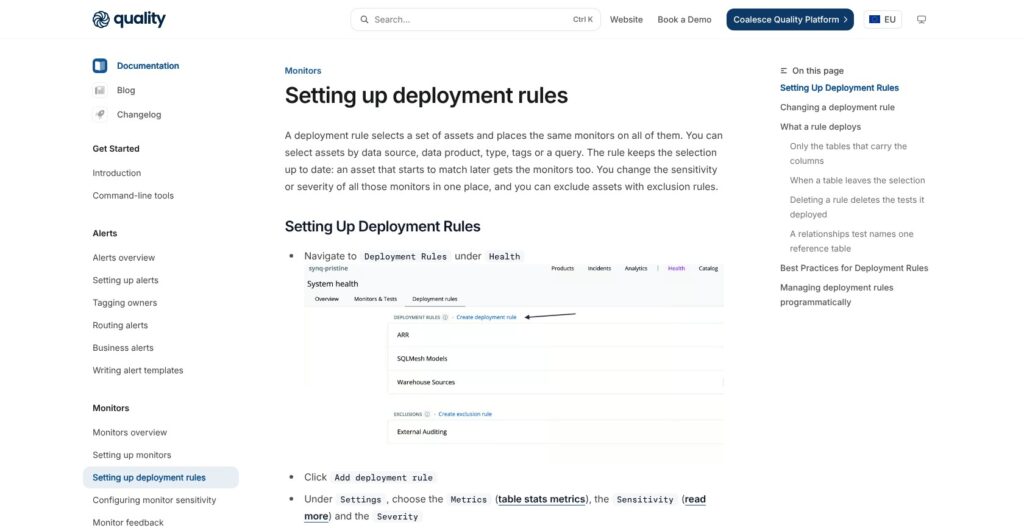
Rules place the same monitors on every asset matched by data source, data product, type, tags or a query, built in the visual builder or ResolverQL. New matching assets get monitors automatically, and exclusion rules carve out the rest. Synq itself warns that broad rules create alert noise, so start with one owned data product and explicit exclusions.
Monitors as Code
Monitors defined in YAML deploy from CI with the synqcli CLI, installed through Homebrew. API clients get separate scopes for SQL tests, automatic monitors and custom monitors, and namespaces isolate teams or data products. The catch: YAML-managed monitors cannot be edited in the app.
dbt tests, SQLMesh data checks and Coalesce Transform tests do not count toward monitor limits. Monte Carlo’s Start tier charges per monitor through credits, up to 1,000 monitors, while Coalesce counts each production monitor refresh as an action, so compare coverage on both monitor counts and refresh schedules.
synq-recon compares two datasets by row counts, checksums or aggregates, using bisection to find the rows that differ; scheduled suites are early access. I recommend rule-based deployment for teams with hundreds of dbt models that want monitor definitions in code review.
Data Products, Lineage and Incident Management
Data products group assets with their monitors, uptime and owners, and owners decide where alerts go. Domains and sub-domains sit above data products. Owners route alerts to:
- Slack
- Microsoft Teams
- PagerDuty
- Opsgenie
Column-level lineage runs from the warehouse through dbt to Looker, Tableau and Omni. There is no Power BI, Metabase or Sigma integration, so skip Synq if one of those tools must appear in the downstream impact view. A BI status badge shows data-product health inside supported dashboards.
Airflow is the only orchestrator integration. Dagster can run synq-dbt but is not an integration.
Incidents
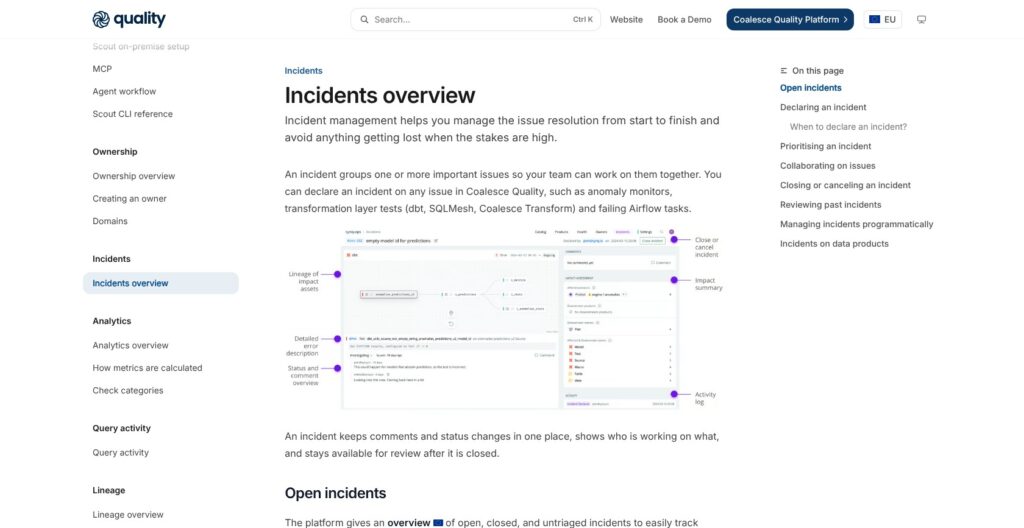
An incident groups one or more issues: anomaly-monitor alerts, dbt, SQLMesh or Coalesce Transform test failures, and failing Airflow tasks. I declared an incident from a Slack alert; the UI offers the same option.
Impact assessment lists affected data products, downstream owners and assets, filterable with column-level lineage. Statuses, comments and an activity log keep the response history in one place. Analytics covers incidents, SLAs, monitoring coverage, cost and usage.
Synq has four roles:
- Admin
- Developer
- Analyst
- Business User: read-only access to data-product health and issues, without the Usage page.
Count the people who handle failures, not just the tables: Synq’s retired Launch tier covered 3 users plus unlimited viewers, and Coalesce Starter caps at 4 Transform users. Metaplane’s free plan allows 4, while Monte Carlo’s Start tier and Elementary Cloud’s Scale tier, which bundles incident management, go up to 10 users or editor seats. Synq earns its price where data products and owners already exist, not where they exist only to route alerts.
Scout AI and the MCP Server
Scout recommends tests and monitors from lineage, usage and issue history, and it can:
- Open test pull requests: for dbt, SQLMesh and Coalesce Transform projects.
- Triage issues: investigating data-quality failures.
- Suggest code fixes: proposed changes for review.
Because a Scout test lands as a pull request, a human still approves it, which suits teams that already review dbt changes.
Managed Scout runs on Google Vertex AI in the workspace region. On-premise mode runs Scout in your own infrastructure with your own OpenAI-compatible model. Warehouse reads require the per-integration Scout AI toggle, and customer data is not used for training.
Scout was a paid add-on on the February 2026 Synq list. No current Scout price is published, so put Scout in the quote request.
MCP Server
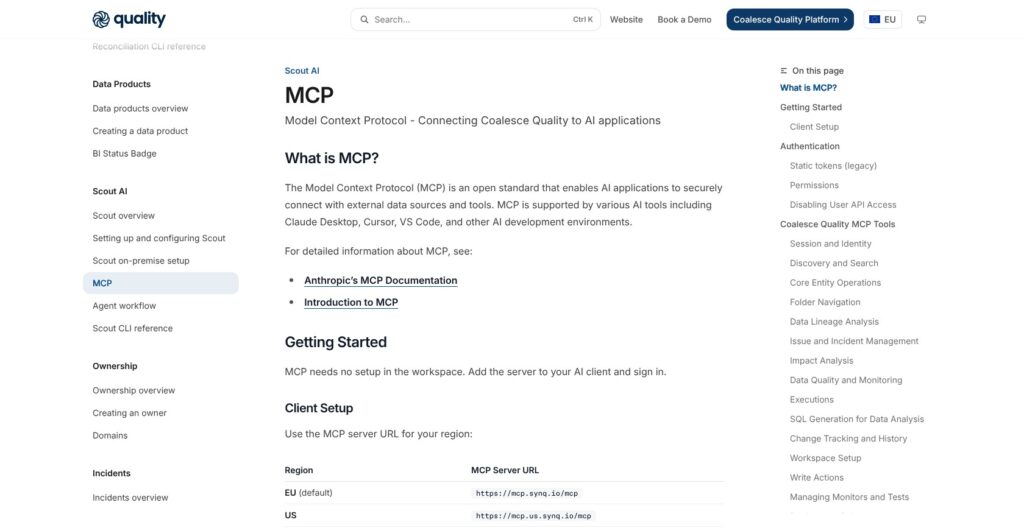
Synq hosts MCP endpoints for EU, US and AU workspaces with no workspace setup; sign-in happens from the client. Supported clients:
- Claude Code
- Claude Desktop and claude.ai
- Cursor
- VS Code
The MCP server can manage monitors and tests, not just read context. Elementary Cloud’s Scale tier also ships AI agents and an MCP server, so neither feature is unique to Synq.
I recommend switching Scout on where warehouse access is approved and pull requests get human review. Leave it off where data reads still need security sign-off.
Security, Hosting and the Coalesce Acquisition
Synq runs in three isolated Google Cloud regions: EU by default, US and AU. Each has a ClickHouse Cloud processing layer, with AES-256 encryption at rest and TLS in transit.
Synq queries data only for custom monitors and SQL tests. SQL tests run inside a count query, so only failure counts are stored unless you explicitly save failed rows. Personal OAuth credentials work for Snowflake, BigQuery, Databricks and Fabric, so queries can run under each member’s own login.
Network and login options:
- Private connectivity: AWS PrivateLink or Azure Private Link; Coalesce lists private networking on Business Critical only.
- Restricted access: an IP allowlist and the on-premise DWH Agent.
- Login: Auth0 with username/password or Google Workspace.
- SSO (Enterprise plans): Entra ID, Okta, Google Workspace, SAML 2.0 or OIDC.
Synq shows SOC 2 and GDPR badges; request the report before procurement sign-off. Support runs through a shared Slack channel with a Technical Account Manager and a public status page. Coalesce Starter includes 24×5 support; Enterprise adds priority support and enhanced SLAs.
What the Coalesce Deal Changes
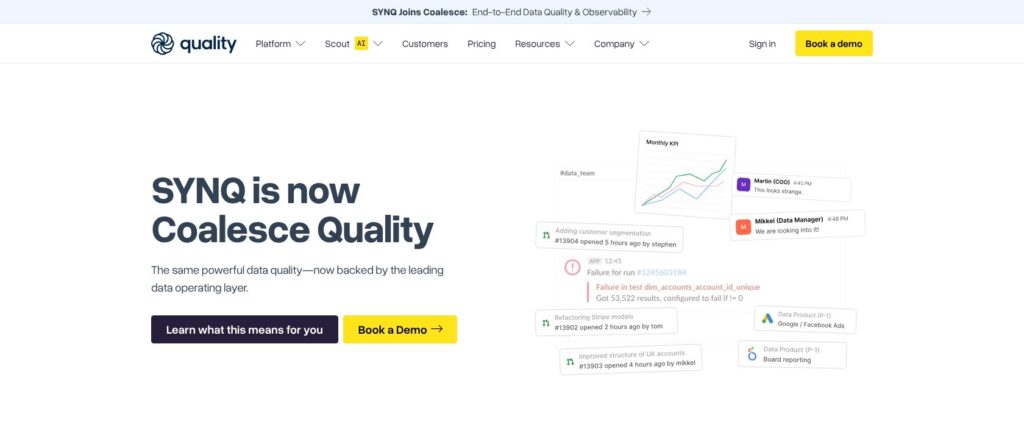
Coalesce announced the acquisition and launched Coalesce Quality on March 10, 2026. The synq.io banner reads “SYNQ is now Coalesce Quality”, and product pages, technical guides, “Sign in” and “Book a demo” remain live.
Coalesce promises the same teams and support, with platform integration rolling out over time. Quality now sits next to Coalesce Transform and Catalog, with monitoring blueprints that auto-deploy monitors and tests, and quality badges in the catalog.
Coalesce has published no commitment, roadmap or end date for dbt Core, dbt Cloud or SQLMesh support; all three integrations remain documented. Get dbt support terms written into the contract before you sign.
How Does Synq Compare to Competitors?
Elementary is the closest match because it is also built on dbt metadata, but its free open-source package runs inside your warehouse while Synq uploads artifacts through a wrapper.
- Elementary: The open-source dbt package is free. Elementary Cloud prices seats and environments, with every tier on request; Scale includes up to 10 editor seats and 1,000 tables, AI agents, automated monitors, column-level lineage, incident management and an MCP server, and Enterprise adds SSO and RBAC. Boomi announced its acquisition of Elementary Data on October 19, 2026 and says it stays committed to the developer community, so ownership risk is not unique to Synq. Wins for dbt teams that want checks at no license cost.
- Monte Carlo: Credits carry tier-specific rates, with pricing on request. Start covers up to 10 users and pay-per-monitor coverage up to 1,000 monitors; Scale adds SSO, SCIM and unlimited users. Observability for agents, ML, data and performance makes it the pick for enterprises that need coverage beyond dbt.
- Metaplane: The free-forever plan includes 10 monitored tables and 4 users. The paid plan is priced per monitored table, with 12 users and unlimited viewers, and you get 14 days to choose a plan without a credit card. Metaplane has joined forces with Datadog. Wins for small teams that want a self-serve start.
- Datafold: Data diffing in CI catches changes before merge, with pricing through sales. Wins when code-change validation matters more than ongoing anomaly detection.
- Plain dbt tests: Free and already in the project, but with no anomaly detection, ownership routing or incidents. Keep them whichever platform wins; Synq ingests them without counting them as monitors.
SSO is an upper-tier feature at Elementary (Enterprise) and Monte Carlo (Scale) too, so Coalesce’s Enterprise gate is not an outlier.
| Tool | Pricing model | Free option | Best for |
|---|---|---|---|
| Synq | Coalesce users plus production actions; no published Quality-only price | Free synq.io signup: limits unpublished; Coalesce Developer: 1 user, 2,000 actions/month | dbt and SQLMesh ownership workflows |
| Elementary | Cloud seats and environments, quoted | Open-source dbt package | Budget-conscious dbt teams |
| Monte Carlo | Credits, quoted | No free tier published | Broader enterprise coverage |
| Metaplane | Per monitored table | 10 tables, 4 users | Small-team entry |
| Datafold | Through sales | No free tier published | Pre-merge data diffs |
How I Reviewed Synq
I connected Synq to a dbt Core project on Snowflake through synq-dbt, set up the Snowflake integration and its data-access toggles, and walked through the dbt Cloud and SQLMesh connection paths. I built deployment rules and YAML monitors, set up data products with owners and alert routing, worked an incident from a Slack alert, and tried Scout and the MCP server.
I weighed price and plan structure after the acquisition, setup effort, monitoring depth, the ownership and incident workflow, security, and the rivals: Elementary, Monte Carlo, Metaplane and Datafold. I treated bundled action pricing and future dbt support as separate buying questions, and compared each rival’s free option with Coalesce’s Developer plan.
Prices current as of November 2026.
Should You Use Synq for dbt Data Observability?
Synq has the strongest dbt and SQLMesh ingestion in this review, with ownership routing and incidents built in. The biggest weak spots are commercial: no public Quality-only price and a transformation rival as owner. Metadata-first monitoring keeps the default footprint at about 1 Snowflake credit a day, and deployment rules plus YAML definitions scale coverage past individual tables.
Buy it if you run dbt or SQLMesh on Snowflake, BigQuery or Databricks, want monitors, owners and incidents tied to models, and Coalesce puts a Quality-only price in writing that covers usage allowances, overages and any Scout charge. Already on Coalesce Transform? Quality is included in every current plan, so switch it on and confirm rollout timing with your account team before buying a separate observability tool.
Skip Synq if you need a public price or Power BI lineage, or if a dbt competitor owning your observability layer is a dealbreaker. Start with Elementary’s open-source package or Metaplane’s free plan instead.
Book a Synq demo and ask for Quality-only pricing and the dbt Core, dbt Cloud and SQLMesh roadmap in the same call.
FAQ
Is Synq the same as Coalesce Quality?
Yes. Coalesce announced the Synq acquisition and launched Coalesce Quality on March 10, 2026. Synq’s site still hosts the product pages, integration guides, “Sign in” and “Book a demo”. Coalesce has published no commitment, roadmap or end date for dbt Core, dbt Cloud or SQLMesh support; all three integrations remain documented.
How much does Synq cost?
There is no published Quality-only price. Coalesce Starter, which includes Quality, costs $150 per user per month billed annually, or $7,200 a year for 4 users. The last standalone Synq list, from February 2026 and now retired, put Launch at $1,250 a month, or $1,000 a month billed annually, for 3 users and 75 monitors.
Does Synq have a free plan?
Yes, synq.io still offers free signup with no credit card, but current limits are unpublished; 1 user, 10 monitors and 5 viewers were the February 2026 limits. Coalesce now offers a free Developer plan with Transform and Quality for 1 user, 2,000 capped actions a month, 1 project and 1 environment.
Do dbt tests count as Synq monitors?
No. dbt tests do not count toward Synq monitor limits, and neither do SQLMesh data checks or Coalesce Transform tests; Synq ingests all three. Under Coalesce’s plans, each production monitor refresh counts as an action, so ask how a proposed contract meters monitoring.
Does Synq need access to my data?
Only for some features: automatic monitors read metadata and logs, while custom monitors, field stats, SQL tests and table stats on views scan data. Five data-access toggles are off by default, SQL tests store only failure counts, and hosting sits in isolated EU, US or AU regions. Query logs are opt-in for Snowflake.