
Editor’s note: This review evaluates SQLMesh’s documented workflow, costs, and operational trade-offs for teams choosing a data transformation framework.
Quick verdict: I recommend SQLMesh for SQL-capable teams that want more control over changes before they reach production. Its deployment plans and reusable development environments are compelling, but the free software still needs someone to own its infrastructure and maintenance.
Key Takeaways
- SQLMesh makes the consequences of model changes visible before you apply them, which is its strongest reason to earn a place on your shortlist.
- The open-source framework has a $0 license fee; warehouse usage and production operations cost extra.
- Development environments can reuse unchanged model outputs, reducing unnecessary duplication.
- Moving an existing dbt project requires compatibility checks, particularly around incremental models and macros.
- Production setup includes durable state storage and a recurring execution trigger. This isn’t a beginner-friendly, all-in-one analytics service.
In this SQLMesh review, I focus on teams where reviewing and releasing SQL changes has become a recurring headache. A small, stable project may not gain enough to justify switching.
In this review, I’ll take a closer look at pricing, getting started, deployment controls, and the alternatives I’d consider before committing.
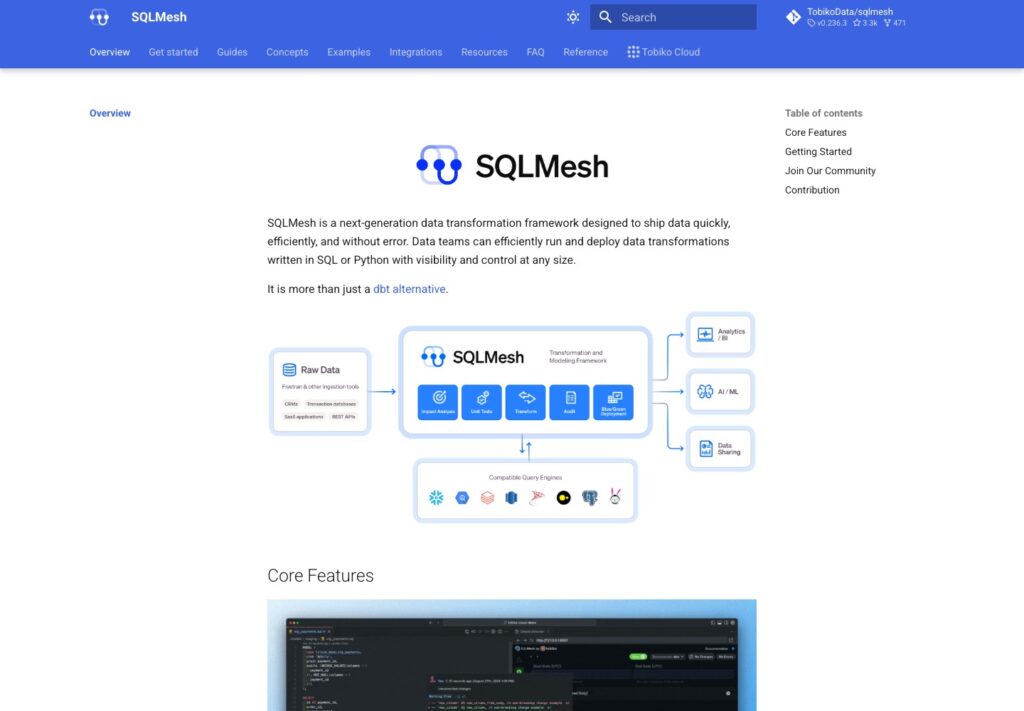
SQLMesh Pros and Cons
Pros
- Apache 2.0 framework with no software license fee
- Deployment plans show affected models and missing data intervals
- Virtual environments can share unchanged physical tables
- Unit tests and data audits cover different failure points
- Supports existing dbt project layouts through an adapter
Cons
- Production state storage needs operational ownership
- Built-in scheduling still needs a recurring external trigger
- Some dbt incremental logic and Jinja require changes
- Forward-only updates make reverting changes more complicated
How Much Does SQLMesh Cost?
SQLMesh is free to license, which makes it appealing if you want to evaluate a serious transformation framework without committing to a subscription. It supports SQL and Python models under the Apache 2.0 license. SQLMesh became a Linux Foundation project in March 2026, giving it a home under vendor-neutral governance.
- SQLMesh open source ($0 license fee): My starting recommendation for teams comfortable operating their own transformation tooling. You pay for the infrastructure and engineering around it.
- Tobiko Cloud (platform fee plus usage): The commercial hosted route. Get a tailored quote for your workload rather than treating it as a fixed-price upgrade to the free framework.
| Option | Software or service price | Budget separately for | Best fit |
|---|---|---|---|
| SQLMesh open source | $0 license fee | Warehouse compute, storage, state database, and operations | Teams with an engineer responsible for production |
| Tobiko Cloud | Platform fee plus pay-as-you-go consumption; tailored quote | Your complete warehouse and service bill | Teams evaluating managed operations |
Tobiko Cloud adds hosting and pipeline observability, with no stated seat or project cap. I would ask for a quote using your expected development activity as well as production runs. Comparing a subscription estimate with only the open-source license price tells you very little about the actual cost difference.
Is SQLMesh Good Value for Money?
I like the value proposition most when repeated development builds already consume time and warehouse credits. Reusing unchanged work gives SQLMesh a practical way to help, although it doesn’t establish a guaranteed saving for your project.
- Good value for an engineering-led team: You can evaluate the framework without a license purchase.
- Less convincing for a tiny, stable pipeline: New tooling introduces training and maintenance work, even when the software is free.
- Worth pricing both ways: Hosted operations may be worth paying for if nobody can reliably maintain the self-managed setup.
Reviewer’s Notes: Start with open-source SQLMesh on a small project. I’d consider the hosted route once you’ve established that the workflow suits your team and have a realistic estimate of the maintenance it would replace.
Getting Started With SQLMesh
SQLMesh expects you to be comfortable with code, configuration, and a terminal. I wouldn’t recommend it to someone looking for a visual tool that turns uploaded spreadsheets into dashboards.
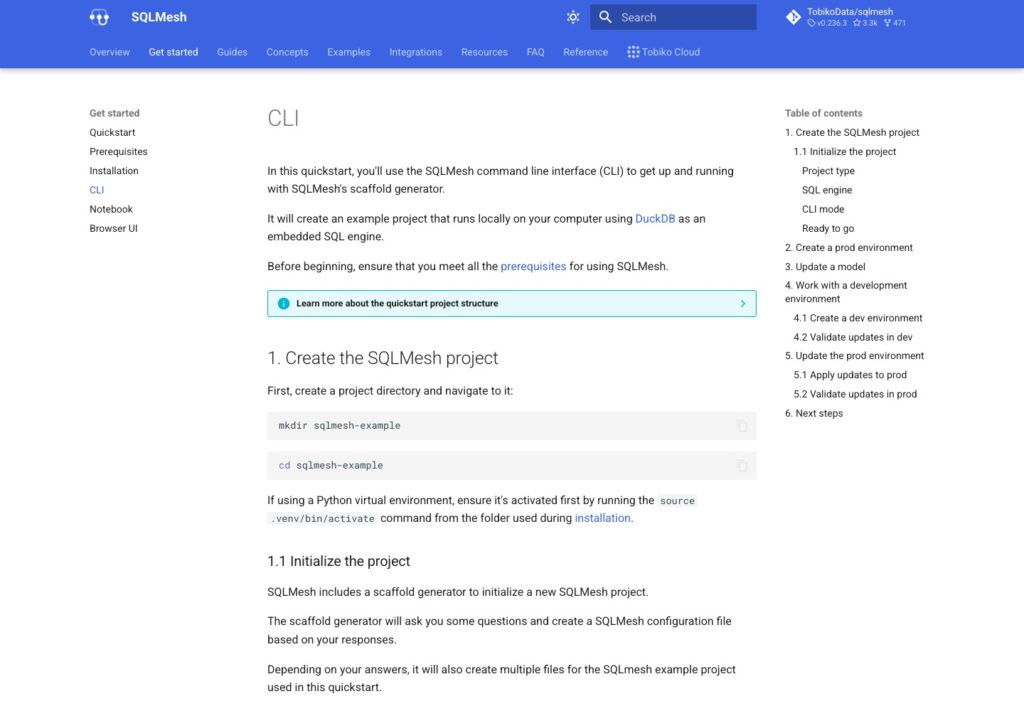
The DuckDB quickstart is a sensible place to begin because it lets you explore an example project locally before connecting a production warehouse. The basic workflow is:
- Create a Python environment and install SQLMesh.
- Initialize the example project with
sqlmesh init duckdb. - Review and apply the initial plan.
- Change a model and create a plan for a named development environment.
- Inspect the affected models and their output before planning the production change.
What I like about this sequence is that reviewing a change is part of the workflow from the start. It encourages you to think about the data a query will produce, rather than treating a successful SQL execution as the whole job.
The terminology takes some learning, though. An environment is a named set of model versions; it doesn’t necessarily mean a separate physical copy of every table. I would make sure everyone on the team understands that distinction before adopting it.
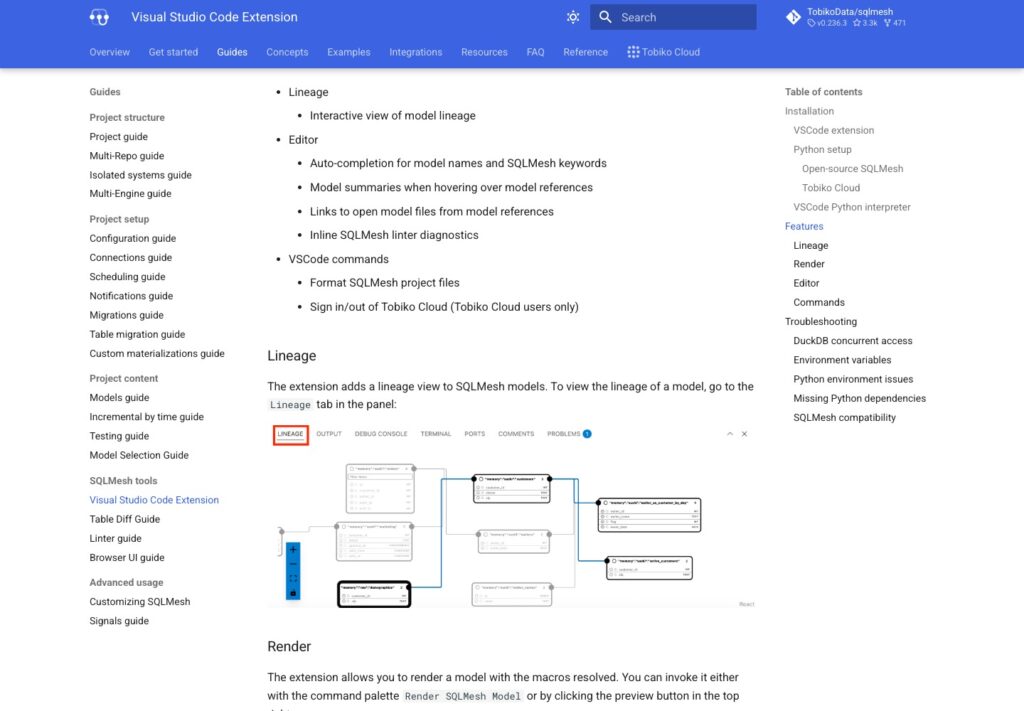
Working in Your Editor
SQLMesh has a VS Code extension with model lineage, navigation, completion, and inline lint diagnostics. You can also render models with macros resolved, which helps make generated SQL easier to inspect.
I like having those tools close to the code. Moving between a model and its dependencies is more useful during everyday work than an impressive-looking feature count. Still, editor assistance doesn’t remove the need to understand your warehouse or the business logic you’re changing.
If a browser-based workflow is your priority and you use BigQuery exclusively, I would also look at Dataform. SQLMesh’s appeal is stronger when you want control over a code-based transformation project across supported engines.
Safer Changes Without Rebuilding Everything
Deployment planning is SQLMesh’s most persuasive feature. You can inspect affected models and the dates requiring processing before applying a change.
I prefer that explicit review step when an edit affects reports that other teams rely on.
Development Environments That Reuse Work
SQLMesh tracks model versions using fingerprints and lets environments share matching physical outputs. If a development branch hasn’t changed a model, it may be able to reuse that model’s existing data.
That is especially attractive when several developers work on different parts of the same project. Maintaining completely separate copies can be wasteful if most of the underlying logic is identical.
The limit matters: new logic and missing data still require computation. I wouldn’t call SQLMesh development free, or assume every change avoids a rebuild. Its benefit is reducing unnecessary work, not eliminating the cost of evaluating new transformations.
Be Careful With Forward-Only Changes
Forward-only changes can reuse a production table without rebuilding its entire history. I would use this option deliberately because reverting isn’t a simple return to an untouched older table. Existing development environments referencing that table can also be affected.
Agree on how historical reporting should behave before choosing this route. Changing a metric only going forward can make earlier and later results harder to compare.
Compared with dbt, this explicit change-management workflow is what would make me investigate SQLMesh. I wouldn’t migrate merely because both products can organize SQL models.
Testing Your Logic and Checking Your Data
SQLMesh offers unit tests and audits, and I like that they address different questions. A model can produce the expected result for a carefully chosen example yet still fail when it meets unexpected production data.
- Unit tests: Define input rows and expected results to check transformation logic. They run during plan creation or through
sqlmesh test. - Audits: Check the output of built models, with failures blocking downstream execution by default.
- Table comparisons: Compare existing tables or environment outputs to inspect how results differ.
For a revenue model, I would write a unit test for the treatment of refunds. That forces the team to define what the answer should be. I would use a separate data check for unacceptable output, such as a missing order identifier. Those are complementary checks, not interchangeable ones.
Failed Audits Don’t Undo Every Mistake
During a plan, an audit failure can prevent promotion. During a scheduled run, however, the invalid data may already have been written to the production table. Blocking downstream models doesn’t automatically repair those rows.
I would define who investigates failed runs and repairs affected data. For time-range incremental models, audit coverage can also be limited to the intervals being processed, rather than the entire table history.
Table diff is useful when a change produces valid-looking but different results. It compares existing data through database queries, including a join for row comparisons. I’d use it for consequential changes while accounting for the warehouse work involved, especially on large tables.
Running SQLMesh in Production
The main cost of self-managed SQLMesh is responsibility. A local example is one thing; a dependable production workflow needs someone to manage configuration, upgrades, state, and failures.
SQLMesh stores state about models and processed intervals. For production, its guidance favors an OLTP database such as PostgreSQL rather than keeping state in an analytical warehouse. Warehouse-backed state is a proof-of-concept option, not the production setup I would choose.
This adds another component to maintain. I would want a named owner and a backup strategy before making the framework responsible for business-critical transformations.
What the Built-In Scheduler Actually Does
sqlmesh run works through missing intervals and then exits. You still need a recurring trigger, such as cron or a CI workflow, to invoke it.
I like having dependency-aware execution within the framework, but that isn’t the same as buying a continuously running managed service. If your pipeline coordinates ingestion, transformations, and work in other systems, a broader orchestrator such as Dagster may still earn its place.
Moving From dbt Needs a Real Trial
The dbt adapter lets you retain the project layout and connection profiles while evaluating SQLMesh. That makes a trial less disruptive than rewriting everything at the outset.
I wouldn’t treat compatibility as a promise of identical behavior. Incremental logic can need changes, and some Jinja functionality is unsupported. My preferred trial would include an incremental model and the macros your team actually relies on. A simple model that rebuilds successfully won’t tell you enough about the harder parts of migration.
How Does SQLMesh Compare to Its Alternatives?
An existing dbt project has migration costs that a new project doesn’t. That makes your current setup central to my recommendation.
| Tool | Main reason I’d shortlist it | Best-fit buyer | Main consideration |
|---|---|---|---|
| SQLMesh | Explicit deployment plans and reusable model outputs | SQL teams improving release control | State management and new workflow concepts |
| dbt | Continuity with an existing dbt project | Teams whose current conventions already work | Whether switching solves a sufficiently costly problem |
| Dataform | Managed SQL development for BigQuery | Teams committed to Google’s warehouse | BigQuery-specific scope |
| Dagster | Coordination across a wider data workflow | Teams managing dependencies beyond SQL transformations | Serves a broader orchestration role |
- dbt: I’d stay with it if the current project is dependable and migration would consume time without solving a clear problem. The dbt platform is also worth considering if hosted development is a priority.
- Dataform: My alternative for a BigQuery-only team that values managed, browser-based development. Its service has no additional charge, although BigQuery and related cloud services can incur costs.
- Dagster: I’d evaluate it when coordinating the whole pipeline is the problem. It occupies a different role from SQLMesh’s model-change planning, so the choice needn’t be either/or.
SQLMesh earns the strongest recommendation when the team can name what it wants to improve: costly duplicate builds, unclear deployment impact, or awkward change review.
How I Reviewed SQLMesh
I evaluated the documented development workflow, deployment behavior, testing controls, pricing structure, and production requirements, then compared their practical fit with dbt, Dataform, and Dagster. My recommendations prioritize release control and maintenance effort; they do not represent a hands-on performance benchmark.
Pricing basis checked October 2026. Hosted estimates depend on the proposed workload.
Should You Choose SQLMesh?
Choose SQLMesh if reviewing and releasing SQL changes is a problem worth fixing. I particularly like the combination of visible deployment impact and reusable development data for teams with several contributors.
I would hold off if your current dbt project works well, nobody can own production infrastructure, or you need a simple visual analytics product. A free license doesn’t make a migration worthwhile by itself.
Start with a representative group of models, including the incremental logic and checks you depend on. I’d want the workflow to make a difficult change easier to understand before committing the rest of the project.
FAQ
Is SQLMesh free?
Yes. The open-source framework has a $0 license fee under Apache 2.0. Infrastructure and operating costs remain separate; Tobiko Cloud is a paid hosted option.
Can SQLMesh run an existing dbt project?
It supports dbt projects through an adapter, but incremental logic and some macros can require changes. I recommend evaluating representative models before committing to migration.
Does SQLMesh replace a data warehouse?
No. It manages transformations that run against supported data engines. You still need somewhere to store and process your data.
Do you need an external scheduler?
You need something to trigger sqlmesh run repeatedly. SQLMesh handles model intervals internally, but the command exits when its work is complete.
Will SQLMesh reduce warehouse costs?
It can reduce duplicate computation by reusing unchanged outputs. Actual savings depend on your models and workflow; changed logic and new data still consume resources.