Editor’s note: This Materialize review evaluates documented SQL behavior, pricing, and deployment requirements, not hands-on benchmarks.
Quick verdict: I recommend Materialize for SQL-capable teams that need frequently queried joins and aggregates to stay current for applications. Its appeal is maintaining useful answers as data changes, but that requires ongoing compute spending and engineers who can own CDC and query design.
Key Takeaways
- Materialize fits application-facing SQL results that need continuous maintenance.
- Native PostgreSQL CDC does not require a separate Kafka pipeline.
- Always-on compute can be a substantial expense before storage and networking.
- Consistent results do not automatically include the latest upstream write.
- Self-managed deployment offers infrastructure control, but licensing and operating responsibilities still matter.
Materialize belongs in the streaming and CDC category, but calling it a data mover misses the reason to buy it. The streaming database combines ingestion with SQL transformations and result serving. I would position it alongside your transactional database, not as its replacement.
Would maintaining a result continuously remove repeated work from an important application? That is the question I would settle before adding Materialize to a shortlist.
I put cost first below, then explain the documented setup and the distinction between views, indexes, and durable results. Those choices determine whether Materialize solves a real application problem or becomes another expensive database to maintain.
Pros and Cons
Pros
- Incrementally maintained SQL joins.
- PostgreSQL CDC without mandatory Kafka.
- Separate clusters for compute isolation.
- SUBSCRIBE for streaming result changes.
- Self-managed deployment option.
Cons
- Ongoing compute costs.
- CDC setup and schema-change obligations.
- Memory-intensive index planning.
- Business Source License restrictions.
My main reservation is that familiar SQL can disguise the operating work. Someone still has to manage replication, budget for maintained results, and coordinate schema changes.
How Much Does Materialize Cost?
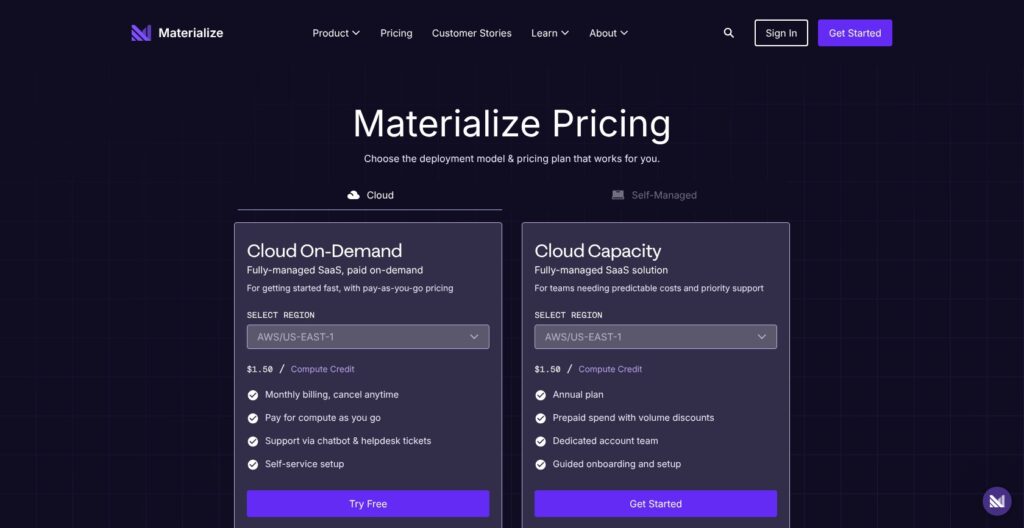
Materialize pricing is consumption-based in Cloud, so I would budget around the deployment you intend to run, not a headline subscription.
- Cloud On-Demand: Monthly pay-as-you-go billing. My starting choice for a first production workload.
- Cloud Capacity: Annual prepaid spending with volume discounts, guided onboarding, and a dedicated account team. No fixed discount percentage is published.
- Self-Managed Community: Free license within 24 GiB memory and 48 GiB disk. Suitable only when those limits and the license terms fit.
- Self-Managed Enterprise: Quote-based annual licensing. I would consider it when self-hosting requirements exceed Community’s scope.
| Edition | Pricing basis | My buyer fit | Budget caveat |
|---|---|---|---|
| Cloud On-Demand | Monthly consumption | First production workload | Variable total |
| Cloud Capacity | Annual prepaid commitment | Established usage | Commitment precedes consumption |
| Self-Managed Community | Free limited license | Small self-managed deployment | Infrastructure is separate |
| Self-Managed Enterprise | Annual quote | Larger self-managed requirements | License plus infrastructure |
On-Demand compute credits cost $1.50 in AWS us-east-1 and us-west-2, and $1.70 in eu-west-1. The following figures are editorial calculations, assuming one replica runs for 730 hours at the US credit rate.
| Size | Credits/hour | Calculated compute/hour | Calculated compute/730 hours |
|---|---|---|---|
| M.1-nano | 0.75 | $1.125 | $821.25 |
| M.1-micro | 1.5 | $2.25 | $1,642.50 |
The nano calculation is 0.75 × $1.50 × 730. This is an illustration, not a Cloud starting price: the tariff also lists smaller sizes, including 25cc. It does not establish which size your query needs.
Additional clusters and replicas change the compute total. Storage and network egress are separate: published On-Demand rates are $0.00004110 per GB-hour and $0.12 per GB, respectively. Capacity rates are $0.00003151 and $0.09.
I would compare the complete deployment cost with the work it removes. Maintaining a join for one rarely opened internal page is a different purchase from serving that result throughout a busy support application. Reuse can strengthen the case, but it does not establish savings by itself.
Is Materialize Good Value for Money?
My value judgment depends on how often the maintained answer matters:
- Repeated operational reads: Worth evaluating when the same changing joins support an important application.
- Occasional reports: Harder to justify when stale results are acceptable and queries run infrequently.
- Self-managed savings: Judge the complete operating cost, not just the license line.
I would hold off on annual Capacity until ordinary traffic and recovery requirements are understood. An attractive hourly rate tells you little about the resources a production query will need.
Reviewer’s Notes: For a data engineering team introducing its first live SQL endpoint, I recommend a scoped trial, then On-Demand. Move to Capacity only after sustained usage establishes the deployment you actually need.
Getting Started With Materialize
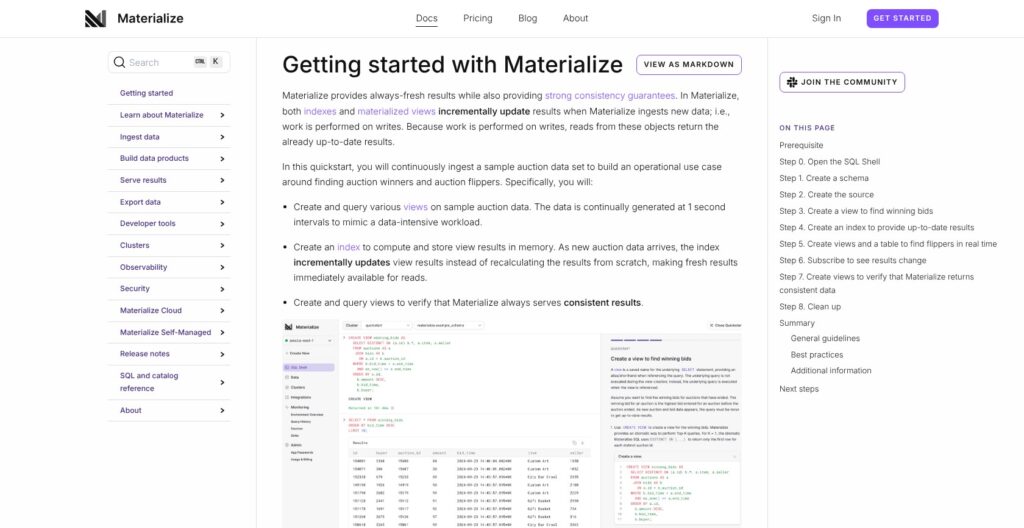
Start with the auction generator before connecting a production database. I like this sequence because it separates learning the SQL object model from configuring replication.
The documented quickstart follows this flow:
- Open SQL Shell: Use the browser console and select the quickstart cluster.
- Create a schema and source: Define the auction load generator with
CREATE SOURCE. - Expose source tables: Use
CREATE TABLE FROM SOURCEfor the read-only auctions and bids tables. - Query the sample data: Read the tables and join their records.
- Define a winning-bids view: Save the SQL transformation, then add an index to maintain its result in cluster memory.
The important lesson is step five, not the sample auction itself. A plain view saves a definition; it does not automatically create continuously stored results.
I like that the example brings the main design choice into a small workflow. Before adding your own data, you can decide which result needs continuous maintenance and which SQL definitions merely help organize the query.
Connecting Your PostgreSQL Database
For a real PostgreSQL source, the documented prerequisites and connection sequence are more involved:
- Prepare replication: Use PostgreSQL 11 or newer with logical replication. Changing
wal_leveltologicalrequires a restart. - Prepare tables and access: Configure
REPLICA IDENTITY FULL, a publication, and a replication user with the necessary database and table permissions. - Establish connectivity: Allow network access, then create the secret and PostgreSQL connection in Materialize.
- Create ingestion objects: Define the source and its source tables using the current separated syntax.
- Follow initialization: The initial snapshot precedes replication-stream consumption; system tables expose status and snapshot completion.
REPLICA IDENTITY FULL includes old row values for updates and deletes and can increase PostgreSQL disk use. Growing retained WAL and replication-slot lag deserve attention because they can indicate ingestion is falling behind.
Native CDC avoids requiring Kafka plus Debezium. I consider that a useful architectural option, not a reason to ignore the source database’s operating needs.
Schema changes are my bigger concern. Adding an upstream column does not automatically expose it through an existing Materialize source table. Some changes, including renaming or dropping ingested columns, can put the affected table into an error state.
My recommendation is to treat the CDC boundary as an application contract. Database migrations should have an owner on both sides, especially when different teams manage the transactional schema and downstream SQL.
That requirement can be more consequential than the initial setup. If source changes routinely ship without downstream coordination, I would fix that process before putting an important application behind Materialize.
SQL Views and Indexes: Where Materialize Earns Its Place
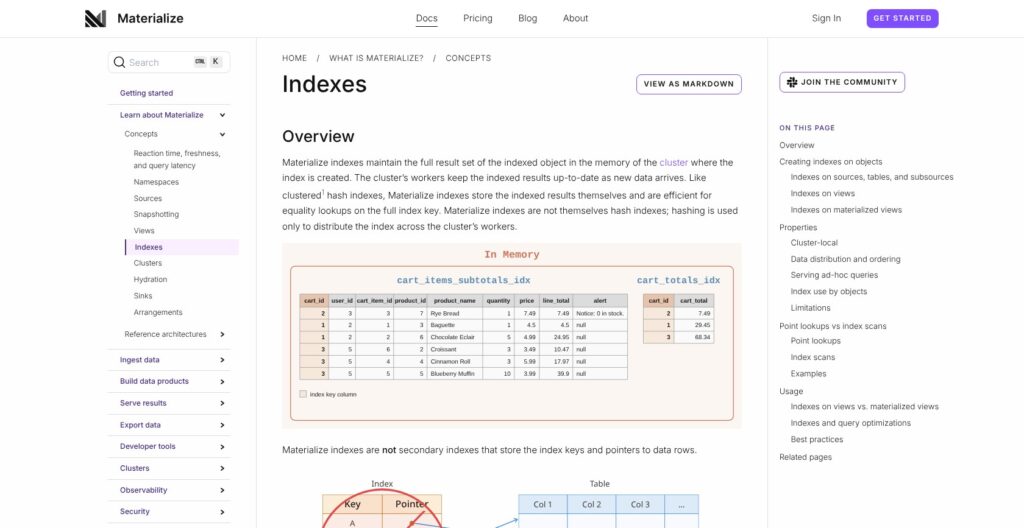
Incremental materialized views are compelling when the same answer must reflect changing inputs. They are not a blanket reason to move every analytical query into Materialize.
| Object | What it maintains | Scope | Typical reason to choose it |
|---|---|---|---|
| Plain view | Query definition | Not a stored result by itself | Organize SQL |
| Indexed view | Incrementally maintained result in memory | Particular cluster | Compute and serve together |
| Materialized view | Incrementally maintained durable result | Readable across clusters | Separate transformation from serving |
A serving-cluster index can also keep a materialized view’s results in memory. I would choose the object around the intended consumer rather than treating “materialized” as automatically better.
Consider a hypothetical customer-support application that joins open orders with current customer account status. An order changes state, or an account becomes restricted, and the application needs the corresponding joined answer to change.
That is a stronger fit than a report nobody opens until Friday. With ClickHouse incremental materialized views, changes confined to the right-hand join table do not retrigger the view. I would pay close attention to that distinction for an account-status join.
Materialize lets you layer SQL views into transformations. Its SQL-92 foundation and PostgreSQL dialect goals make the language familiar, but it does not target complete compatibility with a particular PostgreSQL version. I would not assume an existing query behaves identically just because its connection succeeds.
Index design is equally consequential:
- Complete results occupy memory: Indexes are not merely keys pointing elsewhere.
- Full-key equality lookups receive specific optimization: Range and partial-key access should not be assumed to benefit similarly.
- Creation order matters: Maintained objects do not automatically adopt an index added later.
I prefer a small set of serving queries with clear consumers. Each additional index should have a reason to consume memory and maintenance work.
This also affects schema design. In the hypothetical support application, a customer-ID lookup is a clearer serving contract than an endpoint that accepts arbitrary filters across every joined field.
I would ask whether the team can describe its important reads in a few concrete sentences. If the answer is mostly “analysts will explore whatever they want,” Materialize would not be my default choice. The maintained-result model deserves a known consumer.
Consistency and Freshness Are Different
A consistent answer can still be behind your source database. That distinction belongs in the application design, not just in a database discussion.
Materialize defaults to strict serializable isolation. This orders Materialize transactions consistently with real time, but it does not independently guarantee that the next read includes a write just committed upstream.
Real-time recency extends visibility to external-source data. It is a private-preview capability requiring vendor enablement, works with strict serializable sessions, and can add source and ingestion waiting.
Bounded staleness makes a different trade-off. It returns a consistent snapshot within a specified age or errors rather than waiting for inputs. It is read-only and cannot be combined with real-time recency.
Consider a hypothetical inventory screen. A warehouse worker records an adjustment in PostgreSQL, then a separate application requests the inventory result from Materialize. The product requirement might be to show an acceptable recent snapshot, or it might be to include that exact adjustment before confirming completion.
Those are different contracts. Calling both “real time” hides the decision.
I would choose the acceptable behavior first: wait, show an older answer, or return an error. The interface should communicate that choice accurately.
For an informational dashboard, an explicitly aged result may be reasonable. For a workflow that confirms a just-completed action, presenting an older value as final could confuse the user.
My judgment is that Materialize offers useful controls here, but the controls do not decide your application’s correctness requirements. I would reject any architecture proposal that substitutes the word “streaming” for a defined freshness policy.
Serving Results to Applications
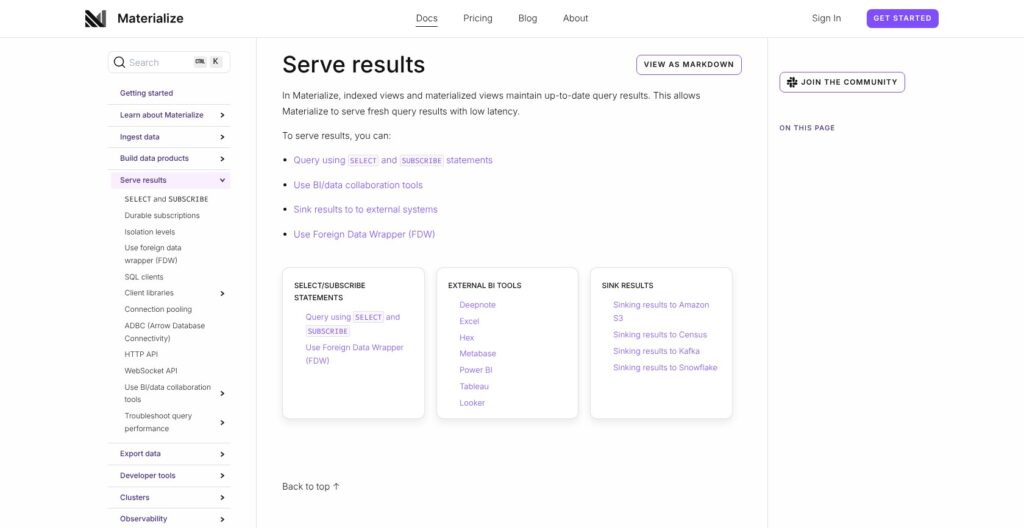
Materialize can serve a current result or a stream of changes. Your client design determines which is useful.
SELECT handles request-and-response reads. SUBSCRIBE can stream changes from query results and other SQL objects, with an initial snapshot by default, logical timestamps, and row-frequency deltas.
Because a subscription can run indefinitely, a driver that buffers everything until completion is unsuitable without an unbuffered interface or batching through DECLARE and FETCH. Replaying from an earlier timestamp also depends on retained history.
I like the distinction between requesting a result and following it. It gives application engineers a concrete choice without implying that the database supplies a finished push-notification service.
For a hypothetical live operations screen, the application still needs to interpret deltas and decide what happens after a disconnect. A reconnect should not silently turn into missing or duplicated display state.
External BI tools and sinks are also documented serving options. I would assess a specific integration on its own requirements rather than assuming PostgreSQL wire compatibility makes every client interchangeable.
An AI application could similarly request a SQL result containing current account context before constructing a model prompt. That is an illustrative use of maintained data, not automatic embedding generation or proof of vector-database functionality.
For that AI use case, I would agree on the required fields and freshness before designing the prompt. A well-shaped SQL result still needs an application that knows how to use it.
Running Materialize: Clusters, Recovery, and Deployment
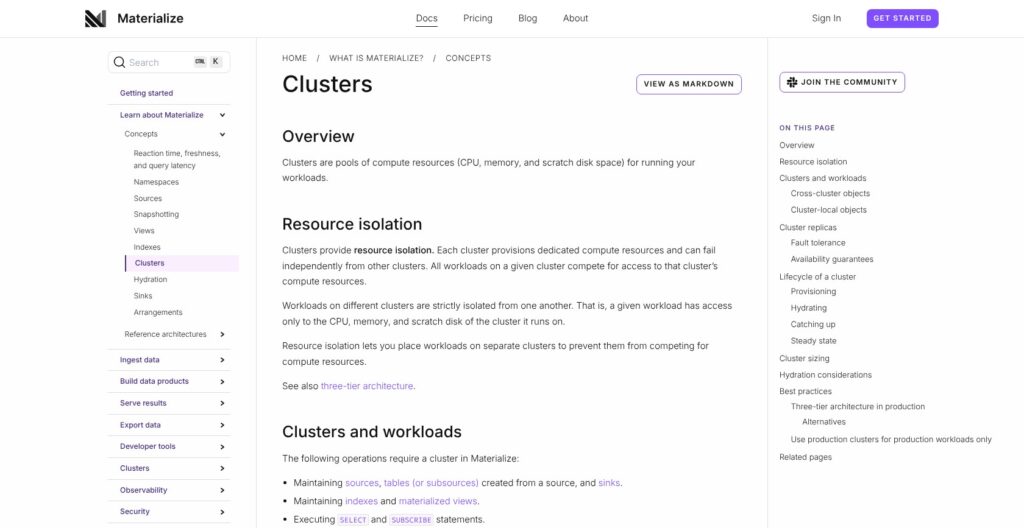
I like the option to separate workloads, especially when application reads must compete with ingestion work. Each extra cluster also needs a place in the budget.
Clusters isolate compute, allowing ingestion, transformation, and serving responsibilities to be separated. Replicas are different: each performs the same full workload, improving fault tolerance rather than dividing the work into shards or adding workload capacity.
That distinction matters to both architecture and budgeting. Buying another replica is not the same decision as choosing more capacity for a query that no longer fits.
Restarts, resizing, and new maintained objects can require hydration from Materialize storage. Resource planning needs room for hydration peaks, not just steady-state operation.
My concern is the gap between an affordable normal day and an affordable recovery path. A deployment that only fits after everything is warm is not a sizing strategy I would accept for an important application.
Cloud or Self-Managed?
The managed Cloud regions priced earlier are AWS regions. Self-managed deployment uses Kubernetes, with a Helm-installed Materialize Operator managing instance resources.
Self-managed guides cover local Kind as well as Terraform-based AWS, Azure, and GCP installations. Those guides do not establish equivalent provider availability for managed Cloud.
Community is source-available under the Business Source License, not unrestricted open source. Self-managed deployments require a license key.
I would choose self-management because infrastructure placement or control is a real requirement, not because “free license” sounds cheaper. The team still takes responsibility for the environment in which the database runs.
For custom event logic, I would also consider Apache Flink. Its programmable APIs offer a different kind of control from choosing where a SQL database runs.
Reviewer’s Notes: My preferred starting architecture is the smallest understandable one that meets the application’s isolation and availability needs. Add separation when it solves a named problem, not because a diagram looks more production-ready with extra boxes.
How Does Materialize Compare With Alternatives?
I would compare the work each tool is meant to own before comparing resource prices. A database serving maintained SQL results and a programmable stream-processing application are not interchangeable purchases.
- RisingWave: My closest shortlist alternative for a Materialize vs RisingWave evaluation. It also combines incremental materialized views, CDC, and SQL serving. Its open-source core uses Apache 2.0, while premium features are separately licensed. Compare required features and licensing, not nominal resource-unit prices.
- Apache Flink: My preference when custom per-event state and control dominate the requirement. It supports timers, event-time watermarks, and late-event handling, alongside SQL/Table and programmable APIs. I would choose between them on the required event logic, since both offer SQL.
- ClickHouse: My stronger starting candidate for broad analytical exploration. Its column-oriented design and materialized-view options deserve consideration, but its incremental views trigger on inserted source blocks. Changes only to a right-hand join table do not retrigger those views; refreshable views periodically rerun the query.
| Tool | My buyer fit | Operating model | Decisive caveat |
|---|---|---|---|
| Materialize | Repeated live SQL results | Managed Cloud or self-managed Kubernetes | Maintenance and memory need budgeting |
| RisingWave | SQL streaming shortlist | Cloud or self-managed core | Premium licensing differs |
| Apache Flink | Custom stateful event logic | Stream-processing applications | Application ownership remains engineering work |
| ClickHouse | Analytical exploration | Column-oriented analytical database | Incremental-view join triggers differ |
That ClickHouse distinction is narrow. It is not a claim that ClickHouse cannot join tables or keep results current through other designs.
For a purchasing discussion, I would bring one representative query and its update rules. Does changing a customer record need to revise already-derived order results? Is delayed recomputation acceptable? Those answers are more useful than a feature checklist in which every tool has “SQL” and “materialized views” checked.
How I Reviewed Materialize
I evaluated documented SQL semantics, deployment requirements, and published pricing, then calculated illustrative compute costs. My recommendations compare those specifications with concrete application requirements and the alternatives’ documented architectures.
I did not deploy Materialize or run performance benchmarks. This review therefore makes no measured latency, throughput, or recovery-time claims.
Prices checked as of October 2026. The cost examples are arithmetic illustrations, not observed invoices or sizing recommendations.
Should You Choose Materialize?
Choose Materialize when repeated joins and aggregates need to stay current for application reads, and your team can own both the SQL and the upstream CDC relationship.
I find the strongest argument in a named application with known queries. That creates a defensible reason to pay for continuous maintenance and a clear place to judge whether the result is valuable.
Skip it if your main need is occasional reporting or simply moving records between systems. I would also hesitate if nobody owns schema changes across the ingestion boundary. The database cannot resolve that organizational gap.
My recommendation is a measured pilot around one useful result, followed by On-Demand rather than an immediate annual commitment. The purchase should rest on the workload’s value and operating requirements, not the smallest advertised compute size.
For that specific job, I think Materialize earns its place on the shortlist.
Materialize FAQ
Is Materialize free?
Self-Managed Community has a free license within its published resource limits. That does not make the infrastructure free, and the Business Source License still applies.
I would distinguish a low-cost learning environment from an affordable production service. Cloud is consumption-priced, while Enterprise self-management adds a quoted license expense. The cheapest license is not necessarily the cheapest operating model.
Does Materialize replace PostgreSQL?
I would normally position it alongside PostgreSQL, ingesting changes and serving derived results. PostgreSQL remains the transactional source in that architecture.
Familiar SQL and PostgreSQL wire compatibility do not imply identical database behavior or complete feature equivalence. If the purchasing goal is replacing an existing transactional database, Materialize’s maintained-result strengths alone are not a sufficient reason.
How is Materialize different from ClickHouse?
My buying distinction is continuously maintained application results versus a broader analytical workload. The tools overlap, so that is a recommendation, not an absolute boundary.
For joins, scrutinize update behavior: ClickHouse incremental materialized views do not rerun merely because the right-hand table changes. Its refreshable views provide a separate periodic recomputation approach. Choose based on the result your application must see.
Can I self-host Materialize?
Yes. The documented self-managed route uses Kubernetes and the Materialize Operator, and it requires a license key.
I recommend it when infrastructure control is worth the operational responsibility. It should not be treated as an unrestricted open-source deployment or a shortcut around capacity planning. For a team without a clear self-hosting requirement, I would start the buying evaluation with managed Cloud.