
Editor’s note: This Apache Pulsar review is based on my hands-on test of Pulsar 5.0.0 in standalone mode on my laptop (October 11, 2026) with the Python client 3.8.0, pulsar-admin and pulsar-perf. Geo-replication, multi-bookie durability, S3 offload and StreamNative billing come from documented behavior and October 2026 rates, not from my runs. I weigh pricing transparency, adoption, development momentum, openness and exit costs, practitioner sentiment and my own verdict.
Quick verdict: I recommend Apache Pulsar for platform teams that need one system for work queues and replayable streams across many tenants or regions, and can staff brokers, BookKeeper bookies and a metadata store. Expect a 6-machine production minimum, Kafka compatibility only through StreamNative’s paid products, and a far smaller ecosystem than Kafka’s.
Key Takeaways
- Free under Apache 2.0; StreamNative Serverless costs from $73 a month (one $0.10-an-hour ETU) plus $0.13 per GB in.
- All four subscription types worked on one topic; Key_Shared kept each of 8 keys on one consumer, in order.
- Acked messages are deleted by default, and my producer overran a 1 MB backlog quota 48x before the 60-second checker blocked it.
- Production starts at 6 machines, 5.0 servers need Java 21, and 4.0 LTS active support ends October 21, 2026.
- My Python function needed 6 extra pip packages on the broker; the Python client has no transaction API.
Among streaming platforms in the Panoply directory, Pulsar is queue-and-tenant first; Apache Kafka, Confluent and Redpanda are partition logs first.
In this review, I’ll take a closer look at Apache Pulsar’s pricing, setup, subscriptions, retention, Functions, production footprint, and how it compares to Kafka, Confluent, Redpanda and the cloud-native options, so you can see exactly whether it belongs under your pipelines.
Apache Pulsar Pros and Cons
Pros
- Four subscription types (Exclusive, Shared, Failover, Key_Shared) let one topic act as a queue or a stream.
- Free under Apache 2.0; StreamNative’s managed Serverless tier starts at $73 a month.
- Tenant, namespace and topic hierarchy with per-namespace retention, quotas and permissions built in.
- Stateless brokers over BookKeeper, with offload to S3, GCS, Azure Blob and Aliyun OSS.
- Standalone pushed 20,000 msg/s of 1 KB messages on my laptop with a 1 GB heap.
Cons
- Production starts at 6 machines across three layers: brokers, bookies and a metadata store.
- Pulsar 5.0 servers need Java 21, and the 4.0 LTS line leaves active support on October 21, 2026.
- My Python function needed 6 extra pip packages on the broker host before it would start.
- Kafka-on-Pulsar was archived in January 2024 and Pulsar Manager is no longer maintained.
- Security is off by default: no TLS, authentication or authorization until you configure them.
How Much Does Apache Pulsar Cost?
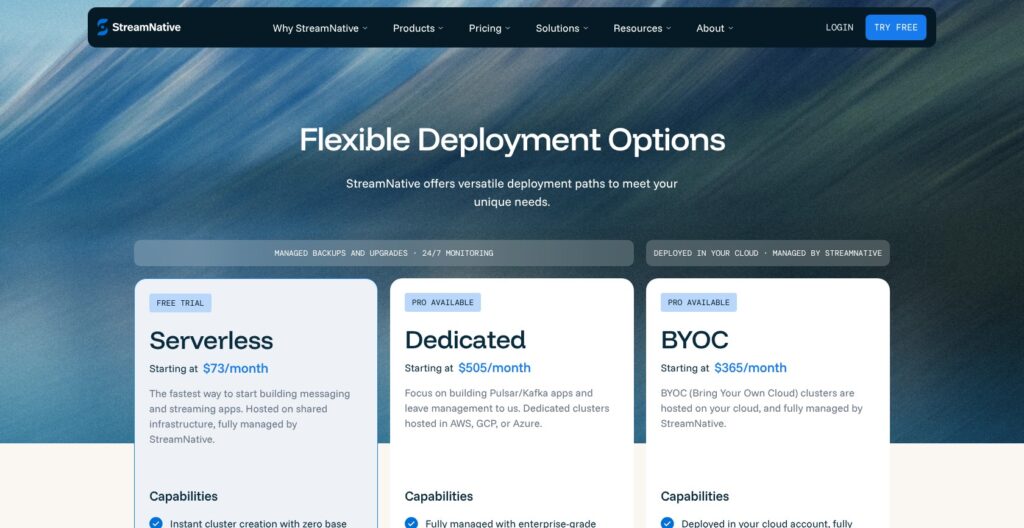
Apache Pulsar costs nothing to license under Apache 2.0, so the bill is either the machines you run it on or StreamNative, the main managed Pulsar service, whose Serverless tier starts at $73 a month.
- Self-hosted (free): for teams with platform engineers; production starts at 6 machines, with 8 CPU and 8 GB per broker and 4 CPU, 8 GB and a 2 TB ledger disk per bookie for about 1,000 topics.
- StreamNative Serverless (from $73 a month): for small and spiky workloads; one ETU costs $0.10 an hour and covers 5 MBps in, 15 MBps out and 500 entries a second, billed on whichever is highest, up to 20 ETUs.
- StreamNative BYOC (from $365 a month): for data that must stay in your own cloud account; the ETU costs $0.50 an hour for 5x the capacity, and your cloud provider bills data and storage.
- StreamNative Dedicated (from $505 a month): for steady production loads; compute units (2 CPU, 8 GB) cost $0.24 an hour and storage units (2 CPU, 8 GB, 1 TB) $0.30 an hour.
| Option | Unit price | Data charges | Uptime SLA | Best for |
|---|---|---|---|---|
| Self-hosted Apache Pulsar | $0 license, your hardware | Your cloud or data center | None | Teams with ops capacity |
| StreamNative Serverless | $0.10 per ETU-hour (from $73/mo) | $0.13/GB in, $0.04/GB out, $0.09/GB-month storage | 99.9% | Small and spiky workloads |
| StreamNative Dedicated | $0.24 per CU-hour, $0.30 per SU-hour (from $505/mo) | Same per-GB rates as Serverless | 99.95% single zone, 99.99% multi-zone | Steady production loads |
| StreamNative BYOC | $0.50 per ETU-hour (from $365/mo) | Billed by your cloud provider | 99.5% single zone, 99.99% multi-zone | Data that must stay in your account |
What a Real Workload Costs
My own arithmetic for a steady 10 MB/s in and 20 MB/s out on Serverless: 2 ETUs cover the ingress for $146 a month, but 26,280 GB in at $0.13 is about $3,416 and 52,560 GB out at $0.04 is about $2,102. That is roughly $5,665 a month before storage.
That assumes batching keeps entries under 1,000 a second; unbatched 1 KB messages at 10 MB/s hit the 20-ETU ceiling, $1,460 in ETUs alone. Storage bills before replication, and partial hours bill as full hours.
Google’s own example prices Pub/Sub at $2,000 a month for 10 MiB/s with one subscription. Confluent Cloud Standard bills $0.75 per eCKU-hour, about $548 for one eCKU over a 730-hour month, plus $0.02 to $0.05 per GB. Self-hosted, 10 MB/s sits well inside the recommended 100 MB/s write per broker, so the cost is 6 machines and the people to run them.
Is Apache Pulsar Good Value for Money?
- Good fit: you need many tenants or regions and would otherwise run both a queue (RabbitMQ) and a log (Kafka).
- Less convincing fit: one team with one high-volume stream, where StreamNative Serverless pushes 10 MB/s past $5,000 a month.
- Budget priority: price ingress GB first; on Serverless and Dedicated the ETUs and compute units are the small line.
Reviewer’s Notes: I recommend proving your subscription and retention design on self-hosted standalone first: it is free, and it took me 6 seconds to start. For anything steady above a few MB/s, price StreamNative BYOC rather than Serverless or Dedicated: both of those charge $0.13 per GB in, about $3,416 a month at 10 MB/s, while BYOC leaves data charges with your own cloud provider.
My Experience With Apache Pulsar
I ran Apache Pulsar 5.0.0 in standalone mode on an Apple Silicon laptop: one JVM hosting one broker, one embedded bookie and a RocksDB metadata store, with no ZooKeeper, driven by the Python client 3.8.0.
Getting Standalone Running
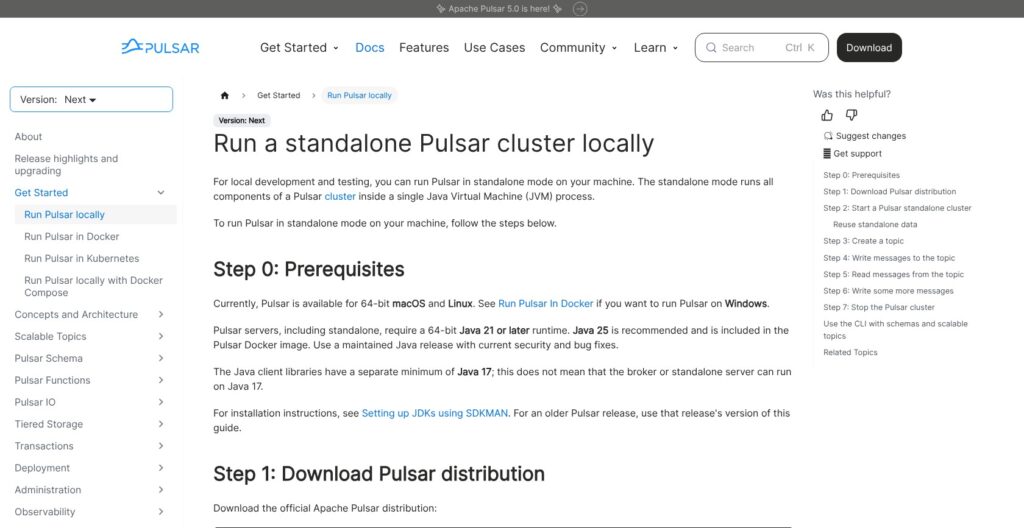
The 5.0.0 binary tarball is a 228 MB download that extracts to 234 MB. The Java 17 runtime I downloaded first was refused with “Pulsar server commands require Java 21 or later”, so Pulsar 5.0 means Java 21 on every server.
With Java 21, the broker answered its health check after 6 seconds on a fresh start and 4.7 seconds on restart. The default heap setting is 2 GB with 4 GB of direct memory; I ran every test on a 1 GB heap without an out-of-memory error, and idle memory sat around 200 MB.
Standalone auto-created the public tenant and the public/default namespace. Creating my own tenant, a namespace and a 4-partition topic took one pulsar-admin command each, but every command starts a fresh JVM and took 2 to 2.5 seconds, even clusters list.
First Messages and Python Client Defaults
The Python client ships with batching off: a synchronous send loop managed 502 msg/s (about 2 ms per round trip on loopback), while async sends reached 28,854 msg/s. Turning batching on dropped the sync loop to 73 msg/s, because each send waits for the 10 ms batch timer, while async with batching hit 69,907 msg/s.
My first async run also had every send past 1,000 pending messages rejected with ProducerQueueIsFull, because block_if_queue_full defaults to False. The defaults punish the obvious first script, so set batching and queue blocking explicitly before you measure anything.
Four Subscription Types on One Topic
All four Pulsar subscription types behaved as documented on a single topic:
- Exclusive: a second consumer was refused with “ConsumerBusy (Exclusive consumer is already connected)”.
- Shared: 100 messages split 64/36 between two consumers, each message delivered once.
- Failover: the standby got nothing until I closed the active consumer, then took the next 50.
- Key_Shared: 400 messages over 8 keys; every key stayed on one consumer and arrived in order with no gaps, though the split was lopsided (1 key vs 7).
Running pulsar-perf, standalone sustained 20,002 msg/s of 1 KB messages (156 Mbit/s) in the second 10-second window, with a median publish latency of 1.9 ms and a p99 of 4.6 ms, after a first window that spiked to 69 ms at p99. End-to-end median latency was 9 ms and memory peaked at 593 MB. These are single-laptop loopback numbers, not a cluster benchmark.
Acks, Retries and Dead Letters: Queue Features Built Into the Consumer
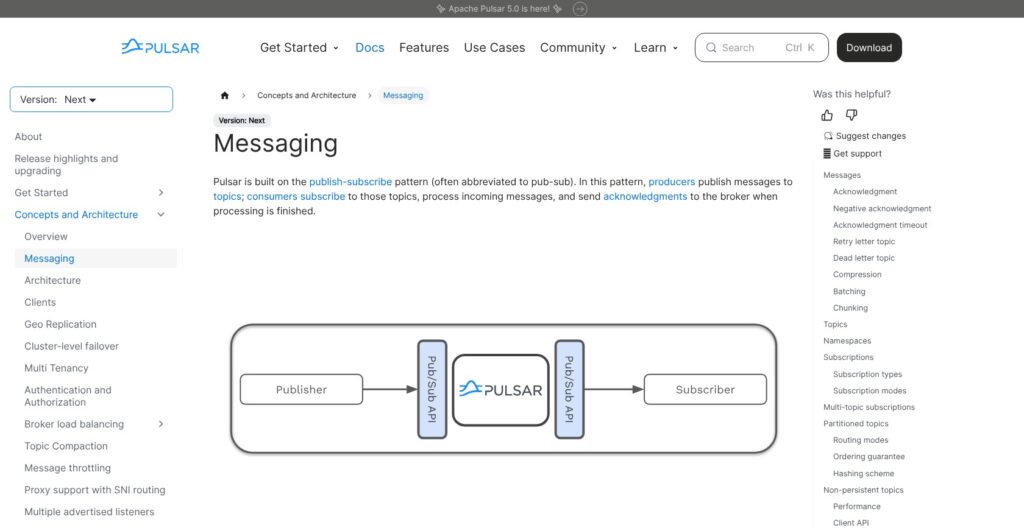
Pulsar tracks acknowledgment per message, not per offset, so one slow or failed message on a Shared subscription does not hold up the messages behind it. I tested five consumer-side retry controls:
- Ack timeout (off by default): set to 10 s, the unacked message came back at 11.0 s with redelivery count 1, because the timeout is checked on a tick.
- Negative ack: set to 2 s, redelivery arrived at 2.00 s; the Python default is 60 seconds.
- Cumulative ack: acking message 7 of 10 on Exclusive left exactly 3 unacked; on Shared the client refused with CumulativeAcknowledgementNotAllowedError.
- Dead letter topic: max_redeliver_count=3 meant 4 deliveries, then the message landed on an auto-created -DLQ topic with REAL_TOPIC and ORIGIN_MESSAGE_ID properties.
- Delayed delivery: 5 s and 8 s targets landed at 5.03 s and 8.02 s on Shared; on Exclusive the same messages arrived in publish order, the delayed ones ahead of the immediate one, matching the rule that delay works only on Shared and Key_Shared.
The negative-ack redelivery counter lives in memory and can reset on a broker restart or consumer reconnect; reconsumeLater with retry enabled gives a reliable limit. Broker defaults cap unacked messages at 50,000 per consumer and 200,000 per subscription, after which dispatch stops with no error returned to the client.
Iterable’s engineers replaced RabbitMQ, which struggled past 10,000 queues, with Pulsar over a 6-month migration and nearly halved their operating costs, partly because the RabbitMQ fleet had been over-provisioned. Kafka declared share groups (Queues for Kafka) production-ready only in 4.2; Iterable started building its queue on Pulsar in early 2019.
Retention, Tiered Storage and Multi-Tenancy
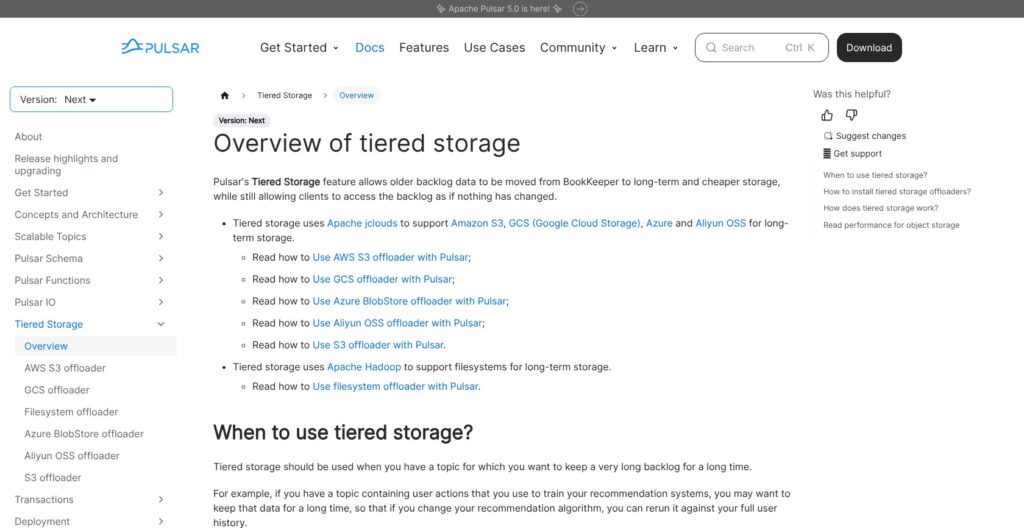
By default Pulsar deletes a message as soon as every subscription has acknowledged it (retention 0 minutes, 0 MB) and keeps unacknowledged messages forever (TTL 0): queue defaults, not stream defaults.
Setting 10 minutes and 10 MB of retention and a 600-second TTL took one pulsar-admin command each. With retention on, seeking to a message ID replayed the 14 acked messages after it (seek excludes the target), and seeking to a timestamp replayed 10.
The backlog quota defaults to 10 GB per topic. I set 1 MB with producer_request_hold and attached a subscriber that never acked; a producer then wrote 5,000 x 10 KB messages (about 50 MB, 48x the quota) in 9.3 s with no error, because the quota checker runs every 60 seconds. After the tick, a new producer was refused with “Cannot create producer on topic with backlog quota exceeded”.
Compaction cut 15 keyed messages over 3 keys to 3 for a read_compacted consumer, while a normal reader still saw all 15.
I evaluated Pulsar tiered storage from documented behavior rather than running it. Offloaders ship as a separate 65.6 MB download with drivers for S3, GCS, Azure Blob, Aliyun OSS, S3-compatible stores and Hadoop filesystems; only sealed ledgers offload, reads stay transparent, and offload stays off until you set a driver and a threshold.
Topics are named persistent://tenant/namespace/topic, and the namespace carries retention, TTL, quotas, schema strategy and 32 bundles by default. Geo-replication runs async or BookKeeper-synchronous across data centers; only topic data replicates, subscriptions stay local unless replicated subscriptions are on, and it is not a backup, since removing a cluster from the list can delete topics there. Kafka covers cross-cluster replication with MirrorMaker 2, a separate Kafka Connect-based system to run.
Functions, Connectors, Transactions and Schemas
My Python exclamation function was accepted with “Created successfully” and then never ran: the worker shells out to python3, and the instance died with ModuleNotFoundError: No module named ‘pulsar’. It needed pulsar-client, grpcio, protobuf, prometheus_client, ratelimit and apache-bookkeeper-client on the broker host plus a restart, and the worker’s auto-start then failed once with HTTP 503 before functions restart worked.
After that, 3 of 3 messages came out as “hello pulsar!” with the input topic and message ID stamped as properties. Functions run in Java, Python and Go, with a Kubernetes runtime available, and 4.2 added transactions for Functions.
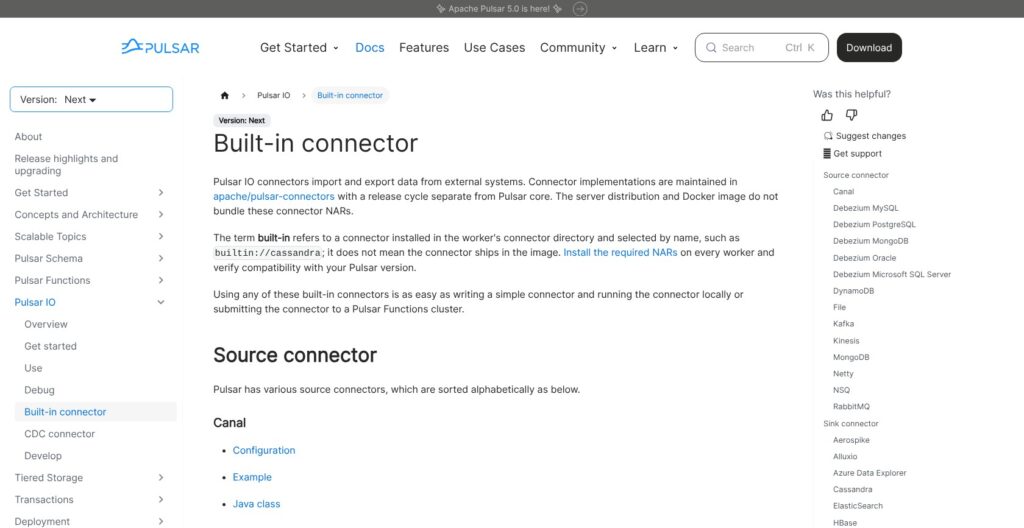
The main tarball ships no Pulsar IO connectors: sources available-sources returned an empty list. Pulsar IO offers 14 built-in sources and 21 sinks as separate downloads, from Kinesis and RabbitMQ sources to Elasticsearch and JDBC sinks. If connector breadth decides it, Kafka Connect and Kafka’s larger ecosystem are the stronger draw.
Transactions are off by default (transactionCoordinatorEnabled=false), and the Python client has no transaction API. Through the Java client in pulsar-perf, 320 transactions opened and 319 committed with 0 failures at 1,598 msg/s.
The schema registry defaults to FULL compatibility. Changing age from int to string was rejected at producer creation with IncompatibleSchema, while adding a field with a default became schema version 1, and a V2 consumer read the old record with the default filled in.
Three Python gotchas cost me retries: Avro needs the pulsar-client[avro] extra, record classes must keep the same name across versions, and a field default only reaches the Avro schema with required_default=True.
What Running Pulsar in Production Takes
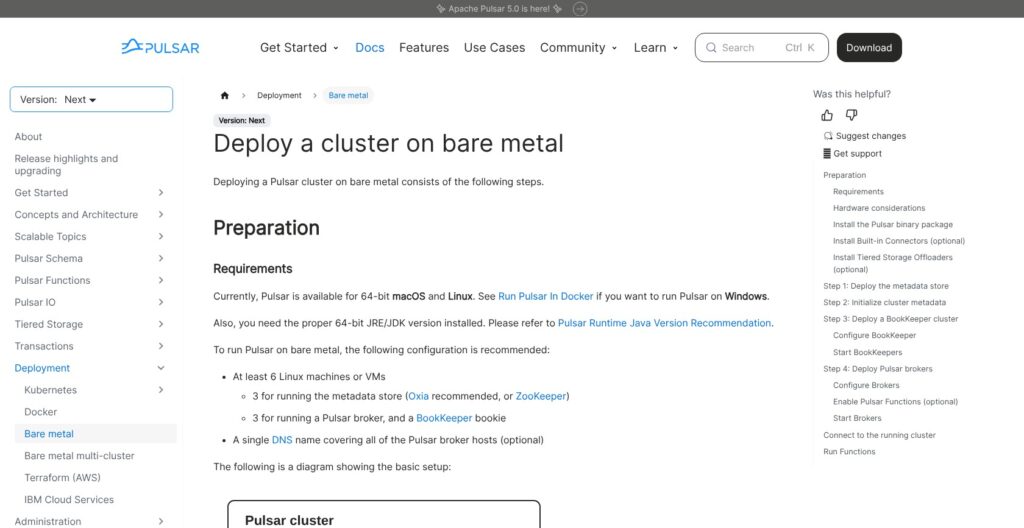
A minimum production cluster on bare metal is 6 machines: 3 metadata nodes (Oxia recommended for new clusters, ZooKeeper still supported) and 3 nodes each running a broker and a bookie, with a default managed-ledger quorum of 2/2/2. Bookies turn read-only at 95% disk use, so alert per volume, and upgrades run in order through metadata store, bookies, brokers, proxies and function workers.
- Java 21 for servers: Pulsar 5.0.0 (released October 5, 2026) requires it; clients stay Java 17 compatible.
- LTS clock: 5.0 is LTS with active support to October 5, 2028; 4.0 LTS active support ends October 21, 2026, with security fixes to October 21, 2027, and a new LTS lands every 18 months.
- Metadata stores: 4.2 removed etcd, and the Helm chart cannot migrate ZooKeeper to Oxia in place.
- Admin UI: Pulsar Manager is unmaintained and was dropped from Helm chart 4.8.0 (which deploys 5.0.0 on Kubernetes 1.25+); Dekaf is the chart’s UI.
- Kafka protocol: Kafka-on-Pulsar was archived on January 24, 2024; Kafka compatibility now lives in StreamNative’s commercial Ursa and KSN products.
- Security: my standalone ran with authentication, authorization and TLS all off; JWT, OIDC, mTLS, Kerberos, Athenz and OAuth 2.0 plugins ship but need configuring.
The project lists 65 companies as users or contributors, including Tencent, Yahoo! JAPAN, Splunk and Comcast, the repo has 15.3k GitHub stars, and Yahoo ran over 100 billion messages a day across 1.4 million topics back in 2016.
StreamNative’s CEO now describes the company as a Kafka company too (April 2026), which I read as the main commercial Pulsar vendor hedging on the Pulsar protocol. Kafka 4.0 runs KRaft only, so its metadata quorum comes from the Kafka binary itself, while Pulsar still has you run and upgrade three separate layers.
How Does Apache Pulsar Compare to Competitors?
Apache Pulsar is the only option here with tenants, namespaces and four subscription types in the open-source project; each rival below wins a narrower niche.
| Platform | Model | Entry price | Queues and streams | Best for |
|---|---|---|---|---|
| Apache Pulsar | Open source (Apache 2.0) | Free; StreamNative from $73/mo | Both, four subscription types | Multi-tenant, multi-region platforms |
| Apache Kafka | Open source (Apache 2.0) | Free | Streams; share groups production-ready in 4.2 | Largest ecosystem |
| Confluent Cloud | Managed Kafka | Basic $0 to start, Standard $0.75 per eCKU-hour | Streams | Teams that want Kafka fully managed |
| Redpanda | Kafka-compatible, source-available | Serverless $0 to start | Streams | Kafka API without the JVM |
| Amazon MSK | Managed Kafka on AWS | Serverless $0.75 per cluster-hour | Streams | AWS-native teams |
| Google Pub/Sub | Serverless messaging | $40 per TiB after 10 GiB free | Per-message acks, no partitions | GCP teams with spiky loads |
- Apache Kafka: wins on ecosystem and fewer moving parts: 4.0 went KRaft-only with no ZooKeeper, and 4.2 declared share groups production-ready, giving Kafka queue-style consumption. Pick it unless you need built-in tenants or geo-replication without a separate system; an existing Kafka client estate also points here, since the Kafka protocol on Pulsar now needs StreamNative’s paid products.
- Confluent: wins for teams that want Kafka fully managed; Basic starts at $0 with the first eCKU free, then $0.14 per eCKU-hour, and Standard bills $0.75 per eCKU-hour, plus $0.02 to $0.05 per GB and $0.08 per GB-month of storage.
- Redpanda: wins on the Kafka API without the JVM; Serverless starts at $0 with a 100 MB/s write cap and a 99.9% SLA, the same SLA as StreamNative Serverless; BYOC reaches 2 GB/s at 99.99% on an annual commitment.
- Amazon MSK: wins for AWS-native teams; Serverless costs $0.75 per cluster-hour and $0.0015 per partition-hour, plus $0.10 per GB in and $0.05 per GB out, against StreamNative’s $0.13 in and $0.04 out.
- Google Pub/Sub: wins when you want no cluster at all, at $40 per TiB after 10 GiB free a month, with per-message acks like Pulsar’s Shared subscriptions.
- StreamNative: is the managed route for Pulsar itself, from $73 a month on Serverless, $365 on BYOC and $505 on Dedicated.
Pulsar IO offers Debezium-based CDC sources for MySQL, PostgreSQL, MongoDB, Oracle and SQL Server as separate connector downloads, so Debezium change data capture does not decide Apache Pulsar vs Kafka.
How I Reviewed Apache Pulsar
I installed Pulsar 5.0.0 on my laptop with a Java 21 runtime and ran one Python script plus the bundled CLIs over about 15 minutes of broker uptime: 20 topics across 2 namespaces, all four subscription types, ack timeouts, negative acks, a dead-letter topic, delayed delivery, retention, TTL and a backlog quota, Avro and JSON schemas, seek, compaction, a Python Function, transactions through pulsar-perf, and a 20,000 msg/s load test.
Multi-node durability, geo-replication, S3 offload, TLS and authentication, and StreamNative billing were evaluated from documented behavior and published rates, not run.
I weigh pricing transparency, adoption signals, development momentum, openness and exit costs, practitioner sentiment and my own verdict, and I compared rivals on list prices. Prices current as of October 2026.
Should You Run Apache Pulsar?
Yes, if you run a platform for many internal tenants or regions and your workloads mix work queues (retries, dead letters, delayed delivery) with replayable streams. All four subscription types worked on one topic in my test, acks are per message, and each namespace gives a team its own retention, quota and permission boundary. Iterable made that trade when it replaced RabbitMQ with Pulsar and nearly halved its operating costs.
Skip it if you are one team with one high-volume stream, already depend on Kafka Streams or Kafka Connect, or have nobody to own BookKeeper. Kafka or Redpanda is simpler there, and Pub/Sub or MSK Serverless removes the cluster entirely. Kafka-API compatibility on Pulsar is now a StreamNative commercial feature, not part of the open-source project, so a Kafka client estate is a reason to stay on Kafka.
Download 5.0.0 from pulsar.apache.org, run bin/pulsar standalone on Java 21 (it took me 6 seconds), set namespace retention before you test replay, then price StreamNative BYOC against your own 6-machine footprint.
FAQ
Is Apache Pulsar free?
Yes. Apache Pulsar is open source under Apache 2.0, so the software costs nothing. You pay for your own hardware or for StreamNative: Serverless from $73 a month, BYOC from $365 and Dedicated from $505, with $0.13 per GB in and $0.04 per GB out on Serverless and Dedicated. See How Much Does Apache Pulsar Cost? above for a worked 10 MB/s bill.
Does Pulsar delete messages after they are consumed?
Yes, by default. With retention at 0, Pulsar deletes a message once every subscription has acknowledged it, and it keeps unacknowledged messages forever because TTL is also 0. To replay acked data, set namespace retention first: in my test, seek replayed 14 acked messages once 10 minutes and 10 MB of retention were set.
Is Pulsar better than Kafka?
For queues plus streams on one topic, built-in tenants and native geo-replication, yes; Kafka wins on ecosystem and fewer moving parts since 4.0 went KRaft-only, and 4.2 added production-ready share groups for queue-style consumption. The published vendor benchmarks were run by each side and disagree, so test on your own hardware before you choose.
What Java version does Pulsar 5.0 need?
Pulsar 5.0 servers need Java 21 or later, while clients stay Java 17 compatible. My first attempt with a Java 17 runtime was refused with “Pulsar server commands require Java 21 or later”, so upgrade every broker, bookie and function worker host before moving to 5.0.
Can Kafka clients connect to Pulsar?
Not with the open-source project today. Kafka-on-Pulsar, the protocol handler, was archived in January 2024. StreamNative now offers Kafka-protocol support commercially through its KSN and Ursa products, so plan on a StreamNative contract or on rewriting clients for the Pulsar API.