Editor’s note: This review assesses documented capabilities and pricing, not hands-on product testing.
Quick verdict: I recommend StreamNative for platform teams seeking managed Apache Pulsar or native Kafka with a choice of hosted and customer-cloud deployment. My main reservation is that protocol, storage profile, and deployment decisions change what is available, so the platform name alone tells you too little.
In this StreamNative review, I’ll look at pricing, application compatibility, setup, and lakehouse delivery. Among streaming and CDC platforms, this is a streaming backbone for applications and analytics.
Key Takeaways
- Managed Pulsar is a strong fit when subscription behavior and tenant isolation shape your architecture.
- Ursa for Kafka is generally available on Dedicated and BYOC.
- External lakehouse delivery supports Iceberg and Delta Lake.
- Caveat: Serverless native Kafka remains Private Preview.
- Caveat: Storage profiles have different feature limits, not just different cost characteristics.
What I like is the architectural choice. A Kafka application estate and a Pulsar messaging system do not have identical needs, and StreamNative offers distinct routes for both. That flexibility is useful for an engineering team with clear requirements.
It is less appealing if you want a default configuration that makes every consequential decision for you. My recommendation rests on matching a specific service to your application, not on treating every StreamNative feature as part of one interchangeable package.
Pros and Cons
I would shortlist StreamNative for deployment flexibility and streaming architecture. The limits below matter most when they affect an application you already run.
Pros
- Native Kafka brokers available
- Pulsar offers four subscription modes
- BYOC supports customer-cloud deployment
- External tables support Iceberg
- Built-in PostgreSQL CDC connector
Cons
- Serverless native Kafka remains in preview
- Cost Optimized Kafka lacks transactions
- External tables store a separate copy
- Custom connector maintenance stays with customers
The distinction I care about most is between a platform limitation and a poor configuration match. Some buyers can comfortably accept the constraints above. Others would have to redesign an application around them, which makes a seemingly attractive deployment the wrong purchase.
How Much Does StreamNative Cost?
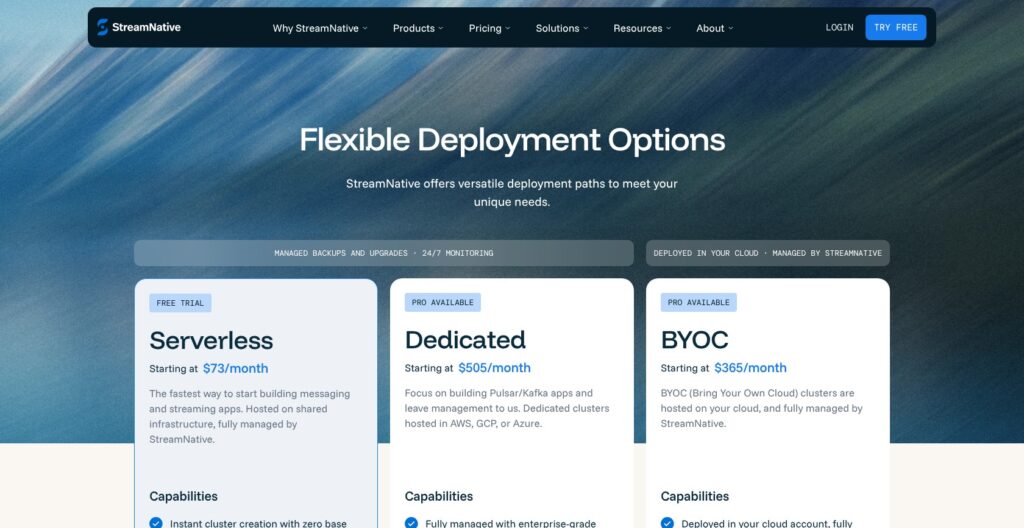
StreamNative pricing varies by deployment. Its published starting offers are:
- Serverless: From $73/month. For teams whose workload fits the available serverless service.
- Dedicated: From $505/month. My starting point for a hosted production shortlist.
- BYOC: From $365/month. For teams requiring deployment in their own cloud account.
| Deployment | Published starting price, USD | Listed billing units | Main qualification |
|---|---|---|---|
| Serverless | $73/month | ETU | Not a native Kafka production quote |
| Dedicated | $505/month | CU/SU | Configuration affects the purchase |
| BYOC | $365/month | ETU | Customer infrastructure is additional |
These are starting figures, not equivalent configurations or all-inclusive bills. Monthly billing is standard; committed terms are negotiable.
The table is useful for understanding the commercial entry points. It is not enough to establish which deployment costs less for your workload. I would not read BYOC’s lower starting subscription as evidence that it undercuts Dedicated once both offers cover the same requirements.
For BYOC and Private Cloud, customers supply the required cloud infrastructure, including compute and storage. That creates two distinct cost responsibilities: the platform agreement and the infrastructure it runs on. Keeping those separate is more useful than inventing a sample monthly bill without a defined architecture.
Capacity terminology also deserves care. A pricing unit is a billing mechanism, not a promise that differently named units buy equivalent throughput. My concern is comparability: buyers need a commercial offer tied to their service configuration, rather than a spreadsheet that treats the lowest figures as substitutes.
Dedicated Pro and BYOC Pro add controls including advanced networking, maintenance windows, and key management. For a security-constrained organization, those may be prerequisites rather than optional upgrades. That can make the appropriate commercial starting point different from the headline one.
Is StreamNative Good Value for Money?
I see the strongest value where StreamNative replaces infrastructure work your team would otherwise own while preserving an architecture you actually need. That is a more defensible purchasing argument than assuming an object-storage design automatically makes the entire pipeline cheaper.
- Good fit: A platform team buying managed operation around a defined streaming architecture.
- Conditional fit: A customer-cloud buyer with an established infrastructure budget and owner.
- Weak fit: A small integration project that does not need a persistent streaming platform.
The internal labor comparison matters as much as the subscription. Self-management consumes engineering attention even when the underlying software has no license fee. Conversely, a managed platform can be excessive if the actual requirement is a narrow database-to-destination transfer.
I would favor Dedicated for a team seeking hosted production streaming without a customer-cloud mandate. BYOC becomes my recommendation when infrastructure ownership is a requirement, not a tactic for chasing the lowest advertised number. Serverless belongs on the shortlist only when the intended service and its release status fit the project.
Getting Started With StreamNative
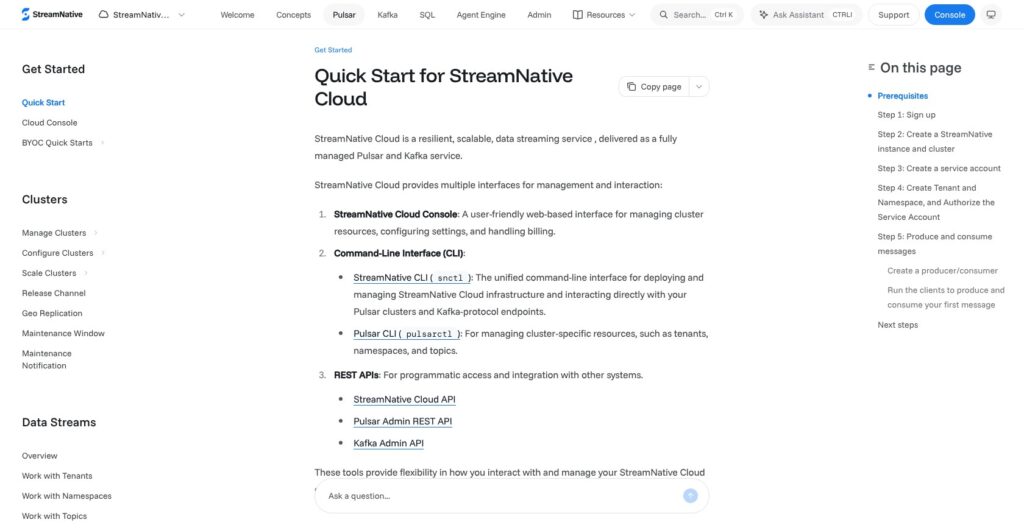
Your first setup decision is which streaming service to deploy. I like that the resource model makes this explicit, although you need an architecture in mind before creating a cluster.
Establish the resource boundary
Organizations contain users, service accounts, and instances. Existing clusters, connectors, and functions cannot move between organizations, so the organization boundary has lasting consequences.
I would align the organization with a long-term owner rather than a temporary project. A proof of concept and a shared production platform may have different owners, and treating their organization structure casually creates avoidable administrative friction later.
The documented native Kafka workflow begins with an organization, followed by an instance and the Kafka resource type. Deployment, cloud, and region are part of that choice. This is where a buyer moves from considering StreamNative broadly to selecting the actual service an application will use.
I would keep the first deployment’s purpose narrow. A shared platform serving unrelated teams involves more policy decisions than a single application pipeline, even if both begin with one topic. Buying enough flexibility for future use is sensible; designing every possible future workload into the initial structure is not.
Select the cluster configuration
For Dedicated and BYOC, setup includes a latency or cost profile, availability configuration, and Throughput Units. Supported lakehouse settings can also be configured before the cluster reaches a healthy state.
My preference is to choose the profile around application behavior first. A price-oriented label is tempting, but it is not a substitute for the semantics the application requires. The Kafka and Pulsar distinctions below explain why this decision belongs early in the workflow.
I would also separate the streaming foundation from downstream analytics in the project plan. They may share a purchase decision, but application connectivity and table delivery are different responsibilities. Keeping those outcomes distinct gives each team a clearer definition of what the platform is supposed to provide.
Connect an application identity
Service accounts are created without Super Admin by default, and roles can be granted through access controls. I like that starting position: an application identity should not begin with organization-wide authority merely because it needs to publish events.
The Kafka getting-started path uses a service account and API key with topic-level produce and consume permissions. Kafka CLI tools version 3.1.0 or later connect through the generated bootstrap endpoint using SASL_SSL and PLAIN authentication. The documented example pairs a consumer with a producer to exchange a message.
Kafka engineers should recognize those connection settings. Getting one message through establishes connectivity; it says little about an application under load.
A topic is also an application contract, not just a destination name. Its ownership and intended consumers matter beyond the initial connection. My preferred handoff would make the platform team responsible for the service boundary while leaving event meaning with the application owner.
Overall, the documented path looks approachable for an experienced streaming engineer. I would not describe it as beginner-oriented setup, because several early selections encode decisions that remain important throughout the deployment’s life.
Kafka and Pulsar: Choose the Right Service
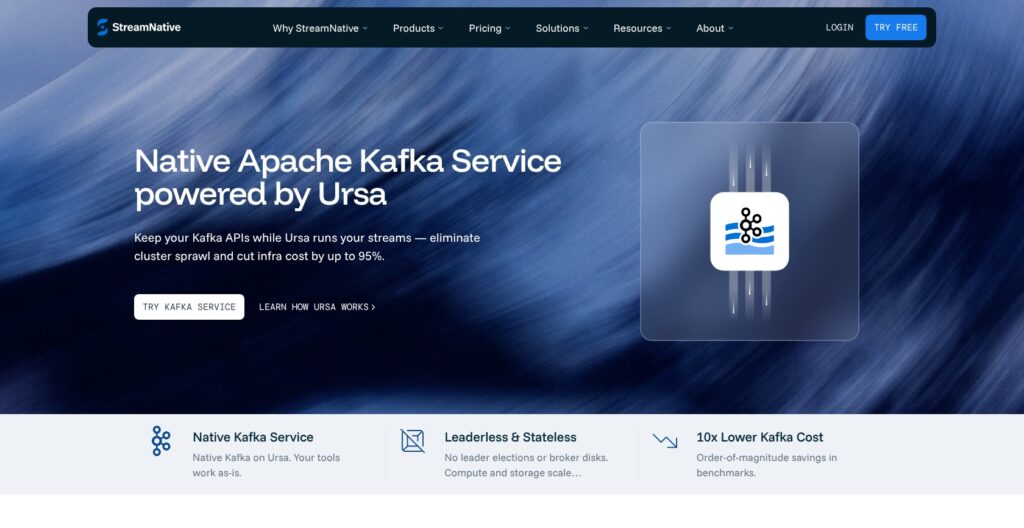
StreamNative’s Kafka options are not interchangeable. Native Kafka clusters run Kafka brokers; KSN translates the Kafka protocol onto Pulsar storage. Native Kafka does not provide Pulsar client access, while KSN supports mixed clients.
Kafka and Pulsar clusters also require separate StreamNative instances. That is a meaningful planning boundary for anyone expecting one instance to contain both service types.
Start with the application’s semantics
Kafka clusters use consumer groups and Kafka retention behavior. Pulsar provides tenant and namespace isolation alongside exclusive, shared, failover, and key-shared subscriptions.
I would choose based on those application expectations before considering consolidation. A team with Kafka-native applications should not adopt a translation layer merely because another department uses Pulsar. Equally, a Pulsar application should not lose its messaging model just to make the platform diagram look simpler.
Mixed-client access can be useful when it is an explicit requirement. It is less persuasive as a vague promise of future flexibility. My preference is to pay for an architecture the current application needs, while avoiding dependencies that make an eventual change unnecessarily difficult.
Treat profiles as feature decisions
Ursa for Kafka became generally available on Dedicated and BYOC on October 8, 2026. That production availability does not mean every profile has the same functionality.
| Profile | Documented architecture | Buyer implication |
|---|---|---|
| Latency Optimized Kafka | Local disk, KRaft, ISR | Use when transactions or compaction are required |
| Latency Optimized Pulsar | BookKeeper | Distinct from the native Kafka architecture |
| Cost Optimized | Object storage and Oxia | Functionality depends on the service |
Cost Optimized native Kafka lists transactions and topic compaction as coming soon. Cost Optimized Pulsar currently exposes only the Kafka-compatible protocol, not native Pulsar access.
This is my biggest configuration warning. Storage is not an invisible implementation choice when it changes available application behavior. I would rather accept a less attractive starting configuration than make a critical application dependent on a future feature.
The product names also should not substitute for a performance conclusion. A latency-oriented design can be relevant to request-sensitive applications, but architecture alone cannot establish the response times a particular workload will experience.
Compatibility extends beyond the broker
StreamNative Schema Registry implements a subset of the Confluent API. Unsupported features include:
- Data Contracts
- Client-side field-level encryption
- Schema Contexts
- Stream Catalog tags and business metadata
More concerning, schema registration accepts metadata and ruleSet fields but discards them without an error. A successful registration therefore does not establish that governance behavior survived a migration.
I consider this more consequential than a visibly rejected request. Silent omission can leave an application appearing healthy while an expected control is absent. For a Confluent estate that depends on those controls, I would treat StreamNative as a platform change, not an endpoint replacement.
For simpler schema use, those omissions may not matter. I would keep Confluent on the shortlist when existing applications rely on its governance rules; broker compatibility cannot replace them.
Ursa and Lakehouse Storage
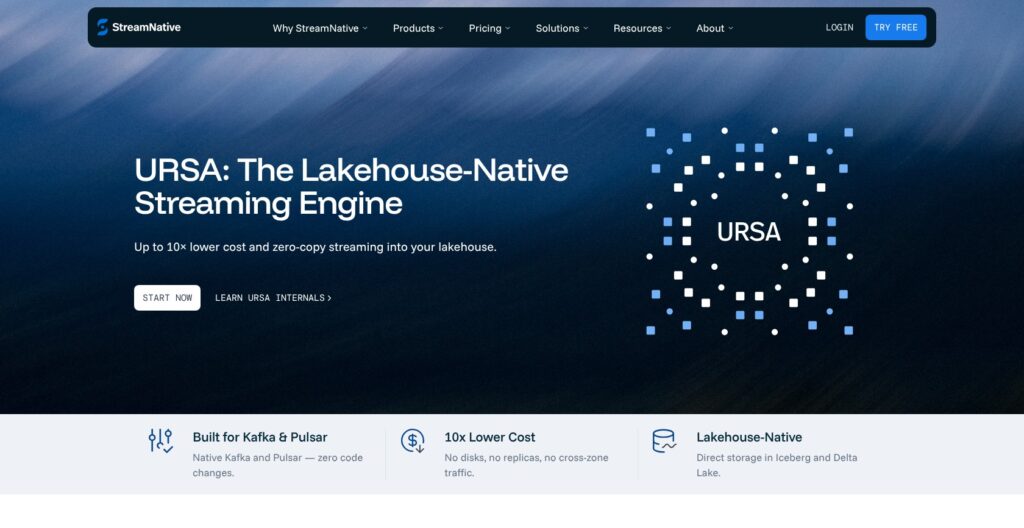
StreamNative’s lakehouse integration is useful, but I would not buy it on a blanket zero-copy premise. Available external Stream Delivered Tables write a separate copy into Iceberg or Delta Lake. Internal Stream Backed Tables, which would share one physical copy, remain listed as coming soon.
That distinction changes the buying argument. External delivery may reduce the amount of pipeline code a team owns, but it does not eliminate the analytical copy of the data. I would evaluate it as managed delivery into a table format, not as the disappearance of data movement.
What the table layer provides
Lakehouse Tables represent topic data through Parquet files, table metadata, and commits in object storage. Supported external-table capabilities include:
- Schema evolution and partition keys
- Upsert behavior
- Analytical queries
- Data lineage through Unity Catalog only
Those capabilities make a CDC-to-lakehouse architecture worth considering. A database change stream could feed topics whose data is delivered into analytical tables, subject to the selected connector and supported configuration. That is an architectural use case, not evidence that every source maps cleanly into every target table.
My main question for the buyer is where the analytical data contract should live. Topic events often serve operational consumers, while table readers expect a stable analytical model. A shared transport does not automatically make those expectations identical.
I can see a good reason to keep that analytical representation separate: an application event and a reporting row serve different readers. The table still depends on upstream delivery and schema decisions.
Catalog integration still needs ownership
The documented AWS Unity Catalog setup requires storage and IAM configuration, an external location, catalog privileges, and OAuth credentials. This is real integration work across the cloud and data platform boundaries.
I like the availability of catalog integration because it gives the table destination a defined governance home. The trade-off is organizational: someone must own the permissions connecting those systems. It is not simply a streaming team’s setting if another group controls the catalog.
Serverless native Kafka currently lacks table-format and catalog integration support. SQL Workspace is a separate Private Preview feature powered by RisingWave, offering a PostgreSQL-compatible interface for streaming queries and materialized views.
I would not buy a production platform for preview SQL. For a Kafka-first team needing processing as well as table delivery, Confluent Cloud also belongs on the shortlist: its feature set includes Flink and Tableflow. Keeping StreamNative’s preview SQL separate from its current table delivery prevents an appealing roadmap from becoming an assumed part of the purchase.
Connectors, Security, and Deployment
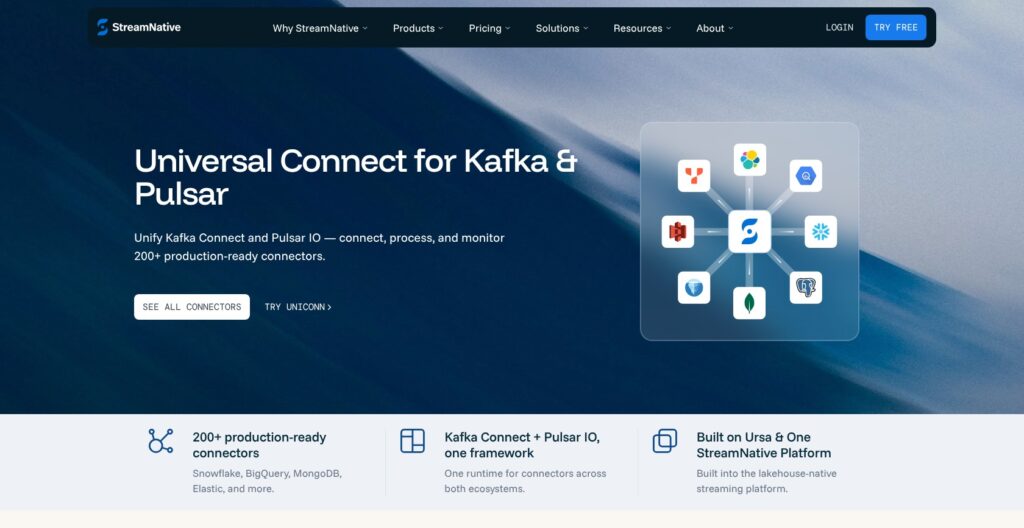
Managed connectors still leave work with your team. StreamNative supports native Kafka Connect through Universal Connect, but responsibility depends on whether the connector is built in or custom.
| Connector area | Documented examples or responsibility |
|---|---|
| CDC sources | Debezium MySQL, PostgreSQL, SQL Server |
| Sinks | Snowflake, BigQuery, Elasticsearch, JDBC, Iceberg |
| Built-in connectors | Customer configures the connector |
| Custom connectors | Customer owns plugin installation, updates, development, and support |
| Platform layer | StreamNative handles connectivity, logs, and monitoring |
I like the named CDC sources because they make StreamNative relevant to common operational database pipelines. Still, a supported connector is the beginning of the integration decision, not a guarantee about the complete data product.
Custom connectors deserve particular caution. If a proprietary source requires custom code, the managed runtime does not remove the need for an internal owner. I would budget engineering responsibility around that boundary rather than letting the word “managed” obscure it.
For a small team, this distinction can decide the shortlist. A platform with the right built-in connector may be a better fit than a theoretically extensible platform that leaves a specialist integration permanently dependent on one engineer.
Security involves application and platform boundaries
The service-account model gives applications an identity separate from human users. My preference is to preserve that distinction throughout the deployment rather than share broad credentials between unrelated producers.
Security purchasing also involves more than authentication. A team with prescribed network isolation or key-management requirements has a different buying problem from a team connecting a development application. I would treat those requirements as part of service selection, not as finishing touches after the streaming architecture is chosen.
Deployment and availability need precise labels
Dedicated native Kafka documentation lists AWS and Google Cloud. BYOC lists AWS, Google Cloud, and Azure. I would not generalize a platform-wide cloud claim to every cluster type.
BYOC and Private Cloud also should not be treated as synonyms simply because both involve customer-supplied infrastructure. The deployment agreement and division of responsibility matter more than the shared idea of greater control.
Published uptime specifications are 99.95% for single-zone and 99.99% for multi-zone deployments. The SLA measures downtime through failed writes for an entire minute, includes exclusions, and requires service-credit claims within five calendar days after month-end.
Those figures are contractual specifications, not observed reliability. I would assess them against the failure that matters to the application: a credit mechanism and an operational continuity plan serve different purposes. A higher availability figure does not, by itself, explain how the business handles interrupted event flow.
How Does StreamNative Compare to Competitors?
The best StreamNative alternatives depend on which part of the architecture you want to simplify. I would not rank these products by breadth alone, because a feature you do not need can still add decisions and ownership.
- Confluent: Confluent Cloud includes Flink processing, Stream Governance, and Tableflow, with more than 100 fully managed Kafka connectors documented. I would shortlist it for a Kafka-first estate prioritizing integrations and governance.
- Redpanda: AWS Serverless is production-ready, while GCP Serverless is beta. I would consider it when a production AWS serverless route is central to the purchase.
- Self-managed Apache Pulsar: Apache License 2.0 software with multitenancy, geo-replication, and Pulsar IO. I would favor it only when infrastructure operation is an intentional team responsibility.
Confluent is the more natural comparison when the purchase is about a broader Kafka data platform. StreamNative becomes especially interesting when Pulsar is a substantive requirement or the buyer wants its particular deployment choices. I would not assume either is cheaper without matching the scope.
Redpanda’s serverless option has its own limits: it excludes multi-AZ and data-plane RBAC and audit logs. Redpanda Connect is also distinct from Kafka Connect, which requires support enablement on Dedicated or BYOC and is unavailable on Serverless.
That makes Redpanda a relevant alternative, not an automatic escape from configuration trade-offs. A production-ready label answers the release-status question; it does not answer every security or resilience requirement.
Self-managed Pulsar offers a different bargain. You gain direct operational responsibility rather than purchasing relief from it. I would choose that route for a team deliberately investing in streaming infrastructure expertise, not simply to avoid a subscription invoice.
For all three comparisons, my deciding factor would be the responsibility left after purchase. The best option is the one whose remaining work matches the people available to own it.
How I Reviewed StreamNative
I assessed documented pricing, deployment options, feature limits, and operational responsibilities. My recommendations reflect those specifications; I did not run a workload or assess the console firsthand.
I gave particular weight to native Kafka versus KSN, profile-dependent functionality, and the separate-copy model for external tables. These distinctions can change which service fits an application, even before performance enters the decision.
Prices and availability are current as of October 2026.
Should You Choose StreamNative?
I would choose StreamNative when the streaming architecture is already clear and its deployment options match the way your team wants to operate. Managed Apache Pulsar is a compelling reason to shortlist it, and native Kafka availability broadens its relevance beyond Pulsar-centered teams.
My recommendation is more cautious when the buying case depends on preview features or assumes complete Confluent compatibility. Those are not minor details to postpone until implementation. They can change the service that fits.
For hosted production streaming, Dedicated is my default starting point. For customer-cloud requirements, BYOC is the more relevant route. A Kafka-first team prioritizing managed integration breadth should also consider Confluent; a production AWS serverless requirement makes Redpanda worth comparing.
StreamNative earns consideration through architectural choice. I would buy it for the supported configuration that solves today’s problem, not for the combined promise of everything on its roadmap.
StreamNative FAQ
Does StreamNative support both Kafka and Pulsar?
Yes, through distinct service choices. Ursa for Kafka is generally available on Dedicated and BYOC; Serverless native Kafka remains Private Preview. Pulsar with KSN supports Kafka-compatible access alongside Pulsar clients. Native Kafka clusters do not provide Pulsar client access, and the two cluster types require separate instances.
Is there a free StreamNative plan?
StreamNative advertises a free trial. I would treat it as an evaluation opportunity, without assuming a permanent free tier, credit amount, or duration.
Does BYOC pricing include the cloud infrastructure?
No. Customers supply required infrastructure for BYOC, including compute and storage. The platform starting price therefore does not represent the full deployment cost. I recommend BYOC when customer-cloud deployment is a requirement, not simply because its subscription starts below Dedicated’s.
Is StreamNative the same as open-source Apache Pulsar?
No. Apache Pulsar is an open-source project licensed under Apache License 2.0. StreamNative is a commercial platform offering managed services and additional capabilities, including a separate native Kafka service. Choosing open-source Pulsar instead shifts infrastructure operation to the adopting team; it does not make the deployment free to operate.