Editor’s note: This Azure Synapse Analytics review evaluates the pricing model, the dedicated and serverless SQL limits, the Spark and pipeline costs, and Microsoft’s documented Fabric migration path as sold in October 2026. It is not a hands-on performance test.
Quick verdict: I recommend Azure Synapse Analytics for teams already running dedicated SQL pools or serverless SQL on Azure that need a stable, priced-by-the-hour T-SQL warehouse while they plan a Fabric move. The trade-off: Microsoft’s own docs tell new warehouse buyers to start with Fabric Data Warehouse, the only supported Spark runtime is 3.5, and Data Explorer pools are already gone.
Among cloud warehouses, Synapse puts dedicated MPP SQL from $1.51 per hour in US East, $5-per-TB serverless SQL, Spark and pipelines in one workspace.
In this review, I’ll take a closer look at Azure Synapse Analytics’ pricing, dedicated and serverless SQL pools, Spark and its future next to Microsoft Fabric, so you can see exactly whether it beats Snowflake, Databricks or a straight move to Fabric for your warehouse.
Key Takeaways
- DW100c costs $1.51 per hour in US East: $1,102.30 a month 24×7, or $265.76 on business hours
- Serverless SQL bills $5 per TB processed, with a 10 MB minimum per query
- Reserved capacity saves about 37% over 1 year and up to 65% over 3 years
- New investment goes to Fabric, and Data Explorer pools were retired on October 7, 2025
- Scaling and pausing cancel queries in flight, and storage keeps billing at $23 per TB-month while paused
Azure Synapse Analytics Pros and Cons
Synapse pairs pause-able T-SQL compute with $5-per-TB lake queries, but Microsoft now steers new warehouse buyers to Fabric.
Pros
- Pause-able dedicated compute from DW100c at $1.51 per hour in US East
- Serverless SQL at $5 per TB processed (US East) with zero idle cost
- T-SQL over Parquet, CSV and Delta files in place through OPENROWSET
- Reserved capacity up to 65% off the DWU rate over 3 years
- Row-level security, customer-managed keys, Entra ID and a managed VNet
Cons
- Microsoft tells new warehouse buyers to start with Fabric instead
- Scaling or pausing cancels in-flight queries and rolls back open transactions
- Serverless queries stop at 30 minutes, with no override
- Storage keeps billing at $23 per TB-month (US East) while the pool is paused
How Much Does Azure Synapse Analytics Cost?
Azure Synapse Analytics bills each engine separately by usage, with no per-user license, so a workspace that only runs serverless queries pays Synapse only for the data those queries process. All rates below are US East list prices:
- Dedicated SQL pool ($1.51 per 100 DWU-hour): for loaded tables, concurrency and predictable BI; DW100c to DW30000c ($453 per hour), plus storage at $23 per TB-month
- Serverless SQL pool ($5.00 per TB processed): for exploring Parquet, CSV and Delta files in the lake with nothing left running
- Apache Spark pools ($0.138 per vCore-hour, memory optimized): for data engineering and notebooks, billed per minute, with nothing charged until a job starts
- Pipelines and data flows ($1.00 per 1,000 orchestration runs): for loading and orchestration, plus $0.25 per DIU-hour of data movement and $0.193 to $0.343 per vCore-hour for mapping data flows
Azure Synapse Analytics pricing (US East list)
| Component | Unit | US East rate | Example month |
|---|---|---|---|
| DW100c, business hours | 100 DWU-hour | $1.51 | $265.76 (8 h x 22 days) |
| DW100c, always on | 100 DWU-hour | $1.51 | $1,102.30 (730 h) |
| DW500c, always on | Hour | $7.55 | $5,511.50 |
| DW1000c, always on | Hour | $15.10 | $11,023.00 |
| Dedicated pool storage | TB-month | $23.00 | $23 for 1 TB |
| Serverless SQL | TB processed | $5.00 | $50 for 10 TB |
| Spark pool, minimum 3 Small nodes (12 vCores) | vCore-hour | $0.138 | $1.656 per running hour |
| DW100c reserved, 1 year | 100 DWU-hour | About $0.951 | About $694 |
| DW100c reserved, 3 years | 100 DWU-hour | About $0.529 | About $386 |
The DWU rate is the same $1.51 in US East, Central US and West Europe, but serverless rises to $5.65 per TB and storage to $25.99 per TB-month in Central US, and Spark costs $0.15456 per vCore-hour in West Europe.
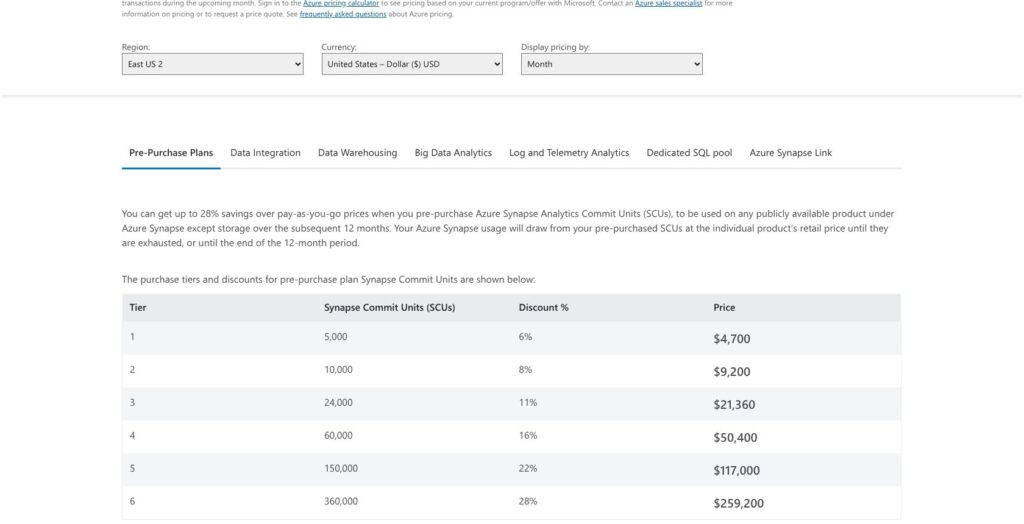
A 12-month pre-purchase plan in Synapse Commit Units (SCUs) adds a second discount path, from 6% (5,000 SCUs for $4,700) to 28% (360,000 SCUs for $259,200), with storage excluded.
Is Azure Synapse Analytics Good Value for Money?
- Good fit: a business-hours warehouse, where DW100c paused nights and weekends costs $265.76 a month in US East, about the same as a Fabric F2 capacity left on 24×7 at $262.80 ($0.36 per hour)
- Less convincing fit: small always-on pools, since $1,102.30 a month for DW100c buys only 4 concurrent queries, and teams not tied to Azure can price Redshift Serverless at $0.375 per RPU-hour in US East instead
- Budget priority: serverless SQL on its own, where 10 TB scanned in a month costs $50 and an idle month costs nothing
Reviewer’s Notes: I’d start on serverless SQL and add a DW100c pool only when you need loaded tables and steady concurrency. Schedule a pause outside business hours, which takes the US East compute line from $1,102.30 to $265.76 a month, and buy reservations only for pools that genuinely run 24×7. Users on Microsoft Q&A describe two bill shocks: a roughly $500 bill from a dedicated pool created for testing, and charges that continue after a pause because storage still bills.
Getting Started With Azure Synapse Analytics
A Synapse workspace sits on a linked Azure Data Lake Storage Gen2 account, and one setting chosen on the creation form, the managed virtual network, can never be changed afterwards.
Creating the Workspace
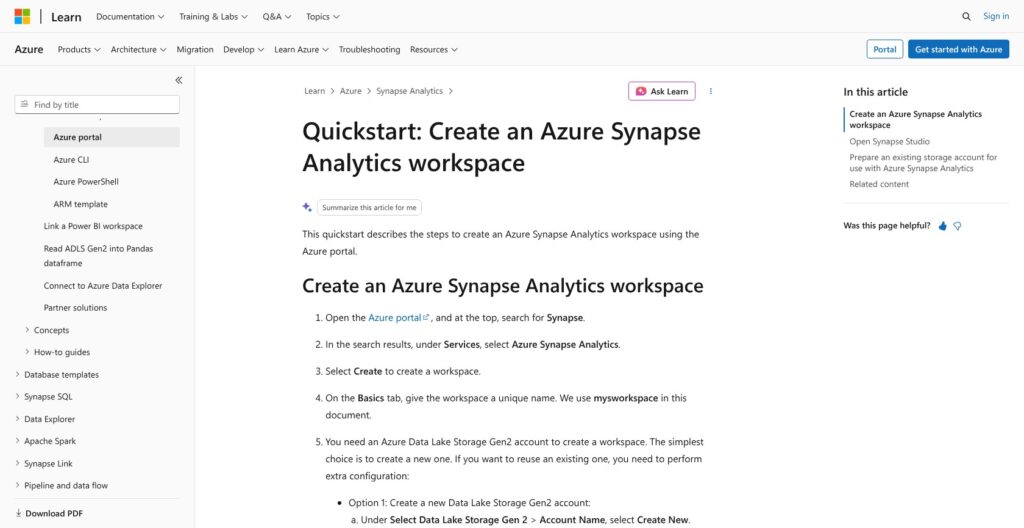
Managed private endpoints and data exfiltration protection both require the managed virtual network. With it on, Spark and pipeline resources run inside that network, while dedicated and serverless SQL sit outside and connect over private links.
August 1, 2026 is the date Microsoft set for retiring the “Allow trusted Microsoft services” firewall exception on workspaces that reach Azure Storage or Key Vault with a managed identity. The stated replacement is Private Link or managed private endpoints, and managed private endpoints only exist in a workspace created with the managed network.
I’d turn the managed virtual network on for any workspace that will touch production data, since adding it later is not an option.
Querying the Lake With Serverless SQL
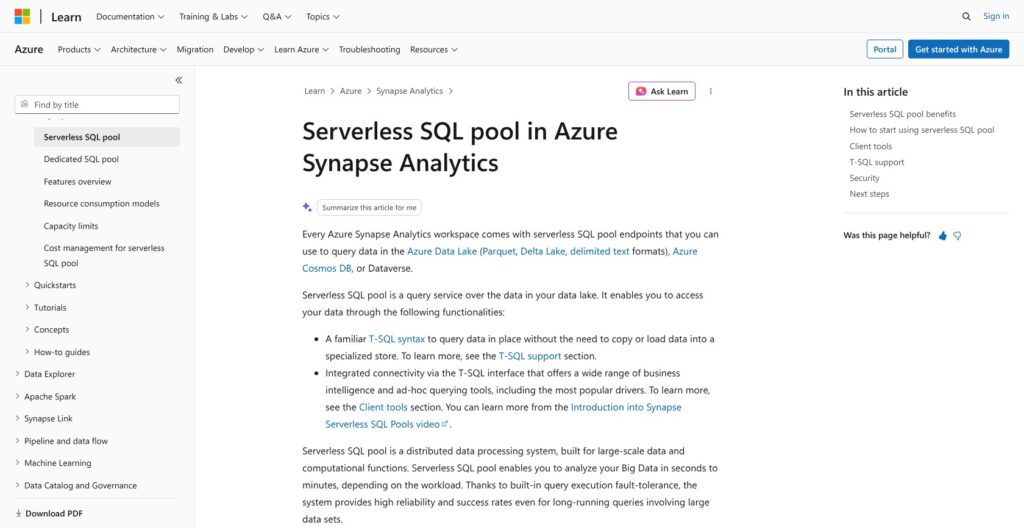
Every workspace includes an always-on serverless SQL endpoint, so the first query costs nothing to provision. Point OPENROWSET at Parquet or CSV files, or use FORMAT=’DELTA’ on a folder that holds a _delta_log directory.
- Keep files between 100 MB and 10 GB, and convert CSV or JSON to Parquet
- Select only the columns you need, since every MB read is billed
- Set budgets with sp_set_data_processed_limit per day, week and month before analysts connect, and track usage in sys.dm_external_data_processed
- Expect a warm-up error on the first connection after a long idle period, and the warm-up runs longer the more databases the workspace holds, so build retries into scheduled jobs
Adding a Dedicated SQL Pool
Create the pool at DW100c to keep the US East bill at $1.51 an hour; Microsoft suggests DW200c or DW400c as a development starting point if DW100c’s 4 concurrent queries feel tight. Load with COPY or PolyBase from Parquet, ORC or delimited text in Data Lake Storage or Blob Storage, keeping in mind PolyBase has no compute pushdown.
Connect Git before the first publish. The collaboration branch is what publishes, a workspace_publish branch holds the generated ARM templates, and for multi-team setups Microsoft recommends the Synapse Workspace Deployment task or GitHub Action over the Publish button. Overwriting a live mode that has drifted from Git can take disconnecting Git, deleting the database and reconnecting, so the Git link belongs in the setup checklist.
Dedicated SQL Pools: Scaling, Concurrency and Performance Features
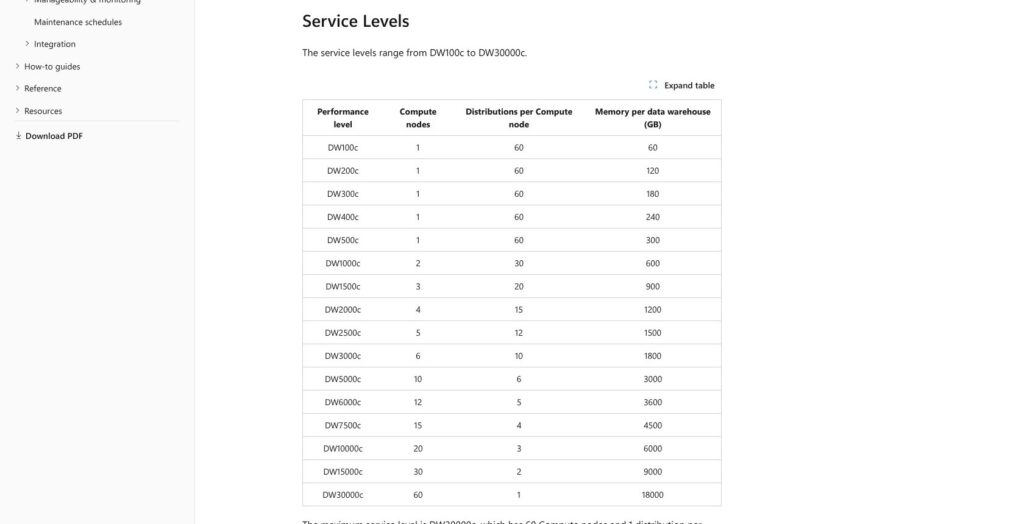
A dedicated SQL pool always splits data into 60 distributions, spread over 1 compute node from DW100c to DW500c and up to 60 nodes at DW30000c, so a bigger tier buys more compute and memory per distribution rather than a new data layout. Memory runs from 60 GB at DW100c to 600 GB at DW1000c and 18,000 GB at DW30000c.
Concurrency and price by service level (US East)
| Service level | Max concurrent queries | Hourly price | Monthly, 24×7 |
|---|---|---|---|
| DW100c | 4 | $1.51 | $1,102.30 |
| DW500c | 20 | $7.55 | $5,511.50 |
| DW1000c | 32 | $15.10 | $11,023.00 |
| DW3000c | 64 | $45.30 | $33,069.00 |
| DW6000c | 128 | $90.60 | $66,138.00 |
| DW30000c | 128 | $453.00 | $330,690.00 |
Concurrency stops at 128 queries from DW6000c up, with 1,000 more queued, and the default quota of 54,000 DTUs per logical server allows up to DW6000c before a quota request.
Scaling cancels incoming queries and rolls back open transactions, then detaches storage, adds nodes and reattaches it. Pausing cancels running and queued work and resets DMV counters. Both take several minutes, longer when a big transaction has to roll back, so drain the workload first; for a pool that must stay reachable, Microsoft suggests scaling to the smallest size instead of pausing.
- Result-set caching: off by default, up to 1 TB per database, evicted after 48 hours unused, and cache hits use no concurrency slots; queries with row-level security or results over 10 GB are not cached
- Materialized views: refreshed synchronously with base-table changes, picked up by the optimizer without being referenced, and free to use a different distribution than the base table
- Workload groups: MIN_PERCENTAGE_RESOURCE reserves capacity, CAP_PERCENTAGE_RESOURCE contains it, and QUERY_EXECUTION_TIMEOUT_SEC kills runaways, though tempdb and IO are not governed
Snowflake handles concurrency by adding clusters to a warehouse on its Enterprise edition, while Synapse makes you buy a bigger tier: going from 4 to 20 concurrent queries means moving from $1.51 to $7.55 an hour.
Best for: stable, tuned T-SQL warehouses with predictable load and a nightly pause window.
Skip if: your concurrency spikes during the day, because every scale-up cancels the queries already arriving.
Serverless SQL and Spark Pools
Both pay-per-use engines cost nothing while idle, $5 per TB for serverless SQL and $0.138 per vCore-hour for Spark in US East, and both carry hard caps.
Serverless SQL Pool
Serverless SQL has no local storage, so there are no tables, triggers, materialized views or DML; results leave through CETAS.
- Query duration: 30 minutes maximum, and the cap cannot be changed
- Result sets: up to 400 GB, shared between concurrent queries
- Sessions: about 1,000 active sessions for lightweight queries, with no fixed concurrency cap
Power BI DirectQuery over serverless struggles with complex or large queries, so dashboards with many viewers belong on import mode or a dedicated pool. BigQuery on-demand also bills per TiB scanned but gives the first 1 TiB each month free, while Synapse bills from the first query, with a 10 MB minimum each.
Apache Spark Pools
Node sizes run from Small (4 vCores, 32 GB) through Medium, Large, XLarge and XXLarge to XXXLarge (80 vCores, 504 GB), the last on isolated compute only in East US, West US 2, South Central US and US Gov regions. A pool starts at three nodes, autoscales between a minimum and maximum node count, and auto-pauses when idle, with billing by the minute.
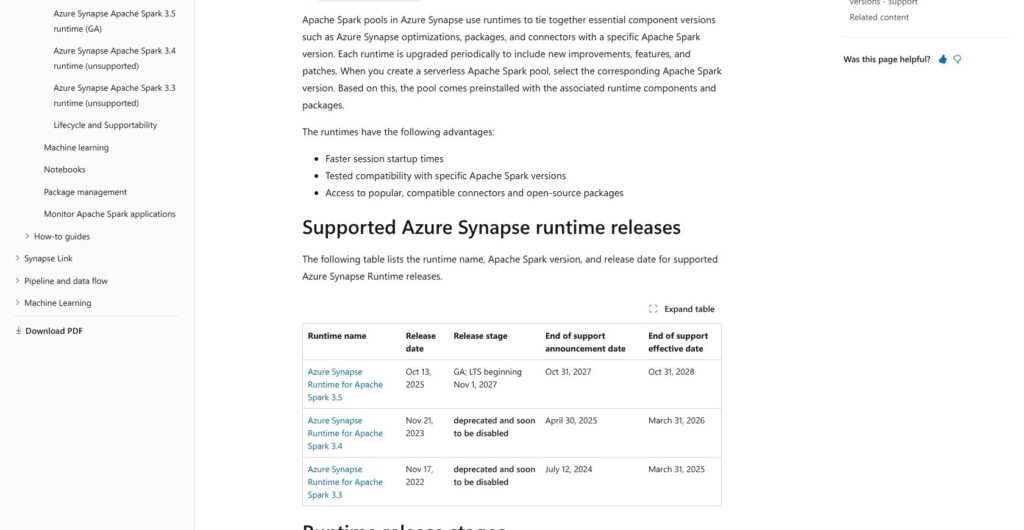
Only Spark 3.5 is supported, with Delta Lake 3.2, Python 3.11 and Java 17. It becomes long-term support on November 1, 2027 (security fixes only) and reaches end of support on October 31, 2028, while Spark 3.4 ended on March 31, 2026. Microsoft advises against onboarding new workloads to an LTS runtime and points Spark users to Fabric Runtime 2.0, with Spark 4.1 and Delta Lake 4.2.
One user on Microsoft Q&A reported Spark session start-up approaching 10 minutes on a small pool. Spark-first teams should price Azure Databricks, a first-party Azure service, before committing to a runtime with an end date.
Is Azure Synapse Analytics Being Retired? Fabric and the Migration Path
No: Azure Synapse Analytics has no retirement date, and Microsoft says customers can keep deploying and expanding it, with advance notice under the Modern Lifecycle Policy if that changes. Its Learn pages for dedicated SQL pools now open with a banner sending anyone new to data warehousing to Fabric Data Warehouse.
Microsoft has already retired one engine, ended two Spark runtimes and closed Synapse Link for Cosmos DB to new projects:
- October 7, 2025: Data Explorer pools retired, workloads deleted, Fabric Eventhouse named as the replacement
- March 31, 2025 and March 31, 2026: end of support for Spark 3.3 and Spark 3.4
- Synapse Link: the Cosmos DB version is no longer supported for new projects, and Microsoft points both variants to Fabric Mirroring
- August 1, 2026: the retirement date set for the trusted-services firewall exception covered in Getting Started
Moving a Dedicated SQL Pool to Fabric
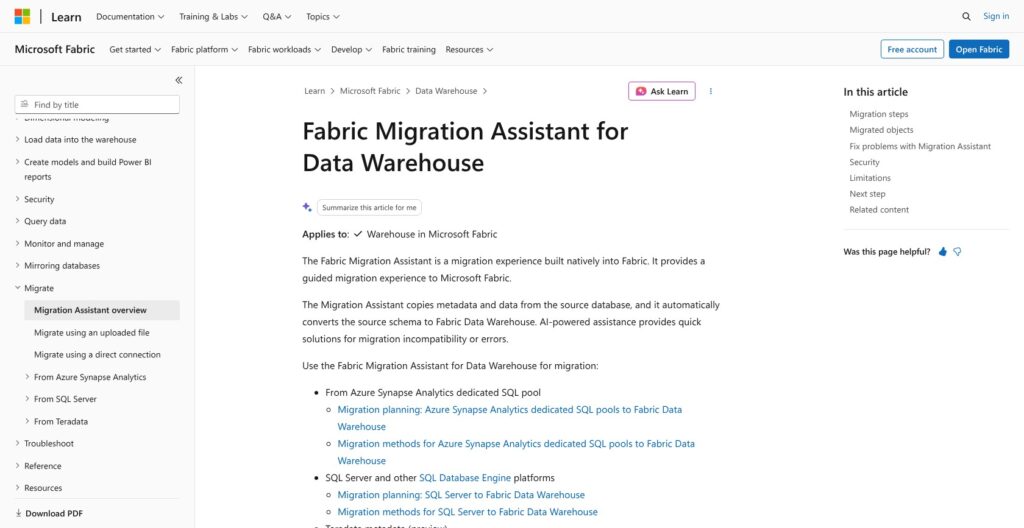
The Fabric Migration Assistant takes a DACPAC upload or a direct connection and moves tables, views, functions, stored procedures, roles, permissions and dynamic data masking, using Fabric’s Copilot to fix objects that fail. Data moves separately in a Fabric Data Factory copy job, then a parallel run before applications switch over.
Fabric Data Warehouse lacks full T-SQL parity with a dedicated pool, so budget rework for:
- Type mappings: datetime and smalldatetime become datetime2, nvarchar becomes varchar, tinyint becomes smallint, and datetimeoffset loses its offset unless you store it separately
- Authentication: SQL-auth users must be replaced with Entra users
- Unsupported objects: external tables, multi-statement table-valued functions and column-level encryption
- Spark and pipelines: AI-assisted migration skills for Spark pools, notebooks and pipelines are still in preview
The target costs $0.18 per CU-hour in US East: F2 is about $262.80 a month left on, and F64 about $8,409.60, the size where viewers with a Free license can read Power BI content. Existing 1- or 3-year Synapse reservations can be exchanged for 1-year Fabric reservations, so a Synapse reservation does not lock you out of Fabric.
I’d plan the move on your own timeline and migrate Spark workloads first, since Spark 3.5 ends support on October 31, 2028 and no other Synapse engine has an end date.
How Does Azure Synapse Analytics Compare to Competitors?
Synapse wins only for Azure teams that want hourly, pause-able T-SQL compute that bills no compute while paused; each rival below wins a clearer niche.
- Microsoft Fabric: F SKU capacity at $0.18 per CU-hour in US East, billed per second with a one-minute minimum; Microsoft’s strategic platform, with OneLake, Direct Lake for Power BI and Mirroring in place of Synapse Link
- Snowflake: compute on credits and storage billed monthly on compressed data, across Standard, Enterprise, Business Critical and Virtual Private Snowflake editions; the pick for multi-cloud warehousing, and it runs on Azure too
- Databricks: billed per DBU-hour, with serverless SQL on the Premium tier and pre-purchase plans saving up to 37% on Azure; the Spark-first lakehouse, sold on Azure as a first-party service
- Google BigQuery: on-demand pricing per TiB scanned with the first 1 TiB free each month, or slot-hour capacity in Standard, Enterprise and Enterprise Plus editions; the closest match to serverless SQL’s pay-per-scan model, on Google Cloud
- Amazon Redshift: provisioned RA3 nodes or Serverless at $0.375 per RPU-hour in US East (N. Virginia), with managed storage at $0.024 per GB-month there; the AWS-native warehouse
Azure Synapse Analytics vs. rivals
| Tool | Pricing model | Starts at / unit | Best for |
|---|---|---|---|
| Azure Synapse Analytics | DWU-hour plus per TB scanned | $1.51 per hour (DW100c), $5 per TB (US East) | Existing T-SQL warehouses on Azure |
| Microsoft Fabric | F SKU capacity | $0.18 per CU-hour, F2 at $0.36 per hour (US East) | New Microsoft-stack warehouses with Power BI |
| Snowflake | Credits plus compressed storage | Rate depends on edition and region | Multi-cloud warehousing |
| Databricks | DBU-hour | Rate depends on tier; up to 37% off prepaid on Azure | Spark-first lakehouse |
| Google BigQuery | Per TiB on demand, or slot-hour | First 1 TiB per month free | Pay-per-scan analytics on Google Cloud |
| Amazon Redshift | Node-hour or RPU-hour | $0.375 per RPU-hour (US East) | AWS-native warehousing |
For real-time analytics on streams from Azure Event Hubs, Microsoft’s named destination is now Fabric Eventhouse, the replacement for the retired Data Explorer pools. On price, a business-hours DW100c at $265.76 a month in US East and an always-on Fabric F2 at $262.80 cost about the same, which makes Fabric the default for new buyers and Synapse the hold for existing ones. Snowflake and Databricks become the stronger picks once a second cloud or a Spark-heavy workload enters the plan.
How I Reviewed Azure Synapse Analytics
I priced every Synapse engine at US East list rates, cross-checked against Central US and West Europe, and worked out monthly bills at common sizes from DW100c to DW30000c, assuming 730 hours for always-on pools.
I weighed the limits of dedicated, serverless and Spark pools, mapped the setup steps and the Fabric migration path, and set the lifecycle dates against each buyer type. I compared Synapse with Fabric, Snowflake, Databricks, BigQuery and Redshift on pricing model, entry cost and the buyer each one fits best, for a data team deciding whether to build on, keep or leave Synapse.
This is not a hands-on performance test, so it contains no benchmark numbers.
Prices current as of October 2026.
Should You Choose Azure Synapse Analytics?
Azure Synapse Analytics still sells a capable, pause-able T-SQL warehouse at $1.51 per DW100c hour in US East, with serverless SQL at $5 per TB beside it. Microsoft has set no retirement date, but its new investment, its Spark roadmap and its advice to new buyers all point to Fabric.
- Existing Synapse customers: stay for now, buy reservations only for pools that run 24×7 (an exchange into Fabric reservations is allowed), and plan the move with the Fabric Migration Assistant before Spark 3.5 reaches LTS on November 1, 2027
- New warehouse buyers on Azure: start with Fabric, as Microsoft itself advises, unless you specifically need pause-able dedicated MPP compute at DW100c pricing
- Multi-cloud or Spark-heavy teams: Snowflake for warehousing across clouds, Databricks for a Spark-first lakehouse
If you are on Azure today, open Azure Synapse Analytics and run your workload on serverless SQL first: set a monthly cap with sp_set_data_processed_limit, measure the TB processed for one month, and price a DW100c pool or a Fabric F2 only once that number is known.
FAQ
Is Azure Synapse Analytics being discontinued?
No. Microsoft says it has no current plans to retire Azure Synapse Analytics and will give advance notice under the Modern Lifecycle Policy if that changes. Parts have ended, though: Data Explorer pools were retired on October 7, 2025, Spark 3.4 support ended on March 31, 2026, and Microsoft tells new warehouse buyers to start with Fabric Data Warehouse instead.
How much does Azure Synapse cost per month?
A DW100c dedicated SQL pool costs $1.51 per hour in US East, which is $1,102.30 a month running 24×7 or $265.76 for 8 hours on 22 business days, plus $23 per TB-month of storage. Serverless SQL costs $5 per TB processed, so 10 TB is $50, and Spark pools start at $0.138 per vCore-hour.
What is the difference between Azure Synapse and Microsoft Fabric?
Synapse is a PaaS workspace where you size and pay for each engine separately: DWU-hours, TB scanned and Spark vCore-hours. Fabric is Microsoft’s SaaS platform billed as shared capacity, from F2 at $0.36 per hour in US East, with OneLake, Direct Lake for Power BI and Mirroring. New features land in Fabric, and the Migration Assistant moves dedicated pools across.
Does pausing Azure Synapse stop charges?
Pausing a dedicated SQL pool stops DWU compute charges but not storage, which keeps billing at $23 per TB-month in US East. Pausing also cancels running and queued queries and resets DMV counters. Serverless SQL has no pause because it costs nothing while idle, and Spark pools release nodes through auto-pause.
What is the difference between dedicated and serverless SQL pools in Synapse?
A dedicated SQL pool is provisioned MPP compute billed per DWU-hour, with loaded tables, 60 distributions and up to 128 concurrent queries. A serverless SQL pool is an always-on endpoint billed at $5 per TB processed in US East that queries Parquet, CSV and Delta files in place, with no tables or DML and a fixed 30-minute query limit.