Editor’s note: This Coalesce review is based on my hands-on test of the coa CLI (version 7.46.2, installed October 11, 2026) and on Transform, Catalog and Quality as sold in October 2026. I did not connect a warehouse, so run times and large-graph behavior come from documented behavior and user reports.
Quick verdict: I recommend Coalesce for data teams on Snowflake, Databricks, BigQuery or Microsoft Fabric that want column-level lineage in a visual builder, Git on every plan and a catalog and quality layer in one contract, from $150 per user per month. Go in knowing that Starter stops at 4 Transform users and 1 project, overage bills per action at a rate Coalesce does not publish, and SQL-first nodes exist only on Snowflake and BigQuery.
Key Takeaways
- Developer is free for 1 user, capped at 2,000 production actions a month; Starter is $150 per user per month billed annually for up to 4 users and 15,000 actions.
- An action is a successful production node execution, Catalog asset refresh or monitor refresh; development runs are free.
- Starter allows 1 project and 1 environment, a fifth user means an Enterprise quote, and the per-action overage rate is unpublished.
- SQL nodes run only on Snowflake and BigQuery, YAML nodes everywhere, and Redshift is in private preview.
- Coalesce 2.0 (September 15, 2026) made pipelines Git files that the coa CLI, Desktop or your own coding agent builds.
In this review, I’ll take a closer look at Coalesce’s actions-based pricing, my coa CLI test, the column-aware node model, deployment and scheduling, Catalog and Quality, and how it compares with dbt Cloud, SQLMesh, Matillion, Dataform and Prophecy among data transformation tools.
Coalesce Pros and Cons
Pros
- Free Developer plan and a published $150 per user per month Starter, with development runs never metered
- Column-level lineage with Propagate Addition and Propagate Deletion that push a column change through downstream nodes
- Runs on Snowflake, Databricks, BigQuery and Microsoft Fabric, with Git on GitHub, Bitbucket, GitLab and Azure DevOps on every plan
- Catalog (37 integrations) and Quality (monitors plus the Scout agent) bundled into Starter and up
- coa CLI, Coalesce Desktop and MCP servers let your own coding agent build pipelines as Git files
Cons
- Starter caps at 4 Transform users, 1 project and 1 environment, so a fifth seat means a custom Enterprise quote
- Overage past Starter’s 15,000 actions a month bills per action at a rate Coalesce does not publish
- SQL node types work only on Snowflake and BigQuery, and a column rename in a SQL node deploys as a new column
- Users report slowdowns on sub-graphs of 30 to 40 nodes and a Copilot that gets it right about two times in three
How Much Does Coalesce Cost?
Coalesce sells four plans, publishes a dollar price for one of them and meters every plan in actions.
- Developer (free): for one person, with 1 user, Transform and Quality, a hard cap of 2,000 actions a month, 1 project, 1 environment and no Catalog integrations.
- Starter ($150 per user per month, billed annually): for a first data team, with up to 4 Transform users, 15,000 actions a month (180,000 a year), full Transform, Catalog and Quality, 3 Catalog integrations, onboarding workshops and 24×5 support, still on 1 project and 1 environment.
- Enterprise (custom): for 5 or more Transform users, with 100,000 actions a month, 5 Catalog integrations, unlimited projects and environments, volume discounts, SSO and priority support with enhanced SLAs.
- Business Critical (custom): for regulated teams, adding PrivateLink, a HIPAA BAA and custom deployment to Enterprise.
| Plan | Price | Transform users | Actions a month | Catalog integrations | Projects and environments |
|---|---|---|---|---|---|
| Developer | Free | 1 | 2,000 (capped) | 0 | 1 and 1 |
| Starter | $150 per user per month, annual | Up to 4 | 15,000 | 3 | 1 and 1 |
| Enterprise | Custom | 5+ | 100,000 | 5 | Unlimited |
| Business Critical | Custom | 5+ | 100,000+ | 5 | Unlimited, plus PrivateLink and BAA |
What an Action Buys
Only a successful node execution, Catalog asset refresh or monitor refresh in a production deployment counts, so development runs are free and failed nodes fall outside the definition.
A nightly job that executes 120 nodes uses 120 actions a run and about 3,600 a month. Starter’s 15,000 covers four such jobs with roughly 600 actions left for Catalog and monitor refreshes, while Developer’s 2,000 covers one 60-node nightly job and then stops, because Developer is the only capped plan.
Paid plans keep running past the allowance and bill the excess per action, with no jump to the next tier, but Coalesce does not publish the per-action amount. Starter at its 4-user maximum is $600 a month or $7,200 a year, and warehouse compute is a separate bill, since every node runs as SQL in your own Snowflake, Databricks, BigQuery or Fabric account.
A free trial of the paid features exists, with no stated length. dbt Starter is $100 per user per month for 5 seats and 15,000 models built, Prophecy Professional is $150 per user per month billed monthly, and Matillion publishes no dollar price at all.
Is Coalesce Good Value for Money?
- Good fit: a 2 to 4 person team on one warehouse running a few nightly jobs, where $300 to $600 a month buys transformation, catalog and quality on one meter that counts only production.
- Less convincing fit: a 5 to 8 person team that needs 2 environments, because one extra seat or environment turns a $600 list price into a custom Enterprise quote.
- Budget priority: dbt Core and SQLMesh are free to run and dbt Starter is $100 a seat, so a SQL-fluent team pays less for transformation and buys a catalog elsewhere.
Reviewer’s Notes: Start on Developer, deploy your real nightly job to production for a month, read the actions count and multiply by the jobs you plan to run. Then get the per-action overage rate and the Enterprise price in writing before you sign an annual Starter, because the 4-user and 1-environment limits are the ones teams outgrow first.
Getting Started With Coalesce
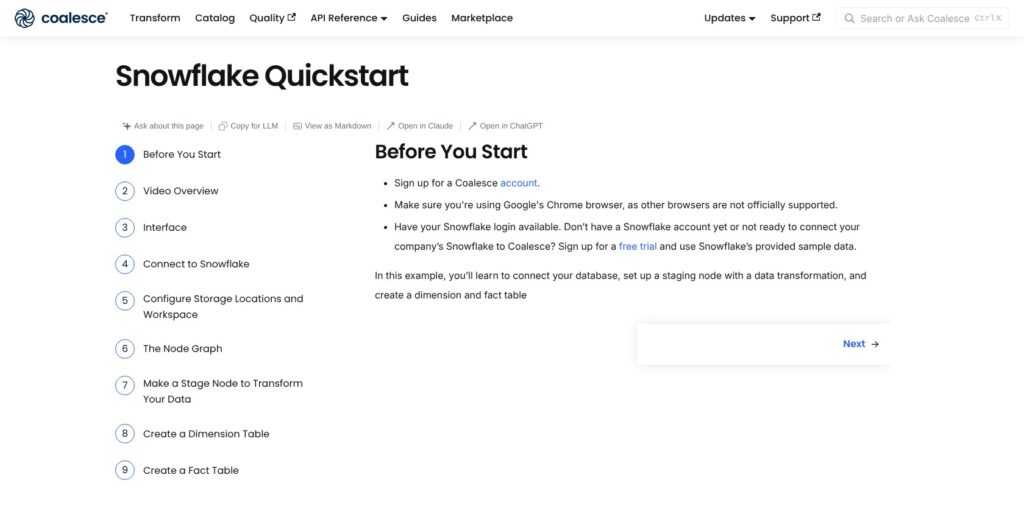
Coalesce has two front doors: a web workspace with a node sidebar, and the coa CLI, which expects a Git repo, a warehouse profile and ideally a coding agent.
Signing Up
Create a free Developer account in Google Chrome, the supported browser, or start through Snowflake Partner Connect. Open the default Project’s Development Workspace and click Launch.
Connecting a Warehouse and Mapping Storage
In Build Settings, Development Workspaces, enter your Snowflake account URL and credentials, Test Connection and Save. Under Storage Mappings, map SAMPLE to the TPCH_SF1 sample schema and WORK to a schema you can write to.
BigQuery connects with OAuth or a service account, Databricks with OAuth, a service principal or a personal access token, and Fabric through an Azure service principal with a Contributor role on the workspace.
Building the First Nodes
Add Sources from the Nodes sidebar, right-click NATION, choose Add Node and Stage Node, set storage to WORK, then Create and Run. Change a column transform, for example to LOWER(), and Run again.
Stage CUSTOMER and build a Dimension node keyed on C_CUSTKEY, tracking C_ADDRESS and C_PHONE for Type 2. Stage ORDERS, drag in DIM_CUSTOMER_KEY, click Generate Join, add a Fact node keyed on O_ORDERKEY and verify with an aggregate query.
What I Found in the coa CLI
I installed @coalescesoftware/coa 7.46.2, published October 10, 2026: one 82 MB npm package with 11 local and 13 cloud commands.
In an empty folder, coa doctor ran in 35 ms and told me that data.yml, locations.yml and workspace.yml were missing, as was a ~/.coa/config profile. coa doctor –fix wrote a placeholder workspace.yml and a .gitignore entry, and coa validate then passed with 21 conditions checked.
Even coa run –dry-run refused to start without a warehouse profile, so nothing touches data until coa init stores credentials. Init takes –non-interactive for agents and CI and offers Snowflake, Databricks and BigQuery, but not Fabric.
coa describe prints a manual written for an agent, down to a “What the agent may change without asking” section, and states that create runs DDL and run runs DML against the warehouse, while plan and deploy are cloud-only. coa serve runs the Coalesce UI locally on port 8082 with live sync, the layer Coalesce Desktop wraps.
Reviewer’s Notes: Use the web workspace for your first pipeline if the team is new to the node model, and the CLI if an engineer with Claude Code or Cursor will do most of the building. Either way, point Developer at a development database, never production, because local create and run execute DDL and DML immediately.
Column-Aware Transformation and Node Types
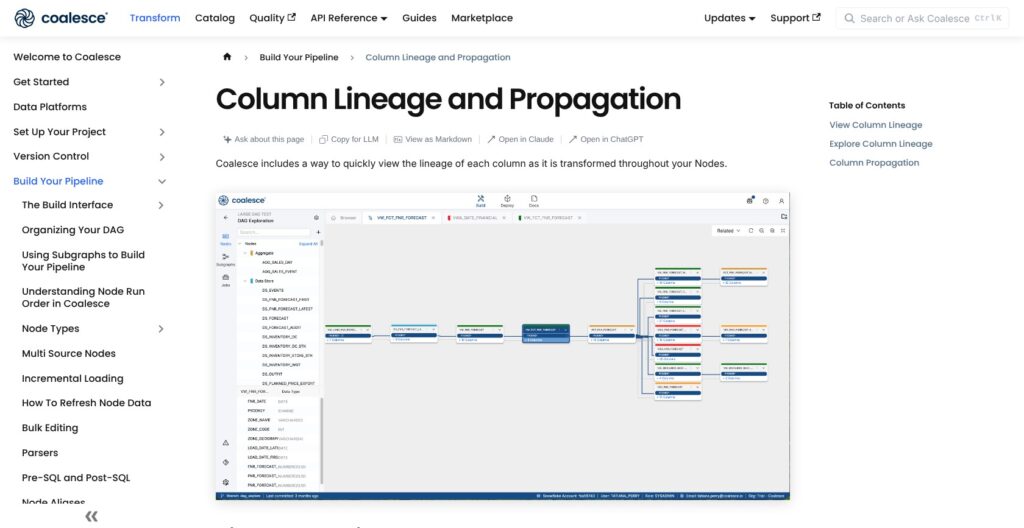
A Coalesce pipeline is a directed graph of Source, Stage, Persistent Stage, Dimension, Fact and View nodes, each a warehouse table or view generated from a Jinja template pair (create.sql.j2 for DDL, run.sql.j2 for DML), with every column tracked as metadata.
Column Lineage and Propagation
Right-click a column, open View Column Lineage, choose Propagate Addition or Propagate Deletion, pick the target node, preview and apply; for deletions you tick which downstream columns go. Users credit it with cutting a build from about 15 days to a couple of days, and it is the one feature I would buy Coalesce for. It covers additions and deletions only, not an edited transformation expression.
SQL Nodes Versus YAML Nodes
SQL node types are a SELECT with inline annotations and inferred columns; YAML node types use a mapping grid. There is no automatic conversion between the two, and Coalesce recommends SQL for staging and heavy logic, YAML for Dimensions and Facts.
| Node format | Platforms | Columns defined by | Rename behavior |
|---|---|---|---|
| SQL node | Snowflake, BigQuery | Inferred from the SELECT | Deploys as a new column |
| YAML node | Snowflake, Databricks, BigQuery, Fabric | Mapping grid | Renames in place, data kept |
Packages and Platform Depth
Snowflake gets the most: a dynamic-tables package with lag settings such as 1 or 15 minutes and auto, incremental or full refresh, Cortex ML and LLM-function guides, and Streams and Tasks through user-defined nodes. In Coalesce’s VodafoneZiggo case study, the team built nine custom patterns on the Scalefree Data Vault package. Databricks and Fabric run YAML nodes only and Redshift is in private preview, so I would not assume parity off Snowflake.
Where It Gets Rough
Users report slowness and clutter on sub-graphs of 30 to 40 nodes, drag-and-drop failures and no bulk column edit. Post-hooks, update statements and custom SQL outside the node model have blocked migrations and sent some teams to dbt. Users put the Copilot’s accuracy at 60 to 70 percent, and AI-placed nodes are hard to undo.
If your warehouse is Snowflake and your models are dimensional or Data Vault, the node model pays for itself. If your logic is 200 hand-tuned SQL models with hooks, dbt Core or SQLMesh will fight you less.
Deployment, Scheduling, Git and the Agentic Workflow
Git is mandatory in Coalesce, because a deployment is one selected commit from a branch, reviewed as a plan and applied to an environment.
Git and Deploy
Coalesce connects to GitHub, Bitbucket, GitLab and Azure DevOps Git on every plan, and the Git modal handles the current branch, commits, branch switching and pulling remote commits. The Deploy wizard runs Select Commit, Parameters (JSON overrides, plan caching off by default), Review Plan across Nodes, Subgraphs, Jobs, Mappings, Node Types, Macros and Packages, then Deploy, which stays disabled while blocking errors exist.
Results land in the Activity Feed, the API or the CLI with –out. Starter’s single environment makes dev-to-prod promotion an Enterprise feature.
Scheduling and Orchestration
The built-in scheduler takes a cron expression in UTC with a separate timezone field, retries from the start or the point of failure, email notifications, multiple schedules per job and JSON runtime parameters. Only deployed jobs can be scheduled, so Refresh All and ad hoc runs go through the CLI or API.
A scheduled run uses the credentials of whoever last edited the schedule, so own your schedules with a service account. Airflow has no provider: the documented pattern is a BashOperator calling POST /scheduler/startRun, then GET /scheduler/runStatus, and GitHub Actions and Snowflake tasks use the same API. Matillion bills orchestration at 1 credit per task hour; Coalesce counts only the node executions a schedule triggers.
Coalesce 2.0: coa, Desktop and MCP
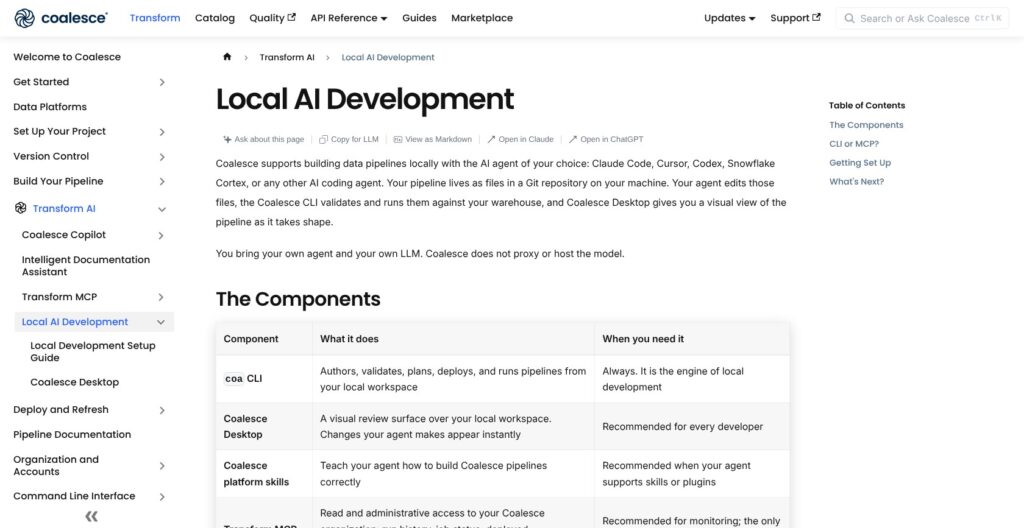
Since September 15, 2026, pipelines are files in a Git repo that coa builds, validates and runs locally against the warehouse, with credentials kept in ~/.coa/config. Coalesce Desktop, generally available for macOS and Windows, bundles Node.js and the CLI, syncs the graph both ways with the files, deploys through the CLI, opens one workspace at a time and has no Copilot.
The Transform MCP server gives Claude Code, Cursor, Codex or Snowflake Cortex Code read and admin access to runs, jobs and environments, and Coalesce neither hosts nor proxies the model. Local development needs coa 7.33 or later (7.40 for BigQuery), and Snowflake network policies may need to allow developer machines.
If you would otherwise run dbt Cloud plus an orchestrator plus a catalog, Coalesce collapses deploy, schedule and lineage into one tool. If your standard is Airflow, you are writing curl calls, and Coalesce documents no Dagster integration.
Catalog and Quality: What the Acquisitions Add
Two acquisitions turned Coalesce into a three-product platform on one actions meter.
Catalog (the Former CastorDoc)
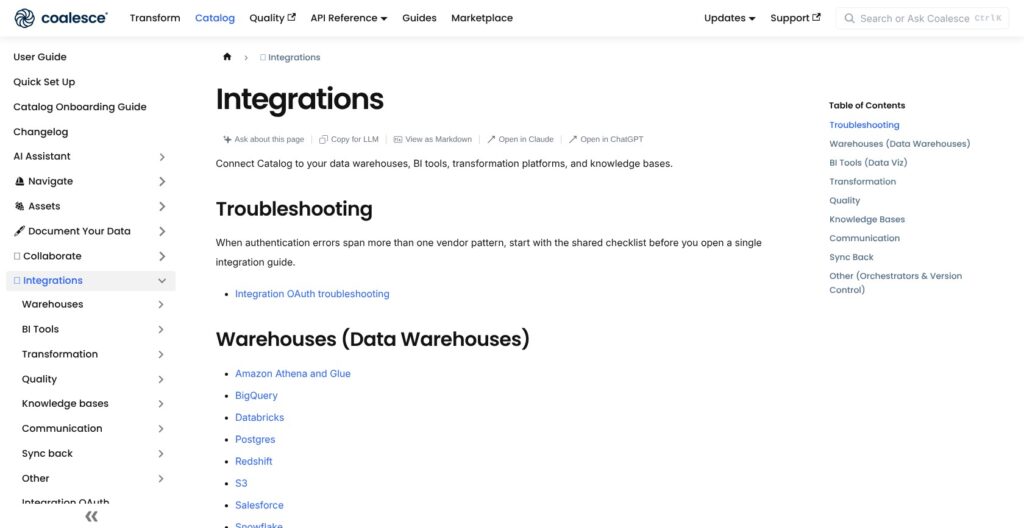
Coalesce acquired CastorDoc on March 19, 2025. Catalog lists 37 integrations in 8 categories, including 9 warehouses, 10 BI tools, dbt, Monte Carlo, Soda, Slack, Airflow and sync-back to Snowflake (Tableau, Looker and BigQuery sync-back are beta). AI features include an AI Assistant, SQL Copilot, Describe With AI and PII tagging suggestions, and the Catalog MCP server walks column lineage up to 10,000 nodes.
Developer gets no integrations, Starter 3 and Enterprise 5, and paid plans count Coalesce and Snowflake as two of them, leaving a Starter team one slot for a BI tool. In Coalesce’s own Doctolib case study, catalog monthly active users rose from about 100 to 600 at rollout on Redshift with no Coalesce Transform, so the catalog stands on its own.
Quality and the Scout Agent (the Former SYNQ)
Coalesce acquired SYNQ on March 10, 2026, and Quality’s monitor refreshes count as actions. Scout is an agent over the warehouse and the Quality workspace that answers what an asset is, what changed and what broke, and can set issue status, comment, open incidents and author monitors and tests.
It runs as hosted or local MCP, a CLI or a long-lived triage agent; gated writes need confirmation, and warehouse queries and model calls are your cost. Monte Carlo and Sifflet remain Catalog integrations if you keep a separate observability tool.
The Company in 2026
Armon Petrossian (CEO) and Satish Jayanthi founded Coalesce, which raised a $26M Series A in 2022 and a $50M Series B in April 2024 with Snowflake Ventures in the round, about $81M in total and no round since.
By Coalesce’s own numbers, 1-800-Flowers moved 88 pipelines in four months with a 75 percent faster nightly batch, and Texas Mutual cut legacy ELT tool cost by more than 50 percent. I read these as legacy-migration wins, not benchmarks against dbt.
A Snowflake-anchored company absorbing two acquisitions while rewriting its development model is my main risk flag, so lock the Enterprise price and the overage rate into the contract. Ownership churn is category-wide, since dbt Labs has been part of Fivetran since June 1, 2026.
How Does Coalesce Compare to Competitors?
Coalesce wins when column-level lineage, a visual builder and a bundled catalog matter more to you than open source or the largest talent pool.
- dbt Cloud: Developer is free for 1 seat and 3,000 models built a month, Starter is $100 per user per month for 5 seats and 15,000 models, and there is a 14-day trial, but column-level lineage is reserved for Enterprise, where Coalesce includes it on the free plan. It wins for SQL-first teams that want the biggest talent pool and the open-source dbt Core underneath, now owned by Fivetran.
- SQLMesh and Tobiko Cloud: the core is free under Apache 2.0, and Tobiko Cloud adds a hosted scheduler, RBAC, SSO and cost tracking on a quote-only platform fee plus consumption. It wins for engineers who want code-defined pipelines without a visual builder or a vendor format.
- Matillion: quote-only annual credit packages bill orchestration at 1 credit per task hour and transformation at 3, with a 14-day trial of 500 credits. It wins when ingestion and transformation belong on one canvas and you want validation and sampling never billed, and loses on price transparency.
- Dataform: free inside Google Cloud with Git and dependency management included, while BigQuery queries, Cloud Logging and any Cloud Composer or Scheduler are billed separately. It wins for BigQuery-only shops that want SQL workflows with no license.
- Prophecy: Starter is free with 20 credits, Professional is $150 per user per month billed monthly, and Enterprise Express is $4,000 a month for up to 20 users. It wins for Databricks teams moving off Alteryx or Informatica onto a low-code canvas.
| Tool | Pricing model | Published starting price | Platforms | What it bundles |
|---|---|---|---|---|
| Coalesce | Per user plus actions | $150 per user per month; Developer free | Snowflake, Databricks, BigQuery, Fabric, Redshift preview | Transform, catalog, quality, scheduler |
| dbt Cloud | Per seat plus models built | $100 per user per month; Developer free | Warehouse-agnostic via adapters | Transform, scheduler, semantic layer |
| SQLMesh / Tobiko Cloud | Open source; cloud quote-only | Free | Warehouse-agnostic | Transform, hosted scheduler on Tobiko Cloud |
| Matillion | Annual credit packages | None published | Snowflake, Databricks, Redshift, BigQuery | Ingestion, transform, orchestration |
| Dataform | Free, BigQuery billed | Free | BigQuery only | Transform |
| Prophecy | Per user plus credits | $150 per user per month; Starter free | Databricks, Snowflake, BigQuery | Low-code data prep |
Choose Coalesce over dbt Cloud when your team builds dimensional or Data Vault models in a GUI and wants lineage and a catalog in one bill. Choose dbt Cloud or SQLMesh when your engineers write SQL and want an open core, and Matillion when ingestion is the bigger problem.
How I Reviewed Coalesce
I evaluated Coalesce on the areas Panoply weighs for every data tool: pricing transparency, openness and exit costs, setup and operating effort, platform depth, and development momentum.
For Coalesce that meant installing the coa CLI 7.46.2 and working through doctor, validate, init and the describe manual in a fresh workspace, pricing three example workloads in actions against the four plans, tracing the web quickstart through deploy and scheduling, tracing the CastorDoc and SYNQ acquisitions and the 2.0 launch, and weighing sustained user reports on large-graph performance and the Copilot.
I compared prices and plan features against dbt Cloud, SQLMesh, Matillion, Dataform and Prophecy at their current list rates. I did not connect a warehouse, so run times and large-graph behavior are not my own measurements. Prices current as of October 2026.
Should You Build Your Transformations on Coalesce?
Yes, if your warehouse is Snowflake, Databricks, BigQuery or Fabric, your models are dimensional or Data Vault, and your team wants a visual, column-aware builder with Git on every plan. It fits 1 to 4 people on Starter at $150 a seat, or an enterprise ready to negotiate the 5-plus-seat tier that wants Catalog and Quality on the same meter.
Skip it if your engineers already write dbt or SQLMesh and want an open core (both cores are free, and dbt Starter is $100 a seat), if you need 2 environments or a fifth user without a sales call, if your migration leans on post-hooks, update statements and custom SQL, or if you run Redshift, which is still private preview.
Next step: create the free Developer account, build the quickstart star schema or run coa init against a development database, deploy one real nightly job and read the actions count after a month. Then ask sales for the overage rate and the Enterprise price in writing before you sign the annual.
FAQ
How much does Coalesce cost?
Developer is free for 1 user with 2,000 actions a month as a hard cap. Starter is $150 per user per month billed annually for up to 4 Transform users and 15,000 actions a month, with Catalog and Quality included. Enterprise and Business Critical are custom priced, and warehouse compute is billed separately by your Snowflake, Databricks, BigQuery or Fabric account.
Is Coalesce only for Snowflake?
No. Coalesce runs on Snowflake, Databricks, BigQuery and Microsoft Fabric, with Amazon Redshift in private preview. SQL node types work only on Snowflake and BigQuery, while YAML node types work on every platform. Snowflake still has the deepest packages, including dynamic tables, Cortex guides and Streams and Tasks.
What counts as a Coalesce action?
An action is one successful node execution, one Catalog asset refresh or one monitor refresh in a production deployment. Development runs and failed nodes are not metered. On paid plans, pipelines keep running past the monthly allowance and the excess bills per action at an unpublished rate, while the free Developer plan stops at 2,000.
Does Coalesce have a scheduler?
Yes. The built-in scheduler takes cron expressions in UTC, retries a job from the start or from the point of failure, sends email notifications and allows multiple schedules per job. Only deployed jobs can be scheduled. Airflow users trigger runs with a BashOperator against the REST API, since Coalesce ships no Airflow provider.
How is Coalesce different from dbt?
Coalesce is visual and column-aware, with change propagation, a bundled catalog and quality layer, and a per-user-plus-actions price from $150. dbt is code-first with an open-source core, a per-seat-plus-models price from $100 and the bigger ecosystem. dbt Labs has been part of Fivetran since June 2026.