
Editor’s note: This DataHub review evaluates the pricing model, the self-hosted setup, the Core versus Cloud feature split, and documented capabilities. It is not a hands-on performance test.
Quick verdict: I recommend DataHub for data platform teams that want a free, Apache 2.0 catalog with column-level lineage, a business glossary and data contracts, and have the engineers to run it. The trade-off is operational: self-hosting means running Kafka, OpenSearch or Elasticsearch, MySQL or Postgres and the GMS metadata service, and the managed DataHub Cloud edition that removes that work (and adds monitors and the Ask DataHub agent) is quote-only.
Key Takeaways
- DataHub Core is free under Apache 2.0 and includes column-level lineage, a business glossary, ownership, domains, data contracts and incident management
- The quickstart runs on one laptop with Docker and 8GB of RAM, and brings up the UI at localhost:9002 with a single command
- Production self-hosting is a multi-service operation: Kafka, a search cluster, a SQL store and staged upgrades (anything older than 1.7.0 must pass through 1.6.0 first)
- Freshness, volume and schema monitors, AI-written docs, Ask DataHub and fine-grained access control are Cloud-only
- DataHub Cloud prices are not published; you get a quote after a demo
For this review, my priority is whether DataHub’s free edition gives an engineering team enough catalog to justify running six services. If you only need a searchable list of a few dozen tables, I would start with a lighter tool.
In this review, I’ll take a closer look at DataHub’s pricing, the self-hosted setup, lineage and governance features, and how it stacks up against OpenMetadata and Atlan, so you can see whether it belongs in your stack.
Pros and Cons
Pros
- Apache 2.0 core with no license fee and no user cap
- Column-level lineage and impact analysis included free
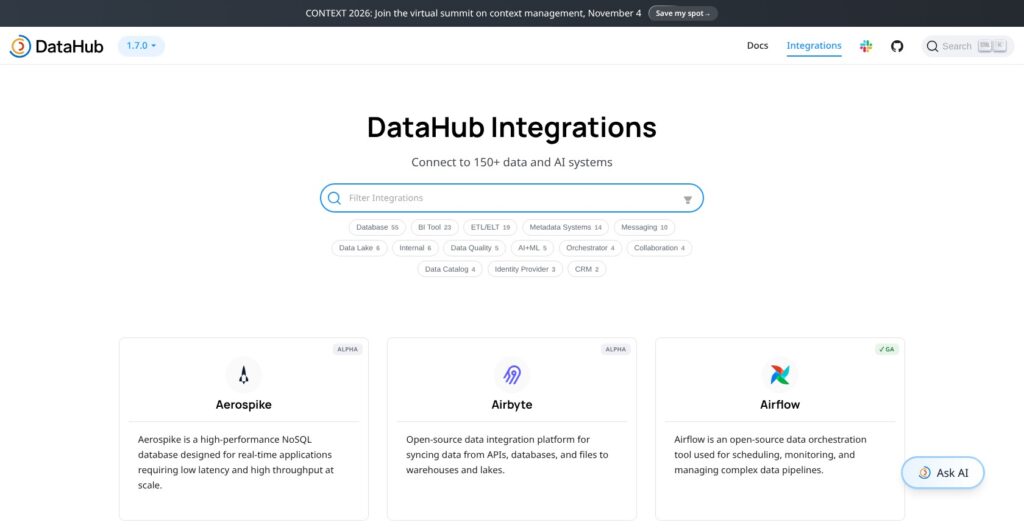
- 140+ ingestion connectors, run from YAML recipes or the UI
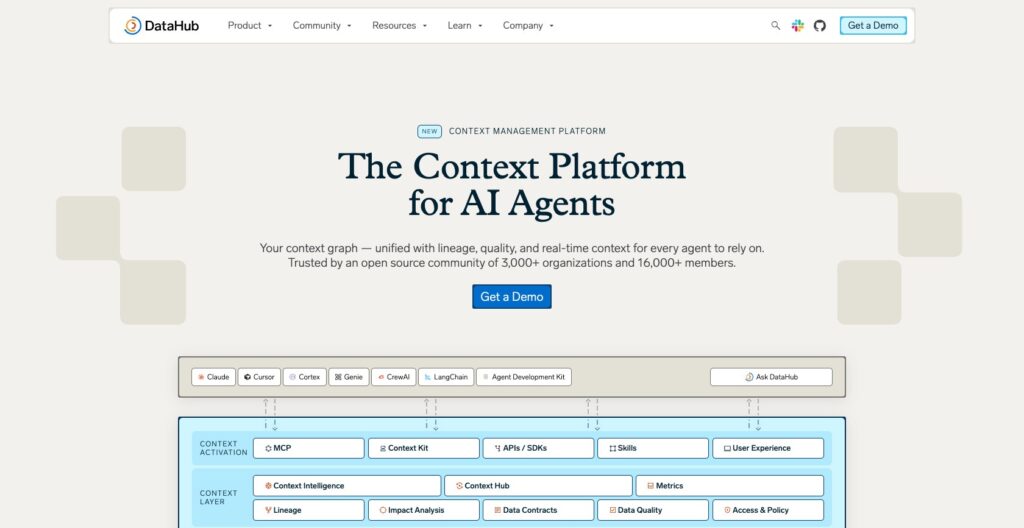
- Open-source MCP server lets Claude, Cursor and Windsurf query the catalog
- Frequent releases: 1.7.x stable, 1.8 release candidates in October 2026
Cons
- Self-hosting means running Kafka, OpenSearch, MySQL and the GMS service
- Upgrades must step through specific versions (1.6.0 before 1.7.x)
- Data quality monitors and AI features are locked to Cloud
- No published Cloud pricing; a demo comes first
How Much Does DataHub Cost?
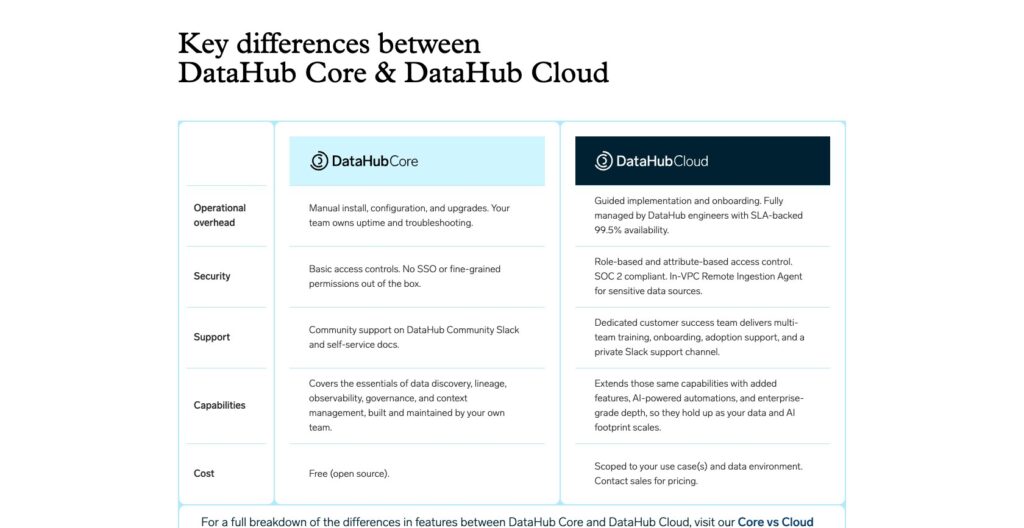
DataHub comes in two editions, Core (free, Apache 2.0, self-hosted) and Cloud (managed, priced after a demo). I wouldn’t build a budget around an unofficial Cloud figure: the useful number is what your users and metadata volume will cost in a real quote.
- DataHub Core (free): the open-source platform you host yourself, with column-level lineage, the business glossary, data contracts, incident management, the full GraphQL API and SDKs, and the open-source MCP server
- DataHub Cloud (custom quote): the managed SaaS edition with a 99.5% uptime SLA, freshness, volume and schema monitors, Ask DataHub, AI-written docs, Slack and Teams alerts, a remote in-VPC ingestion agent, AWS PrivateLink, and dedicated customer success
Active users and metadata volume drive the Cloud quote, and DataHub Cloud is also sold through AWS Marketplace, which suits teams buying against an existing AWS commitment. Unlike Atlan or Alation, DataHub gives you a free edition to evaluate before that conversation.
| Edition | Price | Hosting | Monitors and AI | Support |
|---|---|---|---|---|
| DataHub Core | Free (Apache 2.0) | Self-hosted: Docker quickstart or Kubernetes via Helm | None built in; contracts and incidents only | Community forum |
| DataHub Cloud | Custom quote after a demo | Managed SaaS, 99.5% uptime SLA, in-VPC ingestion agent | Freshness, volume, schema and column monitors, AI anomaly detection, Ask DataHub, AI-written docs | Dedicated customer success, guided onboarding, private Slack channel |
Self-hosting Core still has a bill:
- Compute for six services: GMS, the frontend, Kafka with its schema registry, OpenSearch or Elasticsearch, and MySQL or Postgres, plus the system-update job on every release
- A real cluster, not the quickstart: the quickstart footprint of 2 CPUs, 8GB of RAM and 13GB of disk is for evaluation only, with default credentials and no horizontal scaling
- Engineering time: version-gated upgrades, reindexing when search drifts from the SQL store, and keeping the Python client in step with the server
Is DataHub Good Value for Money?
I see the strongest case for DataHub when a platform team will treat the catalog as infrastructure. Its value is harder to justify when nobody owns the stack.
- Good fit: you have platform engineers and want column-level lineage, a glossary and data contracts at no license cost, where Atlan, Alation and Collibra are all quote-only
- Closest free rival: OpenMetadata, also Apache 2.0, reaches a working catalog with lineage faster
- Cloud value depends on the quote: the monitors and AI features it adds are what a self-hoster would otherwise buy from an observability tool such as Monte Carlo
- Budget priority: price the people, not just the servers; plan on a fraction of a platform engineer’s time to keep Core healthy
Reviewer’s Notes: My recommendation is a two-week Core pilot on the quickstart against two or three real sources. If what you want next is monitors, AI-written docs or no operations work at all, ask for a Cloud quote and use the Core-to-Cloud migration, which moves assets, lineage, glossary terms, ownership, domains and tags but not ingestion sources, secrets or time-series history.
Getting Started With DataHub
You need a platform owner before you need a catalog. DataHub Core gives an engineering team a lot to build on, but I wouldn’t approach it as a tool an analytics team can stand up and maintain on its own.
Installing DataHub Core
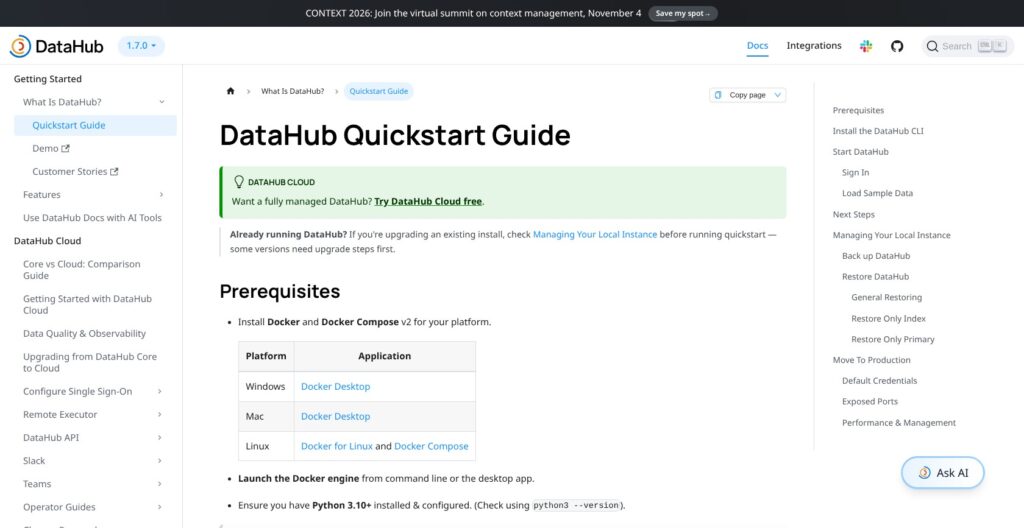
The quickstart needs Docker with Compose v2 and Python 3.10 or newer. You install the CLI with pip install acryl-datahub and run datahub docker quickstart.
That one command pulls the whole stack: MySQL as the metadata store, OpenSearch as the search index, a Kafka broker, the GMS metadata service, the frontend, a system-update job and datahub-actions. The documented footprint is 2 CPUs, 8GB of RAM, 2GB of swap and 13GB of disk, which keeps the quickstart a laptop exercise rather than a production deployment.
The UI comes up at localhost:9002 with the default login datahub/datahub. I would change that password immediately; the quickstart ships with it, runs on a single host, and cannot scale horizontally.
The trial stack is heavier than OpenMetadata’s, which reaches a working catalog with lineage faster. If all you want this week is a searchable inventory, I’d start there.
Loading Sample Data and Running a First Ingestion
datahub init points the CLI at the local server, and datahub datapack load showcase-ecommerce fills the UI with a sample e-commerce catalog. I like this step because you can see lineage, owners and glossary terms before you connect anything real.
A real source takes one of two routes:
- CLI: a YAML recipe (
datahub ingest -c recipe.yml) naming the source, its credentials and the sink - UI: the ingestion wizard, which takes the same settings through forms and lets you attach a schedule
Version coupling is the trap. The Python client and the server must be compatible, or the run ends with the client unable to emit metadata to GMS. I would pin the acryl-datahub version to your server release before automating anything.
Finding Data and Tracing Lineage
Search filters by platform, owner, domain, tag and glossary term, and every result opens an asset page with the schema, owners, tags, terms, descriptions and a health status.
The Lineage tab draws the upstream and downstream graph and, where the source supports it, drills to column level with an impact analysis showing which dashboards a column change would break. Airflow DAG and task lineage lands here too once the Airflow integration is installed.
I wouldn’t keep a quickstart pilot running as your catalog of record. datahub docker quickstart --backup skips time-series data such as dataset profiles and stats, and search results can lag the SQL store until a reindex.
Search, Lineage and the Metadata Model
DataHub stores metadata as an event stream: every change arrives as a metadata change proposal over Kafka, the architecture LinkedIn built in its 2019 rewrite, so sources push updates as they happen instead of waiting for a scheduled batch scan.
Core gives you, on top of that model:
- Column-level lineage and impact analysis across warehouse tables, dbt models and BI dashboards
- Airflow integration that captures DAG and task lineage as pipelines run
- Domains, data products and ownership to group assets by team and accountable person
- A business glossary whose terms attach to datasets and individual columns
- A GraphQL API and SDKs covering what the UI can do
- The Actions framework to trigger your own code when metadata changes
Search depends on OpenSearch or Elasticsearch staying in sync with the SQL store, and that index is the weak spot. When the two drift, an ingestion run can succeed with no new assets visible in search until a reindex.
Swapping the bundled Kafka and search for AWS MSK and OpenSearch works, but each component is its own migration. I would decide on managed services before the first production deploy rather than after.
Usage-aware search ranking and query-history mining are Cloud-only, so Core ranks results without knowing which tables your analysts actually query.
Atlan’s lineage view is more polished for business users who never open a terminal. DataHub exposes the same graph through the API and the MCP server, which is what I’d want for an engineering team.
Data Contracts, Quality Checks and Governance
Core ships data contracts, incident management and a health status on every asset page, but the monitors that populate those signals automatically (freshness, volume, schema and column checks, custom SQL, AI anomaly detection) are Cloud-only.
| Area | DataHub Core | DataHub Cloud adds |
|---|---|---|
| Glossary, ownership, domains | Included | Lineage-based propagation of docs and tags |
| Data contracts and incidents | Included | Assertion notifications, circuit breakers API, data health dashboard |
| Quality monitors | None | Freshness, volume, schema, column, custom SQL, AI anomaly detection |
| Access control | Role-based policies | Fine-grained access control, access request workflows |
| Stewardship workflows | None | Compliance forms, workflow engine, metadata tests, change proposals |
| Notifications | None built in | Slack, Teams and email |
Core’s full API lets you write your own test results into that model, but you build the glue yourself, and the dbt test integration is thinner than its lineage support.
If stewardship workflows are the point, Collibra’s compliance and approval flows go deeper than anything in Core. If pipeline observability is the point, I’d look at Monte Carlo and Anomalo, which are dedicated observability products and cover more of that ground than Core does.
I see Core as a catalog with governance primitives and Cloud as a governance and observability product. That gap is the whole commercial model.
MCP Server, APIs and the AI Context Layer
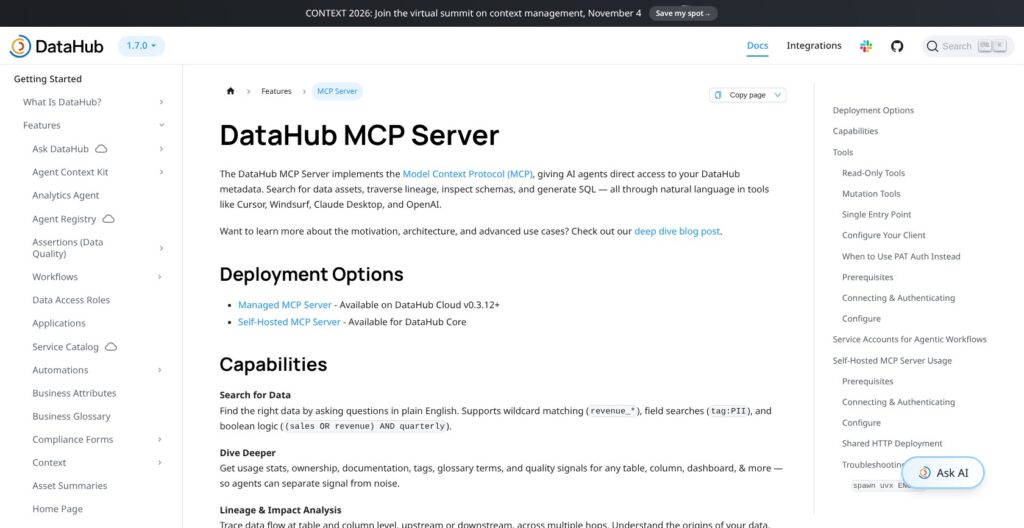
The open-source mcp-server-datahub runs against a self-hosted Core instance with uvx mcp-server-datahub@latest and two environment variables, DATAHUB_GMS_URL and DATAHUB_GMS_TOKEN, so the free edition can answer “which dashboards break if I drop this column?” for an AI agent. Once connected, Claude Desktop, Cursor or Windsurf get tools to search with boolean filters, pull lineage at table and column level, and look up schema fields and queries.
Write tools (tags, terms, owners, domains, descriptions) are off by default and only switch on with TOOLS_IS_MUTATION_ENABLED=true. I like that default for anything an agent can reach.
The same GraphQL API behind the MCP server is open to your own code, and the Actions framework turns metadata events into automations, such as alerting a channel when a new table lands without an owner.
Cloud adds the hosted side: a managed, scoped MCP server, the Ask DataHub agent inside the product, AI-written descriptions, and the context layer that shipped as DataHub Cloud v1 in May 2026 for analytics agents such as Databricks Genie and Snowflake Intelligence, with v1.1.0 adding the Context Hub.
On Core you get retrieval; on Cloud you get the agent and the hosting. For most engineering teams, retrieval is the part that matters, and it costs nothing on Core.
How Does DataHub Compare to Competitors?
I would shortlist alternatives based on who will run the catalog and who will use it.
- OpenMetadata: the other Apache 2.0 catalog, with a simpler stack and a faster path to a working catalog with lineage; Collate sells the managed version. My first comparison if you want a catalog this quarter and do not plan to build on the metadata model.
- Atlan: polished active-metadata UX for analysts and business users, quote-only. Worth it if adoption outside the data team is the goal.
- Alation: enterprise catalog with machine-suggested tags and descriptions, quote-only. Built for compliance-heavy enterprises with dedicated data stewards.
- Collibra: governance workflows for regulated industries, quote-only and a heavy rollout. I’d favor it if approval chains and policy management outrank lineage.
- Unity Catalog and Microsoft Purview: platform-native if you live inside Databricks or Azure, but each ties you to that one platform’s estate.
- Amundsen: Lyft’s lightweight search-first catalog, with narrower governance and lineage than DataHub.
| Tool | License | Pricing | Best for |
|---|---|---|---|
| DataHub | Apache 2.0 (Core), commercial (Cloud) | Free Core, quote-only Cloud | Engineering teams building on a metadata model |
| OpenMetadata | Apache 2.0 | Free; Collate managed edition via sales | Fastest free path to a working catalog |
| Atlan | Commercial | Quote-only | Business-user adoption |
| Alation | Commercial | Quote-only | Enterprise stewardship |
| Collibra | Commercial | Quote-only | Regulated-industry governance |
| Amundsen | Apache 2.0 | Free | Lightweight discovery |
I wouldn’t choose between these on connector counts alone. DataHub stays my pick when the catalog is infrastructure: free lineage, a push architecture, an open API and an MCP server you can run yourself.
How I Reviewed DataHub
I evaluated the pricing model, the documented self-hosted setup and upgrade path, the Core versus Cloud feature split, lineage and governance features, and the MCP server against the needs of a team choosing a data catalog. My recommendations weigh practical buyer fit and operating effort; they do not represent measured performance results or hands-on usability scores.
Pricing model and product details checked in October 2026.
Should You Run Your Data Catalog on DataHub?
I recommend DataHub if you have a platform team comfortable with Kubernetes and Kafka and want column-level lineage, a glossary and data contracts without a license fee. I’d recommend it too for AI teams that need an MCP-ready catalog their agents can query today, because Core ships that server for free.
DataHub Cloud makes sense if you want freshness, volume and schema monitors, AI-written docs and zero operations work, and your organization can absorb a quote-only enterprise contract bought after a demo or through AWS Marketplace.
I’d be more cautious if your estate is a few dozen tables or you have no one to own the stack. The Kafka, search and SQL footprint outweighs the catalog at that size, and OpenMetadata or a commercial catalog like Atlan will get you further with less.
For the right team, the next step costs nothing: run datahub docker quickstart, ingest two real sources with a recipe and the UI wizard, open the lineage graph on a table your analysts care about, and decide from there. The official site is datahub.com.
FAQs
Is DataHub free?
DataHub Core is free under the Apache 2.0 license with no user cap, and it includes column-level lineage, the business glossary, data contracts, incidents, the GraphQL API and the open-source MCP server. You pay for the infrastructure (Kafka, a search cluster, a SQL store) and the engineering time to run and upgrade it. DataHub Cloud is a paid, custom-quoted edition.
What does DataHub Cloud cost?
DataHub does not publish Cloud prices. Quotes follow a demo and scale with active users and metadata volume, and DataHub Cloud is also sold through AWS Marketplace. Budget for an annual enterprise contract and ask for the monitor and AI features to be itemized, since those are the main reason to pay over running Core.
Is Acryl Data the same as DataHub?
Yes. Acryl Data, founded in 2021 to commercialize the open-source project LinkedIn created, renamed itself DataHub in May 2025 alongside a $35M Series B led by Bessemer Venture Partners. The open-source project, the company and the managed Cloud edition all carry the DataHub name now.
What do I need to self-host DataHub?
For evaluation, Docker with Compose v2, Python 3.10 or newer, and a machine with 2 CPUs, 8GB of RAM and 13GB of disk; datahub docker quickstart does the rest. For production, Kubernetes with the official Helm 3 charts plus Kafka, MySQL or Postgres, and Elasticsearch or OpenSearch, which most teams run as managed cloud services.
DataHub vs OpenMetadata: which is better?
OpenMetadata is better if you want a working catalog with lineage quickly and a simpler stack to operate. DataHub is better if you plan to build on the metadata model, want push-based ingestion over Kafka, or need the open-source MCP server and Actions framework. Both are Apache 2.0, so the license is a wash; the difference is operating effort versus extensibility.
Does DataHub have an MCP server?
Yes. The open-source mcp-server-datahub runs against a self-hosted Core instance and gives Claude, Cursor and Windsurf tools to search the catalog, trace table and column lineage, and look up schema fields and queries. Write operations are disabled unless you set TOOLS_IS_MUTATION_ENABLED=true. DataHub Cloud adds a hosted, scoped MCP server and the Ask DataHub agent.