Editor’s note: This Elasticsearch review weighs search flexibility, AI retrieval, pricing, and the work involved in running the platform.
Quick verdict: I recommend Elasticsearch for engineering teams that need detailed control over search or want to investigate logs and documents in the same platform. Its mix of keyword search, vector retrieval, and analytics gives you plenty of room to grow, but getting good results takes more than uploading your data. My biggest reservation is the ongoing work: someone still needs to own relevance, retention, and cost.
Key Takeaways
- Keyword and vector search work together, making Elasticsearch a strong shortlist for applications that need exact matches and meaning-based retrieval.
- Kibana adds a useful interface for exploring indexed data and building dashboards.
- Self-managed Basic has no software fee, but you still need infrastructure and someone to run it.
- Managed hosting reduces infrastructure work, but data modeling and search quality still need attention.
- AI inference, retained data, and deployment choices can make the bill considerably more complicated than a single starting price suggests.
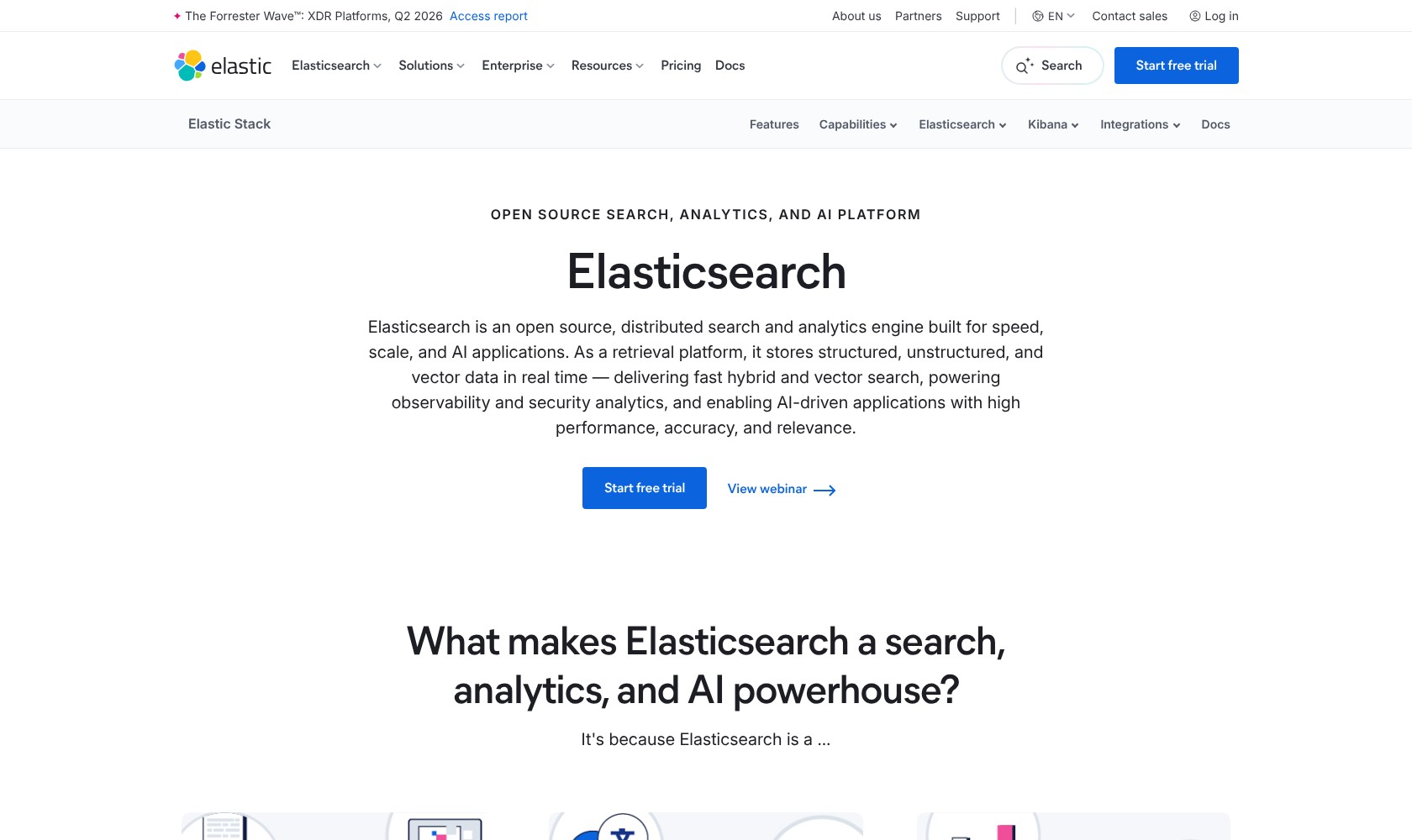
Elasticsearch makes the most sense when finding the right information is part of your product’s value. For a support portal, that might mean matching an exact error code and a loosely worded description of the same problem. For an operations team, it means searching individual events and then investigating a wider pattern.
In this review, I’ll take a closer look at the pricing, setup choices, and features that would influence my decision to use it.
Pros and Cons
Pros
- Combines keyword, vector, and hybrid retrieval.
- Kibana supports document exploration and dashboards.
- Free Basic tier for self-managed deployments.
- Hosted, Serverless, and self-managed deployment choices.
- Semantic text fields automate chunking and embeddings.
Cons
- Search quality still needs evaluation and tuning.
- Self-managed clusters require sizing and retention planning.
- Cloud entry prices do not represent the complete bill.
- Advanced capabilities depend on subscription and deployment.
How Much Does Elasticsearch Cost?
I would choose a deployment model before comparing subscription tiers. Self-managed Elasticsearch puts you in charge of the infrastructure. Cloud Hosted manages the deployment while preserving more configuration control, and Serverless takes node and shard management out of your hands.
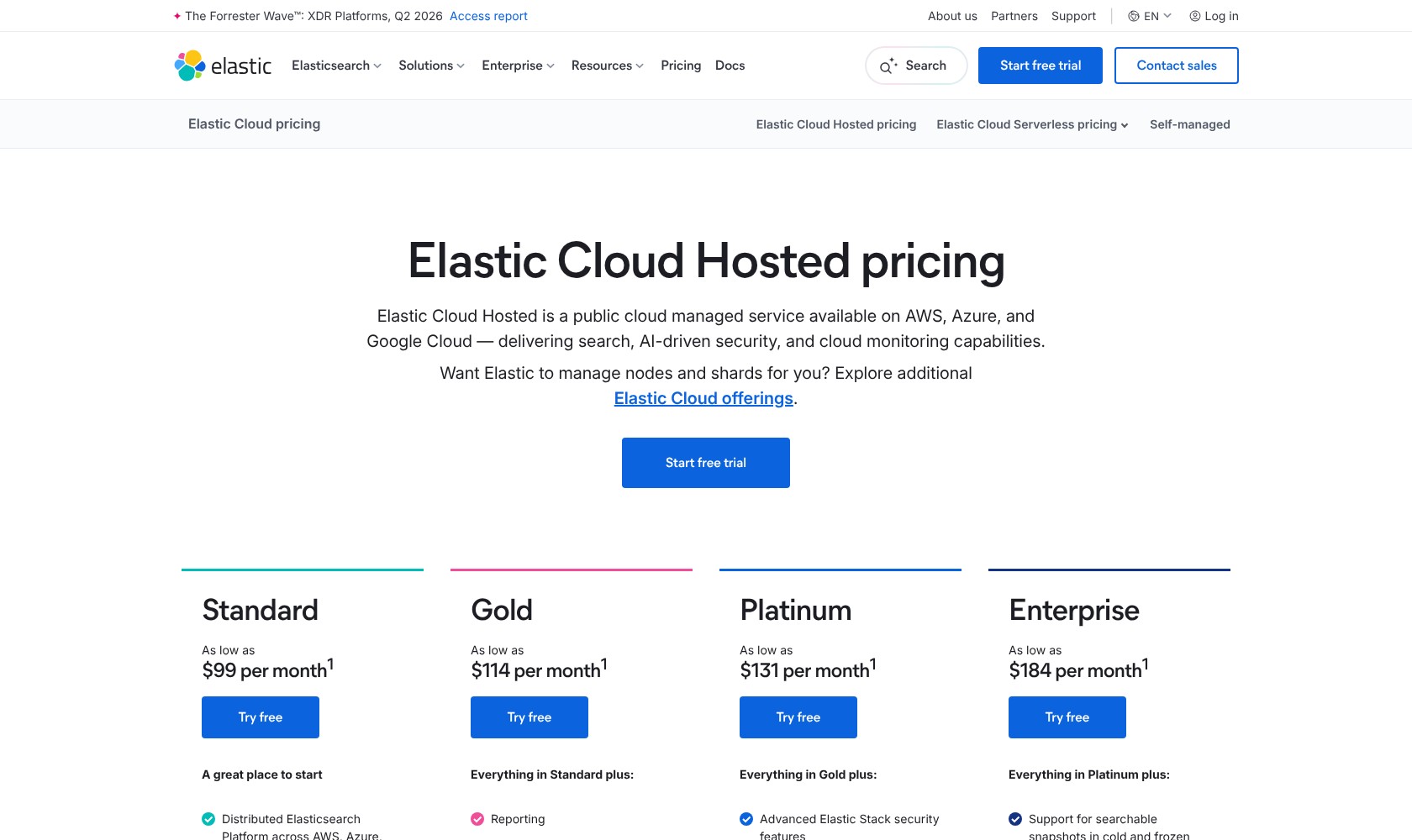
I would compare the Hosted tiers against a specific requirement:
- Standard (from $99/month): my starting point for conventional search.
- Gold (from $114/month): for reporting, external alerting actions, and business-hours support.
- Platinum (from $131/month): for advanced security, machine learning, or cross-cluster replication.
- Enterprise (from $184/month): for requirements such as searchable snapshots in cold and frozen tiers.
These are “as low as” prices based on a production configuration with 120GB of storage across two zones. They are not flat-rate packages with unlimited usage.
| Option | Starting cost | What I would budget for |
|---|---|---|
| Self-managed Basic | $0 software fee | Infrastructure and administration |
| Hosted Standard | $99/month | Workload growth |
| Hosted Gold | $114/month | Workload growth |
| Hosted Platinum | $131/month | Workload growth |
| Hosted Enterprise | $184/month | Workload growth and applicable services |
| Serverless | Usage-based | Compute, retention, and applicable services |
Serverless has a different bill. Advertised rates start at $0.14 per ingest VCU-hour, $0.09 per search VCU-hour, and $0.047 per GB retained per month. A VCU is a virtual compute unit: the price is for the capacity consumed, not for one search or one user.
Serverless does not mean a zero bill when nobody searches. Search capacity remains provisioned and billed at a reduced idle rate. Ingest capacity can scale to zero after 15 minutes without ingestion, but search has a baseline determined mainly by your Search Power setting and searchable dataset size.
Inference and other services can add separate charges. For a small project with occasional traffic, that idle search cost would matter more to me than a low headline rate.
Is Elasticsearch Good Value for Money?
I like the value proposition most when Elasticsearch solves an existing search problem and gives the team additional ways to use the same indexed data. That could be a customer-facing search experience alongside an internal dashboard showing what people cannot find.
The weaker purchase is a broad platform bought for one modest requirement. Paying for managed infrastructure will not make poorly structured documents easier to search, and a free software tier will not remove your team’s maintenance costs.
Before committing, I would compare:
- Data retention: how much information genuinely needs to remain searchable.
- Search demand: the queries and traffic you expect, including busy periods.
- AI processing: the cost of embedding new content and handling updates.
- Support needs: whether the selected plan matches the consequences of downtime.
Reviewer’s Notes: I would start a straightforward Hosted search project on Standard, then upgrade against a specific feature or support requirement. For a new AI application without an existing cluster team, I would evaluate Serverless alongside it. The cheapest headline price should not decide between them.
Getting Started With Elasticsearch
I would begin with one useful dataset and a clear search task. A collection of support articles is a better starting point than importing every company document and hoping the right search experience emerges.
The basic workflow is to create a deployment or project, define an index, ingest documents, and query them. An index holds searchable documents; mappings describe how their fields should behave. You can work through Elasticsearch’s APIs, with Kibana providing tools for exploring the data and running requests.
My suggested sequence is:
- Choose a deployment. Use Serverless to reduce cluster administration, Hosted for managed infrastructure with more control, or self-managed when running the software yourself is a requirement.
- Define the documents. Decide which fields contain searchable text, exact identifiers, dates, and values you want to filter or summarize.
- Load a representative sample. Include awkward records and realistic queries, not just clean examples that are easy to match.
- Check keyword results first. Establish what already works before adding semantic retrieval.
- Evaluate the combined experience. Check relevance, access restrictions, and the delay between changing a document and finding the update.
What I like here is the freedom to separate exact matching from broader discovery. A product code should behave differently from a paragraph describing a product. Elasticsearch gives developers that control, but it also makes those decisions their responsibility.
This is where I would be cautious about the learning curve. Getting documents into an index is only the start. If nobody on your team can decide why one result should outrank another, you may end up with a technically successful deployment that frustrates its users.
I would also keep ownership clear from the outset: who manages ingestion failures, who reviews search quality, and who notices when costs rise? Serverless changes the infrastructure workload, but those questions still need answers.
Building Search That Understands Your Data
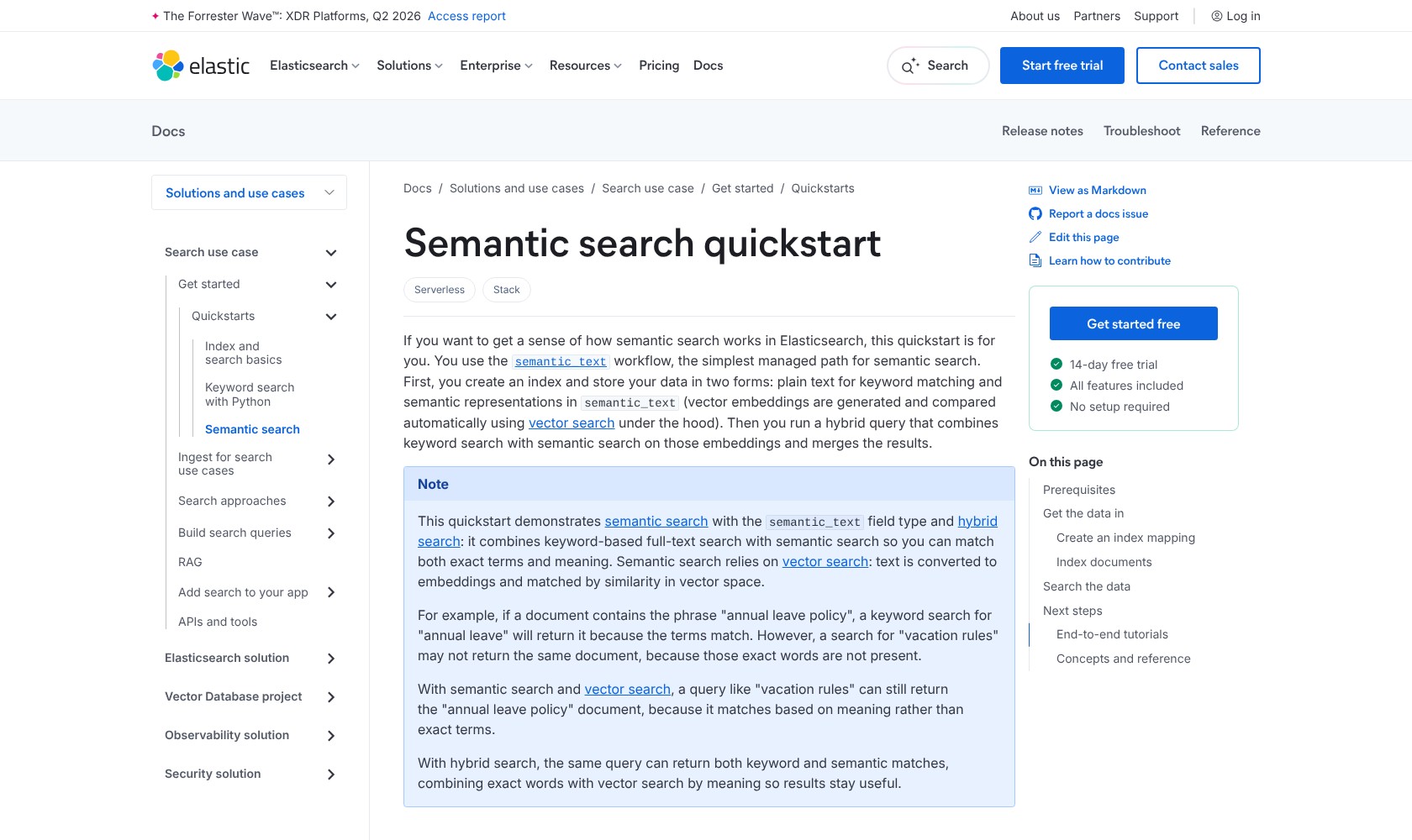
Hybrid search is the main reason I would shortlist Elasticsearch for an AI search project. Keyword matching is valuable when users know the right term. Meaning-based retrieval helps when they describe what they need in different words.
Imagine a customer searching a help center for “I can’t get back into my account.” Relevant documentation might describe account recovery without repeating that phrase. On the other hand, someone searching an exact error identifier needs that identifier to carry real weight. I would want both behaviors, not a semantic system that treats every query as an exercise in interpretation.
Elasticsearch supports combining full-text and vector results in one request. Reciprocal rank fusion is one way to merge the result lists. I like having both retrieval methods in one request. I would still evaluate the ranking with real queries before assuming the semantic layer improves it.
Does Semantic Search Make Setup Easier?
The semantic_text field handles chunking and embedding generation, which removes some of the plumbing you would otherwise build around a model and a vector index. I like this option for teams that want to concentrate on their documents and application behavior.
It comes with conditions. The field works with text, inference requires an appropriate license, and the default embedding endpoint varies by deployment and version. I would choose the model deliberately for a production application rather than assume every Elasticsearch installation behaves identically.
Before relying on semantic retrieval, I would check:
- Does retrieval understand your terminology? Include abbreviations, internal names, and ambiguous requests in your evaluation.
- Do filters preserve the right scope? A relevant result is still wrong if it belongs to another customer or workspace.
- What happens when documents change? Updates need to reach the retrieval system as well as the source application.
Elasticsearch can supply retrieved context to a generative AI application, but that does not make every generated answer reliable. I would evaluate retrieval separately from the answer the language model produces. Otherwise, it is difficult to tell whether a poor response came from missing evidence or from the model’s handling of it.
Qdrant also supports hybrid retrieval. My reason to prefer Elasticsearch would be the wider search and analytics requirements around the vector workload, especially if the team already uses Elastic. For a focused vector application, I would put Qdrant on the shortlist early.
Using Elasticsearch for Logs and Analytics
I would choose Elasticsearch for investigations that move between individual records and broader patterns. Finding a particular error, narrowing it to one service, and examining what else happened around the same time is a natural fit for its search-first approach.
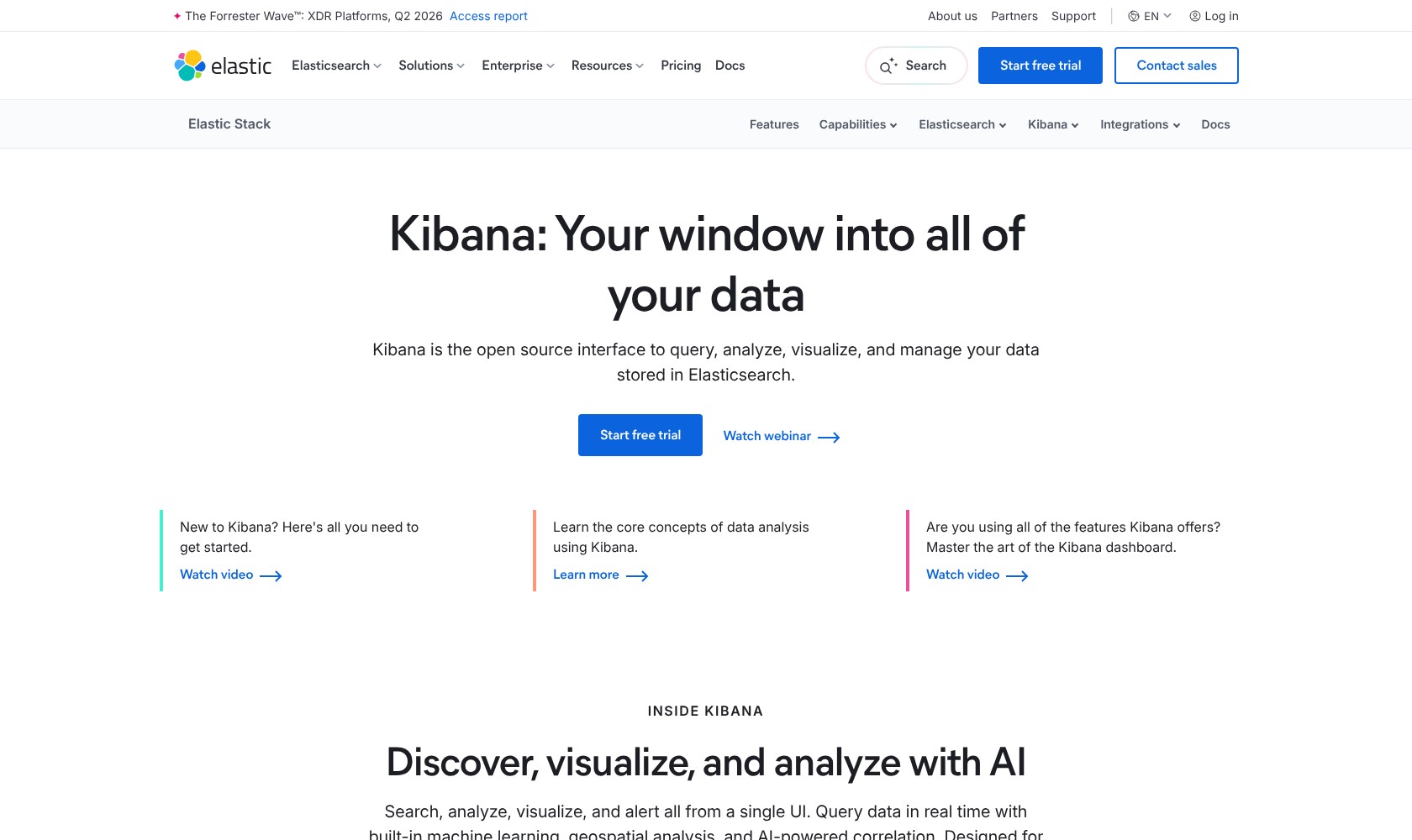
Kibana provides exploration and dashboard tools over indexed data. ES|QL adds a piped query language for filtering and analysis, letting you express a sequence of operations rather than build every investigation through a dashboard.
What appeals to me is the ability to keep the underlying records close to the summary. A chart can tell you that something changed. Being able to inspect the events behind that change is what makes the chart useful to an engineer.
However, I would not choose Elasticsearch simply because a project needs “real-time analytics.” If the main job is SQL reporting across business datasets, I would evaluate ClickHouse first. That is a different buying decision from searching logs or retrieving relevant documents.
There are also two limits worth understanding:
- Freshness is near-real-time. By default, refresh intervals are one second in Elastic Stack and five seconds in Cloud Serverless. An update becoming searchable is a separate event from the write being accepted.
- ES|QL limits returned rows. The default output is 1,000 rows, with a configurable upper limit of 10,000. Aggregations can still analyze the full dataset; this is not a cap on how many documents Elasticsearch can examine.
I would plan around those behaviors before promising instant visibility or using a results table as a complete data export.
How Much Work Is Elasticsearch to Run?
Self-managed Elasticsearch needs an owner. Shards divide an index into pieces, and both excessive fragmentation and oversized shards create problems. Retention policies matter too: keeping everything indefinitely is an easy decision to make at the start and an expensive habit to carry forward.
I would want a production plan covering:
- Index and shard design: how the deployment grows as documents accumulate.
- Retention: when data rolls over and when older indices can be removed.
- Recovery: how the team restores service and data after a failure.
- Performance and spend: who investigates changes before they become incidents.
For Hosted and self-managed deployments, index lifecycle management can automate rollover and removal of older indices. Serverless uses data stream lifecycle instead. That is useful, but the business still has to decide what to keep. I would set retention around the actual investigation or compliance need, not around the assumption that more searchable history is always better.
Hosted and Serverless reduce different parts of this burden. Serverless removes node and shard management; Hosted offers more control over the deployment. Neither option decides which documents are useful or what a successful search looks like.
Is Elasticsearch Open Source?
The answer needs more care than a yes-or-no label. Free portions of the source code have AGPLv3, SSPL, and Elastic License 2.0 options, while the default distribution remains under Elastic License 2.0. A free Basic tier also does not mean every commercial feature is included.
For most buyers, my advice is to assess the exact distribution and feature set they intend to use. If Apache 2.0 licensing is a firm selection requirement, OpenSearch deserves a closer look.
How Does Elasticsearch Compare to Alternatives?
I would choose the shortlist around your main workload. These tools overlap, but they are not interchangeable purchases.
- OpenSearch: my closest alternative when you want a search and analytics platform with Apache 2.0 licensing. It supports hybrid search too, so AI retrieval alone does not settle the choice. Check the features and integrations your application actually depends on before planning a migration.
- ClickHouse: my first comparison when SQL analytics is the central job. Its column-oriented design makes it a more natural starting point for that evaluation. I would favor Elasticsearch when relevance-ranked document search is the requirement driving the project.
- Qdrant: worth prioritizing for a dedicated vector retrieval application. It supports dense and sparse hybrid search, so the decision is about the surrounding platform needs as much as the retrieval method.
I would give each shortlisted product the same representative data and buyer requirements. A feature checklist can establish eligibility; it cannot tell you which one delivers acceptable results within your team’s budget and skills.
How I Reviewed Elasticsearch
I evaluated Elasticsearch’s deployment choices, pricing structure, search capabilities, and operational requirements against the needs of teams building search, analytics, and AI retrieval applications. I also compared its workload fit with OpenSearch, ClickHouse, and Qdrant.
My judgments focus on which workloads justify the platform’s flexibility and what your team would need to operate it. They do not include hands-on performance benchmarks.
Prices checked October 2026.
Should You Choose Elasticsearch?
I would choose Elasticsearch when search quality deserves engineering attention. Its appeal is the control to combine exact matching, semantic retrieval, filtering, and analysis without treating every requirement as a separate system.
That flexibility is worth paying for when it supports a product people rely on or an investigation workflow your team uses every day. It is harder to justify if you only need a modest search feature and have nobody available to maintain it.
My recommendation is to start with one workload, one representative dataset, and a clear definition of a useful result. Evaluate Cloud Hosted Standard for conventional search, consider Serverless if cluster administration is the obstacle, and upgrade for specific capabilities. Elasticsearch is a good investment when you can explain what that extra control will do for your users.
FAQ
Is Elasticsearch free?
The self-managed Basic tier has no software fee, but you still pay for infrastructure and administration. Paid features and managed cloud services have separate costs.
Can Elasticsearch replace a data warehouse?
I would not use it as a default warehouse replacement. It is a stronger fit when searching documents and investigating indexed events are the main requirements. Evaluate the actual reporting and data-modeling workload before choosing it.
Is Elasticsearch a vector database?
It can store and search vectors as well as run keyword and hybrid searches. I would consider it when vector retrieval needs to sit alongside broader search and analytics features.
What is the difference between Elasticsearch and Kibana?
Elasticsearch stores, indexes, and queries the data. Kibana provides an interface for exploring that data, visualizing it, and working with Elastic’s tools.
Should I choose Hosted or Serverless?
I would favor Hosted when deployment control matters and Serverless when reducing cluster administration matters more. Compare the required capabilities and complete workload cost before committing.