Editor’s note: This review combines a small local database test with an assessment of pricing, retrieval features, and deployment requirements.
Quick verdict: I recommend Chroma for developers who want to add retrieval to an AI application without starting with a separate database server. My main reservation is the jump from local development to Cloud: you cannot assume both versions offer the same search controls.
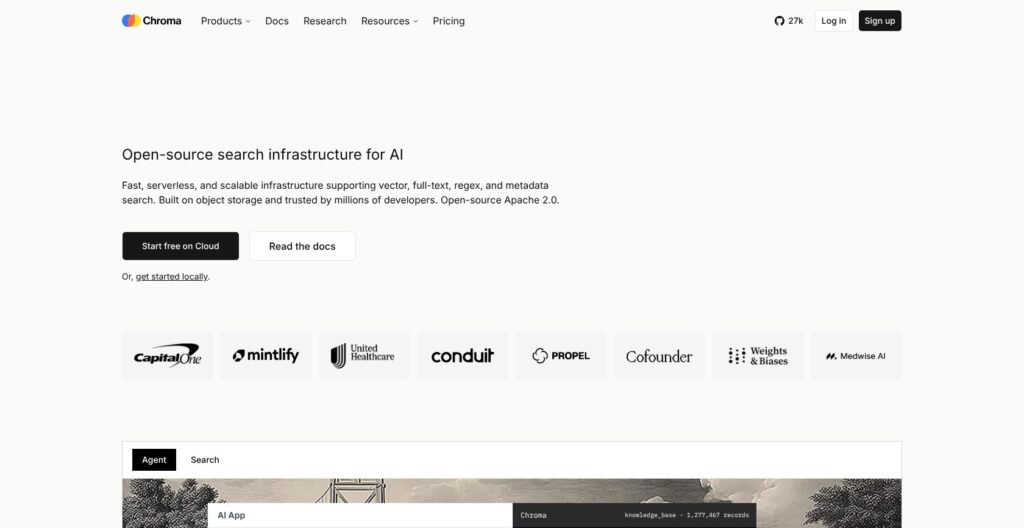
In this Chroma review, I focus on what makes that starting point useful. Chroma stores documents, their numerical representations, and labels, then retrieves relevant material for your application. You can work on retrieval behavior before committing to a hosting arrangement.
Key Takeaways
- Chroma is a good starting point for developers building document search, AI assistants, or retrieval-augmented generation (RAG).
- My small local check confirmed persistence, metadata filtering, text matching, and document updates.
- Starter removes the monthly platform fee, but Cloud usage still costs money after your credits.
- The advanced Search API is Cloud-only, limiting what you can reproduce in a local deployment.
- Managed Sync reduces ingestion work, but currently restricts your choice of dense embedding model.
In this review, I’ll take a closer look at the setup, costs, search options, and compromises that would influence my choice.
Pros and Cons
Pros
- Apache 2.0 licensing for the open-source database
- Persistent local storage without a separate server
- Metadata filters alongside vector retrieval
- Cloud Starter has no monthly platform fee
- Managed ingestion from S3, GitHub, websites, and file uploads
Cons
- Advanced Search API is restricted to Cloud
- Team adds a substantial monthly commitment
- Managed Sync currently supports one dense embedding model
- Self-hosting requires separate access-control planning
How Much Does Chroma Cost?
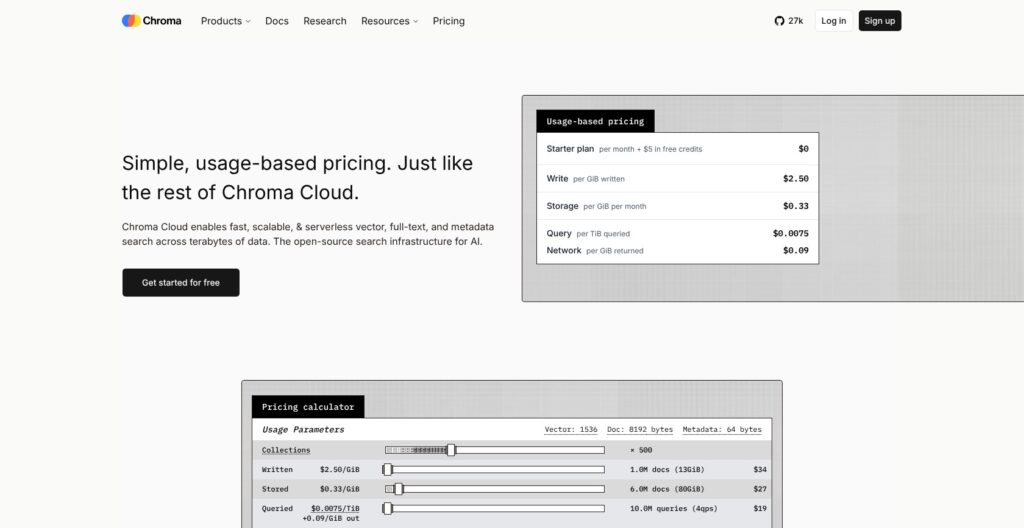
I’d start with local Chroma or Cloud Starter. Team is a substantial jump for a small project, and I wouldn’t choose it simply because an application is going into production.
- Open source ($0 license fee): for local development or teams managing their own infrastructure. Hosting and maintenance remain your responsibility.
- Starter ($0/month plus usage): for smaller managed deployments. New users receive $5 in credits.
- Team ($250/month plus usage): for larger teams needing higher account limits and Slack support. Includes $100 in usage credits that do not roll over.
- Enterprise (custom pricing): for organizations needing arrangements such as dedicated support, single-tenant clusters, or bring-your-own-cloud deployment.
| Cloud plan | Monthly platform fee | Databases | Team members |
|---|---|---|---|
| Starter | $0 + usage | 10 | 10 |
| Team | $250 + usage | 100 | 30 |
| Enterprise | Custom | Unlimited listed | Unlimited listed |
What Will Usage Add to Your Bill?
Cloud charges across several dimensions. Treating it as a fixed price per API call will give you the wrong estimate.
| Database usage | Published rate |
|---|---|
| Data written | $2.50 per logical GiB |
| Data stored | $0.33 per GiB per month |
| Data queried | $0.0075 per TiB |
| Data returned | $0.09 per GiB |
For a simple illustration, writing 10 GiB once and storing it for a full month costs $28.30 before credits, excluding queries, returned data, Sync, and embedding-provider fees. Your application’s total bill will be higher once those items apply.
Updates count toward writes, and filters can add query units. My concern is frequent reprocessing: rebuilding the same dataset repeatedly can matter more than its final stored size suggests.
Sync adds its own charges: $0.04 per GiB processed, $0.01 per extracted document page, and $0.01 per scraped webpage where applicable. I would budget ingestion separately from the database.
Is Chroma Good Value for Money?
I would choose Starter for a first managed project. Keep the database decision separate from the support decision: a larger monthly commitment needs to solve an actual problem for your team.
- Choose local Chroma when avoiding a hosting bill matters more than outsourcing operations.
- Choose Starter when you want managed infrastructure and fit within its account limits.
- Upgrade to Team for a specific support or capacity requirement, rather than assuming it is the default paid entry point.
I also wouldn’t treat a spending limit as a harmless billing alert. Chroma’s usage limits can pause the service until the limit changes. Leave room for legitimate traffic spikes when setting your budget.
My Experience With Chroma
The local workflow was straightforward in my small test. I installed Chroma 1.5.9 in an isolated Python environment and created a persistent collection containing three short documents: a returns policy, a delivery policy, and an internal returns procedure.
I supplied simple numerical vectors myself. That let me check storage and filtering without involving a paid embedding service, but it also means this was not a test of how well an AI model understands real questions.
The most useful observation was what happened when I added a metadata filter. An unfiltered query returned the public returns policy and the internal procedure. Restricting the query to documents labeled public removed the staff-only result and returned the delivery document instead.
I like that the filtering happens within the retrieval request. For a support assistant, narrowing the candidate documents before assembling an answer is more useful than hoping the language model ignores irrelevant material later. You still need to enforce permissions in your application; a label alone is not an authorization system.
| Local check | What happened |
|---|---|
| Store three documents | All three were present |
| Filter for public documents | The staff-only document was excluded |
| Match the word “delivery” | The delivery document was returned |
| Update the returns policy | The stored text changed from 30 to 45 days |
| Reopen in a new process | All three records and the update remained |
| Query with the wrong vector length | Chroma rejected it with a dimension error |
The dimension error was clear: the collection expected three dimensions, and I had supplied two. I prefer that explicit failure to a result that quietly conceals a configuration mistake.
For your first project, the basic sequence is manageable:
- Choose a persistent local client if you want records to survive a restart.
- Create a collection and choose how to generate embeddings.
- Add documents with unique IDs and useful metadata.
- Query for relevant records, then inspect what your application actually receives.
Chroma can generate embeddings through an embedding function, or accept vectors you provide. I’d start with the simplest suitable model, then evaluate it against real questions from your application. Getting a valid result back is only the beginning of getting a useful answer.
Search: More Control, With a Cloud Catch
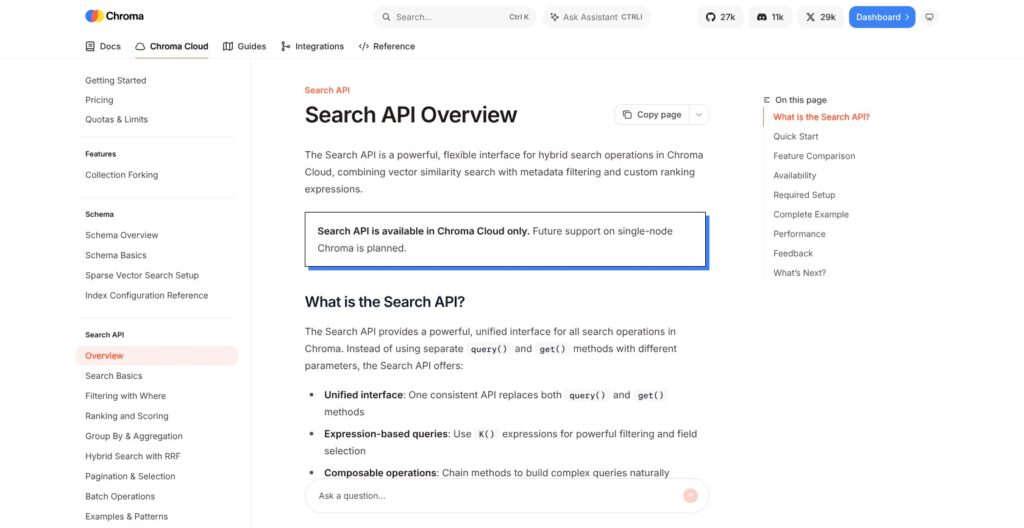
Decide on deployment before designing around advanced search. The Cloud Search API adds custom ranking, hybrid search, and result grouping. Its single-node support is still planned.
Hybrid search combines meaning-based retrieval with lexical signals. For a hypothetical support search, that could help you match a loosely worded question while still recognizing an exact product code. It gives you more ways to tune retrieval, rather than making good results automatic.
Grouping is another useful option. If several chunks come from the same source, I would rather have the ability to diversify the results than fill an assistant’s context with near-duplicates.
If advanced retrieval must run on infrastructure you control, Qdrant deserves a close look. Its Query API supports dense and sparse retrieval with fusion in self-hosted deployments. For that requirement, I find it a more natural shortlist candidate than planning around Chroma features whose local support is still pending.
Chroma Sync: Less Ingestion Work, Less Model Choice
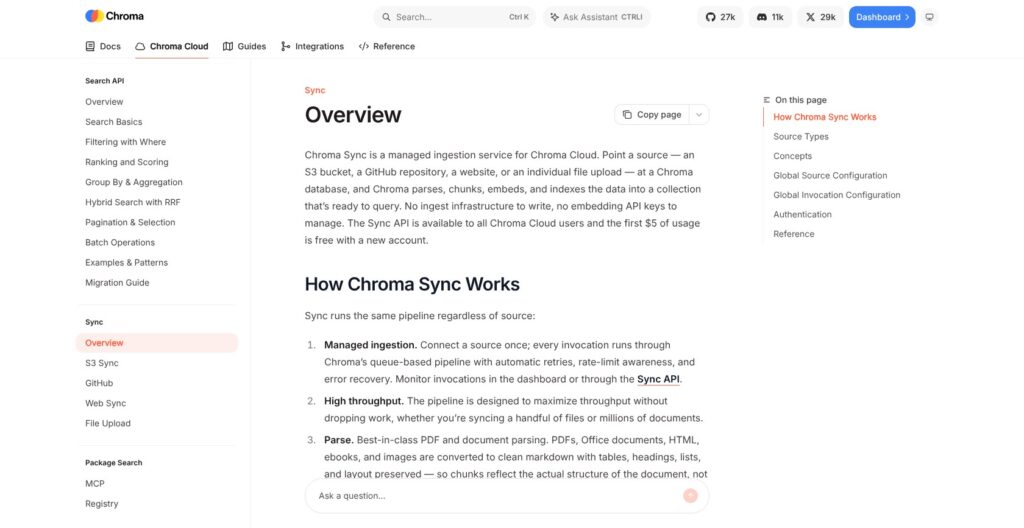
Sync is appealing if maintaining the ingestion pipeline is becoming the hard part. It can take data from S3, GitHub, websites, or direct uploads and handle parsing, chunking, embedding, and indexing.
My favorite aspect is the potential reduction in maintenance work. A searchable knowledge base needs more than a database: source content has to become useful chunks, and code needs different handling from ordinary paragraphs. Sync brings those steps together.
There is a meaningful restriction, though. Managed Sync currently uses Qwen/Qwen3-Embedding-0.6B for dense embeddings, with optional BM25 or Splade sparse embeddings. That is narrower than Chroma’s general ability to accept other embedding models or supplied vectors.
I’d choose Sync when its ingestion behavior and model fit the project. If you have already evaluated another embedding model and want to keep it, I would use your own ingestion process instead of changing models solely for convenience.
Reviewer’s Notes: Decide which matters more for this project: fewer ingestion components to maintain, or full control over how content becomes searchable. Sync favors the first; bringing your own pipeline preserves the second.
Deployment: Check the Limits Before You Commit
Local success is a useful starting point, but it doesn’t settle the production decision. My three-document check says nothing about concurrent traffic, recovery after a server failure, or search quality across your full dataset.
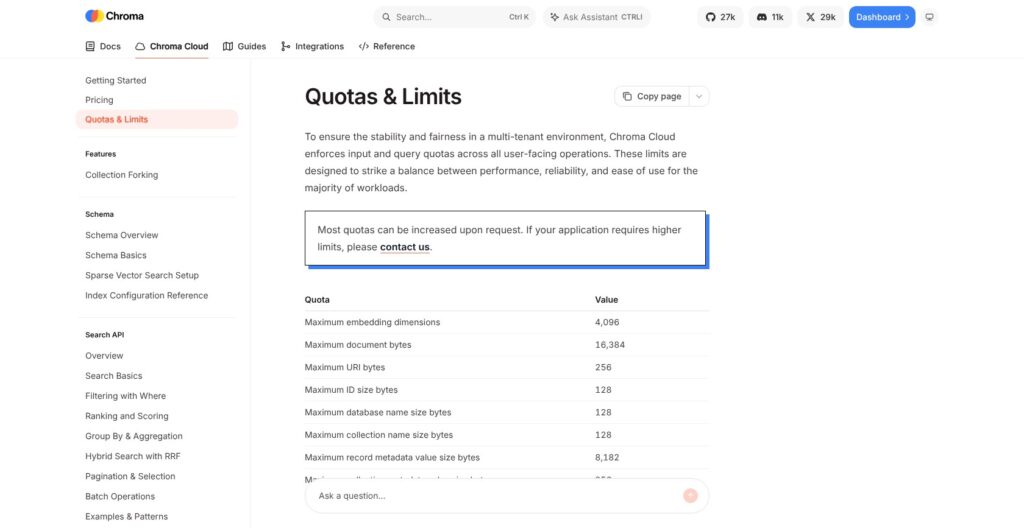
For Cloud, I would check the published quotas against the shape of the application:
- Maximum embedding dimensions: 4,096.
- Maximum document size: 16,384 bytes.
- Maximum records per write: 300.
- Maximum concurrent reads per collection: 10.
- Maximum records per collection: 5 million.
These are Cloud quotas, not a universal capacity claim about every Chroma deployment. Discuss adjustments with Chroma before committing to a workload that approaches them. A corpus can fit within the record limit while its request pattern still needs attention.
I would also pay attention to the first query after a collection has been idle. Less-used Cloud collections can move to cold storage, and their initial query can take longer. If your application needs a consistent interactive response, include that case in your own evaluation rather than judging only repeated requests to warm data.
Self-hosting offers control, but you take on more responsibility. Chroma 1.0 removed the previous built-in authentication implementations, so access control belongs in your deployment plan. I wouldn’t expose a local development setup directly to customers.
One Cloud feature I particularly like is collection forking. Its copy-on-write approach lets unchanged data remain shared while a fork diverges. That is useful for experimenting with a dataset without immediately making a complete independent copy, although forking is itself billed and is Cloud-only.
How Does Chroma Compare With Other Vector Databases?
I’d choose based on the environment you want to operate, rather than an unsupported claim that one database is fastest. Chroma has a strong local entry point, but that doesn’t make it the best fit for every architecture.
- Qdrant: my alternative when self-hosted hybrid retrieval is a firm requirement. Its fusion and multistage query options suit teams that want more retrieval control without depending on Chroma’s Cloud-only interface.
- Pinecone: worth comparing when you want a managed search service and integrated embedding indexes. I would compare it with Chroma Cloud using the same dataset and workload, rather than assume either has the lower total bill.
- pgvector: my first alternative to investigate if your application already depends on PostgreSQL. Keeping vectors beside relational data can simplify joins and reduce the number of systems you operate, though indexing and database tuning remain part of the job.
How I Reviewed Chroma
I ran local checks using Chroma 1.5.9 with three synthetic documents and supplied three-dimensional vectors. The checks covered persistence across processes, metadata filtering, text matching, updates, and a deliberate dimension mismatch.
I also assessed pricing, Cloud feature availability, ingestion choices, and deployment constraints against the needs of a developer choosing a retrieval database. The local checks support the workflow observations here; they do not establish semantic relevance, Cloud latency, or production throughput.
Prices current as of October 2026.
Should You Choose Chroma?
Yes, if you want a practical local starting point for retrieval and are comfortable making the Cloud decision separately. I liked the clear collection workflow and the behavior I could verify in a small persistent database.
I’d begin locally, move to Starter if managed hosting makes sense, and pay for Team only when its added capacity or support solves a concrete need. If self-hosted advanced search is essential, I would shortlist Qdrant first. If the rest of your application already lives in PostgreSQL, give pgvector a fair comparison before adding another database.
Frequently Asked Questions
Is Chroma Free?
Yes, you can run the open-source database without a license fee. Budget separately for your infrastructure and any paid embedding service you connect.
Does Chroma Work Locally?
Yes. I used a persistent local Python client for this review and confirmed that records survived restarting the process.
Can Chroma Build a Chatbot by Itself?
Chroma supplies storage and retrieval. You still need the application logic and an answer-generating model for a conversational assistant.
Can I Use Chroma’s Advanced Search API Locally?
Not currently. The advanced Search API is Cloud-only. Local Chroma still supports vector queries and filtering.