ZenML is a free, Apache-2.0 Python framework that lets me write an ML pipeline once and run it on any of 14 orchestrators, from my laptop to Kubeflow, Vertex AI or SageMaker, by swapping a “stack” instead of rewriting code. Version 0.97.0 shipped on September 23, 2026, and the GitHub repo sits at about 5,600 stars.
In this ZenML review, I’ll take a closer look at ZenML’s pricing, features, and how it compares to Kubeflow, Metaflow, Flyte and Dagster, so you can see exactly whether the free core covers your team or you’ll end up paying for ZenML Pro.
Editor’s note: This ZenML review is based on my evaluation of ZenML 0.97, from the open-source install and the default local stack through the Scale plan’s documented features. I weigh pricing and feature gating, pipeline features, ease of use, integrations, and support and release momentum.
Quick verdict: I recommend ZenML for ML teams that want one Python pipeline layer that survives a move from local runs to Kubernetes, Vertex AI or SageMaker without a rewrite. Go in knowing that the visual Model Control Plane, RBAC and multi-user workspaces sit in paid tiers starting at $999 per month, and that the 0.x release line shipped breaking changes in both 0.96.0 and 0.97.0.
Key Takeaways 🔍
- ZenML’s open-source core is free under Apache-2.0, with unlimited executions and projects when you self-host
- The stack abstraction runs the same pipeline code on 14 orchestrators, including Airflow, Kubeflow, Vertex AI and SageMaker
- Caching and versioned artifacts with lineage are on by default, even on the free tier
- ZenML Pro starts at $999 per month, and the free server is single-user with no RBAC or projects
- ZenML is still on 0.x, and both 0.96.0 and 0.97.0 shipped breaking changes
Pros and Cons
Pros
- Apache-2.0 core with unlimited executions and projects at $0
- One pipeline codebase runs on 14 orchestrator integrations
- Step caching and artifact versioning on by default
- 66 integrations, from MLflow tracking to 11 agent frameworks
- Light base install with 17 core dependencies
- Data and compute stay in your cloud, even on Pro
Cons
- Hosted Pro starts at $999 a month, with no small pipeline plan
- Free server is single-user: no RBAC, workspaces or projects
- Model Control Plane dashboard and run-from-UI are Pro-only
- Still 0.x, with breaking changes in 0.96.0 and 0.97.0
- Snapshots must be recreated after every server upgrade
How Much Does ZenML Cost?
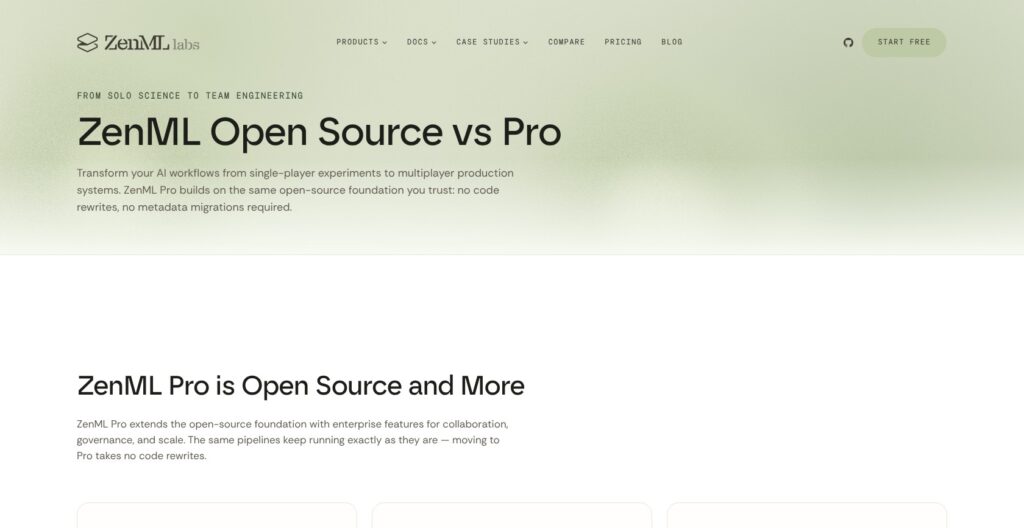
ZenML’s open-source framework costs nothing, and its hosted ZenML Pro plans start at $999 per month, billed by monthly pipeline executions per workspace rather than by seat:
- Open Source ($0): for individuals and teams willing to self-host, with unlimited executions and projects, pipeline orchestration, artifact management, a basic model registry and community support
- Scale (from $999/month): for teams that want ZenML to run the control plane, adding the Model Control Plane, Artifact Control Plane, Snapshots, Codespaces (a remote IDE) and priority support
- Enterprise (custom pricing): for regulated or large organizations that need SSO (SAML/OIDC), RBAC with custom roles, activity logs, advanced native scheduling, air-gapped or self-hosted deployment, remote worker pools and a dedicated account manager with SLAs
| Plan | Open Source | Scale | Enterprise |
|---|---|---|---|
| Price | $0 | From $999/month | Custom |
| Billing basis | Free, self-hosted | Monthly executions per workspace (500, 2,000 or 5,000 tiers) | Custom contract |
| Executions and projects | Unlimited | Scale with the execution tier (the 2,000 tier shows 3 projects and 5 snapshots) | Unlimited |
| Hosting | Self-hosted only | Managed control plane | SaaS, hybrid, self-hosted or air-gapped |
| Model and Artifact Control Planes | No (basic model registry) | Yes | Yes |
| SSO and custom roles | No | Listed as Enterprise additions | Yes |
| Support | Public Slack and community forums | Priority support | Account manager, SLA, implementation help |
| Recommended for | Solo engineers and teams with platform skills | Teams that want hosted governance | Regulated and air-gapped organizations |
ZenML doesn’t state which of the three execution tiers the $999 starting price buys, so confirm your volume with ZenML before budgeting. Scale and Enterprise both route through sales (“Book a demo” and “Talk to an engineer”). ZenML says it won’t cut you off mid-month if you exceed your executions, and only raises a tier change if overages become a pattern.
Startups, universities, research institutions and educational users can apply for special Pro pricing. ZenML states SOC 2 Type II and ISO/IEC 27001 certification, and only metadata reaches its control plane while data, artifacts and compute stay in your VPC.
The $39/month plan on the same pricing page belongs to Kitaru, ZenML’s separate agent-replay product, and does not cover ZenML pipelines.
Is ZenML Good Value for Money?
- The free tier is generous on volume: there is no execution or project cap, but you run, upgrade and back up the server yourself with community support only
- The gap between $0 and $999 is wide: there is no small paid plan for ZenML pipelines, so a two-person team that only wants multi-user access or the Model Control Plane dashboard faces the full Scale price
- No per-seat pricing helps larger teams: adding engineers doesn’t raise the Scale bill, only execution volume does
- Self-hosting Kubeflow or Flyte is also free, but both expect a Kubernetes cluster from day one, while ZenML’s free tier starts on a laptop and adds Kubernetes later through a stack change
Reviewer’s Notes: I recommend starting on the free Open Source tier with a self-hosted server and a remote stack, because it already includes orchestration, caching, artifact lineage and a basic model registry with no execution cap. Move to Scale only when more than one person needs governed access, since the open-source server has no RBAC, workspaces or projects, or when you need the Model Control Plane dashboard to promote model versions. Enterprise only makes sense if SSO or an air-gapped deployment is a hard requirement.
My Experience With ZenML
ZenML installs from PyPI with no account, no credit card and no sales call, and it supports Python 3.10 to 3.14. A plain pip install zenml only gives you a client for an already deployed server, so for a local setup I installed one of the extras instead.
How I Installed ZenML
ZenML documents three install routes beyond the client-only package:
pip install "zenml[local]": for purely local pipelines with no dashboardpip install "zenml[server]": adds a local server, whichzenml login --localstarts along with the dashboardpip install "zenml[jupyter]": for working from notebooks
The base package pulls in 17 core dependencies (pydantic, click, docker, gitpython and opentelemetry among them), and every cloud integration stays an optional extra. On an Apple Silicon Mac, the local server also needs the OBJC_DISABLE_INITIALIZE_FORK_SAFETY=YES environment variable before it starts.
Running My First Pipeline
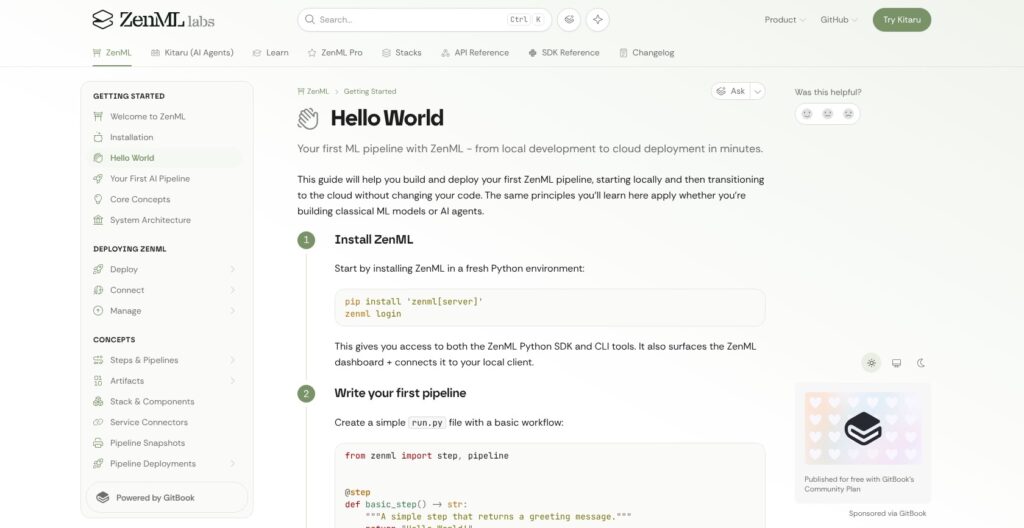
ZenML’s Hello World pipeline is two decorated Python functions: I wrote a @step that returns the string “Hello World!”, wrapped it in a @pipeline, and ran the file with python run.py. With no other configuration, the run lands on the default local stack, which pairs a local orchestrator with a local artifact store.
The open-source dashboard then shows the run’s DAG view, a timeline view, step logs and the returned string as a versioned artifact with its lineage.
Moving the Same Pipeline to a Remote Stack
The documented path to remote infrastructure is to connect the client to a self-hosted or Pro server with zenml login, pick a project with zenml project set (projects are a Pro concept), register a stack and activate it:
- Register components:
zenml artifact-store registerandzenml orchestrator register -f kubernetes, where--helplists each flavor’s required fields - Register the stack: for example an S3 artifact store, a Kubeflow orchestrator, an ECR container registry and an MLflow experiment tracker under one name
- Install the stack’s packages:
zenml stack export-requirementspipes the needed integrations into pip - Activate and rerun:
zenml stack setfollowed by the samepython run.py
On a remote stack, ZenML builds the container images and keeps tracking artifacts, while run.py stays unchanged between laptop and cluster.
Reviewer’s Notes: The local half of this walkthrough needs nothing beyond pip, but the remote half assumes you already run Kubernetes, an object store and a container registry. ZenML’s job is to coordinate those components through the stack, so budget platform-engineering time for standing them up before the first remote run.
ZenML Pipelines, Stacks, and Caching
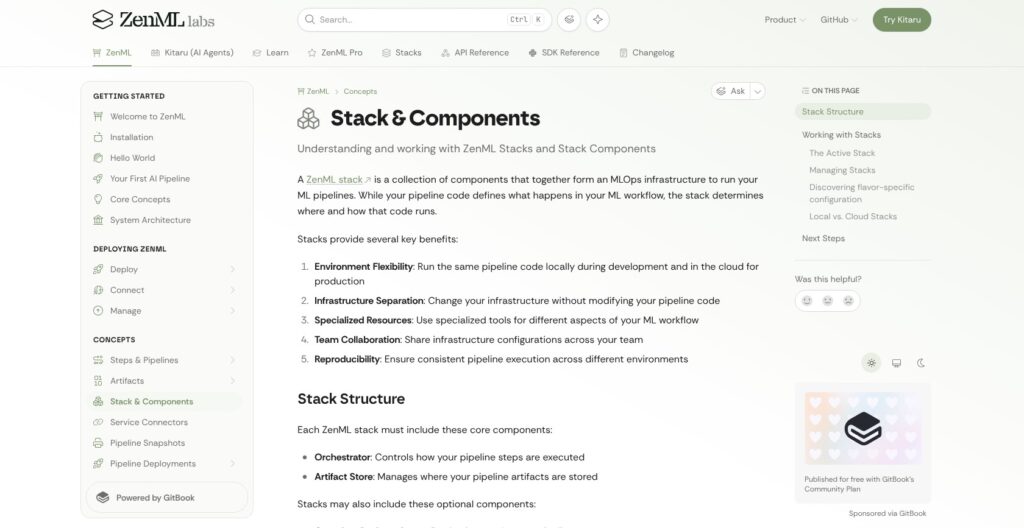
ZenML’s own docs say it is not another orchestrator: it is a framework that runs your pipelines on the orchestrator you choose, and the stack is the mechanism that makes that work.
🧩 Steps and Pipelines
A step is a Python function with the @step decorator, and a pipeline is a function with @pipeline that calls steps in order. Local runs need no YAML and no container spec, unlike Kubeflow Pipelines, where every step is a container and the KFP SDK compiles the pipeline to YAML. Metaflow is just as Python-native but targets its own backends (AWS Batch, Step Functions, Kubernetes, plus exports to Argo Workflows and Airflow), while ZenML hands the same code to whichever orchestrator the active stack names.
🏗️ Stacks and Stack Components
Every ZenML stack needs an orchestrator and an artifact store, and can add optional components:
- Container registry: stores the images ZenML builds for remote runs
- Step operator: sends individual steps to separate compute
- Experiment tracker: logs metrics to tools like MLflow
- Model deployer and deployer: serve models or whole pipelines
- Feature store, alerter and annotator: connect the rest of the ML system
Step operators, experiment trackers and alerters can be attached more than once per stack, and zenml stack set makes switching from the local stack to a Kubeflow stack a one-line change.
⚡ Step Caching
Caching is on by default for every step: if a step’s inputs, parameters and code haven’t changed, ZenML reuses the previous output from the artifact store instead of rerunning it. SageMaker Pipelines also caches steps, but only on AWS, while ZenML’s cache moves with the pipeline to whichever orchestrator the stack names.
Reviewer’s Notes: ZenML’s cache can’t see changes in file systems or external APIs, so a step that reads a live table or calls an API can silently return stale results. I’d set
@step(enable_cache=False)on any step that pulls external data, and only leave caching on for steps whose inputs are artifacts ZenML already tracks.
Artifacts, Lineage, and the Model Control Plane
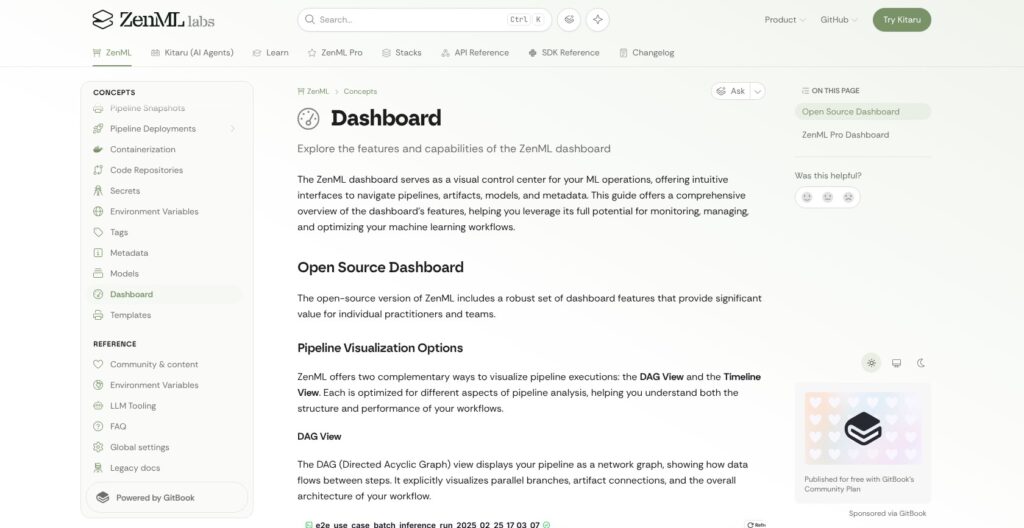
Every value a ZenML step returns is saved as a versioned artifact in the artifact store, and ZenML records which step produced it and which steps consumed it. That lineage is free on the open-source tier, while the Model and Artifact Control Plane dashboards built on top of it are where ZenML Pro starts.
📦 Artifact Versioning and Lineage
The free open-source dashboard includes:
- DAG and timeline views for every pipeline run
- Run history with filtering
- Artifact visualization and artifact lineage tracking
- Step logs and metrics
- Stack and component management
The same artifact store holds LLM workloads too: ZenML’s docs show a step that fills a prompt-template artifact and calls an agent, with both versioned like any training output. One reproducibility gap is an open user-reported bug: the cloudpickle materializer records the Python version as “unknown” for every artifact on a remote artifact store, which matters when you reload an artifact under a different Python.
🗂️ Model Control Plane
A ZenML Model groups the pipelines, artifacts, metadata and versions behind one model, and zenml model list works from the open-source CLI alongside the free tier’s basic model registry. The visual Model Control Plane, with version comparisons and lifecycle stages, is a Pro feature, as are the Artifact Control Plane and experiment comparison views.
MLflow is Apache-2.0, covers experiment tracking and a model registry, and plugs into ZenML as an experiment tracker, so a team that mainly wants a model registry can pair the two before paying $999 a month for Scale.
🔌 Snapshots and Run-From-UI
Snapshots are immutable copies of a pipeline’s DAG, code, configuration and container images, created with zenml pipeline snapshot create, and they replace ZenML’s older run templates. Running a snapshot, along with triggering runs and setting schedules from the dashboard, is Pro-only, while zenml pipeline deploy works on both tiers. Snapshots also have to be recreated after every server upgrade, which is why ZenML’s upgrade guide prescribes separate production and staging environments (two workspaces on Pro, two servers on open source).
Integrations, Orchestrators, and Deployment Options
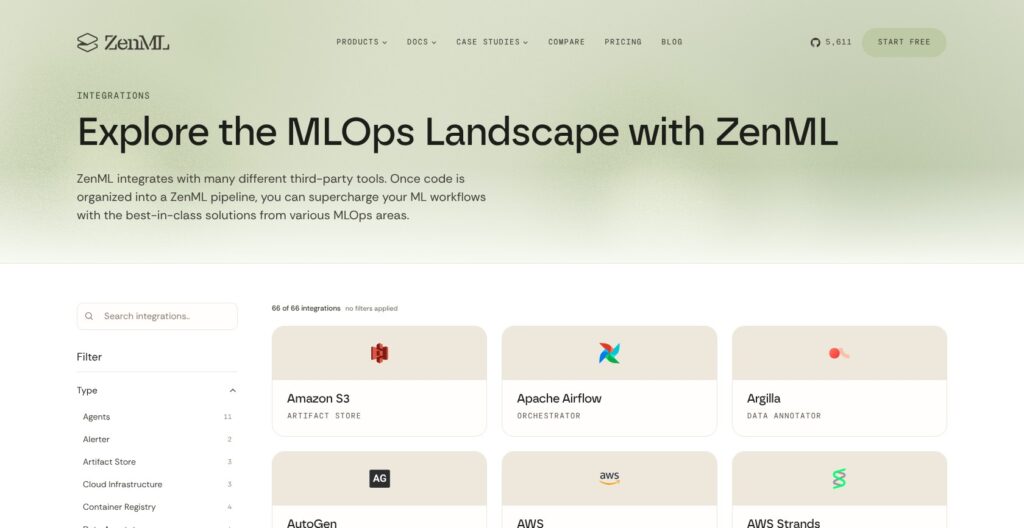
ZenML lists 66 integrations, and 14 of them are orchestrators.
🔗 Integrations and Orchestrators
The documented orchestrator flavors are Local, Local Docker, Kubeflow, Kubernetes, Modal, Vertex AI, AWS SageMaker, AzureML, Databricks, Tekton, Airflow, SkyPilot VM, SSH, HyperAI and Lightning AI, plus custom flavors. The rest of the catalog includes 11 agent frameworks (AutoGen, CrewAI, Google ADK and AWS Strands among them), 9 modeling integrations, 5 experiment trackers, 4 deployers and 4 container registries.
Check one gap before you commit to AWS: the SageMaker extra pins sagemaker below 3.0.0, and SageMaker v3 support is still an open user request.
☁️ Hosting
The open-source server is self-hosted only, using the zenml-server Docker image on port 8080, and that image isn’t published for arm64 despite user requests for Apple Silicon and Graviton hosts. ZenML Pro comes as SaaS (ZenML hosts the server and metadata store while data and compute stay in your cloud), Hybrid SaaS, or self-hosted on Kubernetes or AWS ECS, and air-gapped deployment is an Enterprise feature.
🛠️ Release Cadence and Breaking Changes
ZenML shipped 12 releases between April 24 and September 23, 2026, roughly two to three a month, and the version number still starts with 0. Both recent minor versions listed breaking changes:
- 0.96.0: raised the minimum transformers version, dropped azureml-core, and limited service account and API key management to admins on non-RBAC open-source servers
- 0.97.0: reworked resource pools, pinned Click between 8.3.3 and 8.5.0, changed JSON materialization for dicts with non-string keys, and changed the log API
Open GitHub issues add operational rough edges: Kubernetes step pods that stay Running after ZenML marks the step complete, and a server out-of-memory crash on 0.96.3 that leaves orphaned transactions returning “Server too busy” errors.
Kitaru, launched April 1, 2026, runs durable AI agents on ZenML’s engine as a separate product, and the team says ZenML itself stays focused on ML training pipelines.
How Does ZenML Compare to Competitors?
ZenML runs on top of several of these tools rather than replacing them, and each rival wins a specific niche:
- Kubeflow Pipelines: the Kubernetes-native choice (Apache-2.0, about 4,200 GitHub stars), where every step is a container and pipelines compile to portable YAML that also runs on Vertex AI. Pick it if Kubernetes is already your platform and you want no extra framework layer, though ZenML can use Kubeflow as its orchestrator anyway
- Metaflow: the Python-first rival created at Netflix (Apache-2.0, about 10,300 stars), with a stable API commitment that ZenML’s 0.x line can’t match. Pick it for AWS Batch or Step Functions workloads where API stability matters more than orchestrator choice
- Flyte: type-safe, distributed orchestration on Kubernetes in pure Python (Apache-2.0, about 7,700 stars), with weekly v2.0.x releases. Pick it for large, strongly typed Kubernetes workloads that mix ML pipelines, agents and real-time inference
- Dagster: asset-centric orchestration for building and observing data assets (Apache-2.0, about 16,300 stars). Pick it when your pipelines are mostly data engineering and you think in tables and datasets rather than model artifacts
- Prefect: a general framework for resilient Python data pipelines (Apache-2.0, about 24,000 stars). Pick it for broad workflow automation that isn’t tied to the ML lifecycle
- MLflow: experiment tracking and model registry (Apache-2.0, about 28,000 stars). Pick it if tracking and registry are all you need; it plugs into ZenML as an experiment tracker when you also want pipelines
Apache Airflow (about 47,000 stars), SageMaker Pipelines and Vertex AI Pipelines all double as ZenML orchestrators, so choosing ZenML doesn’t rule them out.
Pick ZenML if you expect to change orchestrators or clouds and want one pipeline codebase with caching and lineage. Pick Metaflow or Flyte if you’ve already settled on your execution platform and value a stable or strongly typed API over portability.
How I Reviewed ZenML
I reviewed ZenML 0.97 the way an ML platform team would evaluate it before standardizing on it, starting from the open-source install and the default local stack and working up to the remote-stack and Pro features. I weighed it on these areas:
- Pricing and feature gating: what the free tier includes, where Scale and Enterprise draw the line, and how billing scales
- Pipeline authoring: the
@stepand@pipelinemodel, caching and artifact versioning - Stack portability: how many orchestrators, artifact stores and trackers the same code can target
- Lineage and model management: what the open-source dashboard shows versus the Model and Artifact Control Planes
- Release health and support: release cadence, breaking changes, open user-reported issues and support channels by plan
I compared ZenML against Kubeflow Pipelines, Metaflow, Flyte, Dagster, Prefect and MLflow on the same areas.
Prices current as of October 2026.
Should You Build Your ML Pipelines With ZenML?
Yes, if your team writes ML pipelines in Python and expects its infrastructure to change. ZenML’s free Apache-2.0 tier gives you caching, versioned artifacts, lineage and 14 orchestrator integrations with no execution cap, which makes it a strong portability layer over Kubeflow, Airflow, Vertex AI or SageMaker.
Skip it, or plan for the cost, if you need multi-user governance on a small budget: multi-user access, projects and the Model Control Plane dashboard start at $999 per month on Scale, and SSO and custom-role RBAC sit in custom-priced Enterprise. Teams that prize a stable API should also weigh Metaflow, since ZenML’s 0.96.0 and 0.97.0 releases both shipped breaking changes.
My next step for you: run pip install "zenml[server]", start the local dashboard with zenml login --local, and push the Hello World pipeline through the default stack before you book a ZenML Pro demo.
FAQ
Is ZenML free?
Yes. ZenML’s open-source framework is free under the Apache-2.0 license, with unlimited pipeline executions and projects when you self-host it. The free tier includes orchestration, artifact management and a basic model registry with community support. Hosted ZenML Pro starts at $999 per month on the Scale plan. See How Much Does ZenML Cost? above for the full breakdown.
Is ZenML open source?
Yes. ZenML’s core is open source under Apache-2.0, developed in the zenml-io/zenml GitHub repository, which has about 5,600 stars and has been active since November 2020. ZenML is open core: multi-user access, RBAC, workspaces and projects, the Model Control Plane dashboard and running snapshots are reserved for the paid ZenML Pro tiers.
How much does ZenML Pro cost?
ZenML Pro’s Scale plan starts at $999 per month, billed by monthly pipeline executions per workspace (with 500, 2,000 and 5,000 execution tiers) rather than per seat. Enterprise is custom-priced and adds SSO, custom roles and air-gapped deployment. Startups and academic institutions can apply for special pricing, so confirm your tier with ZenML’s sales team.
Does ZenML replace Airflow or Kubeflow?
No. ZenML is a pipeline framework that runs on top of an orchestrator, and it ships orchestrator integrations for both Airflow and Kubeflow. You write pipelines with ZenML’s @step and @pipeline decorators, and the active stack decides whether they execute locally, on Airflow, on Kubeflow or on another orchestrator such as Vertex AI or SageMaker.
What is the difference between ZenML and Kitaru?
Kitaru is a separate product from the ZenML team for durable AI agents and replay-based evals, built on ZenML’s engine and launched in April 2026. Its $39-per-month cloud plan is a Kitaru plan, not a ZenML pipelines plan. You don’t need Kitaru to build or run ML training pipelines with ZenML.