Editor’s note: I assess pricing, web ingestion features and deployment trade-offs for developers.
Quick verdict: I recommend Firecrawl for developers who want managed web ingestion for an AI application rather than responsibility for the crawling infrastructure. My Firecrawl review weighs that convenience against format-dependent credit costs and the gap between Cloud and the self-hosted core. I would shortlist it for collecting web content, not for delivering a complete retrieval application.
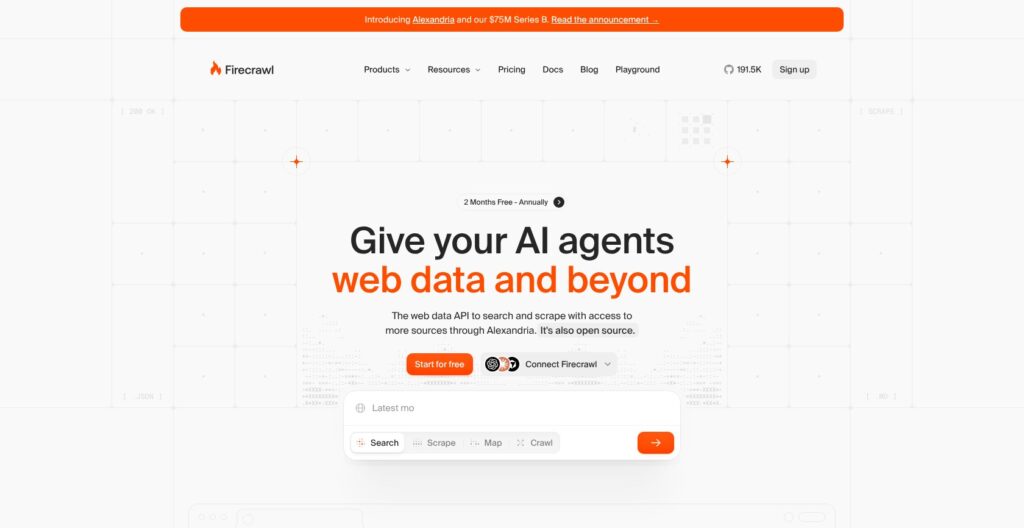
Firecrawl’s role in an AI data stack is acquiring and formatting source material. That makes it relevant to a documentation assistant or research workflow, but the buying decision should start with the content required, not the size of the advertised credit allowance.
My buying criteria are straightforward: acquisition controls that fit your sources, and a recurring workload you can afford.
Key Takeaways
- Managed ingestion is the main appeal: Scrape, Crawl and Search cover different ways of acquiring web content.
- A recurring free allowance supports a small starting workload without an immediate subscription.
- Structured extraction costs extra: JSON should have its own budget rather than being treated as ordinary Markdown.
- Self-hosting is not Cloud parity: The default deployment lacks several managed capabilities.
- Downstream RAG work remains: Chunking, embeddings, storage and answer evaluation belong in the application stack.
In this review, I’ll take a closer look at the plans, collection workflow, extraction choices and deployment trade-offs before comparing Firecrawl alternatives.
Pros and Cons
Pros
- Markdown output suits text-oriented ingestion workflows.
- Crawl supports path rules for bounded site collection.
- JSON Schema provides an explicit structure for extracted records.
- Interact profiles support persistent browser session state.
- An open-source core provides an alternative deployment path.
Cons
- JSON extraction adds to basic page costs.
- Default scrape caching allows content up to two days old.
- The default self-hosted stack lacks some Cloud capabilities.
- Ingestion does not replace downstream retrieval engineering.
I like the division between discovery, collection and structured extraction. You can choose the operation each source needs without making structured extraction the default for every page.
My main reservation is budgeting by page count alone. I would define the required output before choosing a plan, and treat deployment ownership as a separate architectural decision.
Firecrawl Pricing
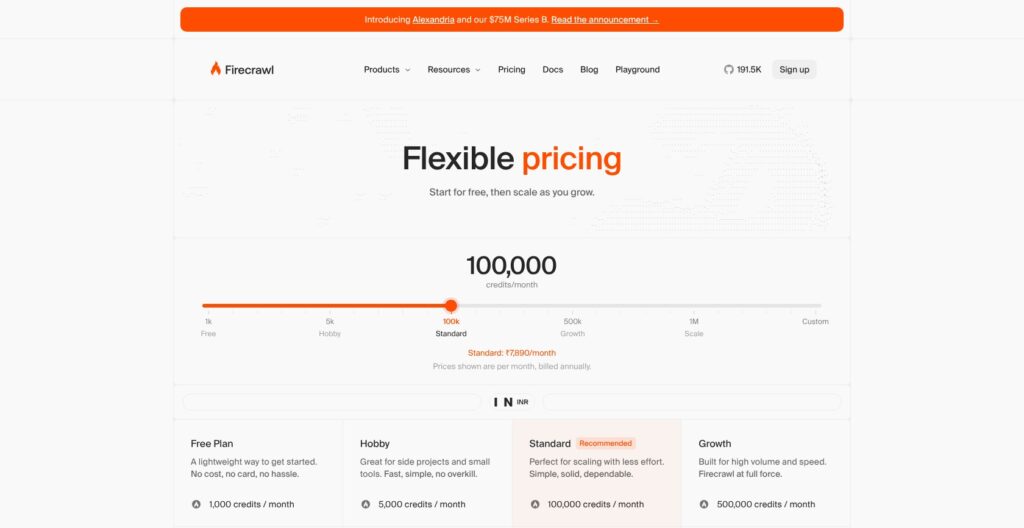
Hobby costs $19 month-to-month, or a displayed $16 monthly equivalent with annual billing. The table compares the displayed annual-billed monthly equivalents in USD.
- Free ($0): My starting choice for a bounded workload.
- Hobby ($19 monthly; $16 annual equivalent): For a small recurring project.
- Standard ($83 annual equivalent): For an established ingestion workload.
- Growth ($333 annual equivalent): For larger recurring collections.
- Scale ($599 annual equivalent): For high-volume requirements.
- Enterprise (custom): For negotiated capacity and contractual requirements.
| Plan | Displayed monthly equivalent, billed annually | Monthly credits | Concurrent browsers |
|---|---|---|---|
| Free | $0 | 1,000 | 2 |
| Hobby | $16 | 5,000 | 5 |
| Standard | $83 | 100,000 | 25 |
| Growth | $333 | 500,000 | 50 |
| Scale | $599 | 1,000,000 | 100 |
| Enterprise | Custom | Custom | Custom |
The annual equivalents are rounded displays. Browser concurrency describes simultaneous browser capacity; it does not promise a particular completion time.
Credits are workload units, not always pages. Basic scraping and crawling cost one credit per page; JSON adds four. For example, 1,000 basic pages use 1,000 credits, while the same pages with JSON use 5,000.
Free credits refresh monthly without a card. Paid allowances also reset monthly, including annual subscriptions. Hobby, Standard and Growth included credits do not roll over; annual Scale carries unused plan credits forward for one month.
Paid plans offer additional credits in $5 increments: 1,000 on Hobby, 2,000 on Standard, 2,500 on Growth and 5,000 on Scale. Automatic purchases can be capped or disabled. Purchased credits remain until used, but expire on subscription cancellation.
I would keep the spending cap conservative until the workload has a clear owner. An unattended collection job should not decide how much budget a project deserves simply because additional credits are available.
PDFs need a separate estimate because parsing incurs page-based charges. Agent also uses dynamic billing rather than the basic scrape calculation. Neither belongs in a forecast that assumes every submitted URL consumes the same amount.
For a documentation project, I recommend budgeting the initial collection separately from refreshes. Recollecting an entire archive and revisiting a chosen subset are different purchasing decisions. The relevant question is how much content the application genuinely needs to revisit, not how much unused capacity a larger plan advertises.
Is Firecrawl Good Value for Money?
- Good fit for managed acquisition: I would pay when owning the crawler is outside the project’s intended scope. The value is the responsibility being delegated, not an assumed improvement in output quality.
- Less compelling for sporadic work: I would resist annual commitment when the source list or refresh schedule is still unsettled. A lower displayed equivalent does not resolve an uncertain requirement.
- Sensitive to format choice: I would reserve JSON for records that need defined fields. Paying for structured output throughout a text retrieval corpus needs a specific application reason.
My recommendation is Free first, then monthly Hobby for a small recurring project. Standard becomes a sensible comparison when the planned credit requirement or concurrency constraint justifies the step. I would not buy Growth or Scale as insurance against an application whose scope is still changing.
Getting Started With Firecrawl
Start with one representative public URL, not an entire domain. The Scrape Playground supports a browser-based request before an SDK integration, making it my recommended starting point for understanding the input and output.
An account API key is a supported integration route, but it is not mandatory for every first request. Scrape, Search and Interact also have keyless free access with per-IP daily caps, separate from the account allowance.
I would choose a source that resembles the application’s intended material. For a documentation assistant, a detailed reference article is a more useful starting point than a homepage because it reflects the content the assistant would need to answer questions.
My recommended workflow separates acquisition decisions from downstream application decisions:
- Choose the output contract. Request Markdown for text-oriented ingestion. Add structured fields only when the application needs records rather than passages.
- Keep source context. Preserve the source URL and relevant metadata alongside the content. I would not design a retrieval pipeline around anonymous text blocks.
- Discover relevant URLs. Map returns links and associated metadata without extracting page bodies. Use that inventory to define the collection rather than treating every discovered URL as equally useful.
- Bound the crawl. Set path rules and an explicit page limit before submitting the job. A documentation collection might include a product’s reference area while excluding unrelated editorial content.
- Store the result downstream. Retrieve the job output and hand accepted content to the application’s processing layer. Firecrawl’s output is an input to that layer, not the finished application.
Crawl can return a job ID for polling, SDK calls can wait, and webhooks support processing during collection. Completed results remain retrievable through the API for 24 hours, so I would make durable storage part of the integration rather than rely on the job endpoint as an archive.
Error handling deserves its own branch. Page metadata can contain target-site HTTP errors, while the crawl-errors endpoint reports issues such as network failures or robots.txt blocks. I would keep failed acquisition records separate from accepted documents, rather than letting any returned response become searchable content.
The Playground is a starting interface, not my reason to recommend the product. The more consequential question is whether the application has an explicit rule for accepting, updating and retiring source material.
For an assistant covering multiple product versions, I recommend preserving version identity instead of combining similar pages indiscriminately. Resolving version conflicts remains an application design responsibility.
I like this staged approach because it puts scope before automation. A larger collection is not automatically a more useful corpus, and buying more credits is the wrong response to an undefined source policy.
Scraping and Crawling Websites
Scrape, Crawl and Map serve different decisions. I would use the narrowest operation that matches the source list rather than make every ingestion task a site-wide crawl.
- Scrape: Acquire content from a known URL, with formats including Markdown, HTML and screenshots.
- Crawl: Follow discovered links within configured collection boundaries.
- Map: Discover candidate URLs before deciding what content to acquire.
Crawl supports include and exclude path patterns, discovery depth and page limits. Its default limit is 10,000 pages, and the requested limit is checked against remaining credits before a job starts. An oversized request can therefore be rejected before collection begins.
I would always make the page limit explicit. For a small account, the default is a poor expression of intent; for a larger account, it still says little about what the application actually needs.
Firecrawl supports JavaScript-rendered pages, although that does not guarantee access to every dynamic element or restricted page. If the task centers on a repeatable, site-specific automation rather than content acquisition, Apify’s Actor model deserves consideration.
Freshness is a separate design choice. Scrape’s default maximum cache age is two days. Setting maxAge to zero forces a fresh fetch, while cached responses still cost a credit per page.
For price monitoring, I recommend explicitly choosing fresh acquisition. For a historical reference collection, I might accept cached content if that matches the application’s freshness policy. The right choice depends on the claim the application will make, not a blanket preference for fresh or cached data.
Firecrawl also supports document ingestion, including PDF and office files, through reachable URLs or local uploads to Parse. PDF handling includes OCR for scanned material and optional page-level Markdown or layout blocks.
I would preserve page identity when a document’s structure matters to the answer. A quotation from a scanned manual and a paragraph from a live web page should not lose their different source contexts merely because both eventually enter a text index.
My verdict is useful acquisition controls, bounded responsibility. I would choose Firecrawl for collecting source material, while keeping deduplication and retrieval policy in the application design.
Structured Extraction and Web Search
JSON is worth paying for when your application needs fields. Markdown is my default recommendation for text retrieval; a schema makes more sense for a directory of product names, availability statements and listed prices.
JSON mode accepts a schema and an optional prompt inside the formats array. A prompt alone allows the model to choose the output structure. I prefer an explicit schema for recurring ingestion because it makes the application’s expected record shape visible.
That is not an accuracy guarantee. I would define how missing or ambiguous values should be handled instead of treating a populated field as established truth.
JSON extraction operates on Markdown, so HTML data attributes are unavailable to that extraction path. Attribute-dependent work needs another approach, such as requesting rawHtml and parsing it client-side. I would not buy more extraction credits to solve a source-representation mismatch.
Search is for discovery beyond known URLs. It costs two credits per ten results, rounded up; scraping returned pages adds normal scrape and format charges.
For example, a ten-result search with basic scraping of all results costs 12 credits: two for Search, plus ten for the pages. Adding JSON to all ten makes it 52. Any other paid options add to those totals.
I recommend Search for a research assistant seeking sources on a new topic. For a fixed documentation collection, I prefer an explicit source inventory because relevance should not be rediscovered on every refresh.
Extract supports URL lists and domain wildcards, but remains in beta with coverage and repeatability limits. Agent is its intended successor. Agent can begin from a prompt without supplied URLs and return structured output.
Agent’s default maxCredits is 2,500, and reaching the budget stops the run as failed, potentially with incomplete partial results. Follow-up turns require a new budget.
I would reserve Agent for open-ended acquisition where that flexibility is actually required. For a defined record collection, the ability to state exactly which pages and fields belong in the job matters more to me than conversational convenience.
Apify is the alternative I would consider for task-specific automation; Jina Reader is the narrower candidate when the requirement is simply converting known pages to text.
Self-Hosting, Integrations, and Control
Self-hosting changes ownership, not just the bill. Firecrawl’s core uses AGPL-3.0, and its self-hosted deployment uses Docker Compose with several services. The license is an adoption consideration alongside the technical requirements.
The open-source core covers Scrape, Crawl, Map and Search. Cloud adds managed capabilities including Agent and Browser/Interact. Screenshots and page actions are absent from the default self-hosted stack and require Fire-engine.
That gap matters more than the existence of a repository. I would write the required workflow down before selecting deployment, particularly if it includes browser interaction. “Open source” is not enough information to conclude that a Cloud workflow can move unchanged.
Self-hosted LLM-backed formats require an OpenAI-compatible provider or Ollama. Infrastructure and provider costs remain with the operator, alongside responsibility for upgrades and recovery.
I recommend Cloud for a small application team that wants to keep crawling infrastructure outside its remit. I would consider self-hosting when operating the ingestion layer is a deliberate requirement with a named owner and an allocated budget.
Python and Node SDKs, plus CLI and MCP integrations, provide several entry points. I would choose the interface that fits the existing application rather than reorganize the stack around an available integration.
Managed Interact can continue from a scrape session using prompts or Playwright code. Persistent profiles support cookies and local storage, with profile configuration belonging on the initial scrape request.
That capability is relevant to authenticated or paginated workflows, but I would keep session lifecycle and credential ownership explicit in the application design. A browser session is a different operational commitment from converting a public article.
Crawl4AI deserves comparison when local Python control is the priority. Its Apache-2.0 library supports local and Docker deployment, and it also offers a separate hosted Cloud service. I recommend comparing the local deployment modes directly, including their infrastructure requirements, before weighing either against a hosted service.
How Does Firecrawl Compare to Competitors?
I choose by the job you need done. The broad label “web scraping API” covers products with different interfaces and operating requirements.
- Apify: My choice to investigate for reusable, task-specific automation. Actors accept structured JSON input and output and can run through the Console, API, CLI or schedules. I would budget the selected Actor’s charging model rather than compare subscription headlines.
- Jina Reader: My narrower candidate for URL-to-text conversion. Its URL-prefix interface, rendering options and content selectors suit a requirement centered on known pages. Key-based usage uses token budgeting, which needs a different forecast from Firecrawl credits.
- Crawl4AI: My candidate when local Python and browser control are central requirements. I would compare its local library and hosted Cloud separately, with operating responsibility included in the local decision.
| Tool | My preferred starting use case | Interface or deployment emphasis | Main buying consideration |
|---|---|---|---|
| Firecrawl | Managed web ingestion | API, SDKs and optional self-hosted core | Credit mix and Cloud feature requirements |
| Apify | Task-specific automation | Composable Actors and scheduled execution | Actor-dependent output and charging |
| Jina Reader | Known-URL text conversion | URL-prefix API | Token budgeting and workflow scope |
| Crawl4AI | Python-oriented crawling | Local library, Docker or separate Cloud | Control versus operating responsibility |
Firecrawl earns my shortlist when the requirement spans URL discovery, content collection and optional structured output within one ingestion product. I would choose a narrower alternative when only one of those jobs matters.
My shortlist favors fit with your existing stack: the source types you need, the interface your team prefers and the infrastructure it is prepared to own.
How I Reviewed Firecrawl
I evaluated Firecrawl’s pricing, credit mechanics and acquisition workflow, then compared deployment responsibilities and the scope of named alternatives. My judgments focus on which responsibilities the buyer delegates and which remain in the application.
This is a capability and cost analysis, not a hands-on benchmark of scrape speed or extraction accuracy. Recommendations follow from product specifications; workload examples illustrate how the charging rules apply.
Prices and plan specifications are presented as of October 2026.
Should You Use Firecrawl for Web Ingestion?
Yes, if managed acquisition is the missing layer. I recommend Firecrawl for developers who already know what their AI application will do with the collected content and want controls for obtaining it.
I would skip it as a purchase intended to solve the entire RAG stack. I would also reject a self-hosting plan that assumes Cloud feature parity without accounting for the documented differences.
My preferred starting point is the free account allowance with a deliberately narrow source scope. For a small recurring workload, monthly Hobby is the next plan I would consider before an annual commitment.
The decisive question is not whether Firecrawl offers enough endpoints. It is whether its acquisition model matches the sources, output contract and operating responsibility the project needs. Buy for that fit, and keep additional extraction or agent work tied to a clear application requirement.
Firecrawl FAQ
Is Firecrawl free?
Yes. The account Free plan includes 1,000 credits that refresh monthly and requires no card. Keyless access also exists for selected endpoints under separate daily limits. I would distinguish those routes rather than assume every free request draws from the same allowance.
Can I self-host Firecrawl?
Yes. The core has a Docker Compose deployment, but the default stack does not reproduce every Cloud capability. I would choose self-hosting for intentional operating control, not merely because avoiding a subscription sounds cheaper.
Is Firecrawl a complete RAG platform?
No. Its role here is acquiring and formatting source content. Chunking, embeddings, storage and answer evaluation remain downstream work. I would assess it as the ingestion component of a retrieval application, rather than expect a functioning assistant from a crawl result.
Does JSON extraction cost more, and is the output accurate?
JSON adds four credits to the basic one-credit page cost. A schema specifies the intended record structure; it does not establish that every extracted value is correct. I would design source-backed validation and missing-value handling into any application that relies on those fields.