Editor’s note: This Windmill review is based on my hands-on test of Windmill v1.873, self-hosted Community Edition and Windmill Cloud, in November 2026. I weighed pricing and the seat plus compute-unit model, self-hosting and setup, scripts and the flow editor, triggers and workers, data pipelines, apps and AI features, the Community vs Enterprise split, and how Windmill compares with Airflow, Prefect, Dagster, Kestra, Temporal and n8n.
Quick verdict: I recommend Windmill for engineering teams that want scripts, flows, schedules, webhooks and internal apps on one self-hosted engine, written in real code, with a free Community Edition that has no execution cap. Unredacted audit logs, SAML, SCIM, autoscaling, Kafka triggers and SSO beyond 10 users require Enterprise, self-hosted from $120 a month ($20 per builder plus $50 per 2 GB worker). Asset-based Pipelines are still alpha, so data teams with asset-heavy DAGs are better served by Dagster or Airflow today.
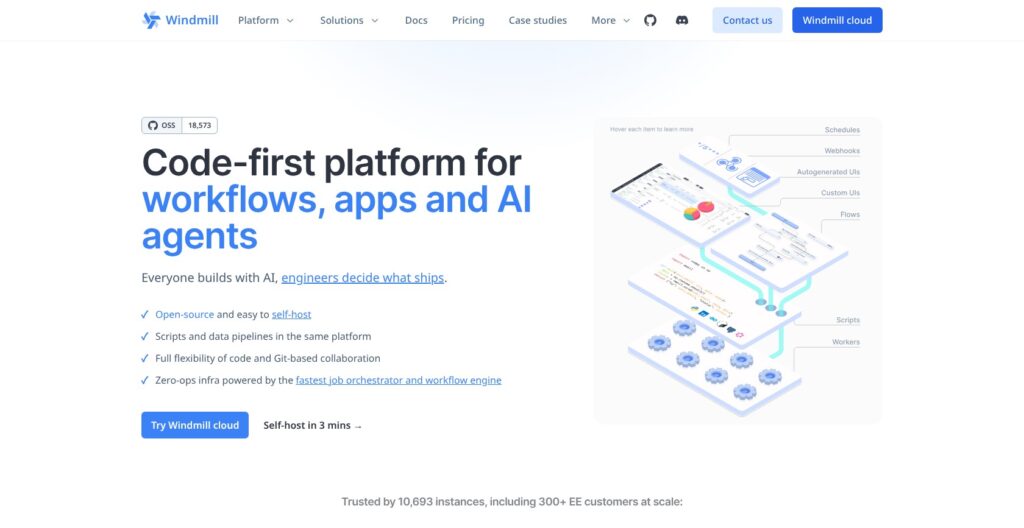
Windmill Labs (Y Combinator Summer 2022, San Francisco and Paris) built Windmill so every script runs as an auto-generated form, a webhook endpoint and a schedulable job at once, on a stack of only Postgres, servers and workers. In this review, I’ll take a closer look at Windmill’s pricing, features, and self-hosting model, so you can see exactly whether it fits your engineering team or whether an orchestrator like Airflow or Prefect is the better buy.
Key Takeaways
- Windmill runs 20+ languages, including Python, TypeScript, Go, Bash, Rust and SQL, and every script doubles as a form, webhook and schedule.
- Community Edition is free with unlimited executions, but caps an instance at 3 workspaces, 50 users and 10 SSO users.
- Enterprise pricing is public: $20 per builder, $10 per non-builder and $50 per 2 GB worker a month, from $120 self-hosted.
- The flow editor covers branches, loops, approvals, retries and error handlers, but Windmill is an at-least-once engine, so steps must be idempotent.
- Asset-based Pipelines with DuckLake and lineage are alpha, and range backfill and the freshness watchdog are Enterprise-only.
Pros and Cons
Pros
- 20+ languages in one runtime, from Python and TypeScript to Go, Rust and SQL.
- Every script gets an auto-generated form, a webhook endpoint and a schedule.
- Community Edition is free with unlimited executions on your own servers.
- Runs on Postgres plus stateless servers and workers, with nothing else required.
- Public price formula: $20 per builder and $50 per 2 GB worker a month.
Cons
- Community Edition caps SSO at 10 users and an instance at 3 workspaces.
- Unredacted audit logs, SAML, SCIM, autoscaling and Kafka triggers need Enterprise.
- Pipelines are still alpha, and range backfill needs an Enterprise license.
- Windmill Cloud is US-hosted; EU hosting needs a dedicated Cloud Enterprise instance.
Windmill Pricing: How Much Does It Cost?
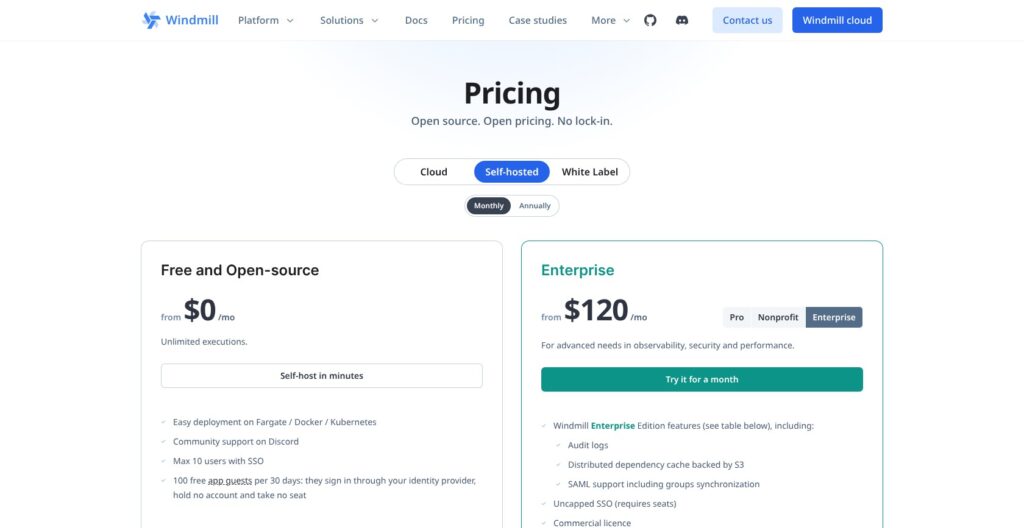
Community Edition costs $0 with unlimited executions; Enterprise bills seats ($20 per builder, $10 per non-builder) and compute units ($50 per 2 GB worker) monthly.
- Community Edition ($0, self-hosted): for teams on their own servers; unlimited executions, 3 workspaces, 50 users, 10 SSO users, 4 groups, 30-day job-run details, Git sync for up to 2 users and Discord support.
- Cloud Free ($0): for trying Windmill without a server; 1,000 executions a month, no credit card.
- Cloud Team ($10 per seat per month): for small hosted teams; 10,000 executions per user, 7-day audit logs and a 48-hour priority support goal; the only plan billed on actual usage.
- Pro (self-hosted): for individuals, seed-stage startups and businesses with fewer than 10 employees and under $250,000 in revenue; most Enterprise features on committed seats and compute units, with the same 48-hour support goal.
- Enterprise (from $120 a month, self-hosted): for production teams; a one-month free trial, 24/7 support with a 3-hour P0 response and the SOC 2 Type II report on request.
- Cloud Enterprise (custom quote): for a dedicated managed instance with an EU option, 60-day audit logs and unlimited job-run retention.
Nonprofits and universities get 40% off Enterprise.
| Plan | Price | Hosting | Key limits |
|---|---|---|---|
| Community Edition | $0 | Self-hosted | 3 workspaces; 50 users; 10 SSO users |
| Cloud Free | $0 | Managed, US | 1,000 executions/month |
| Cloud Team | $10 per seat/month | Managed, US | 10,000 executions/user |
| Pro | Committed seats and CUs | Self-hosted | Individuals, small firms, seed-stage startups |
| Enterprise | From $120/month | Self-hosted | Seats and provisioned compute |
| Cloud Enterprise | Custom quote | Dedicated managed instance | Contracted seats and compute; EU option |
A builder is a workspace admin or anyone who can write code or build flows or apps; other users, external JWT users and enabled service accounts bill as half-seat non-builders.
One CU equals 2 worker-GB-month: a 2 GB worker is 1 CU, a 1 GB worker 0.5 CU and any larger self-hosted worker 2 CU, while the native worker (8 SQL and REST subworkers) is always 1 CU.
Windmill’s calculator example of 1 builder, 2 standard workers and a native worker totals $170 a month. On Cloud, an execution is a job of up to 1 second, and each extra second counts as another.
Is Windmill Good Value for Money?
- Prefect Cloud: free Hobby tier, Starter $100 a month and Team $100 per user a month, so Windmill’s $20 builder seat is far cheaper per head.
- Dagster+: Solo $10 a month and Starter $100 a month, plus a credit per asset materialization or op.
- Astronomer: managed Airflow from $0.35 an hour per Developer deployment.
- Temporal Cloud: Business from $500 a month.
- Kestra and Airflow: free under Apache 2.0; Kestra publishes no Enterprise price.
I rate Community Edition the best free deal here while fewer than 10 people need SSO; on Enterprise, provisioned worker memory, not executions, drives the bill.
Reviewer’s Notes: I recommend starting on Community Edition and budgeting Enterprise once you need SSO beyond 10 users, unredacted audit logs or autoscaling. Small teams should check Pro eligibility first, and staging instances flagged non-prod keep their compute units off the bill.
My Experience With Windmill
Self-Hosting the Community Edition
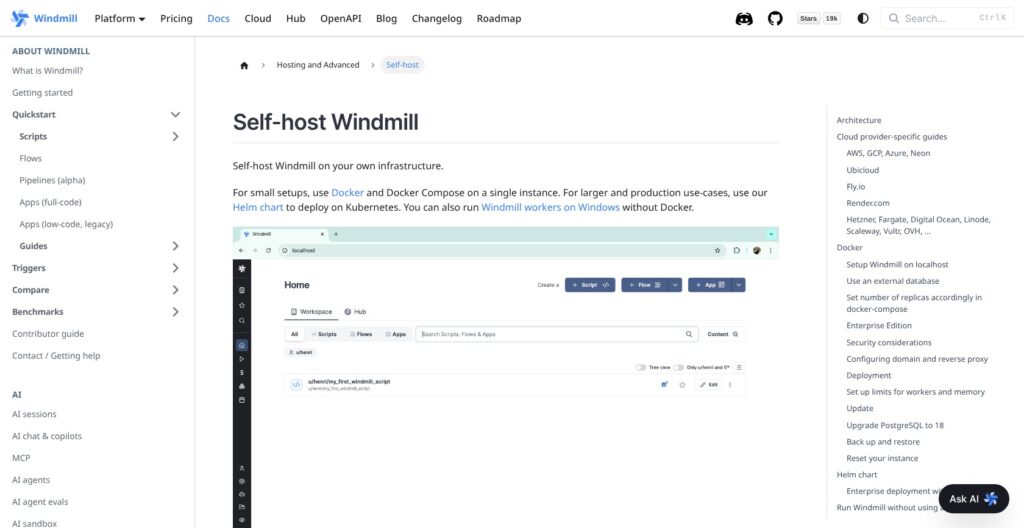
I downloaded docker-compose.yml, the Caddyfile and .env from the windmill-labs/windmill repository and started the stack, with Caddy serving Windmill on port 80. The stack has three parts: Postgres, which holds all instance state including the job queue, Windmill servers for the UI and API, and workers that execute jobs.
I pointed DATABASE_URL in .env at a managed Postgres instead of the bundled database; Aurora or RDS, Cloud SQL, Azure Postgres and Neon all work. I logged in with the default superadmin account and replaced it in the setup wizard. Because the whole instance lives in Postgres, I backed it up with a single pg_dumpall.
I sized the worker replicas by Windmill’s rule of one worker per vCPU with 1 to 2 GB of RAM; default workers carry a 2 GB memory limit. For Kubernetes, Windmill ships a Helm chart instead of the Compose file.
I also signed up for Windmill Cloud with a GitHub login; Free needs no credit card and includes 1,000 executions a month. Airflow buyers who skip self-hosting can pick Astronomer, Google Cloud Composer or Amazon MWAA instead.
Writing My First Script
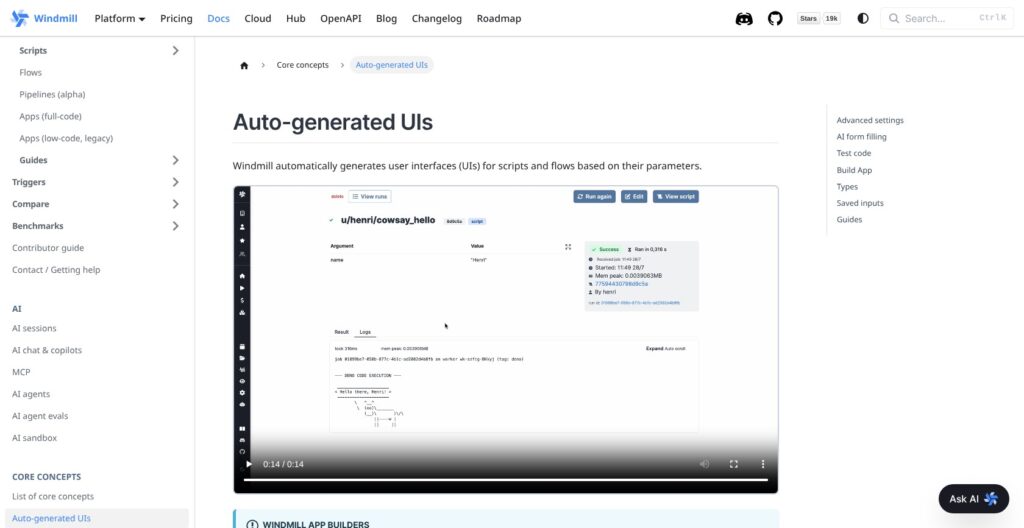
In the web editor, I wrote a Python script with a main function, and Windmill derived a JSON Schema from its signature and rendered it as a form. The same script was callable as a webhook endpoint and schedulable on a cron-style schedule without any frontend code.
I kept credentials and dependency pins out of the script itself:
- Resources: typed JSON objects for database and API connections.
- Workspace variables: encrypted storage for secrets.
- Lockfiles: Windmill resolves dependencies per script and pins them in a per-script lockfile; wmill generate-metadata generates the lockfiles locally.
Python is one of 20+ languages, alongside TypeScript on Bun, Deno or Node.js, Go, Bash, PowerShell, Rust and SQL dialects. Prefect and Dagster are Python-first, so Windmill suits teams whose automation spans languages.
Building a Flow With Branches and Approvals
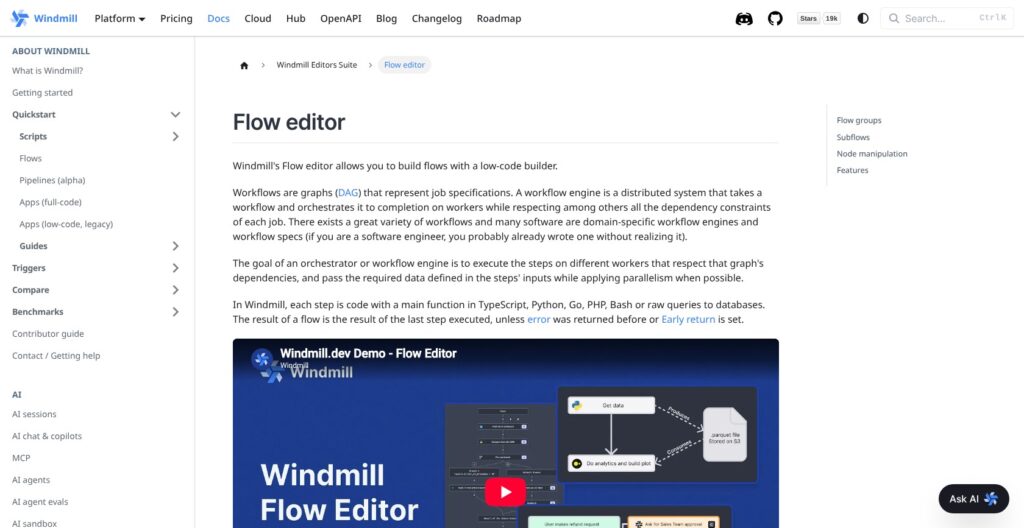
In the flow editor, each step was a script, inline or pulled from the workspace, and each step passed its result to the next.
- Branch: I used branch-one, which runs only the first matching path; branch-all runs every path.
- For loop: I repeated one step over a list of inputs.
- Approval step: I suspended the flow until someone approved it.
- Retries: I set a static delay followed by exponential delays, up to a maximum number of attempts.
- Error handler: I attached a script that runs when a step fails.
The editor also offers while loops, subflows, sleep, early stop, step mocking and timeouts, and it can cache a step’s result for a set number of seconds. Basic approvals and retries work on Community Edition, but approval-step forms, approver permissions and restarting a deployed flow from any step require Enterprise.
Workflows as code, on both editions, expresses the same logic as a Python or TypeScript program with native try/catch and parallel branches, which is Windmill’s answer to Prefect-style decorator flows.
Shipping Code With the wmill CLI and Git Sync
I synced a local folder to the workspace with wmill sync and edited scripts in the VS Code extension, which live-reloads dev pages. Git sync mirrors a whole workspace to a Git repository, but Community Edition limits it to workspaces with up to 2 users, while Enterprise removes the cap. The deploy-to-prod UI for promoting changes also requires Enterprise.
Reviewer’s Notes: I recommend deciding early whether code lives in Git or in the web editor. A three-person team exceeds Community Edition’s 2-user Git sync cap, even though the instance allows 50 users, so plan the Enterprise budget before the third collaborator joins.
Triggers, Workers and the Postgres Job Queue
Windmill’s job queue is a Postgres table using UPDATE SKIP LOCKED, which Windmill says handles about 5,000 requests a second on a normal Postgres, so there is no separate message broker to run. Each worker runs one job at a time with all of its CPU and memory.
- Community Edition triggers: schedules, webhooks, custom HTTP routes, Postgres CDC, WebSocket, MQTT (self-hosted) and email, capped at 100 emails a day.
- Enterprise triggers: Kafka, NATS, SQS, GCP Pub/Sub and Azure Event Grid.
- Other entry points: manual runs, the CLI, the API and MCP.
Jobs route to queues called tags, and two worker groups ship by default: “default” and “native”, which handles SQL and REST jobs. Community Edition sets worker tags through environment variables; the worker-group management UI requires Enterprise.
Enterprise also adds dedicated workers, agent workers, Windows workers, concurrency limits and autoscaling, with minimum and maximum workers per group and native Kubernetes integration. Standard workers sandbox user code with nsjail by default in the official images, while the native worker runs without isolation.
Windmill is an at-least-once engine: after an infrastructure crash it recovers and can rerun a step, so make side-effecting steps idempotent before you turn on retries; otherwise a payment or email step can fire twice. For durable execution inside application code, Temporal’s SDK model is the specialist alternative.
Windmill’s own benchmark, last run in 2025, timed Python Fibonacci tasks with each engine on its recommended Docker Compose deployment on an AWS m4.large.
| Engine | 10 long-running tasks | 40 lightweight tasks |
|---|---|---|
| Airflow | 54.7 s | 116.2 s |
| Kestra | 15.8 s | 6.0 s |
| Prefect | 15.5 s | 4.9 s |
| Windmill | 8.3 s | 4.4 s, dedicated workers |
| Hatchet | 7.8 s | 1.2 s |
| Temporal | 7.2 s | 3.0 s |
Windmill was far faster than Airflow in both scenarios (8.3 s against 54.7 s on long-running tasks) but not the fastest engine overall: Temporal and Hatchet beat it on long-running tasks, and both led on lightweight ones.
Data Pipelines: DuckDB, DuckLake and Asset Lineage
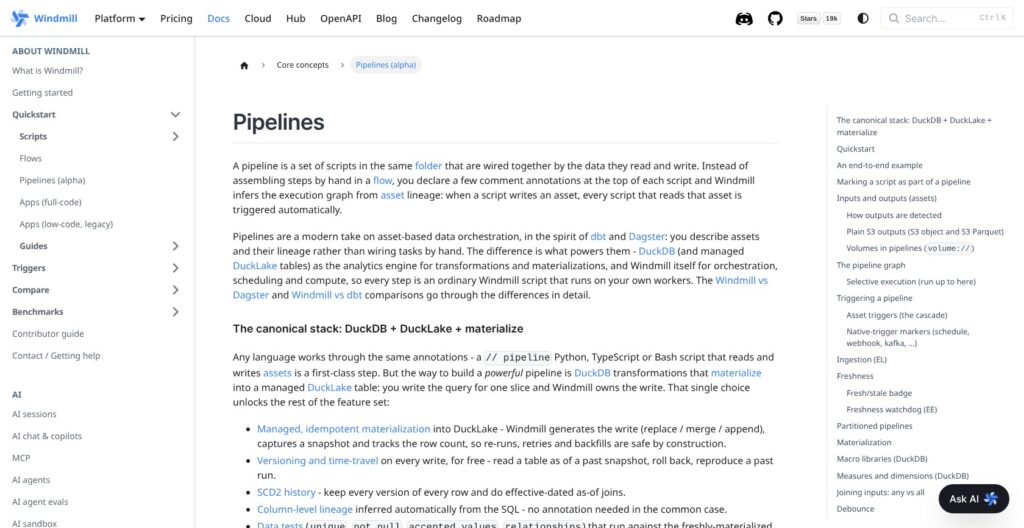
Windmill’s Pipelines feature is alpha and infers the DAG from asset lineage: scripts in a folder carry annotations naming their pipeline, the assets they read and the DuckLake tables they materialize, and when a script writes an asset, every script reading it runs next. Windmill frames this as asset-based orchestration in the spirit of dbt and Dagster, though Dagster’s native asset model remains my pick for an asset-first platform.
- DuckLake materialization: replace, merge or append, with versioning and time travel.
- SCD2 history: changes to rows kept over time.
- Column-level lineage: inferred from SQL.
- Data tests: unique, not_null, accepted_values and relationships.
- Partitions: runs scoped to a slice of data.
- dbt projects: run unmodified on Windmill workers.
- SQL runtimes: PostgreSQL, MySQL, BigQuery, Snowflake and DuckDB, plus MS SQL and Oracle as dedicated runtimes on Enterprise.
Community Edition runs every pipeline concept, with single-partition runs and a passive fresh or stale badge. Range backfill across up to 1,000 partitions, the freshness watchdog and write-audit-publish, which rolls back a write when tests fail, require Enterprise.
Windmill’s own 2026 DuckDB benchmark ran a nine-query TPC-H-derived workload over a 100 GB dataset, including a 600-million-row fact table, in about 20 seconds at about 20 GB peak memory on one node. Data Tables add workspace-scoped relational storage, and DuckLake keeps large datasets in S3, so budget object storage alongside worker memory.
Pipelines have no direct equivalent of dbt’s docs site, seeds or semantic layer.
Best for: single-node SQL and Python ETL next to the rest of your automation. Skip if: you need Windmill to replace a large Dagster asset graph today.
Apps, AI Agents and the MCP Server
Windmill labels its drag-and-drop app editor legacy and recommends full-code React or Svelte apps for new work, with frontends calling backend scripts on Windmill workers and using Data Tables. Auto-generated UIs remain for every script and flow, and the first 100 distinct guest emails per trailing 30 days are free on self-hosted Community Edition and Enterprise; guests are unavailable on Cloud Free and Team. Retool is the more mature drag-and-drop builder for UI-heavy internal tools; Windmill fits engineers who want frontend code and orchestration on one platform.
- AI chat and copilots: generate and fix code in scripts, flows and apps on your own provider key: OpenAI, Azure OpenAI, Anthropic, Mistral, DeepSeek, Google Gemini, Groq, OpenRouter, Together AI, AWS Bedrock or an OpenAI-compatible endpoint such as Ollama. Windmill tracks tokens and estimated cost per user.
- Agent steps: AI agents inside flows use Windmill scripts as tools, with run-page visibility, and agent evals score runs with AI judges or code scorers.
- AI Sessions: a full-page build mode (Plan, Ask or Yolo) where the AI acts with the user’s permissions and creates ordinary workspace drafts.
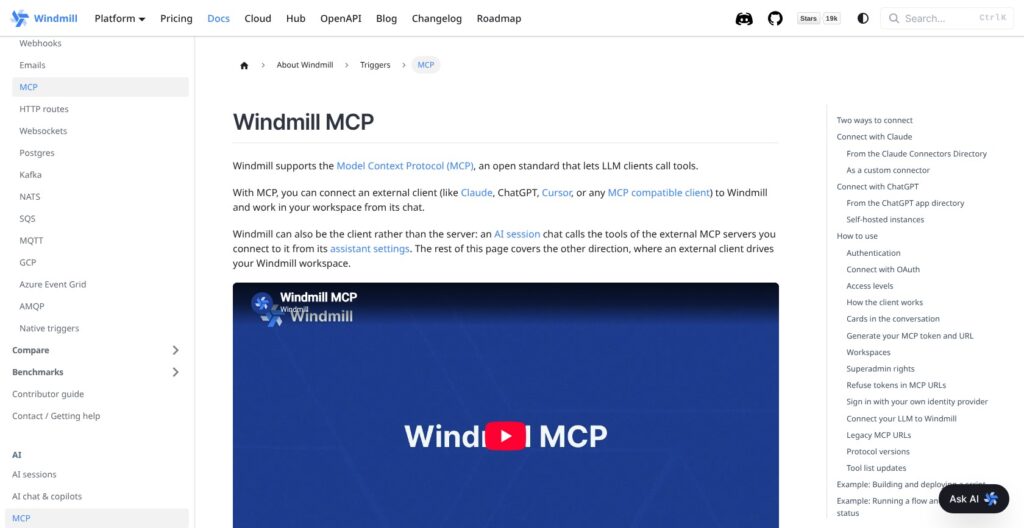
- MCP server: /api/mcp lets Claude, ChatGPT, Cursor or any MCP client build, test, deploy and run scripts and flows, or call selected scripts as typed tools. Windmill is listed in the Claude Connectors Directory.
When I connected an MCP client, I exposed selected scripts as typed tools instead of full build access, which suits an assistant that only runs existing automation. The bring-your-own-key model means no AI surcharge on the Windmill bill; n8n is the comparison point for AI automation on a visual canvas.
Community Edition vs Enterprise: What the Free Version Leaves Out
Windmill’s backend is AGPLv3, except proprietary code under the enterprise compile flag, which needs a license key; API clients and the OpenAPI specification use Apache 2.0. Serving Community Edition as a managed service requires a commercial license.
- Instance caps: 3 workspaces, 50 users, 10 SSO users and 4 groups.
- Audit logs: redacted, with 14-day default retention; self-hosted Enterprise keeps unredacted audit logs for 365 days by default.
- Job-run details: kept for up to 30 days.
- Identity: no SAML, SCIM or custom roles.
- External secrets: HashiCorp Vault, Azure Key Vault and AWS Secrets Manager require Enterprise.
- Scaling: no autoscaling, concurrency limits, critical alerts, Windows workers or worker-group UI.
- Collaboration: multiplayer editing, the deploy-to-prod UI and Git sync beyond 2 users require Enterprise.
- Observability: Prometheus metrics and OpenTelemetry tracing require Enterprise.
| Requirement | Community Edition | Enterprise |
|---|---|---|
| SSO users | Up to 10 | Uncapped, requires seats |
| Git sync | Workspaces with up to 2 users | Unlimited |
| Approval forms and permissions | Not included | Included |
| SOC 2 Type II scope | Excluded | Included |
| Pipeline range backfill | Not included | Up to 1,000 partitions |
SOC 2 Type II covers Enterprise Edition only; Community Edition is out of scope, and Enterprise customers can request the report. Windmill Cloud is US-hosted, with EU hosting only on dedicated Cloud Enterprise instances, and self-hosted Enterprise still sends lightweight seat and compute-unit telemetry tied to its license.
Windmill ships a single v1.x line, with about 440 releases in 12 months and v1.873.1 released on November 13, 2026. Windmill describes every release as backward compatible, and security fixes land in the latest release because there is no LTS branch, so budget for frequent upgrades.
Skip the free edition if more than 10 people need SSO, compliance requires unredacted audit logs, or your monitoring depends on Prometheus.
How Does Windmill Compare to Competitors?
- Apache Airflow: Apache 2.0, Python DAGs and a large provider ecosystem, managed through Astronomer, Google Cloud Composer and Amazon MWAA. It was the slowest engine in Windmill’s own benchmark (54.7 s and 116.2 s). It fits data teams that want provider coverage and managed hosting.
- Prefect: Python decorator flows; Prefect Cloud Starter costs $100 a month and Team $100 per user a month. Prefect announced its acquisition of Dagster Labs on July 13, 2026. It fits Python teams that want a managed control plane.
- Dagster: assets and lineage are the native model; Dagster+ Solo costs $10 a month and Starter $100 a month plus credits. Dagster says its brand, open-source project and pricing continue after the Prefect deal. It fits data teams with a large asset graph today.
- Kestra: Apache 2.0, declarative YAML flows and 2,600+ plugins, with SSO, RBAC and audit logs only in Enterprise, which has no public price. It fits teams that prefer YAML over code.
- Temporal: an MIT-licensed server with durable execution through SDKs; Temporal Cloud Business starts at $500 a month, and Temporal was fastest on long-running tasks (7.2 s) in Windmill’s own benchmark. It fits product engineers embedding long-running workflows in application services.
- n8n: a visual canvas with 500+ integrations under the Sustainable Use License, which is source-available, not OSI open source. Cloud Starter costs 20 euros a month billed annually for 2,500 executions, and the self-hosted Community Edition is free. It fits mixed teams where non-developers build automations.
- Retool: a mature drag-and-drop internal-app builder with separate builder and internal-user pricing; workflow runs stop at 500 a month on Free and 5,000 on Team and Business. It fits UI-heavy internal tools but, unlike Windmill’s core, is not open source.
Windmill wins where one code-first platform must cover scripts, data jobs, webhooks and internal apps on your own infrastructure. It is not worth replacing a working Dagster asset graph just to consolidate tools.
How I Reviewed Windmill
I self-hosted Community Edition v1.873 with Docker Compose, signed up for Windmill Cloud, wrote Python and TypeScript scripts, built a flow with branches, an approval step and retries, and synced code with the wmill CLI. I also ran the Pipelines alpha with DuckDB and DuckLake, connected an MCP client, and priced setups in Windmill’s calculator.
I weighted these areas:
- Pricing and value: seat definitions, compute units and cloud executions.
- Setup and operations: Postgres state, backups and worker sizing.
- Developer experience: web editor, wmill CLI and Git sync.
- Orchestration: triggers, retries, approvals and idempotency.
- Data pipelines: DuckDB, DuckLake and alpha limits.
- AI features: agent steps, MCP access and provider costs.
- Security and licensing: Enterprise gates, SOC 2 scope and AGPLv3 terms.
- Alternatives: Airflow, Prefect, Dagster, Kestra, Temporal, n8n and Retool.
Prices current as of November 2026.
Windmill Review: Should You Use Windmill as Your Orchestrator?
Yes, for engineering-led automation that needs scripts, schedules, webhooks, approval steps and internal apps on one self-hosted platform, written in real code across 20+ languages. Community Edition covers teams where fewer than 10 people need SSO and 3 workspaces suffice; beyond that, budget $20 per builder plus $50 per 2 GB worker a month on Enterprise. That bill tracks seats and provisioned worker memory, not execution count.
- Choose Dagster or Airflow if you are data-first with a large asset graph and need mature backfills today.
- Choose Prefect if you want a managed Python control plane with decorator flows.
- Choose Temporal if durable execution belongs inside application code.
- Choose n8n if non-developers build the automations on a visual canvas.
Before committing, check whether the 10-SSO-user, 3-workspace and 2-user Git sync caps will bite, since they can force an upgrade long before execution volume matters. Make side-effecting steps idempotent, and confirm that US-hosted Windmill Cloud fits your data policy, because EU hosting needs a dedicated Cloud Enterprise instance.
Start with one operational script that needs a form and a schedule, on the free Community Edition or Windmill Cloud at Windmill, then check that workflow against the edition limits before expanding.
FAQ
Is Windmill free?
Yes. Self-hosted Community Edition costs $0 with unlimited executions, capped at 3 workspaces, 50 users and 10 SSO users. Windmill Cloud Free includes 1,000 executions a month, Cloud Team costs $10 per seat a month, and self-hosted Enterprise starts at $120 a month. Self-hosting still means paying for your own servers, and on Cloud every second past the first counts as another execution.
Is Windmill really open source?
Mostly. Windmill’s backend is AGPLv3, but code under the enterprise compile flag is proprietary and needs a license key. API clients and the OpenAPI specification use Apache 2.0. Serving Community Edition as a managed service requires a commercial license, so self-hosting the open-source core is free, while reselling it or turning on Enterprise features needs a paid license.
Does Windmill have a visual workflow builder?
Yes. Windmill’s visual flow editor chains code steps (Python, TypeScript, Go, Bash or SQL) into workflows with branches, for loops, approval steps, retries and error handlers, and the same flows can be written in Python or TypeScript through Workflows as code on both editions. Basic approvals work on Community Edition, while approval forms, approver permissions and restarting deployed flows from any step require Enterprise.
Can Windmill replace Airflow?
Yes, for scripts, schedules, webhooks and single-node SQL or Python ETL. Asset-heavy migrations are riskier, because Windmill’s Pipelines feature is still alpha and range backfill requires Enterprise. Airflow keeps a large provider ecosystem and managed hosting through Astronomer, Google Cloud Composer and Amazon MWAA, though it was the slowest engine in Windmill’s own benchmark. See How Does Windmill Compare to Competitors? above for the selection criteria.
Is Windmill SOC 2 compliant?
Yes, for Enterprise. Windmill Labs holds SOC 2 Type II, covering Enterprise Edition only; Community Edition is out of scope, and Enterprise customers can request the report. Windmill Cloud is hosted in the US, and EU hosting requires a dedicated Cloud Enterprise instance.