Editor’s note: This Mage review weighs the platform’s development workflow, pricing, deployment options, and operational trade-offs through independent analysis.
Quick verdict: I recommend Mage for data teams that want to build custom pipelines in a visual workspace while keeping control of the code. Its combination of reusable blocks and orchestration is appealing, but I would be cautious about choosing it purely for the AI: you still need someone who understands the data and can judge whether a result is correct.
Key Takeaways
- Mage combines pipeline development and orchestration, making it a useful option when your work involves more than moving data between systems.
- The visual workflow suits developers who want to inspect each stage without giving up Python or SQL.
- The open-source edition gives you a self-hosted starting point, but it does not include the full Mage Pro experience.
- Paid cloud plans have usage charges on top of the subscription, so the headline price is not your total bill.
- AI can help build and repair pipelines, but weak validation rules can still let incorrect results through.
I’ll take a closer look at Mage’s costs, pipeline workflow, and AI tools, then explain when I’d choose it over another orchestrator.
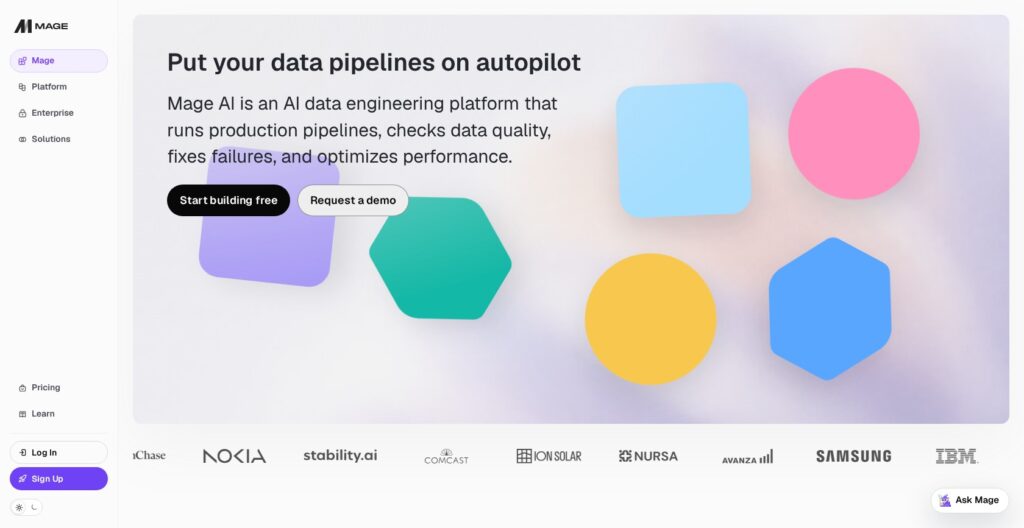
Mage Pros and Cons
Pros
- Python, SQL, and R blocks with visible outputs
- Loader, transformer, and exporter blocks keep pipeline stages separate
- dbt support alongside custom pipeline code
- Apache-2.0 open-source edition for self-hosting
- Managed, hybrid, and private cloud deployment options
Cons
- Compute charges sit on top of paid subscriptions
- AI Sidekick belongs to Pro, not the free OSS edition
- Custom data logic still needs technical oversight
- Self-hosting leaves infrastructure maintenance with your team
How Much Does Mage Cost?
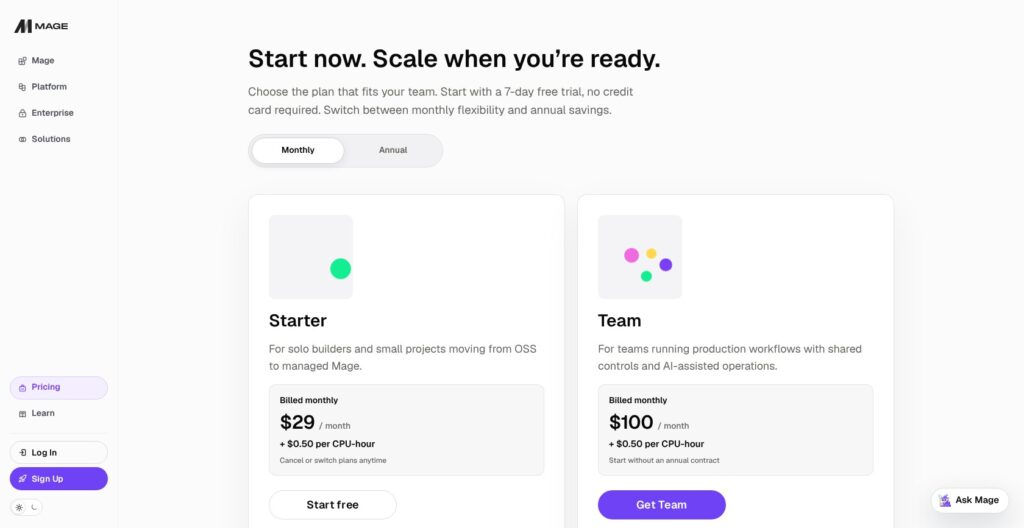
Starter suits a solo developer; I recommend Team once several developers need access. For self-hosting, weigh the money saved against the maintenance your team takes on.
- OSS ($0 software fee): For developers prepared to run and maintain Mage themselves.
- Starter ($29/month): For a solo developer moving to managed Mage.
- Team ($100/month): For a team that needs shared development and production controls.
- Enterprise (custom quote): For organizations with negotiated deployment, governance, or support requirements.
| Managed plan | Monthly base price | Developer seats | Included monthly AI credits |
|---|---|---|---|
| Starter | $29 | 1 | 50 |
| Team | $100 | Up to 10 | 250 shared |
| Enterprise | Custom | By contract | Custom |
Starter and Team add $0.50 per CPU-hour. Additional AI usage costs $0.12 per credit. The managed service offers a seven-day trial without a credit card; the table shows monthly billing.
Is Mage Good Value for Money?
My main concern is the running cost of frequent, resource-heavy pipelines. The subscription tells you what access costs; it does not tell you whether your workload will be economical.
These are the three questions that determine value for me:
- How much maintenance would managed hosting remove? Paying for it is easier to justify when infrastructure work is already taking time away from your data projects.
- How much custom logic do you need? Mage is more compelling when you need to develop transformations, rather than simply configure a standard sync.
- Will the AI tools solve a recurring problem? Occasional code generation alone would not persuade me to rebuild a working pipeline setup.
For a solo cloud evaluation, my pick is Starter. If you already manage your own infrastructure comfortably, begin with OSS and establish what you actually miss before moving to Pro.
Reviewer’s Notes: Ask for a cost estimate using your expected runtime and resource needs. I would rather compare a realistic monthly bill with the engineering work it saves than choose an orchestrator because its entry price looks low.
Getting Started With Mage

Mage’s loader, transformer, and exporter structure gives you a clear way to break down a pipeline. I like that each stage has a specific job: retrieve the data, change it, and send the result somewhere useful.
I recommend starting with a small batch pipeline and a destination you can inspect:
- Create a pipeline and add a loader. Connect a source or write the code that retrieves the input.
- Run that block and inspect its output. Establish what the data actually looks like before building on top of it.
- Add a transformer. Clean, filter, or reshape the records for the task you want to complete.
- Add an exporter. Write the result to your chosen destination.
- Define checks and a trigger. Decide what constitutes a valid result and when the pipeline should run.
If a field disappears between loading and exporting, separate block outputs give you a place to investigate. For a developer accustomed to one long script, I think this is a more approachable way to reason about the work.
However, a visual workspace does not make the underlying decisions disappear. You still need to choose credentials, understand the destination schema, and decide how to handle duplicates or missing values.
Include a few awkward records in your first sample. Handling missing fields and inconsistent values matters more to me than how quickly AI can produce the initial code.
Building Pipelines With Python, SQL, and dbt
Mage’s strongest selling point is the combination of editable code and a visible pipeline. You can work with Python, SQL, and R while inspecting how blocks connect. I like this balance for teams whose transformations are too specific for a standard connector configuration.
Reusable Blocks Make Custom Work More Manageable
Blocks are backed by code files and can be reused. That makes the structure useful beyond the first pipeline: a well-defined loading or transformation step can become something the team maintains deliberately, rather than copies between unrelated scripts.
My caution is that reuse creates dependencies of its own. Before changing shared logic, I would check which pipelines depend on it and what outputs they expect. A cleaner interface does not remove the need for change control.
If you prefer to keep your workflow inside ordinary Python functions, Prefect is worth considering. I would favor Mage when the interactive block view helps your team understand the data; I would favor Prefect when adapting the existing Python code is the priority.
Keep dbt Where It Already Works
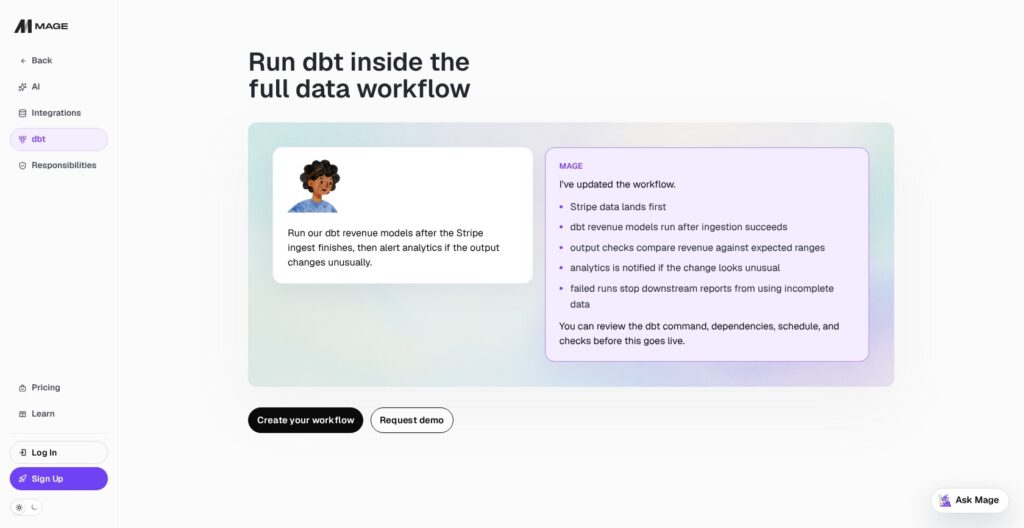
Mage can run dbt as part of a larger workflow. You can coordinate the arrival of source data with model execution and downstream steps, rather than treating a transformation job as an isolated task.
I would keep a good dbt project intact. Rewriting established models just because a new platform also supports SQL creates work without an obvious payoff.
For example, you may want models to run after a successful load. Mage can coordinate those steps without requiring new definitions of revenue, active customers, or retention.
Are Mage’s AI Features Worth Paying For?
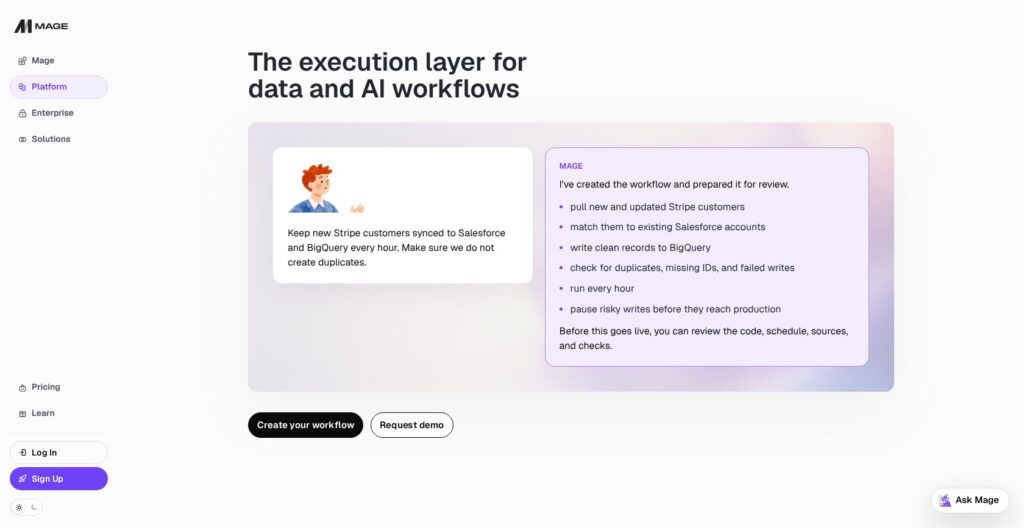
Mage’s AI appeals to me most as help for existing pipelines. Explaining a failed run and identifying the block that needs attention could be more valuable to a busy data team than generating its first version.
Mage Pro’s AI Sidekick can help create and edit pipelines, explain code, inspect run information, and generate charts. The benefit is having assistance close to the workflow and its context. I would still review the proposed change before trusting it with a production write.
AI Blocks Can Become Part of the Pipeline
AI blocks let you place model-driven tasks inside a recurring workflow. They can handle work such as classification, summarization, and structured extraction, with the response passed to downstream blocks.
I like this for jobs where unstructured inputs need to become useful records. Classifying incoming support messages before aggregating them is a reasonable example. It also introduces a different sort of failure: a response can arrive successfully and still put a message in the wrong category.
Define the expected output format and check representative examples before scaling up. A technically valid response can still misclassify the input.
Self-Healing Needs Good Rules
Mage’s self-healing approach can revise failing code and rerun it against defined validations. That is promising for reducing repetitive repair work, but I would not treat it as a reason to remove human ownership.
Consider a revenue pipeline that must exclude canceled orders. If your only check is that the output contains rows, an incorrect calculation could pass. Adding a business-specific rule is more valuable than repeatedly asking AI to make the job run.
I recommend the AI tools to teams that can define and review success. They are a poor substitute for understanding what the pipeline is supposed to do.
Scheduling, Testing, and Recovering Failed Runs
Mage supports scheduled execution and API-triggered runs, so you can move beyond manually running blocks in the editor. Its trigger controls include runtime variables, timeouts, and options for handling overlapping runs; backfills let you process historical periods.
Overlap behavior deserves particular attention. If yesterday’s job is still running when the next one starts, you need to know whether both executions can safely write to the same destination. The correct choice depends on your data and write strategy.
Put Checks Close to the Transformation
Mage supports inline test functions that run against a block’s output. I like the proximity: the transformation and the conditions its result must satisfy can be reviewed together.
For a typical loading or transformation job, I recommend checking:
- Required fields: Does every record have the identifier the destination needs?
- Expected structure: Are the columns and types suitable for the next stage?
- Business rules: Do totals, dates, or statuses make sense for this workflow?
These checks make debugging more purposeful. Instead of discovering an incorrect dashboard later, you can identify which stage produced an unacceptable result.
I would also separate retrying a failure from safely repeating a write. Before enabling unattended recovery, establish whether rerunning a block can duplicate records or repeat an external action. Automatic retries are most useful when the pipeline has been designed to tolerate them.
Should You Self-Host Mage or Pay for Managed Cloud?
I would choose self-hosting if infrastructure control is a real requirement and your team has the capacity to maintain it. Mage’s Apache-2.0 OSS edition gives you that option, but it makes you responsible for the environment around the pipelines.
The practical question is who will handle updates, access, backups, and failures. If the answer is the same engineer already struggling to keep the data work moving, the free software may not be the economical choice.
Mage Pro offers managed hosting alongside hybrid and private cloud deployment. In a hybrid setup, Mage manages the control plane while your infrastructure hosts the workloads. Private cloud deployment keeps Mage Pro in your own cloud environment.
I like having those choices, but I would get the deployment boundaries and support responsibilities written into the proposal. “Private” alone does not tell you enough about who operates each component or handles an incident.
Also, do not assume OSS is simply the paid product without a hosting fee. Features such as AI Sidekick and Pro workspace capabilities belong to the commercial offering. Choose the edition based on what your team needs to operate, not just where the code runs.
How Does Mage Compare to Other Data Tools?
I would shortlist Mage when building and inspecting custom data pipelines is the central task. These alternatives serve different priorities:
- Prefect: My preference for Python teams that want to turn existing functions into managed workflows while keeping their usual coding style. Mage is more attractive if your team wants an interactive pipeline workspace.
- Fivetran: I would choose it when the main requirement is managed data movement through prebuilt connectors. Mage makes more sense when custom processing is central and your team wants to own that logic.
- Airbyte: Worth a closer look when source-to-destination replication is the main job. Compare the exact connector and sync behavior you need before choosing Mage for its broader development environment.
- dbt: My starting point for a team focused on maintaining analytical models in its warehouse. Mage can coordinate dbt within a wider pipeline, so using both may be more sensible than replacing one with the other.
I would not migrate a reliable setup simply to consolidate tools. Mage needs to solve a concrete problem, such as difficult custom development or poorly coordinated pipeline stages, to justify the migration effort.
How I Reviewed Mage
I evaluated Mage’s pipeline structure, deployment choices, pricing model, and AI capabilities against the needs of technical data teams. My recommendations prioritize control over custom logic, clear validation, and the work involved in keeping pipelines running. The review assesses capabilities and trade-offs; it does not include production performance measurements. Prices checked in October 2026.
Should You Use Mage for Your Data Pipelines?
I recommend Mage if you want a visual development workspace without handing over control of your pipeline code. Its block-based approach gives custom data work a useful structure, and running dbt alongside other stages can help connect an otherwise fragmented workflow.
I am less convinced if your main need is a standard connector sync or if you expect AI to take responsibility for data correctness. Those buyers should focus on the specific ingestion service or engineering support they need.
Start with one representative pipeline. Include an awkward input, a meaningful validation, and a realistic schedule. If Mage makes that workflow easier for your team to understand and maintain, you have a much stronger reason to adopt it than an impressive generated demo.
Mage FAQ
Is Mage Free?
Mage OSS is free, self-hosted software. You still need to provide the infrastructure and maintain it. Managed Mage is a paid service with a trial, so I would distinguish free software from a free hosted platform.
Do You Need Coding Skills to Use Mage?
I would recommend it primarily to technical teams. Visual development and AI assistance can reduce some work, but custom transformations and production troubleshooting still benefit from Python or SQL knowledge.
Can Mage Replace dbt?
Mage can perform transformations, but it can also run dbt within a wider workflow. I would keep established dbt models unless there is a specific reason to rewrite them.
Is Mage AI the Same as Mage.space?
No. Mage at mage.ai is a data engineering and pipeline platform. Mage.space is a separate image-generation product. This review covers the data platform.