Editor’s note: This Tinybird review covers Tinybird Forward (CLI 4.x) as sold in October 2026: the pricing model and plan limits, the documented path from a free account to a deployed API endpoint, and the ingestion, deployment and AI features around it; it is not a hands-on performance test. I weigh pricing transparency, setup effort, openness and exit costs, limits and development momentum.
Quick verdict: I recommend Tinybird for developers who need to ship low-latency analytics APIs over streaming events without running ClickHouse themselves. Go in knowing that queries are SELECT-only, Developer caps queries at 20 seconds, and SaaS and Enterprise are unpriced 12-month commitments.
Key Takeaways
- Free plan with no card or time limit (0.25 vCPU, 10 GB, 1,000 requests a day); Developer costs $25 to $799 a month across six vCPU sizes.
- Any SQL pipe becomes a typed REST endpoint with token or JWT auth, the layer ClickHouse Cloud leaves you to build.
- Tinybird Local, Cloud Branches and staging deployments give a local-to-production workflow.
- Caveat: queries are SELECT-only on Tinybird’s own ClickHouse fork, and there is no BYOC.
- Caveat: Classic is being retired for Free and Developer workspaces (workspaces that failed auto-migration have until October 16, 2026), and migration to Forward is one-way.
Tinybird sits in Panoply’s Real-time API and real-time analytics databases categories, next to ClickHouse, Apache Pinot and Apache Druid.
In this review, I’ll take a closer look at Tinybird’s pricing, endpoints, ingestion limits, deployment workflow and AI features, so you can see whether it beats running ClickHouse Cloud yourself.
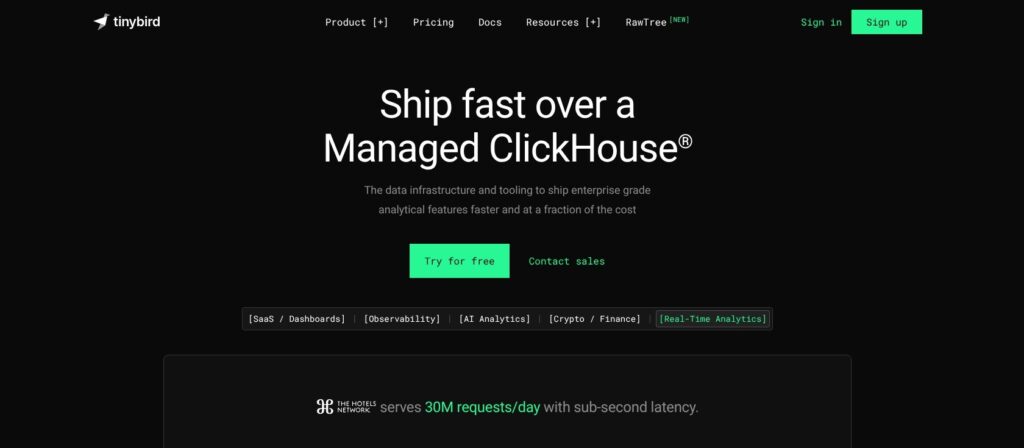
Tinybird Pros and Cons
Pros
- Free plan with no card or time limit: 0.25 vCPU, 10 GB and 1,000 requests a day.
- Developer from $25 a month, billed monthly with no annual commitment.
- Any SQL pipe becomes a REST endpoint with typed parameters and JWT auth.
- Local container, Git-based branches and staging deployments ship changes before they go live.
- Remote MCP server and open-source Agent Skills plug into Claude Code, Cursor and Codex.
Cons
- Queries are SELECT-only, with seven table engines and a short settings whitelist.
- Developer caps queries at 20 seconds, copy jobs at 3 and Kafka topics at 5.
- SaaS and Enterprise have no public price and need a 12-month commitment.
- No BYOC or Azure region; self-managed regions are beta and for development only.
How Much Does Tinybird Cost?
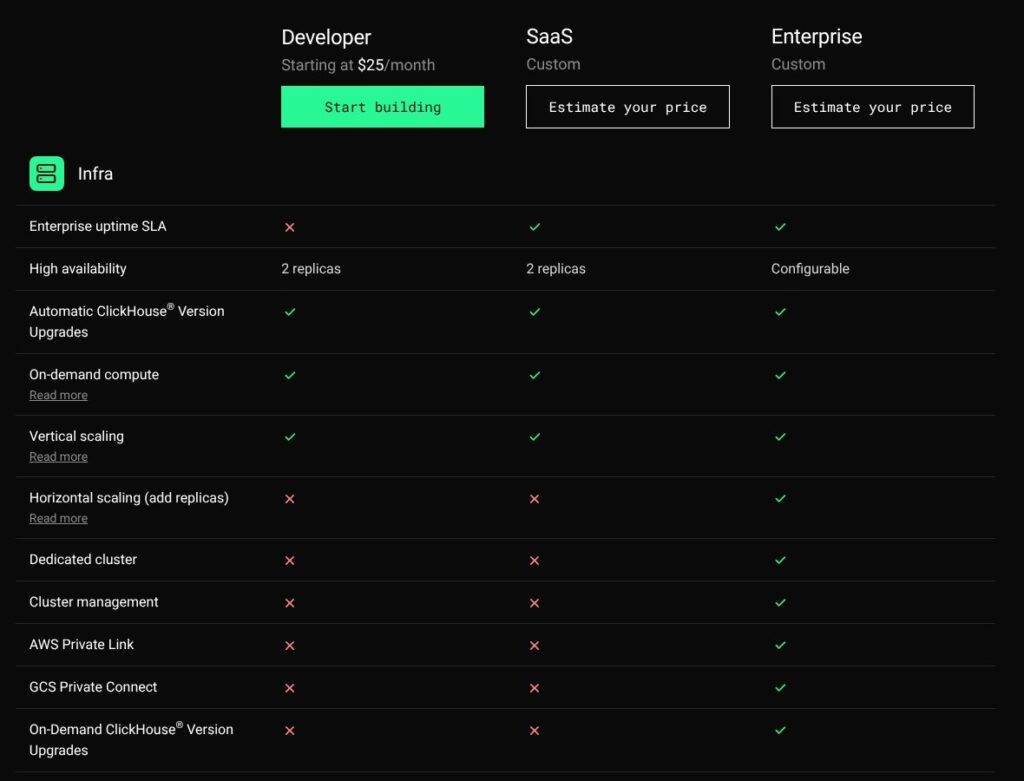
Tinybird sells shared-infrastructure plans by vCPU size and bills storage, egress and vCPU overage on top. Since May 2026, QPS and active minutes no longer drive the bill, though every plan keeps a platform limit of up to 600 QPS as a reliability safeguard.
- Free ($0): for prototypes and side projects; 0.25 vCPU that bursts to 3x before hard HTTP 429 errors, 1 thread per request, 1,000 requests a day per organization, 10 GB of storage, community Slack support and $25 of LLM credits.
- Developer (from $25 a month): for production apps on shared infrastructure; six sizes from 0.25 to 8 vCPU, 25 GB of storage, 2 replicas, email support from 9:00 to 18:30 CET on business days, $100 of LLM credits and no annual commitment.
- SaaS (custom): for 4 to 32 vCPU on shared infrastructure; a 12-month credit commitment, a mandatory support package and $200 of LLM credits.
- Enterprise (custom): for a dedicated ClickHouse cluster with unlimited vCPU, a 1 TB storage minimum, SSO, private and failover regions on demand and a 12-month commitment.
| Developer size | vCPU | Threads per request | Monthly price |
|---|---|---|---|
| S-1/4 | 0.25 | 1 | $25 |
| S-1/2 | 0.5 | 1 | $49 |
| S-1 | 1 | 1 | $99 |
| S-2 | 2 | 2 | $199 |
| S-4 | 4 | 4 | $399 |
| S-8 | 8 | 8 | $799 |
Sizes up to S-2 burst to 3x their vCPU and S-4 and S-8 to 2x; past the burst, endpoints and the Query API return HTTP 429. You can resize at any time under Organization settings > Billing, and canceling drops the organization back to Free.
| Usage item | Rate |
|---|---|
| vCPU overage (Developer and SaaS) | $0.0002 per vCPU-second |
| Storage above the included amount | $0.058 per GB |
| Egress within the same cloud | $0.01 per GB |
| Egress across clouds | $0.10 per GB |
| Private networking | $0.016 per GB |
At $0.0002 per vCPU-second, one full vCPU of sustained overage costs about $518 over a 30-day month (0.0002 x 86,400 seconds x 30 days). Moving up a size is cheaper: S-1 to S-2 adds a full vCPU for $100 more, and S-4 to S-8 adds four for $400, so a workload that lives above its size should resize rather than pay overage.
Is Tinybird Good Value for Money?
- Free tier: a real plan, not a trial, but 1,000 requests a day per organization is small enough that one traffic spike to a public page can exhaust it.
- Entry price: $49 for 0.5 vCPU buys managed ClickHouse plus an API layer. ClickHouse Cloud Basic bills $0.2181 per compute unit-hour, so each unit left running around the clock is about $159 a month before storage, and you still build the API yourself; scale-to-zero cuts that for idle services.
- The cliff: Developer stops at $799 for 8 vCPU billed monthly, and the next step, SaaS, is custom-priced, runs 12 months and carries a mandatory support package.
- Storage: $0.058 per GB on compressed disk usage, so 100 GB above the 25 GB Developer allowance adds about $5.80.
Reviewer’s Notes: Prototype on Free, launch on Developer S-1/2 at $49, and track vCPU overage on your invoice for a full billing cycle before you size up. If your roadmap crosses 8 vCPU within a year, get SaaS pricing in writing before you commit, because nothing above $799 a month is published.
Getting Started With Tinybird Forward
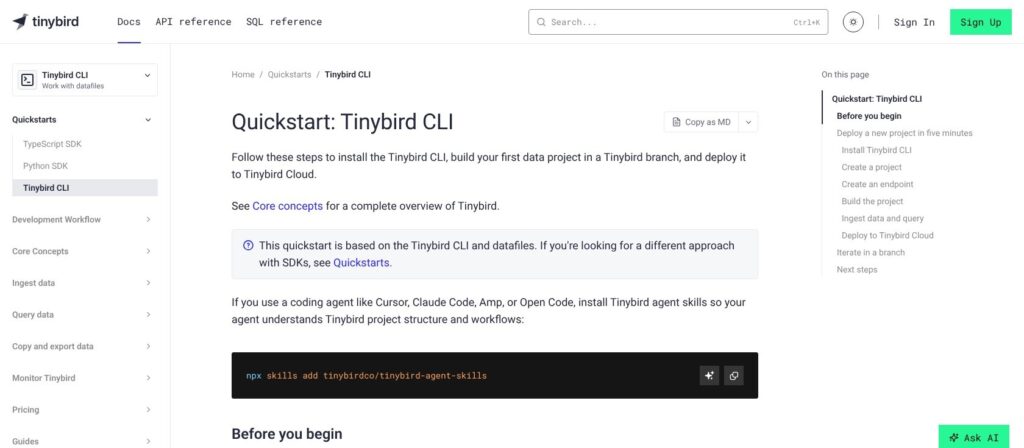
Tinybird Forward runs on the tb CLI (4.x), plain files and Git, and Docker is optional.
Installing the CLI and Tinybird Local
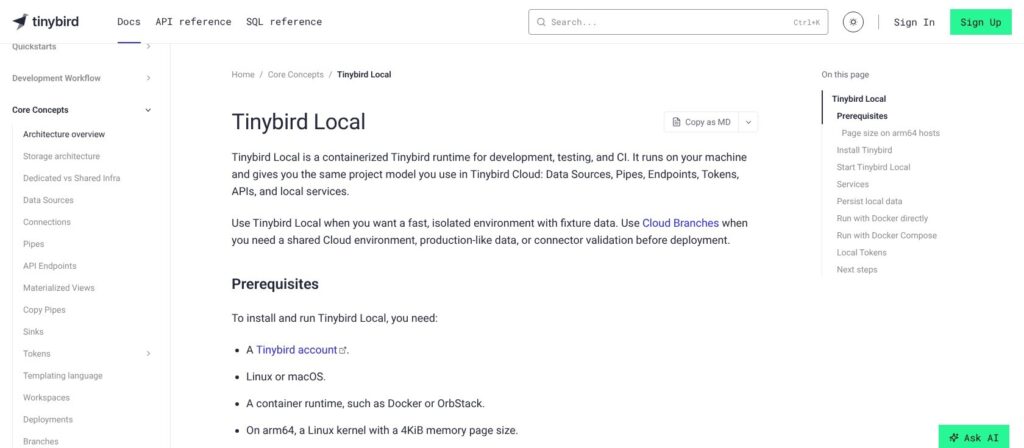
One script installs both the tb CLI and the Tinybird Local container on macOS or Linux, and tb login authenticates you in the browser:
curl https://tinybird.co | sh
tb login
Tinybird Local needs Docker or OrbStack with at least 8 GB of container memory recommended, and a native arm64 image has shipped since July 2026. tb local start boots the container, which bundles ClickHouse, the Events API server and an MCP server. If you skip Docker, the branch dev mode builds against a Cloud Branch named after your current Git branch instead. Classic and Forward both use the tb command, so if you still run Classic, isolate one CLI with uv.
Scaffolding a Project
Run tb init inside a Git repository to create datasources/, pipes/, endpoints/, fixtures/ and tests/ folders plus tinybird.config.json; tb init --cicd github adds CI workflows. A .datasource file declares SCHEMA with JSON paths, ENGINE and ENGINE_SORTING_KEY, and a .pipe file holds SQL nodes and a TYPE (endpoint, materialized, copy or sink). A minimal endpoint with typed parameters looks like this:
TOKEN top_pages_read READ

NODE top_pages
SQL >
    %
    SELECT pathname, count() AS views FROM page_views
    WHERE user_id = {{ String(user_id) }}
    GROUP BY pathname ORDER BY views DESC LIMIT {{ Int32(limit, 10) }}

TYPE endpoint
Skip tb create, which is deprecated. CLI 4.0 also removed the built-in AI agent, so scaffolding is either manual or done through your own coding agent.
Building, Testing and Deploying
- tb dev: builds the project and rebuilds on every file change.
- tb test run: runs YAML fixture tests against Tinybird Local.
- tb deploy: ships a versioned deployment to Tinybird Cloud, staging first and then live, with backfills handled.
- tb deploy –check: validates a deployment without shipping it, and
tb deployment lslists your deployments. - Rollback: promote the previous deployment.
Calling the Endpoint
Send a test event to the Events API, then read the endpoint:
curl -X POST "$TB_HOST/v0/events?name=page_views&token=$TB_TOKEN" -d '{"user_id":"u1","pathname":"/pricing"}'
curl "$TB_HOST/v0/pipes/top_pages.json?token=$TB_TOKEN&user_id=u1"
The Events API returns 202 by default and 200 with wait=true once the write commits. Endpoints accept the token as a query parameter or a Bearer header and return JSON with meta and data; each region has its own host, with api.tinybird.co serving GCP Frankfurt. Tinybird Local serves the same API at http://localhost:7181/v0/, so both commands work against the container before anything reaches Cloud.
I like that the whole loop is files plus Git, which suits developers and will frustrate analysts who want a UI-first tool. Explorations and the Playgrounds SQL editor, rebuilt for Forward in January 2026, only partly close that gap.
Endpoints, Tokens and Materialized Views
Every Tinybird endpoint is a pipe published as GET /v0/pipes/<name>.json, with query parameters typed by template functions such as Int32() and DateTime(). Static tokens are resource-scoped and defined in datafiles. JWTs can fix parameters, filter data sources and set rate limits per tenant, which is how a multi-tenant app keeps customers apart; Tinybird publishes guides for Clerk and Next.js. Classic’s :sql_filter tokens are gone in Forward, and JWTs replace them. JWTs carry no region, so clients outside the default region must pass the host.
A TYPE materialized pipe writes into a target data source such as AggregatingMergeTree or SummingMergeTree, populates during deployment and has no numerical limit; query-only changes can use ALTER TABLE MODIFY QUERY instead of a rebuild. These pre-aggregations are what keep endpoints fast over raw event history.
Copy pipes take scheduled snapshots (Developer: 3 active jobs, every 10 minutes at best; SaaS and Enterprise: 6, every minute). Sinks push results to Kafka, S3 or GCS on a cron or on demand (Developer: 3 sink pipes with 30-second execution; SaaS and Enterprise: 10 with 300 seconds), with egress billed per GB.
- Query timeout: 10 seconds on Free, 20 on Developer and SaaS, 30 on Enterprise; only paid plans can ask support for more.
- Size limits: 100 MB per result and 128 KB per SQL query.
- Throttling: HTTP 429 beyond the vCPU burst, plus per-endpoint concurrency limits under memory pressure (above 70% on Free and Developer).
A read-only ClickHouse HTTP interface at clickhouse.<region>.tinybird.co:443, with a token as the password, keeps Grafana, Metabase, Superset, Tableau and Power BI working. ClickHouse Cloud gives you full SQL, DDL and settings, but this endpoint, token and JWT layer is the part you would build yourself there.
Ingestion, Connectors and Limits
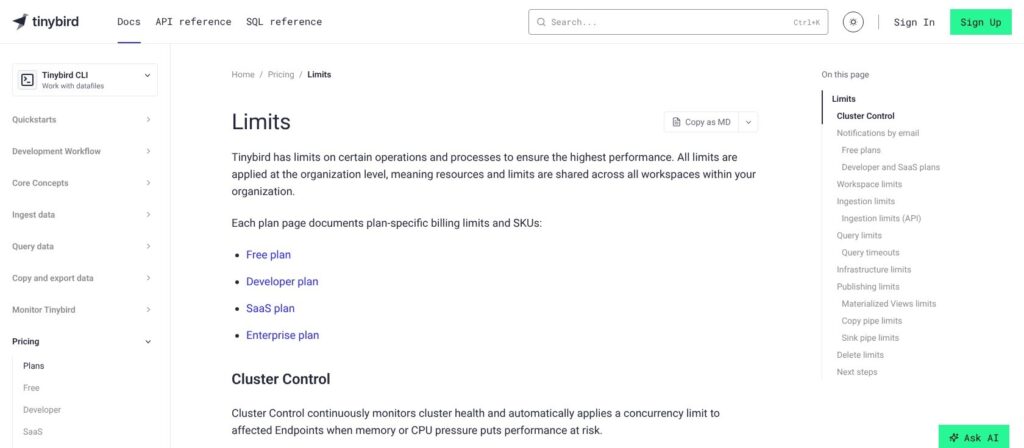
The Events API takes NDJSON over HTTP at 100 requests a second per data source, with up to 10 MB per request on Free and 100 MB on paid plans (HTTP 413 above that), and accepts gzip bodies. Batch events into fewer, larger requests rather than posting them one at a time.
Forward’s connectors:
- Events API: HTTP ingestion for apps, webhooks and log drains.
- Kafka: setup guides for Confluent Cloud, AWS MSK and Redpanda.
- S3 and GCS: file ingestion from object storage.
- DynamoDB: added to Forward on June 19, 2026, as a point-in-time export to S3 followed by Streams CDC.
- URL imports: Parquet, CSV and NDJSON files.
- Table functions: MySQL, PostgreSQL and Apache Iceberg reads through copy pipes, some still in private beta on request, for sources that are publicly reachable with a public certificate.
The limits that bite first:
- Kafka: 5 topics on Free and Developer, 3 connections per workspace, 20 MB/s uncompressed per connection and 10 MB messages, with larger ones sent to quarantine.
- File and URL appends: 5 a minute, shared across the workspace.
- File size: 10 GB uncompressed on Free and 32 GB on paid plans.
- Quarantine: rows rejected at ingest are kept for one month.
BigQuery and Snowflake appear in Tinybird’s integration list, but in Forward they are guide-based exports through GCS or S3 rather than native connectors, so a warehouse sync means scheduling those exports yourself. On July 24, 2026, Tinybird fixed a JSON ingestion bug that could store integers with wrong values, and affected rows had to be re-ingested, so watch the changelog if you ingest JSON columns.
The HTTP Events API is Tinybird’s edge for apps that just POST JSON and never want to run a broker. On ClickHouse Cloud, managed ingestion through ClickPipes is billed separately from compute.
Deployments, Branches and the Classic Sunset
Forward ships every change as a versioned deployment that runs in staging before it goes live. During staging you can write test events with __tb__min_deployment=<id> and read endpoints with __tb__deployment=<id>, then promote; tb deploy handles backfills and table exchange, and ALTER-based changes such as adding a column apply only on promotion.
CLI 4.0 offers three dev modes:
- branch: each Git branch gets an isolated Cloud Branch (Branches reached GA on February 27, 2026).
- local: builds run against Tinybird Local, while
tb deploystill targets Cloud production. - manual: explicit
--cloud,--localor--branchflags, as in CLI 3.x.
The generated CI template runs a tinybird-local service container, then tb --local build, tb --local test run and tb --cloud deploy --check, and npx tinybird preview creates a preview branch per pull request. An open issue in the tinybirdco/ci repository on GitHub (August 2026) reports preview branches named tmp_ci__<PR#> instead of after the Git branch. The TypeScript SDK (@tinybirdco/sdk) and the Python SDK (March 2026) define data sources, pipes and endpoints as code, and tb migrate converts existing datafiles.
The Classic Sunset
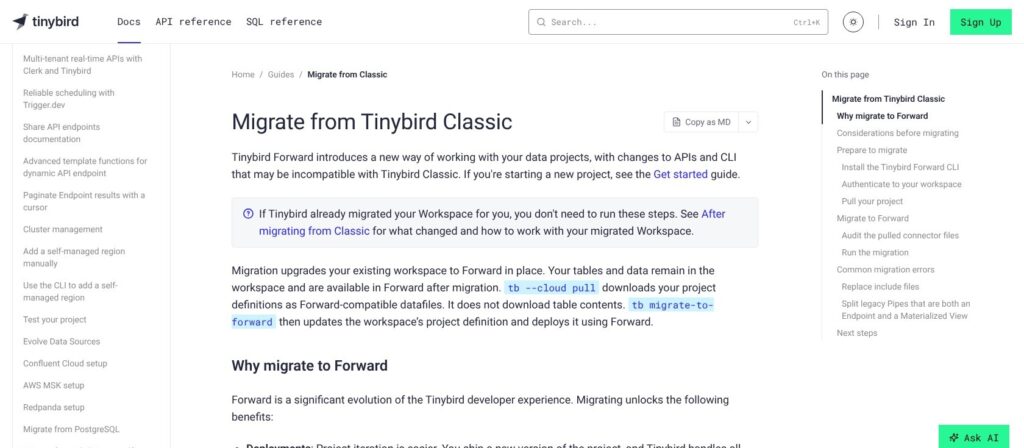
Free and Developer Classic workspaces had until September 15, 2026 to migrate, after which eligible ones were scheduled for automatic migration. Workspaces that failed auto-migration must be fixed and migrated by October 16, 2026. After that, Free Classic workspaces are deleted and Developer Classic workspaces lose UI access and support; Enterprise Classic is unaffected. tb migrate-to-forward is permanent: data, tokens and endpoint URLs stay unchanged, while Classic branches and releases are deleted.
These Classic features do not carry over:
- BI Connector: use the ClickHouse HTTP interface.
- Include files: use
tb secretand generic pipes. - Regression tests: fixture tests replace them.
- :sql_filter tokens: use JWTs.
- Combined pipes: a pipe that is both an endpoint and a materialized view must be split before migrating.
If you are still on Classic, migrate this week.
AI Features: MCP Server, Agent Skills and Vector Search
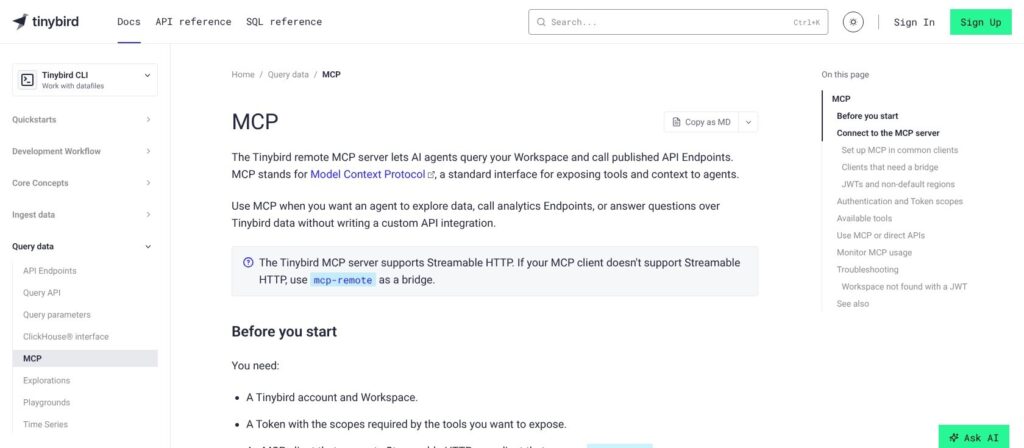
Tinybird runs a remote MCP server at https://mcp.tinybird.co?token=<TOKEN> over Streamable HTTP, exposing call_endpoint, list_endpoints, list_datasources, list_service_datasources, execute_query and text_to_sql. A JWT can only call endpoints, which makes it the safe way to hand an agent per-tenant data; admin tokens expose every tool. MCP requests carry from=mcp, so agent traffic shows up separately in tinybird.pipe_stats_rt. In Claude Code it takes one line:
claude mcp add tinybird --scope user --transport http "https://mcp.tinybird.co?token=TINYBIRD_TOKEN"Agent Skills, open-sourced on January 23, 2026, add four skills (best practices, CLI guidelines, TypeScript SDK and Python SDK guidelines) for Claude Code, Cursor, Codex, Amp, Gemini CLI and OpenCode. CLI 4.0 removed the embedded agent and tb create, so AI-assisted project generation now runs through your own coding agent.
- Explorations: natural-language analysis inside Tinybird Cloud, private to each user, not shareable or exportable, and run on a limited sample of your data.
- Vector search: ClickHouse distance functions (cosineDistance, L2Distance) over Array(Float32) columns; Tinybird reports one customer cutting a search over 20 million embeddings from 48 seconds to 130 ms.
- LLM analytics: ingestion guides for LiteLLM and the Vercel AI SDK.
- LLM credits: $25 on Free, $100 on Developer and $200 on SaaS and Enterprise per billing cycle; the Free plan’s LLM features stop when its credits run out.
Teams putting agents on top of customer data gain the most here, because a JWT-scoped MCP connection limits an agent to named endpoints instead of handing it database credentials.
Where Tinybird Runs: Regions, Security and Self-Managed
Tinybird runs in ten regions: four on Google Cloud (London, Frankfurt, Virginia and Toronto) and six on AWS (Frankfurt, Ireland, Virginia, Oregon, Hong Kong and Sydney), with no Azure region. Each organization is tied to one region, so a second region means a second organization with its own plan.
Underneath sits Tinybird’s own ClickHouse fork on S3 or GCS object storage, with a local SSD cache per replica and 2 replicas on every plan. Queries allow only SELECT, schema changes go through deployments, and the supported engines are MergeTree, AggregatingMergeTree, ReplacingMergeTree, SummingMergeTree, CollapsingMergeTree, VersionedCollapsingMergeTree and Null, with a short whitelist of query settings.
- Certifications: SOC 2 Type II (report for Enterprise customers), HIPAA through BAAs and GDPR, with no ISO 27001 claim.
- Network: AWS PrivateLink and GCS Private Connect are Enterprise-only, billed at $0.016 per GB, and SSO is Enterprise-only too.
- Isolation: private and failover regions on Enterprise, on demand.
- Uptime: Tinybird markets a 99.9% uptime guarantee, but its plan table lists an uptime SLA only on SaaS and Enterprise, none on Free or Developer, and publishes no SLA terms, so get them in the contract.
Self-managed regions run Tinybird Local in your own AWS account with Tinybird Cloud as the control plane, but they are beta and meant for development only, and there is no BYOC. ClickHouse Cloud and StarTree both sell BYOC. To leave, sinks export to S3, GCS or Kafka and your queries are ClickHouse SQL, so ClickHouse Cloud is the shortest exit.
How Does Tinybird Compare to Competitors?
Tinybird’s niche is APIs over streaming events for application developers, from $25 a month with a permanent free plan underneath.
- ClickHouse Cloud: Basic costs $0.2181 per unit-hour and Scale $0.2985 in US East, storage $25.30 per TB-month, with a $300, 30-day trial and BYOC. It wins when you want the full ClickHouse engine, DDL, DML and settings, and will build the API layer yourself.
- StarTree Cloud (Apache Pinot): $0.21 per production vCPU-hour all-inclusive on dedicated infrastructure, or $0.11 on BYOC. It wins for very high-concurrency user-facing analytics with upserts.
- Imply Polaris (Apache Druid): Starter from $100 a month (25 GB) and Standard from $600 with a 99.9% uptime SLA. It wins for time-series event analytics where a published SLA matters, with open-source Druid as the self-hosted route.
- Materialize: $1.50 per credit-hour in the cloud, plus a free self-managed Community License up to 24 GiB of memory. It wins for strictly consistent, incrementally maintained views over CDC rather than scans of raw event history.
- Supabase (Postgres): Pro from $25 a month. It wins when analytics are light and you want one database for the app.
- Self-hosted Apache Pinot or Apache Druid: no license fee, but you run and tune the cluster and get no managed API or dev workflow. It wins when you already have a platform team and want no vendor bill at all.
| Tool | Entry price | Free option | Self-host or BYOC | Best for |
|---|---|---|---|---|
| Tinybird | $25 a month (0.25 vCPU) | Free plan, no time limit | Self-managed regions in beta (dev only), no BYOC | Analytics APIs on streaming events |
| ClickHouse Cloud | $0.2181 per unit-hour (Basic) | $300, 30-day trial | Open-source ClickHouse; BYOC | Full ClickHouse engine |
| StarTree Cloud | $0.21 per production vCPU-hour | None listed | BYOC at $0.11 per vCPU-hour | High-concurrency user-facing analytics |
| Imply Polaris | $100 a month (Starter, 25 GB) | None listed | Open-source Apache Druid | Time-series events with an SLA |
| Materialize | $1.50 per credit-hour | Cloud trial; free Community License | Self-managed, free up to 24 GiB | Consistent views over CDC |
Choose Tinybird over ClickHouse Cloud when the deliverable is an API and your team works in Git, and ClickHouse Cloud when you need writes, settings or BYOC. Choose StarTree or Imply over Tinybird once you need dedicated infrastructure or a published SLA without a custom contract. Stay on Supabase while your analytics fit in the app database, and move to Tinybird when you need aggregations over billions of rows, which a Postgres row store is not built for.
How I Reviewed Tinybird
For this Tinybird review, I weighed the areas Panoply scores for every data tool: pricing transparency, setup effort, openness and exit costs, limits and development momentum.
I worked through the four plans and all six Developer sizes, priced overage scenarios, and followed the documented Forward path from install and tb init to a deployed, token-protected endpoint. I mapped per-plan limits for queries, ingestion, Kafka, copy and sink jobs, checked the Classic-to-Forward migration terms, the MCP server and the regions list, and traced 34 changelog entries from January to October 2026, comparing rivals at current list rates.
This is not a hands-on performance test, and latency figures are Tinybird’s own claims. Prices current as of October 2026.
Should You Build Your Analytics APIs on Tinybird?
Yes, if you are a developer or small platform team shipping customer-facing analytics, usage metering, webhook or LLM analytics as APIs, you work in Git, and your workload fits under 8 vCPU on Developer pricing ($25 to $799 a month). You get typed endpoints, JWT tenancy, staging deployments and an MCP server without operating ClickHouse. The weak point is the ceiling: past 8 vCPU, the price becomes a sales conversation.
Skip it if you need full ClickHouse DDL, DML and settings (ClickHouse Cloud), BYOC or an Azure region (ClickHouse Cloud or StarTree), a published SLA at a public price (Imply Polaris Standard), or consistent incremental views over CDC (Materialize).
Next action: sign up for the Free plan at tinybird.co, run tb init and tb dev against a day of your real events, publish one endpoint behind a JWT, then load-test it at your expected request rate before choosing a Developer size. If you will pass 8 vCPU within a year, get SaaS pricing in writing first.
FAQ
How much does Tinybird cost?
Tinybird has a $0 Free plan, and Developer costs $25 a month at 0.25 vCPU up to $799 at 8 vCPU, with $49 at 0.5 vCPU as the default size. SaaS and Enterprise are custom-priced with 12-month commitments. Overage runs $0.0002 per vCPU-second, and extra storage costs $0.058 per GB.
Is Tinybird free?
Yes, Tinybird has a permanent Free plan with no credit card and no time limit. It includes 0.25 vCPU, 10 GB of storage, 1,000 requests a day per organization and a 10-second query timeout. Traffic beyond the 3x vCPU burst gets hard HTTP 429 errors, so production traffic needs a Developer plan.
Is Tinybird just managed ClickHouse?
Not quite: Tinybird runs its own ClickHouse fork underneath but sells an API, ingestion and deployment layer on top. Queries are SELECT-only across seven table engines, while ClickHouse Cloud gives you the full engine with DDL, DML and settings. Tinybird is not affiliated with ClickHouse, Inc.
Can I self-host Tinybird?
Not for production. Tinybird Local is a container for development and CI, and self-managed regions, which run Tinybird Local in your own AWS account under Tinybird Cloud’s control plane, are a beta for development use only. Tinybird offers no BYOC; dedicated infrastructure comes only with the Enterprise plan.
What happens to Tinybird Classic workspaces?
Free and Developer Classic workspaces that missed automatic migration must move to Forward by October 16, 2026. After that, Free Classic workspaces are deleted and Developer ones lose UI access and support, while Enterprise Classic is unaffected. Migration through tb migrate-to-forward is one-way, but data, tokens and endpoint URLs stay unchanged.