Editor’s note: This DataRobot review is based on my hands-on test of DataRobot’s SaaS platform (the October 2026 release) on its 30-day free trial, in November 2026. I weighed pricing and the trial, the Workbench modeling workflow, model insights and compliance reports, deployment and monitoring, generative and agentic AI, governance and deployment options, and how it compares with H2O.ai, Amazon SageMaker, Google Vertex AI, Azure Machine Learning, Databricks, Dataiku and Domino Data Lab.
Quick verdict: I recommend DataRobot for enterprise data science teams in banking, insurance, healthcare and other regulated industries that want AutoML, deployment monitoring, compliance reports and agent development in one governed platform. The trade-off: every contract is a quote, even on the AWS, Azure and Google Cloud marketplaces, and agentic AI, the LLM gateway and NVIDIA NIM cost extra. Teams that want self-serve, pay-as-you-go AutoML are better served by Amazon SageMaker or Google Vertex AI.
DataRobot now calls itself the Agent Workforce Platform (announced July 31, 2025, built with NVIDIA), yet the engine at the center of this DataRobot review is unchanged: Quick Autopilot trains blueprints on a 64% sample, ranks them on a leaderboard and retrains the top model on 100% of the data, marked “Prepared for Deployment.” In this review, I’ll take a closer look at DataRobot’s pricing, features, and governance tooling, so you can see exactly whether it fits your data science team or whether a platform like Amazon SageMaker or H2O.ai is the better buy.
Key Takeaways
- One platform covers predictive AutoML, generative AI and agents, split into Workbench, Registry and Console for experiments, model versions and monitored deployments.
- Autopilot runs in three modes (Quick on a 64% sample, Comprehensive at maximum sample size, Manual), with SHAP prediction explanations and an editable Word compliance report per model.
- DataRobot publishes no prices: every package is a Sales quote, and its AWS, Azure and Google Cloud marketplace offers are private offers only.
- The 30-day free trial gives full platform access but batch predictions only, 15 vector databases and 1,000 LLM calls, with no GPUs or NVIDIA NIM, and data is deleted 30 days after it expires.
- Agentic AI, the LLM gateway and NVIDIA NIM are premium features, and the gateway’s LLM provisioning is not available on on-premise installs.
Pros and Cons
Pros
- Three Autopilot modes rank blueprints on one leaderboard with SHAP explanations.
- Editable Word compliance report per model, plus an EU AI Act framework since October 2026.
- Monitors drift and accuracy for models on SageMaker, Azure ML or your own servers.
- Agent templates for LangGraph, CrewAI, LlamaIndex and NVIDIA NeMo Agent Toolkit, plus MCP servers.
- Runs as multi-tenant SaaS, single-tenant SaaS or self-managed, with ISO 27001 and SOC 2 Type II.
Cons
- No published prices, even on the AWS, Azure and Google Cloud marketplaces.
- Agentic AI, the LLM gateway and NVIDIA NIM cost extra as premium features.
- The trial allows batch predictions only and 1,000 LLM calls.
- Classic and NextGen still coexist, and Python 2 Classic projects cannot migrate.
DataRobot Pricing: How Much Does It Cost?
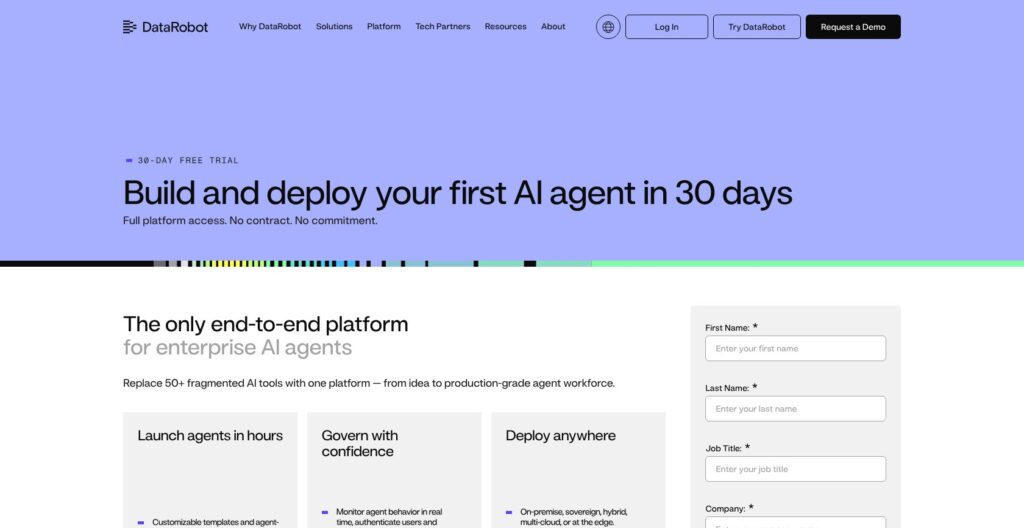
DataRobot has no published prices: www.datarobot.com/pricing redirects to the homepage, and the only free option is a one-time 30-day trial.
- 30-day free trial ($0): for proving one use case before a contract. It starts at registration, needs no sales call and gives full platform access with batch predictions only, 15 vector databases and 1,000 LLM calls, and no GPUs or NVIDIA NIM. Data is permanently deleted 30 days after expiry unless you upgrade through Sales.
- Essentials (custom quote): for teams whose data fits the package’s 5GB cap on SaaS CSV uploads.
- Enterprise (custom quote): for broader teams, with notebook machines up to M (4 CPU, 16 GB).
- Business Critical (custom quote): for production-critical deployments, with notebook machines up to L (8 CPU, 32 GB). High availability for serverless prediction environments (minimum 2 compute instances) needs this package or consumption-based pricing.
- Premium features (add-on, custom quote): for agentic AI, the LLM gateway and NVIDIA NIM; the trial includes a limited version of agentic AI.
- Cloud marketplaces (private offer): for buyers with committed cloud spend, which a marketplace purchase can draw down. AWS Marketplace contracts run 12, 24 or 36 months, Azure Marketplace terms run from 1 month to 3 years, and Google Cloud Marketplace sells private offer plans; the prices shown are placeholders, not rates.
| Option | Price | Where it runs | Key limits |
|---|---|---|---|
| 30-day trial | $0 | Multi-tenant SaaS | Batch predictions only; 1,000 LLM calls; no GPUs or NIM |
| Essentials | Custom quote | Multi-tenant SaaS, single-tenant SaaS or self-managed | 5GB SaaS CSV uploads |
| Enterprise | Custom quote | Multi-tenant SaaS, single-tenant SaaS or self-managed | Notebook machines up to M |
| Business Critical | Custom quote | Multi-tenant SaaS, single-tenant SaaS or self-managed | L notebooks; serverless high availability |
| Premium features | Add-on, custom quote | Depends on the feature and deployment | No gateway LLM provisioning on-premise |
| AWS, Azure and Google Cloud marketplaces | Private offer | Your AWS, Azure or Google Cloud account | Negotiated terms; displayed prices are placeholders |
Is DataRobot Good Value for Money?
- Amazon SageMaker Canvas: $1.90 per workspace session hour plus training at SageMaker instance rates, with a 2-month free tier of up to 160 session hours a month, so a pilot has a public price before any sales call.
- Google Vertex AI: $21.252 per node hour for AutoML forecasting training and prediction from $0.20 per 1,000 predictions.
- Azure Machine Learning: no extra charge beyond the Azure compute and storage you use.
- H2O.ai: H2O-3 is free under Apache 2.0, while the AWS Marketplace Starter bundle (8 GPUs with professional services) costs $720,000 for 12 months.
- Domino Data Lab: AWS Marketplace 12-month platform fees from $50,000 for Domino Cloud and $150,000 for self-managed VPC Premium.
DataRobot’s value can only be judged against a quote, so the 30-day trial is the evaluation budget. The cloud-native rivals win on transparent, usage-based pricing; DataRobot’s case rests on bundling AutoML, monitoring, compliance reports and agents into one contract.
Reviewer’s Notes: I recommend running one real use case through the trial (data in, Quick Autopilot, a compliance report, batch scoring), then asking Sales to price only the package and premium features that use case needs: real-time predictions, high availability, the LLM gateway or agentic AI. If your company has committed AWS, Azure or Google Cloud spend, request the private offer through that marketplace.
My Experience With DataRobot
Signing Up for the 30-Day Trial
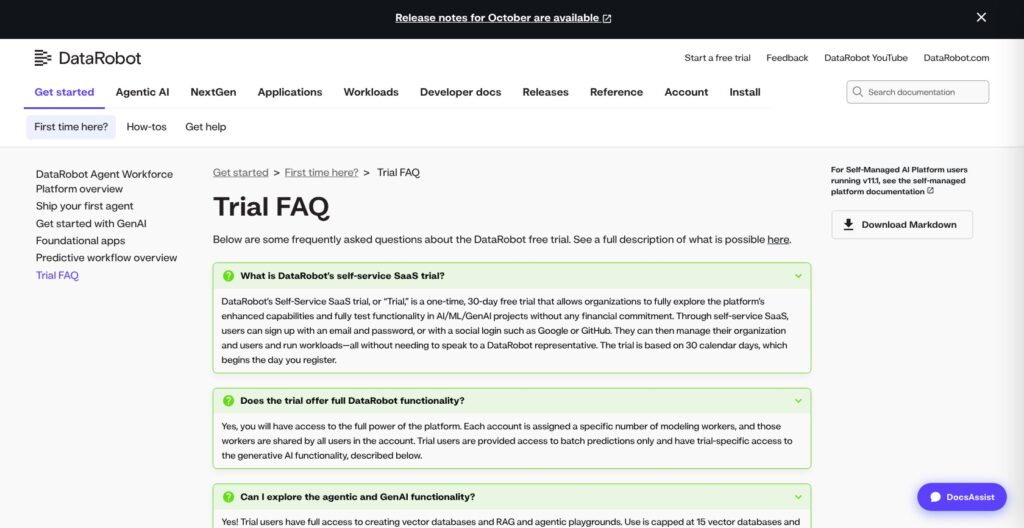
I registered for the trial with a Google login (email and password or GitHub also work), which started a one-time, 30-calendar-day clock with no sales call. The account came with a set number of modeling workers shared by everyone on it. The platform opened in NextGen, with Workbench, Registry and Console in one navigation.
DataRobot Classic is still reachable as a separate interface. Classic project owners can migrate projects to NextGen, but projects built with Python 2, deprecated projects and projects linked to another Use Case cannot move.
Onboarding walked me through DataRobot’s Flight Delays sample use case. Colleague invites sat under Admin settings, capped at 5 team members inside my organization, and trial support ran through email and the in-app help menu. Dataiku offers a shorter 14-day cloud free trial for up to five users, plus a downloadable Free Edition.
Building My First Experiment in Workbench
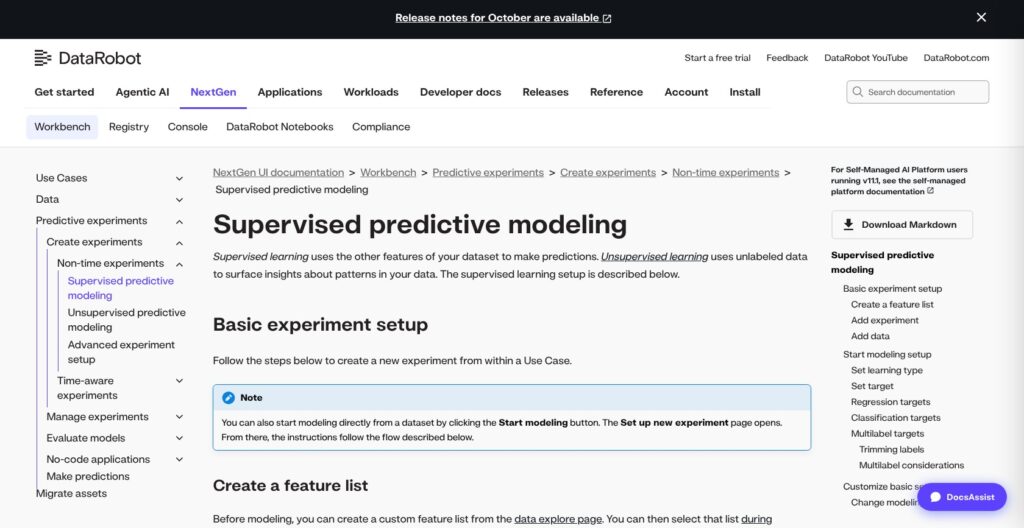
I created a Use Case, the folder that groups datasets, experiments, notebooks, playgrounds, apps and deployments, then added data through one of four paths:
- Local upload: a file from my machine.
- Data Registry: a dataset already registered in DataRobot.
- URL: a snapshot of a file at a web address.
- Connection: Snowflake (JDBC, key pair or OAuth), Databricks (native connector), Google BigQuery, Amazon S3, Redshift, Athena, Azure SQL and Synapse, ADLS Gen2, Salesforce, SAP HANA, Postgres, MySQL, Oracle, SQL Server or Trino.
No-code wrangling recipes ran against the source with live previews, so the data stayed in place while I prepared it.
I added an experiment from the dataset, chose supervised learning, picked the target and left the modeling mode on Quick Autopilot, the default, which trains on a 64% sample. Comprehensive Autopilot runs the same blueprints at maximum sample size, and Manual lets you pick blueprints from the repository.
Reading the Leaderboard and Model Insights
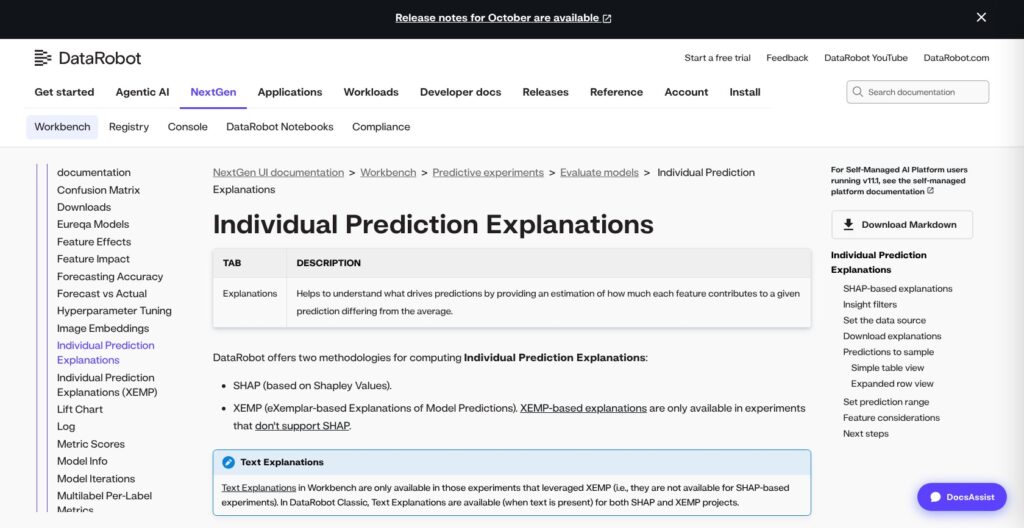
Autopilot ranked the models on the leaderboard and retrained the top one on 100% of the data, marked “Prepared for Deployment.” Each model opened its own insights:
- Feature Impact and Feature Effects: the features that drive the model and their effect on predictions.
- Prediction Explanations: per-row reasons from SHAP, or XEMP where SHAP is unsupported.
- Model performance: Lift Chart, plus ROC Curve and Confusion Matrix for classification.
- Residuals: error views for regression models.
From the model, I generated a compliance report as an editable Word (.docx) file from a template.
Deploying and Scoring the Model
I sent the model to Registry, which created a registered model version, then deployed it from Console to a DataRobot Serverless prediction environment.
The trial allows batch predictions only, so I scored with a batch prediction job. Paid packages add the real-time Prediction API with code snippets, plus portable predictions, which makes the trial a proof of workflow, not a production pilot.
Console then showed service health (latency, throughput, error rate) and data drift; accuracy needs actuals matched to predictions by an association ID.
Reviewer’s Notes: I recommend connecting the warehouse you will run in production (Snowflake, Databricks or BigQuery) during the trial instead of uploading a CSV. The data path and the 5GB Essentials upload cap are what the contract has to be sized around.
Model Building: Autopilot Modes, Data Limits and Time Series
SaaS CSV uploads are capped at 5GB on the Essentials package and go up to 100GB elsewhere; the 100GB path uses incremental learning, with data from a connection or URL registered in the Data Registry.
- XLSX: best kept under 150MB.
- Columns: no more than 20,000 per dataset.
- Minimum rows: regression 20 plus a header; binary classification 20 minority, 20 majority and 100 total; multiclass 100.
- Self-managed AutoML ingest: up to 10GB, raised to 100GB with the incremental-learning option.
Incremental learning supports binary, regression, multiclass and multilabel experiments, but it drops time series, Visual AI, Location AI and Feature Discovery, and it disables Comprehensive mode.
Learning types are supervised (the default), clustering and anomaly detection. Experiments can be non-time-aware, time-aware with out-of-time validation, or time series forecasting and nowcasting, and Feature Discovery builds features across multiple datasets. GPU training covers text and image deep-learning blueprints in Manual or Comprehensive mode, outside the trial.
Notebooks run on S (2 CPU, 8 GB), M or L machines depending on tier, with Python 3.13 as the default environment. The October 2026 release shipped Python client v3.21 and REST API v2.50.
H2O-3 gives free, code-first AutoML under Apache 2.0; DataRobot’s edge is the governed UI around it. Teams working with large datasets must account for the 5GB Essentials SaaS CSV cap and the 100GB incremental-learning ceiling, which excludes time series, Visual AI, Location AI, Feature Discovery and Comprehensive mode.
MLOps: Deployments, Drift, Challengers and External Models
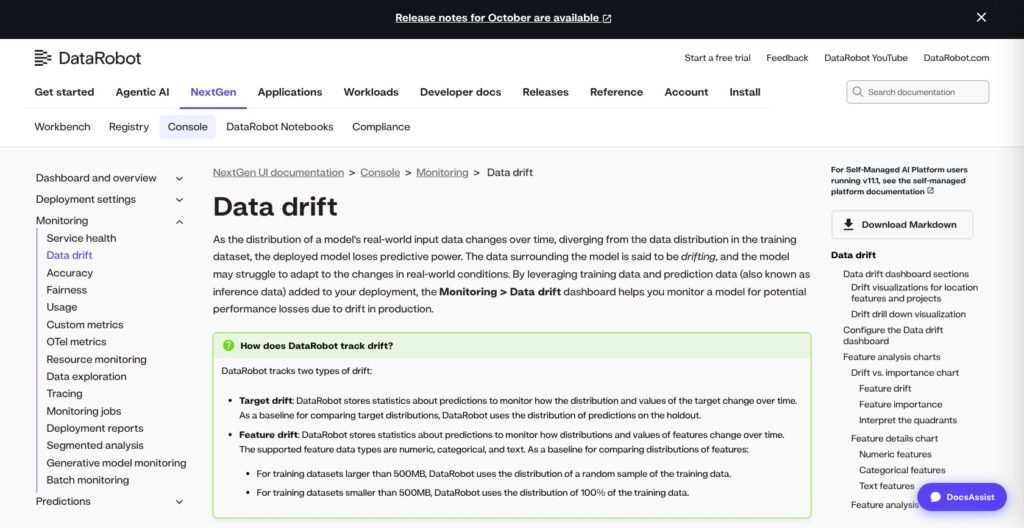
Console monitors models DataRobot did not build. External models report through the monitoring agent plus the spooler-based MLOps library, or through monitoring jobs that pull predictions from sources such as Snowflake, and managed integrations deploy to Amazon SageMaker and Azure ML, with SAP AI Core and Snowflake in Preview.
- Service health: latency, throughput and error rate.
- Data drift: target drift against holdout predictions and feature drift against training data.
- Accuracy: needs an association ID and actuals.
- Other monitors: fairness, usage, custom metrics and tracing.
Each deployment has five challenger slots, and challengers replay the champion’s predictions, so target monitoring and prediction row storage must be on. Up to five automatic retraining policies per deployment each set a trigger, a modeling strategy and a replacement action, using a retraining dataset in the Data Registry. By default, a retrained model joins as a challenger instead of replacing the champion.
Service health is unavailable for agent-monitored external deployments and for predictions uploaded through monitoring jobs. Monitoring jobs do not support time series models, the in-DataRobot monitoring agent is still Preview, and prediction row storage collects only the first 100MB of prediction requests per deployment per hour.
Custom models are assembled and tested in the custom model workshop, across its Assemble, Test and Versions tabs, before registration. MLflow gives a free Apache 2.0 registry and tracking, but it is not an AutoML or governance suite; drift monitoring, challengers and retraining policies are what the DataRobot contract pays for.
Generative and Agentic AI: Templates, LLM Gateway and Guards
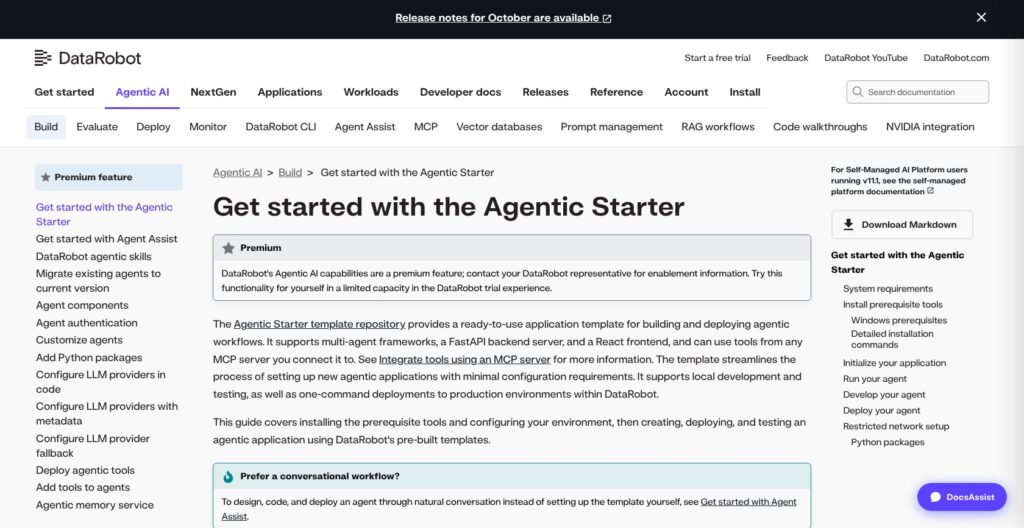
The Agentic Starter template supports LangGraph, CrewAI, LlamaIndex, NVIDIA NeMo Agent Toolkit and a generic base, with a FastAPI backend and a React frontend. The DataRobot CLI (dr) sets it up with dr start, runs it locally with dr run dev and deploys the app, agent and MCP server with dr run deploy, which uses Pulumi. It needs Python 3.10+ and 4GB RAM.
Agent Assist (dr assist) is a conversational helper for designing, coding and deploying agents, and DataRobot publishes agent skills for coding agents such as Claude Code, Cursor, Codex and Gemini CLI.
A RAG build pairs an internal or external vector database with an LLM blueprint in a playground, where blueprints are compared on evaluation metrics before deployment with moderation guards. NVIDIA NeMo Guardrails plug into the moderation framework, and moderation events land in the deployment’s Activity log. Playground LLMs can run compliance test suites whose results flow into the compliance report, and the open-source Talk to My Data and Talk to My Docs (Google Drive, Box, SharePoint) templates give two ready-made agent apps.
The premium LLM gateway is an OpenAI-compatible chat completions endpoint for models from Amazon Bedrock, Azure OpenAI, Google Vertex AI, Anthropic, Cerebras and TogetherAI. Every gateway model stays disabled until an org admin enables it, requests can be rate limited per organization with a 24-hour reset, and LLM provisioning is not available on on-premise installs.
A managed platform MCP server plus deployable MCP server templates work from Cursor, Claude Desktop and VS Code. NVIDIA NIM containers import from NGC into Registry and deploy to Serverless as a Premium feature.
Agentic AI and the LLM gateway are premium features; the trial’s limited version stops at 1,000 LLM calls. Databricks is the comparable option for teams whose data and models already sit in a lakehouse.
Governance, Security and Deployment Options
The EU AI Act risk framework went generally available in the October 2026 release: a guided questionnaire returns a compliance score, and admins can define custom frameworks. It sits on top of per-model editable Word compliance reports, with templates for non-time series, time series and text generation models.
DataRobot runs in four hosting models:
- Multi-tenant SaaS.
- Single-tenant SaaS: a dedicated VPC on AWS, Azure or GCP.
- VPC.
- Self-managed on-premise.
Certifications cover ISO 27001 and SOC 2 Type II with an annual independent assessment, plus HIPAA-compliant single-tenant SaaS on AWS, Azure and GCP. DataRobot also claims privacy compliance for GDPR, CCPA, CPRA and the EU AI Act.
Access control includes SAML 2.0 SSO, SCIM provisioning, MFA, LDAP for self-managed installs, role-based access with default and custom roles, and TLS 1.3 for API traffic. SSO depends on the package, which makes it a line item for the quote.
SaaS releases ship monthly. After November 2026, Snowflake key-pair credentials encrypted with 3DES, ARIA, Camellia, PBES1 or legacy PEM stop working and must be re-encrypted.
Domino Data Lab is the closest alternative for self-managed VPC governance, with a published $150,000 marketplace fee for 12 months of VPC Premium.
How Does DataRobot Compare to Competitors?
-
H2O.ai: H2O-3 is free and open source under Apache 2.0, with AutoML, while the AWS Marketplace H2O AI Enterprise Starter bundle (8 GPUs with professional services) costs $720,000 for 12 months. It fits code-first teams that want free AutoML before an enterprise contract.
-
Amazon SageMaker: Canvas costs $1.90 per workspace session hour plus training at SageMaker instance rates, pay-as-you-go with no sales call. It fits AWS-native teams that want a public rate before a pilot.
-
Google Vertex AI: AutoML forecasting training costs $21.252 per node hour, and AutoML tabular prediction starts at $0.20 per 1,000 predictions for the first 1 million a month. It fits Google Cloud teams that budget per workload.
-
Azure Machine Learning: there is no extra charge beyond the Azure compute and storage consumed. It fits Microsoft-centric enterprises, and because Azure ML is one of DataRobot’s managed deployment targets, choosing it does not rule out DataRobot monitoring.
-
Databricks: pay-as-you-go per DBU, billed per second, with committed-use discounts, a free trial and managed MLflow. It fits teams whose data and ML already live in the lakehouse.
-
Dataiku: visual plus code workflows, a 14-day cloud trial for up to five users and a downloadable Free Edition, but paid plans are quote-based, like DataRobot’s. It fits mixed analyst and data scientist teams.
-
Domino Data Lab: AWS Marketplace 12-month platform fees start at $50,000 for Domino Cloud and $150,000 for self-managed VPC Premium. It fits code-first data science teams that want published entry prices.
DataRobot wins where one vendor must cover AutoML, monitoring of models built elsewhere, compliance reports and agent deployment under one governance layer.
How I Reviewed DataRobot
I signed up for the 30-day trial, created a Use Case, connected data and ran Quick Autopilot, then read the leaderboard and SHAP explanations and generated a compliance report. I registered and deployed a model, scored it with a batch prediction job and reviewed drift and service-health monitoring in Console. I built a RAG playground, walked through the Agentic Starter template with the DataRobot CLI, checked the deployment options and security certifications, and compared DataRobot with H2O.ai, Amazon SageMaker, Google Vertex AI, Azure Machine Learning, Databricks, Dataiku and Domino Data Lab.
The verdict weighs seven areas:
- Pricing and buying model
- Modeling and AutoML
- MLOps and monitoring
- Generative and agentic AI
- Governance and security
- Deployment options
- Alternatives
Prices current as of November 2026.
DataRobot Review: Should You Buy DataRobot?
Yes, I recommend DataRobot for enterprise teams, especially in regulated industries, that need AutoML, monitoring of models built in DataRobot and elsewhere (SageMaker, Azure ML or custom servers), per-model compliance reports with an EU AI Act framework, and governed agent deployment from one vendor, and that can buy through a negotiated contract.
Skip DataRobot if the team wants:
- Transparent pay-as-you-go pricing: Amazon SageMaker, Google Vertex AI or Azure Machine Learning.
- Free, code-first AutoML: H2O-3.
- A lakehouse-native stack: Databricks.
- Published entry prices for a code-first platform: Domino Data Lab.
Before signing, match the package to two limits: Essentials caps SaaS CSV uploads at 5GB, and serverless high availability needs Business Critical or consumption-based pricing. Agentic AI and the LLM gateway are premium, so they belong in the quote by name, and on-premise installs get no gateway LLM provisioning.
Start the 30-day trial at DataRobot with one real use case ready.
FAQ
How much does DataRobot cost?
DataRobot publishes no prices. Every package (Essentials, Enterprise and Business Critical) and the premium features, including agentic AI, the LLM gateway and NVIDIA NIM, are quoted by Sales. The AWS, Azure and Google Cloud marketplace offers are private offers, and the prices shown there are placeholders. The only $0 option is the one-time 30-day trial. See DataRobot Pricing: How Much Does It Cost? above.
Does DataRobot have a free trial?
Yes. DataRobot offers a one-time 30-day free trial with full platform access, limited to batch predictions, 15 vector databases and 1,000 LLM calls, with no GPUs or NVIDIA NIM. Up to 5 teammates inside your organization can share assets. Data and assets are permanently deleted 30 days after the trial expires unless you upgrade through Sales. There is no permanent free plan.
Is DataRobot just AutoML?
No. Autopilot and the leaderboard are still the core, but the platform also covers deployment monitoring in Console, model versions and custom models in Registry, generative AI playgrounds, an OpenAI-compatible LLM gateway, the Agentic Starter template and MCP servers. Agentic AI and the gateway are premium features on top of the base package.
Can DataRobot monitor models it did not build?
Yes. External models report through the monitoring agent and MLOps library, or through monitoring jobs that pull prediction data from sources such as Snowflake, and managed integrations cover Amazon SageMaker and Azure ML. Service health is unavailable for agent-monitored external deployments and monitoring-job uploads, monitoring jobs skip time series models, and accuracy needs actuals with an association ID.
Can DataRobot run on-premise?
Yes. DataRobot runs self-managed on-premise and in a VPC, as well as multi-tenant SaaS and single-tenant SaaS in a dedicated VPC on AWS, Azure or GCP. LDAP is available on self-managed installs, but LLM provisioning through the gateway is not available on-premise, so gateway-based agent projects belong on DataRobot-managed cloud or single-tenant SaaS, where provisioning is available.