Editor’s note: This Dataform review is based on my hands-on test of Dataform core 3.0.71 through the open-source CLI (October 2026), plus the hosted service’s documented behavior, BigQuery rates and quotas as of October 2026; the console workspace, scheduling and IAM paths were evaluated that way, not run. I weigh pricing transparency, adoption signals, development momentum, openness and exit costs, practitioner sentiment and my own verdict.
Quick verdict: I recommend Dataform for teams whose warehouse is BigQuery and will stay BigQuery, and who want dbt-style ref(), assertions and incremental models with no license and no server. Go in knowing its settings schema has no warehouse field, every run has needed a custom service account or user credentials since April 29, 2026, and its ecosystem is a fraction of dbt’s.
Key Takeaways
- Dataform costs $0; the bill is BigQuery compute ($6.25 per TiB or $0.04 to $0.10 per slot-hour) plus Cloud Logging past 50 GiB a month.
- My 7-action project compiled in 2.1 seconds locally; the hosted compiler caps out at 5,000 actions and 8 seconds of CPU.
- 2026 brought folders (April), Developer Connect Git (April), a remote MCP server (August) and unit tests (September).
- Caveat: BigQuery only, in 40 single regions with no multi-region option.
- Caveat: if a scheduled run is still going, the next one is skipped and marked as an error.
Among the SQL frameworks in the Panoply directory, Dataform is the only one bundled free with a warehouse (BigQuery), while dbt and SQLMesh run on almost any engine.
In this review, I’ll take a closer look at Dataform’s pricing, what it was like to build and break a project with it, its testing and scheduling features, the 2026 AI additions, and how it stacks up against dbt, SQLMesh and Coalesce, so you can see whether it belongs in your BigQuery stack.
Dataform Pros and Cons
Pros
- Free service: you pay only for BigQuery compute and Cloud Logging.
- Lives in BigQuery Studio with real-time compile, query preview and a dependency graph.
- Apache-2.0 CLI compiled my 7-action project locally in 2.1 seconds, no account needed.
- Built-in uniqueKey, nonNull and rowConditions assertions, plus unit tests GA since September 2026.
- Five Git providers and cron workflow configurations with no extra orchestrator.
Cons
- BigQuery only, enforced in a settings schema with no warehouse field.
- Custom service account or user credentials required for every run since April 29, 2026.
- Hosted compilation capped at 5,000 actions and 8 seconds of CPU.
- Package ecosystem a fraction of dbt’s, with JavaScript in place of Jinja.
How Much Does Dataform Cost?
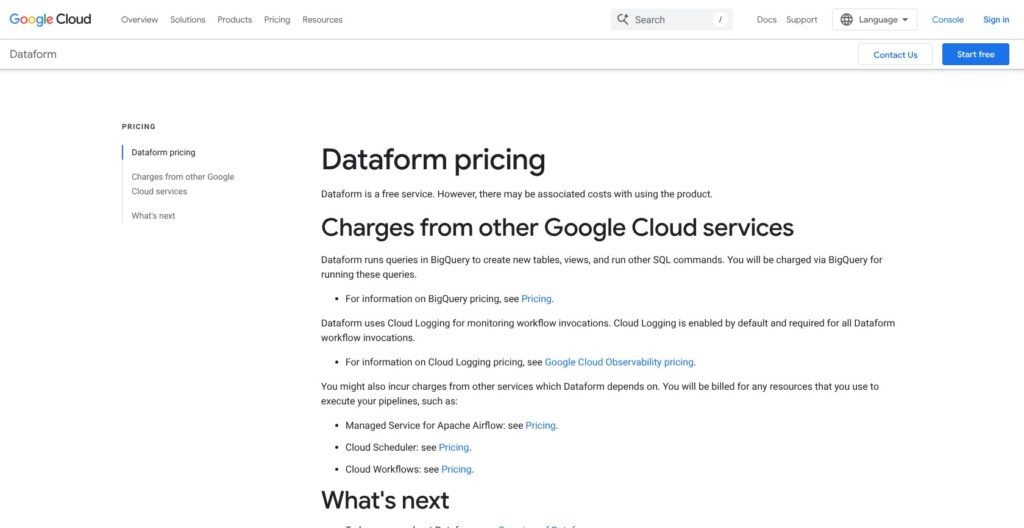
Dataform has no plans and no seat price: every dollar goes to BigQuery compute, BigQuery storage and Cloud Logging, at these rates (Iowa region, October 2026):
- On-demand compute ($6.25 per TiB scanned): the first 1 TiB a month is free; BigQuery’s default meter, and the cheaper one below about 20 TiB a month.
- Editions ($0.04 to $0.10 per slot-hour): Standard $0.04, Enterprise $0.06 and Enterprise Plus $0.10 pay as you go, dropping to $0.032, $0.048 and $0.08 on a 3-year commitment; billed per second with a 1-minute minimum.
- Storage (about $0.023 per GiB-month): active logical storage, falling to about $0.016 after 90 unchanged days, with the first 10 GiB free.
- Cloud Logging ($0.50 per GiB): the first 50 GiB per project per month is free, and every workflow invocation must log to it.
- Orchestration (only if you leave Dataform’s scheduler): Managed Service for Apache Airflow, or Workflows plus Cloud Scheduler, each billed on its own meter.
| Workload | What runs | Monthly BigQuery compute (my estimate) |
|---|---|---|
| Small team | 20 models hourly, about 50 GiB scanned a day (about 1.5 TiB a month) | About $3 on demand, after the free TiB |
| Mid-size team | 200 models, about 1 TiB scanned a day (30 TiB a month) | About $181 on demand, or $960 for 100 Standard slots 8 hours a day |
| Break-even point | 20 TiB scanned a month, or 100 Standard slots for 1 hour a day | About $119 on demand vs $120 on slots |
| Large platform | 500 Enterprise slots running all month (730 hours) | About $21,900 pay as you go, or $17,520 on a 3-year commitment |
An hourly schedule means about 720 workflow invocations a month, and I expect their logs to stay inside the free 50 GiB at these sizes; check the project’s Logging usage after the first month to confirm. Every rival that runs on BigQuery pays the same compute bill, so the real difference is the tool fee: dbt Cloud Starter adds $100 per developer per month, Coalesce starts around $500 a month, and SQLMesh is free but needs a runner you host.
Is Dataform Good Value for Money?
- Good fit: a BigQuery-only team of under about 10 developers, with no budget for a transformation SaaS, gets ref(), assertions and scheduling for $0.
- Less convincing fit: multi-warehouse teams, heavy dbt package users, and teams already paying for dbt Cloud Enterprise to get Mesh or the Semantic Layer.
- Budget priority: the real savings come from incremental tables with updatePartitionFilter, which cut how many partitions each merge scans, not from the tool price.
Reviewer’s Notes: I recommend starting on on-demand pricing and moving to Standard edition slots once monthly scans pass roughly 20 TiB, where 19 billable TiB at $6.25 (about $119) matches 100 Standard slots running 1 hour a day ($0.04 x 100 x 30 = $120), provided 100 slots can finish your daily runs in that hour. Keep Cloud Logging’s default 30-day retention too: ingest stays free up to 50 GiB per project either way, but logs kept past 30 days add $0.01 per GiB-month.
My Experience With Dataform
One npm install @dataform/cli took 8 seconds and pulled core 3.0.71 with no Google account or billing. dataform init finished in 0.6 seconds and wrote workflow_settings.yaml (core version, project, region, default dataset dataform, assertion dataset dataform_assertions), a .gitignore, and empty definitions/ and includes/ folders. No package.json, no node_modules, and the CLI has exactly 8 commands.
Setting Up a Project
I wrote 8 files to mimic a small shop pipeline:
- Sources: two
declare()tables in a raw_shop dataset. - Include: a JavaScript file exporting a START_DATE constant and a currency() helper.
- Staging view: stg_orders, calling both from the include.
- Mart table: customer_orders, partitioned and clustered, with uniqueKey, nonNull and rowConditions assertions.
- Incremental table: daily_orders, with uniqueKey, updatePartitionFilter and a pre_operations checkpoint.
- Extras: one manual assertion, one operations action and one unit test.
dataform compile reported 7 actions in 2.1 seconds locally: 3 datasets, 3 assertions and 1 operation. Declarations and the unit test sit in the graph but are not actions.
dataform compile --json returned a 14 KB graph with every ref() rewritten to project.dataset.table. The incremental table carried two queries with separate pre-ops: DATE(“2000-01-01”) as the full-refresh checkpoint, SELECT MAX(order_date) for the incremental one.
I was surprised that the nonNull columns were folded into the rowConditions assertion, so three assertion types produced two views.
What Compile Catches, and What It Misses
Compile caught three of my four deliberate errors without touching a warehouse:
- Missing ref:
Could not resolve "orders_typo"plus a missing-dependency error, while the rest of the graph still compiled. - Circular ref:
Circular dependency detected in chain, naming both actions in the loop. - Duplicate name:
Ambiguous Action name: stg_orders. Did you mean one of: dataform.stg_orders, dataform.stg_orders.The repeated suggestion is no help. - SQL typo:
SELEC ... FORMcompiled clean, because the CLI does not parse SQL.
That typo surfaces only at run time, or as you type in the console’s web IDE, which validates against BigQuery. dataform format rewrote my config blocks and SQL in place, one key and one column per line.
dataform run --dry-run and dataform test both stopped at “Missing credentials JSON file”, and with a minimal credentials file the dry run failed on “Could not load the default credentials”. The console path (which I did not run) needs a repository in one of 40 regions, a custom service account and a workspace, then an “Allow” grant for BigQuery Pipelines on the first run.
Pushing It to 5,000 Actions
Local compile times on my Mac grew roughly linearly:
- 500 chained views: 507 actions in 4.2 seconds.
- 3,000 fan-out views: 3,007 actions in 19.5 seconds, with a 3.1 MB graph.
- 5,100 views: 5,107 actions in 34.7 seconds.
The hosted compiler allows 5,000 actions, 8 seconds of CPU, 30 seconds of wall time and a 20 MB graph per repository compilation. My 5,100-view graph breaks the action cap outright, so a project that size has to split across repositories, and a 3,000-model monorepo would likely exceed the CPU budget in the cloud.
Adding warehouse: snowflake failed with Unexpected property "warehouse", a legacy dataform.json alone was rejected, and dataform install refused because packages resolve at compile time under workflow_settings.yaml.
Reviewer’s Notes: Compile runs the same core as the hosted service, so the CLI is the honest way to evaluate Dataform without a billing account. Assertion failures, MERGE cost and scheduling need BigQuery attached, so budget a sandbox project first.
Assertions, Incremental Tables and Unit Tests
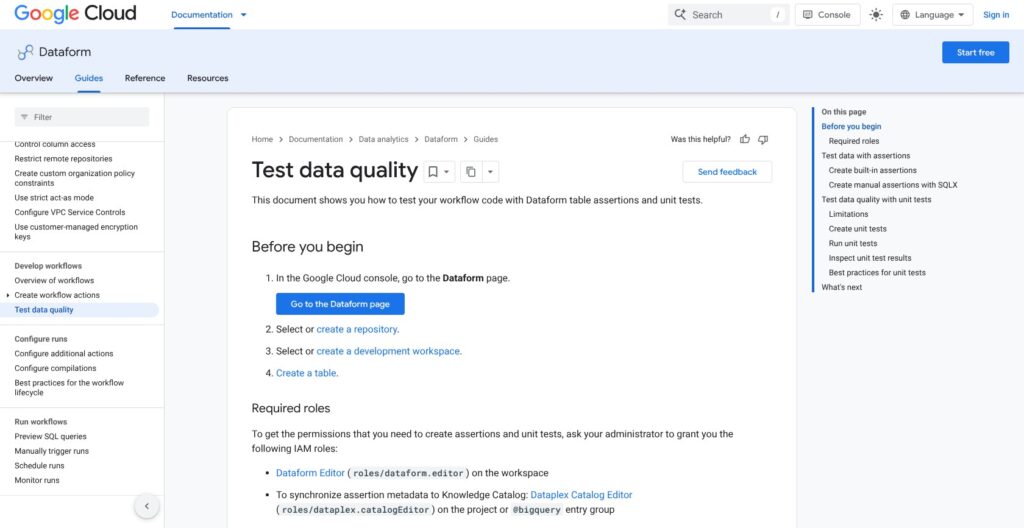
Dataform ships four built-in assertion types, manual assertions, MERGE-based incremental tables and unit tests (GA since September 17, 2026), which covers the testing basics dbt users expect.
✅ Built-in and manual assertions
- Config assertions: nonNull, uniqueKey, uniqueKeys and rowConditions, set in the table’s config block.
- Manual assertions: a file of type “assertion” whose query must return zero rows.
- Output: one view per assertion in dataform_assertions, with pass or fail shown on Knowledge Catalog data quality scorecards (GA October 1, 2026).
In my compile, the uniqueKey check grouped by customer_id and kept rows where index_row_count > 1, and nonNull merged into the rowConditions view. Because each assertion is a plain view, you can query failing rows with SQL after a run instead of reading logs.
🔁 Incremental tables
A type “incremental” table with when(incremental(), ...) branches gets two queries, and in my compile they came out as separate statements. Adding a uniqueKey turns the append into a MERGE on that key.
bigquery.updatePartitionFilter limits which existing partitions that MERGE scans, so on a table partitioned by day, a 24-hour filter keeps the merge to the newest partitions instead of the whole table. A full refresh option rebuilds from scratch, protected blocks it, and schema updates without a full refresh have been in preview since September 2025.
🧪 Unit tests
- Requirements: core 3.0.56 or later, and a _test.sqlx file with type “test” and the target dataset.
- Inputs: one input block per ref() dependency, capped at 100 rows each, followed by the expected output SQL.
- Running: the console’s “Unit tests” execution mode, or executionMode UNIT_TESTS_ONLY in the API.
My test compiled into a real query with the inputs inlined as subqueries, plus an expected-output query, but dataform test needed BigQuery credentials to execute it. Keep mocks under 10 rows, ORDER BY both queries and CAST mock columns explicitly.
dbt has had unit tests since version 1.8 (May 2024) and data tests through packages like dbt-expectations. Dataform has no comparable package library, so custom checks are rowConditions or manual assertions you write yourself: parity on the basics, a gap on ecosystem.
Scheduling, Git and the Service Account Wall
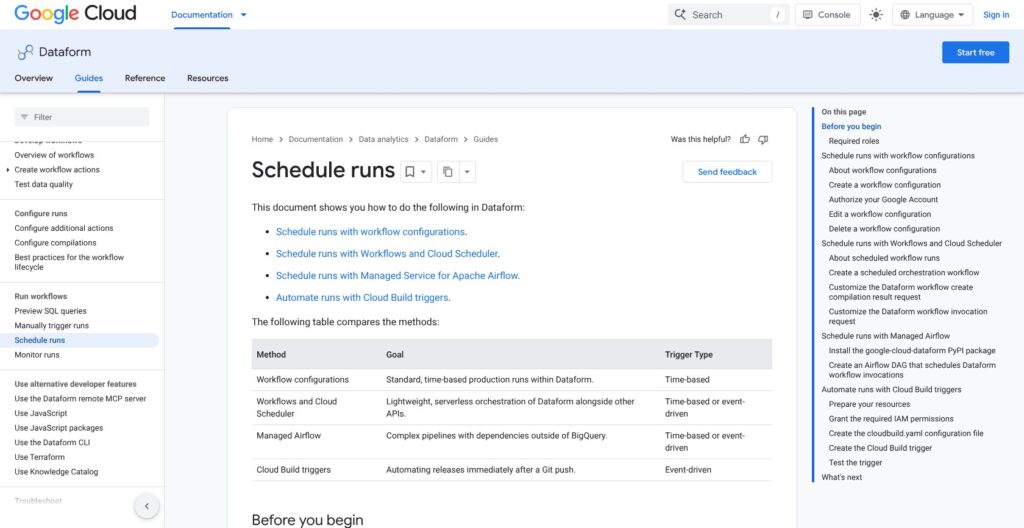
Dataform schedules itself through release and workflow configurations, so a BigQuery team needs no Airflow, and since April 29, 2026 no run starts without a custom service account or user credentials.
🗓️ Workflow and release configurations
- Release configuration: a compiled snapshot of a Git branch or commit, with variables and a refresh frequency.
- Workflow configuration: a unix-cron schedule and time zone that runs all actions, selected actions or tags, with dependency, dependent and full-refresh toggles, plus interactive or batch priority (GA October 2025).
- Hard rules: keep at least 1 hour between compilation and the scheduled run; if the previous run is still going, the next one is skipped and marked as an error; a repository can use up to 100 service accounts.
Outside Dataform, runs can come from Workflows plus Cloud Scheduler, Managed Service for Apache Airflow operators (Airflow 2 only; renamed from Cloud Composer on April 24, 2026) or Cloud Build on a Git push. A gitCommitish trigger clones the remote on every run, so release configurations are the safer choice.
🔐 Strict act-as mode
Since January 19, 2026 per project and April 29, 2026 globally, every run needs a custom service account the caller can act as (roles/iam.serviceAccountUser), or Google Account user credentials through a one-time OAuth grant. The default Dataform service agent can no longer run workflows.
The typical failures read “does not have permission to act as service account” or flag a missing bigquery.jobs.create permission. Context-Aware Access policies also block user-credential runs unless the Dataform OAuth client is exempted.
Separately, Google has published two Dataform security bulletins: GCP-2025-045 (August 2025, a Dataform API vulnerability) and GCP-2026-047 (July 2026, missing authorization in BigQuery, Dataform and Colab repositories).
🌿 Git, folders and deployments
- Git providers: Dataform’s own Git, GitHub, GitLab, Azure DevOps and Bitbucket, plus Developer Connect connections (GA April 16, 2026).
- Workspaces: virtual editable copies of the repository with compilation overrides (project, table prefix, schema suffix) for isolated dev datasets.
- Organization: folders and repositories GA since April 2, 2026, and Dataform deployments in preview since July 27, 2026.
- Gaps: no file-content search in workspaces, and no official Docker image since core 3.0.
By contrast, dbt Cloud bundles its own scheduler on Starter at $100 per seat, and SQLMesh gives you virtual data environments for free.
Gemini, the MCP Server and the Data Engineering Agent
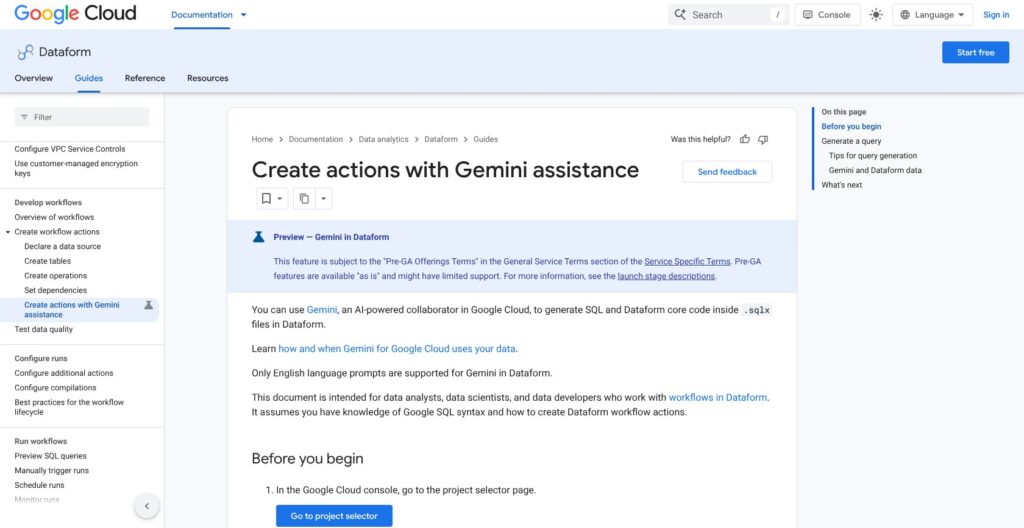
Of Dataform’s three AI layers, only the in-editor Gemini generator is still in preview; the remote MCP server and the BigQuery Data Engineering Agent are GA.
✨ Gemini in the editor (Preview)
Gemini generates SQL and SQLX from English prompts (the only supported language), using the actions already in the repository; you name an action in backticks to target it. It reads table and column metadata, never row data, and needs Gemini in BigQuery activated. Preview status means Pre-GA terms, so I would not build a team workflow around it yet.
🔌 Remote MCP server (GA)
The MCP server went GA on August 17, 2026, and gained workspace authoring and Git operations on September 21. It uses OAuth 2.0 with the BigQuery scope, needs bigquery.jobs.create plus repository permissions, and needs the repository connected to a Git provider.
It pairs with the BigQuery MCP endpoint, whose execute_sql tool stops after 3 minutes and 3,000 rows.
🤖 BigQuery Data Engineering Agent (GA)
GA since April 2026, the agent writes SQLX into BigQuery pipelines and Dataform repositories from a prompt and migrates legacy jobs. It cannot execute or schedule a pipeline, and it works on BigQuery only.
BigQuery pipelines are powered by Dataform, so notebooks and data preparations scheduled there run on the same engine and count against the same quotas.
On the dbt side, dbt Core 2.0 is Apache-2.0 and Fusion adds proprietary features on top of it. I’d hand Google’s agent the boilerplate and the migrations, and keep tests and the schedule in human hands.
How Does Dataform Compare to Competitors?
| Tool | Warehouses | Price | Hosted runner | Standout |
|---|---|---|---|---|
| Dataform | BigQuery only | Free (you pay BigQuery) | Yes, workflow configurations | Built into BigQuery Studio |
| dbt Core | 20+ adapters | Free, Apache-2.0 | No, you run it | Package ecosystem and hiring pool |
| dbt Cloud | Major cloud warehouses | Free Developer seat; Starter $100 per developer a month; Enterprise custom | Yes | Mesh and Semantic Layer on Enterprise |
| SQLMesh + Tobiko Cloud | Many engines, BigQuery included | SQLMesh free; Tobiko Cloud by quote | Tobiko Cloud | Virtual data environments, column-level lineage |
| Coalesce | Snowflake, BigQuery, Databricks, Fabric | From about $500 a month, no free plan | Yes | Column-aware visual builder |
| Matillion | Major cloud warehouses | Commercial license | Yes | Ingestion, transformation and orchestration in one platform |
- dbt Core: 20+ adapters, the package ecosystem, Jinja templating most analytics engineers already know and the largest hiring pool, but you run and schedule it yourself. After the Fivetran merger closed on June 1, 2026, v1.x remains Apache-2.0, and the new dbt Core 2.0 is in alpha.
- dbt Cloud: Developer is free (1 seat, 3,000 models a month), Starter is $100 per developer per month (up to 5 seats and 15,000 models, then $0.01 per extra model), and Enterprise is custom with Mesh and the Semantic Layer. That fee is the price of not managing a runner.
- SQLMesh and Tobiko Cloud: virtual data environments and column-level lineage for free, with BigQuery one of many engines, and a plan step that previews which models a change affects before it touches production tables. Fivetran has owned both since September 2025, and Tobiko Cloud is priced by quote.
- Coalesce: a column-aware visual transformation builder on Snowflake, BigQuery, Databricks and Fabric, with no free plan and a starting price around $500 a month. It transforms data already in the warehouse; it does not load it.
- Matillion: visual ELT with ingestion, transformation and orchestration in one commercial platform, for teams that want loading and modeling in the same tool.
Leaving Dataform is a rewrite of templating, not of logic: SQLX models are SELECT statements with a config block, so moving to dbt means turning ${ref("x")} into {{ ref('x') }}, replacing JavaScript includes with Jinja macros and porting assertions to dbt tests, with when(incremental(), ...) becoming an is_incremental() block. The open-source core has about 997 GitHub stars and 209 forks, a far smaller community to lean on during that move.
Pick Dataform if BigQuery is your only warehouse for the next three years, and dbt or SQLMesh if there is any chance of a second engine, because porting 200 models later costs more engineering time than starting portable.
How I Reviewed Dataform
I installed Dataform core 3.0.71 through the CLI on a Mac with no Google Cloud account, then built an 8-file project that compiled to 7 actions: sources, an include, a view, a partitioned table, an incremental table, assertions, an operation and a unit test. I compiled it, broke it four ways, formatted it, and scaled it to 5,100 actions to see where the hosted limits would bite.
I evaluated the console workspace, scheduling, IAM, Git, Gemini, MCP and agent features from their documented behavior and the 2025 to 2026 release timeline. I priced four workloads from the published BigQuery and Cloud Logging rates, and compared Dataform with dbt Core, dbt Cloud, SQLMesh, Coalesce and Matillion on price, portability and ecosystem.
Prices current as of October 2026.
Should You Build Your BigQuery Transformations on Dataform?
Dataform costs nothing beyond BigQuery, compiled my 7-action project in 2.1 seconds locally, and matches dbt’s basics with assertions, incremental MERGE and unit tests. The 2026 MCP server and Data Engineering Agent add AI authoring inside BigQuery, though the agent cannot run or schedule the pipelines it writes.
Among the SQL frameworks in the Panoply directory, it is the one I recommend for BigQuery-only teams of under about 10 developers: start today with the CLI and a workspace. Multi-warehouse or package-heavy teams should pick dbt Core or SQLMesh instead.
The trade-offs are fixed: a custom service account before the first scheduled run, a 5,000-action compile ceiling with an 8-second CPU budget, and no multi-region location. None of them blocks a 200-model project, but all three bite at monorepo scale or in a multi-region compliance setup.
My next step for you: install the CLI, compile your existing SQL as views, then create a repository in your BigQuery region with a custom service account and schedule one workflow configuration.
FAQ
Is Dataform free?
Yes. Dataform has no license, seat or plan fee, and you pay only for what it runs: BigQuery compute at $6.25 per TiB on demand (first 1 TiB free) or $0.04 to $0.10 per slot-hour, BigQuery storage at about $0.023 per GiB-month, and Cloud Logging at $0.50 per GiB after the first 50 GiB per project each month.
Is Dataform better than dbt?
Dataform is better for BigQuery-only teams that want no license and no server, since it is free and built into BigQuery Studio with the same ref(), assertion and incremental ideas. dbt is better for portability, with 20+ adapters and a far larger package ecosystem. See How Does Dataform Compare to Competitors? above for the full rival table.
Does Dataform work with Snowflake or Redshift?
No. Dataform has been BigQuery-only since Google acquired it in December 2020, and the settings schema has no warehouse field: in my test, adding warehouse: snowflake failed with Unexpected property "warehouse". For Snowflake or Redshift, use dbt Core, dbt Cloud or SQLMesh, all of which also run on BigQuery if you later consolidate.
Why does my Dataform workflow fail with a permission error?
Strict act-as mode, enforced globally since April 29, 2026, requires a custom service account or user credentials for every run. Grant the caller roles/iam.serviceAccountUser on that account, make sure the account itself has bigquery.jobs.create, or run the workflow with Google Account user credentials after the one-time OAuth grant. Cross-project service accounts may also need the iam.disableCrossProjectServiceAccountUsage constraint turned off in that project.