Editor’s note: This dlt review combines my own hands-on test of the open-source library with an evaluation of the pricing model and the documented dltHub platform. I did not run dltHub’s paid managed runtime.
Quick verdict: I recommend dlt for data teams that already write Python and want to load APIs and databases into a warehouse without paying per row or running a connector server. The trade-off: no UI, you own orchestration and monitoring, and the managed dltHub platform starts at $12,000 a month on a 12-month minimum.
dlt is an Apache 2.0 Python library from dltHub that infers your schema, unpacks nested JSON into child tables and loads incrementally into 25+ destinations. In this review, I’ll take a closer look at dlt’s pricing, my test pipelines, its schema handling and the paid dltHub platform, so you can see exactly whether it belongs in your stack.
Key Takeaways
- Free under Apache 2.0, and it installed in about 40 seconds with no account
- Schema inference and nested-JSON unpacking worked out of the box, and incremental merge loads deduplicated correctly
- No UI: every pipeline is Python, and scheduling, alerting and monitoring are DIY unless you pay
- dltHub, the managed platform, costs $12,000 a month on a 12-month minimum, with no mid-priced tier
- The default SQL backend is slow: switching to pyarrow cut my 500,000-row load from 25.8 to 9.4 seconds

Pros and Cons
Pros
- Free Apache 2.0 library with no seat, row or pipeline limits
- Schema inference, with nested JSON unpacked into child tables automatically
- Incremental merge loads with state stored in the destination
- 25+ destinations, from DuckDB and Postgres to Snowflake, Iceberg and vector stores
- Schema contracts that stop bad loads before they reach the warehouse
Cons
- No UI, every pipeline is Python code
- Scheduling, alerting and monitoring are DIY on the free library
- Managed dltHub starts at $12,000 a month on a 12-month minimum
- Six releases in four months means upgrades to track and occasional regressions
How Much Does dlt Cost?
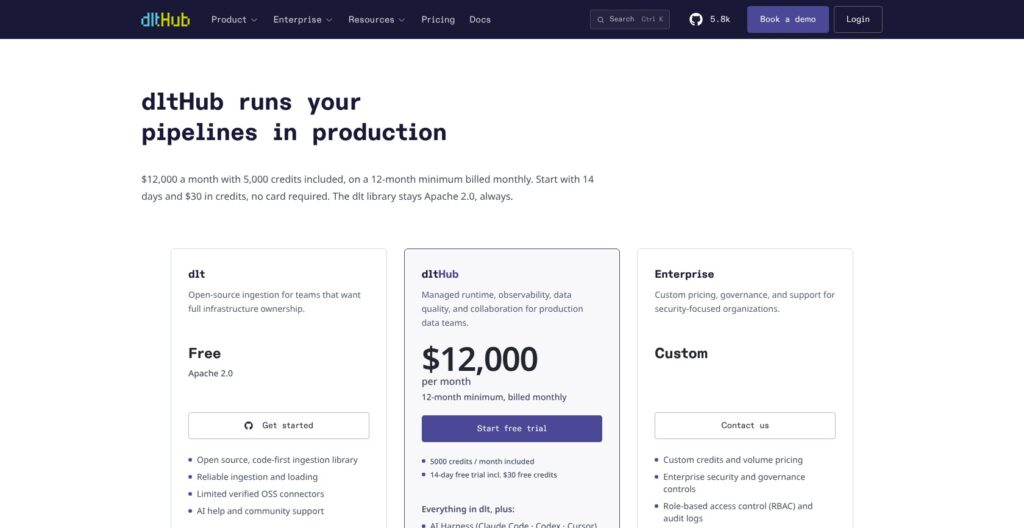
The dlt library costs nothing. The managed platform, dltHub, starts at $12,000 a month, and there is no plan in between.
- dlt (Free): the open-source library, unlimited self-managed pipelines and notebooks, a limited set of verified connectors, community support
- dltHub ($12,000/month): a 12-month minimum billed monthly, 5,000 credits a month included, a managed runtime, cron and event triggers, backfills, data quality checks and contracts, PII redaction, quarantine of failing rows, a runs, schemas and lineage dashboard, and the AI harness for Claude Code, Codex and Cursor
- Enterprise (Custom): billed annually, adds RBAC, compliance logging, an SLA and custom onboarding
| Plan | Price | Commitment | Credits | Best for |
|---|---|---|---|---|
| dlt | Free | None | None, you supply the compute | Python teams running their own orchestrator |
| dltHub | $12,000/month | 12 months, billed monthly | 5,000 per month | Teams replacing a managed-ELT contract |
| Enterprise | Custom | Annual | Custom | Regulated companies that need RBAC and an SLA |
Credits are how dltHub meters usage:
- 1 credit buys 1 runtime hour on a sandbox with at least 2 vCPU and 4 GB of memory, for batch jobs and notebooks alike
- Overage starts at $1.00 a credit and falls through volume tiers to $0.80; prepaid bundles run from 100 credits for $100 up to 12,800 credits for $9,920
- Included credits expire each month, while bundle credits roll over
- Alerts reach admins within 72 hours of hitting 80% and 100% of included credits, and pipelines keep running past the cap, so a runaway backfill lands on the bill instead of stopping
Every dltHub signup starts with a 14-day trial carrying $30 in credits, no card required.
Is dlt Good Value for Money?
- The library is about as good as free gets: the real cost is engineering time plus whatever runs it, a GitHub Action, an Airflow worker or a Lambda
- Fivetran bills by monthly active rows per connection, so a churn-heavy source raises the bill every month; dlt’s license cost for the same source is zero
- Airbyte has a free self-hosted edition, but you run its platform, database and workers before the first sync, which dlt never asks of you
- dltHub only pencils out for a large team replacing a whole managed-ELT contract, since $144,000 a year is the entry ticket
Reviewer’s Notes: My recommendation is to start on the free library with an orchestrator you already run. Trial dltHub only once you have enough pipelines that building monitoring, retries and alerting yourself costs more than the contract.
My Experience With dlt
Installing dlt
pip install "dlt[duckdb]" in a fresh virtualenv on an M1 Pro MacBook took about 40 seconds and gave me dlt 1.31.0 and DuckDB 1.5.6. No account, no Docker, no server, and dlt --version confirmed it.
Airbyte self-hosted means standing up its platform before the first sync; dlt needed nothing beyond the virtualenv.
Scaffolding My First Pipeline
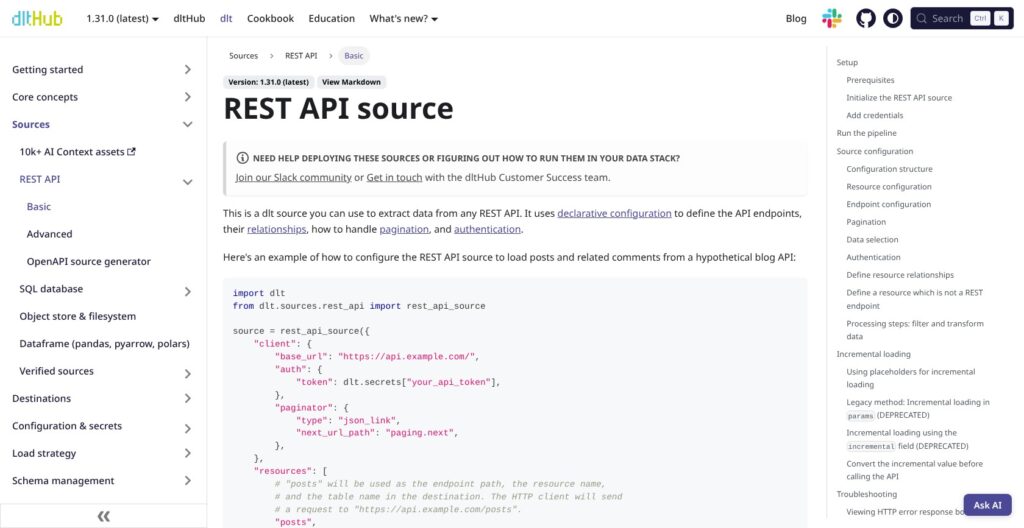
dlt init rest_api duckdb produced a 154-line rest_api_pipeline.py, a .dlt/ folder with config.toml and secrets.toml, a requirements.txt and a .gitignore, all in about a second. Since dlt 1.0 the REST API source is imported from dlt.sources rather than copied into your project, with an --eject flag if you want the code in front of you to edit.
Loading GitHub Issues Into DuckDB
My source was the public GitHub issues API for the dlt-hub/dlt repo, described in about 20 lines of declarative config: base URL, link-header pagination, id as the primary key, merge as the write disposition, and an incremental cursor on updated_at starting from July 1, 2026.
My first config had an invalid key, maximum_offset, inside the endpoint block. dlt rejected it before making a single request and named the exact bad field, though it buried the name in a wall of nested type explanations.
The first run, capped at three pages, finished in 6.4 seconds with 300 issues loaded. dlt split the nested JSON into child tables without being asked: issues with 148 columns, plus issues__labels (224 rows), issues__assignees (164 rows) and issues__performed_via_github_app__events (144 rows), with nested objects flattened into columns like user__login and user__id.
The console also printed long warnings for columns that arrived entirely null, such as active_lock_reason and archived_at. dlt will not create a column it cannot type and tells you to supply a hint, which is correct behavior and noisy output on a first run.
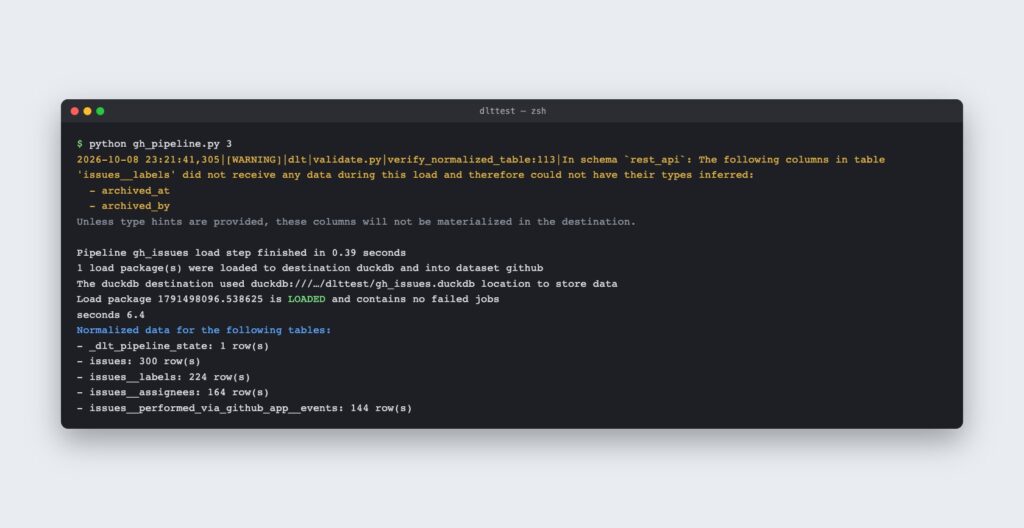
My first run loaded 300 issues into four tables in 6.4 seconds, with the load step itself taking 0.39 seconds. Source: Panoply
Top Tip 💡
Add type hints through
columns=for fields that start out null, such asarchived_at. The column then exists from day one, so downstream models do not break when the first real value arrives.
Running It Again (and Again)
The second run picked up from the stored cursor, loaded 201 more issues in 8.3 seconds and caught up to the present. The table held 501 rows and 501 distinct ids, so the merge deduplicated correctly.
A third run with nothing new took 3.9 seconds and created no load package. State lives both locally and in a _dlt_pipeline_state table in the destination, so a wiped laptop does not reset your cursor, and dlt pipeline gh_issues info printed the synced state, schema name and both load ids straight to the terminal.
Schema Inference, Evolution and Contracts
When I sent a string into an integer column and added a new nested object in the same load, dlt kept loading instead of failing. The nested billing {country, vat} object became billing__country (varchar) and billing__vat (boolean), and seats arriving as the string “ten” went into a new variant column, seats__v_text, while seats stayed int64 with a NULL for that row.
Nothing broke, but a variant column only helps if someone knows to look for __v_ columns. A dbt model selecting seats would silently read NULL for that customer.
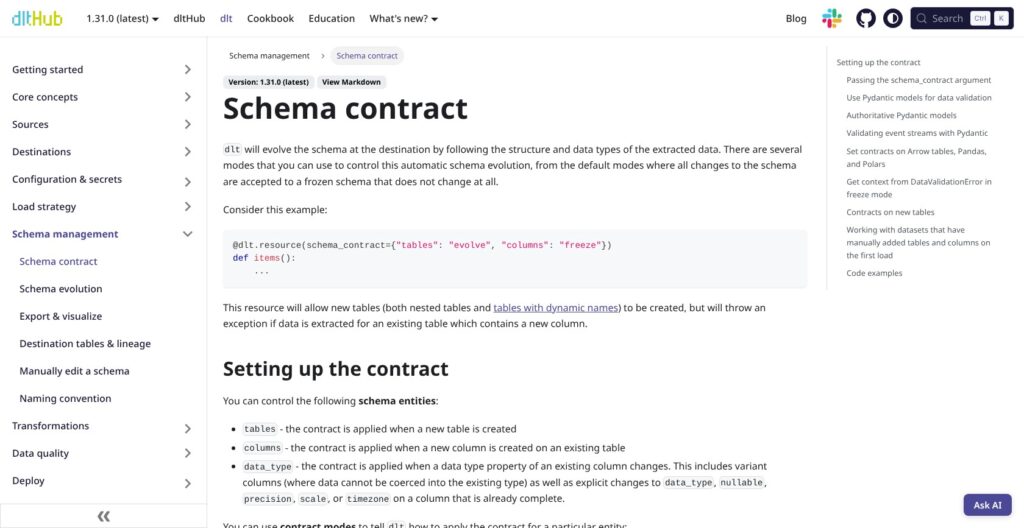
Contracts close that gap: with schema_contract="freeze" set, my next load with a new sso column failed at the normalize step, before a single row reached DuckDB.
dlt offers four contract modes, and I tested freeze:
- evolve: the default, where new tables, columns and type variants are all accepted and added
- freeze: any new table, column or type variant fails the run
- discard_row: rows that would change the schema are dropped and the rest load
- discard_value: the offending value is dropped and the row loads into existing columns only
You can also hand dlt a Pydantic model and let it define the schema and validate rows against it.
If your schemas are already well defined, automatic evolution is the wrong default for curated tables: freeze those and let raw landing tables evolve. Fivetran also absorbs schema drift automatically, but its policy lives in connector settings rather than in one line of code versioned with the pipeline.
Sources, Incremental Loading and Performance
A 500,000-row SQLite table loaded into DuckDB in 25.8 seconds on the default sqlalchemy backend and in 9.4 seconds with backend="pyarrow", one argument changed after pip install sqlalchemy pyarrow. The default is the slow path, and nothing in the output tells you to switch.
Four source types cover most of what a data team pulls from:
- REST API source: declarative config for pagination, auth and incremental parameters, the one I used for GitHub issues
- sql_database: Postgres, MySQL, SQLite, Oracle and other SQLAlchemy-supported databases, with pyarrow and ConnectorX backends for large tables
- Filesystem sources: S3, GCS, Azure, Google Drive and local disk
- Plain Python: any generator or list of dicts becomes a resource, which is how I ran the schema drift test
Write dispositions are append, replace, merge and skip. Merge runs as one of five strategies: delete-insert, upsert, scd2 for slowly changing dimensions, insert-only and cdc. I used merge with a primary key for the issues table, with the updated_at cursor stored in pipeline state between runs.
By default dlt extracts with that kind of cursor, so it is a batch tool, not a streaming platform. The cdc merge strategy applies insert, update and delete records if you feed it a change stream, but for continuous log-based replication pair dlt with a dedicated CDC tool such as Debezium.
The verified connector catalog is also far smaller than Airbyte’s or Fivetran’s. For SaaS sources such as Salesforce or HubSpot you are more often writing or adapting the REST API config yourself than picking a finished connector off a shelf.
Destinations, Orchestration and Where dlt Runs
dlt has no server: the same script that ran on my laptop runs unchanged in a GitHub Action, an Airflow or Dagster task, a Lambda function or a notebook, because the pipeline is a Python process and nothing else.
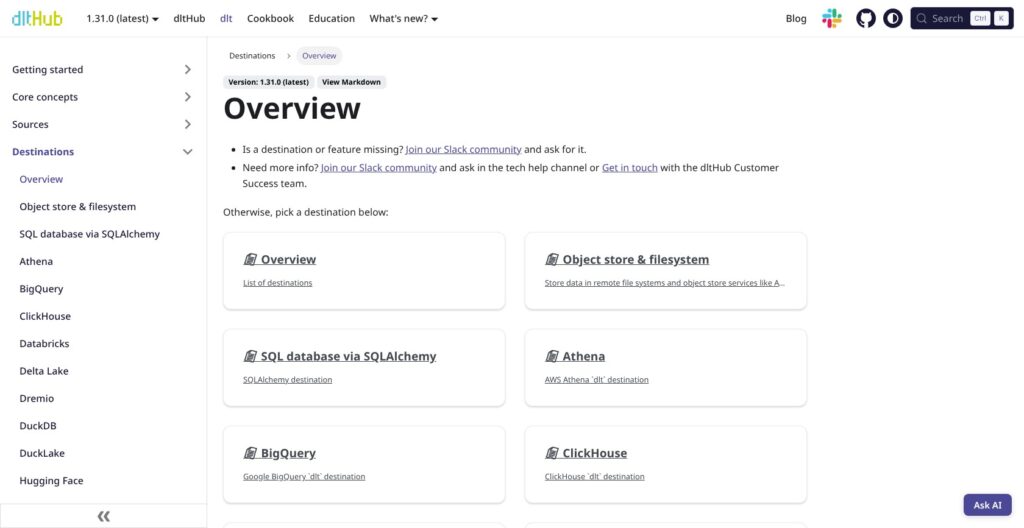
Destinations install as extras, dlt[snowflake] or dlt[bigquery], and cover:
- Warehouses: Snowflake, BigQuery, Redshift, Databricks, Synapse, Fabric, ClickHouse and Athena
- Databases: Postgres, MS SQL, DuckDB and MotherDuck, plus 30+ more through the SQLAlchemy destination
- Lakes: filesystem on S3, GCS or Azure, with Iceberg, Delta and DuckLake table formats
- Vector stores: LanceDB, Qdrant and Weaviate for LLM applications
Orchestration is yours: dlt pairs with Dagster, Airflow or Prefect for scheduling, and ships a helper that runs dbt models after the load so ingestion and transformation sit in one job.
The free library has no alerting and no hosted run history; a local dlt pipeline <name> show dashboard inspects schemas and loaded data, and everything else comes from your orchestrator.
Releases land often: six shipped between June and October 2026, from 1.28.1 to 1.31.0, so pin the version in requirements.txt and read the release notes before each upgrade.
dltHub: The Paid Platform and AI Workspace
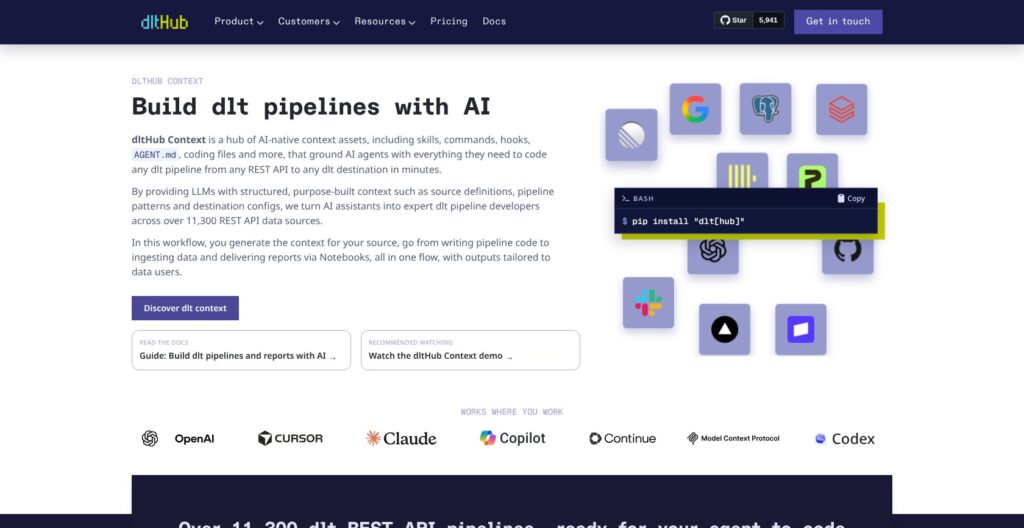
dltHub is the managed runtime and control layer sold on top of the library, installed into an existing project with pip install "dlt[hub]". For the $12,000 a month you get:
- A managed runtime billed by the runtime hour, replacing the Airflow worker or GitHub Action the free library needs
- Cron, event and freshness triggers with follow-up chains and automatic backfills
- Declarative data quality checks, schema and data contracts, PII redaction and a quarantine for failing rows
- A dashboard for runs, schemas and lineage with log streaming and email and Slack alerts
- dbt and canonical model generators, plus marimo and Streamlit data apps
- An AI harness of skills, commands and an MCP server so Claude Code, Codex or Cursor can scaffold pipelines against thousands of REST APIs; the agent proposes fixes for a broken pipeline and waits for your confirmation before deploying
The agent-assisted scaffolding is the part worth evaluating, since my hand-written REST config took about 20 lines and one rejected key before it ran. Nothing sits between free and $12,000 a month, so a small team cannot grow into it.
The 14-day trial with $30 in credits is the cheap way in. Several quality-check and quarantine features are still marked preview, so ask during the trial which are generally available before signing a 12-month term.
How Does dlt Compare to Competitors?
dlt wins when your team writes Python and wants its pipelines in Git at zero license cost; each rival below takes a niche dlt does not:
- Airbyte: a far larger connector catalog, a UI and a low-code connector builder, self-hosted or cloud; the pick when analysts or non-engineers need to add sources themselves
- Fivetran: fully managed connectors you never touch, billed by monthly active rows; the pick when nobody on the team should maintain ingestion code
- Hevo Data: no-code managed pipelines for teams without data engineers, where dlt’s Python requirement rules it out
- Meltano: the Singer-tap ecosystem with a CLI and Git workflow; it fits teams already invested in Singer taps, where dlt would mean rewriting them
- Sling: a compact CLI for database-to-database and file replication; a better fit than dlt when the job needs no Python logic at all
| Tool | Approach | Pricing model | Best for |
|---|---|---|---|
| dlt | Python library, pipelines as code | Free Apache 2.0 library | Python teams with their own orchestrator |
| Airbyte | Connector platform with a UI | Free self-hosted edition, paid cloud | Teams where non-engineers add sources |
| Fivetran | Fully managed connectors | Paid, billed by monthly active rows | Teams that want zero ingestion code |
| Hevo Data | No-code managed pipelines | Paid managed service | Teams without data engineers |
| Meltano | Singer-based CLI | Free, open source | Teams invested in Singer taps |
| Sling | CLI replication tool | Free open-source CLI | Database and file replication without code |
If a dashboard is non-negotiable, Airbyte self-hosted is the closest free alternative, at the cost of running its platform. If a bill you never think about is the goal, Fivetran is, and you pay for that in rows.
Against Meltano and Sling, dlt covers the same database replication through sql_database and adds the custom API logic those tools leave to you.
How I Reviewed dlt
I installed dlt 1.31.0 with the DuckDB extra in a clean Python 3.14 virtualenv on an M1 Pro MacBook, built a REST API pipeline with incremental merge loading against the public GitHub issues API, forced schema drift and a frozen contract, and timed a 500,000-row SQLite load on two extraction backends.
I evaluated the dltHub platform, its pricing and credit model from the documented product, and compared dlt against Airbyte, Fivetran, Hevo Data, Meltano and Sling for a team choosing an ELT tool. My recommendations weigh practical buyer fit and engineering effort; sponsors and affiliates cannot change a verdict.
Pricing model and product details checked in October 2026.
Should You Build Your Pipelines With dlt?
Yes, if your team writes Python, already runs an orchestrator such as Airflow, Dagster, Prefect or GitHub Actions, and loads APIs or databases that need custom logic. dlt is my top pick for code-first open-source ELT: schema inference, nested-table unpacking and incremental merge all worked first time in my test, and the per-row bill is zero.
Skip it if analysts need a UI to add sources, where Airbyte or Hevo Data fit better. Skip it if nobody should maintain ingestion code, which is Fivetran’s job, or if you need continuous log-based replication or streaming, where dlt’s batch runs need a dedicated CDC tool alongside.
Treat dltHub as a separate decision. At $12,000 a month on a 12-month term it only makes sense for a larger team retiring a managed-ELT contract, and the 14-day trial is the only sensible way in.
The next step costs an afternoon: pip install "dlt[duckdb]", point the REST API source at one real API you own, and run it twice. If the second run picks up from the cursor the way mine did, you have your answer.
FAQs
Is dlt free?
Yes. dlt is an Apache 2.0 Python library, free for commercial use with no seat, row or pipeline limits. Only the managed platform, dltHub, is paid, at $12,000 a month on a 12-month minimum. See How Much Does dlt Cost? above for the credit model.
What is the difference between dlt and dltHub?
dlt is the open-source library you pip install and run anywhere Python runs. dltHub is the company behind it and its paid platform: a managed runtime, scheduling, quality checks, a dashboard and an AI harness for coding agents, installed with dlt[hub]. The library works fully without the platform.
Does dlt need a server?
No. A dlt pipeline is a Python process with no backend or containers, so it runs on a laptop, in a GitHub Action, an Airflow or Dagster task, a Lambda function or a notebook. You supply the scheduler.
Does dlt support CDC?
Partly. dlt loads by cursor-based incremental extraction and runs as batch jobs, not as a streaming platform. Its cdc merge strategy applies insert, update and delete records if you feed them in, but for continuous log-based replication, pair it with a dedicated CDC tool such as Debezium.
Is dlt the same as Databricks Delta Live Tables?
No. Databricks also shortened Delta Live Tables to DLT, but the two are unrelated. dlt from dltHub is an open-source ingestion library loading into 25+ destinations; Delta Live Tables is a Databricks framework for declarative transformation pipelines on the Databricks platform.
Which Python versions does dlt support?
dlt 1.31.0 supports Python 3.10 through 3.14. My test ran on Python 3.14.3 with the DuckDB extra without issues, but some optional extras lag the newest Python, so check yours before upgrading.