Editor’s note: This review weighs RudderStack’s pricing, setup requirements, data controls, activation features, and the work your team takes on.
Quick verdict: I recommend RudderStack for data teams that want to collect customer events and build profiles around their warehouse. I like the control it gives engineers, but Profiles and Data Apps require an Enterprise quote.
In this RudderStack review, I’ll weigh that flexibility against the setup, ongoing maintenance, and cost.
Key Takeaways
- A strong fit for engineering-led teams: collect application events, shape them in transit, and activate warehouse data.
- You can start free: the Free plan includes 250,000 monthly events; paid Growth starts at $265 a month.
- Profiles requires an Enterprise conversation: don’t budget for the full CDP using the Growth starting price.
- Warehouse freshness depends on your plan: Free’s three-hour interval is a poor fit for urgent warehouse-driven campaigns.
- The self-hosted server has limits: it uses a source-available license and doesn’t replace the whole commercial platform.
Pros and Cons
Pros
- Event collection and reverse ETL in the same platform
- Customer profiles built in your own warehouse
- JavaScript transformations on Free, with Python on paid plans
- Source and destination debugging for tracing event failures
- A free plan for validating a small pipeline
Cons
- Profiles and Data Apps require custom Enterprise pricing
- Collected and activated events contribute to Growth usage
- Instrumentation and identity rules need technical ownership
- Self-hosting doesn’t include the full cloud CDP
How Much Does RudderStack Cost?
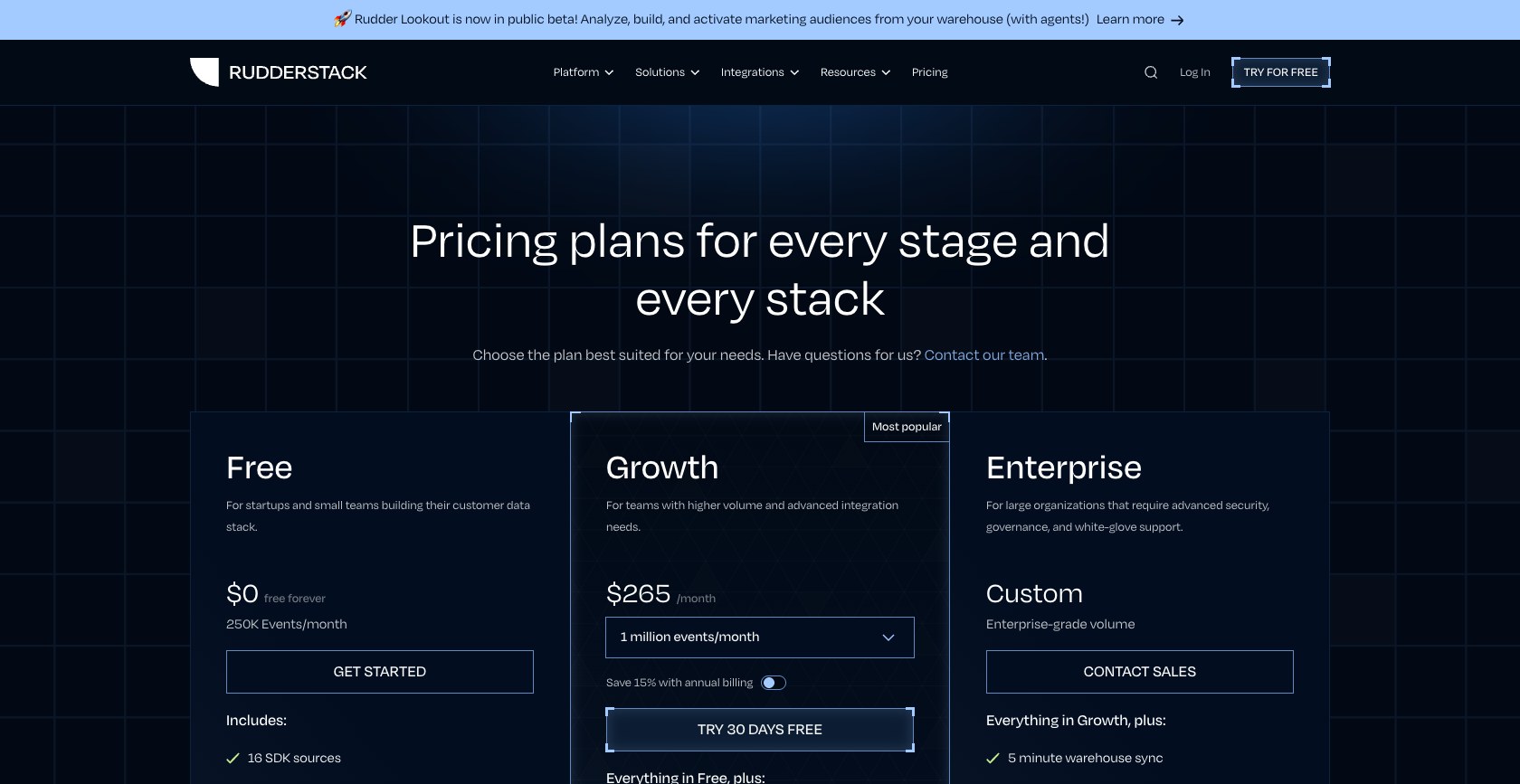
Growth is my pick for a small data team that needs Python transformations and separate development and production workspaces. Free makes more sense for a narrow first implementation.
- Free ($0): for a small application or proof of concept, with 250,000 events a month.
- Growth (from $265/month): for teams operating customer-data pipelines, starting at one million monthly events. The annual option starts at $225 a month, paid as $2,700 a year.
- Enterprise (custom): for teams that need Profiles, Data Apps, or more demanding deployment and access controls. Get the specific products and allowances itemized in your quote.
| Plan | Free | Growth | Enterprise |
|---|---|---|---|
| Monthly starting price | $0 | $265 | Custom |
| Included monthly events | 250,000 | 1 million at entry tier | Contract-specific |
| Warehouse sync interval | 3 hours | 30 minutes | 5 minutes |
| Reverse ETL connections | 10 | 25 | Unlimited |
| Transformations | 5 | 25 | Unlimited |
| Profiles and Data Apps | Not included | Not included | Available |
Growth’s event allowance covers collection and activation. That matters if you’re estimating costs using only the events coming from your website. For example, 1.5 million billable events on the monthly one-million-event tier costs $397.50, including the overage.
Reverse ETL also counts records per destination connection. Sending the same changed record to two tools can create two billable events. Build your estimate around the complete workflow.
Is RudderStack Good Value for Money?
- Good value if it replaces pipeline maintenance: consolidating collection, transformations, and reverse ETL gives an engineering team fewer separate systems to manage.
- Less convincing for a simple audience sync: if your warehouse already contains clean customer data, compare the work involved with Hightouch before adding another collection platform.
- Budget beyond the subscription: warehouse compute and the people maintaining your tracking definitions still cost money.
New business-email signups get a Growth trial lasting 30 days or 25 million cumulative events, whichever comes first. Choose a paid plan or explicitly migrate to Free when it ends. I’d use monthly Growth initially, then consider annual billing once collection and activation volume is predictable.
Getting Started With RudderStack
I’d begin with one customer action that has an obvious business purpose, such as a completed signup. Sending every available click into the platform immediately makes it harder to spot mistakes and forecast usage.
The basic setup connects a source, such as your website or backend, to a destination. Your application sends events using the source’s write key and data-plane URL. RudderStack then routes those events through the connections you configure.
For an initial implementation, I recommend this sequence:
- Define the event and its properties. Agree on what counts as a signup and which identifier ties it to a customer.
- Create the source and instrument the application. Use the appropriate SDK, or the HTTP API when that fits your environment better.
- Connect one destination. Keep the first route simple enough that you can recognize the event at the other end.
- Inspect the event and delivery response. For cloud-mode connections, use the source and destination Live Events views. Device-mode delivery needs checks in the receiving tool.
- Add warehouse delivery and further destinations. Expand after the first route behaves as intended.
What I like here is the separation between collecting an event and deciding where it goes. Once the instrumentation is in place, your routing configuration becomes the place to manage downstream connections. That is much more appealing than repeatedly adding destination-specific tracking code throughout an application.
It still needs a developer. A dashboard connection won’t decide whether a signup event belongs before or after email verification, and it won’t fix inconsistent customer IDs coming from separate services.
Reviewer’s Notes: I’d put your analytics owner and the developer implementing tracking in the same initial setup session. Agreeing on the event’s meaning is more valuable than rushing to connect a long list of destinations.
Collecting and Fixing Customer Events
RudderStack’s event routing is its strongest reason to make my shortlist. You can collect behavior once and distribute it to the tools that need it, while keeping a warehouse copy for your own analysis.
Choose the Right Delivery Mode
Cloud mode sends events through RudderStack’s servers to a destination. Device mode uses the destination’s SDK on the user’s device. The available modes depend on the integration, so I would check the exact destination before assuming you can remove its browser code.
Also, don’t confuse event routing with warehouse freshness. A cloud destination can receive streamed events while warehouse delivery runs on a schedule. Growth’s 30-minute warehouse interval is therefore not a promise that a newly calculated audience will reach your advertising platform within 30 minutes. Modeling and the outbound sync add their own steps.
For a daily retention campaign, that may be perfectly acceptable. For an offer tied to what somebody is doing right now, I’d evaluate the complete path before choosing a plan.
Clean Up Events Before They Spread
I like the flexibility of transformations. You can rename properties, remove sensitive fields, or enrich a payload before it reaches a destination. JavaScript is available on Free; Python requires Growth or Enterprise and a cloud-mode destination.
That flexibility comes with maintenance. I’d keep business-critical transformation logic small and easy to review, particularly when several destinations depend on it. Its beta versioning workflow separates unpublished drafts from active code and lets you roll back when a change breaks a payload.
Tracking Plans define the events, required properties, and data types you expect. Free covers just five events in one plan; Growth allows unlimited plans but caps each at 75 events. I’d establish this contract early so separate applications agree on what a paying customer looks like.
There is also an important cost distinction. Filtering out events in a transformation happens after ingestion, so it doesn’t reduce the incoming billable volume. Event Blocking can stop selected track events before billing, but Growth allows only two blocked event names. Blocking applies across the workspace, and the discarded data cannot be recovered. I’d reserve it for tracking you are sure you no longer need.
Debug Both Ends of the Pipeline
For cloud-mode connections, the destination’s Live Events view exposes delivery responses and errors. That’s where I’d look for a rejected field or failed request. Live Events isn’t available for device-mode delivery, so you need to inspect that path separately.
I value that visibility more than a long connector list. A source event arriving successfully doesn’t prove the destination accepted it. Check the response and confirm the record in the receiving tool.
Building Profiles and Sending Audiences to Your Tools
I find RudderStack most compelling when your warehouse already holds the purchase and subscription data needed to understand a customer. Profiles can build customer definitions there and Reverse ETL can distribute the results.
Profiles Gives Engineers Control Over Identity
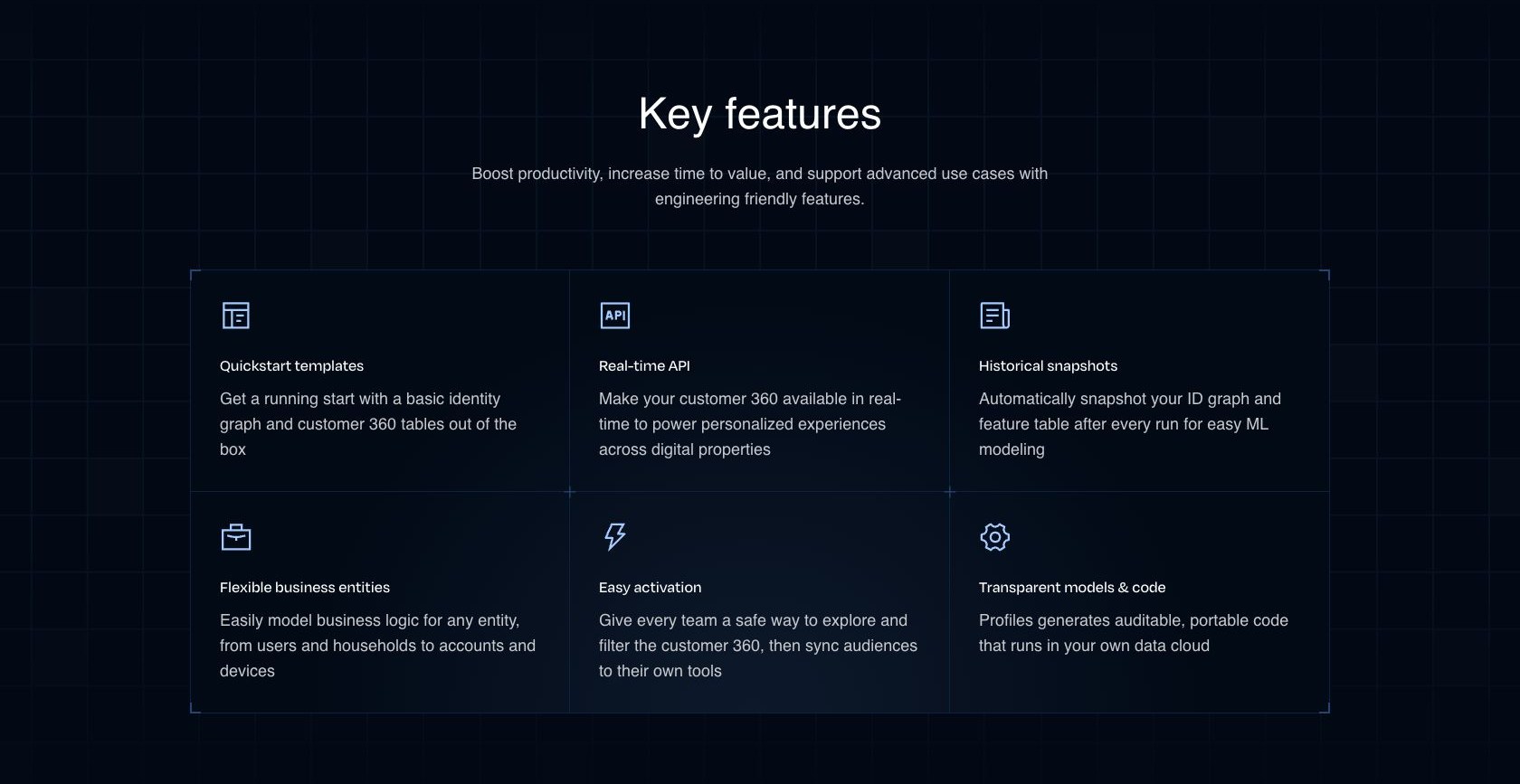
Profiles combines identity resolution and customer features in your warehouse. Its setup supports YAML configuration and importing a project from Git, with a development schema for working on the model.
I like that approach for teams that want to review how identities are joined. If a household shares an email address, for example, I’d want the team to decide whether that identifier is safe to merge on. A more complete-looking customer record isn’t useful if it combines the wrong people.
The trade-off is ownership. Somebody still needs to understand the source tables, identifier quality, and logic behind the resulting profile. Buying Profiles doesn’t remove those decisions.
Before accepting an Enterprise quote, I’d ask for a demonstration built around your identity rules. A model that joins your own messy identifiers tells you more than a polished sample dataset.
Reverse ETL Turns Warehouse Models Into Actions
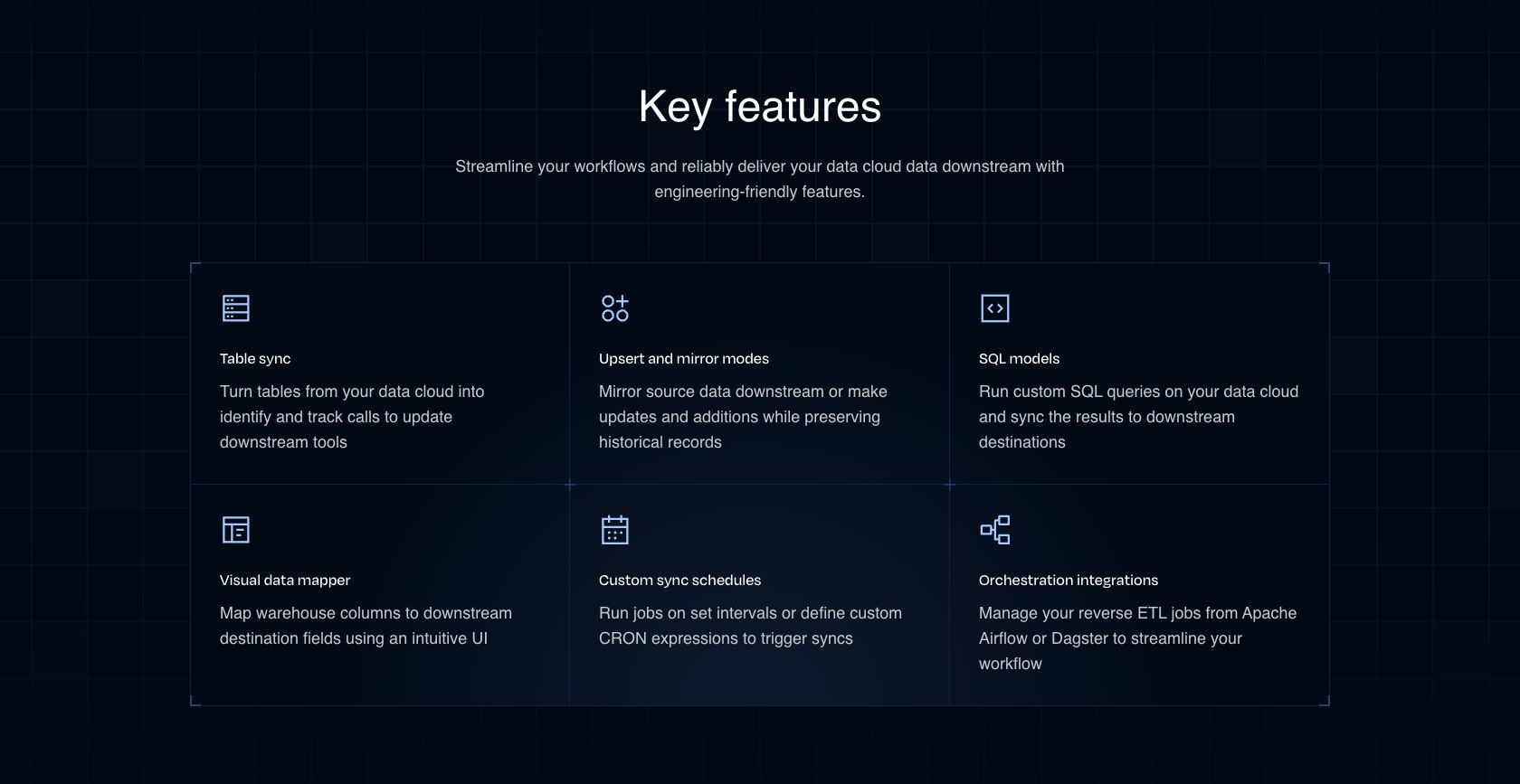
Reverse ETL sends modeled data from your warehouse into business tools. A typical use case is pushing a customer’s subscription status into a CRM so the sales team doesn’t approach them as a new prospect.
You connect the warehouse, define the model, select its primary key, and configure the destination mapping and schedule. Visual mapping works with selected destinations; others require JSON. I’d start with a small model whose output you can explain row by row.
RudderStack tracks changes for incremental syncs, which makes recurring activation more practical than repeatedly exporting a complete customer list. Upsert inserts and updates records, while Mirror can also remove them to match the source. Mirror is destination-specific, so check that your connector supports the operation you need.
Failed-record details help diagnose rejected syncs, but you must enable their retention before the run. Those records and sync snapshots also consume warehouse resources.
The Free plan includes reverse ETL, so you don’t need to buy Profiles just to send an existing SQL model downstream. That distinction makes RudderStack more useful than the Enterprise gate might initially suggest.
If your main priority is giving marketers a visual way to build audiences, I’d compare Hightouch. Its Customer Studio puts self-service audience creation at the center of the experience. RudderStack is more appealing to me when the same data team also wants to own event collection and transformation.
How Much Control Do You Really Get?
Keeping customer models in your warehouse is a useful advantage, but it doesn’t make every part of the platform yours to operate. Deployment choices and the newer AI features deserve separate consideration.
Self-Hosting Is a Pipeline Decision
You can self-host RudderStack’s event-processing server. However, the current server repository uses Elastic License 2.0, so I wouldn’t describe the entire product as unrestricted open-source software.
The documented self-hosted setup runs the data plane on your infrastructure and uses RudderStack’s managed control plane for configuration. It doesn’t give you the whole Enterprise product for free.
I would choose self-hosting only if operating the pipeline is part of your team’s plan. You’ll need to account for infrastructure, upgrades, monitoring, and recovery. Avoiding a hosted subscription is less attractive if it creates an operational job nobody has time to do.
AI Helps, but Check Which Tool You’re Buying
RudderAI can inspect pipeline health and help investigate errors in Slack. Its dashboard experience is a public beta for new signups. Workspace access is read-only: it can’t change your sources or destinations. I like that boundary for troubleshooting, although an engineer still has to act on the diagnosis.
Rudder Lookout is a separate public-beta experience for describing audiences in natural language and activating warehouse data. That makes the marketing experience more promising than a purely SQL-driven workflow.
I wouldn’t make either feature the deciding factor yet. For Lookout, ask to see how it interprets your actual customer definitions. For RudderAI, judge whether its explanations help your team resolve a concrete delivery problem. A fluent answer alone doesn’t establish that the pipeline is correct.
How Does RudderStack Compare to Competitors?
- Hightouch: my first comparison for a marketing team that wants to build and activate audiences from an existing warehouse. Customer Studio gives marketers a dedicated visual workspace. Compare its audience workflow with RudderStack’s collection and transformation controls against the work your team needs to do.
- Twilio Segment: worth shortlisting when you want Connections for collection and routing within the wider Twilio customer-data ecosystem. I would favor staying with an established Segment setup when it already meets your needs; replacing instrumentation and downstream mappings needs a stronger justification than a lower entry price.
- Your existing pipeline: worth keeping if a single, well-maintained warehouse-to-CRM job solves the whole problem. I wouldn’t introduce a CDP just to replace a small export. RudderStack becomes more persuasive when you need consistent event collection, multiple destinations, and ongoing data-quality controls together.
How I Reviewed RudderStack
I evaluated the plan limits and billing model alongside the collection, governance, identity, and activation workflows. I compared the engineering responsibilities and buying trade-offs with Segment and Hightouch to assess which teams RudderStack serves best.
Prices current as of October 2026.
Should You Choose RudderStack?
Choose RudderStack if your data team wants to own how customer events become usable customer data. Its combination of collection, transformations, and warehouse activation is appealing when those responsibilities would otherwise be spread across several systems.
My main reservation is the jump from an accessible pipeline plan to custom-priced Profiles. Get that scope settled before committing to the architecture.
Start with one useful event and one destination, then add a small warehouse model and an outbound sync. I’d move ahead when your team can explain the data, diagnose a failure, and estimate the bill. If nobody will own those jobs, I would postpone the purchase.
FAQ
Is RudderStack free?
Yes. Free includes 250,000 monthly events and limited transformations and reverse ETL connections. It is suitable for a small implementation, but Profiles and Data Apps aren’t included.
Do I need a warehouse to use RudderStack?
Not for basic event routing to cloud destinations. You do need an appropriate warehouse setup for warehouse-based profiles and reverse ETL. I’d choose the product around the workflow you need today, while accounting for who will maintain the warehouse later.
Does the Growth price include the full CDP?
No. Growth covers pipelines and associated controls; Profiles and Data Apps require Enterprise access. Confirm the scope of an Enterprise quote rather than treating its starting feature list as an all-inclusive package.
Is RudderStack open source?
The current rudder-server repository uses Elastic License 2.0. You can inspect its source and self-host within its terms, but it isn’t equivalent to the full commercial CDP. Check the license for the specific component you intend to use.