
Editor’s note: This RabbitMQ review is based on my hands-on test of RabbitMQ 4.4.0, released October 2026, from the Docker image and management UI to quorum queues, streams and the Kubernetes operator. I weighed pricing and total cost, messaging features, protocols, operations and upgrades, and security.
Quick verdict: I recommend RabbitMQ for flexible message routing, work queues and request-reply over open protocols without a license fee. My main reservation is its 9 to 12 month community support window: 4.3 coverage ends January 31, 2027, so self-hosting needs an upgrade owner or a budget for Tanzu RabbitMQ.
Key Takeaways
- Free under MPL 2.0: Broadcom owns RabbitMQ, and the open-source broker includes its core messaging features without a paid license.
- Replication requires the right type: Quorum queues and streams replicate; classic queues no longer do because mirrored queues disappeared in 4.0.
- Managed hosting spans several budgets: CloudAMQP Little Lemur is free; a 3-node Amazon MQ mq.m7g.large cluster costs about $599/month before storage.
- Upgrades need planning: Community patches last roughly 9 to 12 months, and older deployments must pass through 4.2.x before rolling to 4.3 or 4.4.
- Tanzu RabbitMQ has no public price: Longer commercial support and standby-cluster disaster recovery require a quote from Broadcom or a partner.
In this RabbitMQ review, I’ll take a closer look at RabbitMQ’s pricing, queue types, protocols and day-two operations, so you can see exactly whether it belongs in your stack.
Pros and Cons
Pros
- Free and open source under MPL 2.0, every core feature included.
- Quorum queues default to 3 members; streams also support replication.
- Four protocols in one broker: AMQP 0-9-1, AMQP 1.0, MQTT 5.0, STOMP.
- Managed hosting from $0 with CloudAMQP or $0.027/hour with Amazon MQ.
- Exchanges route by key, pattern or header to one or many queues.
Cons
- Community patches last about 9 to 12 months per series.
- 3.13.x, 4.0.x and 4.1.x deployments must reach 4.2.x before rolling to 4.3 or 4.4.
- Tanzu RabbitMQ disaster recovery and FIPS TLS are quote-only.
- Memory or disk alarms block every publisher on the node.
How Much Does RabbitMQ Cost?
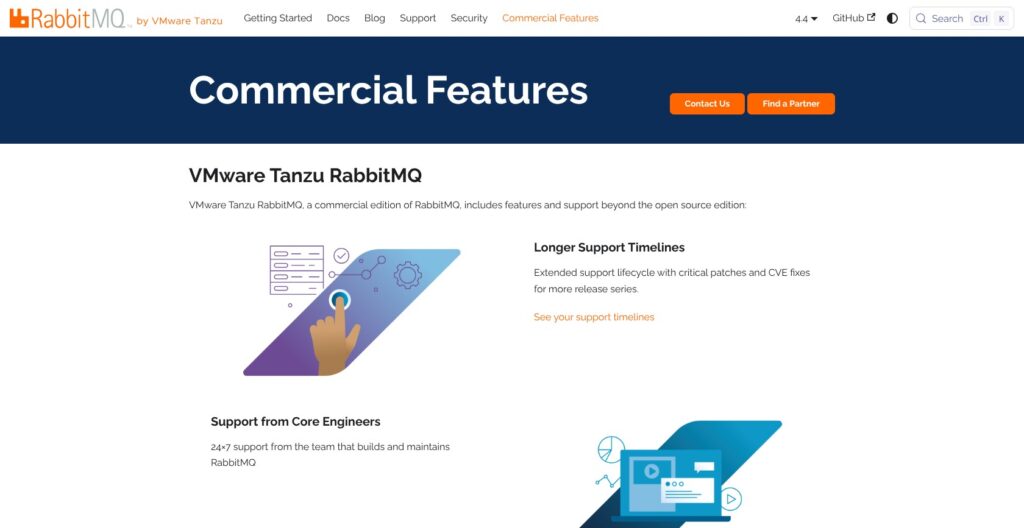
RabbitMQ costs $0 under MPL 2.0, with every core feature included. I separate that license cost from hosting and support: the free broker still needs servers and someone responsible for upgrades.
- Open source ($0): Self-hosted RabbitMQ with community support during the selected series’ support window. I recommend this route for teams that already own broker operations, not simply teams looking to avoid a subscription.
- CloudAMQP Little Lemur (free): Shared hosting with 100 queues, 10,000 queued messages, 1M messages/month and 20 connections. It suits prototypes that fit all four caps, not workloads that need dedicated hosting.
- CloudAMQP Tough Tiger ($19/month): Shared hosting with 1,000 queues, 100,000 queued messages, 10M messages/month and 100 connections. It raises the prototype limits without becoming a dedicated deployment.
- CloudAMQP dedicated (from $50/month): Sassy Squirrel provides a single node. Replicated 3-node multi-AZ hosting starts with Big Bunny at $297/month; Sassy Squirrel has no 3-node option.
- Amazon MQ for RabbitMQ (from $0.027/hour): An mq.t3.micro single instance in us-east-1. An mq.m7g.large costs $0.2734/hour single or $0.8201/hour for the entire 3-node cluster, with storage at $0.10 per GB-month. New Amazon MQ 4.2 brokers default to quorum queues.
- Tanzu RabbitMQ (quote): Broadcom’s commercial edition, purchased through sales or partners. Longer support and commercial-only capabilities require this edition, including 24×7 support from core engineers and FIPS 140-2 for TLS. Tanzu also adds continuous CVE scanning of RabbitMQ and its dependencies and a forward proxy for OAuth 2.0.
| Option | Price | Nodes | Best for |
|---|---|---|---|
| Open source self-hosted | $0 plus your servers | Self-managed | Teams with operational ownership |
| CloudAMQP Little Lemur | Free | Shared | Small prototypes |
| CloudAMQP Tough Tiger | $19/month | Shared | Higher-capacity development |
| CloudAMQP Sassy Squirrel | $50/month | 1 | Dedicated single-node workloads |
| CloudAMQP Big Bunny | $99/month single; $297/month cluster | 1 or 3 | Entry-level replicated hosting |
| CloudAMQP Happy Hare | $199/month single; $597/month cluster | 1 or 3 | Dedicated hosting with optional replication |
| Amazon MQ mq.m7g.large | About $200/month single; about $599/month cluster | 1 or 3 | AWS deployments; us-east-1, compute only, 730 hours |
| Tanzu RabbitMQ | Quote | Self-managed deployment | Commercial support and enterprise features |
Is RabbitMQ Good Value for Money?
- The license stays free: RabbitMQ’s $0 software license contrasts with Confluent’s metered managed Kafka. I still budget for infrastructure and operational work rather than treating open source as a zero-cost deployment.
- Replication changes the bill: CloudAMQP Big Bunny rises from $99 to $297/month for 3 nodes. Amazon MQ mq.m7g.large moves from about $200 to about $599/month at 730 hours, before storage.
- Managed versions can limit features: Amazon MQ runs RabbitMQ 4.3 and 4.2 only, on mq.m7g instances plus the t3.micro single instance. I rule it out when 4.4 delayed messages on quorum queues are essential.
- Amazon MQ feature exclusions: The service does not support the local random exchange, message interceptors or per-queue CloudWatch metrics.
- Tanzu buys longer support: RabbitMQ 4.2 commercial support extends indicatively to June 30, 2030. Tanzu also provides continuous schema and data replication to standby clusters for disaster recovery; its quote-only price requires a separate budget decision.
Reviewer’s Notes: I recommend Little Lemur or the Docker image for prototyping. For replicated production hosting, CloudAMQP Big Bunny at $297/month is the lowest-priced dedicated 3-node option here. Self-host only when someone owns the 9 to 12 month upgrade cadence and ongoing security patching.
My Experience With RabbitMQ
I started the Docker broker and declared a quorum queue, but a local queue declaration did not give me a three-node deployment.
Starting a Broker Locally
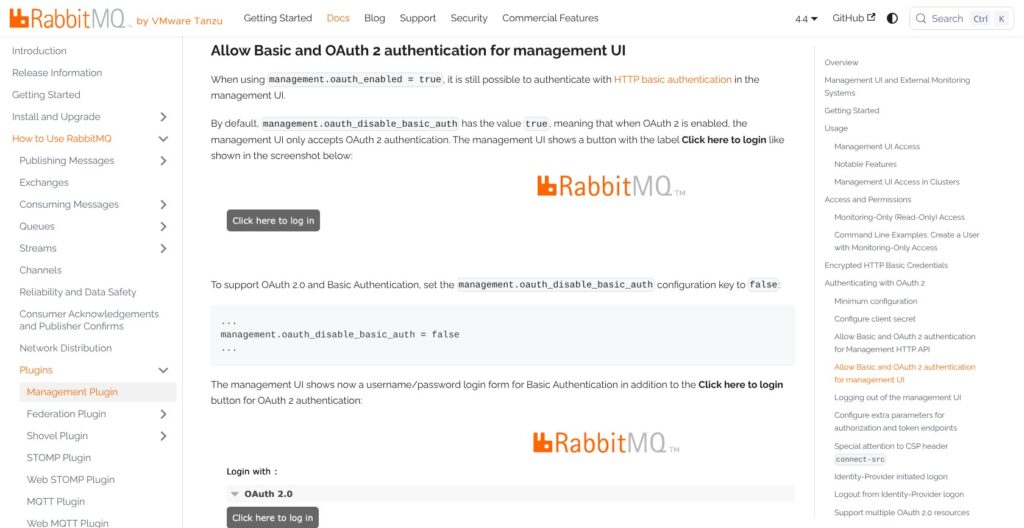
I started the official image with docker run -it --rm --name rabbitmq -p 5672:5672 -p 15672:15672 rabbitmq:4-management. That exposed AMQP on port 5672 and the management UI on port 15672.
I opened localhost:15672 and signed in with the guest username and password. The account is restricted to localhost through loopback_users; delete it and create deployment-specific users before production.
I used the management UI to inspect queues, exchanges, connections and channels. I noted the separate management TLS port, 15671, and the Prometheus endpoint on port 15692.
The management plugin also provides an HTTP API and the rabbitmqadmin CLI. I prefer those interfaces for repeatable administration rather than making the browser the only way to manage RabbitMQ.
Declaring a Quorum Queue and Sending a First Message
I installed Python’s pika client and opened a BlockingConnection to localhost. I selected the quorum queue type explicitly in the declaration:
- Declare the queue: I named it hello, made it durable and set
x-queue-typetoquorum. - Publish the message: I used basic_publish with the default exchange.
- Start the consumer: I used basic_consume for the receiving side.
- Inspect the queue: I ran
rabbitmqctl list_queuesto check the queue listing.
I used pika 1.x for the Python workflow; quorum queues never kept messages in memory.
Quorum queues are always durable, so I did not treat durability as a replication switch. Their default group size is 3 members, but the single Docker broker was not a 3-node deployment.
Quorum queues have a default delivery limit of 20 for poison-message protection. RabbitMQ dead-letters or drops messages that reach the limit; a higher delivery-limit policy changes the threshold rather than providing a destination for failed messages.
Reviewer’s Notes: I recommend quorum queues for new replicated work queues, not classic queues, which have only one replica after 4.0. Set a dead-letter exchange on day one so poison-message handling does not become silent message loss.
Moving to Kubernetes
I installed Cluster Operator with kubectl apply and the cluster-operator.yml manifest, then applied the hello-world rabbitmq.yaml example. Cluster Operator requires Kubernetes 1.31 or later, and operator 2.20 or later also needs cert-manager.
I selected a DockerHub RabbitMQ image from a supported release series to meet Cluster Operator’s image requirement.
I kept cluster deployment separate from messaging topology in my evaluation. Messaging Topology Operator requires Cluster Operator and declares queues, exchanges, bindings and policies.
I recommend this approach for teams already managing application infrastructure declaratively.
Queues, Streams and Routing
RabbitMQ has three queue types, two replicated, so I choose the consumption model before choosing the deployment. Acknowledged work distribution and replayable event history belong on different types even when both use RabbitMQ.
Classic, Quorum and Streams
| Queue type | Replicated | Consumption | Best for |
|---|---|---|---|
| Classic | No, since 4.0 | Destructive | Non-replicated work |
| Quorum | Raft; 3 members by default | Destructive with acknowledgments | Durable work queues, priorities and delayed delivery |
| Stream | Yes; replica count configured explicitly | Non-destructive, replay from offsets | Fan-out, event history and repeatable reads |
I recommend quorum queues for durable work distribution. They never keep messages in memory and provide poison-message handling alongside replication, but cannot be non-durable, exclusive or server-named.
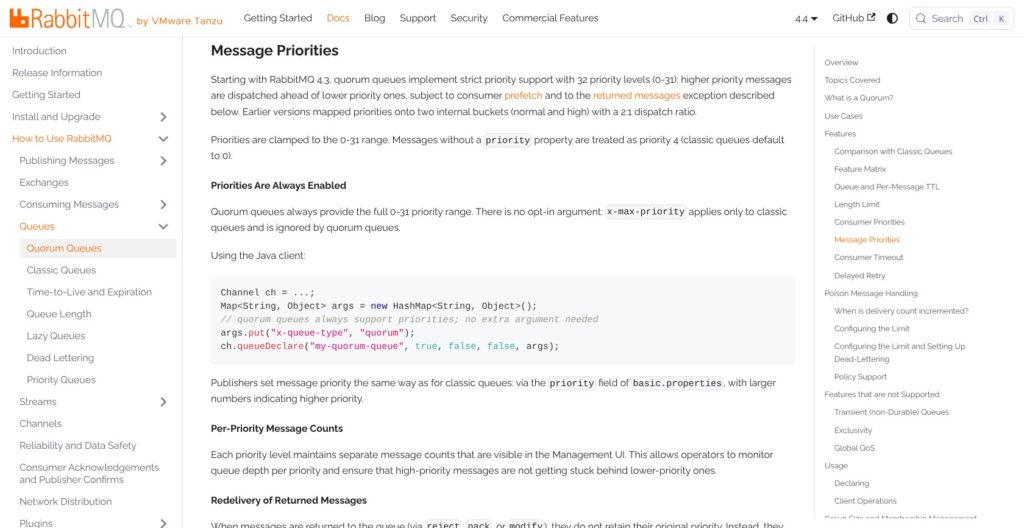
Quorum queues gained strict priorities, delayed retry with backoff and consumer timeouts in 4.3. RabbitMQ 4.4 adds delayed messages through x-opt-delivery-time, giving scheduled delivery a separate mechanism from retrying failed work.
Streams and Super Streams
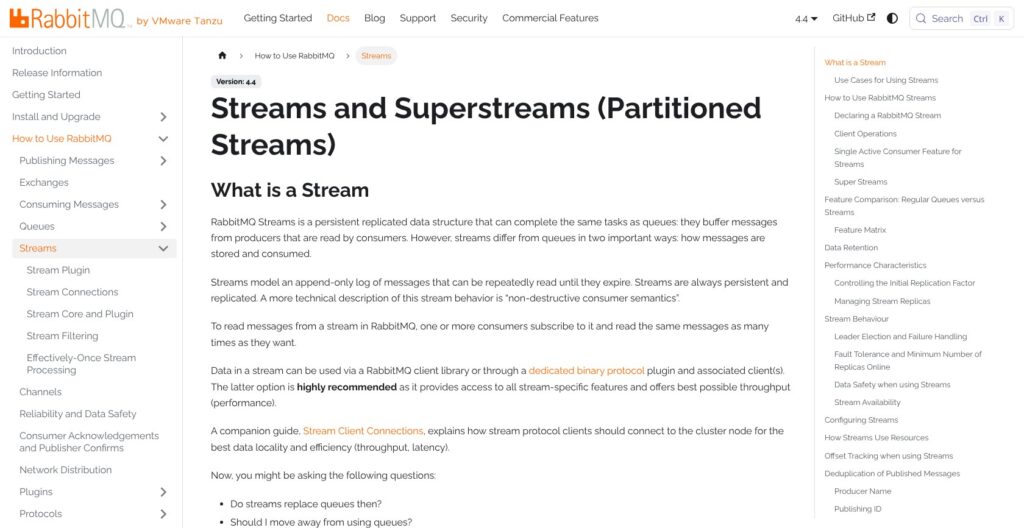
I choose RabbitMQ streams when several consumers need repeatable reads instead of competing to finish tasks. Consumption is non-destructive, so acknowledging a read does not remove that event from the log.
- Retention: Configure max-age, such as 7D, or max-length-bytes, or both.
- Segments: Retention is evaluated per segment, with a default size of 500,000,000 bytes and at least one segment retained.
- Replication: Set the replica count with x-initial-cluster-size, then add or remove replicas explicitly.
- Protocol: The dedicated stream protocol on port 5552 is my preferred path for stream features and throughput.
- Partitioning: Super streams divide one logical stream into partitions, with single active consumer support preserving order per partition.
AMQP 1.0 stream consumers gained SQL-like filter expressions in 4.2. RabbitMQ 4.4 adds x-stream-initial-offset for setting a stream’s initial offset.
RabbitMQ streams give an existing messaging stack a replay option without adding Kafka. For event infrastructure built around Kafka Connect and Kafka Streams, Apache Kafka remains my preferred starting point.
Exchanges and Routing
I favor RabbitMQ when routing decisions belong in the broker rather than being reduced to log partition selection:
- Direct and fanout exchanges: Route by key or broadcast to bound queues.
- Topic and headers exchanges: Match routing patterns or message headers.
- Additional core options in 4.4: Consistent-hash, local random and x-modulus-hash.
RabbitMQ 4.4 limits topic binding keys to two “#” wildcards. Exchange-based, per-message routing is my main reason to choose it over Kafka or Redpanda for work distribution.
The default maximum message size is 16 MiB, configurable up to a 512 MiB hard maximum, versus SQS’s 1 MiB limit.
Protocols, Clients and Data Movement
RabbitMQ lets AMQP applications and MQTT devices use one broker, making it my choice for mixed-protocol messaging. Its connection options cover conventional queues and dedicated stream clients:
- AMQP 0-9-1: Uses port 5672 for unencrypted connections and supports the Python workflow I used earlier.
- AMQP 1.0: A core, always-on protocol since 4.0, rather than an optional plugin.
- RabbitMQ Stream protocol: Uses port 5552 and is my preferred choice for stream workloads.
- MQTT: Plugin support covers versions 3.1, 3.1.1 and 5.0.
- STOMP: Plugin support remains available, with a standalone protocol implementation in 4.4.
- WebSockets: Available for MQTT and STOMP; AMQP 1.0 over WebSockets is Tanzu-only.
RabbitMQ 4.0 more than doubled AMQP 1.0 peak throughput relative to 3.13 on some workloads. RabbitMQ 4.1 also reduced the default MQTT maximum packet size from 256 MiB to 16 MiB.
I used Python pika, while RabbitMQ also ships Erlang AMQP 0-9-1 and AMQP 1.0 clients. For Node.js applications, upgrade amqplib before moving an older broker forward: versions below 0.10.7 cannot connect after the 4.1 change that raised the initial frame maximum from 4096 to 8192.
Shovels and Federation
I recommend shovel and federation when messages need to move between brokers or sites. Local shovels arrived in 4.2; distributed shovels hosted on all nodes remain exclusive to Tanzu RabbitMQ.
Message interceptors also arrived in 4.2 for AMQP 0-9-1, AMQP 1.0 and MQTT traffic. For an edge node buffering messages before forwarding them upstream, I favor RabbitMQ’s cross-broker movement over introducing a separate streaming platform solely for transport.
Operations, Upgrades and Security
A self-hosted RabbitMQ 4.3 deployment loses community support on January 31, 2027, making upgrade ownership a requirement even with a $0 license. Older deployments can also need an intermediate upgrade before reaching a supported target.
Support Windows and Upgrade Hops
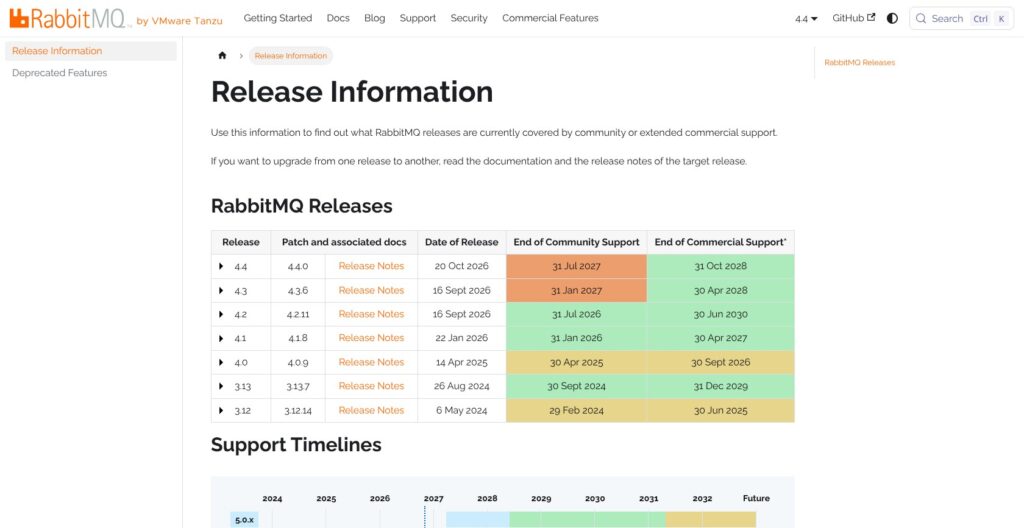
| Series | Released | Community support ends | Commercial support ends |
|---|---|---|---|
| 4.4 | October 2026 | July 31, 2027 | October 31, 2028 |
| 4.3 | April 2026 | January 31, 2027 | April 30, 2028 |
| 4.2 | October 2025 | Ended July 31, 2026 | June 30, 2030 |
| 4.1 | April 2025 | Ended January 31, 2026 | April 30, 2027 |
Commercial dates are indicative.
- Take the required hop: Move 3.13.x, 4.0.x or 4.1.x to 4.2.x before rolling to 4.3 or 4.4.
- Choose a supported origin: Rolling upgrades to 4.4 start from 4.2.x or 4.3.x.
- Enable stable feature flags: Complete this before upgrading, then enable new stable flags afterward.
- Use blue-green for older deployments: rabbitmqadmin v2 supports blue-green migration from 3.13.x.
- Plan beyond downgrade: The 4.4 classic-queue shared message store v2 format blocks downgrading to 4.3 or earlier.
RabbitMQ 5.0 is planned for April 2027, subject to change. I keep current security patches ahead of that future feature release in the upgrade schedule.
Khepri and Cluster Sizing
Since 4.3, Khepri is the only metadata store; Mnesia and partition-handling strategies are gone. Khepri uses Raft and requires a majority online, so a 2-node cluster tolerates no node failure.
I recommend a 3-node deployment rather than a 2-node compromise. A single-node hosting plan does not provide the replicated deployment needed for that recommendation.
Monitoring and Alarms
RabbitMQ’s default memory watermark is about 60% of RAM, and its free-disk limit is 50 MB. Crossing either threshold blocks publishers node-wide, not just the queue causing pressure.
Review container memory settings because the memory monitor reads host memory. The rabbitmq_prometheus plugin ships with the server, and official Grafana dashboards support longer-term monitoring.
Security Advisories
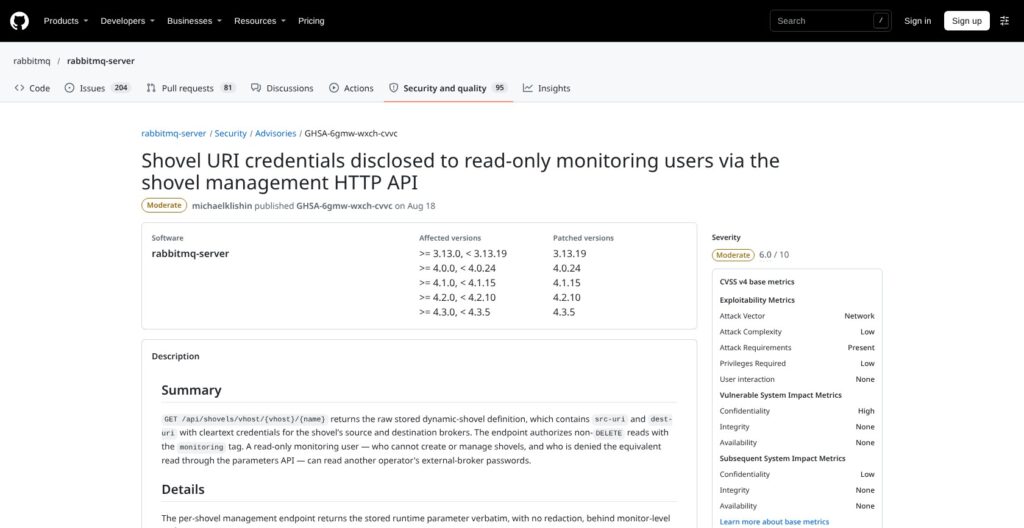
RabbitMQ supports OAuth 2.0 with JWT and LDAP authentication. Its 2026 security issues make patch ownership essential:
- August 18: About 11 advisories included shovel URI credentials exposed to read-only monitoring users.
- September 18: STOMP consumers retained OAuth queue access after JWT expiration; the MQTT retained-message store lacked bounds.
- October 25: Two High-severity issues covered incomplete AMQP 0-9-1 message memory denial of service and LDAP log amplification.
The October fixes are in 4.3.7, 4.2.12, 4.1.17 and 3.13.21.
Reviewer’s Notes: I recommend calendaring the community support end date on deployment day. Budget for Tanzu RabbitMQ or managed hosting when maintaining supported self-hosted versions is impractical.
How Does RabbitMQ Compare to Competitors?
I choose RabbitMQ for exchange routing, work queues and multi-protocol messaging. For replayable logs or managed cloud queues, I put these RabbitMQ alternatives ahead of it when their specific capabilities match the application.
- Apache Kafka: Its partitioned, replayable log is my starting point when Kafka Connect and Kafka Streams are central to the design. Kafka 4.4.0 arrived October 22, 2026. RabbitMQ remains my choice when exchange-based routing and work distribution matter more than a log-centered architecture.
- Redpanda: Its Kafka API suits a Kafka-compatible application design. The C++ engine has zero dependencies, and Redpanda Connect provides 300+ connectors. I keep RabbitMQ ahead when AMQP messaging and work queues drive the decision rather than compatibility with the Kafka ecosystem.
- NATS JetStream: At-least-once delivery and replay sit on core NATS, with 45+ client libraries. I shortlist it for mixed-language applications that need persistent messaging and replay. RabbitMQ remains my pick when its exchange types are the central requirement.
- Apache Pulsar: Version 5.0 LTS arrived October 5, 2026, with scalable topics and multi-tenant geo-replication. Its separate storage tier is an additional component to run. I shortlist Pulsar for those capabilities, not merely to replace a straightforward RabbitMQ work queue.
- Amazon SQS: The first 1M requests/month are free, then standard requests cost $0.40 per million and FIFO requests $0.50 per million. Its 1 MiB message limit and 4-day default retention shape the fit. I prefer RabbitMQ when larger messages and broker-side routing are requirements.
- Google Pub/Sub: Pricing is $40 per TiB after the first 10 GiB/month free, with 10 MB messages and retention up to 31 days. I shortlist it for publish-subscribe workloads that fit those limits; RabbitMQ stays ahead when protocol choice drives the design.
- Azure Service Bus: Premium provides JMS 2.0 and geo-replication on dedicated messaging units. Its 100 MB message support is a concrete reason to compare it with RabbitMQ. I shortlist Premium when JMS 2.0 is a requirement rather than choosing solely on RabbitMQ’s free license.
How I Reviewed RabbitMQ
I ran RabbitMQ 4.4.0 from the official Docker image and used the management UI. I declared classic, quorum and stream queues, ran the Python pika producer-consumer workflow, and walked through Cluster Operator setup.
I compared the self-hosted route with CloudAMQP, Amazon MQ for RabbitMQ in us-east-1, and Tanzu RabbitMQ. For Amazon MQ’s monthly examples, I used 730 hours and kept compute separate from storage.
I weighed queue semantics and routing against the replay-oriented designs of Kafka and Redpanda. I included support deadlines and upgrade restrictions in my recommendation rather than judging RabbitMQ solely by its $0 license.
My RabbitMQ review also weighed the 20-redelivery limit and node-wide publisher alarms as operational trade-offs, alongside the commercial support option from Broadcom.
Prices current as of October 2026.
Should You Use RabbitMQ as Your Message Broker?
I recommend RabbitMQ for teams that need routing and durable work queues without license fees. Quorum queues provide replicated task distribution, while streams add replay; the trade-off is maintaining supported versions and planning upgrades.
- Microservice work queues: Consumer acknowledgments, priorities and dead-letter handling.
- Request-reply applications: AMQP messaging with broker-side routing.
- IoT ingestion: MQTT alongside existing AMQP applications.
- Replayable feeds: Streams and super streams alongside conventional queues.
Skip RabbitMQ when your event infrastructure centers on Kafka Connect and Kafka Streams. Apache Kafka’s partitioned, replayable log is the better starting point for that design.
For managed cloud queues, put Amazon SQS or Google Pub/Sub on the shortlist. Amazon MQ for RabbitMQ keeps the broker model, but its 4.3 and 4.2 version choices exclude RabbitMQ 4.4 features such as delayed messages on quorum queues.
CloudAMQP Big Bunny at $297/month is my starting point for dedicated, replicated hosting among the priced options here. Self-hosting remains my recommendation only with a named upgrade owner.
Start with the RabbitMQ Docker image or CloudAMQP Little Lemur, declare a quorum queue with dead-letter handling, and put the selected series’ support deadline on the deployment calendar.
FAQs
Is RabbitMQ free?
RabbitMQ is free under MPL 2.0, with its core broker features included. I distinguish the $0 license from infrastructure and maintenance costs: self-hosting still needs operational ownership. CloudAMQP and Amazon MQ offer managed hosting, while Broadcom sells Tanzu RabbitMQ with commercial features and longer support at a quote-only price.
What is the latest RabbitMQ version?
RabbitMQ 4.4.0, released October 2026, is the latest feature release; 4.3.7 is the latest 4.3 patch. Amazon MQ for RabbitMQ runs only 4.3 and 4.2, so my recommendation depends on the hosting route. See Operations, Upgrades and Security above for the support deadlines and required upgrade hops.
Is RabbitMQ better than Kafka?
RabbitMQ is my choice for exchange routing, work queues and multi-protocol messaging; Kafka is my choice for a partitioned, replayable log. Choose by consumption model rather than popularity. RabbitMQ streams cover repeatable reads, but Kafka Connect and Kafka Streams remain reasons to choose Kafka for event infrastructure.
Does RabbitMQ still support mirrored queues?
No. RabbitMQ removed mirrored classic queues in 4.0, and classic queues now remain non-replicated. I recommend quorum queues for replicated work distribution and streams for replayable event history. Existing mirrored-queue deployments need a migration plan, not just a version upgrade. See Queues, Streams and Routing above for the consumption differences.
How much does managed RabbitMQ cost?
CloudAMQP offers free Little Lemur, $19/month Tough Tiger and dedicated single-node hosting from $50/month. Dedicated 3-node hosting starts at $297/month. Amazon MQ for RabbitMQ starts at $0.027/hour in us-east-1, with storage billed separately. I compare replicated configurations rather than treating the cheapest single instance as equivalent to a production cluster.