
Editor’s note: This Bruin review is based on my hands-on test of the Bruin CLI (v0.11.813) and the Bruin Cloud Team plan in November 2026. I weighed pricing and credits, setup, assets and materializations, quality checks, ingestr ingestion, Bruin Cloud and its AI features, and fit against dbt, SQLMesh, Dagster and Airbyte.
Quick verdict: I recommend Bruin for small and mid-size data teams that want ingestion, SQL and Python transformations, checks and lineage in one Git repo instead of stitching Airbyte, dbt and Airflow together. The open-source CLI has no scheduler, and SSO/SAML sits only on the custom Scale plan, so teams already running dbt with a mature orchestrator gain less.
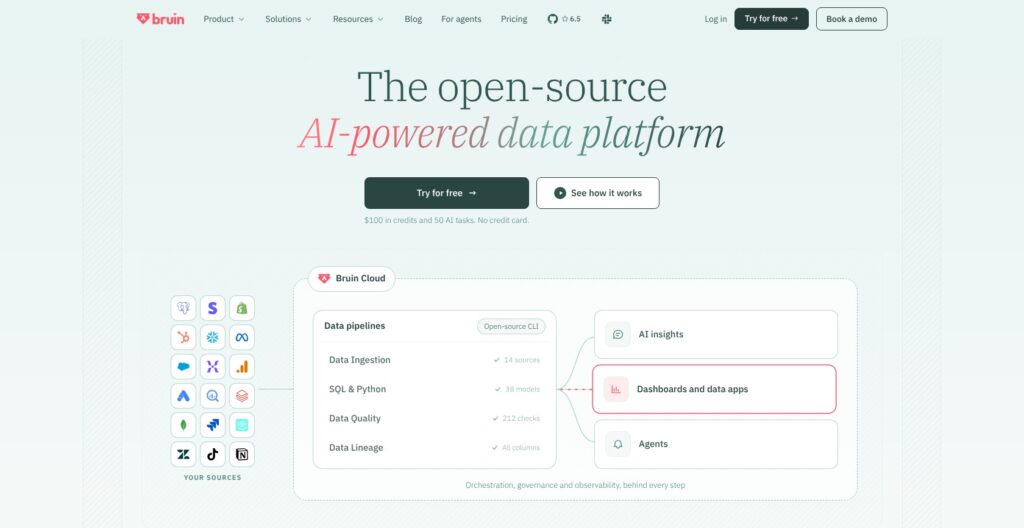
Bruin is one Go binary under Apache 2.0 that runs SQL, Python and R assets, ships 12 materialization strategies and 10 built-in column checks, and ingests through ingestr from about 158 sources into 39 destinations.
It ships almost daily: 825 releases since December 2023 and 1,805 GitHub stars, with v0.11.813 out on November 9, 2026.
In this review, I’ll take a closer look at Bruin’s pricing, features, and day-to-day workflow, so you can see exactly whether it can replace your current pipeline stack or whether dbt and an orchestrator remain the safer buy.
Key Takeaways
- Free Apache 2.0 CLI: runs locally, in CI or on a VM.
- Pay-as-you-go Cloud: Team bills $0.01 per credit with no seats, starts with $100 in credits plus 50 AI tasks, and charges $2.50 an hour for SQL.
- No scheduler in the CLI: cron, CI or Bruin Cloud has to run it.
- ingestr is not Apache 2.0: it is FSL-1.1-ALv2, source-available until it converts later.
- No dbt importer, SSO only on Scale: dbt models move by hand, and SSO/SAML needs a custom contract.
Pros and Cons
Pros
- Free Apache 2.0 CLI installs with one curl command and runs locally or in CI.
- SQL, Python (uv-managed environments) and R assets share one pipeline.
- 12 materialization strategies include merge, SCD2 and Data Vault.
- 10 built-in column checks sit alongside custom SQL checks.
- Cloud bills SQL per second at $2.50 an hour with no seat fees.
Cons
- No built-in scheduler in the open-source CLI.
- ingestr is FSL-1.1-ALv2 source-available, not OSI open source.
- No dbt project importer, so dbt models move by hand.
- SSO and SAML only on the custom-priced Scale plan.
Bruin Pricing: How Much Does It Cost?
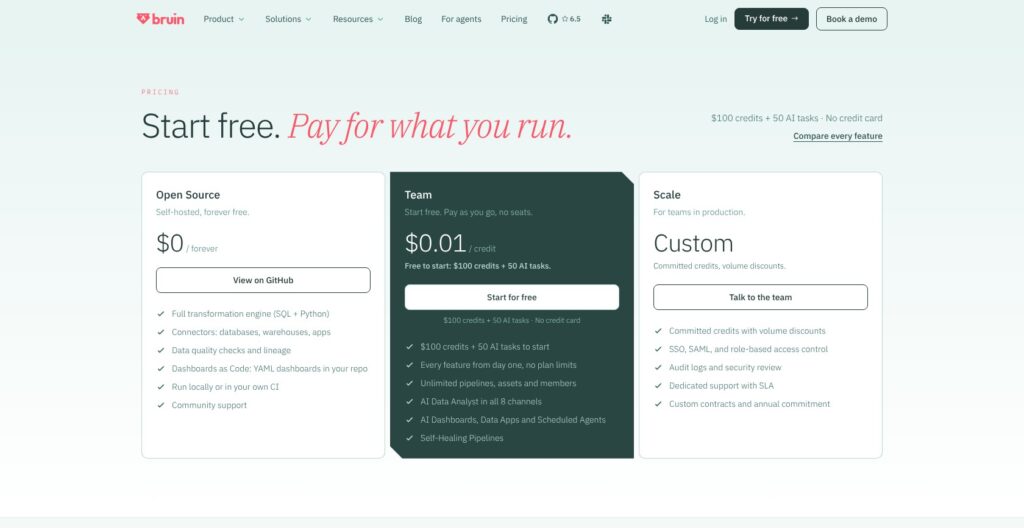
Bruin has three tiers, with Team on pay-as-you-go billing and Scale using committed credits: Open Source ($0, self-hosted), Team (pay-as-you-go at $0.01 per credit) and Scale (custom, with committed credits and volume discounts). Team asks for no seats, no minimum spend and no card to start.
- Open Source ($0, self-hosted): for engineers who run pipelines from CI or cron. It includes the full SQL and Python engine, connectors, quality checks, lineage and Dashboards as Code, with community support.
- Team (pay-as-you-go, $0.01 per credit): for teams that want managed scheduling. It starts with $100 in credits (10,000 credits) plus 50 AI tasks, with unlimited pipelines, assets and members, run history, backfills, alerts, and 30-day AI conversation and SQL query retention.
- Scale (custom): for production teams that need SSO and SAML. Annual contracts add Cost Explorer, BYO LLM credentials, custom instance types, BYOC and dedicated support with an SLA.
| Plan | Price | Scheduling | SSO/SAML |
|---|---|---|---|
| Open Source | $0, self-hosted | External (cron, CI, Airflow) | Not included |
| Team | $0.01/credit | Managed cron schedules | Not included |
| Scale | Custom committed credits | Managed cron schedules | Included |
Cloud compute bills per second, only while an asset runs. Every SQL asset runs on the default 256 MB instance, while Python and ingestion assets start at the same 250 credits an hour and scale with the instance size I set per asset.
| Instance size | Credits per hour | Price per hour |
|---|---|---|
| 256 MB, default | 250 | $2.50 |
| 1 GB | 1,000 | $10 |
| 2 GB | 2,000 | $20 |
| 4 GB | 4,000 | $40 |
| 6 GB | 6,000 | $60 |
| 8 GB | 8,000 | $80 |
| 12 GB | 12,000 | $120 |
| 16 GB | 16,000 | $160 |
A one-minute SQL run costs about 4 credits ($0.04). The $100 starting credit covers about 40 hours of SQL or default-size ingestion, or 10 hours of Python on a 1 GB instance.
AI tasks cost 100 to 300 credits ($1 to $3) each after the first 50, and every question to the AI data analyst counts as one task. Credits I buy do not expire.
Is Bruin Good Value for Money?
- Against dbt: dbt Starter costs $100 per user a month (5 seats, 15,000 successful models a month), and dbt Developer is free for 1 seat, 1 project and 3,000 models a month. Bruin’s no-seat billing wins for teams with many collaborators and light SQL.
- Against Dagster+: Dagster+ Solo costs $10 a month for 1 user and Starter $100 a month for up to 3 users, for orchestration alone. Bruin Team bundles scheduling with the transformation engine at no seat cost.
- Against ingestion tools: Airbyte Cloud Standard starts at $20 a month for ingestion only, and Fivetran is free up to 500,000 monthly active rows. Bruin’s $100 credit already covers about 40 hours of default-size ingestion.
- Heavy Python is the weak spot: a 16 GB instance costs $160 an hour, so large Python jobs burn through the starting credit in well under an hour.
Reviewer’s Notes: I recommend starting on the free CLI in GitHub Actions, then moving to Team once managed cron schedules, alerts and backfills save more engineering time than the credits cost. Scale only makes sense when SSO/SAML or a BYOC deployment is a hard requirement.
My Experience With Bruin
Bruin starts from local project files, so I built my first project on DuckDB with no Cloud account and no warehouse credentials.
Installing the CLI and Starting a Project
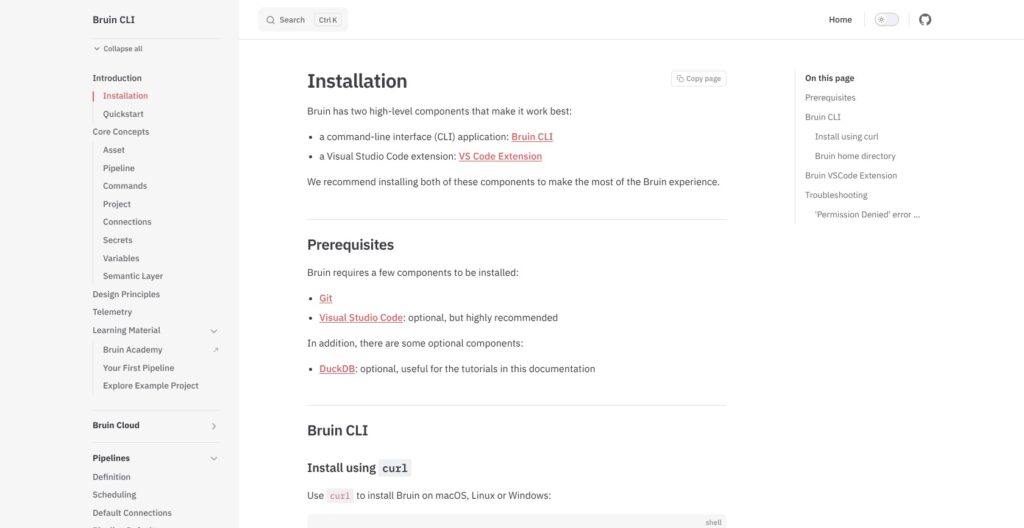
I installed the CLI with curl -LsSf https://getbruin.com/install/cli | sh. Homebrew installs are deprecated (a brew copy has to be uninstalled first), and Windows runs the same installer through Git Bash or WSL.
I then ran bruin init duckdb, one of about 40 templates. Other starting points in the picker:
- default: a general project skeleton.
- chess: a sample pipeline that runs with no cloud credentials.
- shopify-bigquery: Shopify data into BigQuery.
- stripe-bigquery: Stripe data into BigQuery.
- migration-fivetran: one Fivetran connection moved into a review-gated Bruin project.
Connections, environments and secrets live in one .bruin.yml at the Git repo root, with separate credentials per environment such as default and production. The --secrets-backend flag swaps the file for an external store:
- HashiCorp Vault
- Doppler
- AWS Secrets Manager
- Azure Key Vault
Credentials are masked in run logs by default, but the file itself holds secrets.
Writing SQL and Python Assets
A SQL asset is a .sql file with a YAML header between /* @bruin and @bruin */ that declares the name, type, materialization, dependencies and column checks. My daily revenue model looked like this:
/* @bruin
name: analytics.daily_revenue
type: duckdb.sql
materialization:
  type: table
depends:
  - raw.orders
columns:
  - name: order_date
    checks:
      - name: not_null
      - name: unique
@bruin */

SELECT
    CAST(ordered_at AS DATE) AS order_date,
    SUM(amount) AS revenue
FROM raw.orders
GROUP BY 1
The depends entry points at the upstream raw.orders asset, and Bruin also parses lineage from the SQL itself. I like having the checks next to the query: a pull request that changes the model changes its quality rules in the same diff.
Python assets run in isolated uv-managed environments, each with its own Python version and dependencies; --use-pip is deprecated and returns an error. I defined a materialize() function that returns a DataFrame, and Bruin handles the load.
For date-windowed SQL I used the built-in Jinja variables start_date and end_date, the same templating pattern dbt users know. start_timestamp, end_timestamp and full_refresh let one asset serve daily runs and historical rebuilds.
Validating, Running and Tracing Lineage
I ran the core commands in this order:
- Validate:
bruin validatechecks configuration and syntax without executing anything. - Render:
bruin rendershows the SQL after Jinja substitution. - Run:
bruin runvalidates again, then executes with 16 workers by default. - Lineage:
bruin lineagelists upstream and downstream assets, with--fullfor the whole chain. - Diff:
bruin data-diffcompares two tables, schema-only by default, with--fulladding statistical profiling.
bruin run takes the flags that narrow a run:
--downstream: includes dependent assets.--full-refresh: rebuilds instead of running incrementally.--start-dateand--end-date: set the window, defaulting to the previous UTC day.--environment: picks the connection environment.--continue: resumes from the last failed asset.
bruin query runs ad-hoc SQL with table, JSON or CSV output. The VS Code extension, listed as Bruin in the marketplace, adds syntax highlighting, autocomplete, a lineage panel, a rendered-query preview, a local catalog panel and validate and run buttons.
I registered the MCP server in Claude Code with claude mcp add bruin -- bruin mcp; Cursor, VS Code and Codex CLI have their own configs.
Reviewer’s Notes: One repo and one
.bruin.ymlcovering ingestion, SQL, Python and checks is the main developer-experience win over a dbt-plus-Airbyte setup. The gap is scheduling: the CLI leaves it to cron, GitHub Actions, Cloud Run Jobs or Airflow, and only Bruin Cloud runs pipelines on a schedule out of the box.
Assets, Materializations and Quality Checks
Bruin supports 10 asset types, so ingestion, transformation, BI refreshes and dashboards sit in one pipeline:
- SQL: warehouse transformations, with or without materialization.
- Python: uv-managed environments that can return a DataFrame.
- R: dependencies through renv, credentials through environment variables.
- Seed: CSV, Parquet, JSON, JSONL or Avro files from a path or public URL.
- ingestr: source-to-destination ingestion.
- Sensor: waits for an external event; the CLI runs sensors on some platforms such as BigQuery and Snowflake, Bruin Cloud on all.
- Dashboard: Dashboards as Code in YAML.
- Inference: an experimental asset that generates LLM-typed columns.
- Tableau refresh and QuickSight refresh: trigger refreshes in those BI tools.
Materialization Strategies
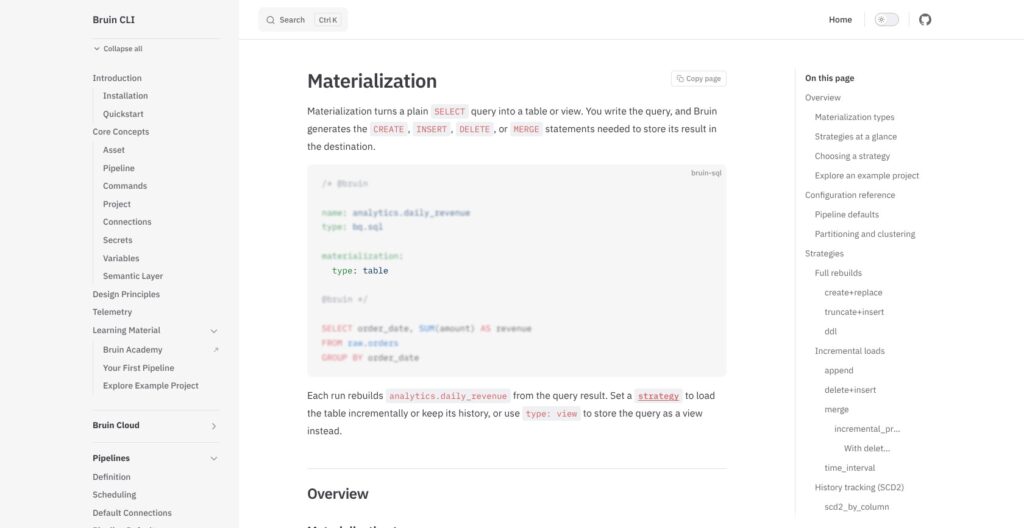
Materialization type is table (default strategy create+replace) or view. Putting a strategy on a view fails validation, and an asset with no materialization block runs its SQL as written.
| Strategy group | Strategies | Use |
|---|---|---|
| Full rebuild | create+replace, truncate+insert, ddl | Replace data or define the table directly |
| Incremental | append, delete+insert, merge, time_interval | Add, reconcile or reload selected data |
| History | scd2_by_column, scd2_by_time | Preserve changes over time |
| Data Vault | datavault_hub, datavault_link, datavault_satellite | Build Data Vault structures |
SCD2 and Data Vault are entries in the same strategy list as merge, so history tables need no separate modeling layer. merge also takes update_on_merge and merge_sql per column plus an incremental_predicate.
Not every platform supports every strategy, and Bruin publishes a platform support matrix. Open issue #2771 shows the edge: a full refresh on Data Vault strategies builds a plain table on ClickHouse, Databricks, Athena and Synapse, so I keep Data Vault full refreshes off those four platforms.
Column Checks, Custom Checks and Unit Tests
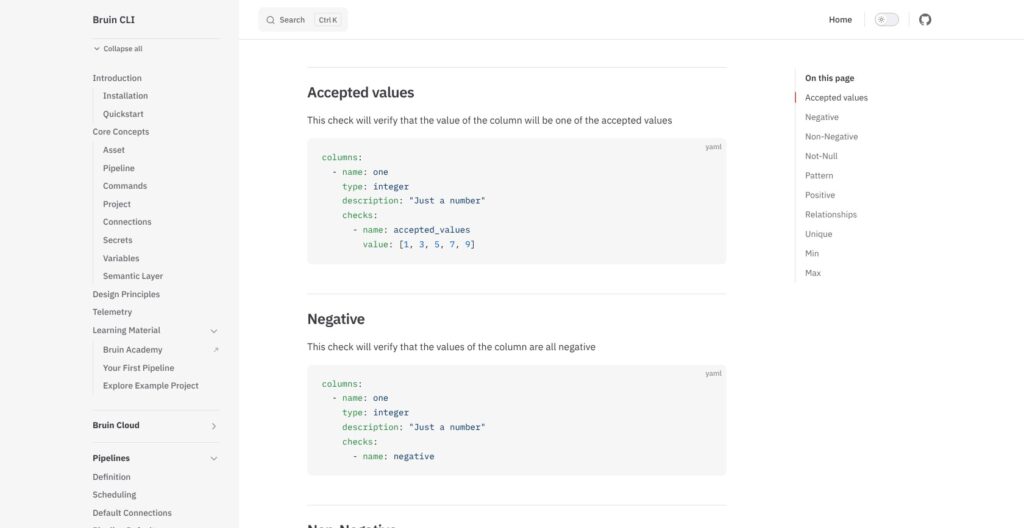
Bruin ships 10 built-in column checks:
- Allowed values:
accepted_values - Sign constraints:
negative,non_negative,positive - Required values:
not_null - Text matching:
pattern - References:
relationships - Distinctness:
unique - Bounds:
min,max
Custom checks are SQL queries that must return a truthy value, and they run in parallel after the asset’s main step. In Bruin Cloud a failed check blocks downstream assets, so a bad table never feeds the next model.
bruin unit-test mocks input tables and runs one read-only SELECT, never writing to the warehouse, and exits non-zero on failure for CI. Unit tests cover SQL assets only (issue #2638).
Freshness and volume expectations have no first-class syntax (#2639), so they become custom SQL checks. Bruin has no cross-run caching that skips unchanged inputs (#2635), while SQLMesh’s state-aware runs already skip unaffected models.
Ingestion With ingestr: Connectors, CDC and the License Catch
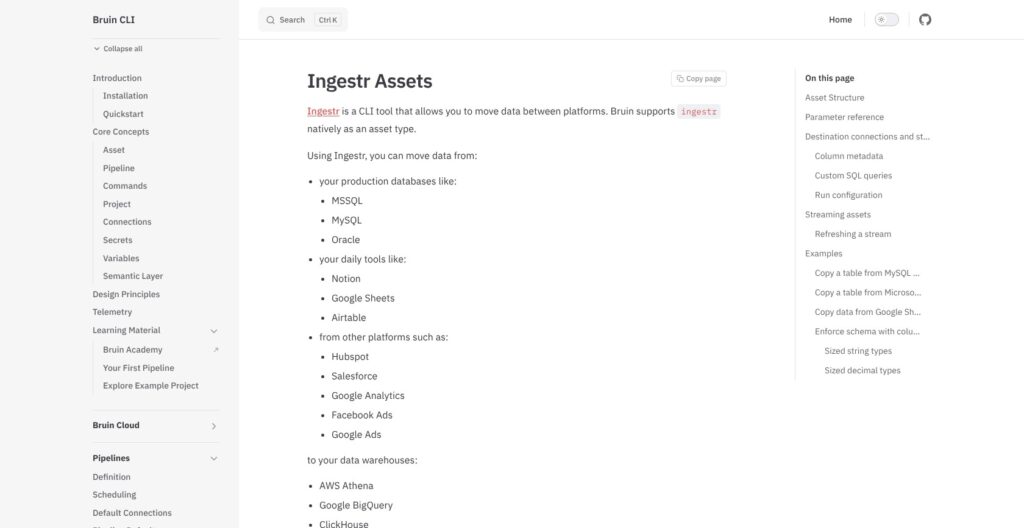
Bruin ingests through ingestr, a separate engine whose catalog lists about 158 sources and 39 destinations, 6 of them CDC-capable. v1.1.84 shipped on November 9, 2026, and the repo has 4,040 GitHub stars.
An ingestr asset takes three required fields and two optional ones:
source_connection: the source connection from.bruin.yml.source_table: the object to ingest.destination: the target platform.incremental_strategy: how new rows are written, such as merge or append.incremental_key: the column that tracks new rows, such asupdated_at.
A materialization.strategy on the asset overrides the write strategy with create+replace, append, merge, delete+insert or truncate+insert.
CDC handles deletes two ways from ingestr v1.1.77: soft deletes keep rows flagged _cdc_deleted = true, and hard deletes remove them. Resumable, chunked Postgres CDC snapshots need v1.1.81 or later. MySQL CDC does not support ENUM, SET, BIT or spatial types (ingestr issue #1365), and the Apple Ads source still targets a Campaign Management API v5 that shuts down on January 26, 2027 (#1387).
A streaming ingestr asset started with bruin run --stream runs continuously for CDC and Kafka-style sources, flushing on flush_interval or flush_records, but transformations stay batch, so Bruin is no streaming SQL engine.
ingestr is FSL-1.1-ALv2: source-available, open to internal production use, converting to Apache 2.0 later, and closed to anyone offering a competing commercial ingestion or managed-pipeline service. That puts it outside OSI open source, unlike the Apache 2.0 CLI.
Airbyte Core is free to self-host and Fivetran Standard has 700+ managed connectors, so pure connector breadth still favors Fivetran. For a Fivetran exit, the migration-fivetran template moves one connection into a review-gated Bruin project.
Bruin Cloud and the AI Layer
Bruin Cloud adds the managed scheduler the CLI lacks, running any cron schedule set in pipeline.yml. Pipeline concurrency defaults to 1 run at a time, and Cloud applies interval modifiers automatically. Team also includes:
- Run history: rerun, retry and status overrides.
- Backfills: auto- or manually-chunked historical ranges.
- Cross-pipeline dependencies: one pipeline waits on another.
- Notifications: Slack, Teams, Discord or webhooks.
Catalog, Lineage and Deployment
Catalog pages show each asset’s type (SQL, Python, ingestr or dbt), owner, tier and domain, plus column-level lineage, glossary terms and per-asset check status. The dbt asset type is a catalog label, not a dbt importer.
Dagster+ puts column lineage and cost tracking on its Pro tier; Bruin Team includes column lineage, while Cost Explorer stays on Scale.
Bruin Cloud deploys four ways:
- Fully managed: Bruin hosts everything.
- Your VPC: on AWS, GCP or Azure.
- On-prem: including air-gapped installs.
- Hybrid: the UI, scheduling and logs stay at Bruin, while a lightweight agent and job pods run in your infrastructure.
BYOC, data residency and private networking sit on Scale. Team already carries SOC 2 Type 2 and ISO/IEC 27001:2022 (certificate issued August 19, 2026), and Bruin publishes a 99.9% uptime SLA.
AI Data Analyst, Agents and MCP
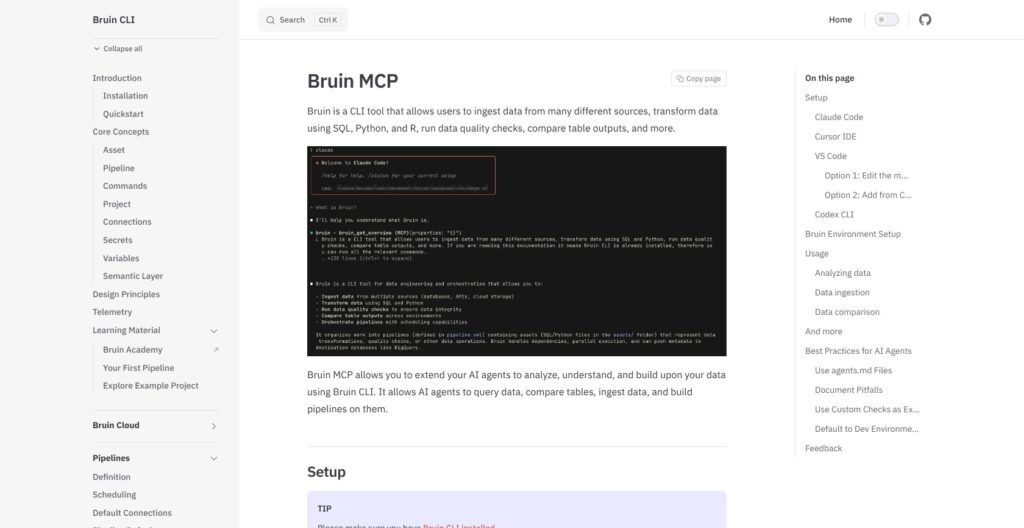
AI features are Cloud-only, and each AI data analyst question is one AI task at $1 to $3 after the first 50:
- AI data analyst: answers questions in the browser, Slack, Teams, Discord, WhatsApp, Telegram, Google Chat or email.
- AI dashboards and data apps: agents build them on request.
- Scheduled agents: recurring agent runs.
- Self-healing pipelines: find the cause of a failure, test a fix and open a pull request.
Agents spin up a sandbox, clone the repo, read pipelines and AGENTS.md, and query the warehouse through a connection set. Bruin says raw data never trains models and AI calls send only metadata and SQL. Self-healing fixes land as pull requests, so a human still merges every change.
On the CLI, bruin ai enhance runs a 4-step agent pass that writes asset descriptions, quality checks and tags from the definition and warehouse schema. The local MCP server is still being expanded (issue #2632).
How Does Bruin Compare to Competitors?
Bruin is the only tool here that covers ingestion, transformation and checks in one product, with scheduling through Bruin Cloud or an external runner.
- dbt / dbt Cloud: dbt stays the pick for teams that only need transformation and already run a dbt project. Developer is free for 1 seat, 1 project and 3,000 successful models a month; Starter costs $100 per user a month with 5 seats and 15,000 models. Bruin has no dbt project importer, so moving an established project means rewriting models by hand, although
--selectoraccepts dbt-style syntax such astag:,path:and+. - SQLMesh / Tobiko Cloud: Open-source SQLMesh wins when skipping unaffected models matters, since its state-aware runs cover the caching Bruin lacks (#2635). Tobiko Data is now part of Fivetran, and Tobiko Cloud does not publish a price.
- Dagster: Dagster and Apache Airflow fit complex dynamic DAGs across many systems better than Bruin, whose sensors and cross-pipeline dependencies cover simpler waits. Dagster+ Solo costs $10 a month for 1 user and Starter $100 a month for up to 3; Dagster is now part of Prefect.
- Airbyte / Fivetran: both win on pure ingestion. Airbyte Cloud Standard starts at $20 a month and Plus at $189, with Airbyte Core free to self-host; Fivetran is free up to 500,000 monthly active rows, with 700+ managed connectors on Standard and MAR-based pricing.
- Dataform: Dataform runs SQL workflows inside BigQuery, so it suits BigQuery-only teams. Bruin adds Python and R assets and platforms beyond BigQuery such as Snowflake, Redshift and Databricks.
| Tool | Covers | Starting price | Best for |
|---|---|---|---|
| Bruin | Ingestion, transformations, checks; Cloud scheduling | CLI $0; Team $0.01/credit | Consolidating pipeline tooling |
| dbt platform | SQL transformation | Developer free; Starter $100/user/month | Established dbt projects |
| SQLMesh / Tobiko Cloud | State-aware model execution | SQLMesh open source; Cloud price unpublished | Skipping unaffected models |
| Dagster+ | Orchestration | Solo $10/month | Complex dynamic DAGs |
| Airbyte Cloud | Ingestion only | Standard from $20/month | Dedicated ingestion |
Seat count and monthly model caps drive a dbt bill, while run hours and instance size drive a Bruin bill, so Bruin’s headline $2.50 an hour and dbt’s $100 per user a month do not compare one to one.
How I Reviewed Bruin
I installed Bruin CLI v0.11.813 (released November 9, 2026), built a DuckDB project from a template with SQL and Python assets, column checks and a custom check, and ran validate, run, render and lineage. I connected the VS Code extension and the MCP server, went through ingestr’s source catalog and CDC options, and set up a Bruin Cloud Team account to look at scheduling, the catalog and the AI data analyst.
I weighted these areas:
- Pricing and value: credit rates, instance sizing and Scale-only features.
- Setup and developer experience: install,
.bruin.yml, VS Code and MCP. - Modeling and quality: materialization strategies, column checks and unit tests.
- Ingestion: connector catalog, CDC and ingestr’s license.
- Cloud and AI: scheduling, catalog, lineage and AI task pricing.
- Alternatives: dbt, SQLMesh/Tobiko Cloud, Dagster+, Airbyte and Fivetran.
Prices current as of November 2026.
Should You Build Your Pipelines With Bruin?
I recommend Bruin for a new or small pipeline stack where one repo can replace an ingestion tool, dbt and an orchestrator. Its 12 strategies and 10 built-in checks make it more than an ingestion wrapper, but the missing dbt importer makes an established dbt estate the wrong place to start.
Choose Bruin if:
- You want one repo: ingestion, transformations and checks share one project and one
.bruin.yml. - You prefer usage billing: Team charges no seats, which suits many collaborators on light SQL at $2.50 an hour.
- You mix Python and SQL: per-asset uv environments run next to warehouse SQL in the same pipeline.
Skip Bruin if:
- You have a large dbt project: package-heavy dbt work has no importer and moves by hand.
- You need SSO on a budget: SSO/SAML requires a custom Scale contract, not Team’s pay-as-you-go pricing.
- You need complex cross-system orchestration: Dagster or Airflow handle complex dynamic DAGs better.
ingestr’s FSL license bars competing commercial ingestion services, so Bruin is a tool for internal data teams, not for resellers of managed pipelines. My next step for an internal team: start with Bruin, run bruin init duckdb, build one representative pipeline locally, then point .bruin.yml at the warehouse.
FAQ
Is Bruin free and open source?
The Bruin CLI is free under Apache 2.0, but its ingestion engine, ingestr, uses the source-available FSL-1.1-ALv2 license. That license permits internal use, bars competing commercial ingestion services and converts to Apache 2.0 later. Bruin Cloud Team is a separate pay-as-you-go service at $0.01 per credit, with $100 in starting credits.
Is Bruin a replacement for dbt?
Bruin covers the transformation layer dbt handles, with Jinja-templated SQL, and adds ingestion, quality checks and Cloud scheduling. However, there is no dbt project importer, so existing dbt models need rewriting by hand. I recommend it first for new pipelines. See the competitor comparison above for when dbt stays the better pick.
Does Bruin have a scheduler?
The open-source Bruin CLI has no built-in scheduler. Bruin Cloud Team runs any cron schedule set in pipeline.yml; self-hosted pipelines run through GitHub Actions, GitLab CI, a VM with cron, Cloud Run Jobs or Airflow. The schedule key only applies to Bruin Cloud deployments, not to a daemon inside the local CLI.
Which data warehouses does Bruin support?
Bruin supports the major warehouses plus local databases, but materialization support varies by platform:
- BigQuery and Snowflake
- Redshift and Databricks
- Postgres, DuckDB and MotherDuck
- ClickHouse and Athena
- Synapse, Fabric and MSSQL
Lakehouse support covers Iceberg and Delta Lake. The platform support matrix shows which of the 12 strategies each one runs.
How much does Bruin Cloud cost?
Bruin Cloud Team costs $0.01 per credit, with SQL execution at $2.50 an hour, billed per second. New accounts get $100 in credits plus 50 AI tasks. Larger Python or ingestion instances run from $10 to $160 an hour, and AI tasks cost $1 to $3 each after the first 50. Scale is custom-priced with committed credits and volume discounts.