
Editor’s note: This DuckDB review is based on my hands-on test of DuckDB 1.5.6 (the CLI and the Python client) on a 16 GB M1 MacBook on October 12, 2026. It weighs cost, speed, file support, concurrency and project health. MotherDuck is covered from its published pricing, not tested.
Quick verdict: I recommend DuckDB for analysts, data engineers and small teams who want fast SQL over local or cloud files without running a server. The trade-off is one read-write process per database file, so shared access means MotherDuck, DuckLake or a server warehouse.
DuckDB ran every TPC-H query I gave it on a 30-million-row table in under a third of a second, for $0, where Snowflake bills by the credit and BigQuery by slot time or scanned bytes.
In this review, I’ll take a closer look at DuckDB’s pricing, speed, file support and concurrency limits, so you can see exactly whether it can replace or sit beside your warehouse.
Key Takeaways:
- DuckDB is MIT licensed and costs $0, with no paid edition, seat fee or usage cap
- Six TPC-H queries over 30M rows took 0.06 to 0.30 s each on my M1 laptop
- It queries Parquet, CSV and JSON in place, locally or over HTTPS and S3
- Only one process at a time can open a database file read-write; a second gets a lock error
- DuckLabs joined AWS effective September 1, 2026, 1.4 LTS ends November 17 and 2.0 is due October 21, so plan upgrades now
Pros and Cons
Pros
- MIT licensed and $0, with no usage caps or seat fees
- Six TPC-H SF5 queries ran in 0.06 to 0.30 s on a 16 GB M1 laptop
- Queries Parquet, CSV and JSON in place, locally or over HTTPS and S3
- One 57.5 MB CLI binary or a pip install, no server to run
- Spills to disk: a 30M-row sort finished in 18.2 s under a 1 GB memory cap
Cons
- One read-write process per database file; a second process gets a lock error
- No built-in users, roles or replication; sharing means MotherDuck or a server
- Hard out-of-memory errors under tight caps: a join failed at 200 MB
- Version churn: 1.4 LTS ends Nov 17, 2026 and 2.0 is due Oct 21
- Only 4 core extensions get primary support; iceberg and delta are best effort
How Much Does DuckDB Cost?
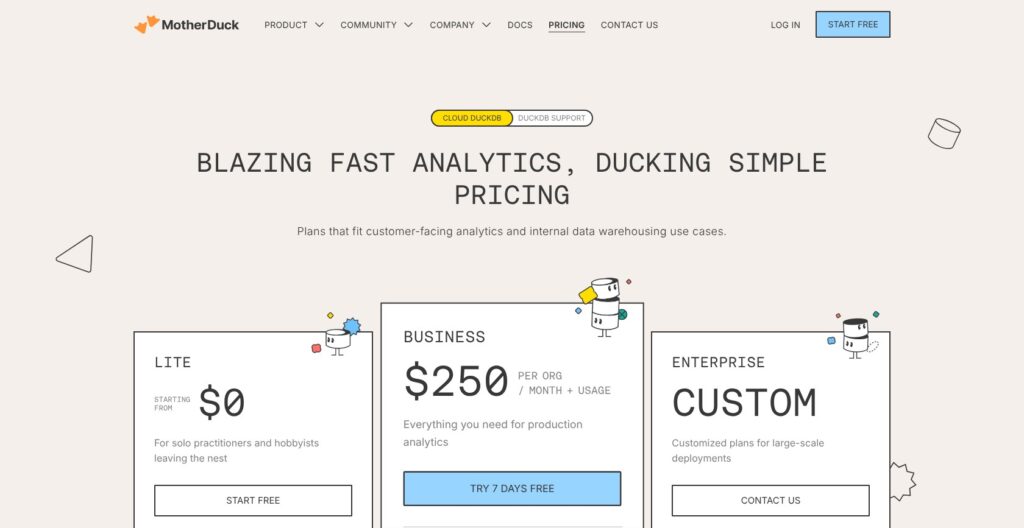
DuckDB costs $0 under the MIT license, with no paid edition, seat fee or usage cap, and the non-profit DuckDB Foundation holds the IP and trademarks. You download it from duckdb.org, and your own hardware is the only compute bill.
Paid options come from MotherDuck, a separate company selling a hosted cloud built on DuckDB, and DuckLabs, which employs the core developers and sells support:
- DuckDB ($0): for anyone running analytics on one machine, in a notebook, a pipeline or an app
- MotherDuck Lite ($0 per org per month): for small groups trying shared cloud DuckDB, with 10 GB of storage, 10 hours of Pulse compute a month and up to 3 users
- MotherDuck Business ($250 per org per month plus usage): for teams of up to 10 users that need larger instance types, read-scaling replicas and 90-day snapshot retention, with a 7-day free trial
- MotherDuck Enterprise (custom): for organizations that need unlimited users, AWS PrivateLink, a HIPAA BAA or fixed-capacity pricing
- DuckLabs support (quote only): for companies that want SLA-backed support, including help on older LTS versions after community support ends
Beyond the Lite allowance, MotherDuck’s pricing meters compute by instance size and region tier:
| MotherDuck rate | Tier 1: us-east-1, us-west-2 | Tier 2: Frankfurt (eu-central-1), Ireland (eu-west-1) |
|---|---|---|
| Pulse (per CU hour) | $0.60 | $0.73 |
| Standard (per hour) | $2.40 | $2.93 |
| Jumbo (per hour) | $4.80 | $5.86 |
| Mega (per hour) | $12.00 | $14.65 |
| Giga (per hour) | $24.00 | $29.30 |
| Storage (per GB-month) | $0.04 | $0.043 |
Pulse is metered per query with a 1 CU-second minimum, while Standard through Giga bill per second of wall-clock time plus a cooldown of 1 to 10 minutes by default.
Is DuckDB Good Value for Money?
- Good fit: single-machine analytics, where a query that costs nothing in DuckDB would be metered as slot time or scanned bytes in BigQuery and as credits in Snowflake
- Less convincing fit: shared access, since DuckDB ships no users, roles or replication; the hidden cost is engineering time for hosting, backups and access control, or $250 a month plus usage for MotherDuck Business
- Budget priority: MotherDuck Lite’s 10 GB and 10 Pulse hours a month cover a small shared dataset for 3 users at $0
Reviewer’s Notes: I recommend starting on plain DuckDB and paying nothing until a second person needs the same data. At that point MotherDuck Lite is the cheapest shared option at $0 for up to 3 users. Move to Business only when you need more than 3 users, instances larger than Pulse or longer snapshot history. If your data already sits in S3 as Parquet, plain DuckDB reads it in place, so you can postpone a hosted plan.
My Experience With DuckDB
Installing DuckDB
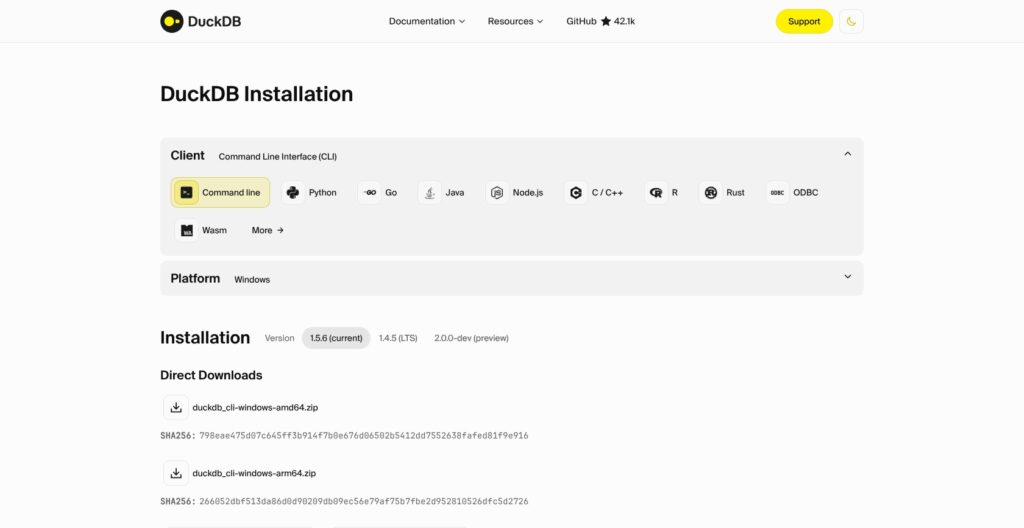
Getting DuckDB running took no account, no installer and no service. The macOS CLI is a single 57.5 MB binary for Apple Silicon with no dependencies, and on Python 3.12, pip install duckdb alongside pandas, pyarrow and polars finished in 9 seconds total.
Compare that with PostgreSQL or a ClickHouse server, where you install, configure and start a service before the first query. On first launch, DuckDB reported a memory_limit of 12.7 GiB, which is 80% of my 16 GB of RAM, and 8 threads, one per M1 core, so a laptop gets most of its memory for queries with no tuning.
Building a 30-Million-Row Test Database
Three statements built my test data: INSTALL tpch; LOAD tpch; CALL dbgen(sf = 5);. The extension installed in under a second, and generating the full TPC-H schema at scale factor 5 took 49.9 seconds, producing a lineitem table of 29,999,795 rows.
Everything landed in one 1.33 GB .duckdb file. A single COPY lineitem TO 'lineitem.parquet' exported the big table as a 1.10 GB Parquet file, which I reused for the file and library comparisons below.
Querying Files I Never Loaded
I ran a group-by straight on that 1.1 GB Parquet file with no import step, and it returned in 0.127 seconds. A count(*) on the same file came back in 0.006 seconds, because DuckDB answered it from the file’s metadata.
Then I pointed DuckDB at the NYC yellow taxi file for January 2024, a public Parquet file over HTTPS with 2,964,624 rows. A group-by on payment type with an average fare took 1.58 seconds, and the httpfs extension loaded itself with no INSTALL step. A remote count(*) took 0.07 seconds, read from the file footer only.
Where DuckDB Tripped Me Up
The pandas handoff failed outright. pandas read the two decimal columns of my Parquet file as Python object dtype, and when I ran DuckDB SQL against that DataFrame by variable name, the query failed with Casting value "101746.50" to type DECIMAL(7,2) failed: value is out of range!
DuckDB had guessed a narrow decimal type from the first object values. Casting the columns to float in pandas fixed it, so cast decimal columns before you hand pandas frames to DuckDB. Separately, reading with dtype_backend='pyarrow' cut my 4-column pandas read from 13.8 seconds to 0.57 seconds, so the slow default read comes mostly from the decimal-to-object conversion.
On a deliberately messy CSV with semicolon delimiters, a quoted field containing a semicolon, empty values and dd/mm/yyyy dates, read_csv detected the delimiter, header, quoting and day-first date format with zero options.
It left European amounts like “1.234,50” as text, even with decimal_separator=',', because of the “.” thousands separator. I had to replace and cast that column manually. sniff_csv() reports what the sniffer detected, though its output column names (HasHeader, Delimiter, TimestampFormat) differed from what I first guessed.
Speed and Larger-Than-Memory Workloads
All six TPC-H queries I ran against the 30-million-row lineitem table finished in under a third of a second, and DuckDB beat both pandas and Polars on the same Parquet group-by:
| Test on my 16 GB M1 MacBook | Time |
|---|---|
| TPC-H Q1 (scale factor 5) | 0.162 s |
| TPC-H Q3 | 0.062 s |
| TPC-H Q9 | 0.300 s |
| TPC-H Q13 | 0.274 s |
| TPC-H Q18 | 0.223 s |
| TPC-H Q21 | 0.249 s |
| Parquet group-by, DuckDB returning a Polars DataFrame | 0.260 s |
| Same group-by, Polars scan_parquet | 0.545 s |
| Same group-by, DuckDB SQL over an in-memory pandas DataFrame (float columns) | 0.87 s |
| Same group-by, pandas (float columns) | 1.73 s |
The TPC-H times are best of 2 runs with a warm OS cache, and the library comparisons are single runs on one machine, so read them as direction rather than a formal benchmark. The Python process peaked at about 1.5 GB of memory across the whole run.
With SET memory_limit='1GB', a full sort of all 30 million rows by a text column, written to a 0.96 GB Parquet file, finished in 18.2 seconds while spilling to the temp directory, and a lineitem and orders join grouped by 7.5 million order keys ran in 0.37 seconds.
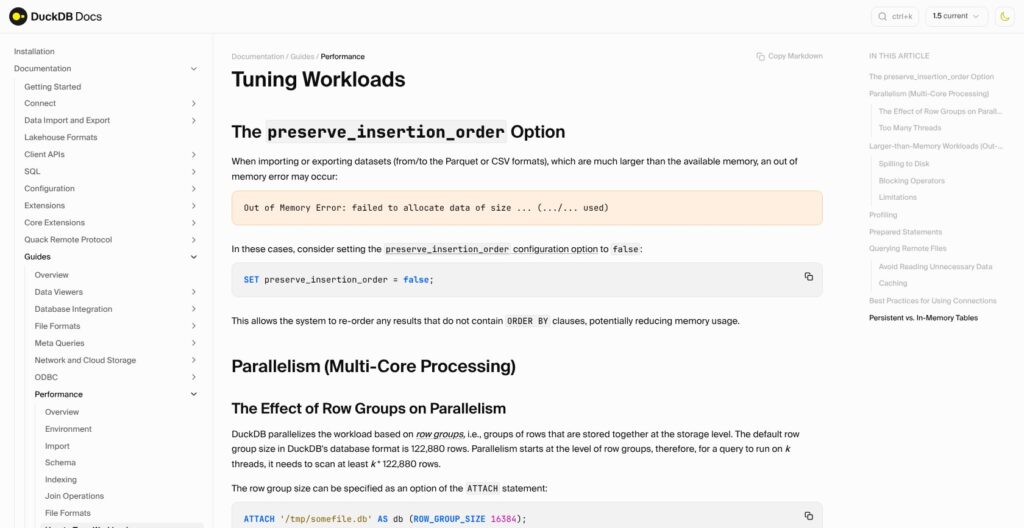
At 200 MB, the same join with a wide text column in the group key failed with Out of Memory Error: failed to pin block of size 256.0 KiB. The engine suggested fewer threads, preserve_insertion_order=false or a higher limit, which matches DuckDB’s own OOM guide: some operators bypass the buffer manager, and the guide advises a memory_limit of 50 to 60% of RAM if the OS kills the process.
On GitHub, one user on a 64-core, 500 GB machine hit “Failed to allocate block” on a 963-million-row window query until disabling jemalloc, and the official roadmap lists out-of-core performance on Windows as waiting for funding. DuckLabs maintains the db-benchmark suite that ranks DuckDB against Polars, pandas and ClickHouse, so treat those rankings as vendor-maintained.
Best for: analytical queries over tens of millions of rows on a laptop or a single server.
Skip if: your jobs routinely run on memory-starved machines or on Windows at hundreds of millions of rows.
Files, Formats and Extensions
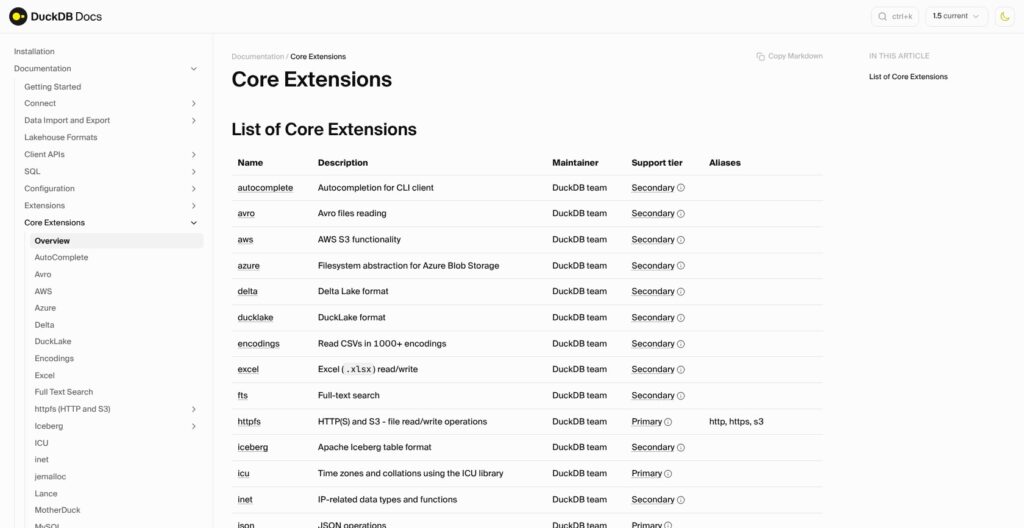
DuckDB’s duckdb_extensions() listed 31 extensions in my 1.5.6 install, and the community repository adds about 254 more that the DuckDB team does not maintain.
- Parquet: queried in place, with counts answered from metadata (0.006 s on my 1.1 GB file)
- CSV: auto-sniffed delimiter, header, quoting and date formats
- JSON: read through the core json extension
- Excel: .xlsx files through the excel extension
- Cloud storage: httpfs for HTTPS and S3, plus the aws and azure extensions
- Lakehouse tables: iceberg, delta and ducklake extensions
- Live databases: postgres, mysql and sqlite extensions attach those databases for read and write queries
- Specialist workloads: spatial for GIS, vss for vector similarity search, fts for full-text search
Only httpfs, icu, json and parquet sit in the primary support tier, so iceberg, delta, spatial and postgres get best-effort support. Weigh that before you build production pipelines on them.
DuckLake, which I did not test, reached v1.0 on April 13, 2026. Per its documentation, it stores lakehouse metadata in a SQL catalog database (PostgreSQL, MySQL, SQLite or DuckDB) and the data as Parquet files, with backward compatibility guaranteed.
DuckDB’s friendly SQL extensions GROUP BY ALL, ORDER BY ALL, SELECT * EXCLUDE and PIVOT … ON yr USING sum() all worked as documented, and an ASOF JOIN matched each trade to the latest prior quote in a single join.
Client APIs cover Python, R, Java (JDBC), Node.js, Go, Rust, C, C++, C# (.NET), ODBC, ADBC and WebAssembly. SQLite has no built-in Parquet reader, so files need an import step first, and Polars reads Parquet quickly but keeps no persistent SQL catalog or transactions.
Concurrency, Sharing and the Single-Machine Ceiling
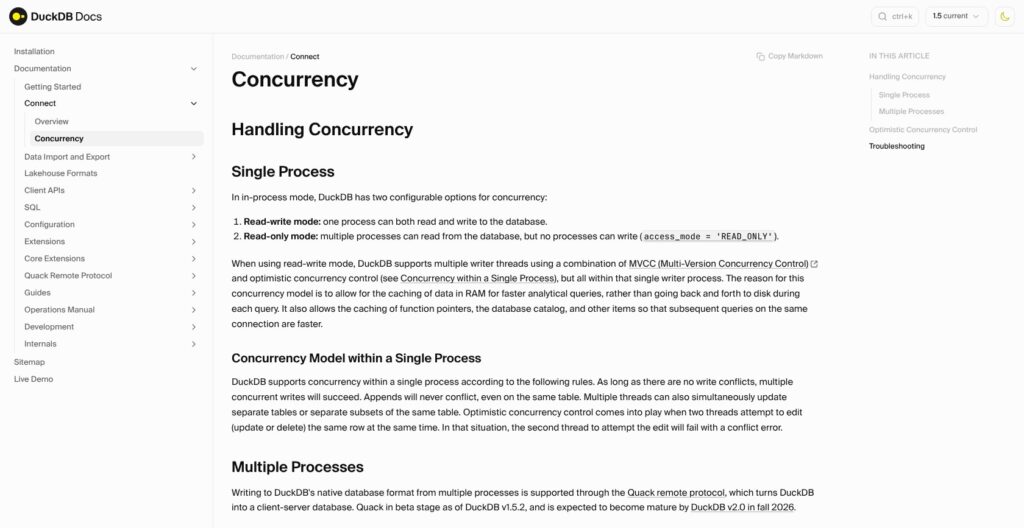
One process can open a DuckDB database file read-write, or many processes can open it read-only, never both at once. While one Python process held my tpch.duckdb file read-write, a second process failed in both read-write and read-only mode with IO Error: Could not set lock on file ... Conflicting lock is held. Two read-only processes on one file worked fine.
Inside one process, DuckDB uses optimistic concurrency control. When two cursors updated the same row in overlapping transactions, the second got TransactionContext Error: Conflict on update! and would have to retry, though the docs say plain appends never conflict.
Per a maintainer reply on GitHub, the same lock catches users of the local UI, which needs the file read-write, so a Python connection opened while duckdb -ui holds it fails. DuckDB’s docs also caution against database files on network drives, and users report lock errors on SMB shares even in read-only mode.
DuckDB itself has no users, roles or replication. Four documented routes add sharing, none of which I tested:
- Quack: a remote protocol, in beta since May 2026, that turns a DuckDB instance into an HTTP server on port 9494; the docs say names and defaults may change before it matures in 2.0
- DuckLake: several DuckDB instances read and write one lakehouse through a central PostgreSQL catalog, the docs’ recommended stable route
- MotherDuck: hosted DuckDB with shared databases, from $0 for 3 users
- A server database: ClickHouse or PostgreSQL when dozens of users need concurrent writes and access control
If several apps or people must write to the same data today, pick DuckLake or MotherDuck over Quack until 2.0 settles its API.
Releases, Support and the AWS Deal
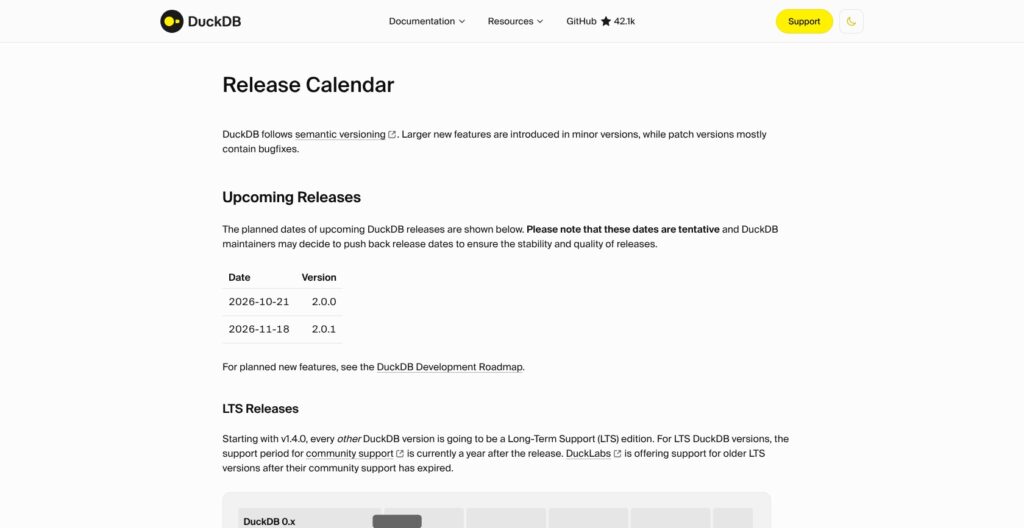
DuckDB 1.5.6, the version I tested, shipped on September 28, 2026, and the release calendar lists 2.0.0 for October 21, 2026, a date the project marks as tentative. Since 1.4, every other release is Long-Term Support with one year of community support, and the 1.4 LTS line (latest patch 1.4.5, June 17, 2026) reaches end of life on November 17, 2026.
The 1.5 line has had six patch releases since March, about one a month. Versions 1.0 through 1.5 write storage version 64 by default with newer features opt-in, and newer DuckDB has read older files since 0.10, but a file written with a newer storage version will not open on an older release. Version 2.0 also turns the old lambda syntax (x -> x + 1) into an error, so test your SQL before upgrading.
On August 26, 2026, DuckLabs, the company behind the 30+ person core team in Amsterdam, announced it was joining AWS, effective September 1, 2026. The announcement states that DuckDB, DuckLake and Quack stay MIT licensed, with the non-profit Foundation holding the IP. I see no license risk in the deal; watch whether new integrations favor AWS services first.
How Does DuckDB Compare to Competitors?
DuckDB wins single-machine analytics on cost and setup; each rival below wins a niche DuckDB does not:
- SQLite: a row store built for application data, which its own docs position as a replacement for fopen(). It’s the better pick for transactional storage inside an app, while DuckDB wins aggregations over millions of rows.
- Polars: a DataFrame library with a Rust engine. Its scan_parquet group-by took 0.545 s against DuckDB’s 0.260 s in my test, but it wins if your team prefers chained expressions to SQL.
- pandas: the standard Python analysis library, though its default-dtype read of 4 columns took 13.8 s against 0.57 s with the pyarrow backend. DuckDB queries pandas frames in place, so you can keep pandas code and add SQL on the same frames.
- ClickHouse (and chDB, clickhouse-local): ClickHouse wins when many users and apps query one server at once. chDB brings its engine in-process, but ClickHouse’s docs say clickhouse-local is not meant for serving end users.
- Snowflake and BigQuery: managed multi-user warehouses with access control and no hardware, billed per credit or per slot and scanned byte. They win when dozens of people share governed data.
- MotherDuck: hosted DuckDB with the same SQL and shared databases, at $250 per org per month plus usage on Business. It wins when you like DuckDB but need a team on one dataset.
If you load data with dlt, DuckDB works as a local destination, which makes it a cheap place to prototype a pipeline before pointing it at a warehouse.
How I Reviewed DuckDB
Prices current as of October 2026.
I installed the DuckDB 1.5.6 CLI and Python client on a 16 GB M1 MacBook and generated a TPC-H scale factor 5 database with 30 million lineitem rows. I ran six TPC-H queries, timed the same Parquet group-by in DuckDB, pandas and Polars, and queried a public NYC taxi Parquet file over HTTPS.
I also tested file locks across two processes and conflicting updates inside one, ran joins and sorts under 1 GB and 200 MB memory caps, and checked the CSV sniffer and friendly SQL on hand-built data. MotherDuck, the local UI, DuckLake and Quack are covered from their published documentation and pricing, not tested. I weighed recurring GitHub issue reports on memory and file locks, and compared DuckDB against SQLite, Polars, pandas, ClickHouse, Snowflake and BigQuery on cost model, concurrency and the niche each one wins.
DuckDB Review: Should You Run Your Analytics on DuckDB?
Yes, if your analytics run on one machine. Among embedded and serverless warehouses, DuckDB gave me warehouse-class speed for $0: six TPC-H queries over 30 million rows in 0.06 to 0.30 seconds, Parquet read in place, and a 30-million-row sort that finished under a 1 GB memory cap.
I recommend it for analysts, data engineers prototyping pipelines, apps that embed analytics, and teams whose jobs fit on one machine with room to spill to local disk. It also slots in beside a warehouse as a free local engine for development and ad hoc work.
Skip it as your only database if you need many concurrent writers, BI dashboards for dozens of users or strict access control. The one-writer-process lock is a hard rule, so those cases need MotherDuck, DuckLake or a server warehouse like ClickHouse.
Start with pip install duckdb and run a query against a Parquet file you already have. For production, the release calendar ends 1.4 LTS on November 17, so plan a tested move to 2.0 after its tentative October 21 release.
FAQs
Is DuckDB free for commercial use?
Yes. DuckDB is MIT licensed, so you can use, embed and ship it in commercial products for $0, and the non-profit DuckDB Foundation holds the IP. The only paid options sit around it: MotherDuck’s hosted cloud (Lite $0, Business $250 per org per month plus usage) and quote-based DuckLabs support.
Can DuckDB handle data larger than memory?
Yes, it spills to disk. In my test, a full sort of 30 million rows finished in 18.2 seconds under a 1 GB memory_limit. Tight caps can still fail: at 200 MB a join hit an out-of-memory error, and DuckDB’s docs advise a limit of 50 to 60% of RAM plus fewer threads.
Can multiple users write to a DuckDB database at once?
No. Only one process can open a DuckDB file read-write; extra processes can only connect if every connection is read-only. For multiple writers, the documented options are DuckLake with a PostgreSQL catalog, the Quack remote protocol (beta until 2.0) or MotherDuck. See Concurrency, Sharing and the Single-Machine Ceiling above.
What is the difference between DuckDB and MotherDuck?
DuckDB is the free, open-source in-process database that runs on your own machine. MotherDuck is a separate company selling a hosted cloud built on DuckDB, adding shared databases, users and managed compute. Its Lite plan is $0 for up to 3 users, and Business costs $250 per org per month plus usage.
Is DuckDB better than Polars?
For SQL users, usually yes. In my test, DuckDB ran a group-by over a 30-million-row Parquet file in 0.260 seconds versus 0.545 seconds for Polars, and it returns Polars DataFrames directly with .pl(). Polars is the better fit if your team prefers a DataFrame expression API to SQL.