Editor’s note: In this Alteryx review, I evaluate Alteryx One on its edition ladder, user roles, automation-run model, documented Designer and Designer Cloud behavior, and the AI features Alteryx shipped between July and September 2026. It is not a hands-on performance test, and I timed no workflows.
Quick verdict: I recommend Alteryx for finance, operations and consulting teams of Windows-based analysts who need governed, repeatable prep and blending without code and can absorb per-seat pricing that starts at $250 per user per month. Go in knowing that Professional and Enterprise are quote-only, Starter is cloud-only and flat-file-only with no automation runs, and Designer desktop needs 64-bit Windows 11.
Key Takeaways
- Starter is $250 per user per month, billed annually (about $3,000 a year), for 1-10 seats in Designer Cloud with flat files only and no automation runs; the 30-day trial covers cloud and desktop.
- Professional and Enterprise are quote-only, with 50 and 15,000 automation runs included.
- Designer desktop needs 64-bit Windows 11 and 8 GB of RAM (16 GB for high performance); ARM is unsupported and Macs need a virtual machine.
- Designer Cloud runs a different engine from desktop (three-valued null logic, partial Containers support), so workflows do not move 1:1.
- Agent Studio (July 21, 2026) and the 7-toolset MCP Server (September 8, 2026) expose datasets and workflows to AI clients such as ChatGPT and Gemini Enterprise, on Professional and Enterprise only.
In this review, I’ll take a closer look at Alteryx’s pricing, first-workflow setup, its prep engines, Designer Cloud and Server, the 2026 AI features, and how it compares to KNIME, Tableau Prep, Power Query and Dataiku among data prep tools, so you can see whether it earns a seat on your team.
Alteryx Pros and Cons
Pros
- 300+ drag-and-drop tools covering prep, blending, spatial, predictive and reporting in one canvas
- AMP multi-threaded engine is the default for new workflows from Designer 2026.2, with 177 supported tools
- Agent Studio and a 7-toolset MCP Server (July to September 2026) expose datasets and workflows to ChatGPT, Gemini Enterprise and other AI clients
- Enterprise adds API-triggered runs, Plans, SDLC packaging with immutable versioned packages and row-based permissions
- 30-day Alteryx One trial that covers both Designer Cloud and desktop Designer
Cons
- Only Starter is priced ($250 per user per month, annual); Professional, Enterprise, Server and every add-on are quote-only
- Starter is cloud-only, flat files only, capped at 10 users, with no automation runs
- Designer desktop needs 64-bit Windows 11; ARM is unsupported and Mac means a virtual machine
- Designer Cloud uses a different engine with three-valued null logic and fewer tools than desktop, so workflows do not port 1:1
How Much Does Alteryx Cost?
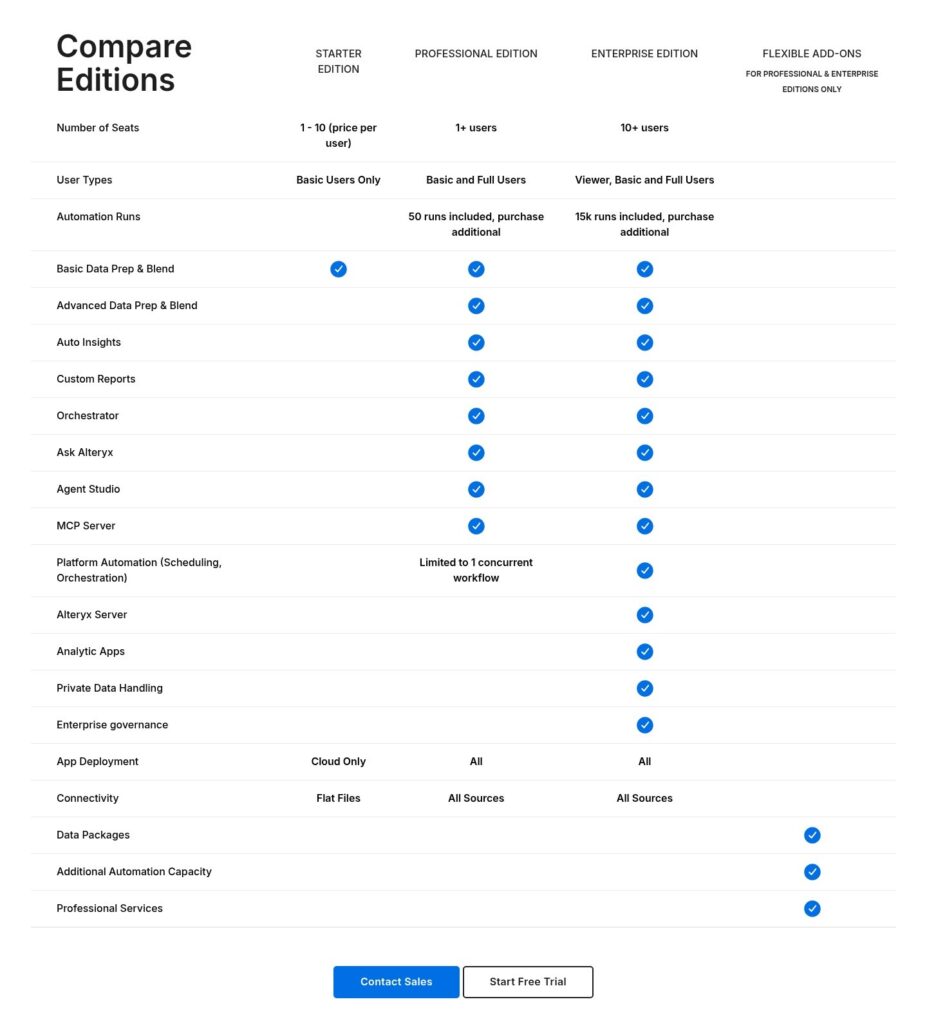
Alteryx sells Alteryx One in three editions and publishes one price: Starter at $250 per user per month, billed annually, which is about $3,000 per seat per year. Professional and Enterprise are “Contact Sales”, priced by edition, seat role and automation runs.
- Starter ($250 per user per month, annual): for analysts and teams of up to 10, with Designer Cloud only, basic drag-and-drop prep (blend, join and aggregate), workflow sharing, flat files and no automation runs.
- Professional (quote): for growing teams, with cloud and desktop Designer, macros, geospatial prep, essential cloud scheduling, Ask Alteryx and Agent Studio, Auto Insights, hybrid deployment, 100+ sources including Snowflake and Databricks, Basic and Full users, and 50 automation runs.
- Enterprise (quote, 10+ users): for large organizations, with API-triggered scheduling and monitoring, SDLC, activity log integrations, row-based permissions, analytic apps, private data handling through Server or an Alteryx-managed private data plane, free Viewer licenses and 15,000 automation runs.
Additional Automation Capacity, Data Packages (Location Insights and Business Insights) and Professional Services are unpriced add-ons on Professional and Enterprise.
| Edition | Price | Seats | User types | Automation runs | Sources | Deployment |
|---|---|---|---|---|---|---|
| Starter | $250/user/month, annual | 1-10 | Single role | None | .csv, .xlsx, JSON | Cloud only |
| Professional | Quote | 1+ | Basic and Full | 50 included | 100+ (all sources) | Cloud and hybrid |
| Enterprise | Quote | 10+ | Viewer, Basic, Full | 15,000 included | All sources | Cloud, hybrid, private |
What Counts as an Automation Run
Scheduled workflows, API-triggered workflows, scheduled Plans and apps run by viewers count; failed, validation and design-time runs (pressing Run in Designer) do not. Capacity is pooled across the organization, and on overage Alteryx says it will “continue supporting your business” and re-size the subscription, with no published overage rate.
A reconciliation workflow scheduled nightly uses about 30 runs a month, so Professional’s 50 covers one such job with a little slack. Five nightly jobs come to about 150 runs a month, which means Enterprise or the capacity add-on.
UK seats run roughly GBP 2,400 to 4,800 a year on Professional and GBP 4,400 to 9,200 on Enterprise before VAT, with extra runs at about GBP 0.80 each. Annual contracts typically land in the tens of thousands of dollars, renewals rise 3 to 7 percent, and multi-year terms take 15 to 30 percent off.
Designer-only customers move to Professional and Designer plus Server customers to Enterprise. Since Designer and Server 2025.1, licenses are provisioned by sign-in instead of license keys.
Is Alteryx Good Value for Money?
- Good fit: a Windows analyst team replacing manual Excel reconciliations with scheduled workflows inside Professional’s 50 runs, where macros and spatial tools justify a seat well above $3,000 a year.
- Less convincing fit: a lone analyst paying $3,000 a year for a cloud-only, flat-file canvas with no scheduled runs, or a Python team that can code the same logic.
- Budget priority: KNIME Analytics Platform is free (Business Hub Basic costs $39,900 a year), Tableau Prep comes inside Creator at $75 per user per month, Power Query is free inside Excel and Power BI Desktop, and Easy Data Transform is $99 one-time.
Reviewer’s Notes: A 3-to-8 analyst finance team on Windows should skip Starter (no desktop, no runs, flat files only) and quote Professional with Full seats only for the people who build macros, leaving everyone else on Basic. Buy Enterprise only past about 50 scheduled runs a month or when stakeholders need Viewer seats.
Getting Started With Alteryx
The 30-day trial is of Alteryx One, the whole platform, so you can test Designer Cloud and desktop Designer side by side before choosing an edition.
Starting the 30-Day Trial
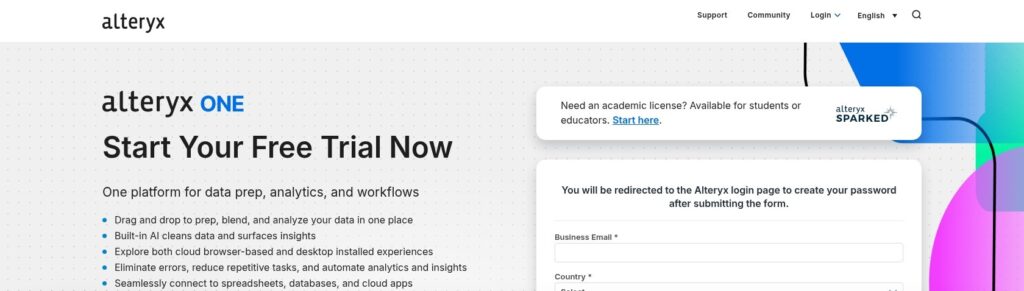
Sign up with a business email and your country, and the form sends you to the Alteryx login page to set a password. Students and educators get academic licenses through Alteryx SparkED instead.
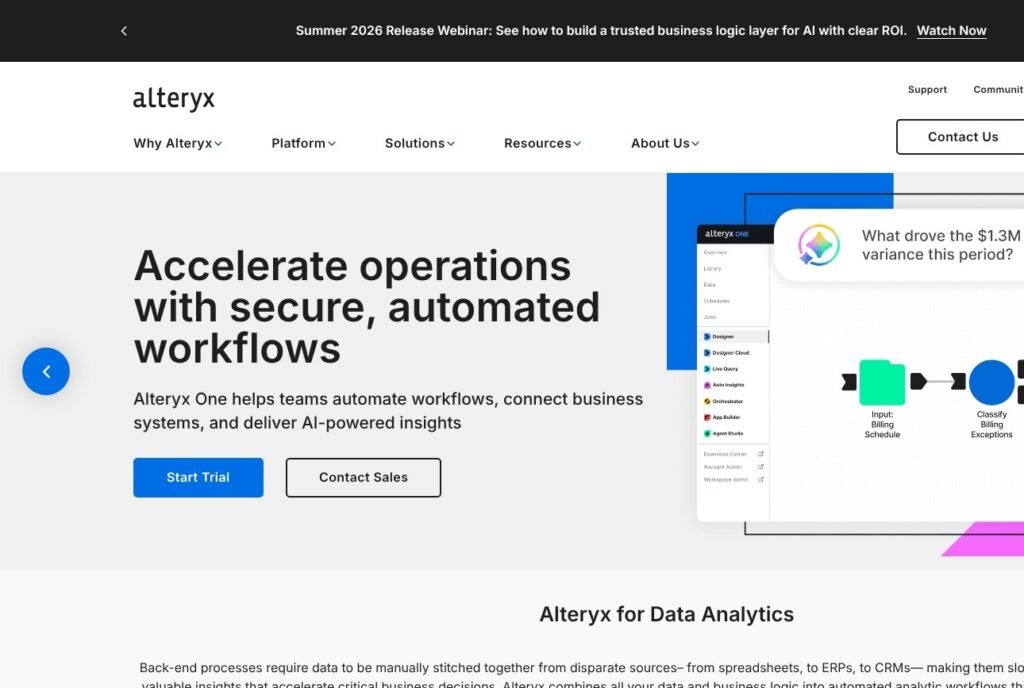
The Alteryx One workspace runs in the browser, and its left rail lists Library, Data, Schedules and Jobs alongside Designer, Designer Cloud, Live Query, Auto Insights, Orchestrator, App Builder and Agent Studio.
Choosing Cloud or Desktop Designer
Designer desktop needs:
- 64-bit Windows 11 (Windows 10 support ended with Designer 2025.2)
- 4 cores at 2.5 GHz or faster
- 8 GB of RAM minimum, 16 GB for high performance
- 500 GB to 1 TB of disk
- Microsoft WebView2 for Designer 2026.1 and later
ARM chips are unsupported, a Mac needs a Windows virtual machine, and Citrix VDI is supported. The interface ships in eight languages, including French, German, Japanese and Simplified Chinese. Starter buyers have no desktop option at all, so on that edition the desktop half of the trial shows a product you cannot buy.
Building a First Workflow
The basic path in Designer desktop runs in seven steps:
- Drag Input Data from the tool palette onto the canvas and point it at a CSV; a wildcard path loads several files at once.
- Add Data Cleansing to trim whitespace.
- Add Select to fix field types, since CSV fields arrive as V_String.
- Add Filter, Formula, Sort or Sample as the job needs.
- Combine and aggregate with Join, Union or Summarize.
- Drop a Browse tool after any step to inspect its rows.
- Finish with Output Data and save the workflow as a .yxmd file.
Connect each tool by dragging its output anchor to the next tool’s input anchor. Ask Alteryx can also build workflows, explain tools and troubleshoot issues from a typed prompt, and it reached Live Query for BigQuery workflows on July 10, 2026.
Sharing and Scheduling
On Starter you share the workflow in the workspace and run it by hand. Professional adds essential cloud scheduling, limited to 1 concurrent workflow, and Enterprise adds API-triggered runs and Plans.
Data Prep, Blending and the Engines
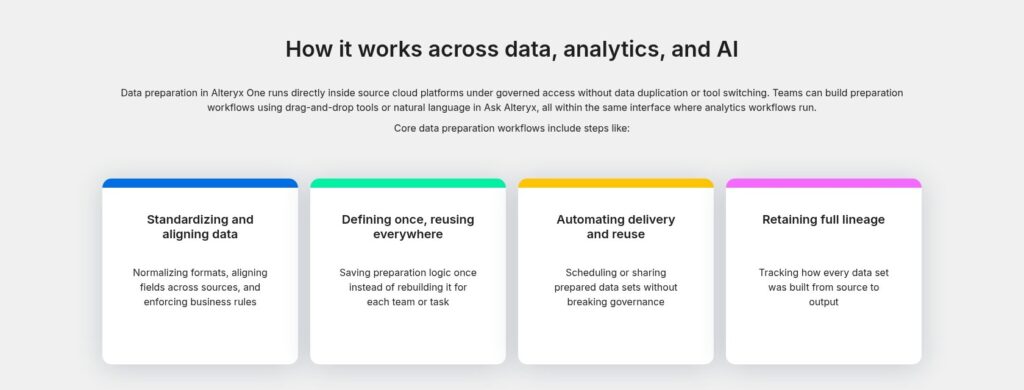
Alteryx One carries 300+ drag-and-drop tools across prep, blending, joins, spatial, predictive and reporting, and the Full or Basic role on each seat decides which of them a person can open.
The Tool Palette
Full creators unlock advanced prep, advanced connectivity, reporting, the Intelligence Suite (machine learning and NLP, added in Designer 2020.2, desktop only, Professional and Enterprise), AI tools, analytic apps and Orchestrator. Basic creators get Basic Prep and Blend, connectivity, Auto Insights visualization, Ask Alteryx and Agent Studio.
Macros start at Professional and analytic apps are Enterprise only. The Location Insights and Business Insights data packages are paid add-ons that bring built-in demographic and business data for spatial work, with Location Insights covering the United States, UK/ROI, EU, Canada, Australia, Brazil and Mexico.
AMP Engine and Memory
AMP (Alteryx Multi-threaded Processing) works on records in parallel packets instead of one record at a time, and from Designer 2026.2 it is the default for new workflows. It supports 177 tools, 166 fully and 11 with fallback to the original engine, plus 7 connector tools that run only on AMP.
Each thread needs at least 400 MB, so 8 threads need 3.2 GB and a machine with 2.5 GB free drops to 6 threads. A workflow saved on AMP cannot revert, so run the Engines Parity Utility from the Community Gallery to compare results before you switch an existing workflow.
Where It Gets Rough
Alteryx keeps most data in memory, so large joins and sorts slow down or stall when RAM runs out. Writing nicely formatted tables to Excel is awkward, and visualization is minimal, so dashboards usually end up in Tableau or Power BI.
Version control and collaboration on .yxmd workflow files are weak next to dbt models kept in Git, and if your analysts already write Python, the license is hard to justify for logic they can code. KNIME’s node canvas is the closest free match to Designer, and Power Query covers basic prep at no extra cost inside Excel.
Designer Cloud, Server and Automation
Designer Cloud is the rebranded Trifacta product, and it runs a cloud-native engine that behaves differently from Designer desktop.
Designer Cloud Is Not Designer
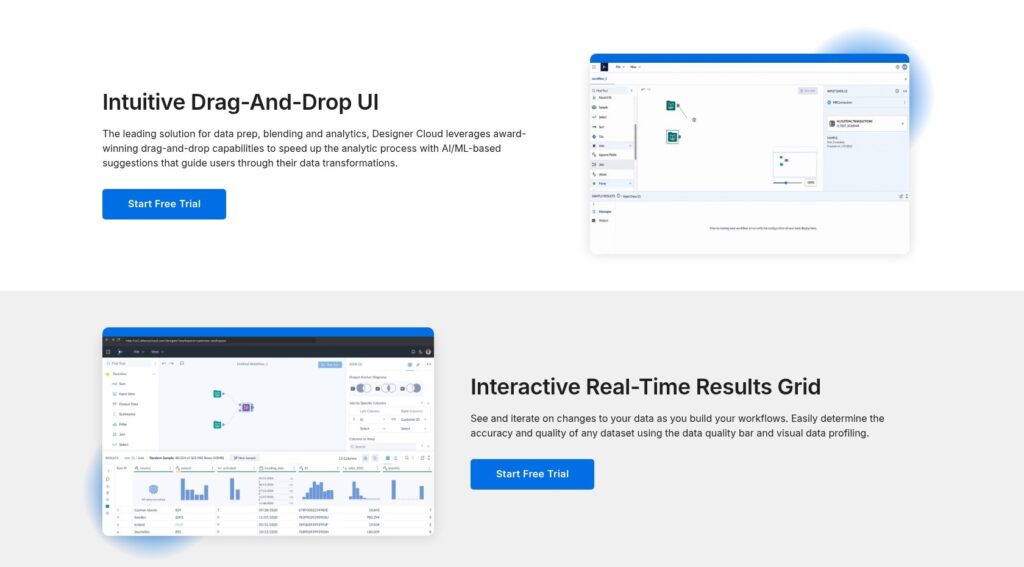
File reads go through a conversion service to CSV or Parquet, and Block Until Done and Containers are not fully compatible. Null handling is three-valued: Null < 5 returns Null in the cloud and False on desktop, and Average(Null, 5) returns Null in the cloud against 2.5 on desktop.
Function sets differ too, and Designer Cloud carries fewer tools than desktop’s 300+, so check that Browse and Multi-Row Formula exist in your cloud workspace before you port a workflow. If a workflow depends on either tool, keep it on desktop Designer, which means Professional or Enterprise.
Server Sizing
Alteryx Server has no published price and is sold only inside Enterprise; under the old licensing a base Server configuration was estimated at roughly $58,500 a year.
- Minimum per node: 4 physical cores, 32 GB of RAM, 500 GB of disk.
- Production: 8+ physical cores, 64 GB of RAM, 1+ TB SSD.
- 2 concurrent workflows: 32 GB and 4 cores.
- 8 concurrent workflows: 128 GB and 16 cores, or 256 GB and 32 cores for heavy loads.
- Stack: Windows Server 2016 or later, .NET 4.8+, MongoDB 4.2 to 6.0 or SQL Server 2019/2022.
Server 25.1 and later shows aggregated automation-run usage in the Admin Console.
Automation and Governance by Edition
Professional gets essential cloud scheduling limited to 1 concurrent workflow and basic governance: user groups, versioning, activity logs, workspace provisioning and API access. Enterprise adds API-triggered runs, Plans, row-based permissions, and private storage and processing.
SDLC packaging with immutable versioned packages and workspace promotion arrived on Enterprise on August 31, 2026, followed by Data Labels and dataset certification on September 4, 2026. Both are new enough that I would test promotion between workspaces during the trial before relying on it. On the open-source side, KNIME’s Business Hub Basic tier costs $39,900 a year with 1 execution context.
AI Features: Ask Alteryx, Agent Studio and the MCP Server
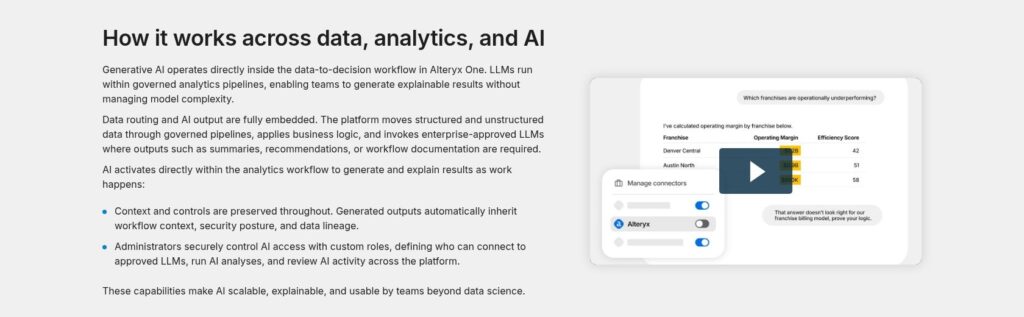
Agent Studio launched on July 21, 2026 as an Alteryx One module with four parts:
- Alteryx Agents: natural-language questions over one or more datasets, with trend, root cause, common cause and outlier analysis.
- Alteryx MCP Server: exposes datasets, workflows and Alteryx functions to outside AI clients.
- External Marketplace Apps: the Alteryx Insights plugin for ChatGPT and the AI Insights agent for Gemini Enterprise.
- Set Up Assets: where workflows and analytic apps are registered as Workflow Shortcuts that an AI client can call by name.
On September 8, 2026 the MCP Server grew from 2 to 7 toolsets, adding Knowledge, Formula Service, Assets, Datasets, Designer and Insights. The Designer toolset creates, updates, runs and inspects cloud workflows, but reads and writes only Alteryx One datasets.
Since September 17, 2026 any dataset a user can access is available to agents without setup, while workflows and analytic apps still need a Workflow Shortcut. From October 2026 Alteryx generates AI metadata for datasets, connections, macros and workflows, on by default for new accounts with an admin switch to turn it off, and Alteryx warns against putting PII in asset names or descriptions.
Ask Alteryx builds workflows, explains tools and troubleshoots issues. Alteryx’s 2023 AiDIN features add Workflow Summary and Magic Documents, which writes PowerPoint and email summaries from Auto Insights.
Ask Alteryx, Agent Studio and the MCP Server are fully included on Professional and Enterprise, and Starter gets none of them. For an AI buyer the MCP route matters more than the chat window, because it turns governed workflows into agent tools instead of letting a model improvise the logic.
Clearlake Capital and Insight Partners took Alteryx private for about $4.4 billion ($48.25 a share), closing March 19, 2024. Andy MacMillan has been CEO since December 2023, and the 2023 cuts of about 5 and 11 percent are the last reported layoffs.
How Does Alteryx Compare to Competitors?
At $250 per user per month, Alteryx Starter costs more per seat than any published entry price below, and each rival undercuts it in a narrower niche.
| Tool | Entry price | Model | Where it wins over Alteryx | Where Alteryx wins |
|---|---|---|---|---|
| Alteryx One | $250/user/month (Starter, annual) | Per seat plus automation runs | Not applicable | Not applicable |
| KNIME | Free; Team $99/month for 3; Business Hub Basic $39,900/year | Open source plus paid hub | Zero license cost, open extensions | Polish, support, spatial and data packages |
| Tableau Prep | Inside Creator at $75/user/month | Per seat | Native Tableau flows | Automation and transformation breadth |
| Power Query / Fabric Dataflow Gen2 | Free in Excel and Power BI Desktop; Fabric F2 about $262.80/month | Free tool plus capacity | Cost for Microsoft shops | Governed scheduling, spatial, predictive |
| Dataiku | Free Edition up to 3 users; paid tiers quote-only | Quote | MLOps and data science governance | Lighter prep for analysts |
| Databricks | Jobs Compute about $0.15 per DBU (AWS Premium) | Usage | Lakehouse scale for engineers | No-code canvas |
| Easy Data Transform | $99 or $198 one-time | Perpetual license | One-time price for a single user | Teams, scheduling, governance |
- KNIME: the free Analytics Platform has the closest visual match to Designer in its node canvas, Team costs $99 a month for 3 members plus $49 per extra user, and Business Hub Basic is $39,900 a year with 1 execution context. It wins on price and open-source freedom, with a steeper learning curve and community-only support on the free tier.
- Tableau Prep: included in Creator at $75 per user per month ($115 on Cloud Enterprise), it wins for Tableau shops that already pay for Creator. It loses on automation and transformation breadth.
- Power Query and Fabric: free in Excel and Power BI Desktop, with Fabric F2 capacity at about $262.80 a month and F64 at about $8,409.60 pay-as-you-go. It wins on cost for Microsoft-standardized teams and loses on governed scheduling and spatial and predictive tools.
- Dataiku: a Free Edition covers up to 3 users and paid tiers are quote-only. It wins for data science teams that need MLOps and governance, and it is heavier than an analyst prep tool.
- Databricks: Jobs Compute runs about $0.15 per DBU on AWS Premium. It wins for engineers working at lakehouse scale in Python and SQL, and it is not a no-code product.
- Easy Data Transform: $99 or $198 one-time per named user, with a 7-day trial and a 60-day money-back guarantee. It wins for one analyst cleaning files on a budget, with no team automation at all.
Pick Alteryx when the buyer is a Windows analyst team that needs macros, spatial tools and governed scheduling in one product. Pick KNIME when the budget is zero and the team is willing to learn a less polished canvas, Tableau Prep when Creator seats are already paid for, and Databricks when engineers own the pipeline in code.
How I Reviewed Alteryx
I worked through the Alteryx One edition ladder, the user roles and the automation-run rules line by line, then checked the Designer and Server system requirements, the engine differences between Designer desktop and Designer Cloud, the Agent Studio and MCP Server releases from July to October 2026, and the first-workflow path in Designer.
I compared every price against KNIME, Tableau Prep, Power Query, Dataiku, Databricks and Easy Data Transform, and I weighed the long-running complaints about cost, memory-bound performance, Excel output and cloud parity against what Alteryx ships today.
This is not a timed benchmark or a hands-on run of a production workflow, so run times and memory behavior on your data are yours to measure in the trial. Prices current as of October 2026.
Should You Run Your Data Prep on Alteryx?
Alteryx is the right buy for Windows-based analyst teams in finance, operations and consulting that need governed, repeatable prep, macros, spatial tools and scheduling without code, and can pay per seat for it. Among data prep tools in the Transformation category, it is the most complete no-code canvas I can point to.
- Buy Professional if: your team needs desktop Designer, macros, 100+ connectors and up to about 50 scheduled runs a month.
- Buy Enterprise if: you schedule more than about 50 runs a month, need Viewer seats, API-triggered runs, analytic apps or private data handling through Server.
- Skip it if: your team writes Python or SQL (dbt or Databricks), works on Macs, has no budget (KNIME), or only needs prep in front of Tableau (Tableau Prep in Creator at $75 per user per month).
Starter makes sense only for a lone analyst with flat files who never needs a scheduled run.
Next step: start the 30-day trial of Alteryx One, build one real reconciliation or month-end workflow in Designer Cloud, then count the runs you would schedule before asking for a Professional or Enterprise quote.
FAQ
How much does Alteryx cost?
Alteryx One Starter costs $250 per user per month billed annually, about $3,000 per seat per year, for 1 to 10 users. Professional and Enterprise are quote-only, and whole annual contracts typically land in the tens of thousands of dollars. In the UK, seats run roughly GBP 2,400 to 9,200 a year depending on edition and role.
Does Alteryx run on a Mac?
No. Designer desktop needs 64-bit Windows 11, ARM chips are unsupported, and a Mac can run it only inside a Windows virtual machine. Designer Cloud runs in the browser, so a Mac can reach it, but it uses a different engine and carries fewer tools than desktop, so it is not a full substitute.
Is there a free version of Alteryx?
There is no free plan. Alteryx offers a 30-day trial of Alteryx One that covers both Designer Cloud and desktop Designer, and academic licenses through Alteryx SparkED for students and educators. For a free alternative, KNIME Analytics Platform is open source, and Power Query is free inside Excel and Power BI Desktop.
What is the difference between Alteryx Designer and Designer Cloud?
Designer is the Windows desktop app with 300+ tools and the AMP engine. Designer Cloud is the browser product from the Trifacta lineage, with a cloud-native engine that uses three-valued null logic, does not fully support Block Until Done or Containers, and has fewer tools. Starter includes only Designer Cloud.
Is Alteryx better than KNIME?
Alteryx is better for teams that want a polished canvas, spatial tools and data packages, Server governance and vendor support. KNIME is better when license cost has to be zero and open source matters, since the Analytics Platform is free. Once KNIME needs a team hub, Business Hub Basic costs $39,900 a year.