Editor’s note: This review combines a local Python workflow test with an evaluation of Temporal’s pricing, deployment choices, and implementation requirements.
Quick verdict: I recommend Temporal for developers building processes that must keep their progress when a worker fails, particularly jobs involving several services or human approval. Its recovery behavior impressed me in my local test, but you need to be comfortable writing and operating application code. For a team mainly scheduling warehouse transformations, I would compare Airflow and Dagster first.
In this Temporal review, I’ll take a closer look at the costs, what happened when I interrupted a workflow, and where this open-source orchestrator fits in your data stack.
Key Takeaways
- Temporal recovered my local workflow after I killed its worker, without rerunning the completed activity.
- You can self-host the open-source service or pay for Temporal Cloud.
- Signals let a running workflow receive an approval or another external event.
- Cloud charges extend beyond actions, with storage and support contributing to the bill.
- Your team still needs to handle safe retries, workflow code changes, and worker infrastructure.
Temporal Pros and Cons
Pros
- My local workflow resumed after an abrupt worker shutdown.
- Automatic activity retries handled two deliberate failures in my test.
- Signals support approval steps inside running workflows.
- MIT-licensed service offers a self-hosting option.
- Cloud has no base monthly fee on Developer support.
Cons
- Requires application code and worker operations.
- Retries still need protection against duplicate external effects.
- Workflow code changes must preserve replay compatibility.
- Action, storage, and support charges complicate cost estimates.
How Much Does Temporal Cost?
I would learn Temporal with its free local service before choosing a production deployment. For on-demand Cloud usage, budget around your workflow’s behavior rather than the number of jobs you expect to run.
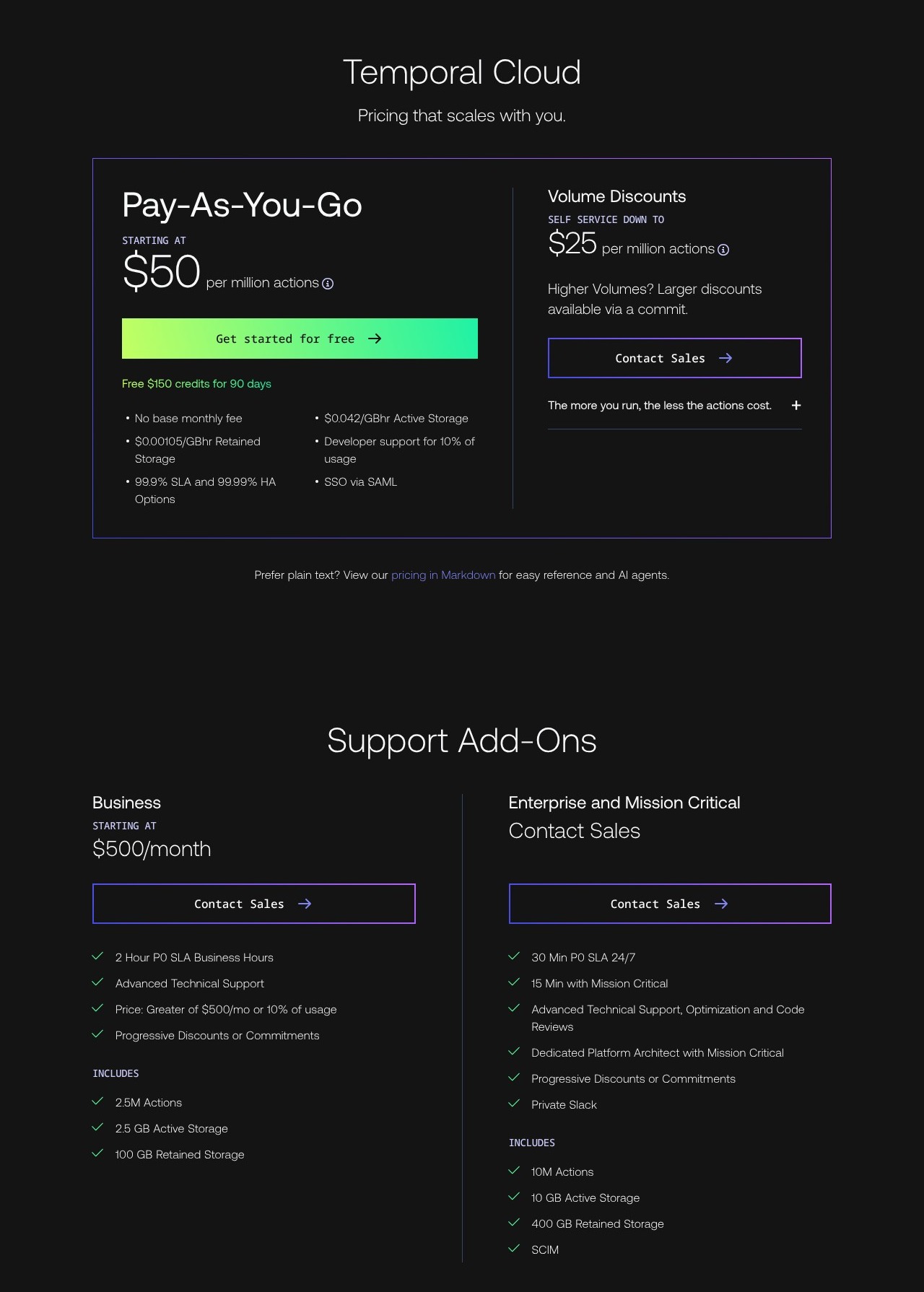
- Self-hosted ($0 license fee): for teams willing to run the service themselves. Infrastructure and maintenance are your responsibility.
- Cloud with Developer support (usage plus 10%): for starting without a base monthly fee. Actions cost $50 per million.
- Cloud with Business support (from $500/month, plus applicable usage): for teams needing more support. The support charge is the greater of $500 or 10% of consumption.
- Enterprise and Mission Critical (custom annual pricing): for organizations needing higher support levels and negotiated terms.
| Option | Starting charge | Main reason to choose it |
|---|---|---|
| Self-hosted | No software license fee | Control over service deployment |
| Cloud: Developer | Metered usage, plus 10% support | Start without a monthly minimum |
| Cloud: Business | At least $500/month for support | Production support and included usage allocations |
| Cloud: Enterprise or Mission Critical | Sales quote | More demanding support requirements |
Cloud also meters active history storage at $0.042 per GB-hour and retained history at $0.00105 per GB-hour. New accounts can receive $150 in credits valid for 90 days. I would treat that as an evaluation allowance, rather than a permanent free tier.
An action is not a complete workflow. Starting a workflow, scheduling an activity, retrying that activity, and sending a signal can each generate billable actions. A short process with several retries can therefore cost more than its run count suggests.
That makes the cheapest-looking headline price less useful than a representative trial. I would run a typical successful job and a deliberately troublesome one, then compare their action counts and history sizes before estimating a monthly budget.
Is Temporal Good Value for Money?
I think Temporal makes the strongest financial case when engineers already spend time repairing interrupted processes. If a failed provisioning job leaves someone manually working out which steps finished, reducing that recovery work has a practical value.
- Good fit: an application team repeatedly rebuilding retry and recovery logic across services.
- Less convincing fit: a small batch job that is inexpensive and safe to rerun from the beginning.
- Budget priority: include your workers and their hosting in the estimate, alongside the managed service.
Reviewer’s Notes: I would start with the local service to validate the programming model, then evaluate Cloud with Developer support. Choose Business when its support coverage and included allocations match your needs, rather than assuming a larger plan will make your workflow code more reliable.
My Experience With Temporal
I tested Temporal with a small Python workflow running against a real local development server. I wanted to see what happened when work failed and when the process executing my code disappeared.
The setup had three parts:
- A Temporal server retained the workflow’s history.
- A worker process executed my Python workflow and activity code. An activity is a step that performs work, such as calling an API.
- A client started the workflow, checked its state, and sent an approval signal.
Stopping the worker did not erase the workflow. For me, separating the process running my code from the service retaining its progress was the key concept to grasp.
Retrying a Failed Step
I wrote an activity that deliberately failed on its first two attempts, with a retry policy allowing three attempts. Temporal retried it, and attempt three returned successfully.
The workflow then waited for approval. I queried its state and confirmed that it had reached that waiting stage.
What I liked was that the retry policy lived alongside the work being performed. I didn’t need a separate loop in the workflow to keep calling the failed step. There was still a decision to make about how often to retry and when to stop, but the machinery for carrying out that policy was already there.
Recovering After I Killed the Worker
I abruptly killed the worker process while the workflow was waiting, leaving the Temporal server running. I then sent the approval signal with no worker available to process it.
The server accepted the signal, and the workflow remained running. When I started a fresh worker using the same code and task queue, the original execution completed with approval recorded.
The completed activity did not run again. Its log still contained only the original three attempts.
That was the most convincing part of the exercise for me. A replacement worker could continue the process using progress already recorded by the server. I didn’t have to create a replacement job or manually tell it which step to skip.
This was one synthetic workflow on one machine, with the server alive throughout. It demonstrates worker recovery in that setup; it doesn’t establish how Temporal Cloud performs during a regional outage or under production load.
Reliable Workflows Without Starting Over
Temporal is most appealing when restarting a whole job would be awkward. Imagine a process that provisions an account, waits for approval, and then grants access. You want it to remember the finished steps while waiting for the next event.
My test made that benefit tangible. I would be much more interested in Temporal for that kind of process than for a disposable script whose output I can recreate cheaply.
I would pay particular attention to retry safety and code changes before adopting it.
Retries Need Safe Side Effects
An activity may run again after a failure. If it sends a payment request or creates an account, your implementation needs a way to prevent a repeated attempt from duplicating the business action.
I would use an idempotency key or an equivalent duplicate check wherever the downstream service supports it. Automatic retries are valuable, but they don’t decide what counts as the same purchase or account for your business.
The distinction matters: my test showed that an already-completed activity wasn’t repeated during workflow recovery. It did not prove that every external action happens exactly once.
Changing Workflow Code Takes Care
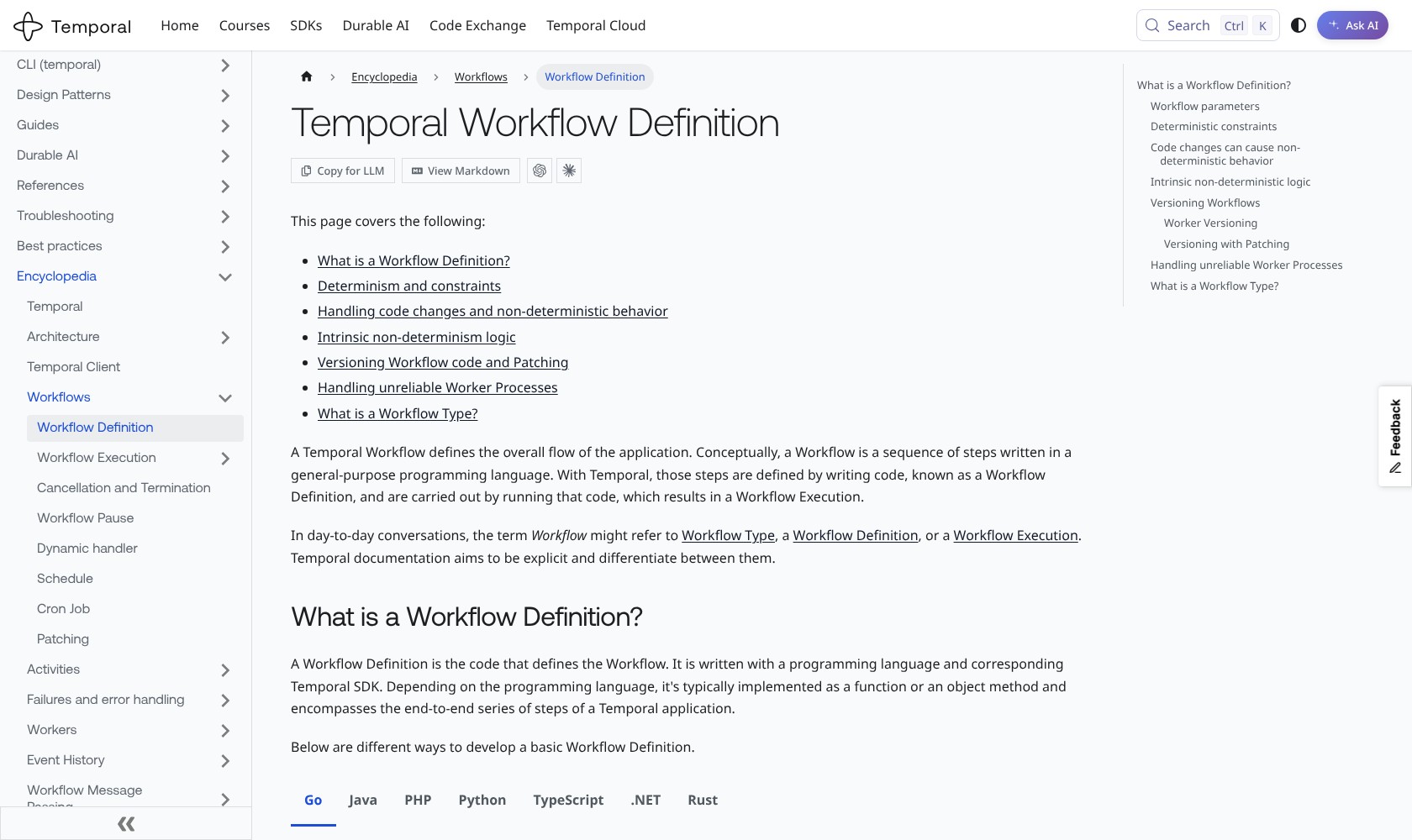
Temporal rebuilds workflow state by replaying recorded history. Workflow code therefore needs to produce a compatible sequence of commands during replay.
External calls belong in activities, and changes to running workflow logic need compatible versioning or patching. I like being able to express the process in Python, but this is a programming model your team needs to learn. Treating workflow code like an ordinary script you can rearrange at any time is a poor starting point.
Where Temporal Fits in a Data Stack
I would choose Temporal when a pipeline’s difficult part is coordinating a process across failures and outside events. If the difficult part is managing tables and their dependencies, Dagster deserves an earlier look.
For example, a document-processing application might need to:
- Submit a file to an external processing service.
- Wait for its result and request human approval.
- Update another system after approval arrives.
I would consider Temporal for that application because its next step depends on an outside event, not just the completion of a scheduled task.
I also see the appeal for AI workflows that combine model calls with tools and approval steps. Keeping track of progress is valuable when those steps can fail independently. Temporal doesn’t make the model’s answer more accurate, so I would assess output quality separately from execution reliability.
Keep Large Data Outside the Workflow
Temporal Cloud limits a single request payload to 2 MB. I would pass references to large files and keep the files in external storage, rather than push full datasets through workflow history.
History also has a ceiling of 51,200 events or 50 MB per execution. Continue-As-New starts a fresh run with a new history while retaining the workflow ID, with relevant state passed into that run.
Those limits don’t rule out long processes. They do mean that an indefinitely running loop needs deliberate history management. For a data team, I would resolve that design before connecting production-sized inputs.
Cloud Hosting and the Work You Still Own
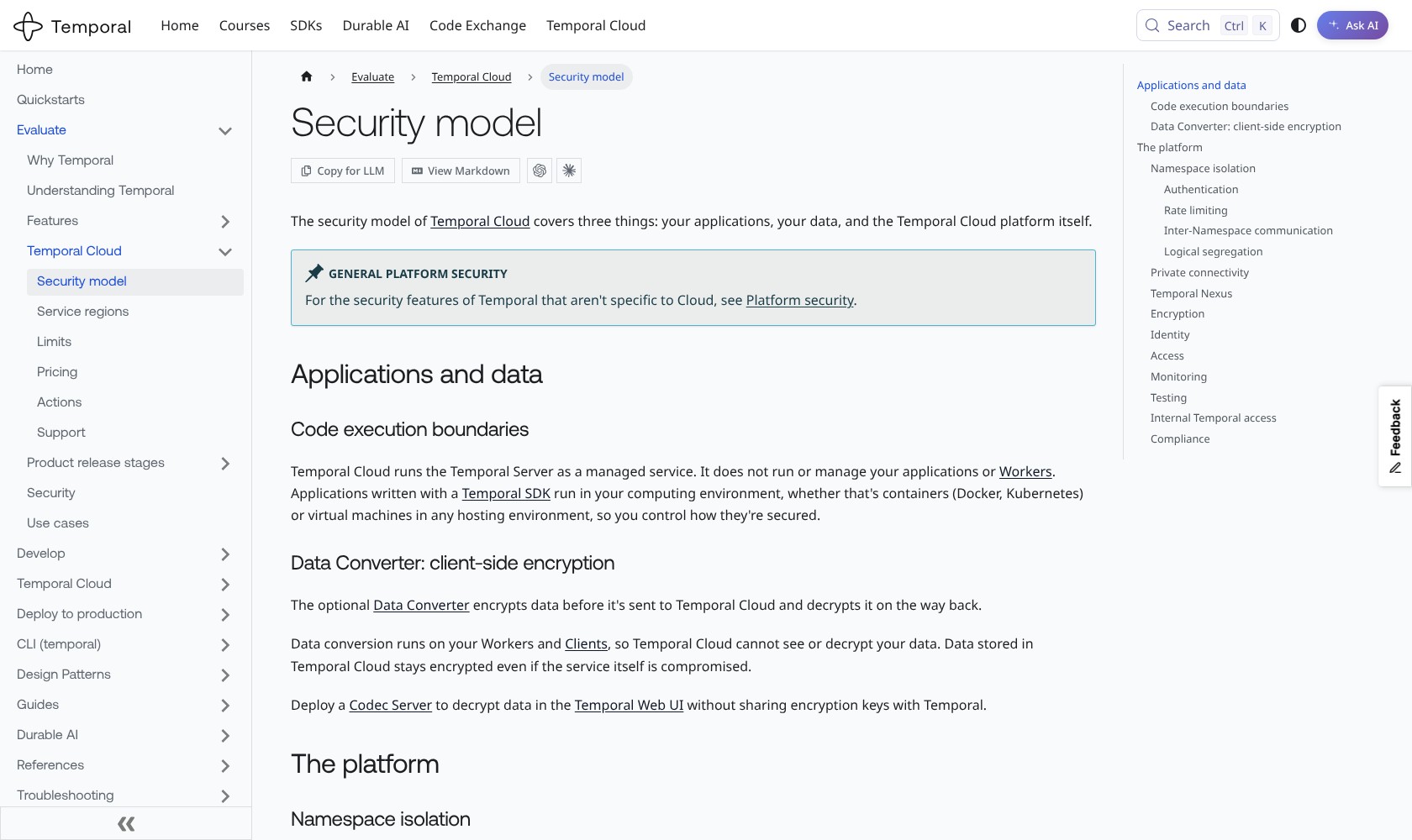
Temporal Cloud manages the Temporal service, while your application workers run in your environment. I like that split because you retain control over where the application code executes, but it leaves a real operational job with your team.
You still need workers that can reach your APIs and databases, enough capacity to execute the tasks, and a deployment approach compatible with running workflows. The managed service removes part of the infrastructure burden; it doesn’t remove responsibility for the application.
Before committing to Cloud, I would settle three questions:
- Who operates the workers? Someone needs to monitor and deploy them.
- What information enters workflow history? Review payloads as part of your data-handling design.
- Who responds when a dependency fails repeatedly? A retry policy needs an operational owner when recovery doesn’t happen automatically.
Client-side payload encryption is available through a data converter, but it is something you configure. I would decide which data needs that protection before making it part of production workflows.
Self-hosting gives you another deployment route without a software license fee. It also puts the service itself on your team’s operational list. My local development server was useful for evaluation, but I would not use that experience to estimate the effort of maintaining a production deployment.
For AWS-centered teams, Step Functions is worth comparing here. Its direct AWS service integrations may suit your architecture more naturally, especially if you prefer a visual state machine.
How Does Temporal Compare to Competitors?
For recurring data processing, I would start with Airflow or Dagster. For an application spanning services and approval steps, I would compare Temporal with Step Functions.
| Tool | Main organizing idea | Who I would shortlist it for |
|---|---|---|
| Temporal | Durable application workflows | Developers coordinating processes across failures and external events |
| Apache Airflow | Task-based workflow runs | Teams managing recurring batch pipelines and historical backfills |
| Dagster | Data assets and dependencies | Teams maintaining tables, files, and other data products |
| AWS Step Functions | State machines and service integrations | Teams connecting services within AWS |
- Apache Airflow: I would look here first for recurring data processing with backfills and task-run management. Temporal becomes more compelling when preserving an individual application process is the central requirement.
- Dagster: My stronger starting point when your team thinks in terms of the data assets it produces. Its asset model is a closer match for that way of working.
- AWS Step Functions: A close alternative for AWS-based applications. It supports long-running and human-interaction workflows too, so I would compare integration convenience and development style rather than assume those capabilities belong only to Temporal.
I wouldn’t replace a working orchestrator just to standardize on one tool. Temporal can earn a place for application workflows while another platform continues to organize your data pipelines.
How I Reviewed Temporal
I ran a local test with Temporal’s Python SDK 1.34.0 and Server 1.32.0, checking activity retries, state queries, approval signals, and recovery after killing a worker. I evaluated pricing and deployment requirements separately, and compared the workflow model with Airflow, Dagster, and Step Functions.
I did not test Temporal Cloud, paid support, a real AI agent, or production throughput. Prices are current as of October 2026.
Should You Choose Temporal?
Choose Temporal if recovering an interrupted process is a recurring engineering problem. Its strongest moment in my test was resuming the same workflow with a fresh worker, including an approval sent while the original worker was offline.
I recommend starting with one process whose failure modes you understand. Make a step fail, stop its worker, and check whether the resulting recovery behavior removes work your team currently does by hand.
For a straightforward scheduled data pipeline, I would start with Airflow or Dagster instead. Temporal’s extra concepts are easier to justify when durable application state solves a problem you actually have.
FAQs
Is Temporal Free?
The MIT-licensed open-source service has no license fee. You pay for your own infrastructure and operations. Temporal Cloud is metered and offers introductory credits.
Does Temporal Replace Airflow?
It can orchestrate pipeline steps, but I wouldn’t treat it as an automatic replacement. Airflow is a natural comparison for recurring batch processing; Temporal is particularly appealing for ongoing application processes.
Do I Need to Write Code?
Yes. You define workflows and activities using an SDK, and run workers to execute them. I used Python for this review’s local test.
Does Temporal Prevent Duplicate Payments or Writes?
Not by itself. Retried activities need safe handling of external effects, such as idempotency keys. Workflow recovery doesn’t remove that application responsibility.