Editor’s note: This Estuary Flow review evaluates the pricing model, the Postgres CDC setup path, documented capabilities, deployment options and rivals; it is not a timed performance test. I weighed pricing transparency, openness and exit costs, operating effort, connector depth and development momentum.
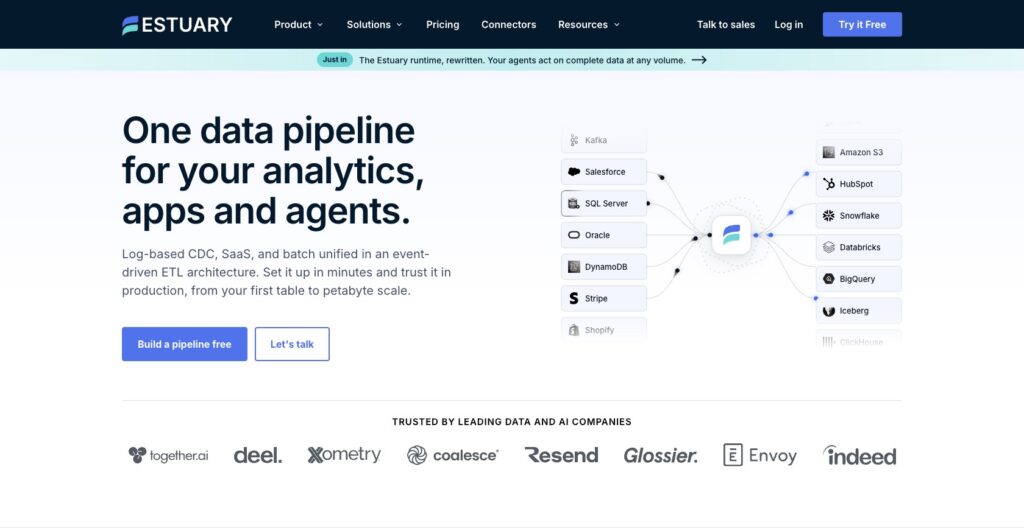
Quick verdict: I recommend Estuary for teams that need log-based CDC from Postgres, MySQL, SQL Server or MongoDB into Snowflake, BigQuery, Databricks or Iceberg with sub-minute freshness and no Kafka to run. The trade-off: $0.50 per GB is metered in and again at each materialization, so one destination bills roughly twice the changed data, and the catalog is 200+ connectors to Fivetran’s 700+.
Estuary Flow became Estuary on March 11, 2026, with pricing and contracts unchanged; founders Dave Yaffe and Johnny Graettinger raised a $17M Series A led by M13 in October 2025.
In this review, I’ll take a closer look at Estuary’s pricing, the Postgres CDC setup, collections and derivations, and how it stacks up against Fivetran, Airbyte, Debezium and Confluent, so you can see exactly whether it belongs in your stack.
Key Takeaways
- Free Developer tier: 10 GB a month and 2 connector instances; exceed it and a 30-day Cloud trial starts, no card required
- Cloud is $0.50 per GB plus $100 per connector instance (first six, then $50), metered at capture and again at each materialization
- Log-based CDC for Postgres, MySQL, SQL Server and MongoDB, with captured data kept in your own bucket for source-free backfills
- Code-only transforms in SQL, TypeScript or Python, with Python limited to Private or BYOC and no visual canvas
- Business Source License restricts self-hosting outside the managed offering, and Private or BYOC needs an annual Enterprise contract
Pros and Cons
Pros
- Log-based CDC and batch in one pipeline, with cadence set per materialization
- Captured data is kept as JSON in your own bucket, so new destinations backfill without touching the source again
- Free tier of 10 GB a month and 2 connectors, then a 30-day trial with no card
- Linear pricing you can compute from two numbers: $0.50 per GB and $100 per connector instance
- Public, Private and BYOC deployments with US and EU public regions
- Dekaf exposes any collection as a Kafka topic, so Flink, Spark and kcat read it without a Kafka cluster
Cons
- The GB meter runs at capture and again at every materialization, so one destination means roughly double the changed-data volume on the bill
- 200+ connectors against 600 to 700+ at Airbyte and Fivetran
- Transformations are SQL, TypeScript or Python only; Python runs only on Private and BYOC
- A lost Postgres replication slot cannot self-heal; recovery is an XID backfill that misses deletes or a full reset
- Business Source License, and Private or BYOC needs an Enterprise annual contract
How Much Does Estuary Cost?
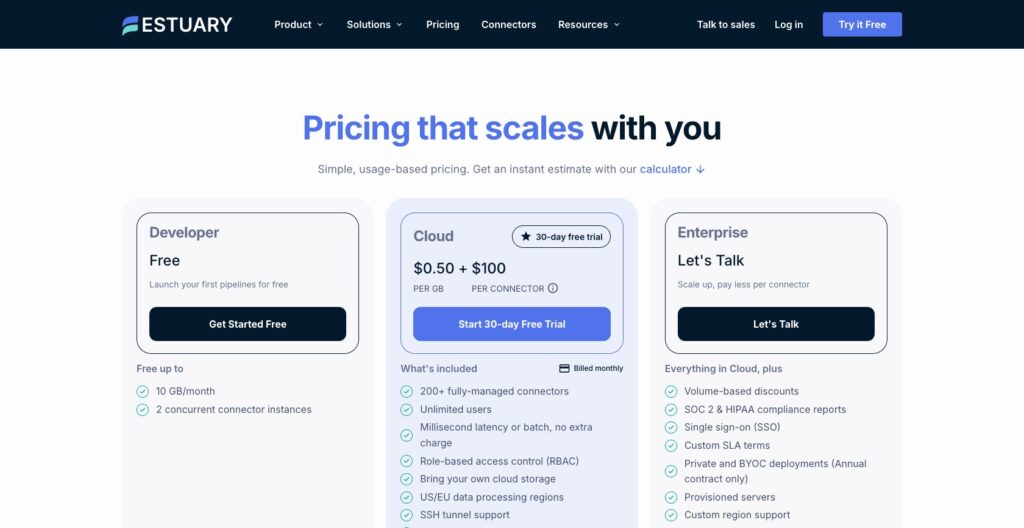
Estuary charges $0.50 per GB and $100 per connector instance a month, and the GB rate applies to data moving into Estuary at capture and again to the data each materialization reads out. A connector instance is one capture or one materialization, so Postgres feeding Snowflake is two instances.
That double meter is why Estuary’s own calculator shows $1,000 for 800 GB and two connectors: 800 GB in plus 800 GB out is 1,600 GB x $0.50, or $800, plus $200 in connector fees.
- Developer (free): for proofs of concept, up to 10 GB a month and 2 concurrent connector instances, with no time limit
- Cloud ($0.50 per GB plus $100 per connector instance): for production teams on the public data plane, with 200+ managed connectors, streaming or batch at no extra charge, unlimited users, role-based access control, your own storage bucket, US or EU processing, SSH tunnels, a UI and CLI, dbt Cloud integration, Kafka compatibility, real-time monitoring and alerting, and standard support by email and community Slack; instances 7 and up drop to $50
- Enterprise (quote): volume discounts, SOC 2 and HIPAA reports, SSO, custom SLA terms, Private and BYOC deployment on an annual contract only with extra fees by cloud provider and region, provisioned servers, custom regions, PrivateLink and Google Private Service Connect, dedicated Slack and email support, migration assistance and custom connector development
| Plan | Price | Data | Connector instances | Deployment | Billing |
|---|---|---|---|---|---|
| Developer | Free | 10 GB a month | 2 concurrent | Public (US or EU) | No card; community Slack |
| Cloud | $0.50 per GB plus $100 per instance ($50 from the 7th) | Metered at capture and at each materialization | Pay per instance, prorated by the hour | Public (US or EU) | Monthly; card, debit or 30-day invoice; email and Slack support |
| Enterprise | Quote; annual contract for Private or BYOC | Quoted; volume and prepay discounts | Pay per instance | Public, Private or BYOC | Invoice; dedicated Slack support, custom SLA |
Is Estuary Good Value for Money?
- Three bills from the published rates, my arithmetic: Postgres to Snowflake at 100 GB of changed data a month is 200 GB metered, so $100 plus $200 in connectors, $300; the same pipeline at 1 TB is $1,200; a 500 GB capture fanned out to Snowflake and BigQuery is 1,500 GB, so $750 plus $300, $1,050
- Against the rivals: Fivetran is free to 500,000 MAR, then a $5 minimum per standard connection with 15-minute syncs on Standard; Airbyte Cloud Standard starts at $20 a month for 5 credits and Plus at $189 for 40; Hevo is free to 1M events, then $299 list; Debezium is $0 in license plus the Kafka cluster you run, and Confluent Standard starts at about $385 a month
- Prepay and the hourly view: you can pay upfront for a fixed transfer amount usable over up to 12 months, with larger prepayments earning bigger, unpublished discounts; connector fees are prorated at $0.14 per task hour, dropping to $0.07 beyond 4,464 hours
- Open billing questions: whether GB are measured compressed, and whether the free tier counts both ends, is not publicly documented; watch the usage dashboard or OpenMetrics feed during the trial
Reviewer’s Notes: Start on Developer with one capture and one materialization, let the trial trigger itself, then budget Cloud at two times your monthly changed-data GB times $0.50 plus $100 per instance. Ask for a prepay quote past about 1 TB a month, and choose Private or BYOC only if PrivateLink or data residency is a hard requirement, since both mean an annual Enterprise contract.
Setting Up Estuary: Postgres CDC From Signup to Snowflake
The dashboard flow runs Sources, New Capture, the connector form, collection review and Publish, then Materialize. The Postgres prerequisites are where I would spend the time, because every failure mode below starts there.
Preparing Postgres
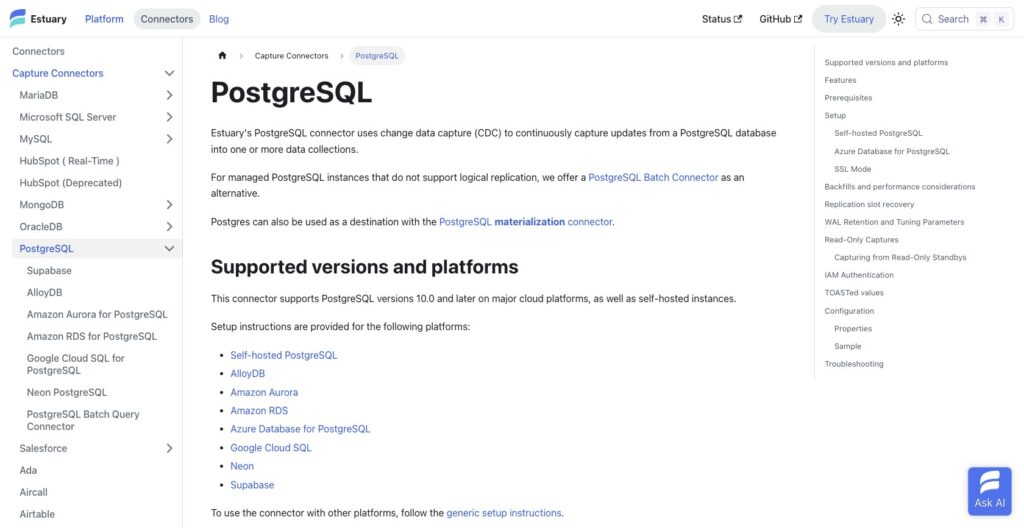
- wal_level set to logical: needs a restart, so schedule it
- A replication user: REPLICATION plus pg_read_all_data on Postgres 14 and later; older versions need explicit SELECT grants
- A publication limited to the tables you need: default name flow_publication, with an optional slot defaulting to flow_slot
- max_slot_wal_keep_size: defaults to unlimited; Estuary suggests starting at 50 GB so a stalled capture cannot fill the disk
- A watermarks table: public.flow_watermarks by default; a read-only capture skips it but then needs a heartbeat table written every few minutes
A standby source needs Postgres 16 or later with hot_standby_feedback on; Neon needs sslmode verify-full. Debezium needs a Kafka Connect cluster or Debezium Server on top of the database work.
Creating the Capture and Collections
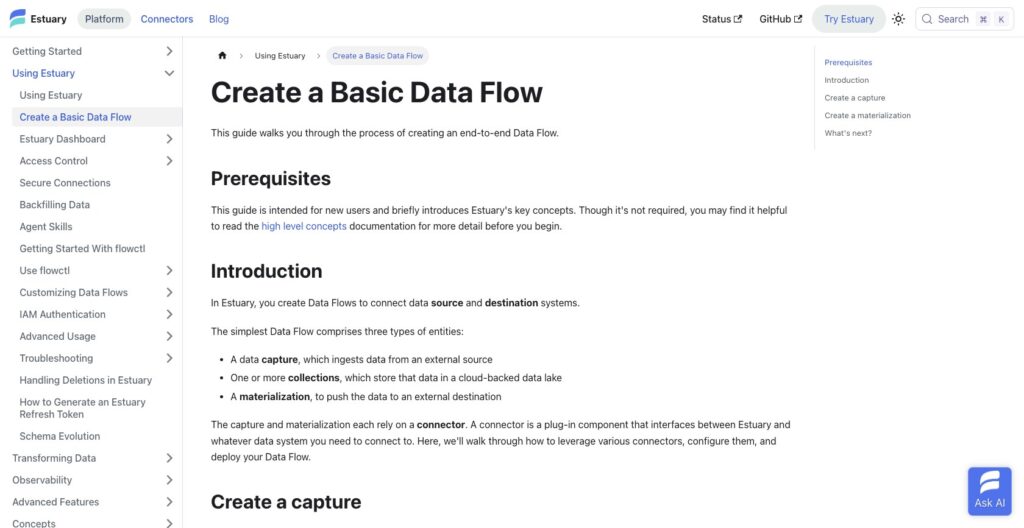
Sign in at dashboard.estuary.dev, open Sources, click New Capture and pick PostgreSQL. Choose a prefix and name, fill in the connection details and click Next.
Estuary discovers your tables and proposes one collection per table, each with a JSON schema and a key that becomes the destination primary key. Documents that fail the schema pause the task and alert you.
Backfill runs in 4,096-row chunks with a 2-minute statement timeout, checkpointed per chunk while WAL streams. Modes are normal, incremental, XID-limited (blind to deletes), filtered by SQL predicate and only-changes; tables without a primary key are walked by ctid, which weakens correctness, so add a key first.
Materializing to Snowflake
Click Materialize, pick Snowflake and set up key-pair authentication, since password auth is deprecated. The connector stages changes and applies them transactionally on your schedule; delta updates and Snowpipe Streaming cut latency.
Estuary recommends a 60-second auto-suspend because Snowflake bills per second with a 60-second minimum, so your sync schedule drives the warehouse bill. Snowpipe Streaming can show rows before their transaction commits, and two tasks cannot stream into one table.
What Breaks and How You Recover
A paused, failing or deleted capture stops the slot advancing and WAL piles up on the source disk; set max_slot_wal_keep_size too low and Postgres invalidates the slot instead, which the capture cannot recover from on its own.
Recovery is a Minimum Backfill XID incremental backfill, which misses rows deleted during the outage, or a full dataflow reset, which leaves destination tables incomplete until it finishes. Drop the slot yourself whenever you delete a capture.
Unchanged TOAST values can be omitted from WAL and break delta-update materializations; the fix is merge reductions or REPLICA IDENTITY FULL at a performance cost. Estuary’s WAL rule of thumb is write rate times longest chunk duration plus consumer lag, about 2 GB for a 20-minute chunk at 6 GB an hour.
The setup is shorter than Debezium plus Kafka and more exposed than Fivetran’s hands-off connectors, and the slot settings are the part to get right on day one.
Collections, Derivations and Replay
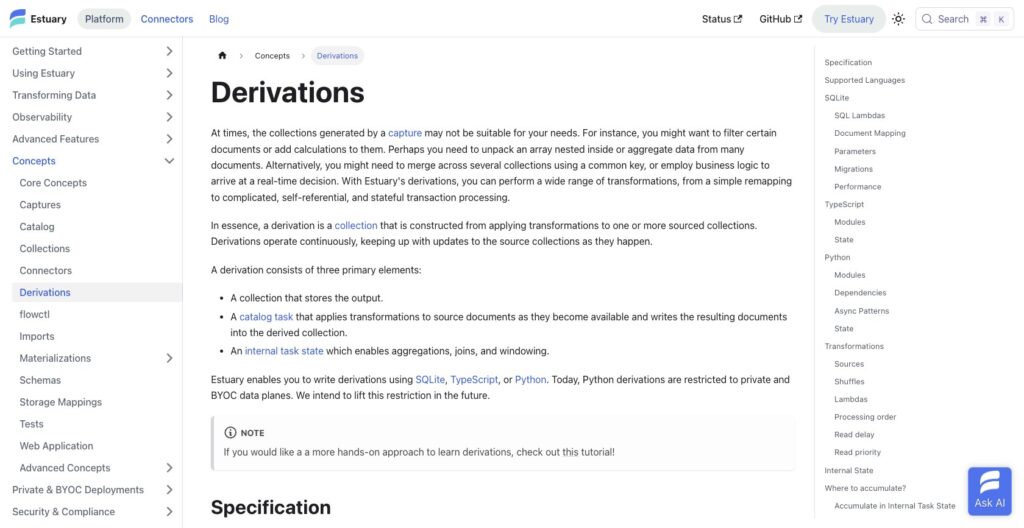
A capture writes each table into a collection, which is plain JSON in your own cloud storage bucket kept indefinitely or for as long as your bucket lifecycle allows, and a materialization reads from the collection rather than from the source.
That is the feature I would buy Estuary for: a second destination backfills from the collection and bills only its own GB and connector instance, where Fivetran re-extracts from the source to add a destination. Each collection partition is backed by a journal and each task shard keeps a recovery log for checkpoints, lineage that comes straight from Gazette, the broker that handled 7 GB a second at LiveRamp.
Estuary reports that Hayden AI backfilled 5 TB of Postgres into Redshift this way and cut replication lag from about 24 hours to about one.
Derivations
- SQLite: plain SQL per document against a managed persistent database with migrations, which Estuary rates at tens of thousands of documents a second per core; no BEGIN or COMMIT inside lambdas, and SQLite has no boolean type
- TypeScript: runs in Deno, so external JavaScript libraries and WASM work and types are generated from your schemas; the state persistence methods are still experimental
- Python: async generators with Pydantic models, pyright strict checks and uv-managed dependencies; only on Private and BYOC data planes, and an open issue reports Python derivations with two or more transforms failing their own generated type check
Shuffles route documents by key or to any shard (the lambda shuffle is marked not yet functional), and read delay and priority control ordering. Exactly-once holds only when derivation state lives in a transactional store; anything else is at-least-once.
Derivations are for the joins and aggregations that must be fresh before landing; transforms that can wait belong in your warehouse, in dbt or whatever you already run there.
Best for: teams that need a second or third destination without touching the source again, and streaming joins in SQL or TypeScript. Skip if: your transformations need a visual canvas, or Python on the public data plane.
Connectors, Dekaf and Where Estuary Runs
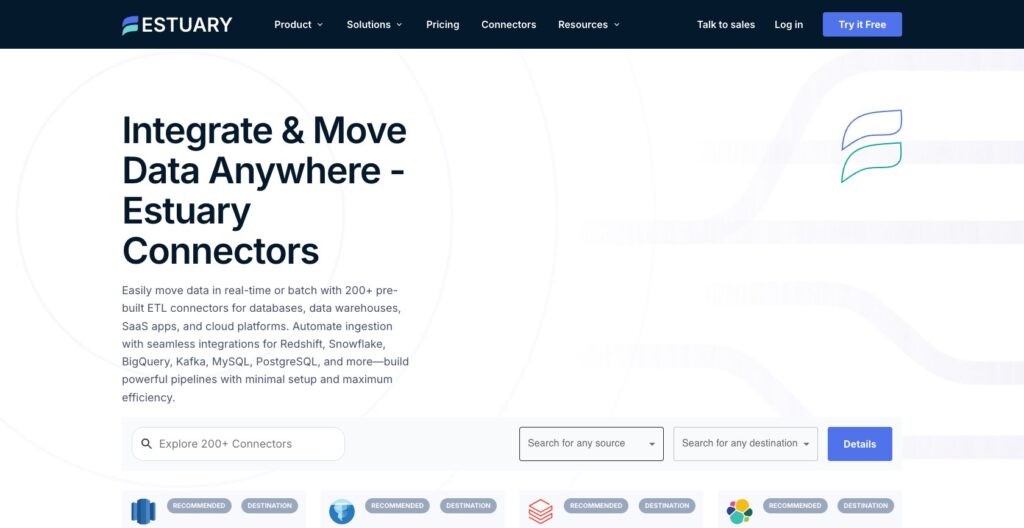
The catalog is 200+ connectors, and its depth is in databases and warehouses rather than SaaS. CDC sources cover PostgreSQL, MySQL, MariaDB, MongoDB, SQL Server, Aurora, RDS, Azure SQL, Cosmos DB, DynamoDB, DocumentDB and Oracle; destinations include Snowflake, BigQuery, Databricks, Iceberg (S3 Tables, Polaris and Snowflake Open Catalog), Redshift, MotherDuck, ClickHouse and Elastic.
Airbyte community connectors can be wrapped through airbyte-to-flow, Estuary’s patch for the long-tail SaaS gap against Airbyte’s 600+ and Fivetran’s 700+. In 2026 Estuary became a Snowflake Premier Partner (February 6) and added an IBM Db2 batch capture (February 4), an SQS capture (July 29) and HubSpot reverse ETL (September 28).
Dekaf: Kafka Topics Without Kafka
Dekaf, generally available since April 5, 2025, exposes each collection as a Kafka topic on dekaf.estuary-data.com:9092 over SASL_SSL with PLAIN auth and a schema registry alongside. The username is the full materialization name and the password its token, so Flink, Spark and kcat read Estuary data with no Kafka cluster.
It is not a drop-in broker: offsets are byte positions, the latest offset can briefly move backward during broker hand-offs, and Spark with failOnDataLoss set to true may fail. Two open issues cover auth breaking on brief control-plane errors and new schema fields staying excluded until a new read; the alternative, a Confluent Standard cluster, starts at about $385 a month plus per-GB transfer and task hours.
Public, Private or BYOC
Public is the managed data plane in the US or EU, with AWS US East and US West added on October 15, 2025. Private is dedicated infrastructure inside a private network, and BYOC runs the data plane in your own cloud in a region you choose.
PrivateLink exists only on Private and BYOC, and both need Enterprise on an annual contract with extra fees by provider and region.
The repository is public, at about 983 stars and 186 open issues, but sits under the Business Source License with Apache 2.0 only on the protocol code, so self-hosting outside the managed offering is restricted and BYOC is the practical route.
I recommend the Public plane for database-to-warehouse work and BYOC only when security requires the data plane in your own account.
Monitoring, Alerts and Schema Evolution
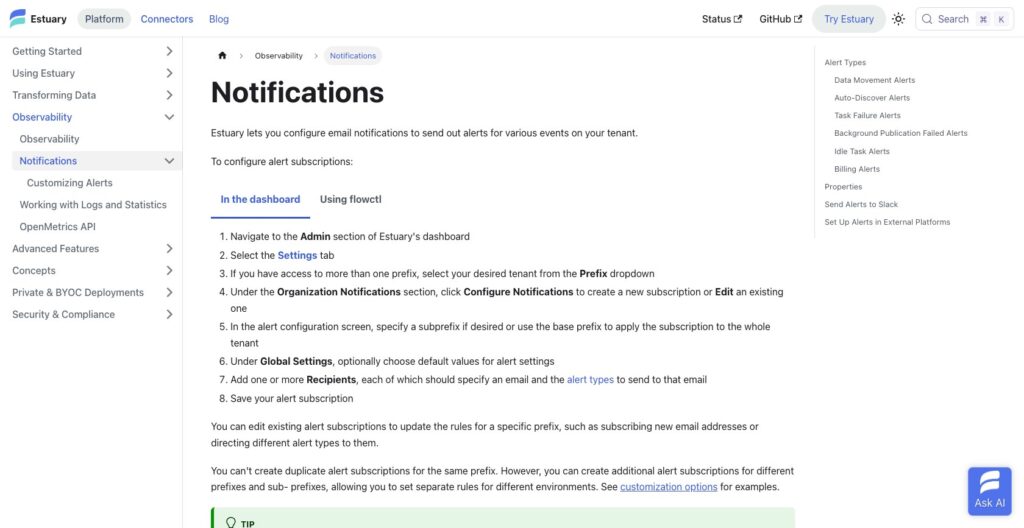
Estuary sends six alert types, configurable per prefix:
- Data Movement Stalled
- Auto-Discover failure
- Task Failure: three failures in eight hours by default
- Background Publication Failed
- Idle Task
- Billing
Alerts go to email, which reaches Slack only through a channel’s email-in address, and to Datadog or Grafana through OpenMetrics, with no webhook channel listed. Customizable notifications shipped on August 13, 2026, and the same OpenMetrics API, available since March 28, 2025, is how I would watch the GB counter before the invoice.
Schema evolution is automatic but the default is destructive. With AutoDiscover and evolveIncompatibleCollections on, a breaking change bumps the backfill counter on the affected materialization binding or re-creates the collection as name_v2, and the onIncompatibleSchemaChange options are backfill (default), disableBinding, disableTask and abort.
The default backfill truncates or recreates the destination table, so set disableBinding or abort on any table you cannot rebuild. One open runtime issue also stores a lone document carrying a delete annotation rather than deleting it.
The schema default is the second setting I would change on day one, after the WAL cap, and the alerting is good enough only if your on-call already lives in Datadog or Grafana.
How Does Estuary Compare to Competitors?
Estuary wins managed log-based CDC plus batch in one pipeline, with replayable collections and no Kafka to run; each rival below wins a niche Estuary does not.
- Fivetran: 700+ connectors, free to 500,000 MAR, then a $5 minimum per standard connection, with 15-minute syncs on Standard and 1-minute on Enterprise; adding a destination re-extracts the source. Wins for long-tail SaaS and zero-ops batch
- Airbyte: 600+ connectors, Core self-hosted for free, Cloud Standard from $20 a month for 5 credits and Plus from $189 for 40 credits with 15-minute syncs; CDC for fewer databases and marketplace connectors outside the SLA. Wins for self-hosting a UI-driven ELT on a budget
- Debezium: Apache 2.0, 18 source and 25 sink connectors, 3.7.0.Final released September 29, 2026; you run Kafka Connect or Debezium Server and own the on-call. Wins for teams that already run Kafka and want no vendor
- Confluent: Standard from about $385 a month and Enterprise about $895, data in and out at $0.014 to $0.05 per GB, managed Debezium connectors as an add-on. Wins when Kafka itself is the product, with Flink alongside
- Hevo Data: free to 1M events, Starter $299 list and Professional $849; streaming pipelines only on Business Critical. Wins for no-code teams on SaaS sources
- Striim and Qlik Replicate: quote-only enterprise CDC, with Qlik strong on legacy enterprise databases. Win for large estates with an enterprise procurement budget
The billing units differ: Fivetran counts monthly active rows (rows inserted, updated or deleted, initial syncs excluded), Hevo counts events, Airbyte Cloud sells credits, and Estuary meters GB at capture and again at each materialization.
| Tool | Model | Starting price | Real-time CDC | Best for |
|---|---|---|---|---|
| Estuary | Managed CDC and ELT, metered per GB and instance | Free to 10 GB; $0.50 per GB plus $100 per instance | Yes, log-based (Estuary claims sub-100 ms) | CDC-first teams without Kafka |
| Fivetran | Managed batch ELT, MAR-based | Free to 500K MAR; $5 minimum per connection | 15-minute syncs, 1-minute on Enterprise | Long-tail SaaS, zero ops |
| Airbyte | Open-source ELT, credits on Cloud | Core free; Cloud from $20 a month | Fewer databases; 15-minute syncs on Plus | Self-hosted ELT on a budget |
| Debezium | Open-source CDC, Apache 2.0 | $0 plus your Kafka | Yes, log-based | Teams already running Kafka |
| Confluent | Managed Kafka platform | Standard about $385 a month | Via managed Debezium add-on | Kafka as the backbone, with Flink |
| Hevo Data | No-code ELT, event-based | Free to 1M events; $299 | Business Critical only | No-code SaaS pipelines |
| Striim and Qlik Replicate | Enterprise CDC, quote-based | Quote only | Yes | Legacy enterprise databases |
The deciding column is real-time CDC: Fivetran and Airbyte sync on intervals, Hevo streams only on Business Critical and Confluent needs the Debezium add-on. Of the CDC-first options, Debezium is free and yours to run, Striim and Qlik are quote-only, and Estuary is managed with public per-GB rates.
How I Reviewed Estuary
I evaluated Estuary’s pricing model by reconciling the published rates against its own calculator and working three bills, traced the Postgres CDC setup path and its failure modes from WAL settings through slot recovery, and compared derivations, Dekaf, deployment options and alerting against Fivetran, Airbyte, Debezium, Confluent and Hevo. I did not run a timed performance test, so the latency and throughput figures in this review are Estuary’s own, including the sub-100 ms streaming claim.
Five areas feed the verdict: pricing transparency, openness and exit costs, setup and operating effort, connector depth and development momentum. Sponsors and affiliates cannot change a verdict, and no house rating is attached to this review.
Pricing model and product details checked in October 2026.
Should You Move Your Pipelines to Estuary?
Yes, if your sources are operational databases (Postgres, MySQL, SQL Server, MongoDB), you need sub-minute freshness into a warehouse or lakehouse, and nobody on the team wants to run Kafka. The two reasons are replayable collections, which let you add a destination without re-reading the source, and one platform for CDC and batch instead of Debezium plus a scheduler.
Budget on two times your changed-data GB times $0.50 plus $100 per connector instance, and treat the 10 GB free tier as a smoke test rather than an evaluation; a realistic multi-source trial crosses it quickly and lands you in the 30-day Cloud trial.
Say no if your source list is 30 SaaS apps (Fivetran or Airbyte), if you need a no-code pipeline builder (Hevo), if you must self-host under an open license (Debezium), or if Python derivations on the public plane are a requirement.
Create the free account, point one Postgres capture at one Snowflake or BigQuery materialization, set max_slot_wal_keep_size before you publish, and watch the usage dashboard for two weeks against the bill formula above. The official site is estuary.dev.
FAQ
How much does Estuary Flow cost?
Estuary is free up to 10 GB a month and 2 connector instances. Beyond that, Cloud charges $0.50 per GB, metered on data in at capture and again on data out at each materialization, plus $100 per connector instance a month for the first six and $50 after. Enterprise is by quote. A Postgres-to-Snowflake pipeline moving 100 GB of changed data a month costs about $300.
Is Estuary Flow the same as Estuary?
Yes. Estuary Flow was renamed Estuary on March 11, 2026, and the company describes it as a name change only: pipelines, connectors, pricing and contracts carried over unchanged. The product still says Flow in many places, including the repository name and the flowctl CLI, so both names refer to the same platform.
Is Estuary open source?
Not under an OSI license. The repository is public, with the Business Source License covering use outside the managed offering and Apache 2.0 on the protocol code only. BYOC, on an Enterprise annual contract, is the supported self-host path. If you need Apache 2.0 end to end, Debezium is the CDC tool to pick.
Does Estuary replace Kafka or Debezium?
For CDC into warehouses and lakehouses, yes: Estuary captures, stores, transforms and delivers without a Kafka cluster, and Dekaf serves any collection as a Kafka topic to Flink, Spark and kcat. Keep Kafka if it is your event backbone for application services; Estuary can capture from it, not stand in for it.
Estuary vs Fivetran: which should I pick?
Pick Fivetran for 700+ SaaS connectors and zero-ops batch at 15-minute syncs on Standard. Pick Estuary for log-based CDC with sub-minute freshness and replay into several destinations from one capture, billed per GB and per instance rather than by monthly active rows. The comparison section above has the full breakdown.