Editor’s note: This review assesses documented pricing, integration choices, and operational trade-offs; it does not include hands-on account testing.
Quick verdict: I recommend Portkey for engineering teams that need centralized routing and visibility across multiple model providers. Its managed gateway combines failure handling with request logs and prompt management, but provider charges remain separate and SSO and private deployment require Enterprise.
My Portkey review focuses on the buying question: does this extra layer solve enough operational problems to justify its cost and configuration? For a multi-provider application, I think it can. For a prototype making straightforward calls to one model, I would start smaller.
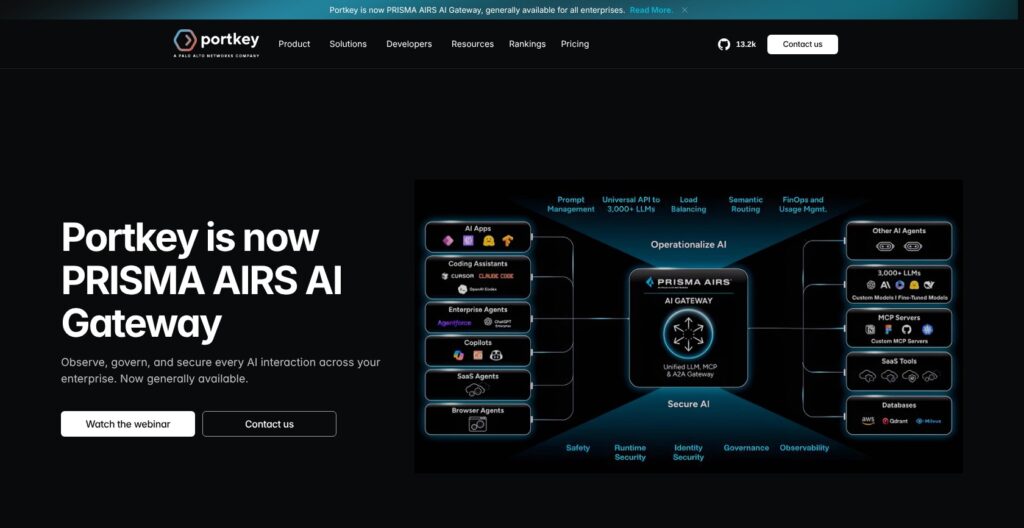
Portkey now carries Prisma AIRS AI Gateway branding following Palo Alto Networks’ acquisition.
I’ll explain the bill first, then the connection workflow and three areas that matter most: routing, observability, and governance.
Key Takeaways
- I recommend Portkey for teams that want provider routing and request-level visibility in the same platform.
- Production starts at $49 per month, with 100,000 recorded logs included.
- Existing OpenAI SDK integrations can use the gateway without adopting a mandatory replacement SDK.
- Model-provider fees are separate, and retries or fallback chains need their own cost planning.
- Log retention is three days on Developer and 30 days on Production, limiting how far back individual requests remain available.
Pros and Cons
I like having traffic controls alongside logs of individual attempts. My main reservations are the short free retention and gaps in budget and guardrail enforcement.
Pros
- Universal API supports OpenAI and Anthropic request formats.
- Fallback logs preserve visibility into individual attempts.
- Simple caching is available on all plans.
- Production includes service account API keys.
- Prompt version history supports rollback.
Cons
- Developer request logs expire after three days.
- Provider inference charges remain separate.
- Unpriced models escape provider budget accounting.
- Streaming output guardrails cannot block completed output.
How Much Does Portkey Cost?
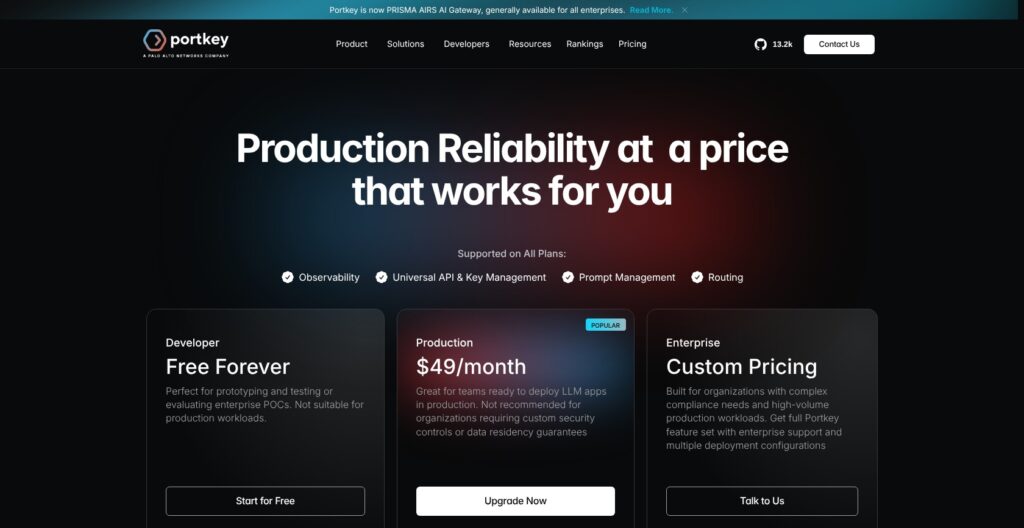
Portkey pricing starts free, but I would budget for the platform and model usage separately from day one. The subscription pays for Portkey’s service, not the inference performed by your downstream providers.
- Developer (free): My choice for prototypes and integration evaluation, with 10,000 recorded logs per month and three prompt templates.
- Production ($49 per month): My starting recommendation for a live application needing longer log retention, role-based access control, and service account API keys.
- Enterprise (custom pricing): The relevant tier for SSO, granular budget and rate controls, or private deployment requirements.
| Plan | Monthly platform price, USD | Included recorded logs | Request-log retention | Prompt templates | Notable controls |
|---|---|---|---|---|---|
| Developer | Free | 10,000/month | 3 days | 3 | Basic guardrail checks |
| Production | $49 | 100,000/month | 30 days | Unlimited | RBAC and service account API keys |
| Enterprise | Custom | Contract-specific | Custom | Contract-specific | SSO, granular budget/rate controls, private deployment |
Recorded logs and requests are different allowances. Developer’s allowance is not a 10,000-request traffic cutoff. Once the allowance is exceeded, additional logs stop being recorded without stopping model requests. That preserves traffic, but it leaves gaps in the evidence available for debugging.
Production lists $9 per additional 100,000 requests. As a simple illustration, two additional billable blocks would add $18 to the $49 subscription, producing a $67 platform bill before model-provider charges.
The published overage rate applies up to three million requests. I would not extrapolate the block rate indefinitely when planning a larger deployment.
Retention is a separate constraint from volume. Paying for more recorded traffic does not mean those request logs remain available longer. Production provides 30-day log retention; Enterprise retention is custom.
Is Portkey Good Value for Money?
I think Production is reasonably positioned when it replaces application-specific routing configuration and adds shared operational visibility. I am less convinced by paying for that bundle if a single-provider application only needs occasional debugging.
- Choose Developer for a prototype where short retention and missing excess logs are acceptable.
- Choose Production for a live service that needs its documented access controls and a month of request history.
- Choose Enterprise for governance requirements, rather than assuming a higher traffic allowance also buys data residency guarantees.
Reviewer’s Notes: I would start a small multi-provider engineering team on Developer for integration work, then budget for Production before depending on request history for ongoing support. I would skip that progression if SSO or contractual deployment requirements are already nonnegotiable.
Getting Started With Portkey
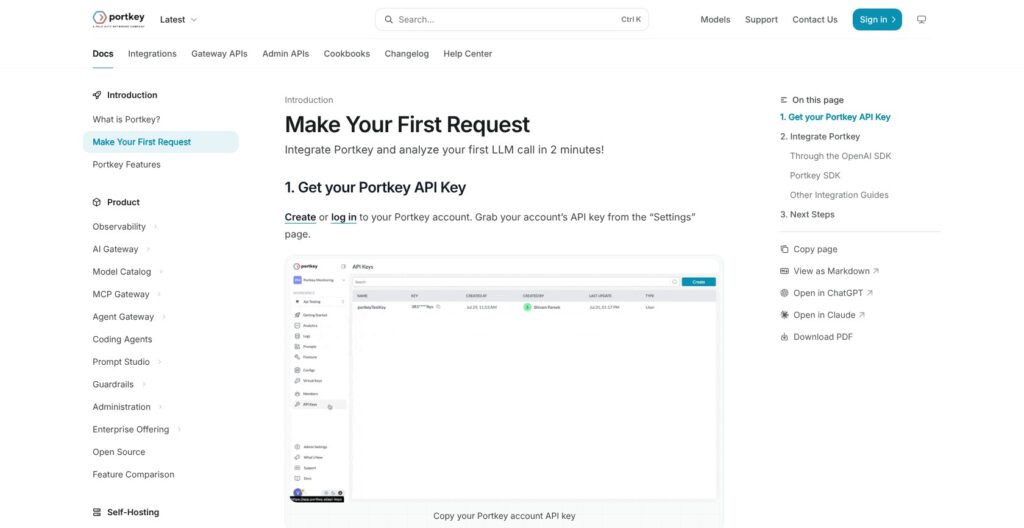
You can keep the OpenAI SDK when introducing Portkey. I like that the documented integration starts with familiar request formats, although credentials and routing still require deliberate setup.
The current workflow uses Model Catalog, AI Providers, and organization-level Integrations. Older material may refer to Virtual Keys. Existing virtual-key requests remain compatible, but I would base a new implementation on the current provider model.
The setup has six main steps:
- Create a Portkey API key. After creating or signing into an account, use Settings to create a named key with appropriate permissions. This key authenticates the application to Portkey.
- Connect an AI provider. In Model Catalog, open AI Providers and choose Add Provider. Select the AI service, or a custom or self-hosted service, then select existing credentials or create new credentials.
- Name the provider and slug. Requests identify the destination using
@provider-slug/model-name. This separates the application’s model selection from the centrally configured provider credentials. - Choose the integration method. Portkey documents Python and Node SDKs, REST, and use of the OpenAI SDK against its gateway endpoint. The Universal API supports OpenAI Chat Completions, OpenAI Responses, and Anthropic Messages formats.
- Send the initial request. Use the Portkey key and chosen provider/model identifier, keeping the configuration uncomplicated before adding routing strategies.
- Inspect logs and attach configuration. Logs provide request-level visibility. A routing configuration can then define a primary target and backups; Config ID and Trace ID filters expose the associated attempts.
I would keep the distinction between Portkey credentials and provider credentials explicit in implementation notes. One grants access to the gateway; the other connects that gateway to the underlying AI service. Confusing the two makes permissions harder to reason about.
For organizations, the Model Catalog also supports centrally stored credentials and provider provisioning into workspaces. Model access and budget or rate controls depend on the purchased plan. I see the appeal for a platform team serving several applications: provider configuration no longer has to be treated as an unrelated decision in each codebase.
Still, API normalization is not model equivalence. Changing the provider/model string does not establish that the replacement supports every application requirement or produces interchangeable output.
My recommendation is to treat setup as two decisions: connect the application, then decide which policies the gateway should own. Starting with one provider and one clear route makes that boundary easier to understand than immediately combining fallback, caching, and guardrails.
Routing and Reliability: Where Portkey Earns Its Place
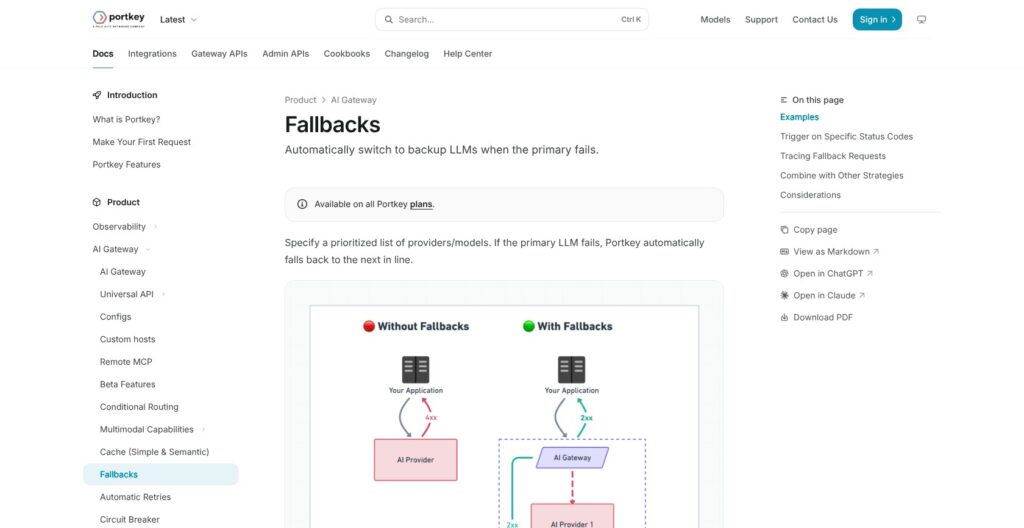
Failure handling is Portkey’s clearest buying argument, but I would not treat every routing feature as another name for reliability. Each mechanism addresses a different situation.
- Fallbacks change targets. A priority-ordered chain can move from a primary target to backups. By default, any non-2xx response can trigger fallback, with status-code restrictions available.
- Retries repeat attempts. Portkey supports up to five attempts, exponential backoff, optional Retry-After handling, and selected triggering status codes.
- Load balancing distributes traffic. Weighted selection spreads requests across targets probabilistically. Sticky routing can keep a session attached to a selected target.
- Caching reuses a response. Simple caching matches the full request body and applicable metadata or namespace within its time-to-live.
I particularly like that fallback logging preserves failed and successful attempts. A final successful response should not conceal the path that produced it. Config ID and Trace ID filtering gives an engineer a way to inspect that history.
The restriction is equally important: a successful fallback is not a quality guarantee. A backup model may differ in capability and pricing. I would select backups for application compatibility, not simply because they accept a similar request shape.
Retries deserve restraint too. Adding attempts and then falling back can extend the total path before the application gets an answer. I would design that chain around the application’s timeout budget rather than maximizing every retry option. The documented controls do not establish a measured end-to-end response time for your workload.
Custom retry status codes also replace the defaults. I would treat that as a policy change, not an additive tweak, because unintentionally excluding a previously covered error changes the failure behavior.
Weighted routing has a different use: a gradual model rollout. An illustrative configuration could give a replacement model a smaller weight while keeping most traffic on the incumbent. Because selection is probabilistic, I would not interpret the weight as an exact request quota.
Caching requires its own judgment. Simple cache needs exact matches; changing prompt characters or generation parameters causes misses. It is most relevant where inputs actually repeat.
Semantic caching matches similar inputs. It requires a vector database, supports requests below 8,191 tokens with at most four messages, and ignores the system prompt during similarity matching.
That last detail makes me cautious about reuse across different instruction contexts. I would separate users with cache namespaces and set expiration around how long each response remains useful. Reusing an answer is only a benefit if it still fits the request.
LiteLLM is the closest routing alternative here, with retry, fallback, and load-balancing capabilities in an OpenAI-compatible proxy. I would favor it when operating the proxy is an intentional infrastructure choice. Portkey is more appealing when I want managed routing alongside its log and prompt workflows.
Observability: Useful Logs, Finite Retention
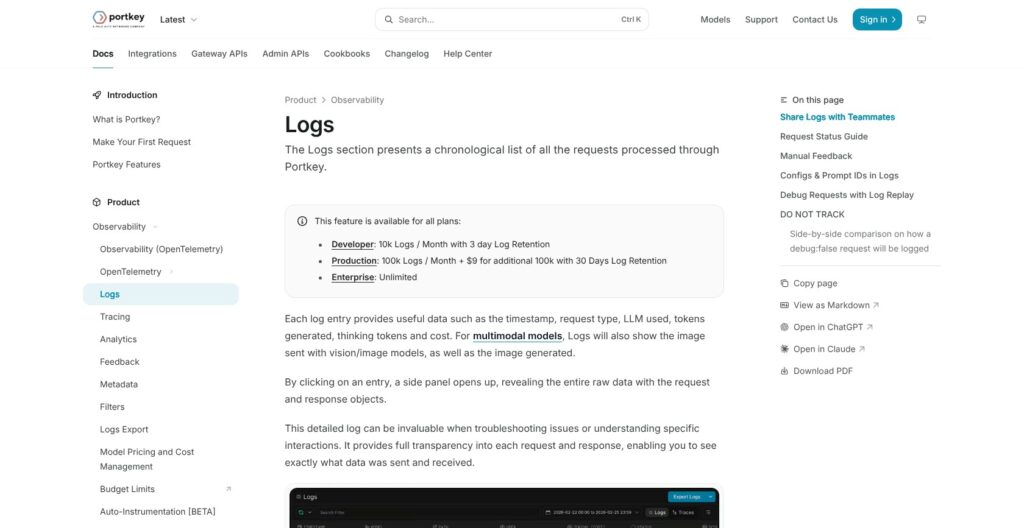
A low cost figure is not always reassuring. Portkey can show $0 for a model without supported pricing, and that model’s spend does not count toward provider budget limits. For me, this is the most consequential observability caveat.
Portkey’s analytics support useful operational questions:
- Cost and tokens: Which model or workload accounts for a spending increase?
- Requests and mean latency: Has traffic changed, or has average response time shifted?
- Model, provider, and metadata grouping: Is the change concentrated in a particular application or customer cohort?
- Request and attempt inspection: Did a successful call first encounter errors elsewhere in a fallback chain?
I would use metadata to make these questions answerable, rather than treating it as optional decoration. An application identifier or appropriate customer grouping can give aggregate figures context. I would also avoid casually putting sensitive information into metadata just to make filtering convenient.
The practical limitation is finite request history. Developer retains logs for three days; Production retains them for 30. Aggregate metrics and individual request logs are different records, so a longer metrics window does not mean the original prompt and response remain inspectable.
For a team handling delayed support reports, three days is a narrow window. I consider the longer Production retention a stronger reason to upgrade than the higher allowance alone. More logs are only useful if they still exist when someone needs to investigate them.
Cost reporting also needs the right request configuration. Streaming OpenAI-compatible requests require include_usage for token and cost reporting. Combined with unsupported-model pricing gaps, that means budget controls are not universal protection against the downstream bill.
I would read the dashboard as operational evidence, not an automatic reconciliation of every provider charge.
Finally, logging is not the same job as systematic quality evaluation. Portkey’s request visibility helps explain traffic and failures; it does not, by itself, establish whether an answer was useful or correct.
For that priority, I would compare Langfuse, whose documented workflow includes datasets, experiments, LLM-as-judge evaluation, and human annotation. That is a reason to consider it as an alternative or companion, not a claim that Portkey has no evaluation functionality.
Governance and Prompts: Control Comes With Conditions
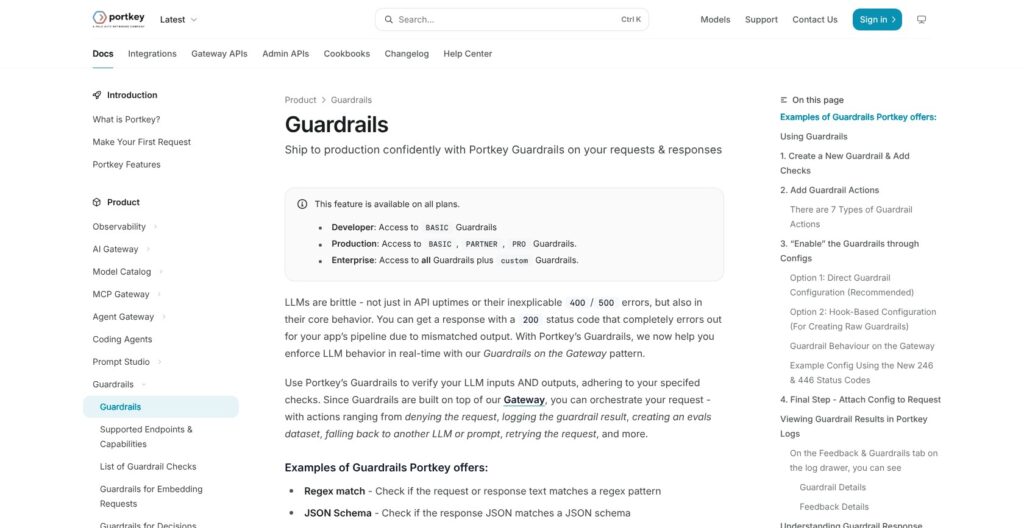
A guardrail is not necessarily a blocking control. I would decide how a check must affect traffic before treating its presence in Portkey as a security benefit.
The documented guardrail workflow is to create checks, choose an action and execution mode, reference the guardrail through a configuration, and attach that configuration to requests. Checks can include regex or JSON schema validation, with results available in logs.
Plan boundaries matter:
- Developer includes basic checks, suitable for starting with supported validation rules.
- Production adds Partner and Pro checks, expanding the available check types.
- Enterprise includes custom checks, for requirements beyond the standard options.
The execution mode determines what those checks can accomplish. Asynchronous checks only log results. Streaming output checks occur after the completed response and are informational; they do not trigger retry or fallback.
I would therefore avoid describing those modes as a barrier that prevents unwanted output from reaching a user. They provide evidence, but evidence after delivery and enforcement before delivery are different protections.
Prompt Studio is easier to recommend on its documented merits. It supports variables and side-by-side prompt/model comparisons, with version history and rollback. Shared libraries and reusable partials help organize prompt content, while prompt API endpoints let applications consume centrally managed prompts.
My favorite aspect of that design is recoverable prompt changes. Saved edits create new versions, and older versions can be restored. That gives prompt changes an explicit history, although it does not prove that a new version improves output quality.
For a team maintaining prompts across applications, I would value that shared management more than for a solo developer with one stable prompt. Developer’s three-template allowance also makes its prototype positioning clear; Production removes that template limit.
Access and deployment choices are less forgiving. Production includes RBAC and service account API keys, while SSO is an Enterprise feature. Production is not positioned for custom security controls or data residency guarantees.
Enterprise SaaS documents region selection and retention-related options, including scrubbing and zero retention, subject to the deployment agreement. Hybrid keeps prompts, responses, and logs in customer infrastructure, but metrics still reach Portkey’s control plane.
I would not describe Hybrid as fully offline or entirely data-contained. It also leaves storage and lifecycle responsibilities with the customer. Air-gapped deployment is no longer offered to new customers, although existing deployments remain supported.
For regulated buyers, these distinctions matter more than the gateway’s feature breadth. I would choose the deployment contract first, then evaluate the convenience of the managed workflow.
How Does Portkey Compare With Alternatives?
I would choose among these Portkey alternatives by the job you need done: managed routing, operating your own gateway, or evaluating answer quality.
- LiteLLM: My shortlist choice for a team that wants to operate its own gateway. Its proxy supports routing controls, virtual keys, and user/team budgets, with observability integrations. That flexibility comes with infrastructure ownership, and enterprise security functions are separately offered.
- Helicone: Worth comparing when gateway logging and fallback are the central requirements. Its OpenAI-compatible gateway logs requests automatically. I would compare its ingestion and storage allowances closely rather than treating the subscription price as the whole bill.
- Langfuse: My stronger candidate when the buying priority is systematic evaluation and prompt experiments rather than traffic routing. Its units are not directly interchangeable with Portkey’s recorded-log or request allowances.
| Product | Relevant starting paid price | Free allowance or access | Buying consideration |
|---|---|---|---|
| Portkey | Production: $49/month | 10,000 recorded logs/month; 3-day log retention | Managed routing plus operational visibility |
| Helicone | Pro: $79/month plus usage | Hobby: 10,000 requests/month; 7-day retention | Hobby also limits ingestion to 10 logs/minute |
| Langfuse | Core: $29/month | Hobby: 50,000 units/month; 30-day data access | Evaluation workflow; different usage meter |
Helicone Hobby additionally includes one seat and 1GB of storage. Pro offers unlimited seats and one-month retention. I would account for those limits if several engineers need access to the same request history.
Langfuse Core includes 100,000 units and 90-day access, with additional usage at $8 per 100,000 units. Its lower starting price does not establish that it is cheaper for an equivalent Portkey workload.
My preference remains Portkey when the problem is coordinating provider traffic and investigating what happened to it. I would not select it solely because it combines more adjacent capabilities.
How I Reviewed Portkey
I based this assessment on independent analysis of documented features and pricing, not hands-on account testing or latency benchmarks. I evaluated the connection workflow, routing behavior, retention limits, and deployment terms against the decisions a developer or platform team needs to make.
My comparisons use documented capabilities and billing units. I have not treated vendor performance promises as measured results, or assumed that compatible API formats produce equivalent model behavior.
Prices are current as of October 2026.
Should You Use Portkey?
Yes, if your application needs shared routing controls and inspectable provider traffic. I recommend Developer for integration work and Production for a small live service that needs 30-day logs and the included access controls.
I would skip Portkey for a simple application whose direct provider integration already meets its needs. I would shortlist LiteLLM for infrastructure ownership and Langfuse for evaluation-first work.
If SSO, residency, or private deployment drives the purchase, I would go directly to Enterprise discussions rather than assuming Production can stretch to fit.
For me, the strongest reason to pay is coordinating provider traffic in one place. The budget and guardrail limitations make it a poor fit if you expect the gateway to enforce every spending or output policy automatically.
Portkey FAQ
Is Portkey free?
Portkey’s Developer plan is free, with 10,000 recorded logs per month and three-day log retention. Excess logs stop being recorded without stopping requests. I recommend it for prototypes rather than ongoing production troubleshooting.
Does Portkey include model-provider charges?
No. Provider inference charges are separate from Portkey’s platform fees. I would budget for both and allow for the possibility that retries or fallback chains invoke additional model attempts.
Is Portkey open source?
Portkey offers an open-source gateway that can run locally using npx @portkey-ai/gateway. I would not equate that gateway with the complete managed platform or Enterprise control plane.
Is Portkey an AI gateway or an evaluation tool?
I primarily assess Portkey as an AI gateway with observability and prompt management. For a purchase centered on datasets, experiments, and systematic quality evaluation, I would also consider Langfuse.