Editor’s note: This Orchestra review is based on my hands-on test of Orchestra on the free Lean plan, in November 2026. I weighed pricing, pipeline building, dbt and Python execution, observability, AI features, security and six rivals, from Apache Airflow to Kestra.
Quick verdict: I recommend Orchestra for lean data teams that want one managed control plane over Fivetran, dbt Core, a warehouse and BI refreshes, with no Airflow to run. Both self-serve plans include only 100 compute minutes a day with unpublished overages, and Okta SSO, RBAC and hybrid deployment need Enterprise.
London-based Orchestra Technologies Limited, led by CEO and co-founder Hugo Lu, launched its “Agentic Control Plane” on September 1, 2026, with $4.6 million in total funding. The product in this Orchestra review coordinates warehouses and cloud services rather than computing itself, except for dbt Core and Python tasks.
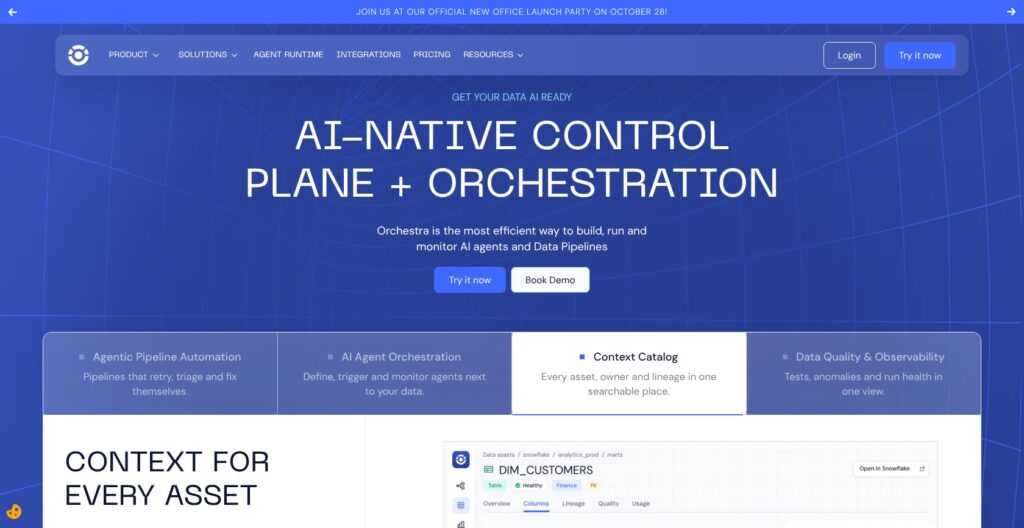
In this review, I’ll take a closer look at Orchestra’s pricing, features, and observability, so you can see exactly whether it fits your data team or whether an orchestrator like Dagster or Astronomer is the better buy.
Key Takeaways
- Visual or Git-backed DAGs: YAML/OML pipelines live in five Git providers.
- State-aware dbt Core: Only changed or freshly fed models rebuild on dbt Core 1.10.x-1.12.x and dbt 2.x.
- Flat entry pricing: Lean is free and Scale-Up costs $200 a month for up to 10 users.
- Small daily allowances: 100 compute minutes and 1,000 tasks a day on both self-serve plans.
- Duration-only anomalies: No row-count checks, and metadata is deleted after 90 days unless exported.
Pros and Cons
Pros
- Free Lean plan, with Scale-Up at a flat $200 a month for up to 10 users.
- Visual builder plus YAML/OML pipelines stored in any of five supported Git providers.
- State-aware dbt Core runs skip unchanged models that have no fresh upstream data.
- 100+ integrations across ELT, warehouses, transformation, BI and AWS, Azure and GCP services.
- Rerun from failed repeats only the failed task and its downstream dependents.
Cons
- Both self-serve plans include 100 compute minutes a day for dbt and Python; overage rates are unpublished.
- Okta SSO, RBAC, multiple workspaces and hybrid deployment require the Enterprise plan.
- Anomaly detection covers run duration only, not row counts or schema changes.
- Run metadata is deleted after 90 days unless exported for longer retention.
Orchestra Pricing: How Much Does It Cost?
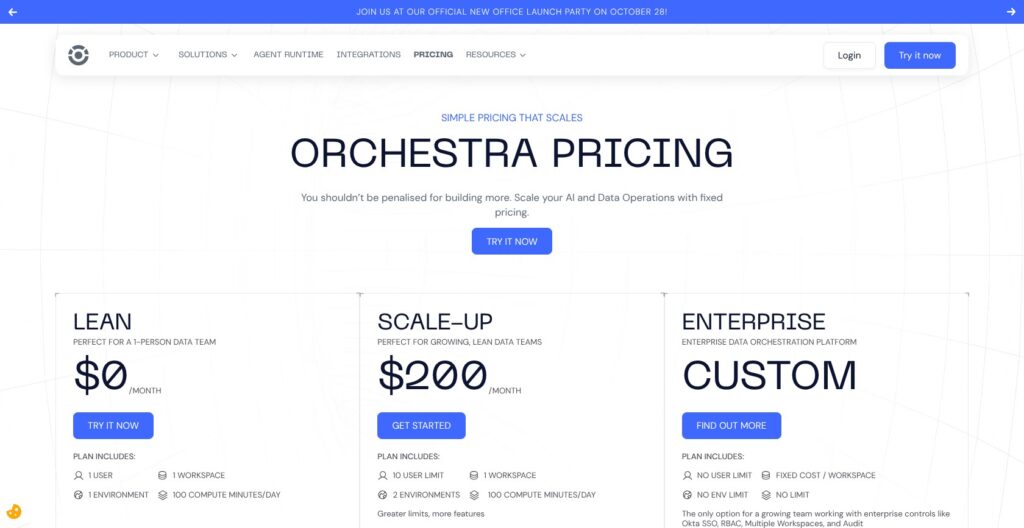
Orchestra sells three plans at fixed prices rather than per-seat or per-credit billing. Scale-Up buys more users and a second environment, not more included compute.
- Lean ($0 per month): for a one-person data team. Self-serve signup at app.getorchestra.io covers 1 user, 1 workspace and 1 environment, with no pipeline limit.
- Scale-Up ($200 per month): for growing lean teams that need up to 10 users and 2 environments in 1 workspace. The daily allowances and the unlimited pipelines match Lean’s.
- Enterprise (custom, billed annually): for organization-wide controls. It has a fixed cost per workspace, no user or environment limit and custom allowances, plus Okta SSO, RBAC, multiple workspaces, SCIM, private link, hybrid deployment, IP whitelisting, 24/7 support and an uptime guarantee.
| Plan | Price | Users | Workspaces and environments | Daily allowances | Best for |
|---|---|---|---|---|---|
| Lean | $0 | 1 | 1 workspace; 1 environment | 100 compute minutes; 1,000 tasks; 100,000 agent tokens | Solo data engineers |
| Scale-Up | $200 per month | Up to 10 | 1 workspace; 2 environments | 100 compute minutes; 1,000 tasks; 100,000 agent tokens | Small collaborative teams |
| Enterprise | Custom, billed annually | No limit | Multiple workspaces; no environment limit | Custom compute, tasks and tokens | Enterprise controls and deployment |
Compute minutes count only dbt and Python tasks. Fivetran syncs, warehouse queries and ECS jobs run on those services and draw nothing from the allowance. Orchestra publishes no overage rates for compute, tasks or tokens and no annual discount, so long dbt builds are the budget risk on Scale-Up.
Is Orchestra Good Value for Money?
- Dagster+: Solo costs $10 a month for 1 user and Starter $100 a month for up to 3 users, both plus pay-as-you-go credits ($0.040 and $0.035 per credit) and $0.010 per serverless compute minute.
- Prefect Cloud: Hobby is free for 2 users, Starter costs $100 a month for 3 users with bring-your-own compute, and Team costs $100 per user per month for 4-8 users.
- dbt: Starter costs $100 per seat per month for up to 5 developer seats and 15,000 models a month, and the dbt State add-on costs $0.094 per Daily Active Target Table.
- Astronomer: Astro Developer deployments start at $0.35 an hour and Team at $0.42 an hour, with workers billed separately.
- Amazon MWAA: bills per environment instance-hour plus workers, schedulers, web servers and metadata storage.
At $200 a month for up to 10 users, Scale-Up undercuts per-seat Prefect Team and dbt Starter for a full team. Dagster publishes its usage rates and Prefect Starter runs on my own compute, while Orchestra caps managed compute at 100 minutes a day and leaves the overage price unpublished.
Reviewer’s Notes: I recommend starting on Lean with one real pipeline and moving to Scale-Up once a second teammate or a separate dev environment is needed. Keep heavy Python jobs on ECS or Azure Container Apps in your own cloud account so they never draw on the 100 daily compute minutes.
My Experience With Orchestra
Signing Up and Connecting Integrations
I signed up for the free Lean plan at app.getorchestra.io and verified my email. I then connected the three integrations from Orchestra’s own tutorial: Fivetran for ingestion, dbt Core on Databricks for transformation and Lightdash for the dashboard refresh.
Each credential went into an integration connection scoped to an environment. Lean includes one environment, and separate dev and prod connections need Scale-Up’s two.
There was no Airflow deployment to size first. Astronomer starts with a deployment billed by the hour plus workers, and Amazon MWAA starts with an environment billed per instance-hour.
Building My First Pipeline
In the visual builder, I added three tasks and linked them into a directed acyclic graph, or DAG:
- Fivetran sync: ingests the source data.
- dbt Core build: transforms it on Databricks after the sync.
- Lightdash refresh: updates the dashboard after the build.
Fivetran and Lightdash ran their own operations, and the dbt Core task ran on Orchestra-managed compute while its queries ran on Databricks. That split keeps warehouse spend on the Databricks bill, not on Orchestra’s allowance.
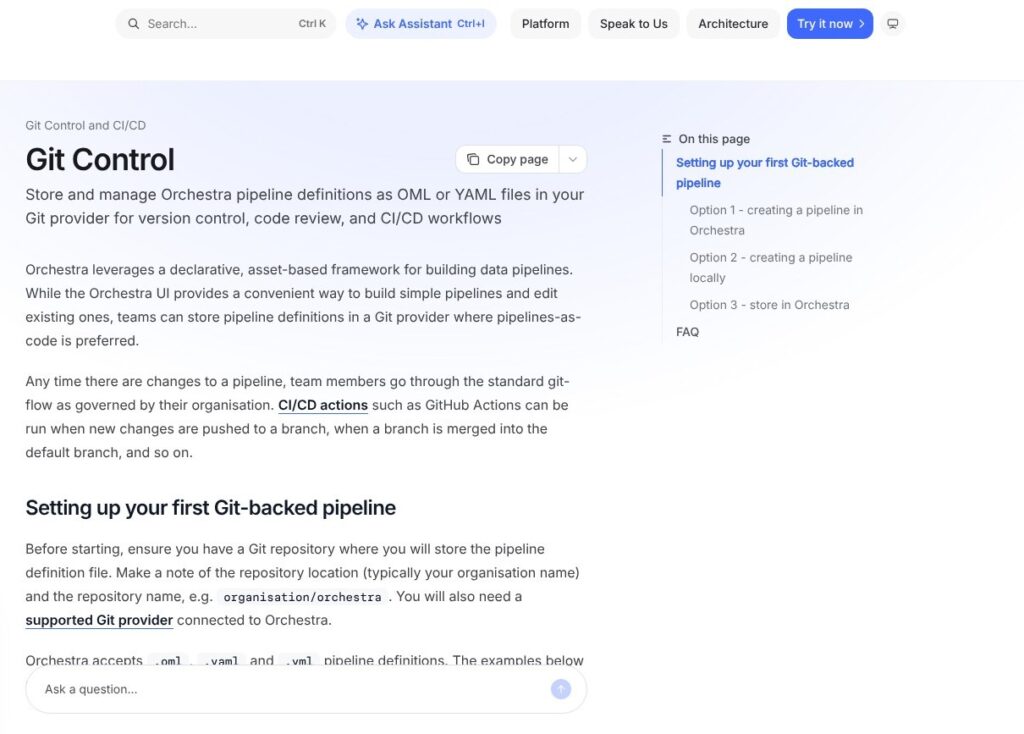
Next, I switched the pipeline’s storage to Git. I picked the repository, an OML file path, the default production branch and a working branch. Orchestra pushed the definition to the working branch, and scheduled runs execute only from the default branch after a merge.
Orchestra supports five Git providers:
- GitHub
- GitHub Enterprise Cloud
- GitLab
- Azure DevOps
- Bitbucket
OML stands for Orchestra Markup Language, and pipeline files also accept .yaml and .yml. I opened the OML file in VS Code, where Orchestra’s extension added schema-aware autocomplete and validation.
Environments, Triggers and Alerts
Environments are sets of variables, connections and credentials inside one workspace. One pipeline runs against dev and prod without a copy, where Airflow typically needs a separate instance per environment. Lean allows 1 environment and Scale-Up 2.
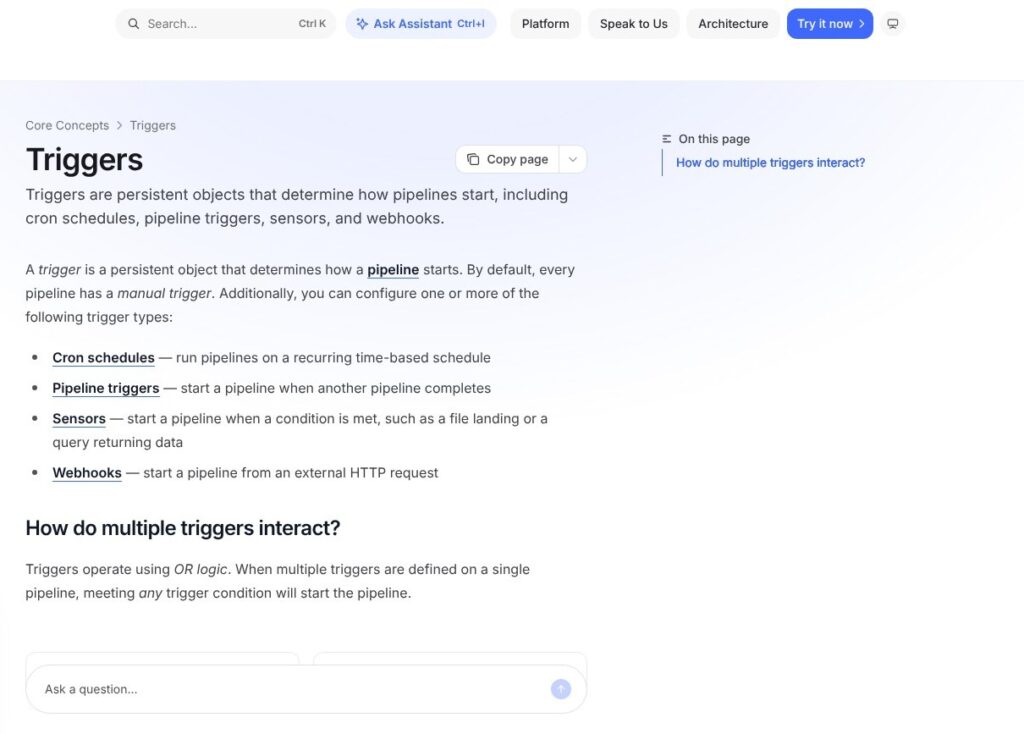
I added a daily cron trigger to my single environment. The other trigger types are:
- Pipeline triggers: start when an upstream Orchestra pipeline or task finishes.
- File sensors: fire when a file lands in S3, ADLS Gen2, SFTP or SharePoint.
- Query sensors: fire when a query returns rows in Snowflake, BigQuery, Databricks, Postgres and other databases.
- Webhooks: start a run from an external event.
Multiple triggers on one pipeline combine with OR logic, so any one of them starts a run.
I added a Slack alert on failed runs. The other destinations are:
- Microsoft Teams
- PagerDuty
- Datadog
- Google Chat, added November 11, 2026
- Custom webhooks
“Rerun from failed” marks completed tasks SKIPPED and reruns only the failed task and its downstream dependents, reusing the original run’s input values. Concurrency limits apply per pipeline, environment and Git branch: a new run is skipped by default or queued, and an in-progress run is never cancelled.
Reviewer’s Notes: Move pipelines into Git before a second teammate joins. Schedules follow the default branch, so unmerged builder edits never run on a schedule.
Managed dbt Core and Python Execution
Orchestra runs dbt Core as a managed task straight from a Git-hosted dbt project, with dbt-core and adapter versions pinned in requirements.txt or pyproject.toml. It supports dbt Core 1.x and dbt 2.x through dbt-oss, and the project must sit at the repository root. A repo that keeps its dbt project in a subfolder has to move it to the root first.
State-Aware dbt Runs
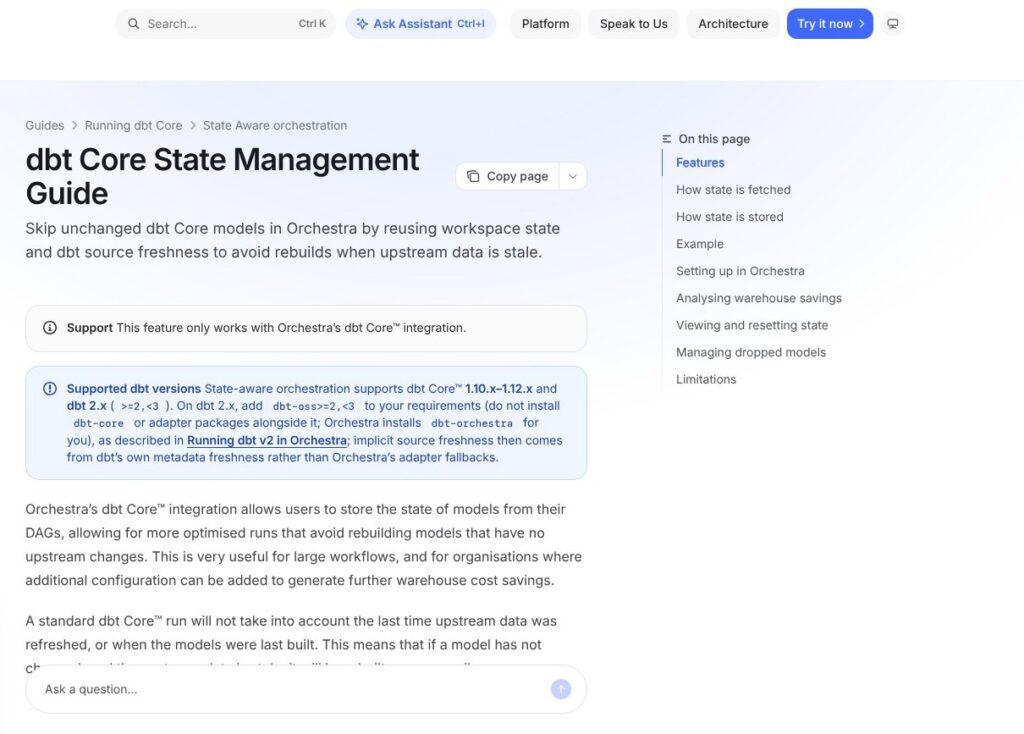
With “Use state orchestration” on, only models edited since the last run or with fresh upstream data rebuild, based on dbt source freshness. It works on dbt Core 1.10.x-1.12.x and dbt 2.x, and only through the dbt Core integration, not dbt Cloud.
- Storage: state sits at workspace level and updates only for successfully built models.
- Reset: a UI control clears stored state.
- Build conditions: build_after supports count, period and updates_on only, and period measures time since the last build, not a clock time.
For Slim CI, the latest production artifacts sit at a latest_production path, so state:modified+ with --defer works from GitHub Actions, GitLab CI/CD or Azure DevOps without separate artifact plumbing.
dbt sells the comparable capability as dbt State at $0.094 per Daily Active Target Table, on top of seat prices. In Orchestra, the models that do rebuild still draw on the 100 daily compute minutes.
Python Tasks
Python scripts also run from Git, with pip dependencies in requirements.txt or Poetry settings in pyproject.toml. Managed Python and dbt share the same 100 daily compute minutes on Lean and Scale-Up. Heavier jobs can run on AWS ECS or Azure Container Apps in my own account, or through hybrid agents.
Orchestra is strong for dbt Core teams leaving dbt Cloud scheduling. Python-heavy teams should run compute in their own cloud and use Orchestra to coordinate it.
Observability: Lineage, Incidents and Anomaly Detection
Orchestra builds asset lineage from integration metadata, spanning tables, views and dashboards across Snowflake, BigQuery, Databricks and Power BI. Where an integration exposes no dependency information, the link is missing from the graph, so lineage maps most of a stack rather than all of it. Models that state-aware dbt runs reused instead of rebuilding are flagged in lineage, logs and analytics.
| Asset detail | Supported examples | Useful for |
|---|---|---|
| Query usage and query cost | Snowflake, BigQuery | Tracking warehouse activity |
| Column-level catalog | Snowflake, Databricks | Inspecting asset structure |
| Dashboard viewers and refresh health | Power BI | Checking downstream consumption |
Incidents and Alerts
Monitors group related failures, warnings, duration anomalies and external JSON events into incidents, using grouping rules, severity and alert settings. External JSON events let systems outside Orchestra raise incidents too. Alerts attach to pipelines, tasks, sensors and anomalies, and PagerDuty is one of the destinations.
Anomaly Detection
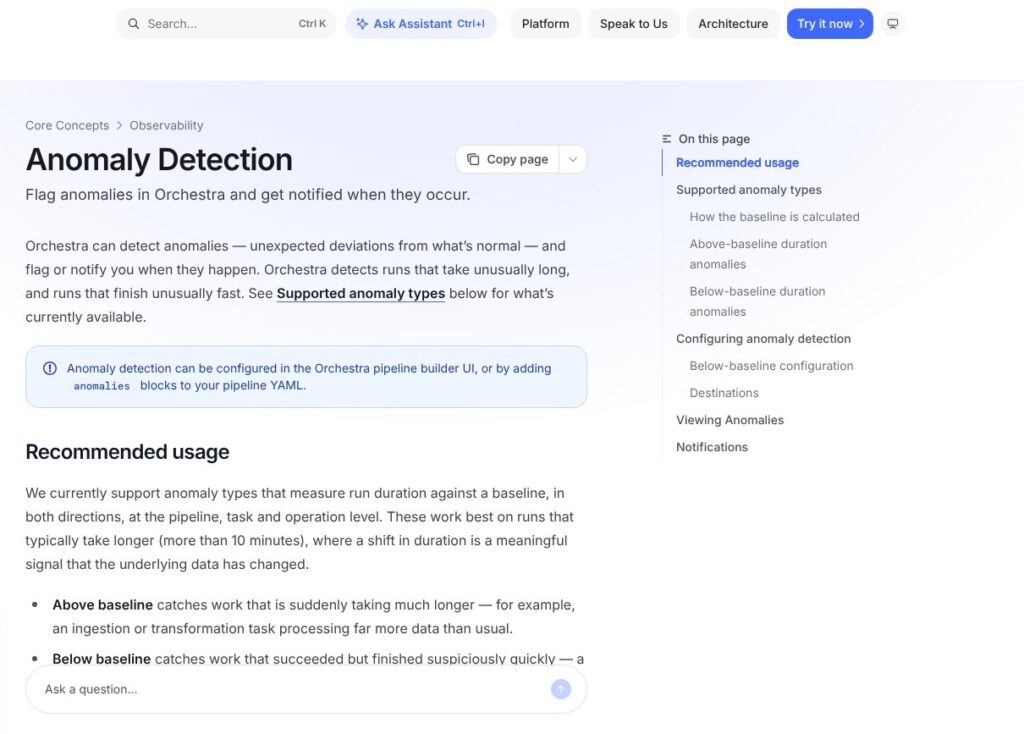
Orchestra’s six anomaly types all measure run duration:
- Pipeline level: above or below the baseline.
- Task level: above or below the baseline.
- Operation level: above or below the baseline per dbt model, for dbt Cloud and dbt Core only.
The baseline is the median of up to the last 100 successful or warning runs from the past 30 days in the same environment, and detection needs at least 10 qualifying runs. Defaults flag runs 20% above or 75% below the baseline, so a dbt model that runs 20% longer than its median gets an operation-level flag. The feature fits runs longer than about 10 minutes.
None of the six types covers row counts or schema drift, and logs and run history are deleted after 90 days unless exported. Orchestra watches pipelines, not data values; for data-value monitoring, Monte Carlo is the dedicated tool.
AI Agents, the MCP Server and the API
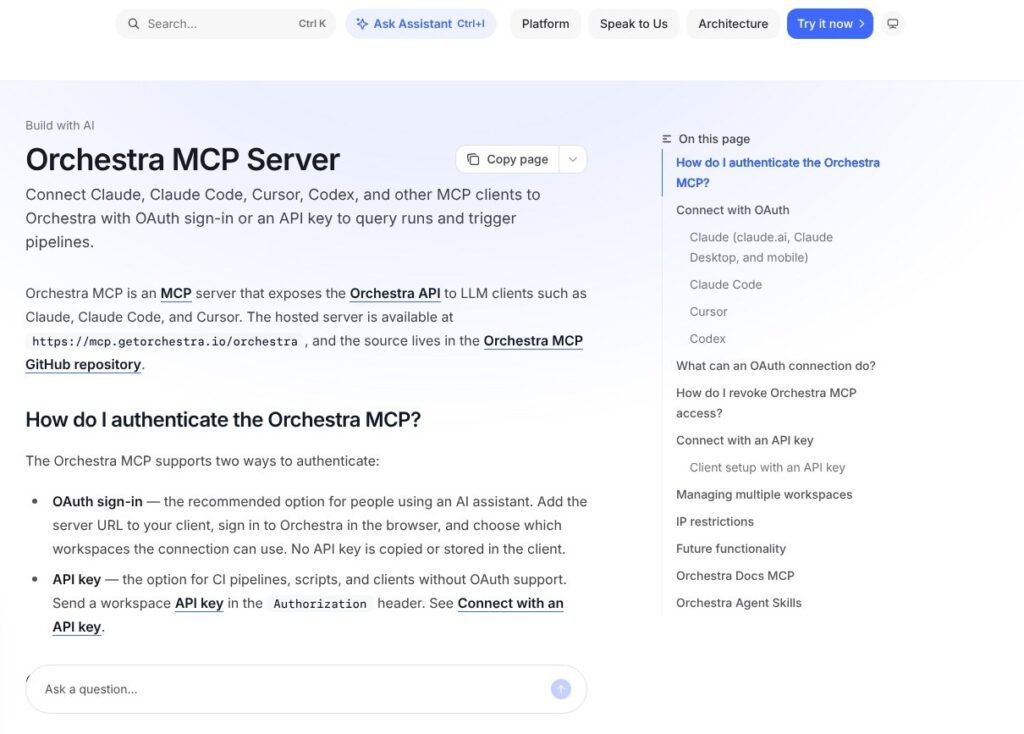
Orchestra’s hosted MCP server lets AI clients read and operate the platform, authenticated by OAuth or an API key. A read-only mode comes from the orchestra:read scope or a read-only key. Supported clients:
- Claude
- Claude Code
- Cursor
- Codex
Agents are defined in YAML, run in isolated sandboxes, start from pipeline tasks and have every session recorded. Runs can bill to my own Anthropic API key, and Lean and Scale-Up include 100,000 agent tokens a day. Agent Git access defaults to read plus branch write, and opening pull requests needs a separate token.
The agent templates cover:
- Pipeline fixer: an agent triages a failure and routes the fix through a human approval step.
- Code review: a dbt Core code reviewer.
- Impact analysis: an assessment of what a dbt change affects.
Kestra’s free open-source edition also ships an MCP server, so Orchestra’s edge is agents that start inside its own pipeline tasks, not MCP access itself.
The REST and Metadata APIs come with OpenAPI specs, and the CLI validates, imports, creates, updates, builds and runs pipelines. Workspace API keys never expire and their actions stay out of the activity trail. User API keys, added November 10, 2026, expire after 30, 90 or 365 days and have their actions recorded.
Keep the human approval step on and use expiring user keys over workspace keys.
Security, Deployment and Access Control
Orchestra runs as managed SaaS on AWS by default, in a private subnet across multiple availability zones, with TLS 1.3 and credentials encrypted at rest. It stores metadata, not warehouse data, and lists the managed IPs for dbt Core and Python tasks separately for firewall allow-listing.
Enterprise hybrid deployment keeps the control plane in Orchestra’s cloud and runs compute in my own AWS, Azure or GCP account, with private connections over AWS PrivateLink or Azure Private Endpoints. Orchestra publishes no customer-selectable hosting region, a gap for teams with strict data residency rules.
- Compliance: Orchestra states SOC 2 Type 2, ISO 27001, GDPR and HIPAA compliance and runs a Trust Centre.
- SSO: Google, Microsoft Entra ID, Keycloak and Okta.
- Provisioning: SCIM through Okta, with Microsoft Entra listed as coming soon.
- Permissions: RBAC with ADMIN and MEMBER roles plus user groups.
- Oversight: an activity trail and IP restrictions.
- Isolation: workspaces cannot use each other’s connections or trigger each other’s pipelines.
Okta SSO, RBAC, multiple workspaces, SCIM, private link and hybrid deployment are Enterprise plan features. Prefect Cloud draws the same line, keeping SSO, SCIM and multiple workspaces on its Enterprise tier, so a team that needs centralized identity should budget for Enterprise on either product.
How Does Orchestra Compare to Competitors?
-
Apache Airflow is the open-source standard. Amazon MWAA bills per environment instance-hour plus workers, schedulers, web servers and metadata storage, and MWAA Serverless bills per task duration with a 1-minute minimum. Orchestra’s Airflow integration triggers existing DAGs, so a move can happen one pipeline at a time. It fits teams with Python engineers who want full control.
-
Astronomer runs managed Airflow, with Astro Developer deployments from $0.35 an hour and Team from $0.42 an hour. Workers start at $0.13 an hour and scale to zero, and the Business tier adds 24×7 support with a 1-hour SLA. It fits Airflow shops that want to stay on Airflow.
-
Dagster offers Dagster+ Solo at $10 a month for 1 user and Starter at $100 a month for up to 3 users, plus credits and $0.010 per serverless minute. Dagster’s pricing page now says it is part of Prefect. It fits Python teams that model data as assets.
-
Prefect has a free Hobby tier for 2 users and 5 deployments. Starter costs $100 a month for 3 users with bring-your-own compute, and Team costs $100 per user per month for 4-8 users. It fits Python-first teams that want code-defined flows.
-
dbt Cloud charges $100 per seat per month on Starter, with 15,000 models a month, and sells dbt State as an add-on. It fits teams whose whole pipeline is dbt, without ingestion and BI steps to coordinate.
-
Kestra has a free open-source edition with 2,600+ plugins and code and no-code editors. Enterprise is an annual per-instance subscription with an unpublished price, and it runs on-premises or air-gapped. It fits teams that must self-host.
Orchestra fits a small, mixed-stack team that wants Fivetran, dbt Core and BI refreshes in one managed, observable pipeline at a flat price.
How I Reviewed Orchestra
I signed up for Lean and connected Fivetran, dbt Core on Databricks and Lightdash. I built a three-task pipeline in the visual builder, moved it into Git as an OML file, and added a cron trigger and a Slack alert in the single included environment. I set up rerun from failed, turned on state-aware dbt runs, went through the lineage, incident and anomaly settings, connected the MCP server and reviewed the security setup.
I weighed:
- Pricing and value: plans, allowances and overage terms.
- Pipeline building: visual editing, Git and triggers.
- Execution: managed dbt Core and Python.
- Observability: lineage, incidents and retention.
- AI and API: agents, MCP and key controls.
- Security: hosting and Enterprise requirements.
- Alternatives: Airflow, Amazon MWAA, Astronomer, Dagster, Prefect, dbt Cloud and Kestra.
Prices current as of November 2026.
Orchestra Review: Should You Use Orchestra to Run Your Data Pipelines?
Yes, if you run a lean data team of up to 10 users that pairs Fivetran or Airbyte with dbt Core, a cloud warehouse and BI refreshes. Scale-Up costs $200 a month for one managed control plane with Git-backed pipelines, lineage, incidents and state-aware dbt runs, and no Airflow to operate.
State-aware dbt Core is the strongest reason to shortlist Orchestra, because dbt sells the same idea as a separate add-on. Slim CI artifacts at latest_production and rerun from failed cut repeated work on top of it.
Skip it for heavy managed Python: both self-serve plans cap Orchestra-side compute at 100 minutes a day, and Scale-Up does not raise that number. Choose differently for these needs:
- Data-value monitoring: Monte Carlo watches the data itself, while Orchestra’s anomalies cover duration only.
- Self-hosting or air-gapped runs: Kestra Enterprise or open-source Airflow.
- SSO and RBAC on a self-serve budget: Orchestra keeps both on a custom Enterprise contract.
Settle three things before signing: overage terms, which Enterprise features you need, and whether run metadata must outlast 90 days.
Start with one representative pipeline on the free Lean plan at Orchestra.
FAQ
Is Orchestra free?
Yes, Orchestra’s Lean plan costs $0 per month for 1 user, 1 workspace and 1 environment. It includes 100 compute minutes, 1,000 tasks and 100,000 agent tokens a day, with no pipeline limit. Scale-Up costs $200 a month for up to 10 users and 2 environments but keeps the same daily allowances, and Enterprise is custom.
Does Orchestra require coding?
No, Orchestra has a visual pipeline builder that links integration tasks into a DAG without code. Code-first teams can store the same pipelines as OML, .yaml or .yml files in GitHub, GitLab, Azure DevOps or Bitbucket. Scheduled runs follow the pipeline file on the default branch, so Git is the safer home once a second person edits pipelines.
Can Orchestra run dbt Core?
Yes, Orchestra runs managed dbt Core straight from Git, with the project at the repository root and versions pinned in requirements.txt or pyproject.toml. State-aware runs on dbt Core 1.10.x-1.12.x and dbt 2.x rebuild only changed or freshly fed models. Managed dbt runs draw on the 100 daily compute minutes.
Can Orchestra work with an existing Airflow setup?
Yes, Orchestra’s Airflow integration triggers existing DAGs, so ingestion, dbt and BI steps can move into Orchestra while Airflow keeps running the rest. That allows a gradual migration instead of a rewrite. Airflow, or Amazon MWAA or Astronomer, still executes those DAGs and stays on its own bill.
Does Orchestra store my warehouse data?
No, Orchestra stores metadata, not warehouse data, and touches warehouse data only through pipeline tasks I configure. Enterprise hybrid deployment keeps the control plane in Orchestra’s cloud and runs compute in my own AWS, Azure or GCP account. Metadata is kept for 90 days by default, and longer retention needs an export.