
Editor’s note: This Paradime review is based on my hands-on test of Paradime v6, connected to a dbt project and a Snowflake warehouse, in November 2026. For this Paradime review, I weighed pricing and the DinoAI credit meter, workspace setup, the Code IDE, agents, Bolt scheduling and CI, Radar cost control, and how it compares with dbt platform, Datacoves, Orchestra and a self-run dbt Core stack.
Quick verdict: I recommend Paradime for dbt teams wanting a browser IDE, column-level lineage diffs on pull requests, and agents that propose fixes without managing infrastructure. Separate product charges mean a developer who also runs jobs starts at $200 a month, before extra credits, versus dbt Starter’s $100.
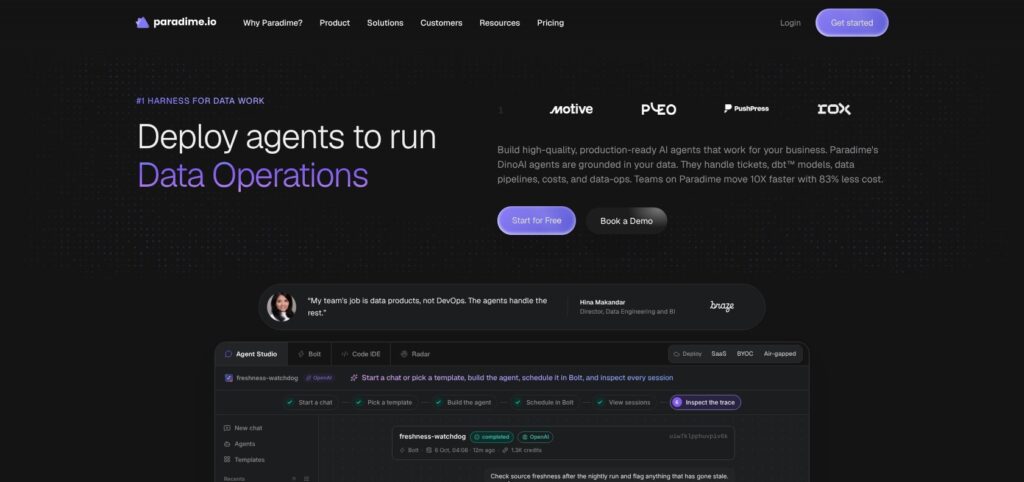
Paradime combines a dbt Core IDE with Bolt’s Turbo CI and Radar FinOps across six warehouses and four git providers. Paradime Labs started in 2021, with offices in San Francisco and London; it is independent of dbt Labs, which merged with Fivetran on June 1, 2026.
In this review, I’ll take a closer look at Paradime’s pricing, features, and dbt workflow, so you can see exactly whether it fits your analytics engineering team or whether dbt platform is the better buy.
Key Takeaways
- Separate charges: Code IDE starts at $20/user/month, Bolt at $180/user/month, and Radar Lite at $300/month. Read-only users are free.
- DinoAI: 15 models from seven providers support programmable agents, code reviews, and fix PRs.
- Extra credits: $5 to $8 per million, without fixed per-task pricing; budgets include an 80% alert.
- Security costs extra: SSO, RBAC, PrivateLink, and additional regions require an unpriced Security Pack.
- No permanent free plan: The entire platform has a 14-day trial; dbt platform offers a free Developer seat.
Pros and Cons
Pros
- Read-only Business users are free on both Code IDE and Bolt.
- Six warehouses and four git providers, including GitLab Self-Managed, support existing dbt stacks.
- Turbo CI includes column-level lineage diffs on every pull request.
- DinoAI offers 15 models from seven providers, plus MCP access for Claude Code, Cursor, and ChatGPT.
- The dbt Cloud migrator imports suspended schedules with Compare runs and rollback controls.
Cons
- Spark plus Bolt starts at $200 per developer monthly before extra credits.
- Extra DinoAI credits cost $5 to $8 per million without fixed per-task pricing.
- SSO, RBAC, and activity logs require the Security Pack, with no public price.
- Bolt retains logs for 60 days; customer S3 storage requires the Enterprise Pack.
Paradime Pricing: How Much Does It Cost?
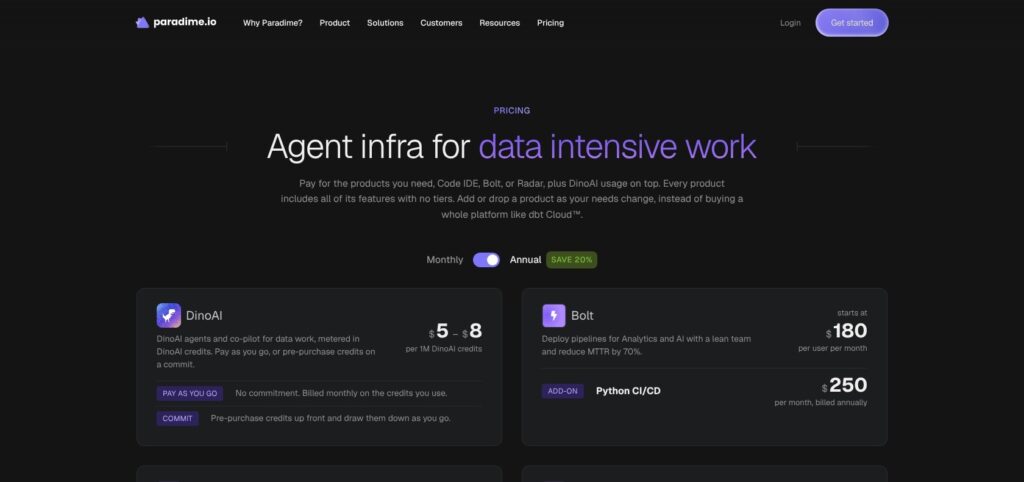
Paradime prices the Code IDE and Bolt per user, while Radar has flat pricing. The entire platform has a 14-day trial, and annual billing reduces subscription prices by 20%; the figures below are monthly unless specified otherwise.
- Spark ($20 per user/month): for developers starting with the Code IDE and 1M DinoAI credits.
- Flow ($44 per user/month): for developers needing a larger allowance of 5M credits.
- Vibe ($84 per user/month): for agent-heavy development, with 10M credits.
- Bolt (from $180 per user/month): for production scheduling; only users creating or running jobs are billed. Python CI/CD adds $250/month, billed annually.
- Radar Lite ($300/month flat): for cost monitoring with unlimited users. Cost reduction starts at $960/month and adds optimization agents.
- DinoAI credits ($5 to $8 per 1M): for usage beyond included allowances, purchased through pay-as-you-go or committed credits.
- Enterprise Pack and Security Pack (quote): for additional integrations and security controls. Neither has a public price.
| Product | Price | Billed to | Includes |
|---|---|---|---|
| Code IDE Spark | $20/user/month | Admins and developers | IDE, 1M DinoAI credits |
| Code IDE Flow | $44/user/month | Admins and developers | IDE, 5M credits |
| Code IDE Vibe | $84/user/month | Admins and developers | IDE, 10M credits |
| Bolt | From $180/user/month | Users creating or running jobs | Scheduling, Turbo CI, lineage diffs |
| Bolt Python CI/CD | $250/month, billed annually | Add-on subscription | Python CI/CD |
| Radar Lite | $300/month flat | Unlimited users | Monitoring and cost analytics |
| Radar cost reduction | From $960/month | Product subscription | Autoscaler and Agent Optimizer |
| DinoAI credits | $5 to $8/1M | Credit consumption | Pay-as-you-go or committed credits |
| Enterprise Pack | Quote | Contract | Power BI, Azure DevOps, S3 logs, user management API |
| Security Pack | Quote | Contract | SSO, RBAC, activity logs, PrivateLink, additional regions |
Hosting defaults to London and Northern Virginia. Frankfurt, Ireland, Sydney, and Singapore require the Security Pack, so EU or APAC data residency is a quote-only purchase.
Is Paradime Good Value for Money?
- Five Flow developers: $220/month. Giving all five Bolt access adds $900, bringing the subscription to $1,120 before Radar, packs, or extra credits.
- Annual billing: cuts that to $896/month equivalent. Restricting Bolt to two production owners instead makes the monthly-billed total $580.
- dbt platform Starter: $500/month for five developers, with a five-developer maximum and 15,000 successful models built monthly. Its free Developer plan covers one seat and 3,000 successful builds.
- Orchestra: cheaper orchestration entry points. Lean is free; Scale-Up costs $200/month for up to 10 users. Neither replaces Paradime’s IDE. Datacoves requires a quote.
- Credits: no fixed all-in estimate. Economy models use under one credit per output token, Standard uses one to five, and Premium exceeds five; tool usage also consumes credits.
DinoAI budgets reset on the first of each month, but interactive Copilot is never capped. The $5 credit rate’s qualifying volume is unpublished, so I would not build a forecast around the lowest advertised rate.
I see the strongest value when most stakeholders use free read-only access and only a few engineers need Bolt. Paying for both products across every developer makes dbt Starter a serious alternative.
Reviewer’s Notes: I recommend Spark for each developer initially, Bolt only for production schedule owners, and a workspace credit budget from day one. I would add Radar Lite only when Snowflake or BigQuery spending is an active problem, then increase IDE allowances after observing actual consumption.
My Experience With Paradime
Paradime separates development and production connections, so I connected one Snowflake-backed dbt project twice: once for the Code IDE and once for Bolt.
Setting Up a Workspace, Warehouse and Git
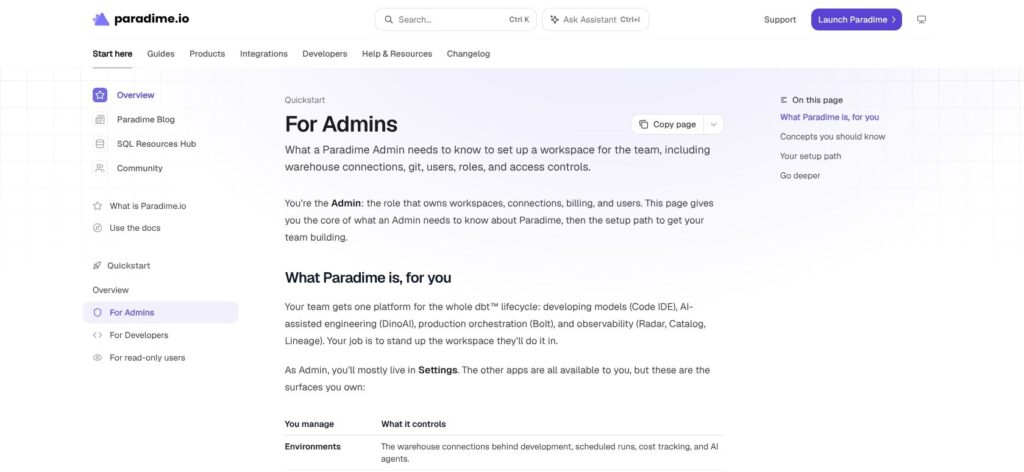
I created a workspace named after the dbt project. The connection structure kept interactive development apart from scheduled production runs, with two more connections available for agents and cost monitoring.
- Code IDE connection: development warehouse access for editing and running dbt models.
- Bolt connection: production warehouse access for scheduled jobs.
- Agent connection: optional warehouse access for DinoAI tasks.
- Radar connection: read-only access for cost monitoring.
For Snowflake, I gave development and production separate credentials rather than reuse one across both environments. The other supported warehouses are:
- BigQuery: service account JSON or OAuth.
- Redshift: password or IAM authentication.
- Databricks
- Microsoft Fabric
- MotherDuck/DuckDB
PrivateLink is supported for Snowflake and Redshift.
I connected the repository through the GitHub App. GitLab supports both gitlab.com and Self-Managed; Azure DevOps and Bitbucket use SSH deploy keys, and Azure DevOps sits in the Enterprise Pack.
I invited users as Admin, Developer, or Business, and kept free Business access for stakeholders who need visibility but do not develop models or run production jobs.
For the existing dbt platform project, I opened the migrator under Settings > Integrations > dbt Cloud. Its five phases cover environments, connections, variables, schedules, and verification.
Imported jobs became suspended Bolt schedules, with Compare runs and rollback available before a group-by-group cutover. The DinoAI migration agent required my approval before applying each phase, so the migration never ran unattended.
Staying on dbt platform avoids this migration work, but its plans still meter successful models built: 3,000 a month on Developer and 15,000 on Starter.
Building Models in the Code IDE
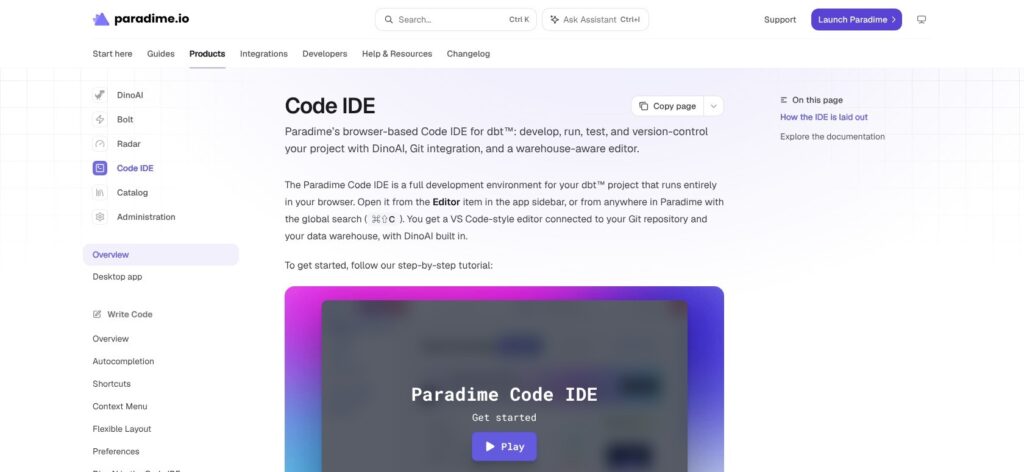
The Code IDE is a browser VS Code-style editor with a terminal for dbt, git, and shell. Paradime runs dbt Core and supports version 1.12; I set the version in Workspace Settings, and each Bolt environment can carry its own pin.
The Fusion option, 2.0-latest, appears only when enabled for the workspace, so dbt 2.0 is not a default on every account.
For an orders project, I ran this sequence in the terminal against the development connection, not the Bolt production credential:
dbt compile --select stg_orders
dbt build --select stg_orders+
The first command compiled stg_orders; the second selected stg_orders and every downstream resource for a build.
The IDE covered the surrounding development tasks:
- Data explorer: compiled SQL and data previews.
- Defer to production: development against production state.
- SQL editing: scratchpad, SQLFluff linting, and go-to-definition.
- Dependency inspection: column-level lineage while writing models.
- Git Lite: commits without leaving the browser workflow.
I added a root-level .dinorules file to define repository conventions for DinoAI. It also reads CLAUDE.md and AGENT.md, so the same guidance accompanies the code across supported agents.
Paradime also shipped a rebuilt macOS app on October 29, 2026, as an alternative to the browser.
Scheduling in Bolt and Opening a Pull Request
I created a Bolt schedule for production with Slack notifications; schedules can also live as YAML in the repository. On my pull request, Turbo CI built changed models into a temporary schema named paradime_turbo_ci_pr_ followed by the PR number.
The PR carried a column-level lineage diff. I enabled self_healing on the schedule, so a failed run triggers an agent that reads its log and opens a fix PR for human review, never an automatic merge.
Reviewer’s Notes: Separate development and production connections plus suspended imports make a controlled dbt platform cutover possible. I recommend comparing runs and switching schedule groups one at a time, keeping rollback available rather than activating every imported job together.
DinoAI: Copilot, Agents, Code Review and Credits
DinoAI offers 15 models from seven providers, with GPT-6.1 Sol as the default Copilot model and GPT-6 Luna handling background work. I can choose the model per chat rather than commit the whole workspace to one provider.
Copilot, Rules and MCP
DinoAI’s development surfaces include:
- Copilot panel and inline Copilot: assistance alongside model development.
- Autocomplete and AI commit messages: suggestions within the editing and git workflow.
- Repository guidance:
.dinorules, reusable.dinopromptsYAML templates, and automatically discovered Skills, including skills written for other coding agents. - OAuth-based MCP access: connections from Claude Code, Cursor, ChatGPT, GitHub Copilot, Kiro, and OpenCode.
I prefer repository-tracked rules over repeatedly entering conventions into chat. On dbt platform, dbt Wizard bills per token, while DinoAI converts model and tool activity into credits, so neither AI meter is a flat fee.
Programmable Agents and Code Review
Programmable agents use YAML under .dinoai/agents and can start from Bolt, API calls, webhooks, or pull requests. They run on a model family; the default OpenAI family pairs GPT-6.1 Sol with GPT-6 Luna sub-agents. A Slack Agent adds another interface outside the IDE.
Code Review launched on November 4, 2026, for GitHub PRs and GitLab merge requests. Each workspace permits three concurrent reviews; additional requests queue for up to two hours.
A review stops at 500,000 credits or 45 minutes. It can comment or request changes, but never approve or merge. I pair it with Turbo CI because an AI review does not replace building and testing changed models.
How Credits Are Consumed
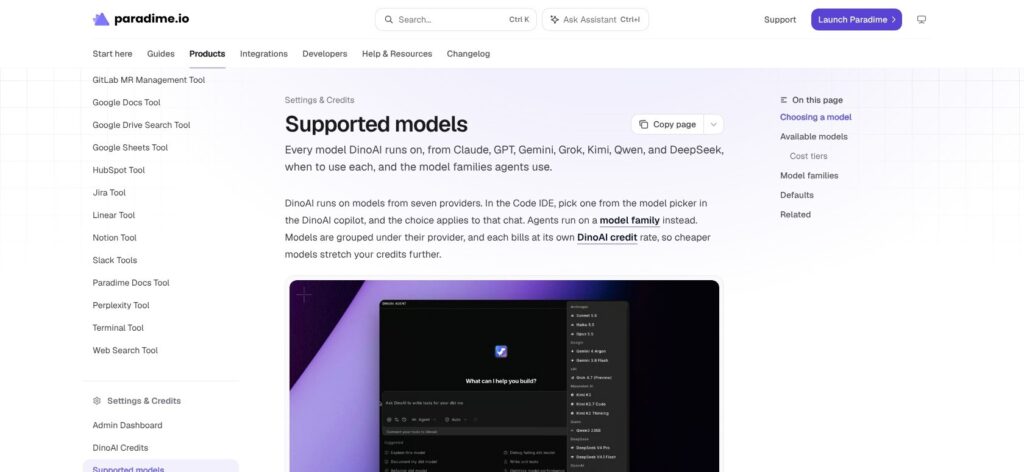
DinoAI consumes credits for input and output tokens, tool usage, and operation complexity. Warehouse queries and file-system operations contribute to the meter, as can Jira and Perplexity access.
| Model tier | Credits per output token | Examples |
|---|---|---|
| Economy | Under 1 | Haiku 5.5, GPT-6 Luna |
| Standard | 1 to 5 | GPT-6.1 Sol, Sonnet 5.5, Opus 5.5 |
| Premium | Over 5 | GPT-6 Astra |
Credit Saver Mode summarizes and restarts long threads; “Compact this chat” provides a manual option.
Administrators can assign workspace allowances as shared pools or per-user shares, plus combined and individual background-agent caps. Alerts arrive at 80%, and budgets reset on the first; exhausting a user’s share pauses their agents, not interactive Copilot.
I forecast costs from a representative month of consumption rather than task counts. No fixed credits-per-task figure is published, and a different model mix can change the next month’s bill.
Bolt Orchestration, Turbo CI and Lineage
Bolt starts at $180 per user monthly, charges only people who create or run jobs, and retains 60 days of logs. Longer retention means writing logs to my own S3 bucket, an Enterprise Pack feature.
Bolt exposes scheduling beyond its interface:
- GraphQL API and Python SDK: programmatic control through the API or
paradime-io. - CLI: 21 integration commands spanning tools such as Fivetran, Airbyte, Census, Hightouch, Monte Carlo, Power BI, Tableau, and Zapier.
- Outgoing webhooks:
bolt.run.startedandbolt.run.completedevents. - Incoming webhooks: external systems can start schedules.
- Schedules as code: repository-managed YAML definitions.
- CI coordination: Turbo CI merge queues and CI/CD chains.
I can retain an outer orchestrator through Apache Airflow operators or the Dagster integration.
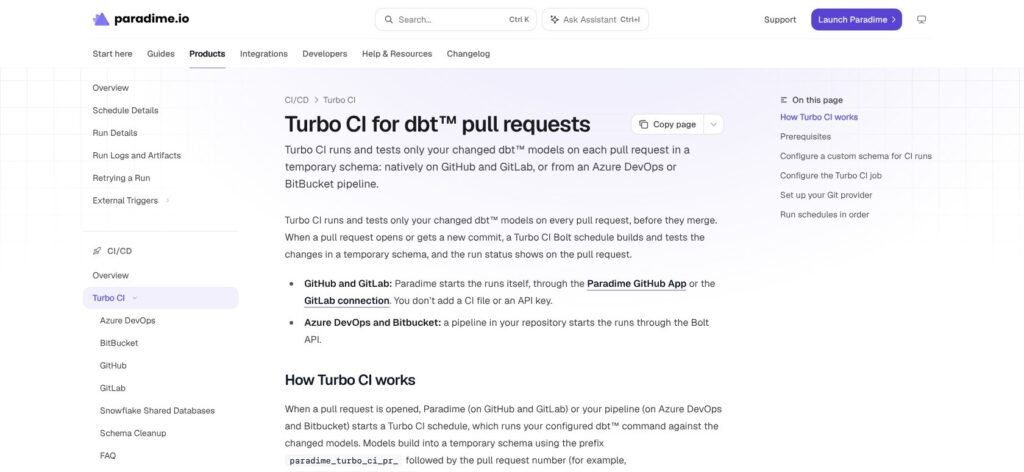
Turbo CI provides the changed-model build workflow associated with dbt Slim CI. Since November 4, 2026, GitLab receives native Turbo CI, on-merge runs, and lineage diffs; Azure DevOps and Bitbucket require a pipeline that calls the Bolt API.
Production notifications go to Slack, Microsoft Teams, or email.
The Bolt Pipeline Agent adds log summaries and “Fix with DinoAI”. I value its human-reviewed PR boundary more than the self-healing label: a proposed change still needs review and CI before deployment.
Data Catalog and BI Lineage
The catalog, rebuilt September 3, 2026, indexes dbt models, sources, tests, and BI assets with column-level lineage.
- BI coverage: Looker, Tableau, Power BI, Sigma, ThoughtSpot, Lightdash, Metabase, and Omni.
- Pipeline assets: Fivetran, Airbyte, and Hightouch.
- Packaging caveat: Power BI requires the Enterprise Pack.
dbt platform reserves column-level lineage for Enterprise, making Paradime worth comparing when impact analysis is a requirement rather than a convenience.
Best for: dbt teams wanting managed execution and PR-level dependency visibility. Skip if: an existing orchestrator already covers execution and the extra Bolt seats would duplicate paid infrastructure.
Radar: Snowflake and BigQuery Cost Control
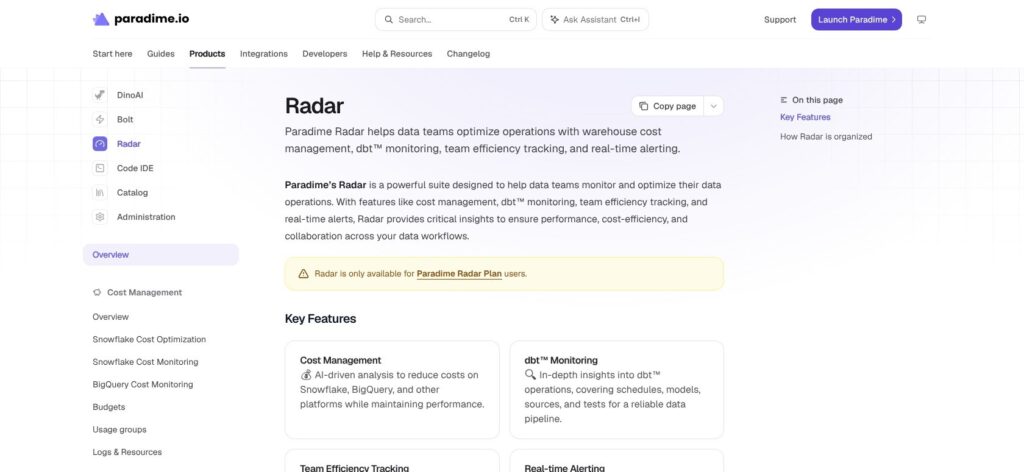
Radar Lite costs $300/month for unlimited users and connects through a read-only cost connection.
Its monitoring covers:
- 60+ built-in metrics: including warehouse analytics and real-time alerts.
- dbt operations: schedule, model, test, and source-freshness analytics.
- Team activity: DORA-style metrics.
- Connected tools: dbt Cloud, Looker, Jira, Linear, GitHub, Snowflake, BigQuery, and Databricks.
Cost management for Snowflake and BigQuery includes usage groups and a 90-day per-query spend recorder. Budgets send alerts at 80% and 100%; BigQuery budgets, usage groups, and logs arrived on October 29, 2026.
The cost-reduction tier starts at $960/month. Its Snowflake Warehouse AI Autoscaler adjusts sizing by time of day and utilization, with BI and reporting warehouses as the intended use case. The AI Agent Optimizer and idle-time tuning add further optimization controls.
Monitoring identifies expensive workloads; only the $960 tier acts on them by resizing Snowflake warehouses, and the Autoscaler has no BigQuery equivalent.
Radar is my recommendation only when warehouse spending, rather than dbt development, is the bottleneck. Cost management stops at Snowflake and BigQuery: Databricks gets Radar analytics only, and Redshift, Fabric, and MotherDuck are not among Radar’s integrations.
How Does Paradime Compare to Competitors?
I compare Paradime with dbt platform and Datacoves for managed dbt development plus scheduling, and with dbt Core, Orchestra, and Dagster when development and orchestration can remain separate.
-
dbt platform: I favor the vendor’s platform for teams prioritizing its native Fusion engine and Semantic Layer. Starter costs $100/user/month, permits five developer seats, and includes 15,000 successful models built monthly in one project. Developer is free for one seat and 3,000 successful builds. Column-level lineage and SSO require Enterprise, while dbt Wizard adds token-based AI billing.
-
dbt Core with the free dbt VS Code extension: I would choose this for a small technical team with an existing orchestrator. The extension provides Fusion-powered autocomplete and inline errors, but scheduling, CI, secrets management, and infrastructure stay with the team. It avoids Paradime’s IDE subscription without reproducing the whole managed product.
-
Datacoves: I favor it for private deployment: managed dbt plus managed Airflow in the customer’s own AWS, Azure, or GCP account. SaaS is also available with a 14-day trial. Pricing requires a quote, so I would compare a complete deployment proposal rather than assume it undercuts Paradime’s separately priced security controls.
-
Orchestra: I favor it for pipelines spanning ingestion, dbt, and BI rather than browser-based model editing. Lean is free for one user and 100 compute minutes daily; Scale-Up costs $200/month for up to 10 users and two environments. Enterprise lists SOC 2, ISO 27001, and HIPAA. It is an orchestration product, not a dbt IDE.
-
Dagster: I would retain its asset-based orchestration when dbt sits beside Python and ML workloads. Bolt’s integration allows that architecture without forcing the entire dependency graph into Paradime.
| Tool | Starting price | IDE | Scheduling | Free option |
|---|---|---|---|---|
| Paradime | IDE $20/user/month; Bolt from $180/user/month | Browser Code IDE | Bolt | 14-day trial |
| dbt platform | Developer $0; Starter $100/user/month | Managed IDE | Managed jobs | Developer plan |
| dbt Core + VS Code | Free software | Local VS Code extension | Self-managed | Free software |
| Datacoves | Quote | Browser VS Code | Managed Airflow | 14-day SaaS trial |
| Orchestra | Lean $0; Scale-Up $200/month | Not a dbt IDE | Orchestration control plane | Lean plan |
I would compare complete working stacks, not entry prices. Paradime’s $20 IDE seat excludes Bolt, while a free dbt Core installation still leaves production operations with the team.
How I Reviewed Paradime
I tested Paradime v6 on a dbt project with separate Snowflake development and production connections and the GitHub App. I built models in the Code IDE with DinoAI and a .dinorules file, set a DinoAI workspace credit budget, scheduled Bolt runs with Turbo CI and self-healing, and read the column-level lineage diff on a pull request. I also walked through the dbt Cloud migrator and the Radar screens.
My evaluation weighted:
- Pricing: combined IDE and Bolt seats, credits, and paid packs.
- Setup: warehouse connections, git providers, and suspended migration schedules.
- Development: terminal access, SQL tooling, version pinning, and lineage.
- AI agents: model choice, spending limits, and review boundaries.
- Production: scheduling interfaces, CI behavior, and log retention.
- Cost control: Radar monitoring versus separately priced optimization.
- Alternatives: dbt platform, dbt Core, Datacoves, Orchestra, and Dagster.
Prices current as of November 2026.
Should You Move Your dbt Project to Paradime?
I recommend Paradime when dbt Starter’s five-developer cap or model-build allowance constrains your team, or when GitLab support and human-reviewed agent fixes matter more than staying on the vendor’s platform. Its browser IDE and Bolt lineage workflow are a credible managed alternative, but $200 per developer-plus-operator is the starting comparison, not the $20 IDE headline.
I would keep a solo developer on dbt’s free Developer plan if one seat and 3,000 successful monthly builds are enough. For private deployment, I would compare Datacoves first; for buyers requiring a published SSO-inclusive price, Paradime’s unpriced Security Pack is a purchasing obstacle.
The strongest Paradime configuration gives developers IDE access while limiting Bolt seats to production owners. I would also leave Radar out of the initial purchase unless warehouse spending already needs dedicated attention.
Fusion-dependent teams need 2.0-latest enabled on their workspace, and dbt 2.0 cross-project refs were still rolling out to companies as of October 29, 2026.
The next step is to try Paradime for 14 days using the dbt Cloud migrator. Keep imported schedules suspended, compare runs before switching each group, and set a DinoAI workspace budget before inviting the rest of the team.
FAQ
How much does Paradime cost?
Paradime Code IDE costs $20, $44, or $84 per user monthly for Spark, Flow, or Vibe. Bolt starts at $180 per job-creating or job-running user, and Radar Lite costs $300/month flat. Extra DinoAI credits cost $5 to $8 per million. Annual subscription billing is 20% less; security and enterprise packs require quotes.
Is Paradime a replacement for dbt Cloud?
Yes, Paradime can replace dbt Cloud’s IDE, scheduling, and CI workflows. It runs dbt Core and provides a migrator that imports jobs as suspended Bolt schedules. Fusion is available as 2.0-latest only when enabled for the workspace. Paradime is independent of dbt Labs and is not a dbt Labs partner.
Does Paradime have a free plan?
No, Paradime has no permanent free plan, but its 14-day trial includes the entire platform. Business users with read-only access are free on Code IDE and Bolt. Developers and users creating or running production jobs require paid access. For a solo developer needing an ongoing free managed option, I would compare dbt platform’s Developer plan.
Which warehouses does Paradime support?
Paradime supports Snowflake, BigQuery, Redshift, Databricks, Microsoft Fabric, and MotherDuck/DuckDB. Connections are separated by environment, including development and production, with optional Agent and read-only Radar connections. PrivateLink is available for Snowflake and Redshift through the Security Pack. Radar’s cost management covers only Snowflake and BigQuery.
Which AI models does DinoAI use?
DinoAI offers 15 models from seven providers: Anthropic, Google, xAI, Moonshot AI, Qwen, DeepSeek, and OpenAI. GPT-6.1 Sol is the default Copilot model, GPT-6 Luna handles background work, and users can select models per chat. Output-token rates fall into Economy, Standard, or Premium tiers; input tokens and tool usage also consume credits.